



 Ludo Game
Ludo Game is the classic race to bring four pawns home, played online on a shared board. Pick Red, Green, Yellow or Blue, roll the dice and move your pawns clockwise around the track.
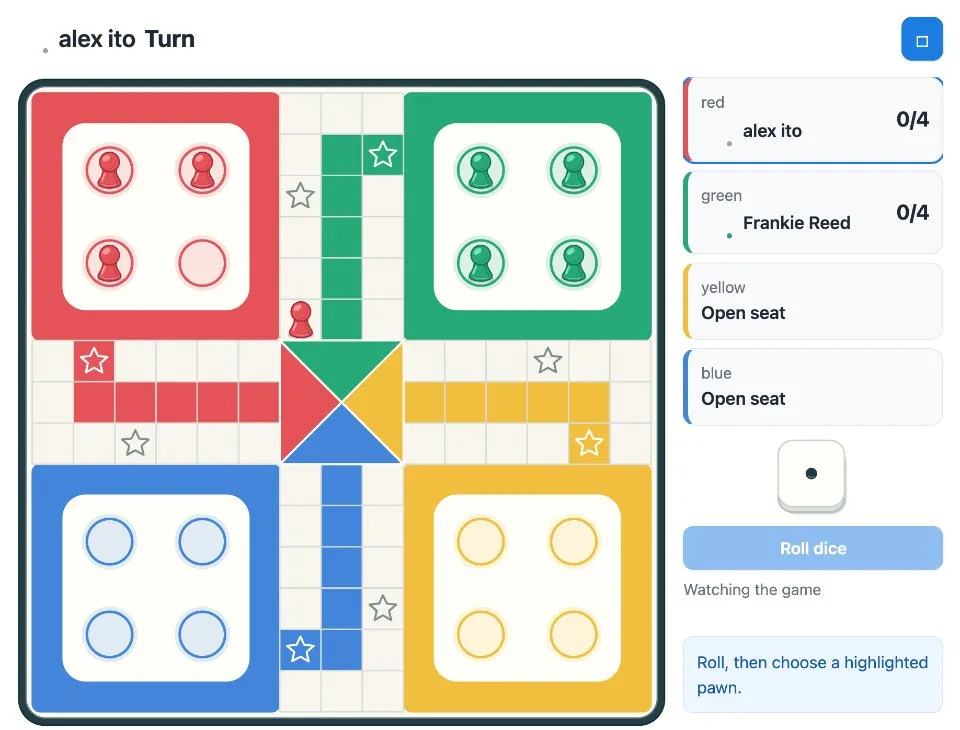
Play Ludo Game online together.
Play with up to three other people on the board, or choose Play computer for a game against the computer. Anyone who has not taken a seat watches the game live.
It runs on a shared MockFlow board, so everyone sees the same dice, pawns and turns at the same time.
- Classic Ludo rules. Leave the yard on a 6, extra roll on a 6, capture by landing on a rival and an exact roll to finish.
- Four colours. Red, Green, Yellow and Blue seats, each person controlling their own pawns.
- Play the computer. No one free to play? Play computer adds a computer opponent.
- Highlighted moves. After each roll, the pawns that can move are highlighted, so you only pick from legal moves.
- Safe squares. Starred squares protect your pawns from capture.
- Watch live. Board members without a seat follow every roll and move as it happens.
- Built in rules. How to play explains the rules with an example, right inside the game.
How to play Ludo Game.
Take a seat
Choose a colour and press Join. Start with 2 to 4 people, or press Play computer and the computer joins the opposite colour.
Roll the dice
On your turn, press Roll dice. You need a 6 to bring a pawn out of the yard onto your colour's starred starting square.
Move a pawn
Click a highlighted pawn to move it clockwise by the number you rolled. A 6 earns another roll, but three 6s in a row lose the turn.
Capture rivals
Land on an opponent's pawn to send it back to its yard. Starred squares are safe, and pawns can share a square.
Head for home
After a full lap, your pawns enter your coloured home lane. You need an exact roll to finish.
Pass when stuck
If no pawn can move, press Pass turn and play moves on.
Win the race
The first player to bring all four pawns home wins. New game returns everyone to the lobby.
Who uses Ludo Game.
A remote team on a Friday afternoon
Fill the four seats and race each other home while the rest of the team watches.
Someone waiting for a meeting to start
Press Play computer for a quick game against the computer.
A team social or offsite
Run a Ludo round on the board as a light break between sessions.
Family or friends far apart
Play the board game you grew up with online, each on your own screen.
Add Ludo Game to your board.
Use on a board opens a new board with Ludo Game already on it. To add it to a board you already have, follow these steps. Each copy keeps its own data, so a vote on one board never changes another.
Open your board
Open the MockFlow board you want to use it on.
Add it from the Artifact Library
Click Add anything (the plus button) in the toolbar at the bottom of the board, switch to Artifacts and pick Ludo Game under Games. Adding it does not use AI credits.
Use it together
Click Interact with Component (the hand button), or switch the board to Play mode. Everyone on the board uses the same app, and Reset shared data clears it for the next session.











 Brainstorm with MockFlow MCP


