



Talk on Zoom. Build on MockFlow.
Zoom is where teams talk: reliable video calls, large meetings, recordings and summaries. MockFlow is where teams build: everyone brainstorms, votes and plans on one whiteboard, and the work is saved when the call ends. Most teams need both, and they work well together.
What each one is best at.
They solve different problems. Zoom gets people talking. MockFlow gives them one place to make something together while they talk.

Zoom
Best for talking- Video calls people trust. Up to 100 people on Basic and Pro, 300 on Business, with calls up to 30 hours on Pro.
- Recordings and AI summaries. Meeting summaries on every plan, unlimited from Pro.
- Large meetings. All hands and town halls for up to 1,000 people on Enterprise, where most people listen.
- A whiteboard in the call. Zoom Whiteboard for quick sketches while you talk.

MockFlow
Best for brainstorming visually- One board everyone edits. Sticky notes, votes, polls and timers, with everyone working at once.
- Real work, not just notes. Kanban, mind maps, flowcharts, plans and wireframes on the same board.
- People from outside, without a seat. Guests and sessions let clients and students edit.
- AI that builds on the board. Mida turns the notes into a plan, a diagram or action items.
The same brainstorm, two ways.
On a call, one person shares a screen and writes down the ideas. On a MockFlow board, everyone adds, moves and votes on them while they talk, on Zoom or on the board itself.
 Emma
 Lucas
 Sofia
 Sam



 EmmaLucasSofiaSam
The person sharing writes and moves things
Everyone adds, moves and votes at once
Said out loud, written down by the person sharing
Sticky notes, drawings and votes everyone can see
Ask the person sharing to scroll or zoom
Cursor chat next to the idea, Bring everyone here, click a face to see their view
The center of the call
Built in, as a panel on the board; place a screenshot or short clip next to the work
A recording and a summary of what was said
The board itself, ready for the next step
Calls on the MockFlow board come with screen sharing built in: audio on Plus, video on Max. Or keep talking on Zoom and work on the board beside it.
More than a whiteboard in a call.
Zoom Whiteboard is a canvas inside your Zoom calls. A MockFlow board holds the whole session: the ideas, the votes, the plan and the apps that run it, with AI that builds alongside you.
Visual brainstorming
Sticky notes, sections, shapes and drawing on one canvas. People group ideas by dragging them, not by asking someone to.
Every planLive polls and votes
Ask a question and watch the results fill in as people vote. Upvotes and a show of hands work the same way.
Plus and MaxA timer for everyone
Time-box silent writing or a brainstorm. The same clock runs for everyone on the board.
Plus and MaxComponents for the real work
Turn the ideas into a kanban, a mind map, a flowchart, a wireframe or a plan, on the same board, before the call ends.
Every plan Speaker Turn
 Word Cloud Studio
 Idea Builder
Apps and games
Open with a game, run the meeting with an app made for the job, such as Speaker Turn, and close with a vote. Pick from the library on any plan, or build your own with AI on Max.
Every plan
AI that builds on the board
Mida turns notes into a plan, a diagram or action items with owners. Your team runs Mida, and everyone in the session sees the result.
AI credits on every planZoom, MockFlow or both?
Two questions decide it: are people making something together, and are they in the same room?
The meeting is mostly talking. Share a board link if someone needs to look.
Weekly status update
People report in turn, and nothing is made together.
One to one
A conversation between two people needs no shared board.
Town hall or webinar
Most people watch and listen rather than work together.
People are in different places and make something together. Talk on Zoom, build on the board.
Client or partner workshop
Outside people edit for the session, and can stay on as guest editors.
Retro or sprint planning
Everyone writes at once, then votes. The actions stay on the board.
Design review
The client marks up and comments on the real screens while you talk.
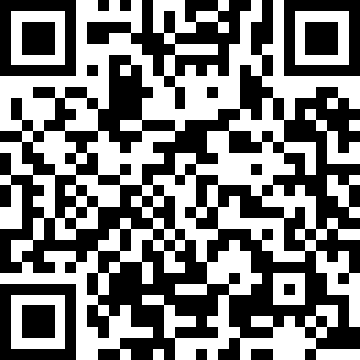
Everyone is in one room. Put the QR code on the screen, and people add ideas from their own phone or laptop.
Class or training
Students add answers, ideas and votes instead of only listening.
Workshop in one room
Sticky notes everyone can reach, and nothing to type up afterwards.
Team offsite
Brainstorm, vote and plan, then take the board home with you.
Zoom on its own, and with MockFlow.
Three meetings teams run every week: first on Zoom with Zoom Whiteboard, then on Zoom with a MockFlow board beside it.
A client kickoff workshop
- You share your screen and write down what the client says.
- For the client to draw on the whiteboard, an admin allows all meeting participants to use it.
- Afterwards the host grants them access, and Zoom whiteboards cannot be sent to people without a Zoom account.
- One calendar invite carries your Zoom link and the board.
- The client signs in with Google, Microsoft, Apple or their email and adds their own notes.
- Afterwards you keep them as guest editors in one step. No seat to buy.
What you gain: the client’s own words on the board, and a board you both keep working on after the call.
An online class or training
- Students watch one shared screen.
- For students without Zoom accounts to use the whiteboard, a school admin sets up sign in with the school’s accounts.
- Calls on Zoom’s free Basic plan end after 40 minutes.
- Teach on Zoom, and show the session’s QR code or 6 character code.
- Every student adds to the same board from their own phone or laptop.
- The board stays after class, ready for the next lesson.
What you gain: every student takes part, not only the ones who speak up. Up to 10 people on Plus and 30 on Max.
A team retro
- One person shares the whiteboard and moves the notes.
- A timer and voting in Zoom Whiteboard come with the Business plan.
- You keep a recording and an AI summary of what was said.
- Talk on Zoom while everyone writes notes at the same time, then votes.
- The timer and polls sit on the board next to the notes, on Plus.
- Action items stay on the board where the team will see them next sprint.
What you gain: quieter people are heard, and nothing has to be typed up afterwards.
A meeting or a session?
MockFlow has two ways to work together live. A meeting is a call on the board for people who already have it. A session opens the board to people from outside for a set time, and can use your Zoom link for the talking.
| Question | Meeting on the board | Live session | Scheduled session |
|---|---|---|---|
| What it is | A call on the board you are working on, started now | Editing for a set time, started now | Editing for a set time, booked ahead |
| Who joins | People who already have the board, such as your team | Anyone with the link or code: up to 10 on Plus, 30 on Max | The people you invite, plus anyone with the link unless you choose only invited people |
| How they get in | A banner on the board: click Join | Scan the QR code, or enter the short code; sign in with Google, Microsoft, Apple or email | A calendar invite; the board opens 10 minutes early, with a reminder 15 minutes before |
| Talking | Audio on Plus, video on Max, with screen sharing built in | A call on the board, your Zoom link, or no call | A call on the board, your Zoom link, or no call |
| How long | As long as the call runs | Up to 24 hours | 30 minutes to 4 hours; extend by 30 minutes, up to 24 hours |
| Afterwards | Everyone keeps the access they had | People from outside drop to view only. Keep any of them as guest editors | People from outside drop to view only. Keep any of them as guest editors |
| Best for | Stand-ups, reviews and quick brainstorms with your team | Classes, training and workshops in one room | Client workshops, kickoffs and retros with people from outside |
Start a meeting from the headset menu on the board. Start or schedule a session from the board’s Share panel, or Schedule Session in the meeting menu.
A session with Zoom, start to finish.
Start one from the board’s Share panel, or Schedule Session in the board’s meeting menu. Here is what everyone sees, step by step.
MockFlowPick a time, a length and people. Each person is tagged with how they get in: On the team, Guest editor, Edits in session or Can view.
With ZoomChoose “Our usual call link” and paste your Zoom link. It goes in the invite next to the board link.
MockFlowEveryone gets a calendar invite with the board. The board opens 10 minutes early, and a reminder goes out 15 minutes before.
With ZoomPeople join the Zoom call from the same invite and open the board beside it.
MockFlowShow the QR code or the 6 character code. People sign in with Google, Microsoft, Apple or their email and edit straight away: up to 10 on Plus, 30 on Max.
With ZoomKeep talking on Zoom, and share your screen to show the code to everyone in the call.
MockFlowExtend by 30 minutes, up to 24 hours. At the end, people from outside drop to view only, and you keep any of them as guest editors in one step.
With ZoomThe Zoom recording and summary keep what was said. The board keeps what was made.
MockFlow and Zoom Whiteboard, feature by feature.
For the fine print. Zoom facts are from zoom.us/pricing and Zoom’s support pages, read on 25 November 2026. US prices, billed yearly.
| Question | MockFlow | Zoom |
|---|---|---|
| Built for | Building together on one board, with a call when you need one | Video calls, with a whiteboard you can open in the call |
| Calls | Audio on Plus, video on Max, with screen sharing | Video calls on every plan: 40 minutes on Basic, 30 hours on Pro; up to 100 people on Basic and Pro, 300 on Business |
| Whiteboards | 3 boards on Basic, unlimited on Plus and Max | 3 editable whiteboards on Basic and Pro, unlimited on Business |
| Polls, voting and timers | On Plus and Max | Timer and voting in Zoom Whiteboard on Business |
| People from outside, during | Sign in with Google, Microsoft, Apple or email, and edit | Edit when an admin allows all meeting participants |
| People from outside, after | View only, or keep them as guest editors in one step | With persistent access from the host; whiteboards cannot be sent to people without a Zoom account |
| Joining | Link, short code or QR code | Link or meeting ID |
| AI | Mida builds on the board: 100 credits a month on Basic, 800 per editor on Plus, 2,000 per editor on Max | Meeting summaries: 3 a month on Basic, unlimited on Pro and up; whiteboard AI on Business |
| Price | Plus $9, Max $14 per editor a month | Pro $14.16, Business $18.33 per user a month |
| After the call | The board: notes, votes, decisions and plans | A recording and an AI summary; whiteboards are owned by the host |
Sources, read on 25 November 2026: zoom.us/pricing (plans, prices, whiteboards, meeting length, AI) and support.zoom.com (Zoom Whiteboard in meetings, sharing and persistent access). MockFlow: mockflow.com/pricing.
How teams use both.
Keep Zoom for the talking. Add a board for the work, before, during and after the call.
Your Zoom link in the invite
Paste your Zoom link when you schedule a session. The calendar invite carries both: the call to talk, the board to work on.
Zoom recordings on the board
Connect Zoom, and an automation can bring a meeting’s notes to a board when its cloud recording is ready. On Plus and Max.
Quick calls on the board
For a stand-up or a review with your team, talk right on the board: audio on Plus, video on Max, with screen sharing.
On Google Meet or Teams instead?
MockFlow runs inside both, so the board opens right in the call. Comparing every call tool? See MockFlow sessions vs meeting software.


Read more before your next session.
How meetings and collaboration work on a MockFlow board, step by step.
Start a meeting on a board
Audio and video calls, screen sharing and Bring everyone here.
Work on a board together
Live cursors, cursor chat and seeing who is online.
Present a board live
Walk everyone through the board while they follow your view.
By use: whiteboard for meetings, workshops and teachers. Other comparisons: MockFlow vs Miro, MockFlow vs Mural, MockFlow vs FigJam and MockFlow vs Lucidspark. Or start with a free online whiteboard.
MockFlow and Zoom questions.
Whiteboards, sessions, plans and calendars.
Is MockFlow a Zoom alternative?
Does Zoom have a whiteboard?
Why use MockFlow if Zoom has a whiteboard?
Can people outside my company edit a Zoom whiteboard?
Can I use MockFlow with Zoom?
What is the difference between a meeting and a session in MockFlow?
Which plans include live and scheduled sessions?
How do people join a live session?
Does it work with my calendar?
What about Google Meet and Microsoft Teams?
A full whiteboard in one click. Share the link and anyone joins. Boards last 24 hours, so sign up to keep one.


 Brainstorm with MockFlow MCP


