



The best Visily alternatives for AI wireframes.
Six tools compared on AI, free plans, exports and price, with facts from each company’s own site.
The best Visily alternative, in short.
Visily shut down on October 31, 2026, and says its data will be permanently deleted on November 30, 2026. Here is where each alternative fits best, based on each company’s own site on 17 November 2026.
MockFlow
For teams that want AI wireframes and prototypes on a shared board, with the flows, notes and reviews beside the screens. Free plan included.
UX Pilot
For paid Visily users with .vis files to import.
Uizard
For quick AI mockups from text, screenshots and scribbles.
Balsamiq
For low fidelity wireframes that keep the talk on structure.
Figma
For teams that design and hand off in Figma already.
Relume
For marketing websites: sitemap, wireframes and copy from a description.
What to look for in a Visily alternative.
Visily was popular because anyone could get from an idea, a screenshot or a sketch to an editable screen quickly. A good replacement keeps that: AI that produces real, editable screens rather than flat pictures, a way to bring your existing screens across, clickable prototypes, and a free plan to try it on. Then check where the work goes next: Figma, code, or a review with the team.
Visily alternatives at a glance.
Prices per seat per month, billed yearly unless noted, from each company’s site on 17 November 2026.
| Tool | Free plan | Paid from | AI from screenshots | Exports |
|---|---|---|---|---|
| MockFlow | Basic: 4 projects, wireframing, lite prototyping, 100 AI credits a month | Plus $9 per editor; viewers and reviewers free | Yes, on every plan, with AI credits | Image, SVG, JSON on every plan; build prompt for Claude Code, Codex, Cursor; Figma and code on Max |
| UX Pilot | Free to start, no card needed | See its pricing page | Yes, from a prompt, sketch or screenshot | Copy to Figma |
| Uizard | 3 AI generations a month, 2 projects | Pro $12 | Yes, screenshot and scribble scanning | Developer handoff in CSS and React |
| Balsamiq | No free plan; 14 day trial | Starter $16 per editor; reviewers free | Yes, with AI credits | PDF and image |
| Figma | Starter: unlimited drafts, up to 500 AI credits a month | Full seat $16 on Professional | Figma Make takes reference images | Design layers, Dev Mode for code |
| Relume | Free forever plan for one website | Pro AI workspace from $24 | Not listed | Figma, Webflow and React |
Sources: mockflow.com/pricing, uxpilot.ai/visily, uizard.io/pricing, balsamiq.com/pricing, figma.com/pricing and relume.ai/pricing, read on 17 November 2026.
MockFlow: a Visily alternative with the whole product story on one board.
MockFlow has made wireframing tools since 2009. Today a wireframe is an item on a shared board: AI designs the screen, links screens into a clickable prototype, and the user flow, the sitemap and the team’s comments sit right beside it.
- Screens from a prompt, a screenshot or a sketch. AI wireframes with real widgets, sized to the device, and fully editable.
- Bring your product with you. Clippy captures your live website or web app, even behind a login, as a hi-fi copy or a wireframe, and AI rebuilds screenshots as editable screens. See switching from Visily.
- Prototypes in one click. AI links your screens into a clickable prototype you play full screen or on a phone.
- Works with Claude and your AI tools. Copy a screen as a build prompt for Claude Code, Codex or Cursor, and let Claude, ChatGPT or Cursor draw on your board through the MockFlow MCP server.
- A whiteboard around the screens. Comments, meetings, user flows and plans on the same board, and Figma layers and code with WireframePro Build mode on Max.
Keep in mind Each AI generation uses credits: 100 a month on Basic, 800 on Plus and 2,000 on Max per editor. Basic has 4 projects and is for personal and nonprofit use.
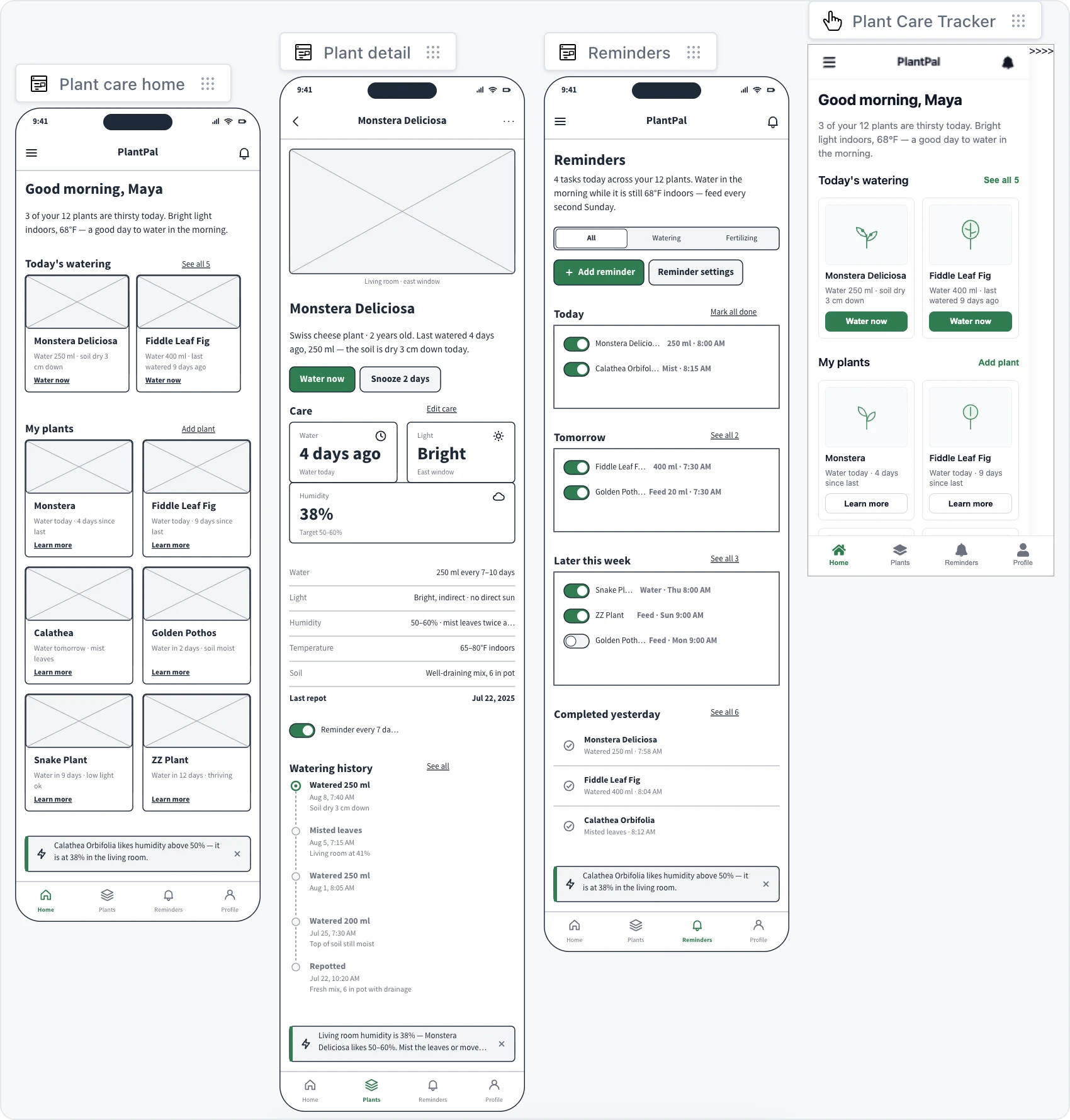
UX Pilot: a Visily alternative that imports .vis files.
UX Pilot is an AI UI design tool that has built a Visily import. It reads the .vis files that Visily’s Export to Figma created, one per board, and can also take a board link or a copy and paste while Visily still serves the board.
- Best forPaid Visily users who exported .vis files before the shutdown.
- Free planFree to start, with no credit card needed.
- Paid fromIts pricing page showed no plan figures when we read it, so check uxpilot.ai/pricing.
- AIScreens from a prompt, a sketch or a screenshot, user journeys and predictive heatmaps.
- Sourceuxpilot.ai/visily
Keep in mind .vis files came from Visily’s paid Export to Figma, so free plan users need another route, such as image export.
Uizard: a Visily alternative for quick AI mockups.
Uizard generates app and web designs from text, and scans screenshots and hand drawn wireframes into editable screens. Its Autodesigner works at the project level, so a short description can become several screens.
- Best forFounders and product teams who want a quick mockup to show.
- Free plan3 AI generations a month, 2 projects, 10 templates, unlimited free viewers and commenters.
- Paid fromPro at $12 a month billed yearly. Business is $39 a month billed yearly.
- AIProjects and screens from text, screenshot scanning, and scanning of wireframes and scribbles.
- Sourceuizard.io/pricing
Keep in mind Three AI generations a month on Free goes quickly when you are rebuilding a whole app.
Balsamiq: a Visily alternative for low fidelity wireframes.
Balsamiq is a long standing wireframing tool with a hand drawn look that keeps reviews on layout and flow. It now has AI wireframing and prototyping, and AI credits can turn screenshots into wireframes.
- Best forTeams that want quick, low fidelity wireframes and simple reviews.
- Free planNo free plan. A 14 day free trial, with no credit card required.
- Paid fromStarter at $16 per editor a month, billed yearly ($192 a year). Reviewers are free.
- AIAI wireframing and prototyping; AI credits convert screenshots to wireframes. It also lists an MCP server.
- Sourcebalsamiq.com/pricing
Keep in mind Exports are PDF and image, so screens that need a polished look or code go through another tool.
Figma: a Visily alternative for teams that design in Figma.
Figma is the design tool many Visily users exported to. Figma Make generates a functional prototype or web app from a prompt, takes reference images, and can copy its result into Figma Design as layers.
- Best forDesigners and teams whose final designs and handoff already live in Figma.
- Free planStarter: unlimited drafts, UI kits and templates, 150 AI credits a day, up to 500 a month.
- Paid fromProfessional: a Full seat at $16 a month with 3,000 AI credits a month.
- AIFigma Make builds prototypes and web apps from prompts, with images and files attached.
- Sourcefigma.com/pricing
Keep in mind Figma is a full design tool, so it asks more of people who only want a quick wireframe.
Relume: a Visily alternative for marketing websites.
Relume builds websites with AI: describe the business and it drafts the sitemap, the page wireframes and the copy, which can go to Figma, Webflow or React.
- Best forWeb designers and agencies building marketing sites.
- Free planFree forever, with enough monthly AI to build a full website and free hosting on a relumesite.ai address.
- Paid fromPro AI workspace from $24 a month. Site Builder plans start from $18 a month.
- AISitemaps, pages and copy from a description of the business.
- Sourcerelume.ai/pricing
Keep in mind It is built for websites, so app screens and mobile flows fit other tools better.
How to choose a Visily alternative.
Start from what you used Visily for, then check what you can bring across before November 30.
You were on Visily’s free plan
Export every screen as a PNG and rebuild it with AI in MockFlow. No .vis file needed.
You have .vis files
UX Pilot imports them directly. MockFlow works from the PNGs of the same screens.
Product teams
Screens, user flows, specs and reviews on one board point to MockFlow’s board for product managers.
Designers handing off to Figma
Figma if the final design lives there; MockFlow Max if you want quick screens first and Figma layers after.
Developers
Wireframes into front end code with Build mode, or a build prompt for your AI coding tool. See the whiteboard for developers.
Marketing websites
Relume for a site drafted from a description; MockFlow’s website wireframe builder for page by page layouts.
Visily alternatives questions.
Free plans, screenshots, imports and exports.
What is the best Visily alternative?
What is the best free Visily alternative?
Which Visily alternative turns screenshots into wireframes?
Can I import Visily files into another tool?
Which Visily alternative exports to Figma and code?
Read more before you choose.
Moving your screens, the tools and every plan.
Move from Visily to MockFlow
Export, rebuild with AI and prototype, step by step.
AI wireframe generator
Wireframes from a prompt, a screenshot, a sketch or a web page.
MockFlow pricing
Every feature on Basic, Plus and Max.
WireframePro
The full UI design editor, included on every plan.
Wireframe examples
Apps, websites, dashboards and SaaS products to start from.
Miro alternatives
Online whiteboards compared, for the board around the screens.
Keep your Visily screens, and keep designing.
Open a board in one click and try a Wireframe. Boards last 24 hours, so sign up to keep your screens.




 Brainstorm with MockFlow MCP


