Wireframe your mobile app.
Create mobile app designs with ready made mobile UI kits and templates in WireframePro, the wireframing tool built into every MockFlow plan.

Create sketchy mobile wireframes.
The best way to ideate and brainstorm your mobile app UI is to sketch it. Use the Sketchy mobile UI kit to build layouts and low fidelity wireframes quickly and get a head start.
Learn how to create a mobile app wireframe sketch
Ready to use iOS and Android UI components.
Whether you are designing an iOS app or Android app, access ready to use UI components for the latest version, and fast track your design process. No searching or buying UI kits elsewhere. Explore mobile UI kits

Visualize UI flows.
Switch to Flow mode and map out the user flows for your mobile application and get a top level visualization of the flow between the UI screens.
Start wireframing
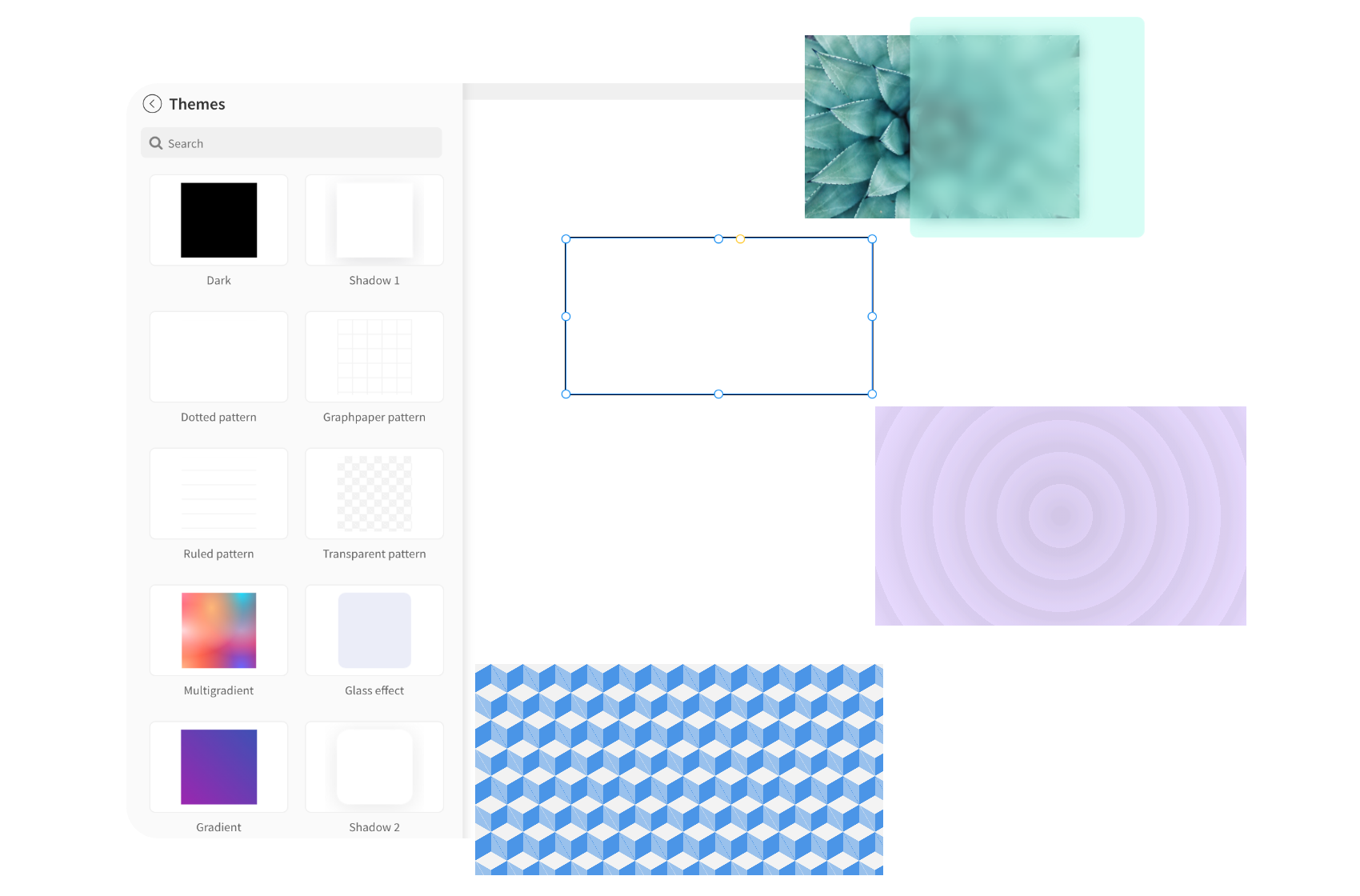
Use pre-made component styles to save your time.
Choose from component themes to quickly style them. Even for a simple rectangle component, choose from glass effect to patterned styles just with a click.
Create simple clickable mobile app wireframes.
Ensure clarity in design, focusing on essential navigation and functionality to seamlessly communicate your app's flow by creating simple clickable mobile app wireframes.
Hand over to developers with ease.
Specs mode in MockFlow makes your design handovers to developers simple, ensuring no mistakes and enhanced clarity.
Explore mobile app wireframe examples
More reasons to choose MockFlow for your mobile app wireframing.
Everything around the wireframe is built in, from assets and history to AI and teamwork.

Easy and fast
An easy start for everyone: designers, developers, product managers and founders.
Learn more
Built in resources
From icons, illustrations, and stock images, find everything inside MockFlow and save your time.
Learn more
Version history
Roll back changes or track your progress with automatic revision history for every wireframe.
Learn more
One click translate
Designing for a global audience? Translate your wireframes to multiple languages in just one click.
Learn more
AI copilot
Generate text, images, color palette and UI components using built-in AI tools.
Learn more
Easy collaboration
Sharing wireframes or collaborating over a chat or presenting to your team is a breeze with MockFlow.
Learn moreStart making mobile app wireframes in MockFlow today.
Describe your app and Mida drafts the first screens for you.

 Brainstorm with MockFlow MCP


