



 ASCII Canvas
ASCII Canvas is an ASCII art generator: describe the shape you want and it is drawn for you in plain text characters, ready to copy to the clipboard.
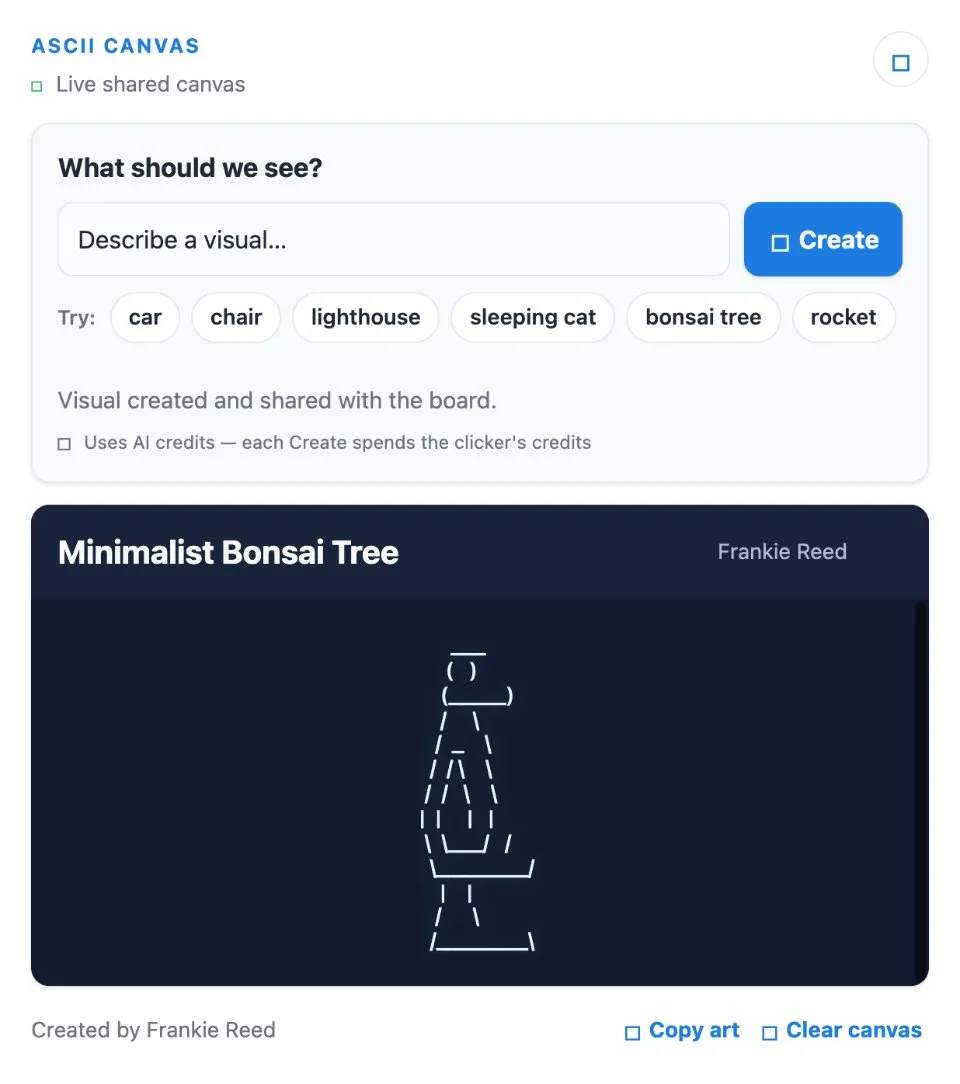
Use ASCII Canvas together on your board.
Every shape you make stays on the canvas, so the rest of your team sees it too. It runs on a shared MockFlow board, right next to the work you are making it for.
- Shapes from a prompt. Describe it in words instead of placing characters by hand.
- Copy to clipboard. Plain text output that pastes anywhere text goes.
- A shared canvas. Created shapes stay on the canvas for others on the board to see.
How to use ASCII Canvas.
Describe the shape
Type a short prompt for the ASCII shape you want, for example a cat, a rocket or a banner.
Let it draw
The shape is drawn in text characters from your prompt.
Copy it
Copy the result to the clipboard and paste it into a code comment, a README, a chat or a terminal.
Share it with the board
The shapes you create stay on the canvas, so everyone on the board can see and reuse them.
Who uses ASCII Canvas.
A developer writing a README
Make a quick ASCII banner or diagram for the top of a repository.
A team decorating a chat or a code comment
Generate a small text picture and paste it straight in.
A team having fun on a board
Take turns prompting shapes and keep the collection on the canvas.
Add ASCII Canvas to your board.
Use on a board opens a new board with ASCII Canvas already on it. To add it to a board you already have, follow these steps. Each copy keeps its own data, so a vote on one board never changes another.
Open your board
Open the MockFlow board you want to use it on.
Add it from the Artifact Library
Click Add anything (the plus button) in the toolbar at the bottom of the board, switch to Artifacts and pick ASCII Canvas under General. Adding it does not use AI credits.
Use it together
Click Interact with Component (the hand button), or switch the board to Play mode. Everyone on the board uses the same app, and Reset shared data clears it for the next session.







 Brainstorm with MockFlow MCP


