



 Bingo
Bingo is an online bingo game for teams. Everyone on the board gets their own card, numbers are called one at a time, and the first person with a full line presses Bingo and wins.
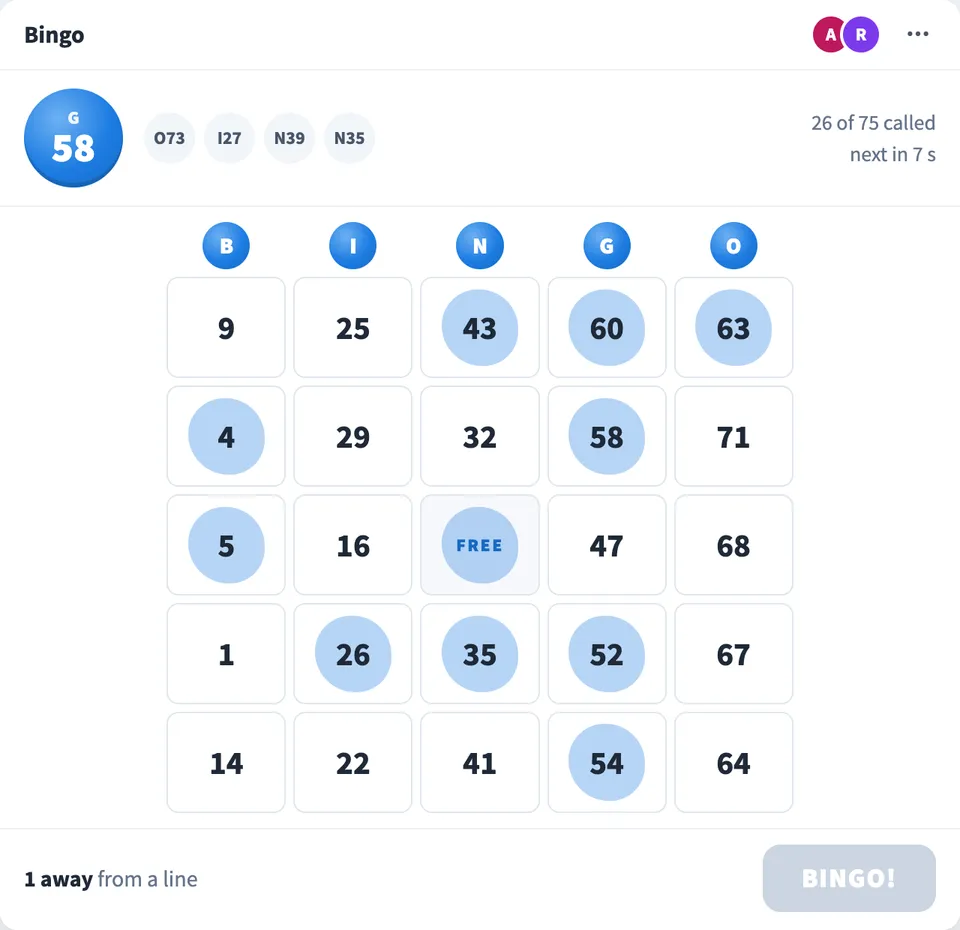
Play Bingo online together.
Numbers can be called automatically every 8 seconds, the same number on every screen at once, or one person can draw each ball and read it out on the call. Play the classic 5 × 5 card with numbers 1 to 75, or a quick 3 × 3 card with numbers 1 to 30 for a game of a minute or two.
It runs on a shared MockFlow board, so a game of bingo sits right next to the work.
- Your own card. Every player gets a different card. On the classic card each column holds its own numbers, B 1 to 15 through O 61 to 75.
- Automatic bingo caller. A number is called every 8 seconds on every screen at the same moment, so nobody has to run the game.
- Or a person calls. One person presses Draw ball and reads each number out. Anyone can take over the calling from the menu.
- Classic or quick cards. Play a full 5 × 5 game with 75 numbers, or a quick 3 × 3 game with 30 numbers when time is short.
- Fair claims. The Bingo button only lights up for a real line of called numbers. Two people who complete a line on the same number both win.
- Called numbers board. Board reviewers and visitors on a public link see the last number and every number called so far.
How to play Bingo.
Choose how numbers are called
Pick Call automatically for a number every 8 seconds, or I'll call the numbers to draw each ball yourself and read it out.
Choose a card
Classic is a 5 × 5 card with numbers 1 to 75 and a free square in the middle. Quick is a 3 × 3 card with numbers 1 to 30.
Start the game
Press Start game. Everyone on the board gets their own card, and people who join later get one too.
Mark your numbers
When a number is called, tap it on your card if you have it. Only numbers already called can be marked, and a second tap removes the mark.
Press Bingo
When your marks make a full row, column or diagonal, the Bingo button lights up. Press it before anyone else does.
See the winner
Calling stops on every screen and everyone sees who won and on which number. Press New game to play again.
Who uses Bingo.
A remote team at an all hands
Start a quick game before or after the main session and let everyone play from their own screen.
A host running a team social
Call the numbers yourself and read each one out on the video call, just like a bingo hall.
A team on a short break
Play the quick 3 × 3 card for a round that ends in a minute or two.
A teacher with a class
Run a game of bingo on a shared board while the class marks their own cards.
Add Bingo to your board.
Use on a board opens a new board with Bingo already on it. To add it to a board you already have, follow these steps. Each copy keeps its own data, so a vote on one board never changes another.
Open your board
Open the MockFlow board you want to use it on.
Add it from the Artifact Library
Click Add anything (the plus button) in the toolbar at the bottom of the board, switch to Artifacts and pick Bingo under Games. Adding it does not use AI credits.
Use it together
Click Interact with Component (the hand button), or switch the board to Play mode. Everyone on the board uses the same app, and Reset shared data clears it for the next session.











 Brainstorm with MockFlow MCP


