



 Classroom Quiz
Classroom Quiz is a live multiple choice quiz game for a class or a team. The teacher starts the quiz and moves through the questions, each with its own countdown, while students tap one of four answers.
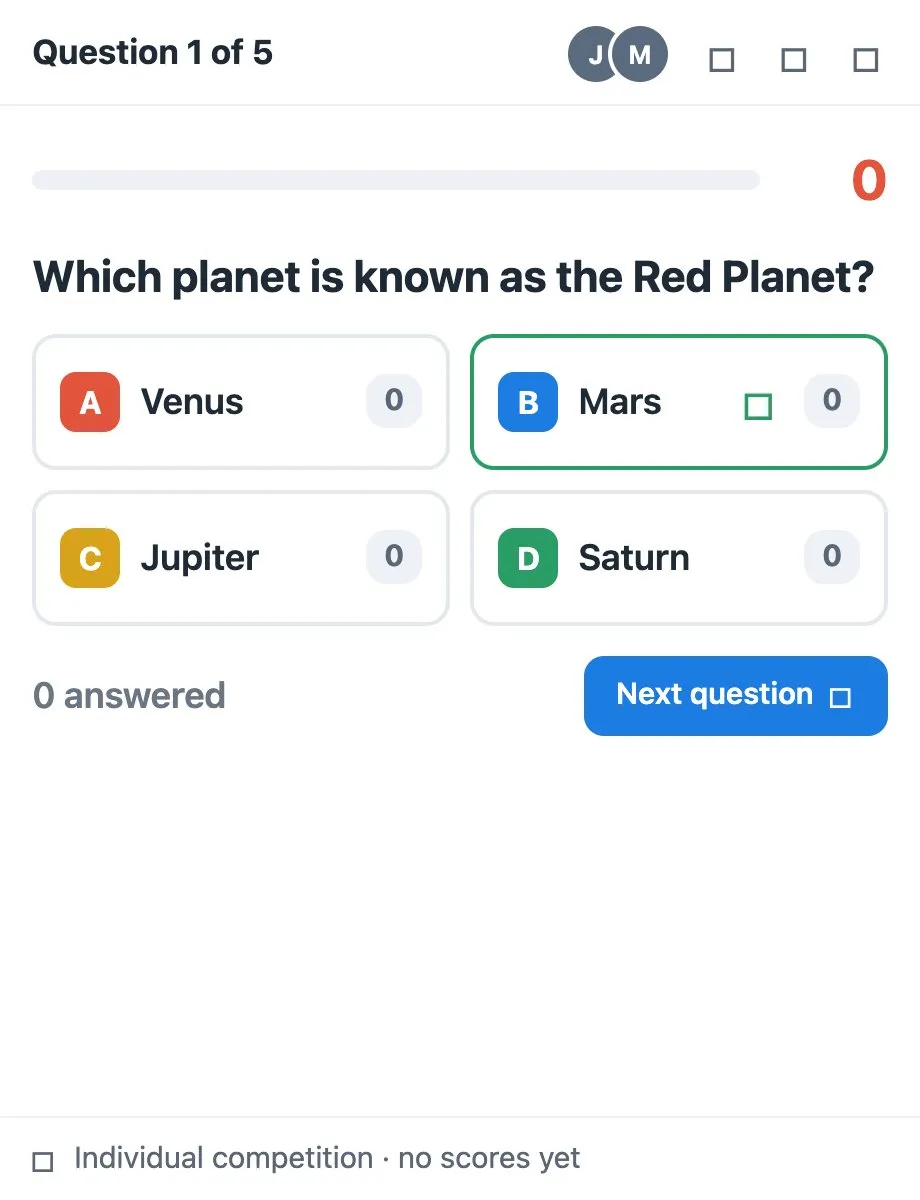
Use Classroom Quiz together on your board.
Everyone sees right or wrong the moment they answer, and faster correct answers earn more points. Play as individuals or split the class into teams, and a leaderboard shows who is top of the class.
It runs on a shared MockFlow board, so every student answers in the same quiz at once and the scores stay in sync for everyone.
- Four answer multiple choice. Every question has four answers and one correct choice, written and edited by the teacher.
- Countdown on every question. Each question runs on a timer, set between 5 and 120 seconds.
- Speed earns points. Correct answers score points, and faster correct answers score more.
- Instant feedback. Students see Correct with their points, or the right answer when they miss or time runs out.
- Individual or team play. Compete one by one, or in Red, Blue, Green and Yellow teams.
- Live leaderboard. Points and correct answers appear as students answer, with the leader marked and each student's own rank shown.
- Undo for deleted questions. Deleted a question by mistake? Undo brings it back.
How to use Classroom Quiz.
Take the teacher role
Press I'm the teacher. The teacher starts the quiz and moves it along, and everyone else answers as a student.
Write the questions
Open Edit questions from the menu, type each question and its four answers, and press Add question for the next.
Set the timer
Choose the seconds per question, anywhere from 5 to 120.
Pick individual or team play
Choose Individual competition, or Team competition where students pick the Red, Blue, Green or Yellow team.
Start the quiz
Press Start quiz. Students tap an answer before time runs out and see right or wrong straight away.
Move through the questions
The teacher sees how many have answered and presses Next question, then Finish quiz after the last one.
Show the results
Each student sees their final score and rank, and the leaderboard names the top of the class. Restart quiz plays it again.
Who uses Classroom Quiz.
A teacher checking understanding
Run a quick quiz at the end of a lesson and see at once which questions the class got wrong.
A class reviewing before a test
Turn revision into a team competition with the leaderboard on screen.
A trainer running a workshop
Check what people took away from a session with a few timed questions.
A remote team at a social
Host a trivia round where everyone answers from their own screen.
Add Classroom Quiz to your board.
Use on a board opens a new board with Classroom Quiz already on it. To add it to a board you already have, follow these steps. Each copy keeps its own data, so a vote on one board never changes another.
Open your board
Open the MockFlow board you want to use it on.
Add it from the Artifact Library
Click Add anything (the plus button) in the toolbar at the bottom of the board, switch to Artifacts and pick Classroom Quiz under Voting & Polls. Adding it does not use AI credits.
Use it together
Click Interact with Component (the hand button), or switch the board to Play mode. Everyone on the board uses the same app, and Reset shared data clears it for the next session.
Update content with AI changes the content without changing how the app works, for example "Make 10 questions about fractions for 5th grade".







 Brainstorm with MockFlow MCP


