
Now reshape, modify and transform your ideas with MockFlow Board AI
Discover how MockFlow Board AI's latest update enhances your brainstorming process with AI-driven transformations. Modify and convert ideas effortlessly across various formats.
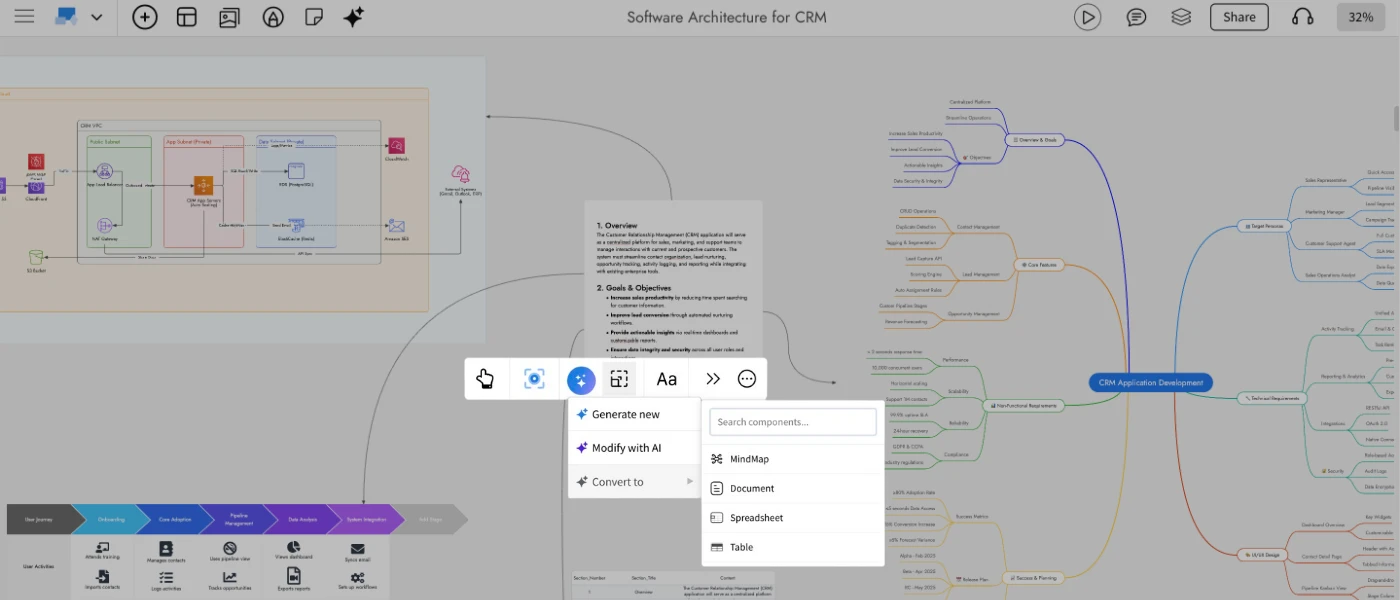
The latest MockFlow Board update brings powerful new AI driven transformations that let you reshape your ideas across formats with ease. Whether you want to turn a simple todo list into a structured mindmap, convert a data table into a document, or refine an existing component using a prompt- MockFlow Board AI now adapts to the way you think and work.
MockFlow Board has always offered a wide range of components for brainstorming, from basic stickies and documents to advanced diagrams like architecture maps and customer journeys. With AI, many of these can be generated or enriched instantly, for example, creating a mindmap for a social media plan or generating an AWS architecture diagram for a Netflix-like service. AI is not a requirement in MockFlow Board, but a creative accelerator that helps you ideate faster and get unblocked quickly.
Today’s release takes this one step further. You can now seamlessly reshape your concepts, update visual content, and transform ideas across formats all in a single click. Below is a look at what's new and how it elevates your brainstorming workflow.
Modify with AI
Use Modify with AI to enhance, refine, or clean up existing components without rebuilding them manually. Select any supported component — such as Maps, Documents, Tables, Lists, Stickies and open the Modify with AI option in the quick toolbar.
Enter a prompt describing what you want to change. Examples include:
“Summarize this document.”
“Add more locations to this map.”
“Remove duplicate rows from this spreadsheet.”
MockFlow Board AI intelligently updates the selected component while preserving its structure.
Convert with AI
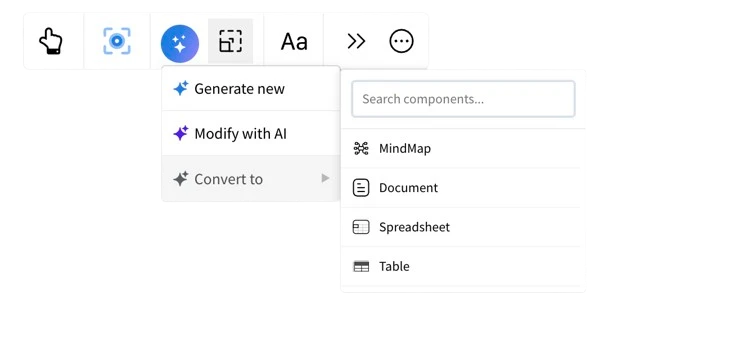
This feature unlocks an entirely new way to think visually. Convert with AI allows you to re-express the same idea in a different format offering fresh perspectives and new creative directions without starting from scratch.
Choose from a variety of supported output formats, including:
Flowcharts
Architecture diagrams
Brainstorm clusters
Moodboards
Mindmaps
Documents
For example, turn a long document into a flowchart, convert a table into a chart, or reshape a brainstorm group into a detailed technical model. It’s an effortless way to explore ideas through multiple lenses.
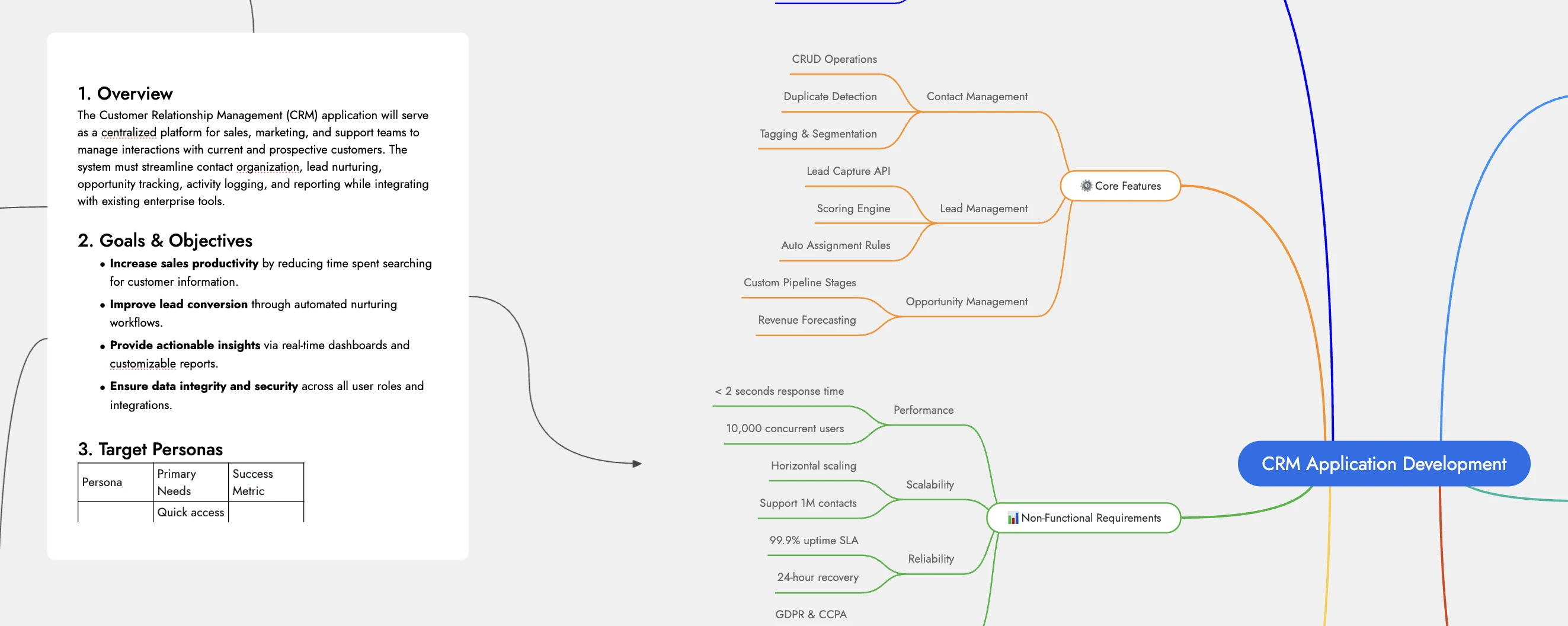
When converting between formats, you can also add an optional prompt to guide the AI and shape the output in a specific way. Once the new format is generated, MockFlow Board automatically draws a connection line from the original component to the transformed one, clearly indicating the relationship between the source and its new visualization.
Use case scenarios
As in the hero example, a PRD document for a new CRM app can be instantly reshaped into a mindmap, an architecture diagram, or a customer journey — all in a click.
Restructure any document with simple prompts, whether you need a translation, a summary, or a complete transformation.
Convert a checklist into a clear process-oriented flowchart for easier execution and review.
Turn a spreadsheet containing geo-tagged data into an interactive location-based map visualization.