
Instantly Export MockFlow Wireframes as Native Figma Designs
Discover how the MockFlow Figma Plugin transforms wireframes into editable Figma designs. Preserve styling, structure, and layout for a seamless transition from ideation to execution. Ideal for design teams and freelancers aiming for efficiency.
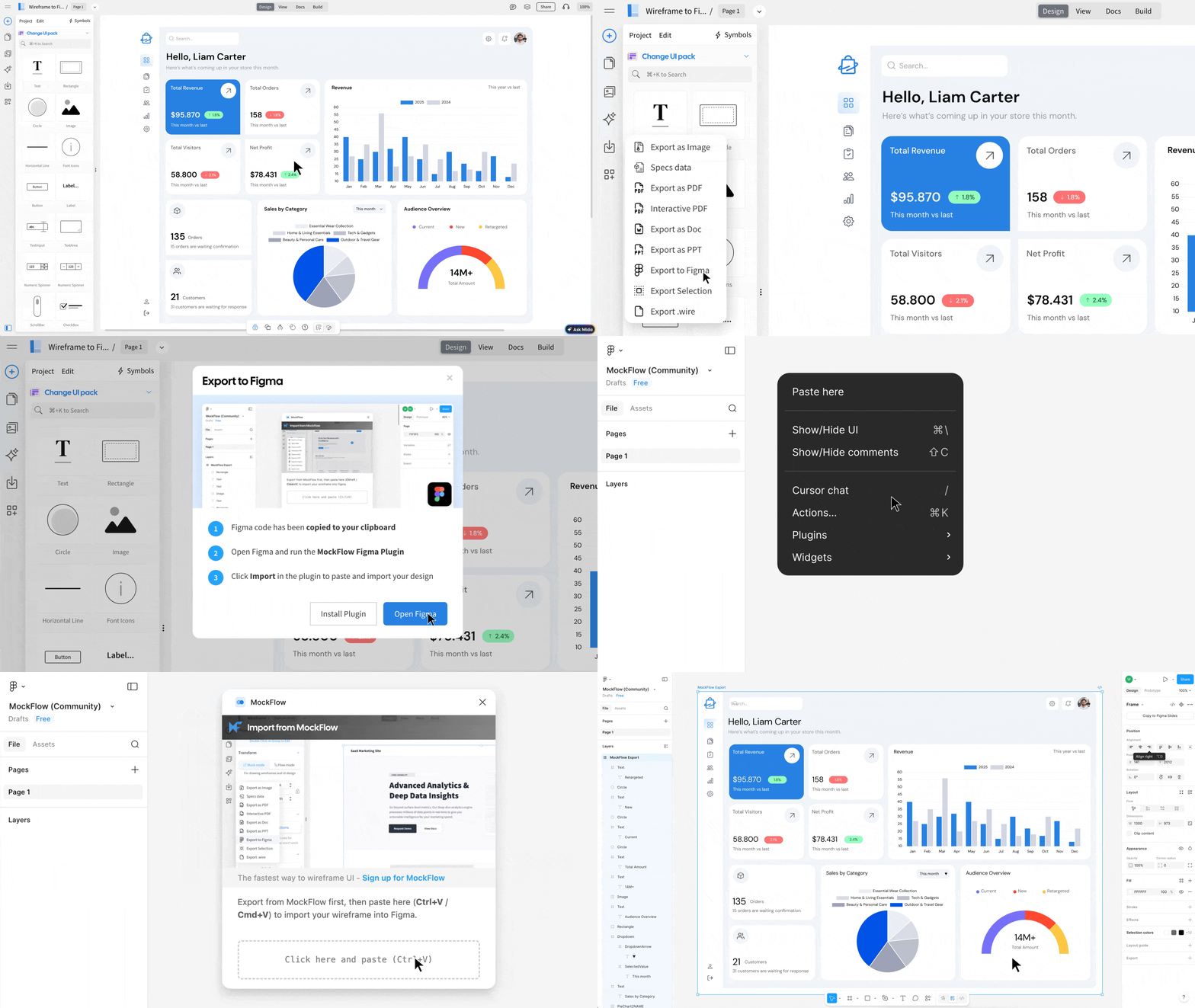
The MockFlow Figma Plugin lets you export your WireframePro wireframes as editable Figma components, preserving styling, layer structure, and layout accuracy so your designs are ready to refine the moment they land in Figma.
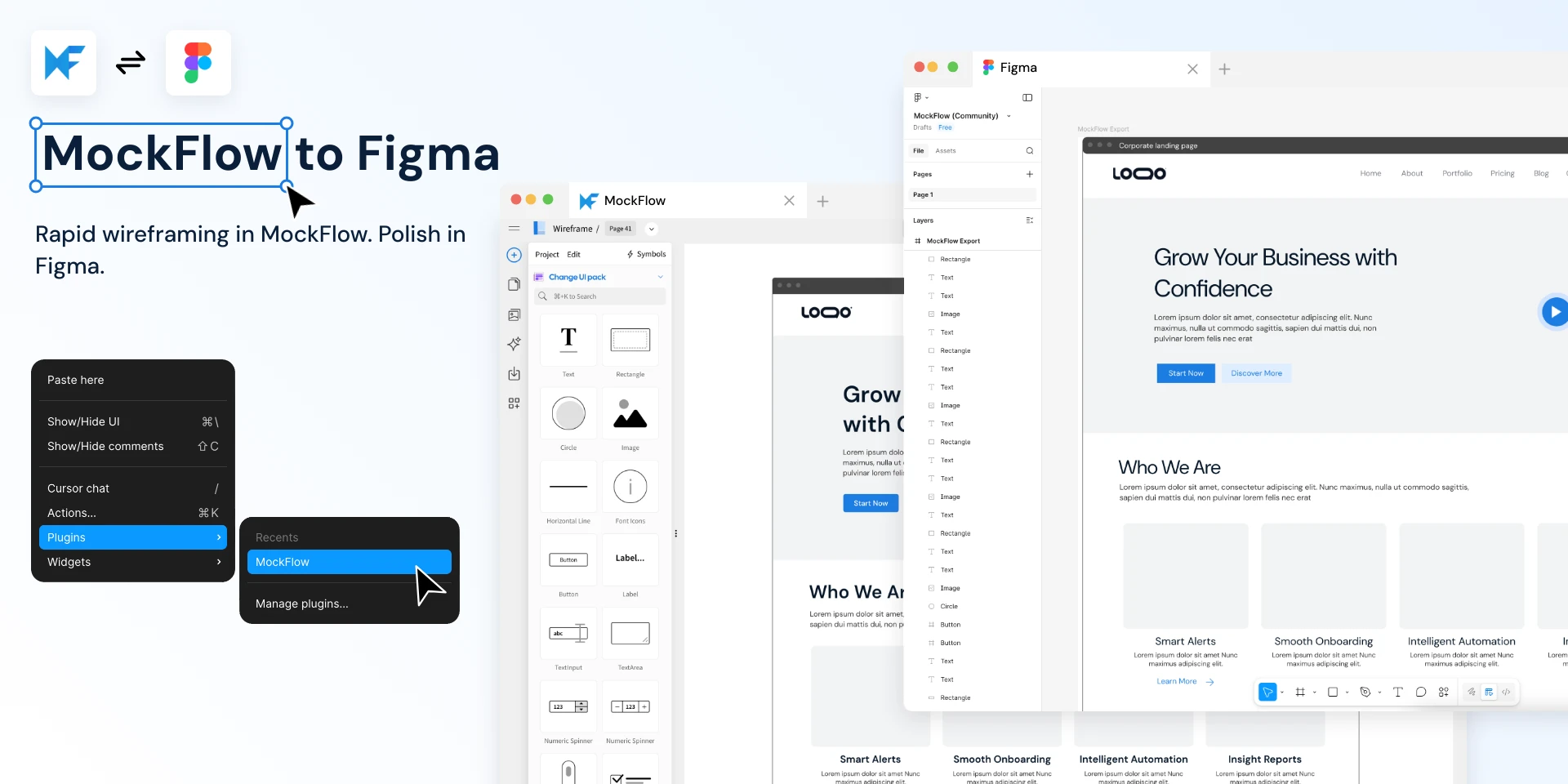
MockFlow WireframePro is built for speed helping teams sketch out ideas, validate layouts, and iterate on UI concepts faster than any high-fidelity tool allows. But when it's time to move from wireframe to polished design, Figma is where most teams go next.
The MockFlow Figma Plugin bridges this gap. Wireframe components transfer to Figma with accurate styling, proper layer structure, and full visual fidelity — making the handoff from rapid wireframing to high-fidelity design seamless.
Why Wireframe in MockFlow and Design in Figma?
The best design workflows separate ideation from execution. Wireframing is about exploring structure, flow, and content hierarchy — not pixel-perfect aesthetics. That's what MockFlow WireframePro excels at:
Speed over polish — Drag-and-drop wireframe components let you build screens in minutes, not hours
Built-in AI assistant (Mida) — Generate and modify wireframes using natural language prompts
UI packs for anything — Visualize for any device, any framework it provides professionally maintained UI packs for all
Zero learning curve — Purpose-built for wireframing, not adapted from a general design tool
Advanced components — MockFlow provides ready made components for datagrid, charts, dropdown, arrows, all easy to create and edit for your UI brainstorming
Once your wireframe structure is validated, export to Figma where your design team can apply brand styling, build interactions, and create production-ready prototypes.
When the Plugin Saves You Hours
Stakeholder Reviews That Turn Into Real Designs
Product managers wireframe screens in MockFlow during a sprint planning call. Once the team agrees on structure, one click exports everything to Figma — where the design team picks up with brand colors, typography, and interactions already roughed in. No redrawing from scratch.
Agency Teams With Parallel Workflows
A UX lead wireframes three layout options in MockFlow while the visual designer works on another project in Figma. When the client approves a direction, the wireframe transfers instantly — borders, fonts, shadows, gradients, charts, and all ready for the designer to refine without recreating components.
Freelancers Delivering to Figma-First Clients
Many clients expect Figma deliverables. MockFlow lets you ideate and iterate at wireframe speed, then export a structurally accurate Figma file that looks like it was built natively. Buttons, inputs, data grids, navigation bars, device frames — everything carries over with correct layer naming and hierarchy.
Remote Design Sprints and Workshops
Teams brainstorm UI layouts in MockFlow's collaborative editor. Participants who aren't designers can contribute meaningfully at the wireframe level. The winning concepts export to Figma where the design system is applied — no translation layer, no screenshot tracing, no
miscommunication.
Non-Designers Who Need to Hand Off to Design Teams
Product owners, developers, and founders often know exactly what they want but aren't fluent in Figma. MockFlow's component library lets them express UI ideas clearly. The Figma export gives the design team an editable starting point with proper Figma primitives — not a flattened image.
Rapid Prototyping Across Large Projects
When you're wireframing 50+ screens for an enterprise app, rebuilding each one in Figma doubles the timeline. Export entire pages at once standard and sketchy components, charts, icons, SVGs, illustrations, images, and custom CSS styling all included.
How It Works
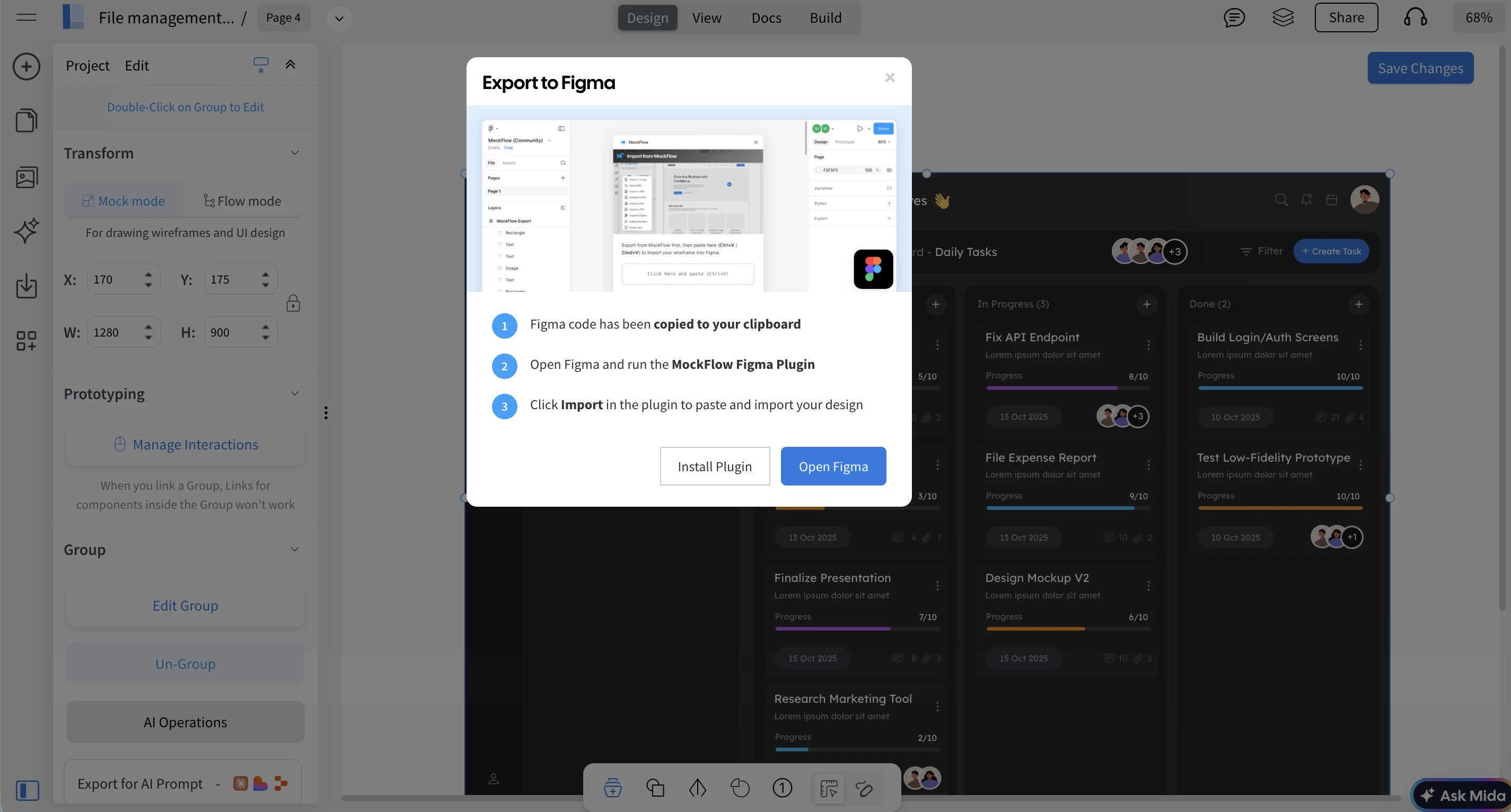
Select components on your wireframe page (or export the entire page)
Click Export to Figma from the settings or right click menu
The wireframe data is copied to your clipboard
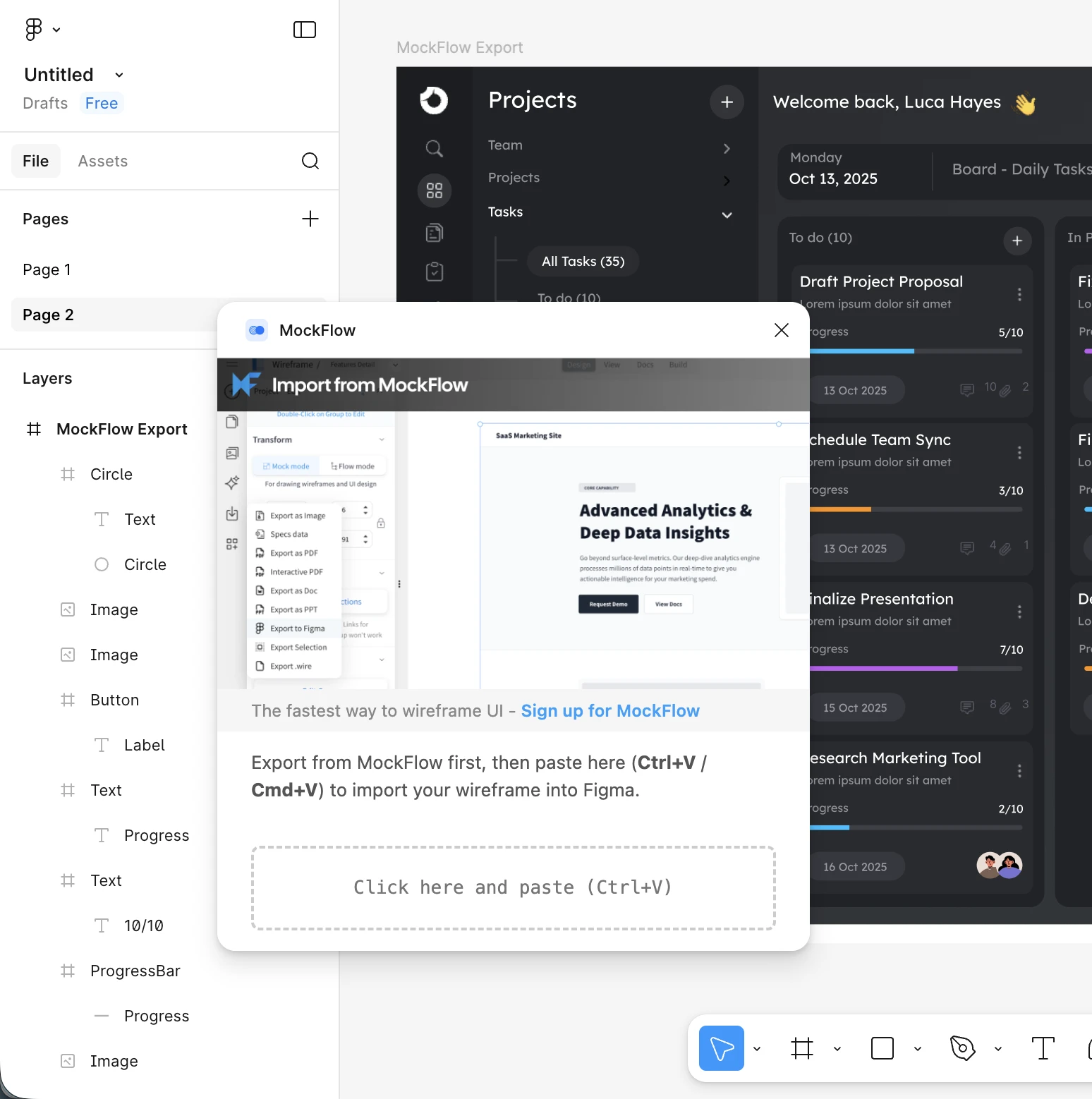
Open the MockFlow plugin in Figma and paste
Each import places the wireframe at your current viewport position and as a separate frame.
No Credits. No Limits. Instant Export.
Figma export consumes no credits. Export your entire project — every page, every component — as many times as you need. There are no usage caps or throttling.
Works Offline in Desktop Apps
The Figma export is fully available in MockFlow's desktop applications with file mode and offline mode. Wireframe without an internet connection, and export to Figma when you're ready to hand off.
Availability
The Export to Figma feature is available on paid MockFlow plans (WireframePro and Bundle) across web, desktop, and offline modes.
Download Plugin
Plugin is required for pasting the converted MockFlow Wireframe into Figma editor. Plugin just reads from your clipboard the copied design from MockFlow. There is no network access and requires no authentication and also it is very straightforward to use. Install plugin from here.