
MockFlow Board for Microsoft Teams: Free AI-Powered Visual Collaboration inside MS Teams
Transform conversations into visuals with MockFlow Board for Microsoft Teams. Enjoy AI-powered visual brainstorming, flowcharts, and mind maps directly inside your workspace without switching apps.
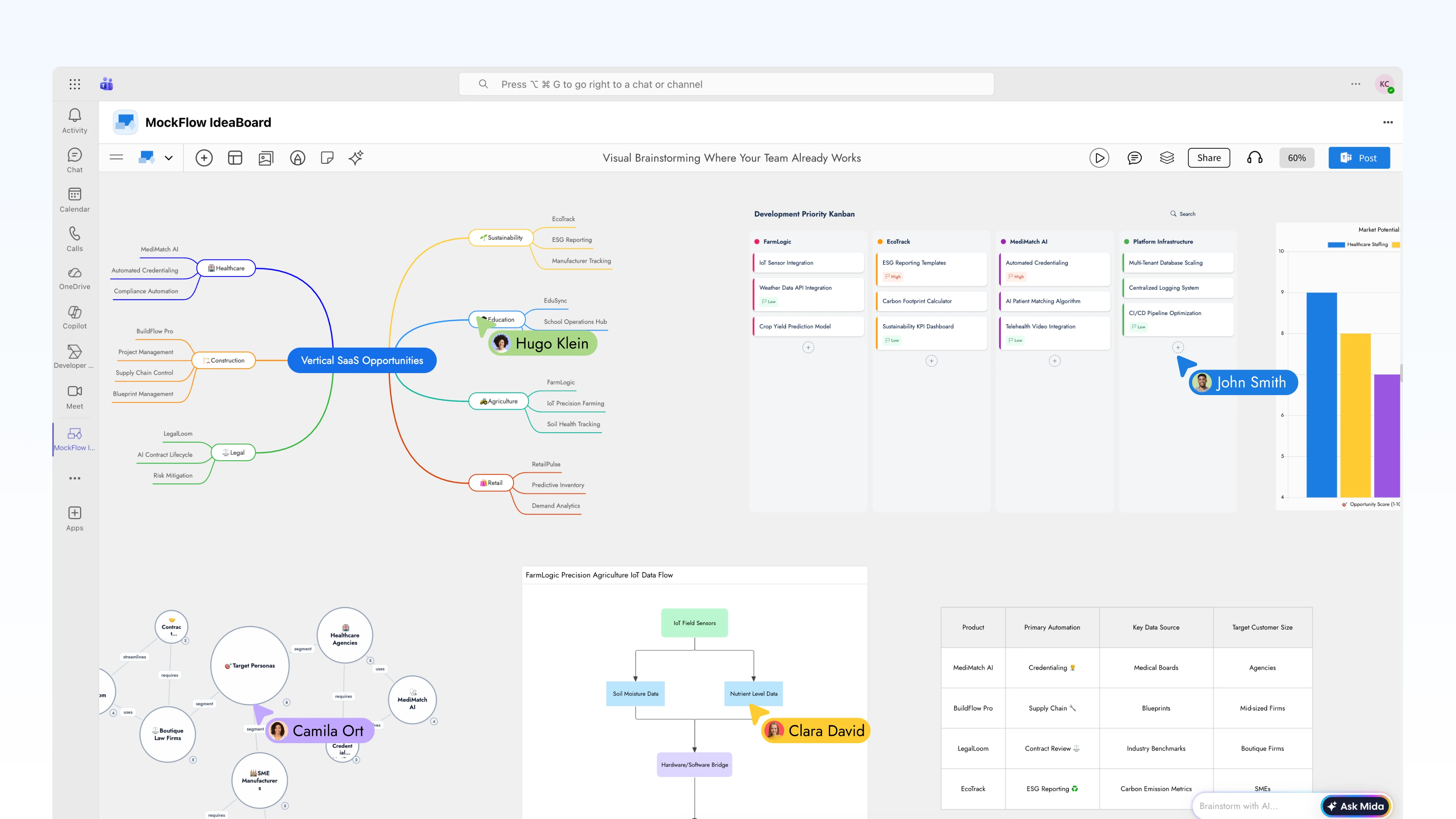
Now brainstorm visually inside Microsoft Teams to generate diagrams, mind maps, and flowcharts and more in your channels and meetings, without switching apps..
Your team's best ideas happen in conversation. But conversations are linear as they scroll, they get buried, and they rarely capture the full picture.
MockFlow Board for Microsoft Teams changes that by embedding a full AI-powered whiteboard directly inside the platform where your team already communicates, plans, and makes decisions.
No new tabs. No shared links to external tools. No context switching. Just open MockFlow Board inside Teams, and start thinking visually together.

Visual Brainstorming Where Your Team Already Works
MockFlow Board integrates natively into Microsoft Teams as a first-class app. It lives inside your channels, your meetings, and your personal workspace. Whether you're in a sprint planning call or an async strategy thread, your visual workspace is always one click away.
Every board created inside Teams is a fully functional MockFlow Board canvas, complete with AI generation, real-time collaboration, and the full component library that includes flowcharts, mind maps, architecture diagrams, Kanban boards, customer journey maps, storyboards, documents, charts, and more
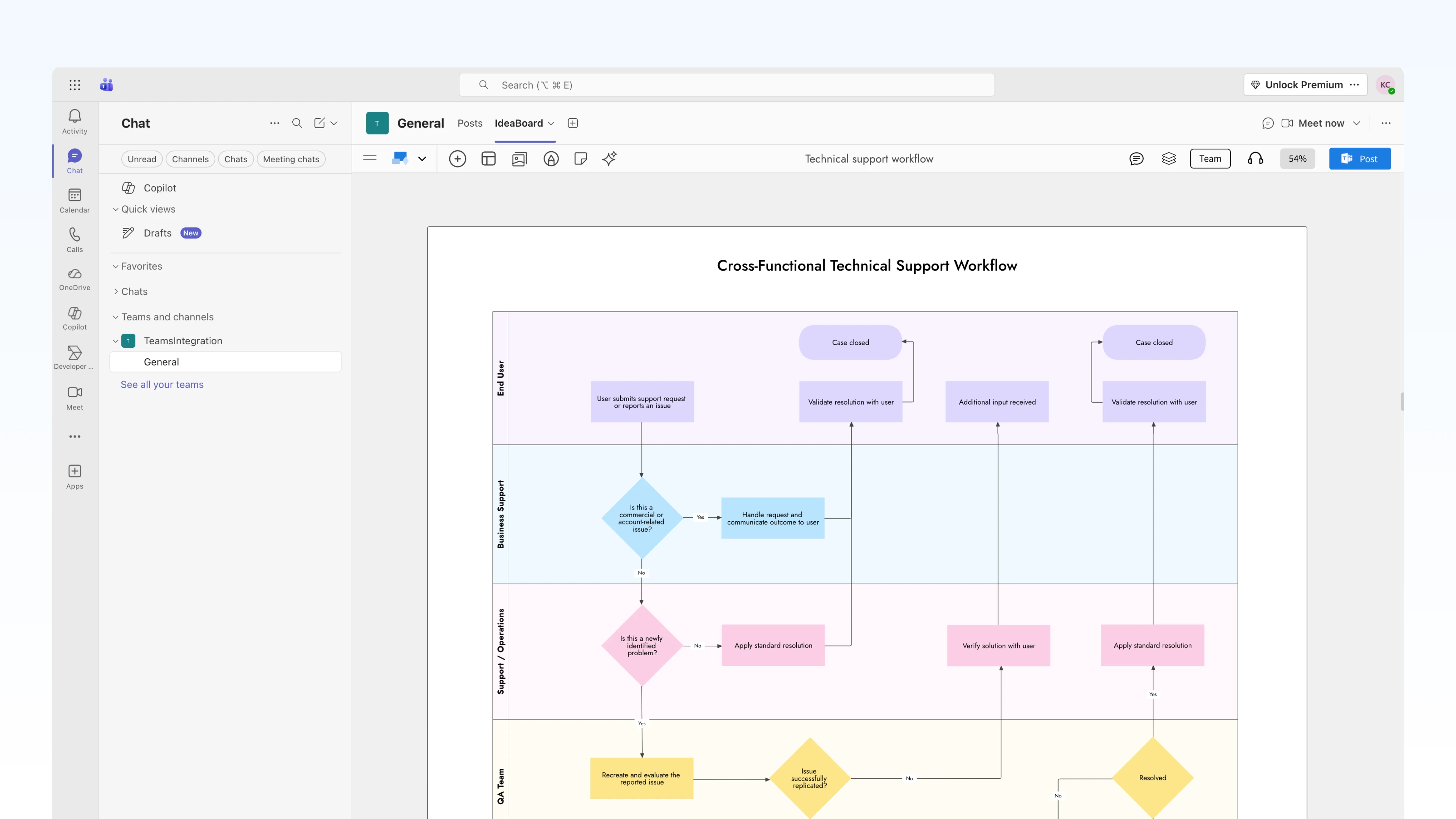
AI That Turns Conversations into Visuals
The real power of MockFlow Board inside Teams isn't just a whiteboard , it's an AI-powered whiteboard. Mida, MockFlow Board's built-in AI agent, generates structured visuals from natural language prompts in seconds.
Generate from text prompts:
"Create a flowchart for our user onboarding process"
"Draw an AWS architecture diagram for our payment microservice"
"Build a mind map breaking down Q3 marketing strategy"
"Map the customer journey from trial signup to paid conversion"
Instant format conversion:
Turn a mind map into a structured flowchart
Convert a brainstorming board into a Kanban with prioritized tasks
Transform meeting notes into a timeline or Gantt chart
Reshape a list of ideas into a knowledge graph
This means the AI does the heavy lifting of structuring ideas while your team focuses on thinking, deciding, and refining.
Three Deep Integration Points in MS Teams
1. Channel Tabs — Persistent Visual Workspaces
Pin MockFlow Board directly to any Teams channel as a tab. The board becomes a shared, always-accessible workspace for that channel , visible to everyone, editable by anyone with access.
2. Live in Meetings — Brainstorm in Real Time
Open MockFlow Board during any Teams meeting and collaborate on the canvas as a group, live. Every participant sees the board, every participant can contribute, and the AI is available to generate and transform visuals as the conversation unfolds.
3. Channel Updates — Visual Snapshots for Async Teams
Not every team works synchronously. For distributed teams across time zones, MockFlow Board lets you export whiteboard snapshots directly into Teams channels. Post a visual update — a diagram, a status board, a mind map as a rich visual message that everyone sees without opening another tool.
Getting Started
1. Go to the
https://marketplace.microsoft.com/en-gb/product/WA200010542
2. Click Add to Teams
3. Pin MockFlow Board as a tab in any channel, or access it from the personal apps sidebar
4. Sign in with your MockFlow account (or create a free one)
5. Start brainstorming — create a new board or open an existing MockFlow Board
For meetings, simply open the MockFlow Board app during any Teams call from the apps panel, select or create a board, and invite participants to collaborate in real time.
Availability
MockFlow Board for Microsoft Teams is available on all MockFlow plans. The integration works across Microsoft Teams desktop, web.