
Export wireframes as AI visual prompt for agentic tools like claude code
Transform wireframes into optimized AI prompts for agentic tools like Claude Code. Simplify UI generation with MockFlow’s Export to AI Prompt feature, supporting Codex, Cursor, and more.
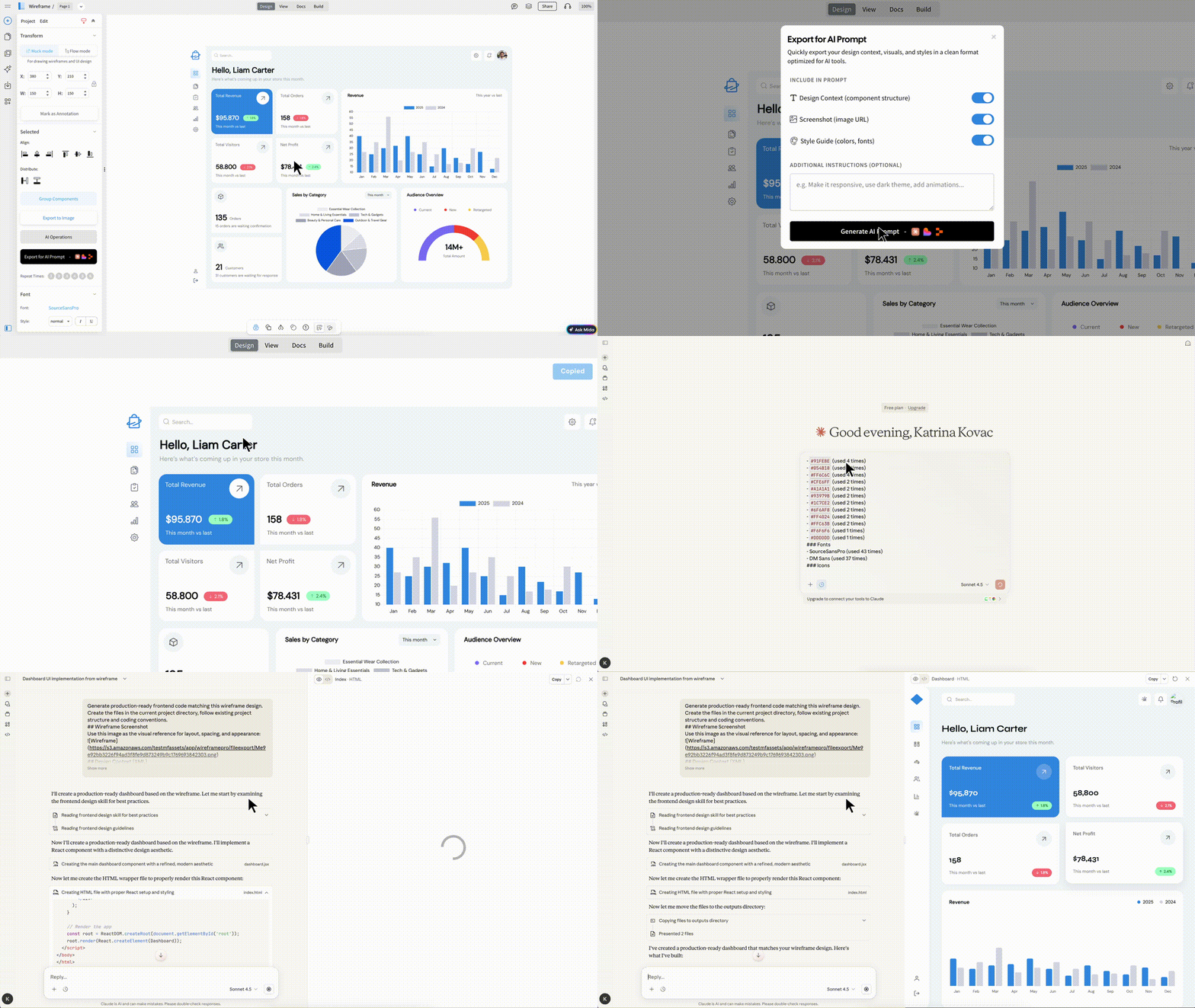
Converting your wireframes into production-ready front-end code just got significantly easier with Export to AI Prompt. This new feature lets you transform any wireframe into a structured, optimized AI prompt that can be directly used in modern agentic coding tools such as Claude Code, Codex, Cursor, Lovable, Bolt, and Replit.
With a single click, you can copy the generated prompt and paste it into your preferred AI coding platform to generate high-quality, pixel-accurate UI code for your existing or new projects without rewriting lengthy text prompts or manually explaining design intent.
Faster and Simpler than MCP-Based Workflows
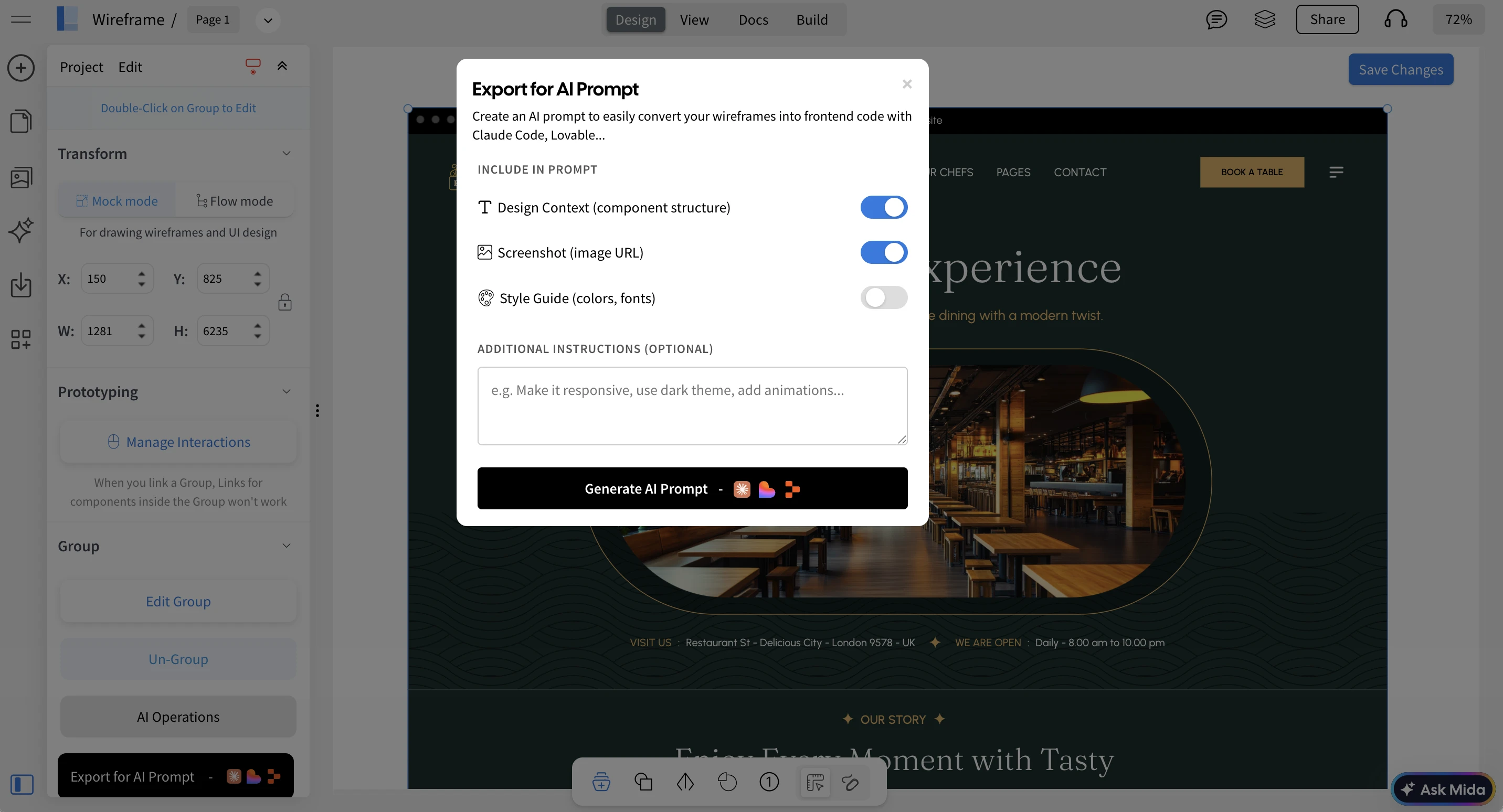
Unlike MCP server setups that require configuration, authentication, and additional infrastructure, Export to AI Prompt works instantly with no setup required. You simply select any part of your design, whether it’s a section, frame, or specific content block and click Export to AI Prompt.
The generated prompt already includes all the necessary design context: layout structure, visual hierarchy, component relationships, and branding details. This allows AI coding tools to understand exactly what needs to be built, resulting in more accurate and consistent output with far fewer iterations.
Because it’s a direct copy-paste workflow, there’s no ambiguity around which part of the design is being referenced, no need to manage external servers, and no learning curve. Even non-developers can easily convert wireframes into functional UI prototypes to validate how their designs will look in real applications.
Supported AI Coding Platforms
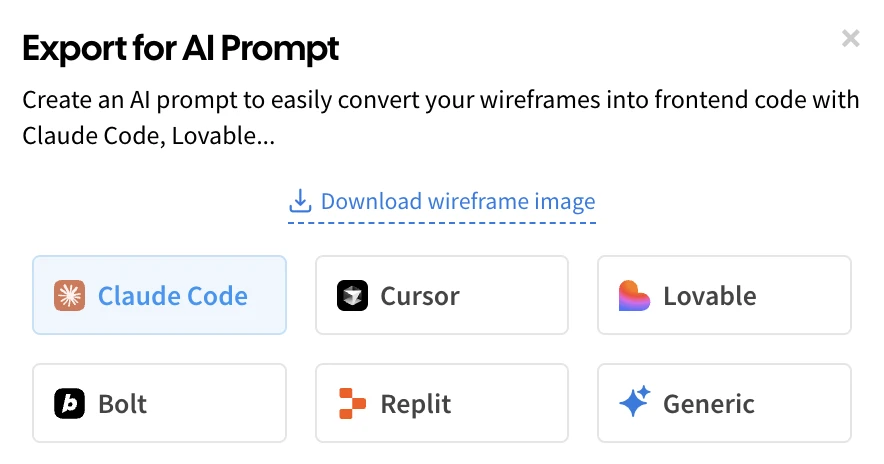
Although the exported prompt can be used with virtually any AI coding tool, MockFlow optimizes prompts based on the capabilities and limitations of popular platforms, such as context length and image handling.
For best results, we recommend Claude Code, as it supports larger context windows and delivers more consistent UI generation. Other supported platforms include Codex, Cursor, Lovable, Bolt, and Replit.
Ideal for Vibe Coding with Visual Prompts
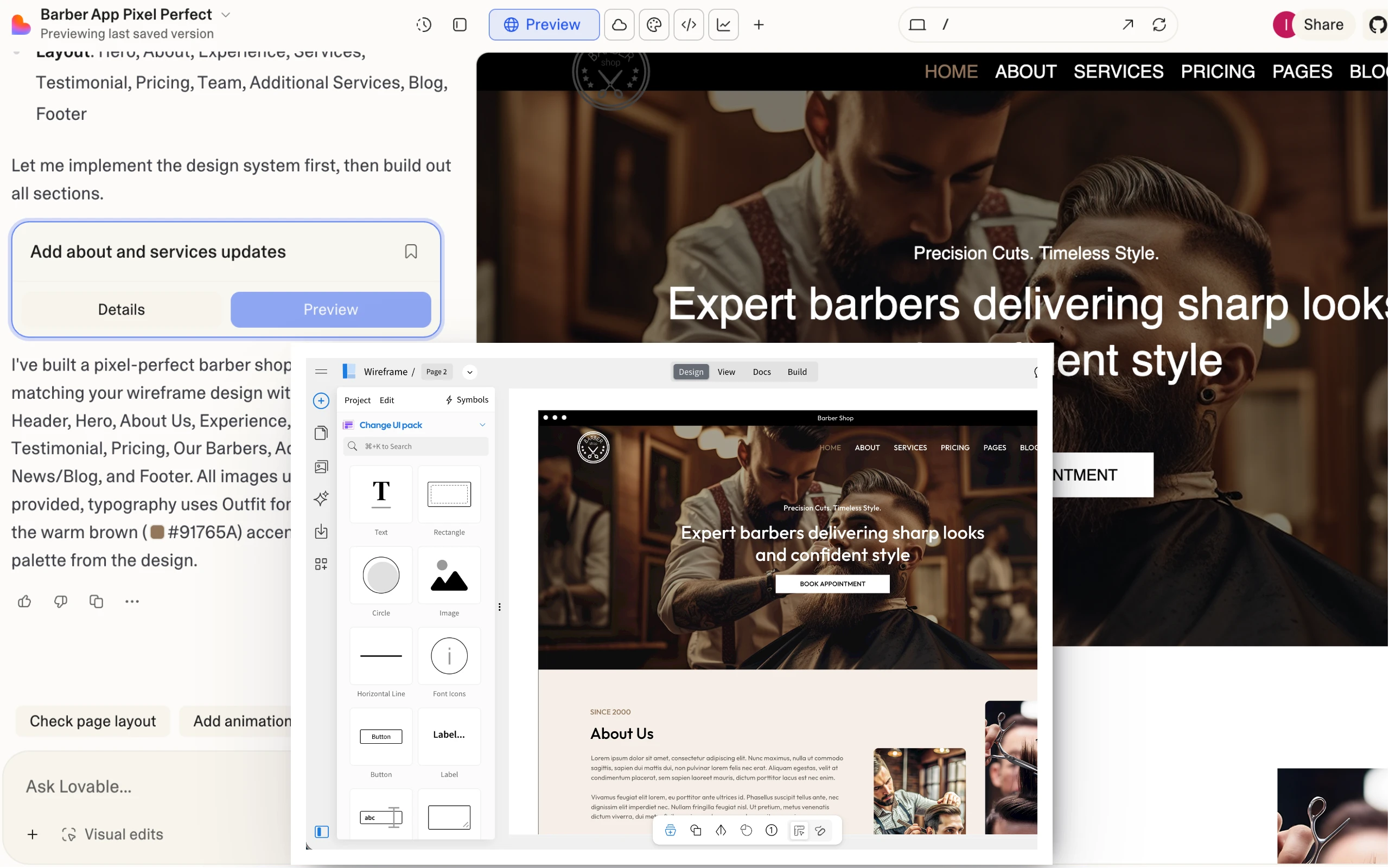
Export to AI Prompt is especially powerful for teams practicing vibe coding where ideas are explored visually instead of through long text instructions.
With MockFlow’s rapid wireframing, you no longer need to describe interfaces in paragraphs of text and hope the AI interprets them correctly. Instead, you can directly draw your idea and let MockFlow generate a visual AI prompt enriched with layout data, component structure, and brand guidelines.
This eliminates the gap between what’s in your mind and what the AI produces, enabling faster experimentation, better alignment, and more predictable results.
Export AI Prompt vs Build Mode in WireframePro
WireframePro already includes Build Mode, which converts wireframes into production-ready front-end code using built-in credits from your subscription. Build Mode is primarily designed for non-developers, such as product managers and designers who want to quickly generate working UI code for demos, reviews, and stakeholder approvals.
Export to AI Prompt, on the other hand, is designed for teams and developers who are already using AI coding tools. It acts as a visual bridge between MockFlow and your existing development workflow, allowing you to bring precise design context into your AI environment and build directly inside your own codebase.
Availability
Export to AI Prompt is available on paid plans (WireframePro and Bundle).
It’s a major time-saver for building front-end UIs with AI, helping you reduce unnecessary prompt iterations, avoid misinterpretations, and lower overall AI usage costs by starting with a clear, visual, and structured design prompt from MockFlow.