8 Best Virtual Meeting Tools for Remote & Hybrid Teams in 2026
Introduction
Looking for the best virtual meeting tools for your remote or hybrid team? You’re in the right place.
Running productive virtual meetings is no longer just about video calls. Teams now need tools that support brainstorming, collaboration, workshops, async communication, and real-time decision-making without creating disconnected workflows across multiple apps.
The right virtual meeting platform can make remote collaboration easier by improving communication, organizing discussions, and helping teams stay aligned across projects. Some tools focus on structured video conferencing, while others are designed for brainstorming, visual collaboration, or async teamwork.
In this guide, we’ll compare the best virtual meeting tools for 2026, including video conferencing platforms, collaborative whiteboards, and communication tools for remote and hybrid teams. We’ll cover options that help teams communicate and collaborate more effectively.
Virtual Meeting Tools at a Glance
The best virtual meeting tools for remote and hybrid teams in 2026 are MockFlow IdeaBoard, Zoom, Microsoft Teams, Google Meet, Slack, Cisco Webex, Miro, and Discord. Each platform serves a different collaboration need, from video conferencing and async communication to visual workshops and enterprise governance.
Most teams don't rely on a single tool; they combine two or three based on how they work: a video platform for calls, a messaging tool for async communication, and a whiteboard for brainstorming and planning sessions.
Tool | Best For | Core Strength | Key Limitation |
MockFlow IdeaBoard | Visual collaboration during meetings | Infinite canvas + structured workshop templates | Needs a separate video conferencing tool |
Zoom | Enterprise video meetings and webinars | Reliable HD video, breakout rooms, AI summaries | Limited built-in visual collaboration |
Microsoft Teams | Microsoft 365 organizations | Meetings, files, and chat in one workspace | Can feel heavy for smaller teams |
Google Meet | Browser-first lightweight meetings | Fast access and Workspace integration | Limited workshop facilitation tools |
Slack | Async-first distributed teams | Channels, huddles, and deep integrations | Not suited for formal webinars |
Cisco Webex | Enterprise governance and compliance | Hybrid meeting rooms and security | More complex to implement |
Miro | Workshop-heavy collaboration | Infinite boards and facilitation workflows | Requires a separate video tool |
Discord | Informal teams and communities | Persistent voice channels | Less suited for formal business meetings |
Best Virtual Meeting Tools for Teams in 2026
Most teams in 2026 no longer rely on a single meeting platform. Video calls, async communication, brainstorming, planning, and workshop collaboration now happen across multiple connected tools instead of one centralized workspace.
Gallup’s research on hybrid work reflects this shift, showing that around 51% of remote-capable employees now work in hybrid environments where teams need both synchronous and asynchronous collaboration workflows.
That shift is also changing how teams collaborate during meetings themselves. Erika Trautman, Head of Product, Work Management at Atlassian, noted that visual collaboration tools are increasingly replacing traditional text-heavy updates as teams look for more interactive ways to work together remotely.
Let’s compare the best virtual meeting tools based on their primary collaboration use cases.
1. MockFlow IdeaBoard: Best for Visual Collaboration & Brainstorming
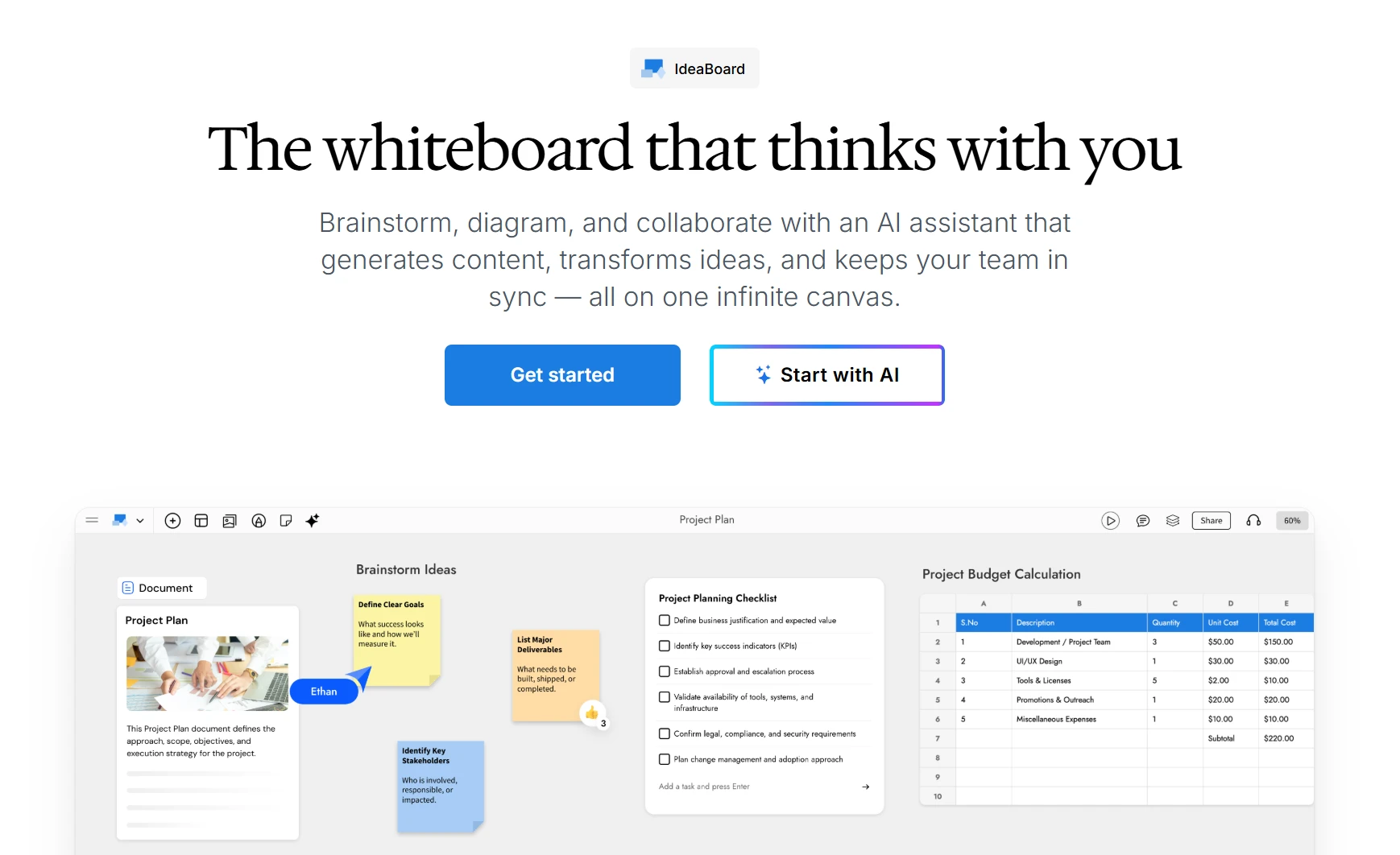
Many meetings fail because ideas remain trapped inside conversations instead of becoming shared visual workflows that teams can refine together afterward.
MockFlow IdeaBoard turns that dynamic around - it is an AI-powered collaborative whiteboarding platform that combines an infinite canvas, 15+ specialized board types, and a built-in AI assistant called MIDA, so meetings become active visual work sessions rather than passive discussions.
Instead of treating collaboration as a secondary layer around meetings, IdeaBoard turns meetings into active visual work sessions where teams can organize ideas, structure workflows, and collaborate directly inside a shared workspace.
- Infinite canvas with 15+ board types: Beyond standard whiteboarding, teams can build flowcharts, mindmaps, Kanban boards, swimlanes, timelines, customer journey maps, SWOT analyses, DB diagrams, moodboards, and cloud architecture diagrams (AWS, Azure, GCP) - all on the same canvas.
- Built-in live audio/video meetings: Host voice or video meetings directly inside the board - no need to switch tabs to a separate meeting tool for quick syncs.
- Real-time visual collaboration: Participants can edit together simultaneously using sticky notes, connectors, comments, reactions, and collaborative planning workflows during live meetings.
- AI-assisted brainstorming: Teams can generate workshop structures, workflow maps, brainstorming layouts, and planning frameworks using its AI toolbox and free prompts instead of building sessions manually from scratch every time.
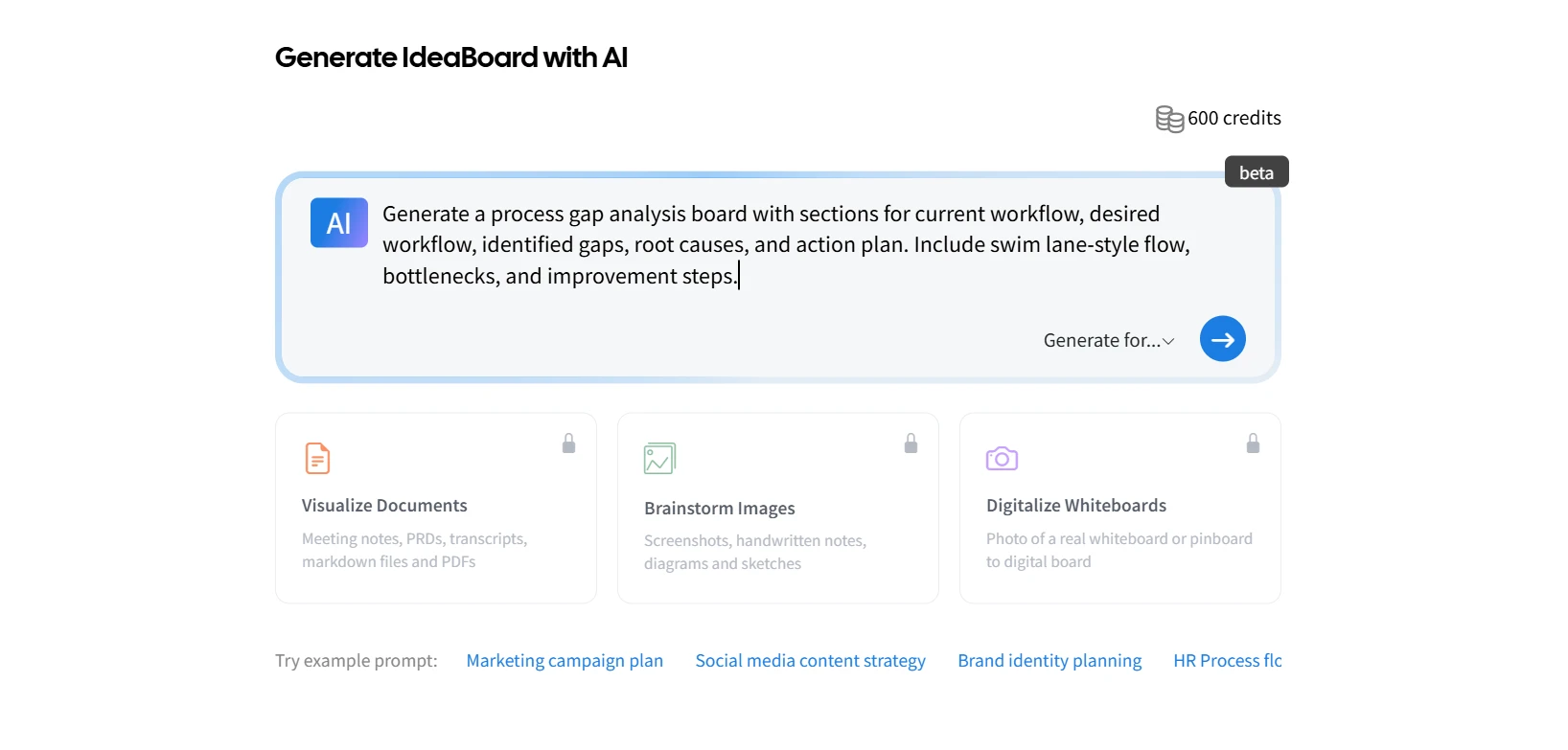
- Workshop and planning templates: Pre-built templates support sprint planning, retrospectives, product strategy, ideation, process mapping, and collaborative facilitation workflows.
- AI Prompt Box and Recipe Library: Facilitators can configure reusable AI generators (with system instructions and output types) that any team member can run on the shared board — ideal for standardized brainstorming workflows.
- Deep meeting and tool integrations: IdeaBoard runs natively inside the Google Meet Activities panel, embeds inside Trello cards via Power-Up, plugs into VSCode for engineering workflows, and is available as a ChatGPT app.
- Async collaboration that goes beyond text: Audio and video comments, emoji reactions, presentation mode, and persistent boards let distributed teams collaborate across time zones without forcing everyone into a live meeting.
- Flexible deployment for privacy-conscious teams: Use IdeaBoard in the browser, install the native Mac offline app for file-based, server-free whiteboarding, or share boards externally via secure read-only view links.
The breadth of board types and AI features means there's more to discover than in a minimalist whiteboard - teams new to visual collaboration may want to start with a template rather than a blank canvas. The Mac offline edition is also intentionally simplified: it doesn't include MIDA, real-time co-editing, or in-board audio/video.
A one-time $39.90 Mac offline edition is available separately for individuals and privacy-sensitive teams.
Product teams, facilitators, strategy teams, consultants, operations teams, and distributed organizations running recurring workshops, planning sessions, and collaborative visual meetings.
Teams can explore IdeaBoard in multiple ways depending on how they prefer to work:
- Try the no-signup workspace for instant brainstorming, workflow visualization, and collaborative whiteboarding
- Sign up for free to access AI-assisted workflows, multiplayer collaboration, advanced integrations, and shared team workspaces
2. Zoom: Best for Video Conferencing and Webinars
Zoom remains one of the most widely used virtual meeting platforms for webinars, client calls, training sessions, and recurring team meetings. The platform focuses primarily on reliable video conferencing, structured meeting controls, and large-scale virtual communication.
Zoom works especially well for organizations that need stable video meetings with webinar hosting, participant management, and recording capabilities. Teams that run brainstorming-heavy sessions often pair it with collaborative whiteboarding tools like IdeaBoard or Miro for visual collaboration.
- HD video conferencing: Supports screen sharing, meeting recording, waiting rooms, participant controls, and large-scale video communication across distributed teams.
- Breakout rooms: Hosts can split participants into smaller discussion groups during workshops, training sessions, and collaborative meetings without leaving the main session.
- AI Companion: Generates automated meeting summaries, searchable recordings, action items, and follow-up notes to reduce manual documentation work.
- Webinar management: Supports polls, Q&A sessions, attendee registration, moderation controls, and structured event management for webinars and large virtual events.
- Broad integrations: Connects with Slack, Google Workspace, Microsoft Teams, Notion, Trello, CRMs, and project management platforms.
Zoom focuses more on structured meetings than collaborative visual workflows. Teams running planning workshops, brainstorming sessions, or visual retrospectives often supplement it with a dedicated whiteboarding platform.
Free plan available with meeting duration limits. Paid plans start at around $14.16/user per month for Pro, with higher tiers adding webinars, AI Companion features, cloud recording, and larger participant capacities.
Teams running webinars, client-facing meetings, training sessions, recurring team calls, and large-scale video communication workflows.
3. Microsoft Teams: Best for Organizations using Microsoft 365
Microsoft Teams is designed for organizations that already operate inside the Microsoft 365 ecosystem. It combines meetings, team communication, document collaboration, and internal coordination inside one workspace.
Teams works best when organizations already rely on Outlook, Word, Excel, OneDrive, SharePoint, and other Microsoft services. The platform centralizes communication and collaboration without requiring teams to move across separate tools constantly.
- Integrated meetings and chat: Supports video meetings, channels, group communication, and direct messaging inside a shared workspace.
- Microsoft 365 connectivity: Integrates directly with Outlook, Word, Excel, PowerPoint, OneDrive, SharePoint, and Microsoft calendars.
- AI-powered meeting recaps: Copilot supports meeting summaries, live transcription, translations, and follow-up recaps directly inside meetings.
- Real-time document collaboration: Teams can co-edit files during meetings without switching platforms or downloading documents separately.
- Enterprise administration controls: Supports compliance management, security policies, admin permissions, and centralized governance workflows.
- Cross-device collaboration: Works across desktop, browser, and mobile environments for hybrid and distributed teams.
The platform delivers the most value inside a Microsoft 365 environment. Smaller teams that only need lightweight meetings or simple collaboration workflows may find the interface more layered than necessary.
A free plan is available with limited collaboration features. Microsoft 365 Business plans that include Teams start at around $4 per user per month, with higher tiers adding advanced security, AI capabilities, and enterprise administration features.
Organizations using Microsoft 365 for meetings, document collaboration, enterprise communication, and centralized IT governance.
4. Google Meet: Best for Lightweight, Browser-First Meetings
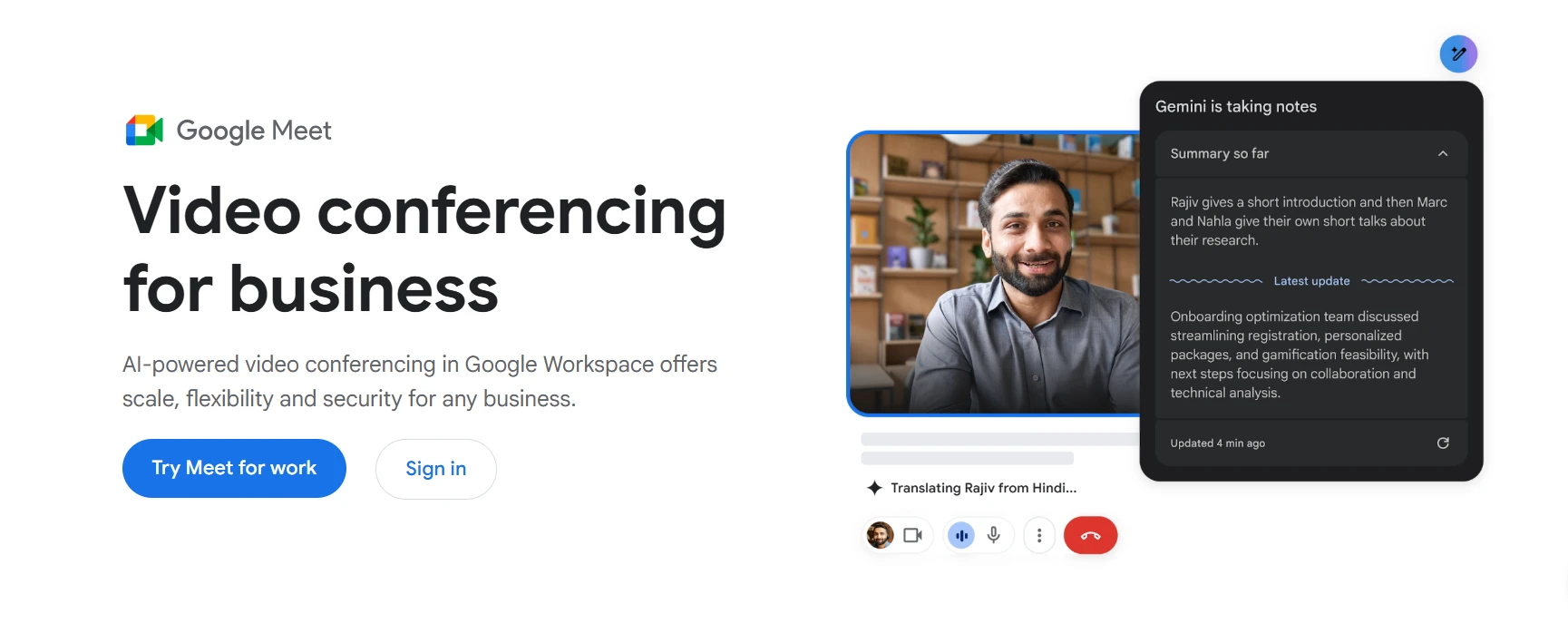
Google Meet is built for teams that want quick and lightweight video meetings without complicated setup. The platform works directly inside browsers and integrates closely with Google Workspace tools.
Google Meet is commonly used for internal meetings, recurring check-ins, and remote collaboration workflows where teams prioritize speed and accessibility over advanced facilitation features.
- Browser-first access: Participants can join meetings directly from a browser without installing desktop software.
- Google Workspace integration: Connects with Gmail, Google Calendar, Drive, Docs, Sheets, and other Workspace tools for scheduling and collaboration.
- Live captions and accessibility features: Supports real-time captions during meetings for accessibility and clearer communication.
- AI-powered audio enhancements: Includes background noise reduction and audio processing for cleaner meeting quality.
- Cross-device support: Works across desktop browsers, Android, iOS, and mobile environments for distributed teams.
- Simple scheduling workflows: Teams can create and join meetings directly from Google Calendar invitations and Gmail workflows.
Google Meet focuses primarily on lightweight meetings and communication. Teams running workshops, brainstorming sessions, or collaborative planning workflows often pair it with a dedicated visual collaboration platform.
Google Meet is included with Google Workspace plans. Paid business plans start at around $7 per user per month and include meeting recording, larger participant limits, enhanced security controls, and additional collaboration features.
Startups, SMBs, remote-first teams, and organizations already using Google Workspace for communication and collaboration.
5. Slack: Best for Async-First Distributed Teams
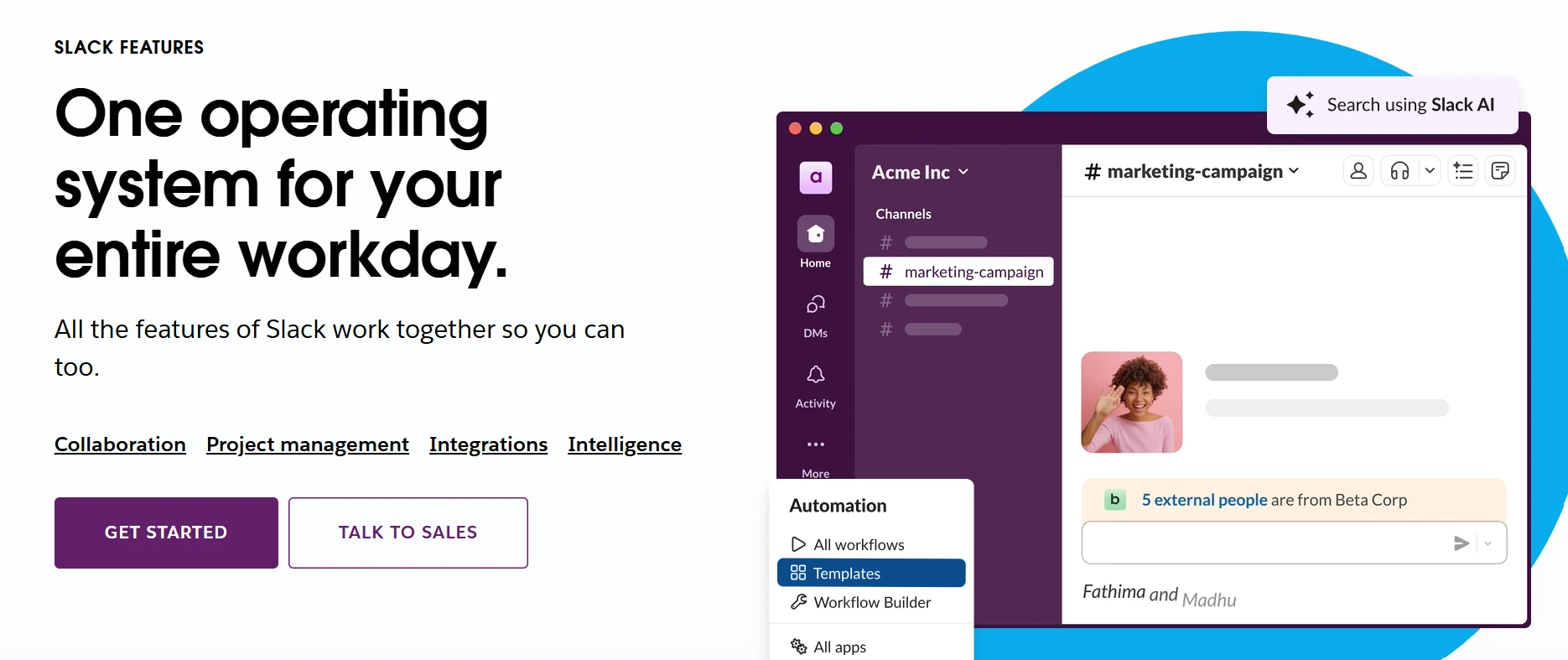
Slack is designed for teams that rely heavily on async communication instead of constant meetings. The platform combines channels, messaging, lightweight calls, workflow automation, and integrations inside one communication workspace.
Slack works especially well for distributed teams managing conversations across projects, departments, and time zones. Teams often use it alongside video conferencing and collaborative planning tools rather than as a replacement for formal meetings.
- Channels and threads: Organizes conversations by project, workflow, team, or topic inside searchable communication spaces.
- Slack huddles: Supports lightweight audio and video conversations directly inside channels without scheduling formal meetings.
- AI-powered search and summaries: Helps teams surface conversations, decisions, and channel context faster through AI-assisted workflows.
- Workflow automation: Automates reminders, approvals, notifications, and repetitive communication processes inside Slack.
- Deep integrations: Connects with Google Workspace, Zoom, Jira, Notion, Trello, Salesforce, GitHub, and thousands of external tools.
- Cross-platform communication: Supports desktop, browser, and mobile collaboration for distributed and hybrid teams.
High message volume can become difficult to manage without clear communication structures and channel organization. Slack is also less suited for formal webinars, structured workshops, and large-scale video meetings.
Free plan available with limited message history and integrations. Paid plans start at around $7.25/user per month and include expanded history, AI features, workflow automation, and advanced collaboration capabilities.
Remote-first teams, async communication workflows, distributed organizations, and teams looking to reduce meeting dependency while keeping communication centralized.
6. Cisco Webex: Best for Enterprise Governance and Compliance
Cisco Webex is designed for enterprise organizations that need secure communication, centralized administration, and hybrid meeting infrastructure. The platform combines video conferencing, messaging, webinars, and enterprise collaboration inside one environment.
Webex is commonly used by large organizations operating in regulated industries where governance, compliance, and IT oversight are important parts of collaboration workflows.
- Enterprise video conferencing: Supports large meetings, webinars, screen sharing, and distributed collaboration across enterprise teams.
- AI-powered meeting assistance: Generates meeting summaries, action items, smart recaps, live translation, and automated follow-up workflows.
- Hybrid meeting room support: Integrates with Cisco conference room hardware and hybrid office environments for centralized meeting management.
- Security and compliance controls: Includes encryption, governance controls, admin permissions, compliance management, and enterprise access policies.
- Smart meeting enhancements: AI-powered layouts, background noise removal, and participant optimization improve meeting quality across devices.
- Cross-platform collaboration: Supports desktop, browser, and mobile communication across distributed work environments.
Webex is more enterprise-focused than lightweight meeting platforms, which can make implementation and administration more involved for smaller teams. Many advanced capabilities are also tied closely to broader Cisco infrastructure environments.
Free plan available with limited meeting features. Paid plans start at around $14.50/user per month, with higher enterprise tiers adding advanced AI features, webinars, governance controls, and hybrid workplace capabilities.
Enterprise organizations, regulated industries, IT-managed environments, and hybrid workplaces requiring centralized governance, compliance controls, and secure collaboration workflows.
7. Miro: Best for Workshop-Driven Teams
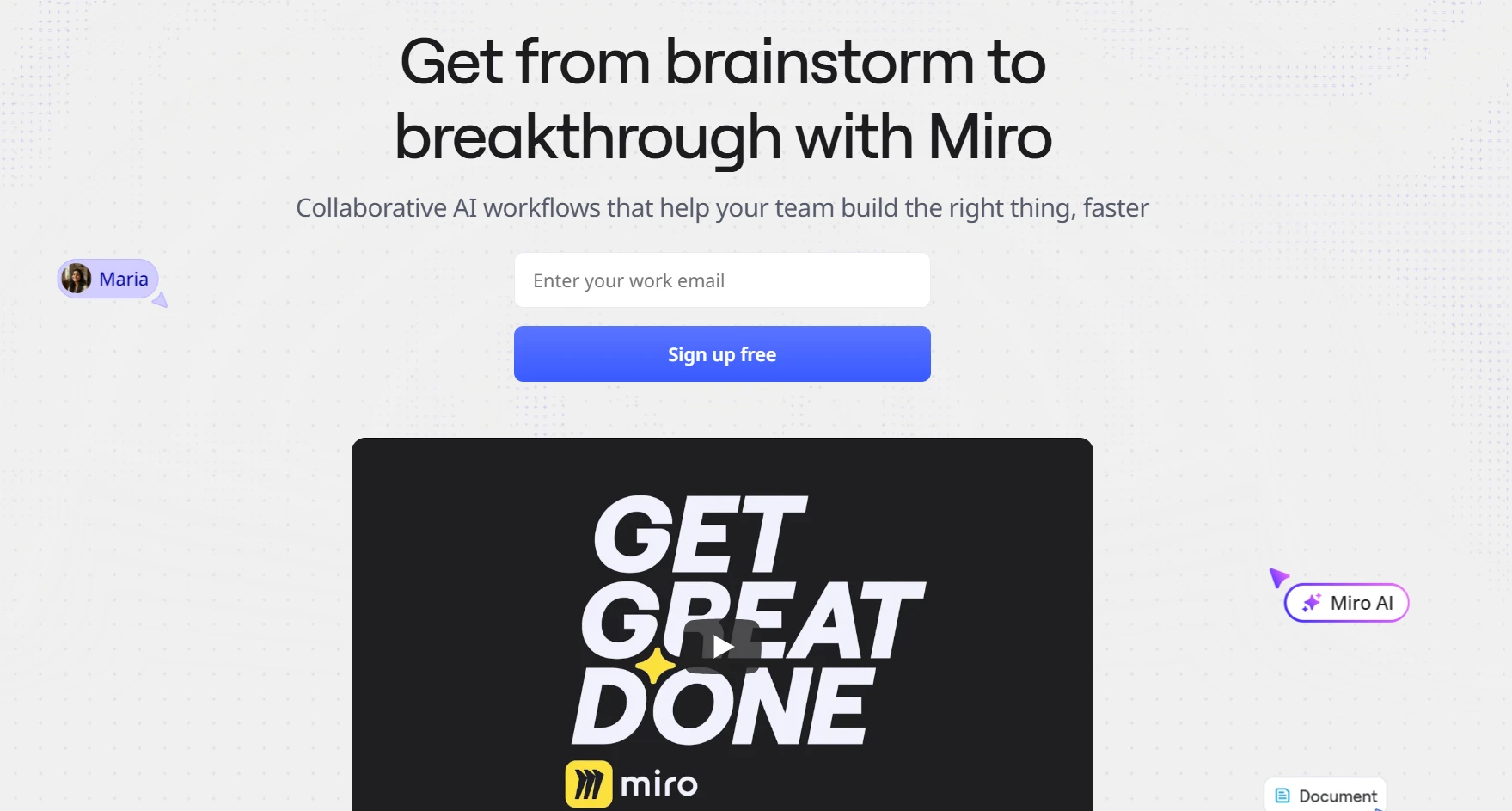
Miro is a collaborative whiteboarding platform designed for brainstorming, workshops, strategy planning, retrospectives, and visual teamwork. The platform is commonly used by product, UX, innovation, and cross-functional teams running facilitation-heavy collaboration sessions.
Miro focuses on visual collaboration workflows rather than traditional video meetings. Teams typically pair it with Zoom, Google Meet, or Microsoft Teams for voice and video communication.
- Infinite collaborative canvas: Supports brainstorming, workflow mapping, retrospectives, planning sessions, and large-scale visual collaboration.
- Workshop facilitation tools: Includes timers, voting, sticky notes, frames, presentation modes, and collaborative workshop workflows.
- AI-powered ideation: Helps teams organize ideas, generate diagrams, cluster discussions, and structure brainstorming sessions more efficiently.
- Large template library: Includes templates for sprint planning, retrospectives, mind mapping, strategy sessions, user journeys, and design collaboration.
- Deep integrations: Connects with Slack, Jira, Zoom, Teams, Google Workspace, Notion, and project management workflows.
- Cross-team collaboration: Supports browser-based collaboration for distributed teams working across workshops and planning environments.
Large boards can become difficult to manage visually without structured facilitation practices. Advanced governance, security, and administration features are also tied to higher pricing tiers.
Free plan available with limited editable boards. Paid plans start at around $8 per user per month billed annually and include advanced collaboration, AI features, integrations, and governance capabilities.
Product teams, UX teams, facilitators, consultants, strategy teams, and organizations running workshop-heavy collaboration workflows.
Also read → Find the best Miro alternatives for your team in 2026 | Compare Miro vs Visio side-by-side
8. Discord: Best for Informal and Community-Driven Teams

Discord is a communication platform built around persistent voice channels, community spaces, and lightweight real-time collaboration. While it originated in gaming communities, many startups, creator groups, and distributed teams now use it for informal communication and always-on collaboration.
Discord works differently from traditional meeting platforms because conversations can continue throughout the day without requiring scheduled calls or formal meeting workflows.
- Persistent voice channels: Teams can join and leave conversations freely without creating scheduled meetings.
- Community servers: Organizes communication across channels, topics, roles, and team-specific collaboration spaces.
- Screen sharing and streaming: Supports lightweight screen sharing and collaborative discussions during live conversations.
- Bots and automation: Includes moderation tools, notifications, workflow automation, and third-party integrations.
- Role-based permissions: Manages access controls and moderation workflows across communities and team environments.
- Cross-platform communication: Supports desktop, browser, and mobile communication for distributed teams and online communities.
Discord is designed more for informal communication than structured business collaboration. It is less suited for webinars, enterprise governance, formal meeting management, and compliance-heavy environments.
Core platform features are free to use. Nitro plans start at around $2.99/month and add enhanced streaming quality, larger uploads, and additional customization features.
Startups, creator communities, gaming communities, and informal remote teams that prefer continuous communication over scheduled meeting workflows.
Features to Look for in a Virtual Meeting Platform
Different teams prioritize different collaboration styles. Rather than asking which platform is "best," the more useful question is which features align with how your team actually works.
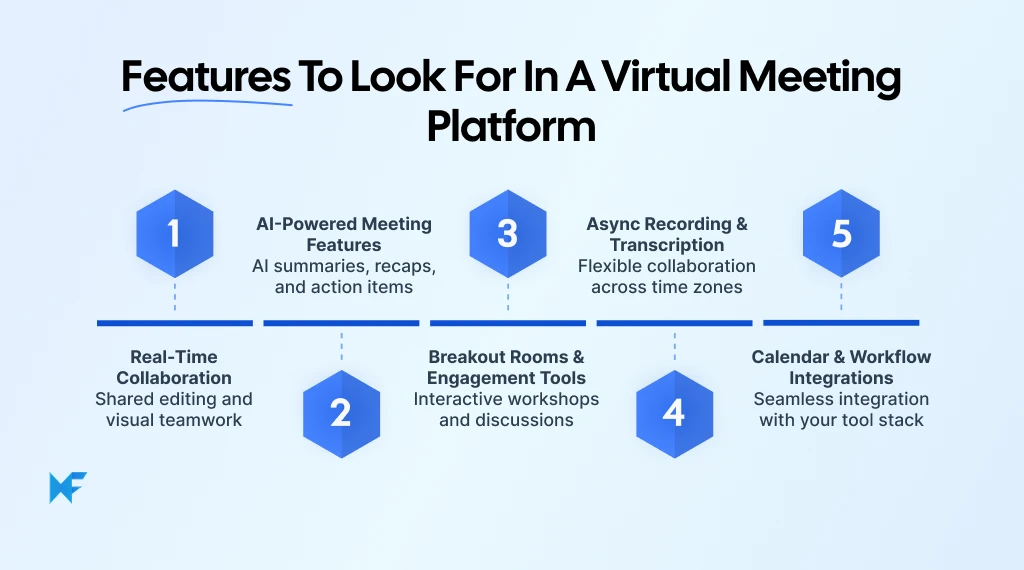
1. Real-Time Collaboration
Real-time collaboration features help teams brainstorm, edit, organize ideas, and work together during meetings instead of treating meetings as passive discussions. Shared whiteboards, collaborative canvases, comments, sticky notes, and multiplayer editing become especially useful during retrospectives, planning sessions, workflow mapping, and workshop facilitation.
2. AI-Powered Meeting Features
AI-assisted meeting workflows are becoming a standard part of modern collaboration platforms. Features like automated summaries, transcription, action-item generation, searchable recaps, and AI-powered follow-ups help reduce the manual work that usually happens after meetings.
Microsoft’s 2025 Work Trend Index also reports that 81% of business leaders expect AI agents to become moderately or extensively integrated into their AI strategies within the next 12 to 18 months. That shift is pushing meeting platforms to support more AI-driven collaboration, documentation, and workflow automation directly inside meetings.
3. Breakout Rooms and Engagement Tools
Breakout rooms, polls, reactions, Q&A tools, timers, and facilitation controls make large meetings more interactive. These features matter most for webinars, workshops, training sessions, onboarding sessions, and distributed collaboration environments where participation directly affects meeting outcomes.
4. Async-Friendly Recording and Transcription
Recording and transcription features support teams working across time zones and hybrid schedules. Searchable meeting records also improve onboarding, documentation, and long-term knowledge sharing for distributed organizations.
Buffer’s State of Remote Work research continues to show that flexibility remains one of the most valued aspects of remote work, which makes async-friendly collaboration increasingly important for modern teams.
5. Calendar and Workflow Integrations
Meeting platforms should connect naturally with calendars, project management systems, communication tools, cloud storage, and collaborative planning workflows. Strong integrations reduce context switching and help teams keep meetings connected to execution workflows afterward.
How to Choose the Right Virtual Meeting Stack
Most teams make the mistake of evaluating virtual meeting tools as a one-platform decision. In reality, remote collaboration usually works best when meetings, communication, brainstorming, and planning are handled across connected tools instead of one overloaded platform.
The better approach is to identify where collaboration slows down and choose tools that solve those specific workflows.
- If teams leave meetings without clear alignment, the issue is usually missing visual collaboration workflows. Tools like IdeaBoard help teams brainstorm, map workflows, and organize discussions visually during meetings.
- If communication becomes fragmented across projects and teams, async communication platforms like Slack or Microsoft Teams help centralize conversations and updates.
- If your organization runs webinars, client presentations, or large-scale meetings regularly, Zoom or Webex usually works better as the primary video conferencing layer.
- If your workflows already depend heavily on Microsoft 365 or Google Workspace, Teams or Google Meet often fit more naturally into daily operations.
Atlassian’s State of Teams 2025 report also found that 93% of executives now see cross-functional collaboration as increasingly critical for business performance. That shift is pushing teams toward more connected collaboration stacks instead of relying only on standalone meeting platforms.
Many teams now combine video meetings with collaborative whiteboards and async communication tools to improve alignment after meetings end.
If your team needs more structured brainstorming, planning, and workshop collaboration, sign up for IdeaBoard and start collaborating visually with your existing meeting stack.
FAQs
1. What are virtual meeting tools?
Virtual meeting tools are software platforms that allow distributed teams to communicate through video, audio, chat, screen sharing, and collaborative workspaces over the internet. They support real-time meetings, async communication, brainstorming, and project coordination across remote and hybrid environments.
2. Which virtual meeting platform is best for remote teams?
The best platform depends on how your team works. Miro and IdeaBoard are better suited for workshops and visual collaboration. Zoom and Webex are strong for video meetings and webinars. Teams and Slack support communication and async workflows.
3. What features should a virtual meeting platform include?
At minimum: reliable video, screen sharing, chat, and security controls. More advanced setups also require AI meeting summaries, breakout rooms, whiteboarding, workflow integrations, recording, and transcription.
4. Can online whiteboards improve remote meetings?
Yes. Whiteboards help teams brainstorm, organize ideas, map workflows, and collaborate visually instead of passively watching presentations. Using IdeaBoard or Miro alongside a video conferencing platform consistently improves engagement and workshop effectiveness for remote teams.
5. Are virtual collaboration platforms secure for business use?
Most leading platforms provide encryption, access controls, admin permissions, and compliance features suitable for business environments. Organizations should evaluate governance, data storage, and regulatory requirements before standardizing on a platform.
How to Choose the Right Visual Project Management Software for Your Use Case
Introduction Projects tend to fail when no one has a clear view of what’s happening. A Wellingtone report found that 47% of...
8 Best Mural Alternatives for Whiteboarding and Remote Teams
Introduction: Why Look for Mural Alternatives? Teams rely on digital whiteboards to fuel creativity and keep workshops moving...

Lucidchart Alternatives: Best Diagramming Tools for Teams in 2026
Lucidchart is a capable cloud-based diagramming platform. But many teams now look for its alternatives that offer more...
