Top 8 Microsoft Whiteboard Alternatives for Remote Work & Collaboration
Introduction
For remote and hybrid teams, effective whiteboarding is crucial to maintaining visual collaboration and workflow.
When collaboration tools don’t integrate seamlessly, brainstorming ideas, sketching concepts, or mapping out strategies becomes inefficient: files get lost, feedback gets missed, and time is wasted.
While Microsoft Whiteboard works well within the Microsoft 365 suite, it often lacks the flexibility needed for diverse teams, offering limited integrations and basic visual tools.
Whether you’re leading a design sprint, mapping out a product roadmap, or brainstorming ideas, you’ve probably noticed key limitations: lack of offline support, restricted integrations, and basic visualization tools. These inefficiencies can slow down even the most motivated teams.
According to Mordor Intelligence, the global collaborative software market is projected to reach USD 8.16 billion by 2030, driven largely by the rise in hybrid work models and the integration of AI into collaboration tools.
As the demand for remote collaboration tools rises, teams are turning to Microsoft Whiteboard alternatives that offer better whiteboarding features, enhanced integrations, and flexible workflows.
In this blog, we’ll explore Microsoft Whiteboard alternatives that offer richer functionality, better integrations, and the flexibility to meet the unique needs of your team, whether you're collaborating online or offline.
Comparison Table: Features, Pricing, and Integrations
Tool | Key Features | Pricing Model | Integrations | Offline Support |
MockFlow IdeaBoard | User-friendly interface, brainstorming, and real-time collaboration | Freemium + Subscription | Trello, Google Docs, VSCode | Yes |
Miro | Infinite canvas, templates, and real-time collaboration | Freemium + Subscription | Slack, Jira, Google Drive | Limited |
Mural | Sticky notes, voting, facilitator tools | Freemium + Subscription | Microsoft Teams, Slack | Limited |
Lucidspark | Diagramming, sticky notes, and real-time collaboration | Freemium + Subscription | Slack, Microsoft Teams, Google Workspace | Limited |
Collaboard | Data security, visualization tools, and on-premise deployment | Freemium + Subscription | Microsoft Teams, Slack | Yes |
Boardmix | AI-powered templates, smart formatting, and integrations | Freemium + Subscription | Zoom, Microsoft Teams, Google Meet | Limited |
Conceptboard | High-resolution image support, commenting, and version control | Freemium + Subscription | Microsoft Teams, Slack | Limited |
OpenBoard | Multimedia support, drawing tools, portable version | Free | None | Yes |
Top Microsoft Whiteboard Alternatives in 2025
Microsoft Whiteboard alternatives provide powerful digital collaboration tools for teams seeking real-time brainstorming, creative design, and seamless integration.
These cloud-based platforms enable remote teams to collaborate effectively through features like sticky notes, drawing tools, and customizable templates. With cross-platform support, these tools ensure accessibility across devices, making them ideal for hybrid and remote work.
Whether enhancing creativity or improving team collaboration, the best alternatives offer intuitive interfaces, secure data handling, and flexible design options. Discover the top alternatives to Microsoft Whiteboard that meet diverse team needs and workflows in 2025.
1. MockFlow IdeaBoard
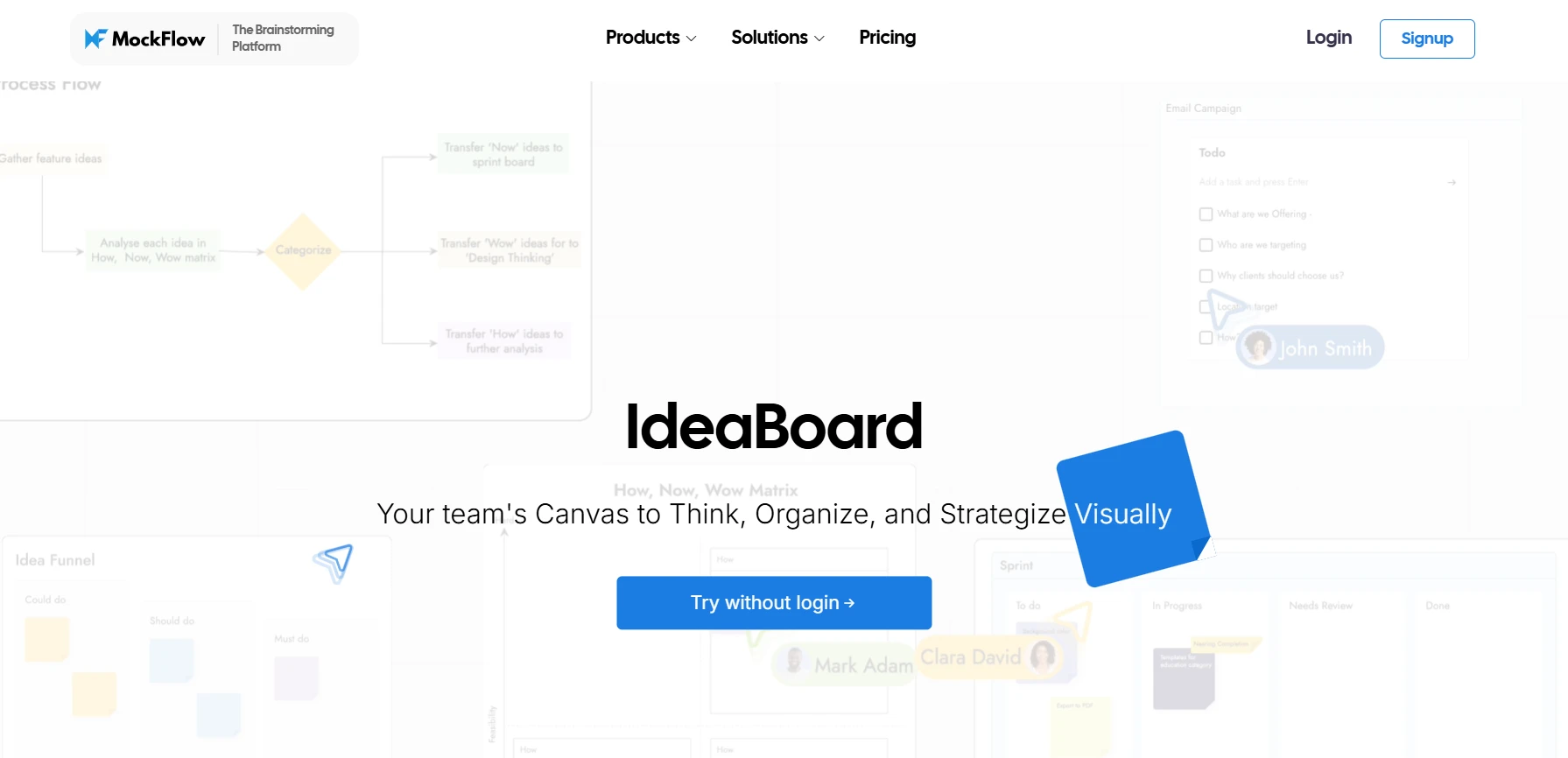
MockFlow IdeaBoard is a top choice for teams seeking a visual collaboration platform that enhances brainstorming, ideation, and strategic planning. With its intuitive interface, teams can easily collaborate from initial concept development to refining visual strategies, all without the need for complex tools.
Features like real-time multi-user editing, sticky notes, and multimedia comments allow teams to work together seamlessly, regardless of location. The desktop app with offline access ensures teams can continue their work even without an internet connection, making it ideal for remote or hybrid teams.
IdeaBoard’s simplicity, combined with its powerful whiteboarding tools, helps teams stay focused and productive, enabling efficient communication and smooth collaboration at every stage of the project.
Key Features:
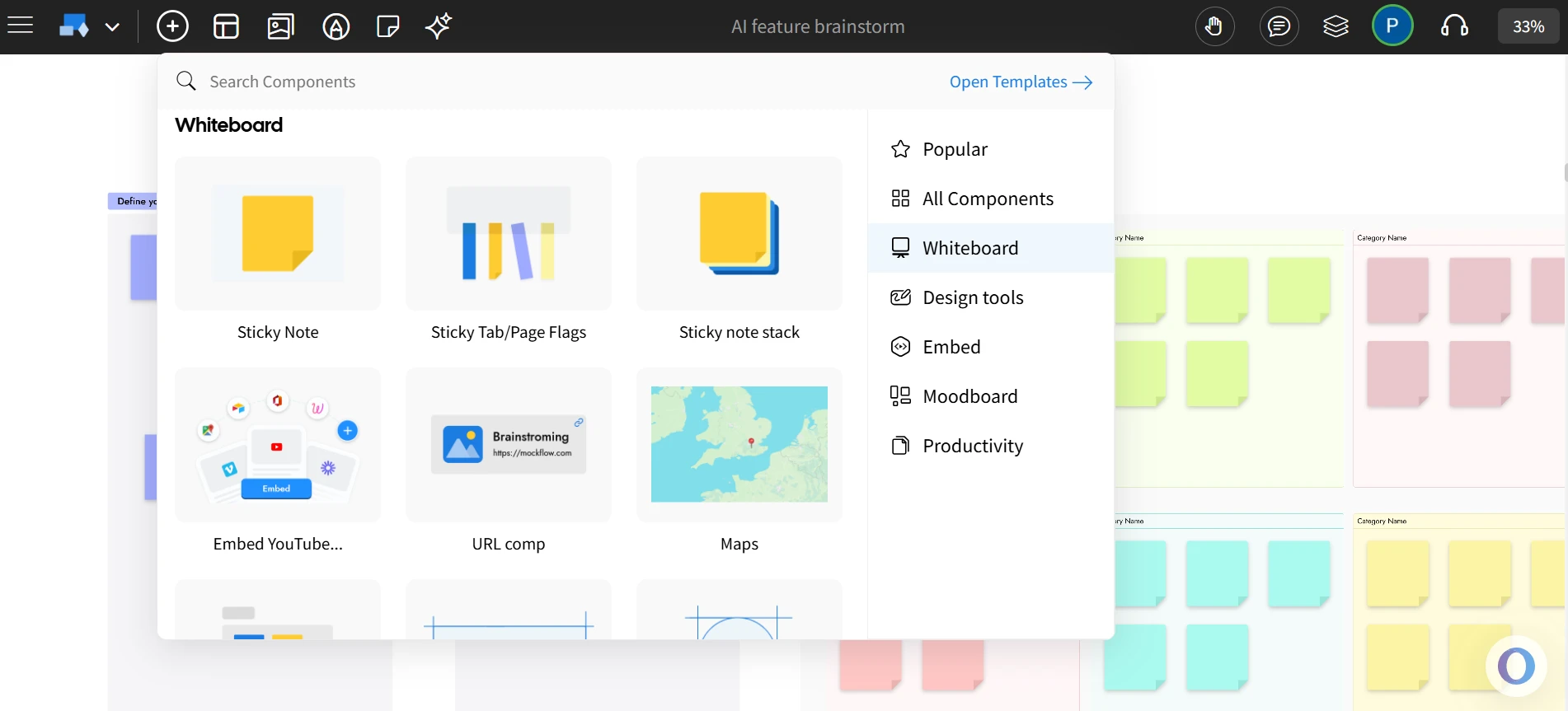
- Real-Time Collaboration: Team members can work on projects simultaneously, ensuring fast-paced decision-making and smooth coordination.
- Templates for Design and Brainstorming: A wide range of templates for ideation, UI/UX design, diagramming, brainstorming, and strategizing allowing teams to avoid starting from scratch.
- User-Friendly Interface: Designed for ease of use, MockFlow ensures a minimal learning curve, so teams can jump straight into the creative process.
- Integrations: Smooth integration with tools like Trello and Google Docs, ensuring seamless workflow connectivity.
- AI-Assisted Diagram Generation: Automatically generate detailed diagrams based on textual descriptions with AI, including flowcharts and system architecture diagrams.
- Offline Mode: The desktop app for both Windows and macOS allows teams to work offline, syncing projects once back online.
- Chrome Extension: Convert websites into editable whiteboards (mindmaps or flow diagrams or document summaries) directly from your browser, speeding up the brainstorming process.
- Secure Collaboration: Robust user management and permission settings keep your data secure, ensuring that only authorized team members have access.
Best For: Creative teams, product designers, project managers, and remote teams looking for a versatile tool for brainstorming and design, all while ensuring secure and efficient collaboration.
Pro Tip: Take advantage of the tool’s flexible subscription options, including the freemium model, to explore its features before committing to a paid plan.
Ready to experience how MockFlow IdeaBoard can enhance your team’s collaboration and creativity? Start with a free trial today and explore how its robust features can help streamline your workflow.
2. Miro
Miro offers an expansive, infinite canvas and a variety of templates that make it ideal for brainstorming and strategic planning. Its collaborative features are tailored for teams of all sizes, making it perfect for creative and agile workflows.
Key Features:
- Infinite Canvas: Teams can explore ideas without limitations, allowing for expansive, creative brainstorming and ideation.
- Pre-built Templates: Ready-to-use templates for mind mapping, strategic planning, and brainstorming, helping teams get started quickly.
- Real-Time Collaboration: Multiple team members can work on the canvas simultaneously, ensuring fast-paced collaboration and decision-making.
- Integration with Popular Tools: Seamlessly integrates with Slack, Jira, Google Drive, and more to fit into your existing workflow.
Ideal For: Remote teams, design professionals, and product managers who need a scalable whiteboarding tool.
3. Mural
Mural is a popular choice for visual collaboration, especially in ideation sessions. It focuses on creativity with sticky notes, voting tools, and templates to help facilitate structured team meetings.
Key Features:
- Sticky Notes & Voting Tools: Ideal for structured brainstorming, prioritization, and decision-making.
- Facilitator Tools: Features like timers, voting, and private mode enable facilitators to guide team sessions more effectively.
- Pre-built Templates: Ready-to-use templates for a wide range of use cases like design thinking workshops, sprint planning, and retrospectives.
- Real-Time Collaboration: Collaborators can simultaneously edit the board, allowing for seamless teamwork during live sessions.
Ideal For: Facilitators, UX/UI teams, and agile teams working on collaborative workshops or planning sprints.
4. Lucidspark
Lucidspark is an intuitive online whiteboard for team collaboration, providing tools for diagramming and brainstorming. It’s especially useful for teams looking to map out projects and workflows visually.
Key Features:
- Real-Time Collaboration: Multiple users can collaborate on the same whiteboard, making it perfect for remote teams.
- Sticky Notes & Shape Tools: Allows teams to organize and visualize ideas using shapes, sticky notes, and drawings.
- Integration with Slack and Microsoft Teams: Helps maintain seamless communication and workflows across multiple platforms.
- Export Options: Share your whiteboards by exporting them to different formats, making it easy to present and share your work.
Ideal For: Product teams, educators, strategists, and remote teams who need a simple yet effective whiteboarding tool.
5. Collaboard
Collaboard is a secure online whiteboard platform designed with data security and compliance in mind. It combines visual collaboration tools with strong security features, making it an excellent choice for organizations in regulated industries or those handling sensitive data.
Key Features:
- End-to-End Encryption & GDPR Compliance: Ensures that all team data is secure and protected.
- Real-Time Collaboration: Multiple users can edit and contribute to the whiteboard simultaneously.
- On-Premise Deployment Options: Offers the option to host the platform on your own servers, giving full control over data privacy.
- Drawing Tools & Sticky Notes: Provides essential features like drawing tools, sticky notes, and shapes for effective collaboration.
Ideal For: Public administrations, educational institutions, and security-conscious organizations that need a secure, GDPR-compliant solution.
6. Boardmix
Boardmix is a highly versatile whiteboard tool known for its AI-powered features that help teams quickly generate and organize ideas. It combines an intuitive interface with smart formatting and extensive integrations with tools like Zoom and Microsoft Teams.
Key Features:
- AI-Powered Templates: Generate ideas instantly using AI-assisted templates, speeding up the brainstorming process.
- Customizable Templates & Infinite Canvas: Create custom templates for any workflow and expand your canvas as needed.
- Seamless Integrations: Integrates with Microsoft Teams, Zoom, Google Meet, and other productivity tools, ensuring smooth workflows.
- Real-Time Collaboration: Team members can work simultaneously on the same board, ensuring quick updates and seamless teamwork.
Ideal For: Creative professionals, remote teams, and educators who require a collaborative tool with AI-enhanced capabilities.
7. Conceptboard
Conceptboard is a visual collaboration platform that focuses on high-resolution image support and detailed feedback, making it a perfect fit for design-heavy projects. It enables teams to work together on visual assets, providing tools for commenting, version control, and detailed reviews.
Key Features:
- High-Resolution Image Support: Allows teams to upload and review high-resolution images for detailed feedback.
- Version Control: Keep track of changes with built-in version control, ensuring that all feedback is captured.
- Real-Time Collaboration: Multiple users can provide feedback and make changes in real-time.
- Integration with Microsoft Teams and Slack: Easily share boards and collaborate through integrations with popular communication tools.
Ideal For: Designers, marketers, and project managers working on visual projects requiring frequent feedback and collaboration.
8. OpenBoard
OpenBoard is an open-source whiteboard tool primarily designed for educational use. It allows educators to annotate, draw, and engage students with dynamic lessons, making it a great fit for classrooms or virtual learning environments.
Key Features:
- Multimedia Support: Incorporates images, videos, and audio for interactive lessons and presentations.
- Drawing & Annotation Tools: Tools for dynamic presentation, annotation, and real-time collaboration.
- Portable Version: A portable version allows teachers and students to use OpenBoard without needing to install it.
- Open-Source: As an open-source platform, OpenBoard is free to use and customizable to suit specific classroom needs.
Ideal For: Educators, students, and schools looking for a free, open-source, and offline-compatible whiteboarding tool.
As teams grow and their needs evolve, so too must their collaboration tools. A Data Horizzon report reveals that around 60–70% of teams now use cloud-based diagramming tools to enable real-time collaboration and ensure scalability.
After considering the features, pricing models, and ideal use cases of each tool, MockFlow IdeaBoard emerges as a top choice. Its focus on visual collaboration, real-time multi-user editing, and offline support provides the flexibility teams need for effective brainstorming and ideation, all within an intuitive whiteboarding platform.
Try MockFlow free today to see how it can support your projects with ease.
Why Consider Alternatives to Microsoft Whiteboard?
While Microsoft Whiteboard is a solid choice for basic brainstorming and collaboration, alternatives often offer enhanced functionality, a better user experience, and more robust integrations, especially when offline access is required.
Many teams, particularly those in technical fields, find that diagramming tools are essential for visualizing complex ideas in a way that is accessible to non-technical team members. This highlights the need for more versatile whiteboarding solutions that cater to diverse team requirements and workflows.
Here's why you might want to consider alternatives to Microsoft Whiteboard:
Limited Feature Set
For teams that require more than basic collaboration, the feature set of Microsoft Whiteboard can be limiting. While it serves as a solid tool for simple brainstorming sessions, it lacks advanced capabilities like AI-assisted diagram generation and offline access.
Tools that include these advanced functionalities not only streamline the design process but also make collaboration more efficient by allowing teams to visualize complex concepts in real time.
An academic study by Zhong et al. for ResearchGate highlights that AI-driven tools can reduce cognitive workload and boost creativity during design sessions. As teams require more than just a simple brainstorming tool, alternatives like MockFlow that offer these advanced features help improve efficiency and foster creativity.
User Interface Challenges
User experience plays a significant role in the success of collaboration tools, and many users find Microsoft Whiteboard’s interface unintuitive, particularly when managing more complex projects.
A clean, streamlined interface reduces the learning curve, enabling teams to focus on creativity rather than struggling with the tool itself. Tools like MockFlow IdeaBoard offer a user-friendly design environment, allowing teams to dive into their creative processes without spending too much time on tool navigation.
Integration Constraints
Integration with other tools is crucial for maintaining streamlined workflows, especially for teams that rely on a wide range of platforms for communication, task management, and file sharing.
A study by Owl Labs found 87% of employees stated that good collaborative technology is essential for productivity in a hybrid work environment, emphasizing the importance of reliable digital solutions for seamless teamwork.
Microsoft Whiteboard is primarily built to function within the Microsoft ecosystem, which limits its ability to integrate with popular third-party tools like Slack, Trello, and Google Drive. Alternatives that offer broader integration capabilities make it easier for teams to collaborate and keep projects moving forward without having to switch between multiple platforms.
Offline Capabilities
For remote teams, field workers, or anyone who regularly works in areas with limited internet connectivity, having a tool that supports offline functionality is a necessity. Microsoft Whiteboard does not support offline access features as of now.
Alternatives with full offline support, like MockFlow, allow teams to continue their work without interruption. This ensures that users can remain productive regardless of their internet connection, and once online, their work is automatically synced, reducing the risk of data loss.
Choosing the Right Alternative for Your Needs
When selecting an alternative to Microsoft Whiteboard, it’s essential to evaluate how well the tool aligns with your team's specific needs and goals.
Here are the key factors to consider:
1. Team Requirements: Understanding how your team plans to use the tool is crucial. Whether it’s for brainstorming, project management, or design, different tools cater to different needs.
For instance, if your team primarily focuses on UI/UX design, tools with advanced diagramming features may be essential. On the other hand, if collaboration and ideation are the primary goals, tools that offer an infinite canvas and real-time updates could be more beneficial.
2. Feature Set: Evaluate the tool’s features and identify what’s essential for your team’s workflow. Does your team require real-time collaboration, diagramming, or integrations with other software? Make sure the tool you choose offers the capabilities that support your goals.
3. Budget Considerations: Cost is always a factor to consider. Some tools offer freemium models, while others have tiered pricing based on features or user count. Determine your team’s budget and choose a tool that provides the necessary functionality without exceeding your financial constraints.
A freemium option can be ideal for smaller teams or those just starting out, while larger teams may benefit from the full set of features available in a paid plan.
4. Integrations and Ecosystem: The ability to integrate seamlessly with your existing tools is essential for maintaining efficiency. Look for whiteboard tools that work well with platforms you already use, such as Slack, Microsoft Teams, or project management tools like Trello and Jira.
A whiteboard tool with strong integrations helps centralize your workflow, making it easier to share ideas, track progress, and manage projects across different tools.
5. Security and Compliance: If your team handles sensitive information or works within regulated industries, security is a critical consideration.
Look for tools that offer encryption and strong user access controls. These features are essential to ensure that your team’s data remains protected.
By considering these factors, you can choose the Microsoft Whiteboard alternative that best suits your team’s needs, ensuring a more streamlined, effective, and secure collaboration experience.
Conclusion
Selecting the right whiteboarding tool is crucial for teams that need more than just basic collaboration. As we've discussed, Microsoft Whiteboard alternatives offer various strengths that cater to the diverse needs of modern teams, whether it's real-time collaboration, diagramming, or security.
With its comprehensive suite of tools, MockFlow IdeaBoard offers everything from easy-to-use whiteboarding features to AI-assisted diagram generation and robust offline support.
These capabilities make it the go-to solution for teams in need of a versatile collaboration platform that enhances creative workflows, promotes seamless communication, and ensures project success.
Start with a free trial of MockFlow today and see how its powerful features can streamline your workflow, boost creativity, and drive productivity. Don’t settle for less, experience the difference MockFlow can make for your team!
FAQs
1. What are the best alternatives to Microsoft Whiteboard?
MockFlow IdeaBoard is one of the best alternatives to Microsoft Whiteboard, offering a wide range of features such as intuitive brainstorming, real-time collaboration, and a cloud-based interface that allows teams to work seamlessly across devices. It’s ideal for teams looking for an easy-to-use tool for brainstorming, design, and project planning.
2. How does MockFlow IdeaBoard compare to Microsoft Whiteboard in terms of features?
MockFlow offers several advanced features that enhance the user experience compared to Microsoft Whiteboard. These include customizable templates, design collaboration, AI capabilities, and integration with other productivity tools. MockFlow’s user-friendly interface and cloud-based collaboration make it a powerful tool for teams and projects of all sizes.
3. What makes MockFlow IdeaBoard the most user-friendly alternative to Microsoft Whiteboard?
MockFlow is designed to be intuitive and easy to use, even for non-technical users. Its drag-and-drop interface, pre-built templates, and cloud-based collaboration make it ideal for teams of all skill levels. The platform’s simple design tools and real-time collaboration features ensure that teams can easily create and share their ideas.
4. Does MockFlow IdeaBoard support real-time collaboration for remote teams?
Yes, MockFlow IdeaBoard supports real-time collaboration, making it an excellent choice for remote teams. Multiple team members can collaborate on the same project simultaneously, add comments, and make changes in real time. This cloud-based functionality ensures that everyone stays aligned, regardless of location.
5. Are there free alternatives to Microsoft Whiteboard?
Yes, MockFlow IdeaBoard offers a free plan that provides essential whiteboarding features, basic design templates, and AI credits. While it has premium plans for more advanced features, the free version is still powerful enough for small teams or individuals looking to brainstorm and design with ease.
6. What features should a good Microsoft Whiteboard alternative have?
A good alternative to Microsoft Whiteboard should have real-time collaboration capabilities, cloud-based access, an intuitive user interface, customizable templates, and integration with other tools like Trello and Google Docs. MockFlow meets all these criteria, providing a versatile and easy-to-use platform for team collaboration and project planning.
Virtual Collaboration Tools: Best Options for Remote & Hybrid Teams
Introduction You’re about to invest in a new set of virtual collaboration tools, and this isn’t a casual decision. The platform...

8 Best FigJam Alternatives for Remote Collaboration & Design
Introduction: What are FigJam Alternatives? You’ve probably been there: a team brainstorming session that’s supposed to be...
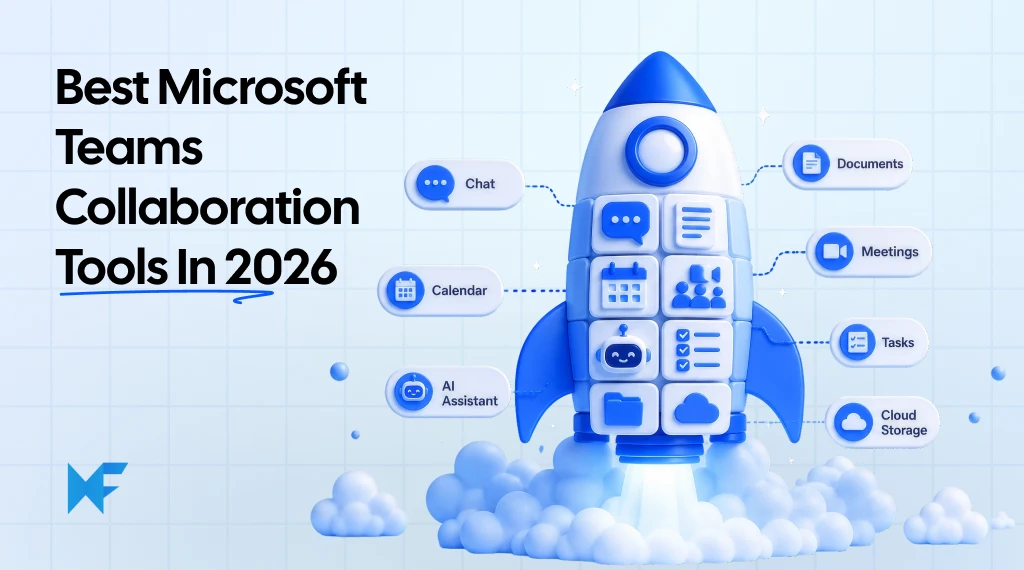
6 Best Microsoft Teams Collaboration Tools for Cross-Functional Teams
Microsoft Teams has become the central workspace for conversations, meetings, and day-to-day coordination. Yet many teams still...
