
Team Collaboration: Strategies, Benefits, Tools, and Best Practices
Introduction
When collaboration works well, it feels natural. Conversations flow, ideas build on each other, and progress feels shared rather than segmented. We do not have to overthink it because everyone knows where the team is heading and how their work fits into the bigger picture.
That sense of alignment matters more than ever. Teams today collaborate across roles, locations, and time zones, often blending quick discussions with thoughtful, async work. What makes the difference is not how often teams talk, but how intentionally they collaborate.
Team collaboration is about creating that shared rhythm. It is how teams communicate, make decisions, and move work forward together with clarity and trust.
In this guide, we break down what team collaboration really means, why it matters in a modern workplace, and how teams can strengthen it through practical strategies, collaboration best practices, and the right supporting tools. The goal is simple: help teams collaborate with more focus, confidence, and impact.
What Is Team Collaboration?
Team collaboration is the way teams work together to achieve shared goals through clear communication, coordinated workflows, and collective ownership of outcomes. It connects people, tasks, and ideas across projects, roles, and teams.
Strong team collaboration improves alignment, productivity, and accountability. It supports knowledge sharing, transparent decision-making, and efficient execution.
Modern team collaboration relies on a balance of real-time and asynchronous work, especially in remote and cross-functional teams. Clear roles, visible work, and supportive collaboration tools help teams stay aligned and reduce delays.
What makes collaboration in a team different from simple cooperation is intent. Teams are not just dividing work and reporting status. They are actively shaping outcomes together, adjusting as context changes, and building on shared understanding.
Team Collaboration vs. Teamwork
Team collaboration and teamwork are related but not identical. Teamwork often means each person completes an individual piece of a shared task, with clearly defined roles and minimal overlap. Team collaboration goes further: people actively think, decide, and problem-solve together throughout the process, not just at handoff points. Most high-performing teams need both, shifting between the two depending on whether the moment calls for structured execution or shared problem-solving.
Why Is Team Collaboration Important in a Workplace?
Work today rarely happens in isolation. Most initiatives span multiple roles, teams, and decision points, making collaboration a core part of how work actually gets done.
In a workplace setting, collaboration supports clarity as work becomes more interconnected. It helps teams align priorities, understand dependencies, and make informed decisions without constant escalation. When collaboration is intentional, teams spend less time navigating ambiguity and more time executing with confidence.
According to Gallup’s data, 52% of remote-capable employees now work in hybrid models, while 26% are fully remote. With most teams operating across locations, collaboration has become the primary way work stays connected. It provides the structure that helps people coordinate effort, share context, and move in the same direction.
Collaboration also plays a critical role in maintaining team alignment as projects evolve. Goals shift, information changes, and new inputs emerge. Strong collaboration ensures those changes are shared, understood, and reflected in how work moves forward.
At its foundation, team collaboration enables coordination at scale. It allows individuals, hybrid teams, and functions to operate as a connected system rather than a collection of parallel efforts.
Key Benefits of Strong Team Collaboration
Strong team collaboration delivers clear, practical advantages in how work is planned, executed, and improved over time. When teams collaborate intentionally, the benefits extend beyond smoother interactions and show up in measurable ways.
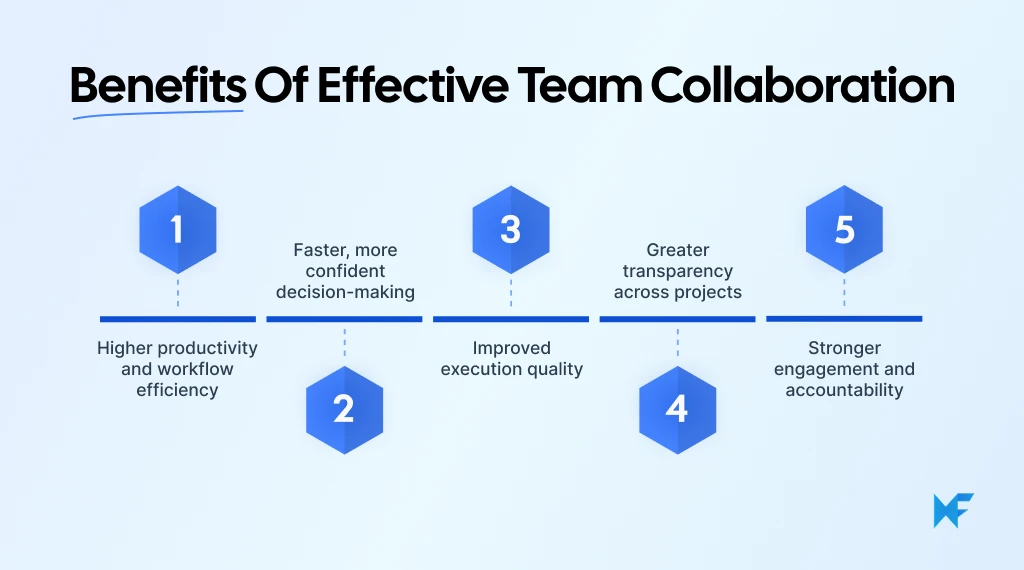
1. Higher productivity and workflow efficiency: Coordinated workflows and shared visibility help teams move work forward without unnecessary handoffs or duplication of effort.
2. Faster, more confident decision-making: When context and perspectives are shared, teams can evaluate options quickly and make decisions without repeated back-and-forth.
3. Improved execution quality: Collaboration enables early input and ongoing alignment, reducing errors and last-minute changes during delivery.
4. Greater transparency across projects: Visual collaboration, clear ownership, and open communication make it easier for teams to track progress and address blockers early.
5. Stronger engagement and accountability: Collaborative teamwork creates shared responsibility for outcomes, helping teams stay motivated and aligned around common goals.
These benefits reinforce each other. Atlassian’s 2024 State of Teams report found that 93% of executives believe teams could achieve the same outcomes in half the time if collaboration were more effective.
As teams strengthen collaboration, they create a more connected, responsive, and effective way of working together.
Proven Strategies to Boost Team Collaboration
Strong team collaboration does not happen by accident. It is shaped by how teams set goals, structure work, communicate, and stay aligned over time. The strategies below focus on creating the conditions that allow collaboration to work consistently, not just during meetings or special projects.
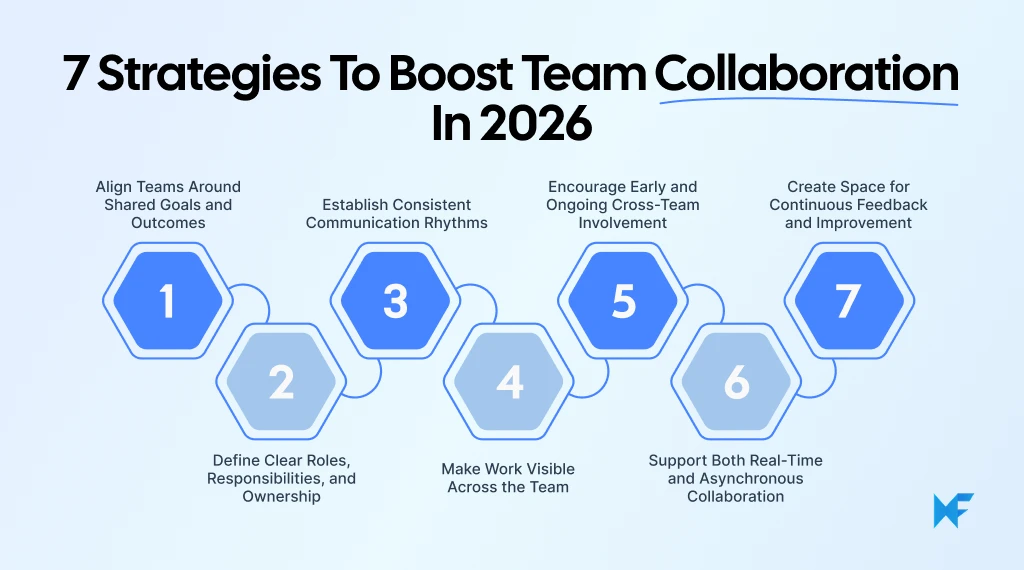
1. Align Teams Around Shared Goals and Outcomes
Collaboration works best when everyone is moving toward the same outcomes. Shared goals create a common reference point that guides decisions, priorities, and trade-offs. Without that alignment, teams may work hard but still pull in different directions.
To implement this:
- Define team-level goals that everyone can reference, not just role-specific objectives
- Connect individual tasks to those shared outcomes so people understand why their work matters
- Revisit goals regularly as priorities shift to keep alignment intact
When goals are visible and shared, collaboration becomes outcome-driven rather than activity-driven.
2. Define Clear Roles, Responsibilities, and Ownership
As teams grow, collaboration often becomes painful when too many people are involved in decisions without clear ownership. Experienced project leaders emphasize that collaboration works best when input is broad but decision-making responsibility is clearly defined, allowing teams to move forward without waiting for universal agreement.
Clear ownership removes friction from collaborative work. When roles and responsibilities are well defined, teams know who is responsible for what and where decisions should live. This reduces delays, repeated discussions, and overlapping effort.
To put this into practice:
- Clearly define who is responsible for each area of work or decision
- Make ownership visible so teams know where to go for input or approvals
- Separate contribution from accountability so collaboration does not dilute responsibility
Clear roles create confidence and allow teams to collaborate without hesitation or overlap.
3. Establish Consistent Communication Rhythms
Predictable communication rhythms help teams stay connected without feeling overwhelmed. Regular check-ins, reviews, and updates create shared awareness and reduce the need for constant clarification.
Implementation steps include:
- Set regular check-ins for alignment, reviews, and feedback
- Use shared communication channels consistently instead of ad-hoc updates
- Match the cadence to the work so teams stay informed without constant interruptions
Consistent rhythms reduce noise while keeping everyone aligned.
4. Make Work Visible Across the Team
Visibility is a foundation of effective collaboration. When tasks, progress, and blockers are visible, teams can coordinate more easily and support each other proactively.
To implement this:
- Use shared spaces to track tasks, progress, and blockers
- Make dependencies clear so teams can coordinate timing and effort
- Keep updates current so visibility supports action, not confusion
Visible work like visual flowcharts and mind maps turns collaboration into shared awareness, not constant explanation.
5. Encourage Early and Ongoing Cross-Team Involvement
Collaboration is most effective when it starts early. Involving relevant teams and stakeholders from the beginning helps shape better decisions and reduces rework later.
Teams can implement this by:
- Involving relevant stakeholders during problem framing, not just execution
- Keeping cross-functional teams engaged as work evolves, not through handoffs
- Creating shared forums for discussion and problem-solving
Early involvement preserves context and reduces costly rework later.
6. Support Both Real-Time and Asynchronous Collaboration
Not all collaboration needs to happen live. Real-time remote collaboration is valuable for alignment, brainstorming, and decision-making, while asynchronous collaboration supports deep work, review, and flexibility.
Teams report that collaboration starts to hurt productivity when every update turns into a meeting. Managers who scale collaboration effectively limit live discussions to moments that require alignment or decision-making, while relying on asynchronous updates for progress tracking and reviews.
To apply this strategy:
- Use real-time collaboration for alignment, brainstorming, and decisions
- Use asynchronous collaboration for updates, reviews, and focused execution
- Document outcomes from live discussions so async contributors stay aligned
Balancing both supports remote and hybrid teams while protecting focus.
7. Create Space for Continuous Feedback and Improvement
Collaboration improves when teams regularly reflect on how they work together. Creating space for feedback helps teams adjust communication, roles, and processes over time.
To make this part of everyday work:
- Schedule regular moments to reflect on how collaboration is working
- Encourage feedback on communication, roles, and workflows
- Make small adjustments instead of waiting for major breakdowns
Over time, these adjustments compound. Teams become more aligned, more adaptable, and better equipped to collaborate effectively as work and conditions change.
Together, these strategies turn collaboration from a vague expectation into a repeatable way of working. When teams align on goals, clarify ownership, make work visible, and adapt how they communicate, collaboration becomes part of everyday execution.
Team Collaboration Best Practices for Modern Teams
Once the right strategies are in place, best practices help teams apply collaboration consistently in day-to-day work. These practices focus on what teams should do and how they can structure collaboration so it holds up across projects, roles, and working styles.
1. Improve Collaboration Across Cross-Functional Teams
Cross-functional collaboration works when teams plan for alignment early, not after work has already started. The best practice is to involve relevant functions during problem framing, not just during execution.
To improve collaboration across teams:
- Align on shared outcomes instead of department-specific metrics
- Involve stakeholders early to surface constraints, dependencies, and assumptions
- Use shared artifacts like workflows or visual plans so everyone works from the same context
- Clarify decision ownership to avoid delays caused by unclear authority
This approach reduces rework and helps teams collaborate as partners rather than sequential contributors.
2. Support Collaboration With Clear Project Management
Project management is not just about tracking tasks. It creates the structure that allows collaboration to scale without constant coordination overhead.
Effective collaboration-focused project management includes:
- Clear task ownership so responsibilities are visible and unambiguous
- Shared timelines and dependencies to coordinate work across roles
- Centralized updates so progress is visible without frequent status meetings
- Simple workflows that teams can follow and adapt as work evolves
When project structure is clear, teams collaborate naturally through shared visibility instead of repeated check-ins.
3. Create a Culture of Open Communication and Trust
Collaboration improves when teams feel safe sharing ideas, questions, and concerns. Trust is built through consistent behaviors, not one-time initiatives.
Best practices to support open communication include:
- Encourage questions and early input instead of waiting for polished ideas
- Normalize feedback as part of everyday work, not just reviews
- Focus discussions on learning and improvement rather than blame
- Make decisions transparent so teams understand the reasoning behind them
A culture of trust reduces hesitation and helps collaboration feel productive rather than risky.
4. Balance Real-Time and Asynchronous Collaboration
Not all collaboration needs to happen in meetings. Strong teams intentionally choose when to collaborate live and when async work is more effective.
Best practices include:
- Use real-time collaboration for alignment, brainstorming, and decisions
- Use asynchronous collaboration for reviews, updates, and focused execution
- Document outcomes from live discussions so async contributors stay aligned
- Be mindful of time zones and working hours in distributed teams
This balance supports remote and hybrid teams while reducing meeting fatigue.
5. Enable Knowledge Sharing Without Friction
Knowledge sharing is a foundation of sustained collaboration. Teams collaborate better when context is easy to find and reuse.
To enable frictionless knowledge sharing:
- Centralize documentation so information is not scattered across tools
- Capture decisions, not just tasks, to preserve context
- Keep documentation lightweight and easy to update
- Encourage teams to reference shared knowledge instead of relying on memory
When information flows easily, teams collaborate with greater confidence, speed, and consistency.
How the Right Tools Enable Better Team Collaboration
Tools do not create collaboration on their own. They support it by making communication, coordination, and shared work easier to sustain over time. When teams already have alignment and clear ways of working, the right tools help those behaviors scale across people, projects, and locations.
When evaluating collaboration tools, teams should look for capabilities that reinforce how work actually happens:
- Real-time collaboration to support alignment, discussion, and quick decision-making
- Visual clarity so teams can see work, priorities, and dependencies at a glance
- Easy onboarding that lowers friction and helps teams start collaborating quickly
- Support across brainstorming, planning, and execution, not just one stage of work
- AI assistance that helps teams move faster without removing human judgment
Collaboration tools are especially effective because they combine communication and context in one place. Tools like MockFlow’s IdeaBoard provide a shared, real-time workspace where teams can think, plan, and organize work together visually.
IdeaBoard enables multiple people to edit the same board simultaneously, helping teams collaborate live without version conflicts. Its infinite canvas and visual elements such as sticky notes, flowcharts, diagrams, and structured templates make it easier to brainstorm ideas, map workflows, and align on plans.
Since much of everyday team collaboration already happens inside Microsoft Teams, IdeaBoard's Microsoft Teams integration lets teams share and work on the same board directly inside their existing channels, instead of switching tools to keep a visual plan updated.
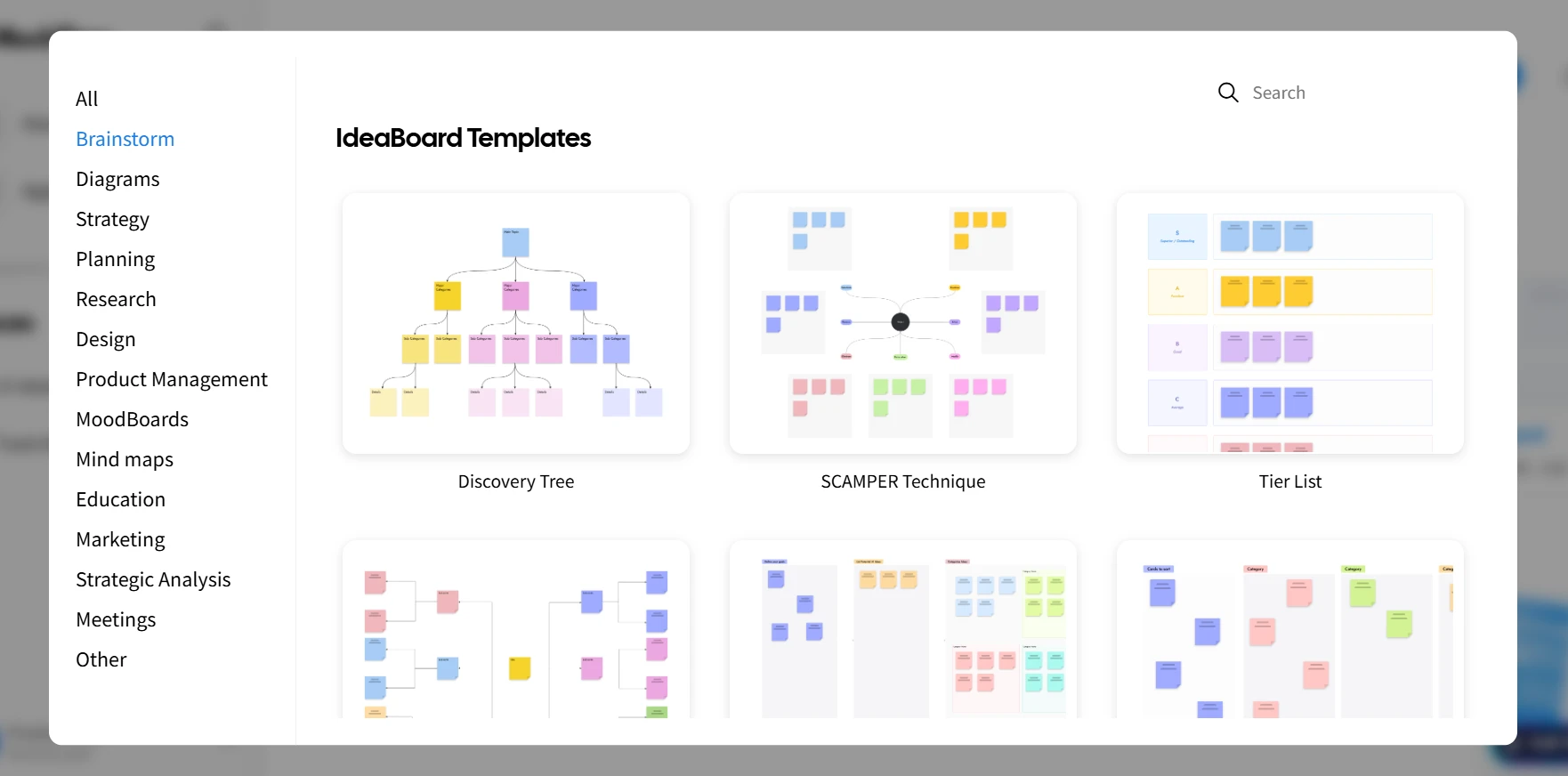
Access and customize team collaboration templates on IdeaBoard
Microsoft and LinkedIn’s 2024 Work Trend Index found that 75% of leaders whose teams use AI report improved collaboration, particularly in how teams align, generate ideas, and move work forward faster.
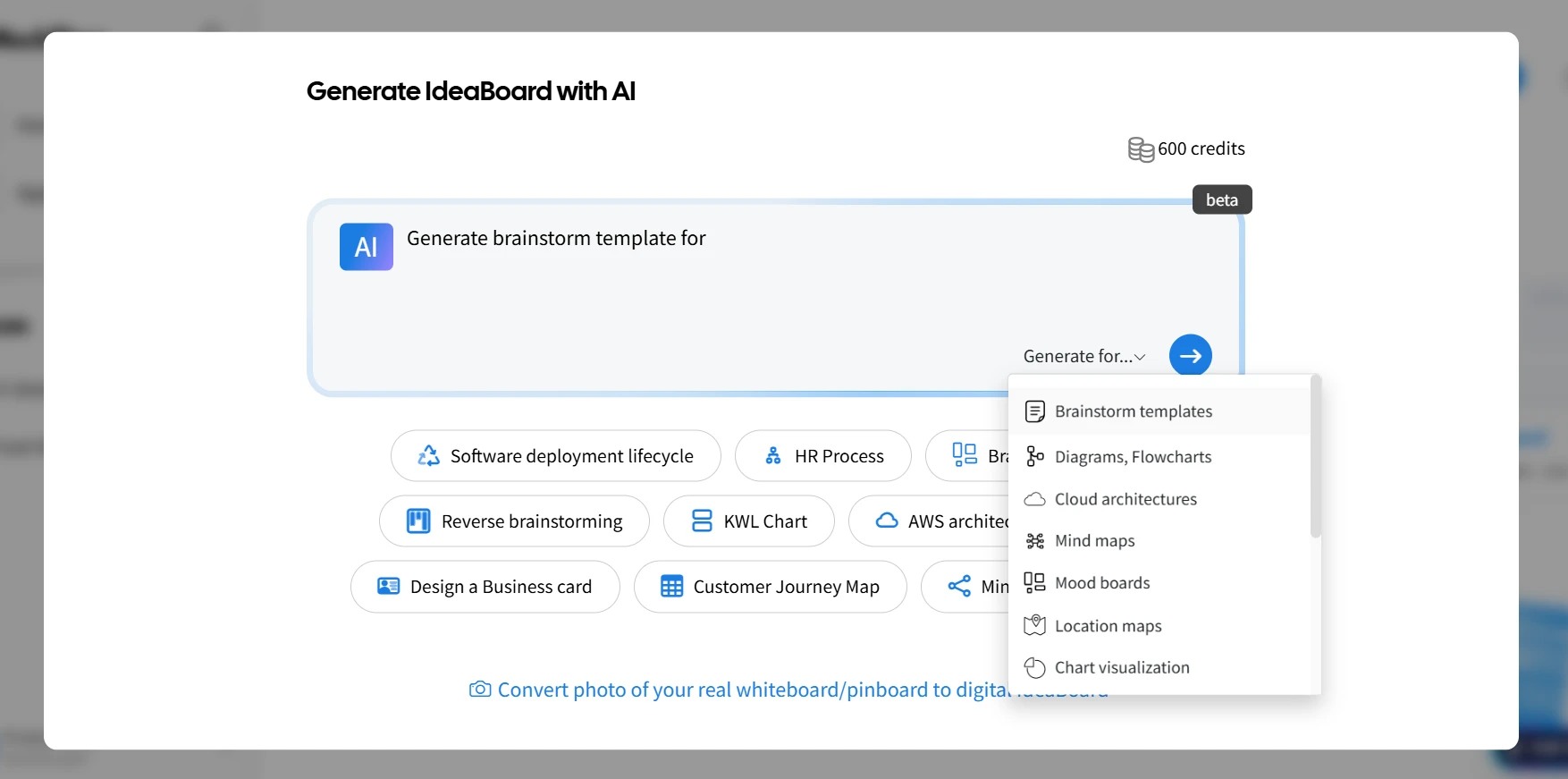
Design collaboration tools like IdeaBoard offer AI capabilities to help generate layouts using prompts and accelerate early-stage ideation. It also offers a dedicated ChatGPT app that lets teams create visual layouts directly within ChatGPT and edit them back in IdeaBoard.
Teams can also collaborate asynchronously using comments, voice or video feedback, and shared boards that preserve context over time.
Used intentionally, collaboration tools act as enablers. They improve visibility, reduce friction, and help teams collaborate consistently without replacing the human habits that make collaboration effective in the first place.
Final Thoughts
Team collaboration is not a one-time initiative or something teams “set up” and move on from. It is a capability that develops over time through intention, shared habits, and continuous refinement.
When teams understand what collaboration really means, why it matters in everyday work, and how to support it with the right strategies and best practices, collaboration becomes a natural part of how work gets done.
Strong collaboration comes from alignment, clarity, and trust, supported by tools that make shared work visible and easier to manage. As teams grow and work becomes more dynamic, collaboration improves through iteration, not perfection.
If you are looking to support collaborative thinking, alignment, and planning in a visual, flexible way, tools like IdeaBoard can help teams get started without friction. You can sign up today and try IdeaBoard for free.
FAQs about team collaboration
1. What is team collaboration in the workplace?
Team collaboration is the way people work together to achieve shared goals through clear communication, coordinated workflows, and collective ownership of outcomes. It goes beyond individual task execution by aligning teams around common objectives, shared context, and visible progress across projects.
2. Why is team collaboration important for business success?
Team collaboration directly impacts alignment, execution speed, and accountability. When teams collaborate effectively, they reduce miscommunication, avoid rework, and make better decisions. Strong collaboration also supports employee engagement, trust, and consistent delivery across cross-functional and distributed teams.
3. How does team collaboration improve productivity?
Team collaboration improves productivity by making work visible, clarifying ownership, and streamlining communication. Teams spend less time resolving confusion, duplicating effort, or waiting on handoffs. Clear workflows and shared context help teams move faster from planning to execution.
4. How can remote teams collaborate effectively?
Remote teams collaborate effectively by balancing real-time and asynchronous work. Clear communication rhythms, shared documentation, visible task tracking, and collaborative workspaces help teams stay aligned without relying on constant meetings. This approach supports flexibility while maintaining accountability.
5. What tools support team collaboration?
Team collaboration tools like IdeaBoard support real-time collaboration, visual planning, knowledge sharing, and coordinated execution. The right tools help teams brainstorm together, track progress, communicate in context, and collaborate across locations while supporting both synchronous and asynchronous work.
6. What challenges affect team collaboration?
Common challenges include unclear ownership, misaligned goals, poor communication rhythms, and limited visibility into work. These issues often increase friction, slow execution, and reduce trust. Addressing them requires intentional collaboration practices, clear roles, and supportive workflows.

The UI Design Process: 9 Steps to Build Better Interfaces
Think back to your earliest experiences with a digital interface. Can you recall that pivotal moment when you first engaged with...

What is a Swimlane Diagram? Definition, Examples, & When to Use It
Introduction Have you ever sat in a meeting where everyone agrees the process is “clear,” but somehow work still gets stuck?...
8 Brainstorming Rules for Productive and Creative Idea Generation
Introduction Brainstorming can be one of the most exciting parts of any project. It’s the chance to share ideas, get creative,...
