8 Best Flowchart Software for Easy Design & Collaboration in 2025
Introduction
You’re staring at a tangled web of processes. Multiple teams are working on different parts of the project, and no one seems to be on the same page. Your inbox is flooded with questions like "Where are we in the process?" or "Is this step the latest version?"
Whether you're designing workflows, mapping organizational structures, or simply brainstorming, flowcharts provide the visual clarity that turns complex processes into easy-to-understand systems. They are the universal language that aligns teams, ensures everyone stays on track, and cuts down on unnecessary back-and-forth.
In fact, a Data Horizzon report found that 60-70% of teams now rely on cloud-based diagramming tools for real-time collaboration and scalability. It’s clear: flowchart software is no longer just a tool for process mapping; it's an essential part of modern teamwork.
But with so many options out there, how do you choose the one that best fits your needs in 2025?
In this guide, we’ll break down the 8 best flowchart software options available today, from MockFlow, which strikes the perfect balance of simplicity and power, to other options like Miro and Lucidchart. We’ll guide you through the features that matter most and help you make the best choice for your team.
8 Best Flowchart Software in 2025: Comparison at a Glance
Here’s a quick comparison of the best software for flowcharts in 2025 to help you find the right fit for your team’s needs.
Software | Best For | Free Tier? | Key Strengths | Limitation |
MockFlow | Overall best | Freemium | Clean UI, collaboration, templates, AI-assisted diagram generation | Collaboration features in the paid plan |
Miro | Team collaboration | Yes (limited) | Real-time collaboration, integrations | Complex for solo use |
Lucidchart | Integrations | Limited | Enterprise integrations, cross-platform | Free plan limits shapes & exports |
Draw.io | Free/Open-source | Fully free | Offline/online, export support | Dated UI, limited collaboration |
SmartDraw | Enterprise use | Trial | Auto-layout, Visio support | Pricey for small teams |
Cacoo | Team diagramming | Freemium | Real-time collaboration | Free version limitations |
FigJam | Visual collaboration | Yes (limited) | Brainstorming, flexible workspace | Limited flowchart tools |
Visio | Enterprise integrations | Paid | Advanced features, Microsoft integrations | Complex UI, costly for individuals |
8 Best Flowchart Software in 2025: In-Depth Reviews & Use Cases
The best flowchart software helps users design, visualize, and automate workflows. It offers intuitive interfaces, customizable templates, and real-time collaboration features. These tools streamline team collaboration and integrate seamlessly with cloud platforms.
Key features to look for include ease of use, cross-platform access, and export options in various formats. The best flowchart software also supports automation to improve workflow efficiency and provides security with cloud-based backups.
Whether for business processes, mind mapping, or project management, the best flowchart software helps teams organize and present complex ideas clearly and efficiently.
Let's take a closer look at the 8 best flowchart software of 2025 that combine simplicity, advanced features, and powerful collaboration to help teams work smarter.
1. MockFlow
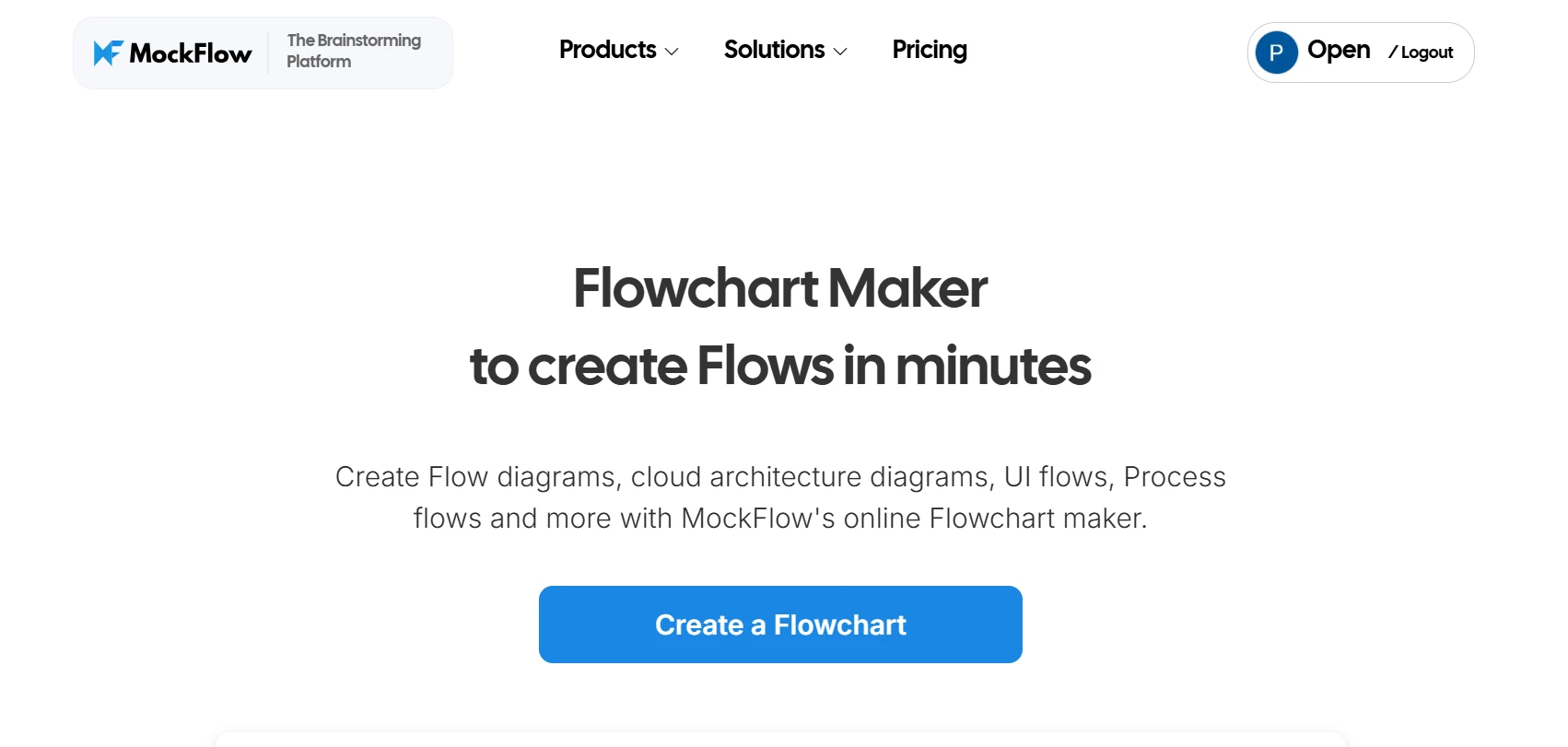
When selecting the best flowchart software, MockFlow stands out as a well-rounded choice for both individuals and teams. It strikes the perfect balance between simplicity and functionality, offering an intuitive user interface that’s accessible to beginners and experienced designers alike.
MockFlow’s AI-assisted diagram generation and extensive prompt library simplify and speed up the flowchart creation process. According to Global Growth Insights, the integration of AI-powered automation in diagramming platforms has been shown to enhance productivity by approximately 41%, allowing users to create complex workflows, architecture diagrams, and data flow charts more efficiently.
MockFlow also combines wireframing and flowcharting into one platform with its two core offerings - WireframePro (for wireframing) and IdeaBoard (for diagramming & whiteboard), allowing teams to create system diagrams and UI wireframes seamlessly, streamlining the design process.
Key Features
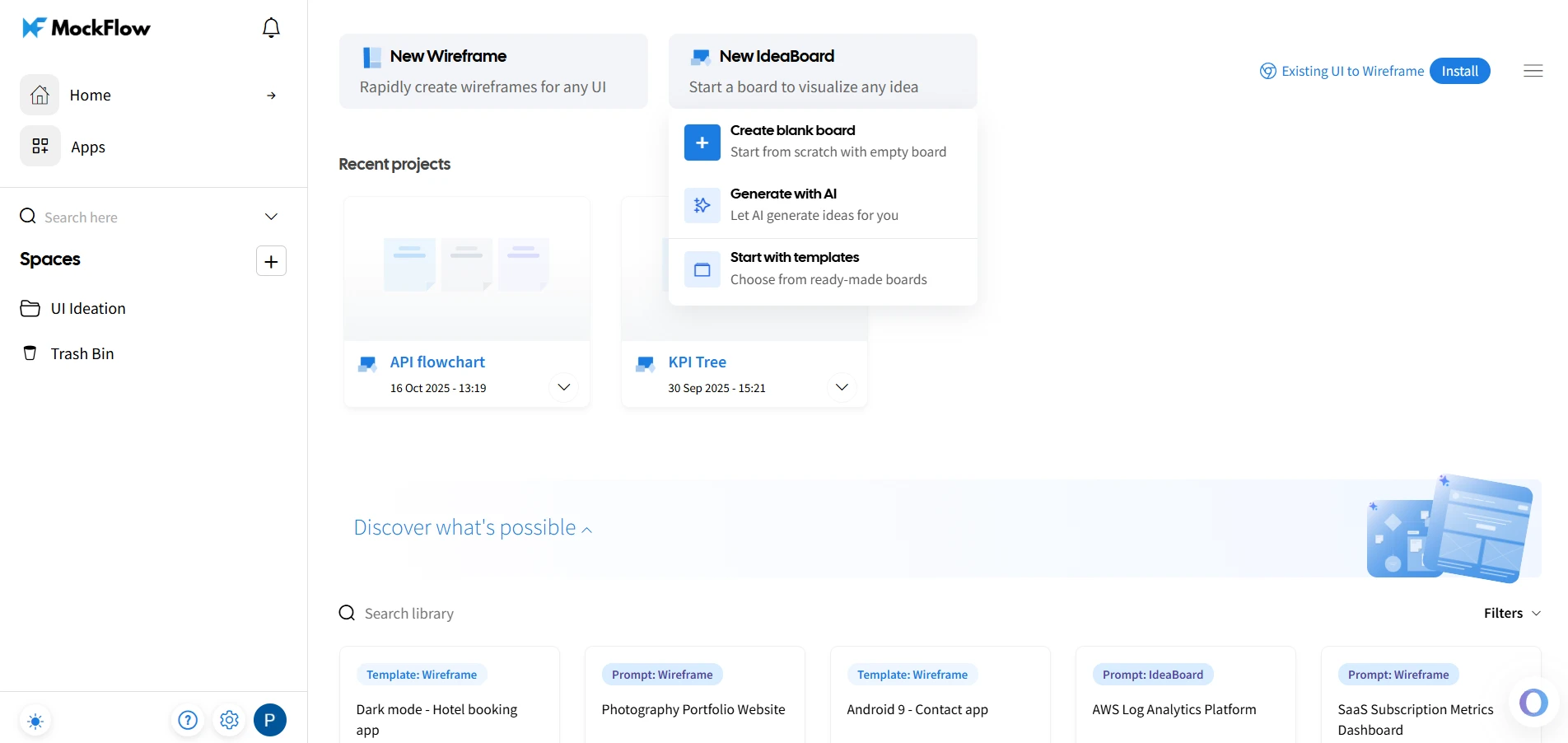
- Clean user interface (UI): A simple layout makes the software easy to navigate for users of all experience levels. It also means that new team members can get up to speed quickly without needing extensive training, reducing downtime and enhancing productivity.
- AI-assisted diagram generation: MockFlow’s AI-driven support can automatically generate flowcharts from user prompts, making the process faster and more efficient.
- Architecture Diagram support: With built-in libraries of icons from AWS, Azure, etc, and numerous templates of architecture diagrams, creating AWS cloud architecture diagrams, azure cloud architecture diagrams, system architecture diagrams in MockFlow is easy and can be done in minutes.
- UML diagram support: MockFlow offers the ability to create UML diagrams, making it a versatile tool for both design and technical teams. This feature is especially valuable for software developers and system architects who need to model complex systems and processes.
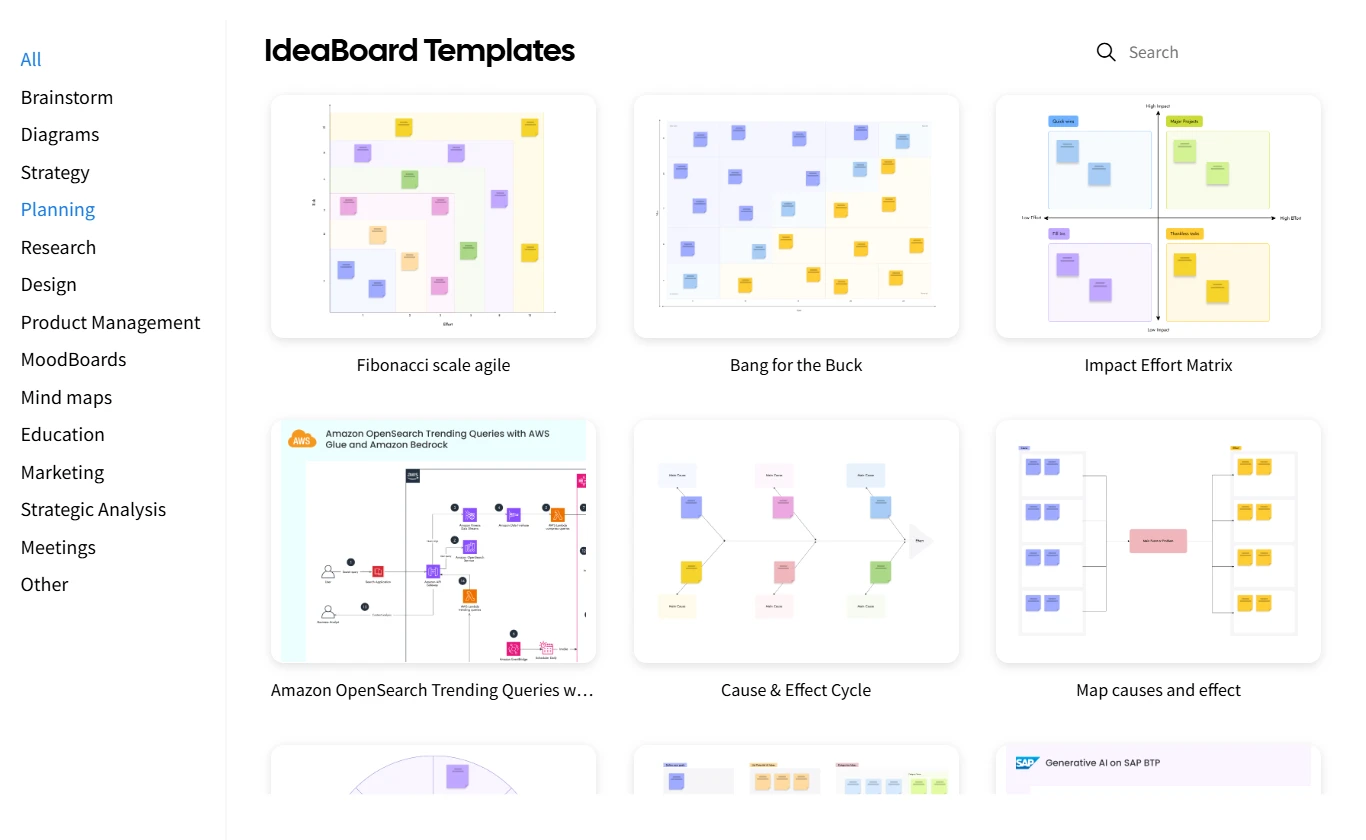
- Pre-built templates: With pre-built templates for common flowcharting tasks, ranging from process maps to organizational charts, MockFlow enables users to get started quickly without having to build their diagrams from scratch.
- Real-time collaboration: Multiple users can work on the same diagram simultaneously, allowing team members to leave comments, make edits, and share their progress instantly, which fosters an interactive, collaborative environment.
- Export options: MockFlow allows users to save their flowcharts in PNG format. This comes handy when flowcharts need to be shared across different platforms or incorporated into presentations and reports.
- Desktop app with offline mode: MockFlow’s desktop app allows users to continue working on their flowcharts even without an internet connection, making it ideal for teams that need flexibility or work in areas with limited connectivity.
- Chrome extension: MockFlow offers a Chrome extension, allowing users to quickly create flowcharts from process documentation pages and support articles, further streamlining the workflow.
Pros:
- User-friendly for all skill levels: Whether you're a beginner with no prior experience in diagramming or an experienced designer, MockFlow’s intuitive interface makes it easy to get started quickly.
- Robust templates to speed up the design process: The templates help users get started quickly, and the vast array of symbols and shapes ensures that diagrams can be customized to meet specific needs.
- Ideal for team collaboration and process mapping: Teams working on process improvement or documentation can rely on MockFlow’s easy-to-use interface and collaborative features to create clear, actionable diagrams.
Best For: MockFlow is perfect for teams that need an easy-to-use flowchart software with robust collaboration features. It’s ideal for businesses that need to map out processes, document workflows, or design user interfaces.
Tip: If you're new to MockFlow or flowcharting in general, start by using the free version to get a feel for the platform. Once you’ve familiarized yourself with the basic tools, consider upgrading to a paid plan to access additional collaboration and integration features.
MockFlow’s scalability makes it an excellent choice for users of all sizes, from individuals to large teams. Its seamless integration with collaboration tools and AI-driven assistance further positions it as a leader in the flowchart software space.
2. Miro
Miro is an online whiteboard tool designed to facilitate real-time collaboration. While it’s good for brainstorming sessions, Miro is also effective for building flowcharts when teams need to visualize processes together.
Key Features:
- It offers a shared canvas that allows multiple team members to collaborate on the same flowchart.
- It provides real-time editing and commenting, so team members can interact, suggest changes, and refine the flowchart.
- The platform integrates with a variety of other tools like Slack, Google Drive, and Microsoft Teams.
Pros:
- It can be used for brainstorming and team-based workflow design.
- Miro allows real-time, interactive collaboration.
Cons:
- It may feel complex for individual users or simple flowchart needs.
- It can become expensive at scale.
Ideal for: Teams looking for a flexible, collaborative platform for brainstorming, planning, and workflow design.
3. Lucidchart
Lucidchart is well-known for its integration capabilities, particularly with Microsoft Visio, Google Workspace, and Slack. It offers a comprehensive set of tools for creating flowcharts and diagrams. With a drag-and-drop interface and customization features, it can be used for teams that need to integrate their flowchart designs with other platforms.
Key Features:
- Lucidchart integrates with major tools like Google Workspace, Microsoft 365, and Slack.
- The software supports cross-platform functionality across web, desktop, and mobile devices.
- It also offers an extensive library of templates, making it easier to start a diagram from pre-built layouts.
Pros:
- It seamlessly integrates with various platforms and tools.
- Lucidchart offers enterprise-level flexibility.
Cons:
- The free plan limits the number of shapes and export options.
Ideal for: Enterprise teams and businesses that require extensive integrations with other tools.
4. Draw.io
If you're looking for a completely free option, Draw.io is an open-source software that lets users create flowcharts without needing to register, and it works both online and offline. While its interface may seem dated compared to more modern tools, Draw.io excels in being accessible and privacy-focused.
Key Features:
- Draw.io is a fully open-source and free-to-use software.
- The platform allows for offline use, meaning you can access flowcharts even without an internet connection.
- It supports exporting diagrams in various formats such as PNG, PDF, and SVG.
Pros:
- No registration is required to use Draw.io.
- It is ideal for educators or those working on personal projects.
Cons:
- It has a dated user interface.
- It offers limited collaboration tools compared to other platforms.
Ideal for: Individual users, educators, and teams with simple flowcharting needs.
5. SmartDraw
SmartDraw is a diagramming tool designed for businesses that need enterprise-grade flowcharting capabilities. It includes automation features, auto-layouts, and strong support for Visio files.
Key Features:
- SmartDraw includes auto-layout functionality, which automatically arranges your flowchart elements.
- It supports Visio file imports, allowing users to transition from Microsoft Visio to SmartDraw.
- The software offers a wide range of diagramming options beyond flowcharts, such as organizational charts, mind maps, and network diagrams.
Pros:
- It supports complex processes and detailed diagrams.
- The platform is good for enterprise-level usage.
Cons:
- It can be expensive for smaller teams.
- SmartDraw has a steep learning curve.
Ideal for: Large enterprises with complex diagramming needs.
6. Cacoo
Cacoo is a diagramming tool built for collaboration, offering real-time editing and an easy-to-use interface. It's particularly effective for small to medium-sized teams working on flowcharts, network diagrams, or organizational charts.
Key Features:
- It allows for real-time collaboration, enabling team members to work together on the same diagram simultaneously.
- The platform includes easy-to-use templates that help teams get started quickly.
- Cacoo offers multiple export options, including PNG, PDF, and SVG.
Pros:
- It is good for team diagramming and brainstorming.
- It provides a simple UI for quick learning.
Cons:
- The free version has limitations on features.
- It doesn’t offer as many advanced features as other tools.
Ideal for: Small to medium teams needing a tool for real-time collaboration.
7. FigJam
FigJam is a spin-off from Figma, created specifically for brainstorming and visual thinking. While it isn’t specialized for flowcharting, its flexibility allows users to create dynamic, freeform diagrams.
Key Features:
- FigJam provides a flexible canvas that supports dynamic, freeform drawing.
- It integrates smoothly with Figma, enabling users to transition between brainstorming and visual design seamlessly.
- It includes a wide variety of visual brainstorming tools, such as sticky notes, drawing tools, and text boxes.
Pros:
- It is good for creative, free-form thinking.
- The platform is a user-friendly and flexible workspace.
Cons:
- FigJam is not specialized for structured flowcharting.
- It lacks some flowchart-specific features.
Ideal for: Creative teams focused on visual collaboration and brainstorming.
8. Visio
Visio integrates deeply with Microsoft Office tools and provides robust diagramming features for process mapping, network design, and system architecture. However, its complexity and high cost make it less suitable for casual users or smaller businesses.
Key Features:
- The software offers enterprise-grade diagramming features and integrations.
- Visio integrates deeply with Microsoft Office tools like Excel, Word, and PowerPoint.
- It offers highly customizable templates for organizational charts, network diagrams, and flowcharts.
Pros:
- Visio can be used for large-scale, complex diagrams.
- The software offers an extensive template library.
Cons:
- It is expensive for casual users.
- Visio has a complex interface.
Ideal for: Large enterprises with a focus on in-depth, intricate flowcharting.
How We Evaluated Flowchart Software
To ensure we provided the most accurate and practical recommendations, our evaluation of the best flowchart software was based on several key factors that directly impact usability and efficiency.
An academic study published on arXiv found that AI-assisted causal pathway diagrams significantly reduced cognitive workload and boosted creativity during collaborative brainstorming. In line with this, we also prioritized AI-powered features, such as those found in MockFlow, as a key factor in our evaluation process.
Here’s a breakdown of the criteria we used:
Ease of use
We prioritized software that is intuitive and accessible to users of all skill levels. Whether you’re a beginner creating your first flowchart or an experienced designer, the software should allow you to create professional diagrams quickly and with minimal learning time.
Software with a simple, clean interface that requires little to no training was given higher marks.
Template and symbol library
A robust library of pre-built templates and symbols can dramatically speed up the diagramming process. We evaluated the variety, flexibility, and relevance of the available templates to ensure they meet different use cases, whether you're designing a process flow, organizational chart, or system architecture diagram.
Collaboration features
Effective collaboration is essential for modern teams, especially in remote work environments. We assessed the software’s ability to support real-time collaboration, including features like simultaneous editing, easy sharing, and in-app commenting.
Export/Import capabilities
The flexibility to export flowcharts into multiple formats (e.g., PNG, PDF, SVG) is crucial for sharing and integrating diagrams across different platforms.
We also considered how well each software integrates with other tools, such as project management platforms (Trello, Asana) and communication tools (Slack, Microsoft Teams), to ensure a smooth workflow and easy sharing of completed diagrams.
Platform support
We evaluated whether the software is available on web, desktop, and mobile, ensuring that teams can access and edit their flowcharts from anywhere, whether they’re at their desks, in meetings, or working remotely.
Pricing and free-tier value
We examined the balance between cost and features, especially for small teams or individual users who may not have the budget for premium plans. We considered whether the free version offered enough functionality for basic use cases and how the paid plans compared in terms of value for money.
A study by Report Prime suggests that with more teams turning to visual tools, the online diagramming software market is projected to grow nearly 13% annually through 2031. This reinforces the need for flexible, cloud-ready solutions that scale with your team.
How to Get Started with Flowchart Software (Step-by-Step)
Getting started with flowchart software is simple and effective when you follow a clear process. Here’s how to create your first flowchart, whether you’re planning a new project, visualizing a business process, or mapping a workflow.
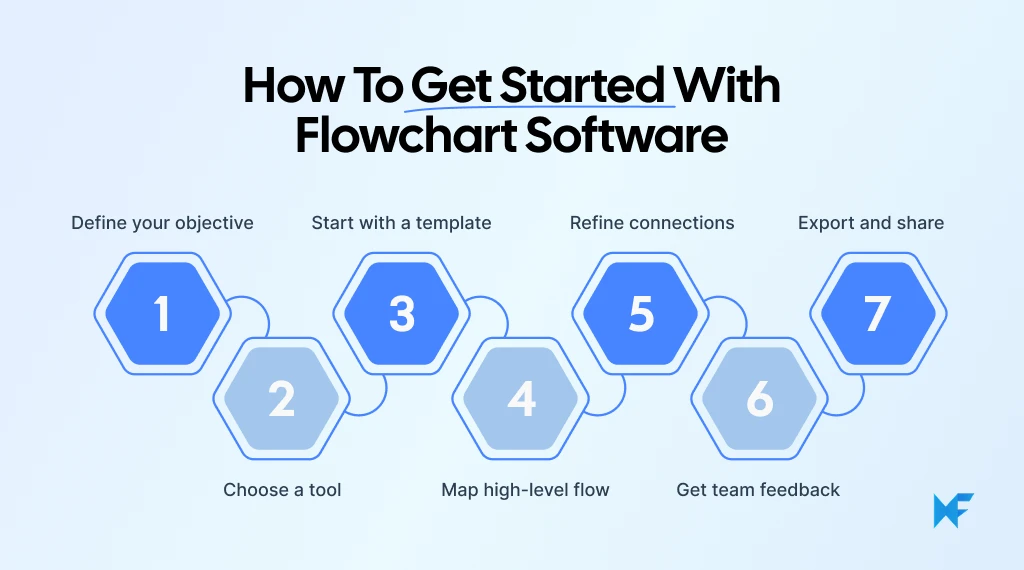
- Define your objective: Before diving into the software, clearly outline what type of diagram you need. Are you creating a process map, organizational chart, or workflow diagram? Understanding your goal will help determine the flow and structure of your chart.
- Choose your tool: Based on your needs, choose the flowchart software that best suits your project. Look for tools with features like collaboration, templates, and integrations that fit your project size and goals.
- Start with a template: Most flowchart software offers pre-made templates, but MockFlow stands out with its extensive library for process mapping, project workflows, and organizational charts. It also features AI-assisted diagram generation, which speeds up creation by suggesting diagrams based on your input.
- Map the high-level flow: Once you’ve selected your template, it’s time to map out the high-level flow. Begin by sketching out the major steps or stages of your process. Don’t worry about perfection at this stage, just focus on the key points.
- Refine connections: Refine the connections between elements to ensure a logical, clear flow with identifiable paths. MockFlow simplifies this with its drag-and-drop functionality and customizable shapes for easy adjustments.
- Get team feedback: Collaboration is crucial. Share your flowchart with your team, gather feedback, and ensure the diagram meets everyone’s needs. Software like MockFlow makes this process seamless with real-time collaboration features.
- Export and share: After finalizing the design, export your flowchart in the preferred format. Sharing across platforms or embedding in presentations is a breeze with MockFlow’s easy export options.
By following these steps, you’ll ensure that your flowchart is not only functional but effective, enhancing both clarity and collaboration. MockFlow can help at each stage with its intuitive design tools, ready-made templates, AI prompt library, and seamless team collaboration features.
If you’re also focused on visual design, you might find it helpful to explore designing iOS screens with Liquid Glass Design using MockFlow’s wireframing tools.
Key Takeaways
Choosing the right flowchart software can significantly enhance your team's efficiency and collaboration. Software like MockFlow strikes the perfect balance between simplicity and powerful features, making it ideal for teams that prioritize ease of use and communication.
- Good flowchart software streamlines workflows, aligns teams, and simplifies complex ideas.
- MockFlow provides a user-friendly interface, real-time collaboration, and drag-and-drop functionality.
- Ensure cross-platform support for accessibility across all team members.
- MockFlow features AI-driven diagram generation and automation tools to speed up repetitive tasks and boost productivity.
- Ultimately, the best flowchart software for your team depends on your specific needs, budget, and project scale.
Conclusion
Flowcharts simplify how teams think, plan, and execute. But the software you use to create those flowcharts makes all the difference. In fact, the right software can turn messy ideas into clear, collaborative systems, improving communication and aligning teams around a common goal.
If you’re looking for the best flowchart software to create flowcharts that balances power with ease of use, MockFlow is an excellent choice for 2025. Its intuitive design, fast setup, and strong collaboration features make it perfect for teams of all sizes.
Whether you’re designing a new workflow, mapping out an organizational structure, or brainstorming ideas with your team, MockFlow helps you turn messy ideas into clear, actionable systems.
So, how ready is your team to work more efficiently and collaboratively? If you want to experience just how easy visual planning can be, try MockFlow free today and see how your team can brainstorm, design, and refine workflows together, all in one place.
FAQs
1. What is the best flowchart software available?
The best flowchart software depends on your specific needs. Popular options include MockFlow, Lucidchart, and Visio. These tools offer features like drag-and-drop interfaces, customizable templates, and real-time collaboration to help users design and share flowcharts with ease.
2. Which flowchart software is easiest to use for beginners?
MockFlow is considered one of the easiest and best flowchart software for beginners due to its user-friendly interface and intuitive drag-and-drop features. It also offers a variety of templates that simplify the flowchart creation process for those with minimal design experience.
3. What features should I look for in flowchart software?
When choosing flowchart software, look for ease of use, customizable templates, real-time collaboration capabilities, integration with other tools (e.g., Google Drive, Microsoft Teams), and robust export options. Cloud-based solutions with cross-platform support are also beneficial for teams working remotely.
4. Which flowchart software allows collaboration between team members?
MockFlow and Lucidchart are both excellent for team collaboration. These tools enable real-time collaboration, allowing multiple users to work on a flowchart simultaneously. Features like commenting and version history ensure smooth teamwork and communication.
5. Can flowchart software be used to automate workflows?
Yes, many modern flowchart software, including MockFlow and Visio, support automation features. These tools can automate repetitive tasks, such as process flows and diagram updates, helping businesses streamline their workflows and improve efficiency.
6. How can I export my flowchart from the software?
Most flowchart software, like MockFlow and Lucidchart, offers multiple export options, including PNG and other formats. Some platforms also allow you to export flowcharts to editable formats for easy sharing or integration into other documents or presentations.
8 Best Zoom Whiteboard Alternatives: Smarter Visual Collaboration for 2025
Introduction: Looking for a Zoom Whiteboard Alternative? We’ve all been there: trying to capture fast-moving ideas on a Zoom...

10 Best Product Design Tools for UI, UX & Product Teams in 2026
Finding the right product design tools can make the difference between a smooth design process and one filled with unnecessary...

6 Best Microsoft Teams Collaboration Tools for Cross-Functional Teams
Microsoft Teams has become the central workspace for conversations, meetings, and day-to-day coordination. Yet many teams still...
