18 Design Thinking Activities for Every Stage of Your Workshop
Design thinking exercises can help teams turn user insights into ideas they can explore and test. Teams often have plenty of research to work with, but making sense of conflicting findings and deciding which problems to address can be difficult.
Choosing an exercise that fits the team's immediate goal can help clarify what users need and where the team should focus its efforts. It also gives participants a clearer basis for deciding what to explore or test next.
This guide covers 18 design thinking exercises across five stages, with practical instructions, examples, and facilitation tips to help you run them effectively.
What are design thinking exercises and why are they important?
Design thinking exercises are structured, hands-on activities that help teams understand user problems and develop solutions based on what they learn. Each exercise focuses on a particular task, such as making sense of user research or checking whether an early solution meets user needs.
An empathy map, for example, can help teams understand why users with similar frustrations behave differently. This helps them identify the specific user needs their solution should address.
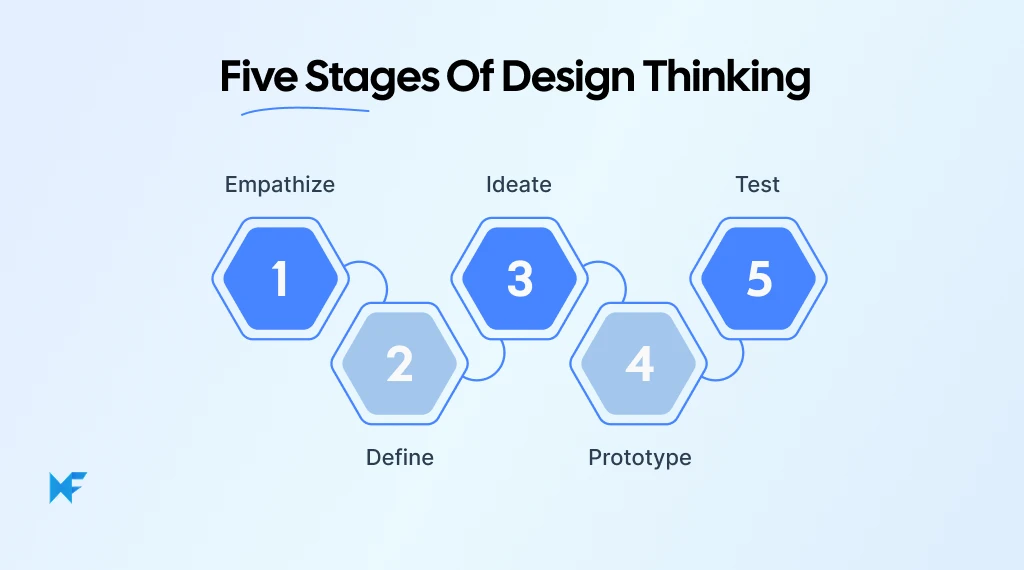
Here's how exercises fit into the five stages of design thinking:
Design thinking stage | What it helps teams do | Common exercises |
Empathize | Understand user needs through research | Empathy mapping, journey mapping, personas, interviews |
Define | Identify the problem the team needs to solve | Five Whys, How Might We, affinity mapping |
Ideate | Explore possible approaches to the problem | Brainstorming, Crazy 8s, SCAMPER, mind mapping |
Prototype | Create early versions of ideas for review | Paper prototypes, storyboards, digital prototypes |
Test | Observe how users interact with proposed solutions | Usability testing, feedback and iteration |
The five stages are a guide rather than a fixed sequence. If testing shows that users struggle with something the team hadn't anticipated, it may be worth revisiting the original research before changing the design.
Empathize: Design thinking exercises for understanding users
Empathy-focused design thinking exercises help teams understand user behavior before deciding which problems to solve. What users tell us about their needs may differ from how they actually behave, so it is important to look at both their feedback and their actions.
1. Empathy mapping
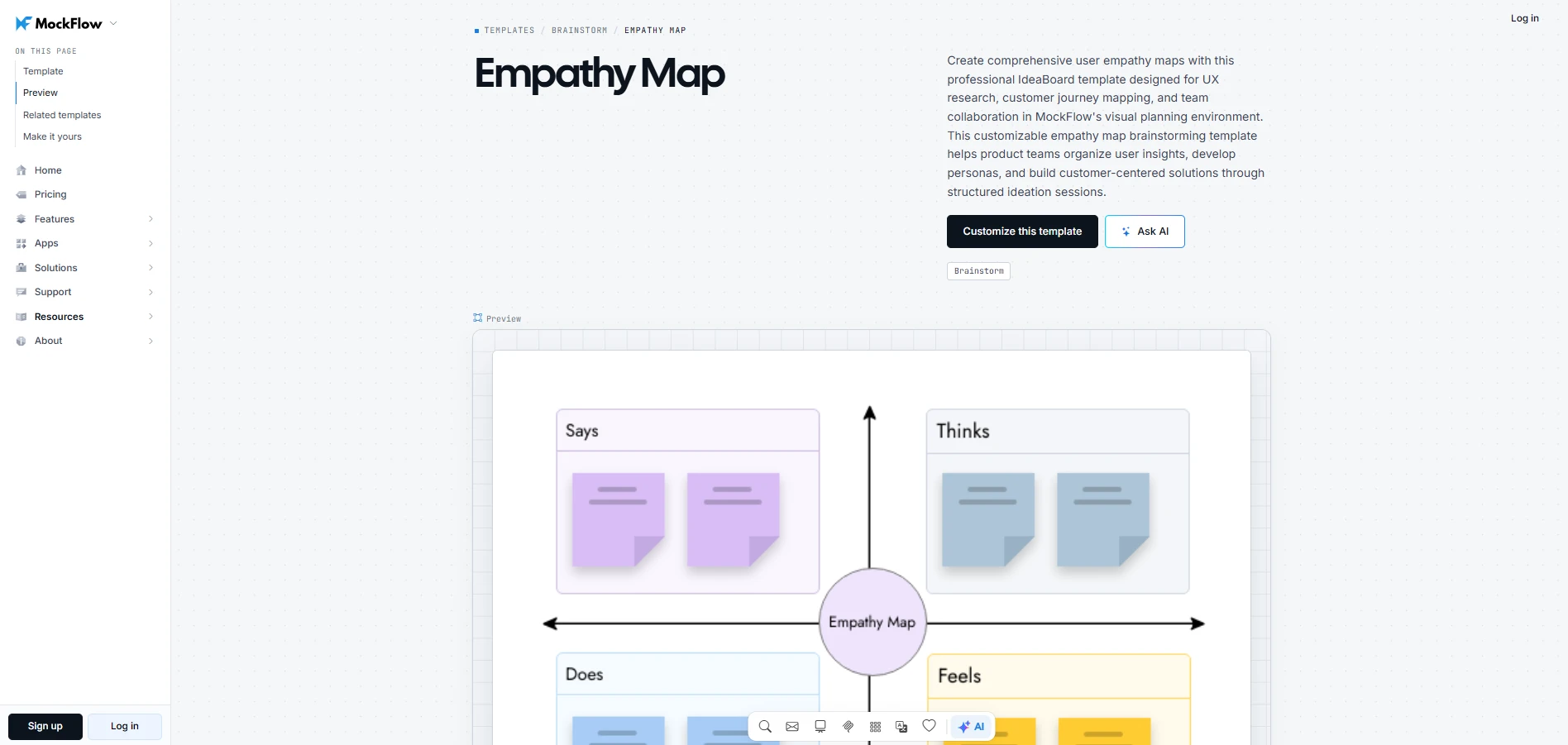
Empathy mapping organizes user research around what people say, think, do, and feel. It is particularly useful when user feedback and observed behavior seem inconsistent. Comparing both can help teams understand why users struggle with a particular task.
- Time: 20–30 minutes
- Group size: 3–8 participants
- Preparation: User research, observations, and an empathy map workspace
You can use MockFlow's empathy map template to organize research findings as they work through the exercise. Using this template makes it easier to compare user feedback with observed behavior and spot differences worth investigating.
Customize this empathy map template
How to run it:
- Choose the user or segment the team wants to understand.
- Add research findings to the relevant sections of the map.
- Group similar observations and look for recurring patterns.
- Highlight important needs, tensions, and questions to investigate further.
Expected output: A shared empathy map that gives the team clearer user insights for problem framing.
Facilitator tip: Keep observations separate from interpretations. For example, if a participant says a user feels frustrated, ask what evidence supports that conclusion.
2. Customer journey mapping
Customer journey mapping shows how users experience a product or service from one stage to the next. It is useful when a problem appears at one point in the journey but may have started earlier. For example, difficulty completing onboarding might come from expectations set during signup.
- Time: 30–45 minutes
- Group size: 3–8 participants
- Preparation: User research and key journey stages
An empathy map helps you understand the user, while a journey map helps you understand what the user experiences over time.
How to run it:
- Define the experience you're mapping and its start and end points.
- Break the journey into stages, such as: Discovery → Signup → Onboarding → First task.
- Record what users do at each stage and where they encounter difficulties.
- Look at how problems in one stage affect the next.
- Identify the point in the journey that needs further investigation.
You can use MockFlow's visual template library for visual layouts you can adapt. Keeping the journey visible on a shared board makes it easier for participants to trace how an earlier interaction affects what happens later.
Expected output: A visual journey showing where the user experience breaks down and where improvement may have the most value.
Facilitator tip: Keep the journey focused on one user group and a specific goal. Combining different user journeys into one map can hide important differences in their experiences.
3. User personas
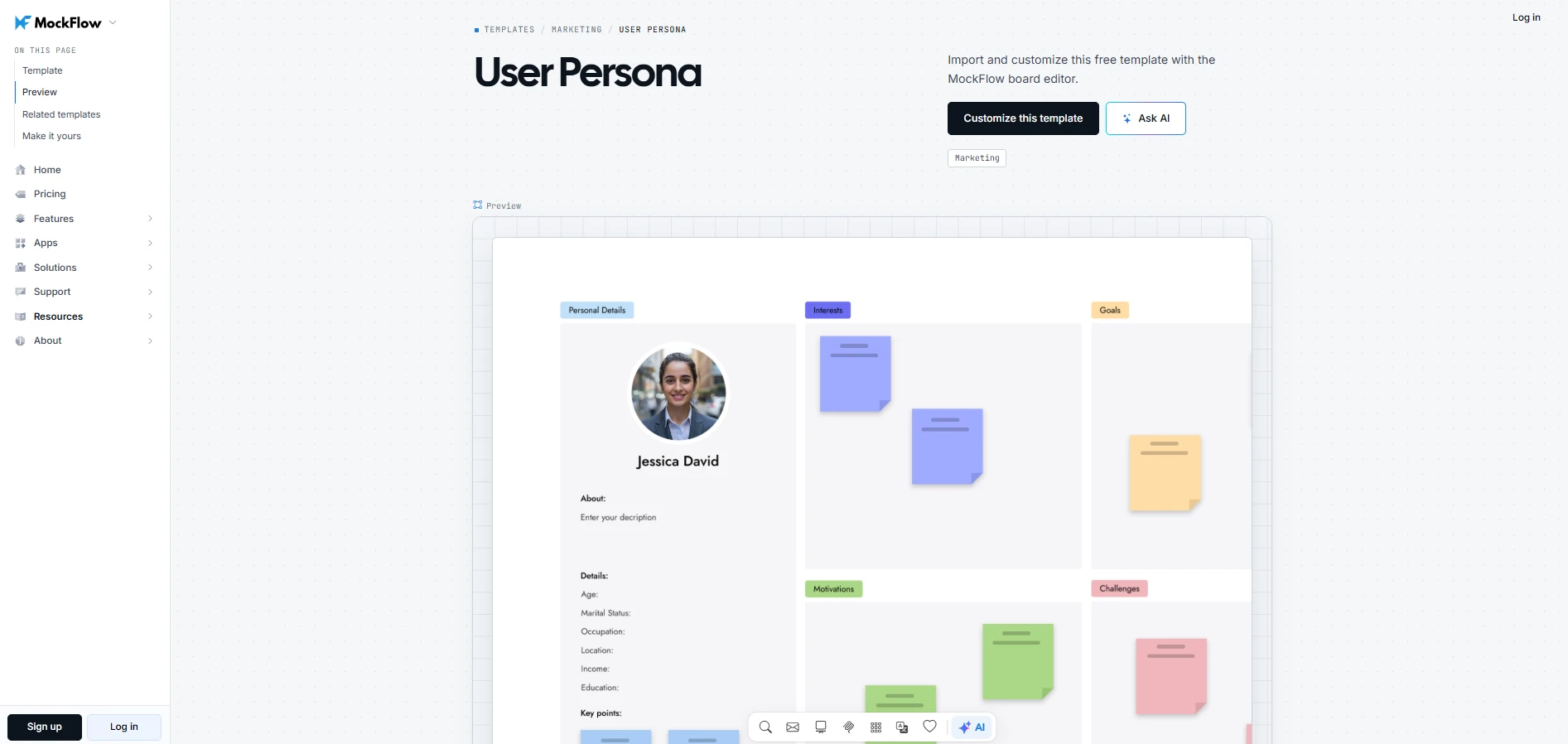
User personas represent patterns found across research about a particular user group. They help teams account for differences in user needs when evaluating design choices.
- Time: 20–30 minutes
- Group size: 2–6 participants
- Preparation: Research findings from relevant user segments
How to run it:
- Review research for recurring user behaviors.
- Group participants who approach tasks in similar ways.
- Describe each group's main goal and the difficulties affecting it.
- Remove details that have no bearing on design decisions.
- Create a persona the team can use when reviewing possible solutions.
You can start with MockFlow's user persona template to build a profile based on your research findings. The template helps your team identify meaningful differences between user groups and understand how those differences should influence design decisions.
Customize this user persona template
Expected output: A research-based persona the team can refer to during ideation and design decisions.
Facilitator tip: Group users by meaningful behavior rather than demographics alone. Two users of the same age may approach a task differently because of their experience or goals.
As new research comes in, update the persona’s needs and behaviors. Check whether its goals and difficulties still match the findings, and revise any assumptions the research no longer supports.
4. User interviews, shadowing, and role-playing
To understand how users approach a task, teams can speak with them directly through interviews or observe their behavior through shadowing. Role-playing offers another perspective by letting team members work through scenarios based on existing research. Together, these methods help teams examine the reasons behind user decisions and difficulties.
- Time: 30–60 minutes
- Group size: Individual or small team
- Preparation: Research questions, observation notes, or a defined scenario
How to run it:
- User interviews: Ask participants to describe a recent experience and explain the choices they made.
- Shadowing: Observe users completing a task in their usual environment. Record their actions before drawing conclusions.
- Role-playing: Give team members a scenario based on research and ask them to work through it from the user's perspective.
- Compare the findings and identify behaviors that need further investigation.
Expected output: Research notes and observations that help the team understand how users approach specific tasks.
Facilitator tip: Role-playing cannot confirm real user behavior. Look for any new assumptions through interviews or direct observation.
Define: Exercises for framing the right problem
Define-stage design thinking exercises help teams turn user research into a specific problem they can address. At this stage, it is important to distinguish what users experience from what might be causing it. Otherwise, the team may end up developing solutions based on an incomplete understanding of the problem.
5. Five whys
Five Whys is a problem-solving exercise that helps teams investigate the reasons behind an observed problem. By repeatedly asking why something happens, participants can trace the issue back to a possible cause that needs attention.
The number of questions depends on the problem. Some issues become clearer after three rounds, while others require further investigation.
- Time: 10–20 minutes
- Group size: 2–6 participants
- Preparation: A clearly observed problem supported by research
How to run it:
- Write down a specific problem observed during user research.
- Ask why it occurs and record a possible explanation.
- Question that explanation to investigate what might be causing it.
- Continue until you identify a cause the team can address and support with evidence.
Example:
Users abandon setup → They cannot decide which option to select → The option labels are difficult to understand → The labels use technical terms unfamiliar to new users.
The team can now investigate whether clearer labels would help users complete setup.
Expected output: A possible underlying cause supported by evidence that the team can use to define the problem more precisely.
Facilitator tip: Watch for explanations based on assumptions. If the team cannot support an answer with research, mark it for validation before treating it as a cause.
You can use MockFlow's 5 Whys Analysis template to investigate a specific problem with your team. Customize the analysis on the board and use the Ask AI option to explore possible causes when you need another perspective.
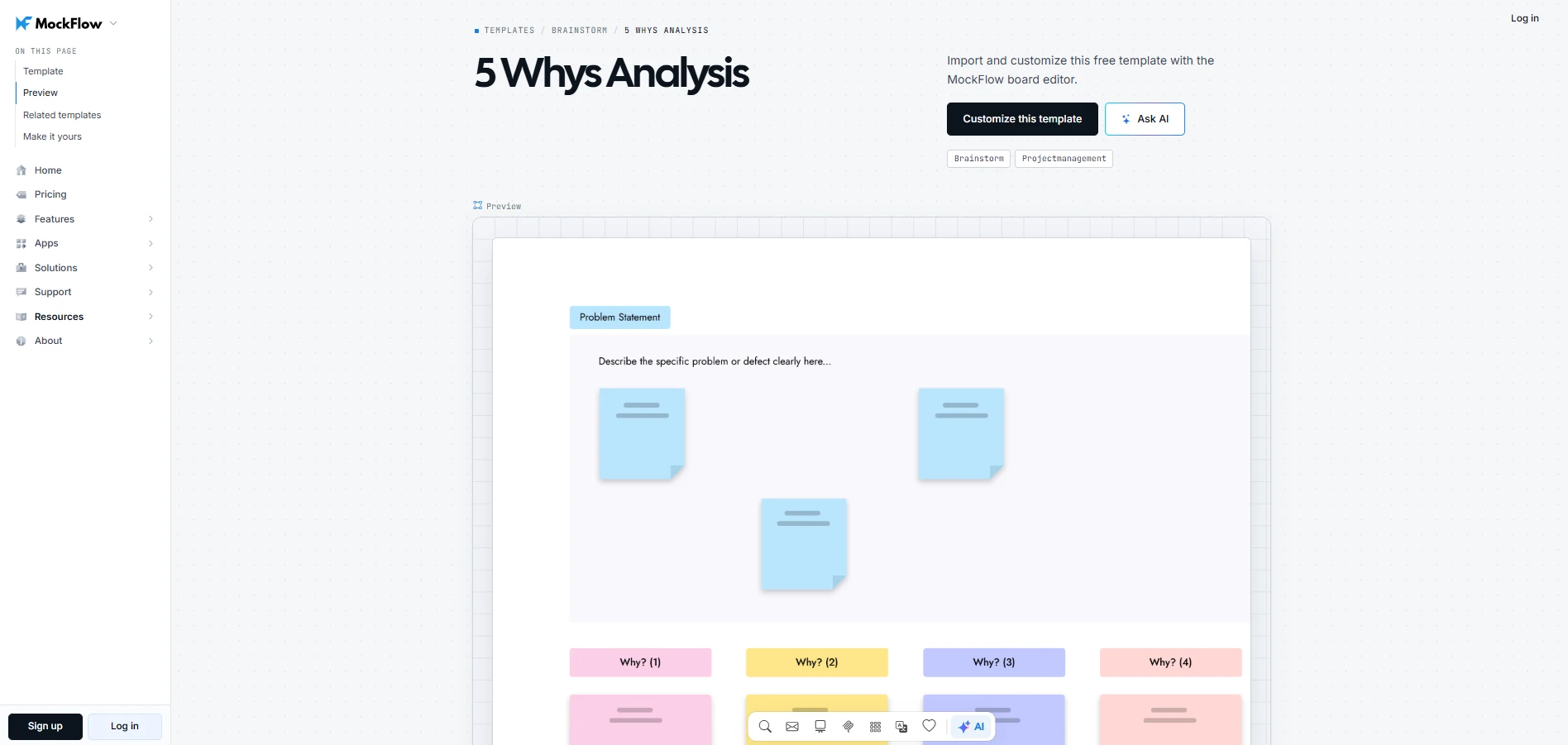
Customize this 5 whys analysis template
6. How Might We
How Might We (HMW) is a question-framing exercise that turns a specific user problem into a starting point for idea generation. It helps teams explore different ways to address a need without deciding on a solution too early.
A useful HMW question identifies who needs help and what they need to accomplish. It should also leave enough room for participants to suggest different approaches.
- Time: 15–20 minutes
- Group size: 2–8 participants
- Preparation: A clearly identified user need supported by research
How to run it:
- Select a user problem identified during research.
- Rewrite it as a question beginning with "How might we..."
- Check whether the question is specific enough to guide brainstorming.
- Remove any wording that assumes a particular solution.
Example:
- User problem: First-time users struggle to choose between setup options because the labels contain unfamiliar technical terms.
- How Might We question: How might we help first-time users understand their setup options and choose confidently?
If you're preparing several HMW questions for a workshop, MockFlow's How Might We template to develop and refine them with your team. Participants can compare different ways of framing the same problem before choosing which questions to explore during brainstorming.
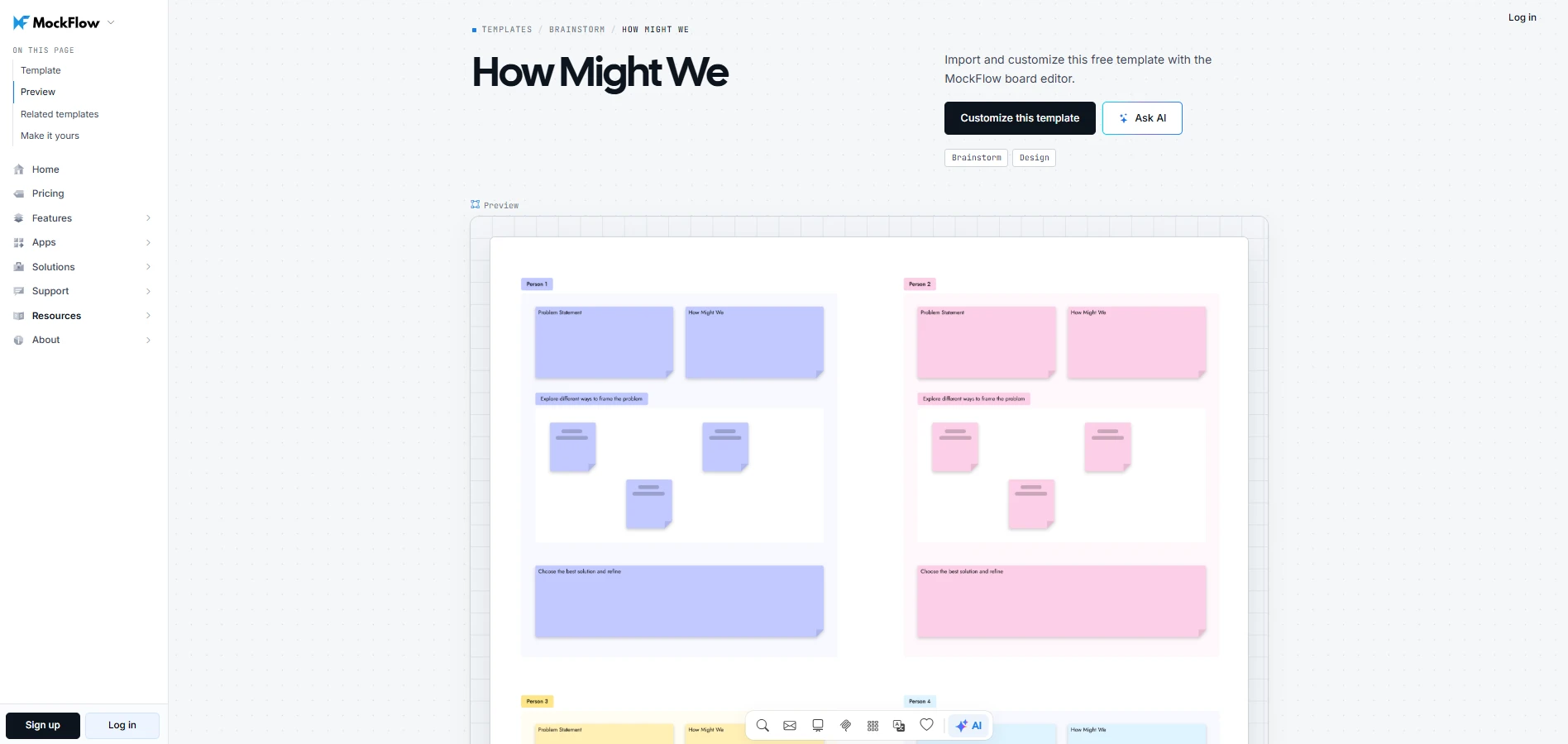
Customize this how might we template
7. Affinity mapping
Affinity mapping helps teams find patterns across large amounts of user research. It is particularly useful after multiple interviews or observation sessions, when similar problems appear in different contexts.
Grouping related observations helps teams understand how frequently a concern appears in their research and whether separate complaints might point to a shared issue
- Time: 20–30 minutes
- Group size: 3–8 participants
- Preparation: Individual research observations recorded on separate notes
How to run it:
- Write one research observation on each note.
- Ask participants to group notes that describe similar experiences or difficulties.
- Review each group and give it a name that describes the shared pattern.
- Examine observations that don't fit neatly into any group.
- Use the findings to identify user problems that deserve further investigation.
MockFlow's infinite canvas lets participants spread out research notes and move them between groups as new connections become apparent. This is useful when an observation could belong to more than one theme or the team needs to rethink its initial groupings.
Expected output: A set of research themes that can help the team define specific user problems.
Facilitator tip: Avoid naming groups too early. Labels can influence where participants place subsequent observations. Let the groupings develop before deciding what each theme represents.
Ideate: Design thinking brainstorming exercises
Ideation begins once the team has a clearly defined user problem. The aim is to explore different ways of addressing it before deciding which solutions deserve further development.
A useful approach is to generate ideas individually, build on them as a group, and then evaluate the options. This gives participants time to develop their own thinking before group opinions begin influencing the discussion.
8. Brainstorming
Brainstorming brings team members together to generate possible solutions to a defined problem. Giving participants time to think independently before sharing ideas helps prevent early suggestions from shaping everyone's responses.
- Time: 20–30 minutes
- Group size: 3–10 participants
- Preparation: A clearly defined challenge or How Might We question
How to run it:
- Present the design challenge and clarify what the team needs to address.
- Give participants a few minutes to write ideas independently, with one idea per note.
- Invite everyone to share their suggestions and build on one another's thinking.
- Group related ideas and identify concepts worth developing further.
For distributed teams, MockFlow provides a shared workspace where participants can contribute ideas simultaneously. The AI-assisted brainstorming features can also suggest additional directions when the team wants to explore possibilities beyond its initial suggestions.
Expected output: A collection of possible solutions that the team can refine or evaluate.
Facilitator tip: Before discussing which ideas seem promising, ask participants to build on suggestions they haven't considered themselves. This encourages the team to explore possibilities beyond their individual preferences.
9. Crazy 8s
Crazy 8s is a timed sketching exercise where participants develop eight different ideas in eight minutes. It works particularly well when a team has started favoring one solution too early. Sketching several alternatives encourages participants to consider different approaches before committing to a direction.
- Time: 8–15 minutes
- Group size: Individual or team
- Preparation: A defined problem and eight sketching frames per participant
You can use MockFlow's Crazy 8s template to prepare the eight frames beforehand, allowing participants to begin sketching as soon as the timer starts.
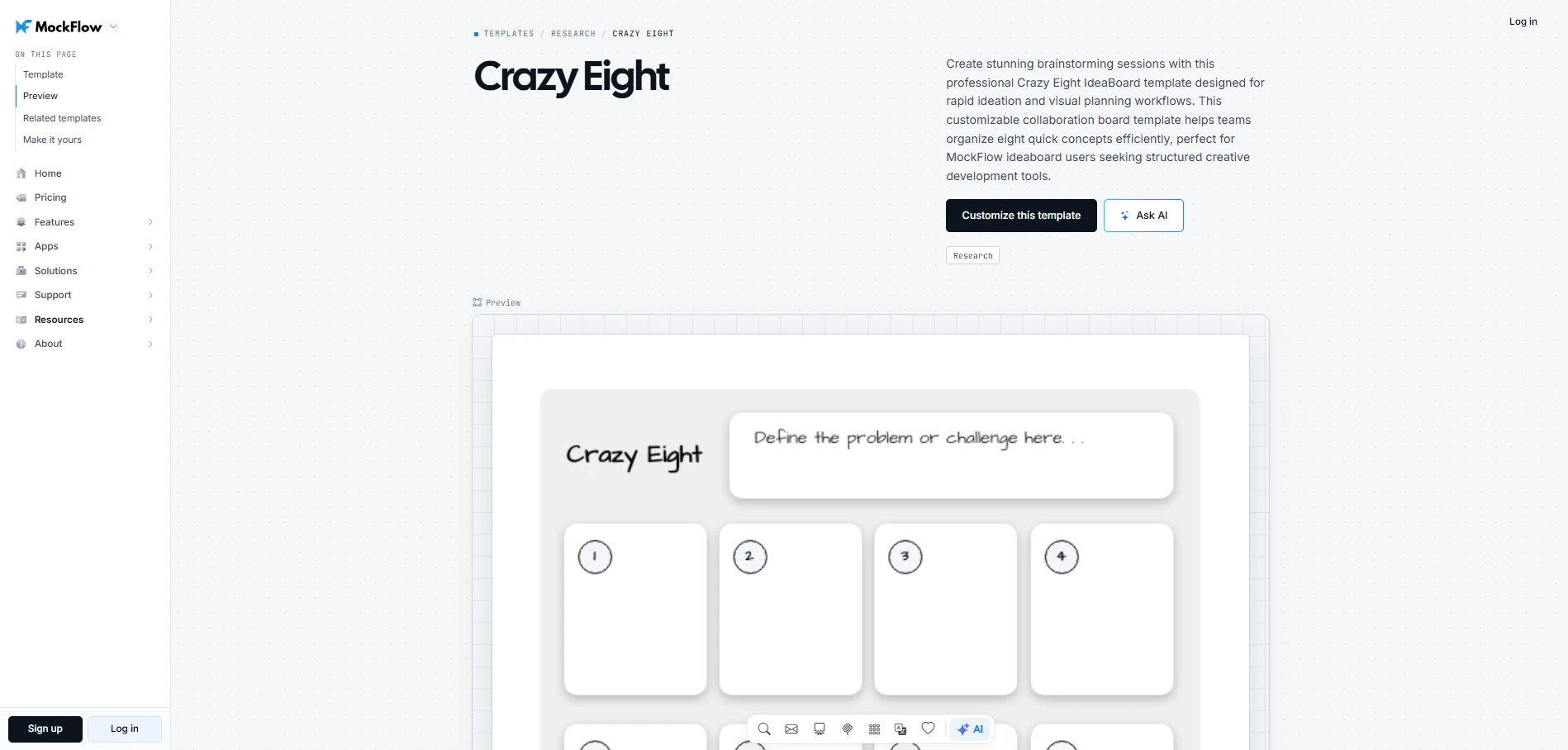
Customize the crazy eight template
How to run it:
- Give each participant a sheet or board divided into eight frames.
- Set an eight-minute timer.
- Ask participants to sketch one possible solution in each frame.
- Have everyone share their sketches and discuss which concepts deserve further exploration.
For example, a product team could sketch eight ways to introduce first-time users to an application's main features. Reviewing the sketches together may lead to an approach nobody had initially considered.
Expected output: Eight rough concepts per participant, offering different approaches to the same design problem.
Facilitator tip: Remind participants that simple shapes and rough annotations are enough. If someone struggles to produce eight ideas, encourage variations of an earlier sketch rather than spending time perfecting one.
10. SCAMPER
SCAMPER is a creative thinking exercise that helps teams explore variations of an existing product or concept. By questioning which parts could be changed or removed, teams can identify new ways to improve how something works.
- Time: 20–30 minutes
- Group size: 2–8 participants
- Preparation: An existing concept to examine
How to run it:
- Select the existing concept you want to improve.
- Work through the seven SCAMPER prompts:
- Substitute: What could be replaced?
- Combine: What could be brought together?
- Adapt: What could be adjusted for a different need?
- Modify: What could be changed or improved?
- Put to another use: Could something serve a different purpose?
- Eliminate: What could be removed?
- Reverse: What could work in the opposite order?
- Record possible variations without evaluating them immediately.
- Review the suggestions and select those worth developing further.
For example, when improving an onboarding flow, a team might combine two setup screens or eliminate a step that users frequently skip. Each change provides a different direction to investigate.
You can use MockFlow's SCAMPER template to work through the seven prompts with your team. Participants can add possible changes under each prompt and compare different approaches before deciding which ideas to develop further.
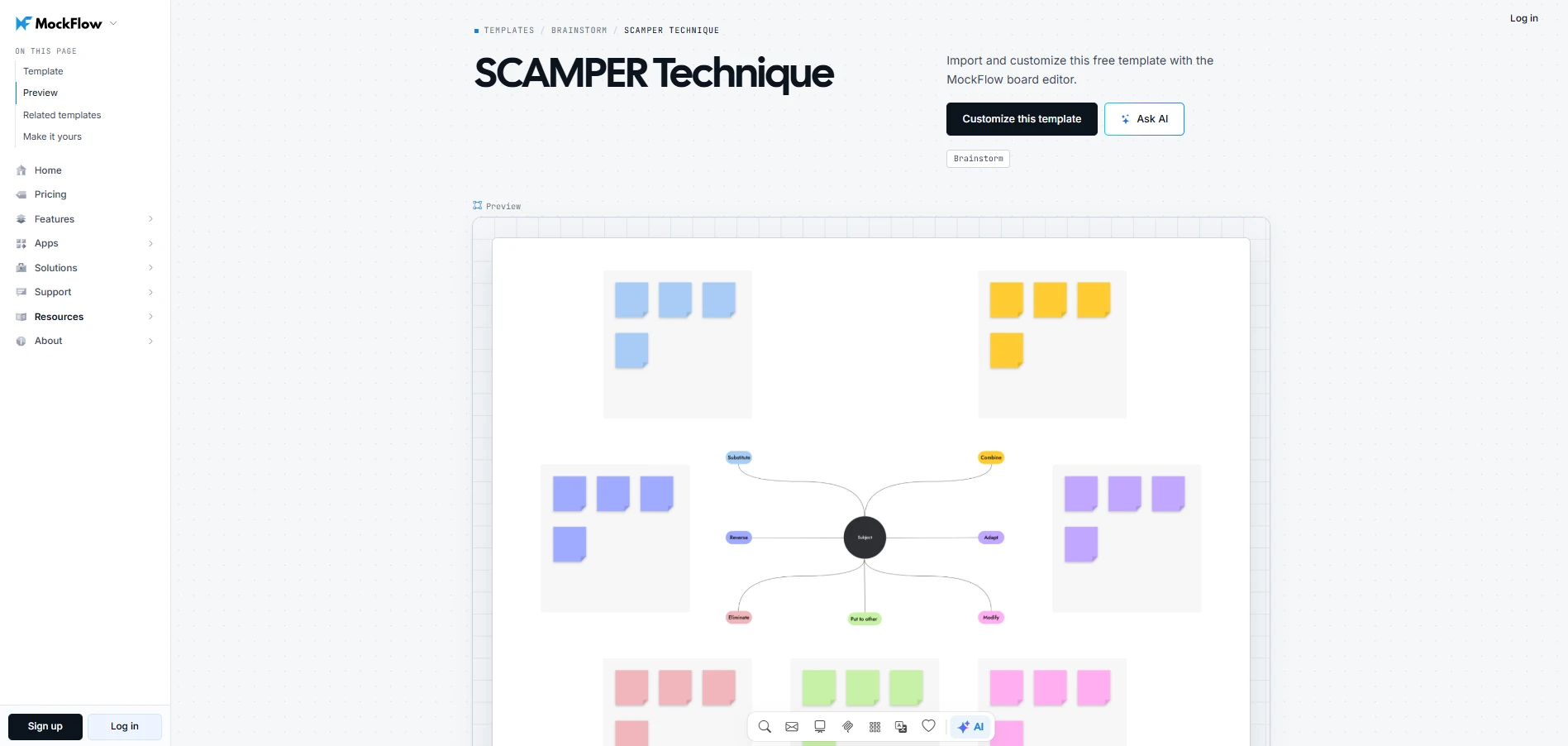
Customize this SCAMPER template
Expected output: Alternative versions of an existing concept that the team can develop or test.
Facilitator tip: Ask participants to explain how a proposed change might improve the user's experience. This helps prevent the exercise from becoming a collection of changes with no clear purpose.
11. Mind and concept mapping
Mind mapping and concept mapping help teams explore connections between ideas. Mind maps branch outward from a central topic, making them useful for expanding possible directions. Concept maps use labeled connections to explain how different ideas relate to one another.
Choose mind mapping when the team needs to explore possibilities around a broad challenge. Concept mapping is more useful when understanding relationships could influence the proposed solution.
- Time: 20–30 minutes
- Group size: 2–8 participants
- Preparation: One central challenge or concept
How to run it:
- Place the main design challenge at the center of the board.
- Add related ideas as branches or connected nodes.
- Expand each idea to explore possible approaches and related considerations.
- Label important connections when using a concept map.
- Review the map for ideas that could be developed into potential solutions.
For example, a team redesigning a checkout experience could use a concept map to examine how account creation affects payment completion. Understanding that relationship may help them explore alternative checkout flows.
Teams can start with MockFlow's concept map template to skip the initial setup and focus on building connections between ideas. Participants can add related concepts and adjust the map as their understanding develops.
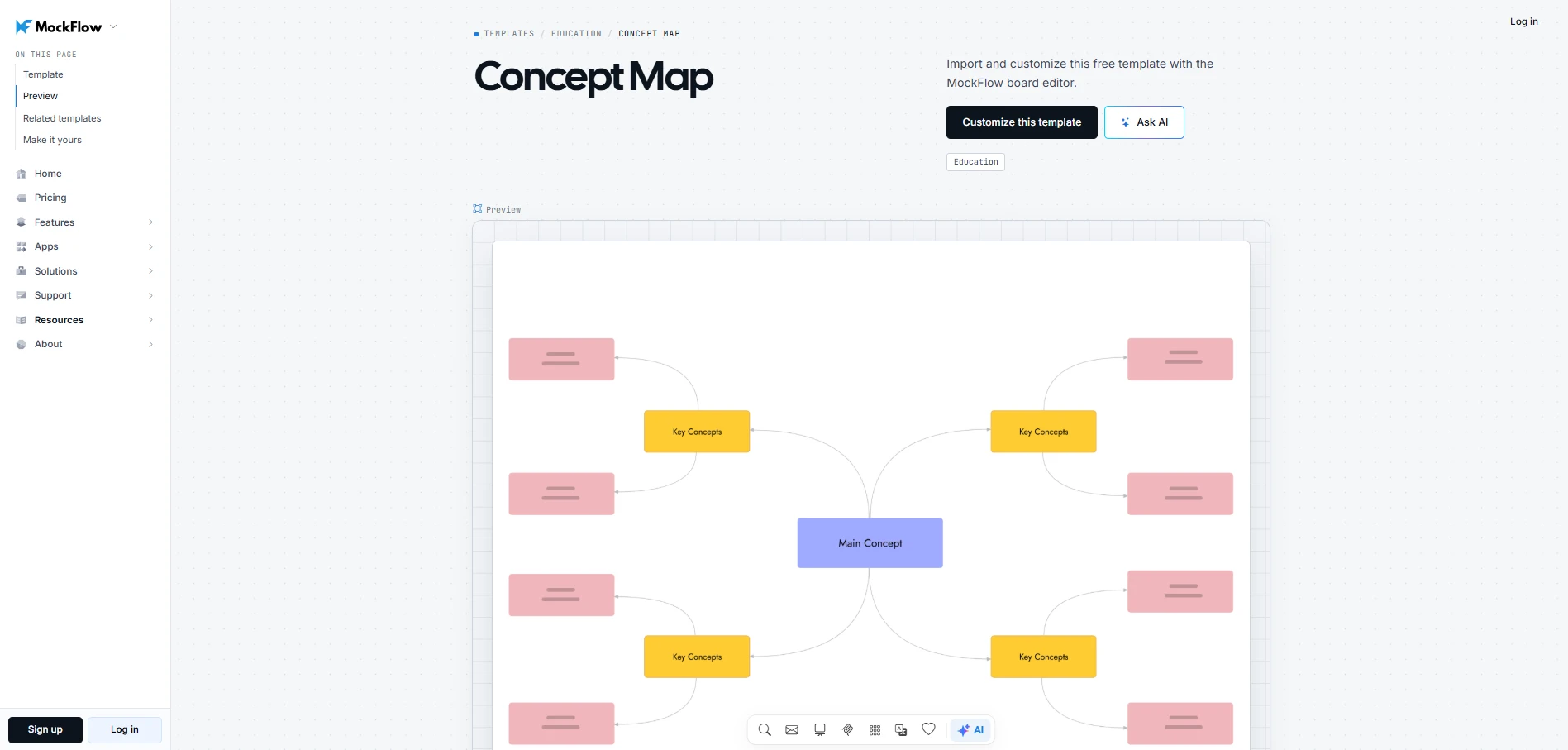
Customize this concept map template
Expected output: A visual map of related ideas that helps the team identify possible design directions.
Facilitator tip: When two ideas are connected, ask participants to explain the relationship. Unclear connections may indicate assumptions that need checking.
12. Six thinking hats
Six Thinking Hats helps teams examine a design challenge through six different perspectives. Everyone considers the same type of question at the same time, which is especially useful when discussions repeatedly shift between proposing ideas and questioning their feasibility.
- Time: 20–30 minutes
- Group size: 4–8 participants
- Preparation: A clearly framed challenge
How to run it:
- Introduce the challenge and guide participants through the six thinking hats:
- White (Facts): What information do we have?
- Red (Feelings): What are our immediate reactions?
- Black (Risks): What could go wrong?
- Yellow (Benefits): What could work well?
- Green (Ideas): What alternatives could we explore?
- Blue (Process): How should we guide the discussion and decide on next steps?
- Ask everyone to focus on the same hat before moving to the next.
- Record observations under each perspective as the discussion progresses.
- Review the findings and identify ideas worth exploring further.
You can use MockFlow's Six Thinking Hats template to set up the six perspectives before the workshop. Participants can add observations under each hat, making it easier to review earlier points when discussing which ideas to develop.
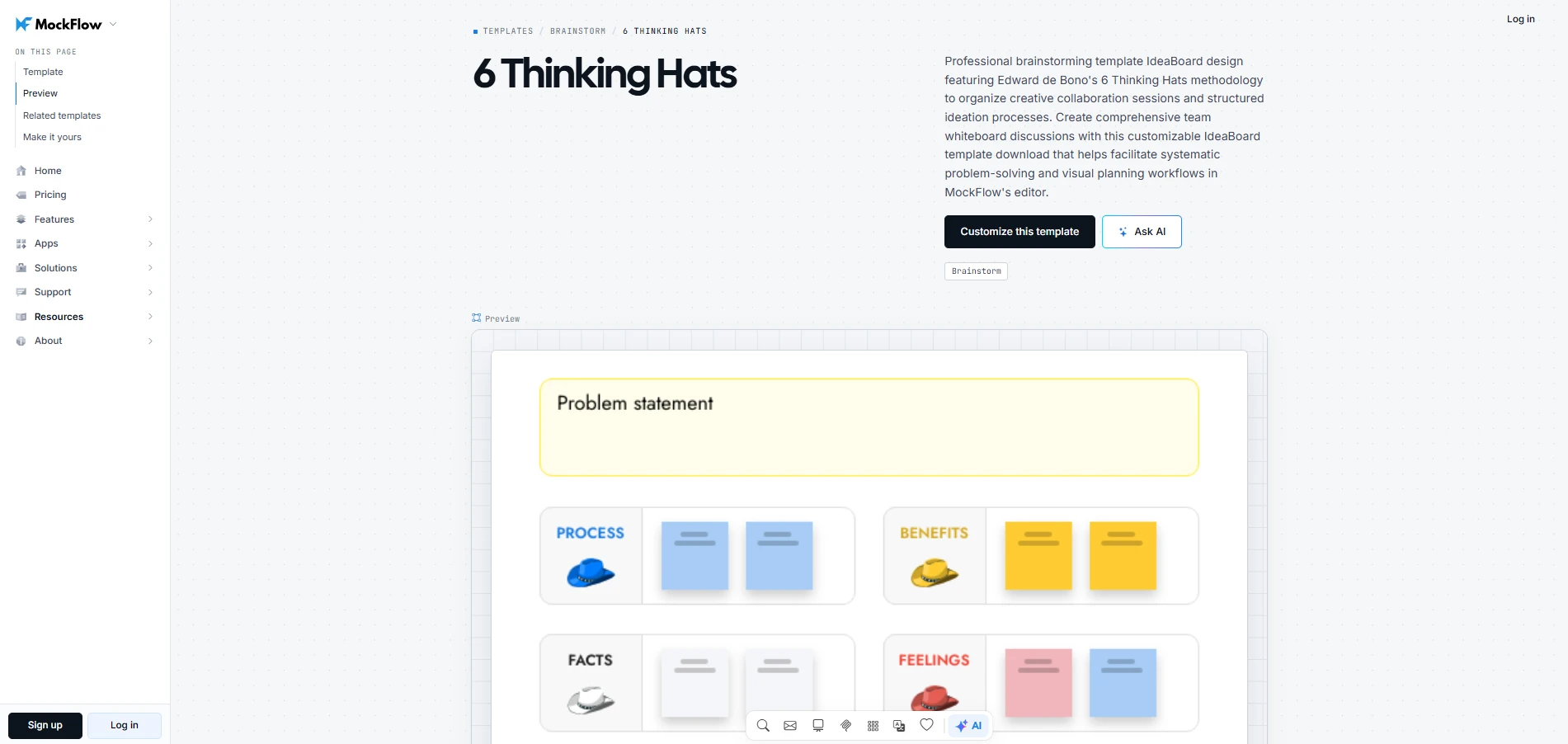
Customize this 6 thinking hats template
Expected output: A shared assessment of the challenge that helps the team identify promising ideas and potential concerns.
Facilitator tip: If participants raise concerns during the Green Hat discussion, note them for the Black Hat round. This keeps the group focused on generating alternatives before evaluating their risks.
13. Dot voting
Dot voting is a prioritization exercise that helps teams identify which ideas deserve closer examination after brainstorming. Participants receive a limited number of votes and distribute them among the proposed concepts.
The resulting vote distribution shows where support is concentrated and where opinions differ. Teams can use this information to guide further discussion before selecting ideas for prototyping.
- Time: 10–15 minutes
- Group size: 3–10 participants
- Preparation: A grouped set of ideas and a fixed number of votes per person
How to run it:
- Group similar ideas and give each concept a clear description.
- Agree on the voting criteria, such as how well an idea addresses the user's problem.
- Give participants an equal number of votes and ask them to vote independently.
- Review the results and discuss why certain ideas received support.
- Select concepts for further evaluation or prototyping.
If you're running a product launch prioritization activity on a shared whiteboard, MockFlow's dot voting template provides a starting layout for displaying ideas and recording votes. Participants can review the results together without transferring suggestions to another workspace.
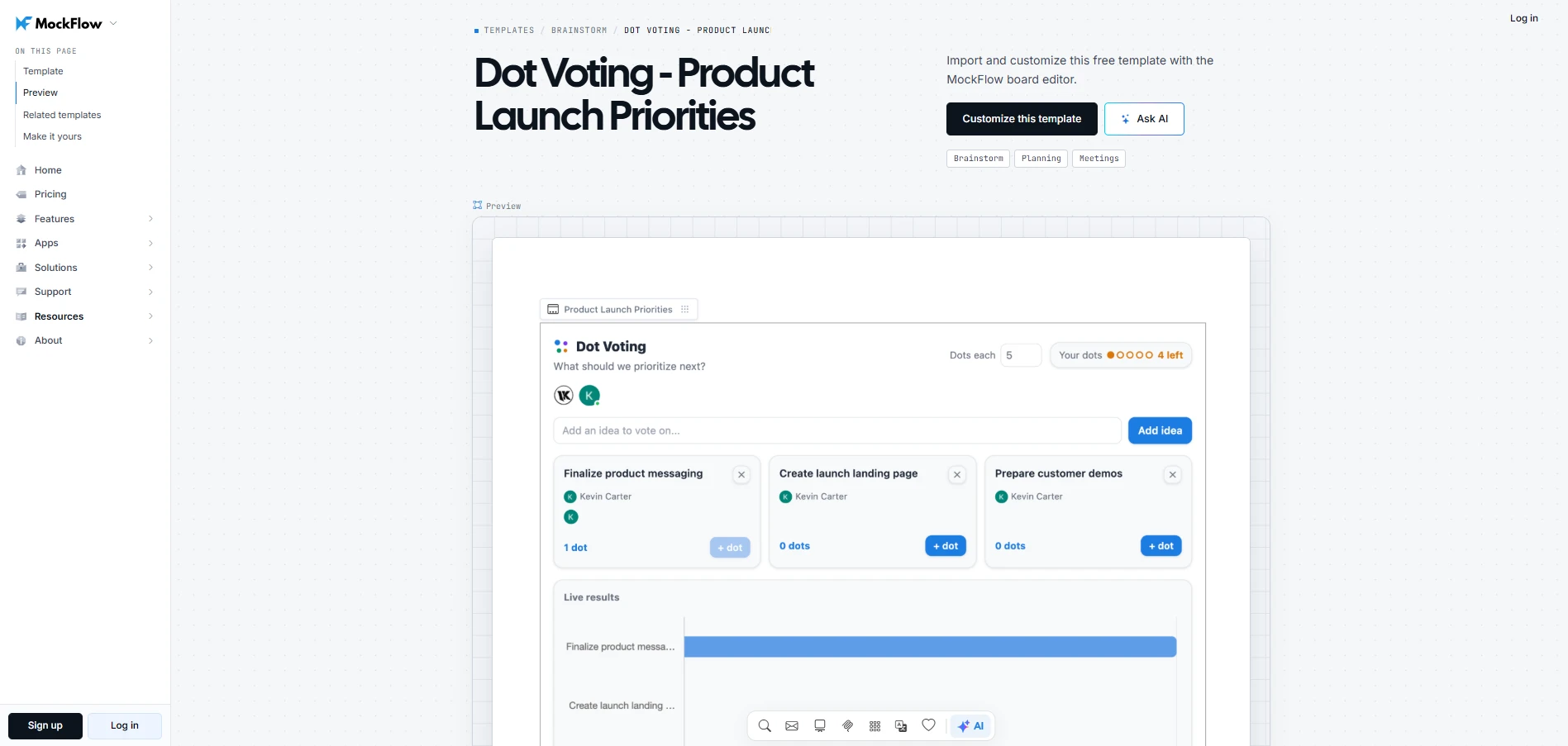
Customize this dot voting - product launch priorities
Expected output: A shortlist of ideas the team can evaluate further or move into prototyping.
Facilitator tip: Pay attention to ideas that receive fewer votes despite addressing important user needs. Before finalizing the shortlist, check whether those ideas were understood by everyone and whether the voting criteria favored familiar solutions.
Prototype: Exercises for making ideas tangible
Prototyping helps teams see how a proposed solution might work before investing in development. By creating an early version, participants can examine the experience more closely and identify areas that need improvement.
14. Paper interface prototyping
Paper interface prototyping involves sketching screens and simulating how users would interact with them. It works well during early design discussions when teams need to compare different layouts or check whether a task can be completed through the proposed flow.
- Time: 20–30 minutes
- Group size: 2–6 participants
- Preparation: A selected idea and clearly defined user task
How to run it:
- Select the user task you want to explore.
- Sketch the screens needed to complete that task.
- Simulate the interaction by moving between sketches as someone performs each action.
- Note where the user might struggle to understand what to do next and revise the sketches.
Expected output: A rough interface flow that exposes usability issues before higher-fidelity work begins.
Facilitator tip: Ask someone who didn't create the sketches to walk through the task. Their questions can expose confusing interactions that the designers may have overlooked.
15. Storyboarding
Storyboarding shows how a user moves through a proposed experience using a sequence of visual frames. It is particularly useful when the design involves several interactions and the team needs to understand how one action leads to the next.
- Time: 20–30 minutes
- Group size: 2–6 participants
- Preparation: A scenario and intended user outcome
How to run it:
- Establish the situation that leads the user to interact with the product or service.
- Show the user's first action and what happens in response.
- Add frames for the important actions that follow.
- Review the sequence to identify missing steps or moments where the user may need additional guidance.
A simple sequence might show someone discovering a product, signing up, completing a task, and receiving the result.
MockFlow Board’s storyboard component lets teams build the experience frame by frame. Participants can rearrange scenes as they review the sequence, making it easier to examine alternative paths before developing the design further.
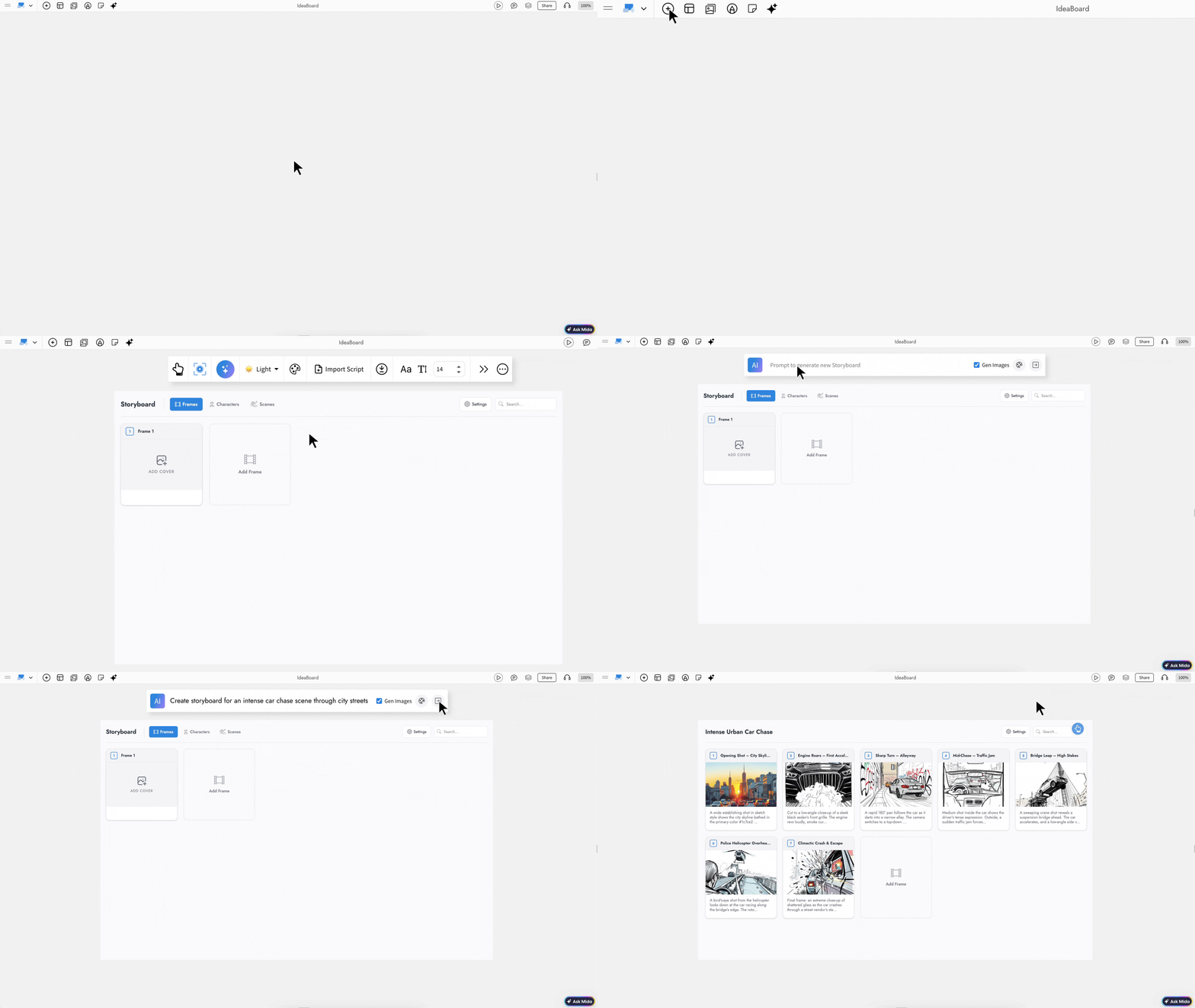
Mockflow's Storyboard Component
Expected output: A visual sequence that shows how the proposed experience unfolds from start to finish.
Facilitator tip: Give each frame a clear purpose. If removing a frame doesn't affect the user's understanding of the experience, consider leaving it out.
16. Rapid digital prototyping
Rapid digital prototyping involves creating an interactive version of a proposed interface to examine how users navigate and complete tasks. It is useful once the team has selected a design direction and needs feedback on how the experience works in practice.
- Time: 30–60 minutes
- Group size: 2–6 participants
- Preparation: A selected concept and key user flow
How to run it:
- Choose the specific task or interaction you want to test.
- Create the screens required to complete that task.
- Connect the screens so users can move through the intended flow.
- Ask participants to complete the task and observe where they hesitate or take an unexpected path.
Expected output: An interactive prototype that helps the team identify usability issues before implementation.
Facilitator tip: Build only the interactions needed for the test. Additional screens and visual details can distract from the specific behavior you're trying to evaluate.
If you're prototyping a mobile e-commerce checkout screen, you can explore how to create the interface using MockFlow's AI features. Follow along with the visual walkthrough below to see the process in action.
Test: Exercises for learning through feedback
Testing helps teams understand how users interact with a proposed solution before development moves further. Accenture’s 2025 customer service report found that only 18% of consumers said technology had significantly improved their service experiences. Testing lets teams check whether a proposed change makes the user’s task easier before investing in development.
Watching users complete tasks can reveal confusing interactions or assumptions that seemed reasonable during prototyping.
17. Usability testing
Usability testing involves asking representative users to complete realistic tasks using a prototype. Observing their actions helps teams identify problems that users may struggle to explain in feedback. For example, repeated hesitation before selecting a button may suggest that its purpose is unclear.
For specialist tools, define success around users’ actual tasks, including completion time, errors, and access to needed information. Test whether simplifying the interface improves those outcomes before removing controls that experienced users rely on.
- Time: 30–60 minutes
- Participants: Representative users
- Preparation: Prototype, test tasks, and learning goals
How to run it:
- Identify what you want to learn and recruit participants who represent your intended users.
- Give each participant a realistic task without explaining the steps needed to complete it.
- Observe how they navigate the prototype, paying attention to hesitation and unexpected actions.
- Ask follow-up questions to understand their decisions and record the difficulties they encountered.
Expected output: Observations showing where users struggle with the prototype and which parts of the experience need improvement.
Facilitator tip: Avoid stepping in when participants hesitate. Give them time to work through the task so you can see where the design fails to provide enough guidance.
18. Feedback and iteration
Feedback and iteration help teams decide how to improve a prototype based on testing results. Reviewing individual observations together can show whether several users encountered the same difficulty and what might be causing it.
- Time: 20–30 minutes
- Group size: 3–8 participants
- Preparation: Notes and observations from testing
How to run it:
- Review testing observations and group findings that describe the same difficulty.
- Investigate why users encountered each problem.
- Prioritize changes based on how seriously the problems affect users' ability to complete their tasks.
- Update the prototype and test the revised experience to see whether the changes resolve the issues.
MockFlow's audio and video comments allow teammates to explain feedback directly on the relevant parts of a board. This gives designers more context when reviewing suggestions later, especially when stakeholders cannot join the same feedback session.
Expected output: A prioritized set of changes supported by testing observations, ready for the next prototype revision.
Facilitator tip: If several usability problems point to the same misunderstanding, revisit the original user research. The issue may require rethinking the proposed solution rather than adjusting individual interactions.
How to choose exercises for your design thinking workshop
Start by deciding what your team needs to achieve. If user research is already available, you can begin with problem framing. If you're evaluating an existing concept, prototyping or testing may be more useful.
Deloitte’s 2025 GHCT survey respondents reported spending 41% of their daily time on work that does not contribute to organizational value. Choose exercises that produce something the team can act on, such as a clearer problem statement or a concept ready for testing.
Here's a practical workshop sequence:
Workshop goal | Exercise | Outcome |
Understand users | Empathy mapping | Identify user needs |
Define the problem | How Might We | Frame a design challenge |
Explore solutions | Crazy 8s | Generate alternative concepts |
Select a direction | Dot voting | Shortlist promising ideas |
Develop the idea | Rapid prototyping | Create a testable concept |
Gather feedback | Usability testing | Identify improvements |
Allow quiet thinking time before group discussions so participants can develop independent ideas. For remote workshops, MockFlow's collaboration features let everyone contribute to the same board and review ideas together.
Plan your agenda around the time available, leaving room to discuss findings between activities. End by assigning responsibility for the next action, whether that's further research, prototype revisions, or user testing.
Run design thinking exercises visually with MockFlow
MockFlow gives teams a collaborative workspace to conduct design thinking exercises and build on their findings throughout the workshop.
Teams can use customizable boards to capture their thinking as the session progresses, making it easier to review earlier decisions and maintain a shared understanding of the proposed solution.
If you're planning your next design thinking workshop, try MockFlow for free and give your team a space to explore ideas and work toward solutions together.
FAQs
1. What are the 5 pillars of design thinking?
The five stages are empathize, define, ideate, prototype, and test. Together, they help teams understand users, clarify the problem, explore possible solutions, make ideas tangible, and learn from feedback before committing further resources.
2. Is design thinking still relevant in 2026?
Yes. Design thinking remains useful because teams still need structured ways to understand users, challenge assumptions, explore alternatives, and test ideas before investing heavily. Its value lies in reducing guesswork and improving decisions through evidence and iteration.
3. What are 7 examples of creative thinking skills?
Creative thinking skills include observation, questioning, reframing, idea generation, visualization, experimentation, and reflection. These skills help teams look beyond obvious answers, explore alternative directions, and improve ideas as new information becomes available during the design process.
4. What are the 7 principles of design thinking?
There is no single universally accepted set of seven principles. A practical interpretation emphasizes empathy, human-centered thinking, collaboration, exploration, experimentation, iteration, and learning from feedback. These principles help teams stay focused on users while refining ideas over time.
5. Can design thinking exercises be done remotely?
Yes. Design thinking exercises can be adapted to shared digital workspaces where participants contribute, organize ideas, and review outputs together. MockFlow supports remote and hybrid teams with a visual environment for collaborative workshop activities.
6. How do we choose the right design thinking exercise?
Choose the exercise based on what the team needs to accomplish next. Start with understanding users, then clarify the problem, generate ideas, make concepts tangible, or validate them. Ideally, each exercise should produce useful input for the next step.

Virtual Collaboration Tools: Best Options for Remote & Hybrid Teams
Introduction You’re about to invest in a new set of virtual collaboration tools, and this isn’t a casual decision. The platform...
10 Best Product Design Tools for UI, UX & Product Teams in 2026
Finding the right product design tools can make the difference between a smooth design process and one filled with unnecessary...
Best Excalidraw Alternatives for Teams in 2026
Excalidraw is a popular tool that makes visual thinking feel quick and informal. One can open a browser, sketch an idea, map a...
