8 Best Mural Alternatives for Whiteboarding and Remote Teams
Introduction: Why Look for Mural Alternatives?
Teams rely on digital whiteboards to fuel creativity and keep workshops moving smoothly. But when the tool becomes difficult to navigate or slows down collaboration, the entire session loses momentum. Instead of focusing on ideas, people get stuck figuring out the interface, and productivity takes a hit.
Mural is a strong whiteboarding and visual collaboration platform. Many large organizations rely on it for agile rituals, strategy alignment and design thinking sessions.
However, once the novelty wears off, teams often realize that Mural can feel more complex than necessary for everyday collaboration. Cost also becomes a consideration, especially when scaling access to partners and extended team members who only need a basic whiteboard.
This is why users are searching for Mural alternatives; tools that are:
- Easier to learn
- More affordable
- Flexible for different collaboration styles
- Better aligned with remote-first workflows
We set out to identify options that solve these pain points.
In this guide, we evaluate the eight best digital whiteboard platforms that include stronger usability, more accessible pricing structures and collaboration features that support real-world workflows.
You will also find a detailed comparison between Mural and MockFlow to help you make a confident choice for your next workshop, design sprint or product planning session.
Top 8 Mural Alternatives in 2025
Mural alternatives provide digital whiteboard tools that support visual collaboration, real-time brainstorming, and remote teamwork. Teams choose Mural alternatives to simplify workflows, reduce costs, and improve usability.
These platforms include options like MockFlow, Miro, Lucidspark, and FigJam. Each tool offers an infinite canvas, templates, and shared editing for workshops and strategy planning.
Businesses use these alternatives to create diagrams, organize ideas, and connect projects with apps like Slack and Jira. Mural alternatives help teams collaborate faster, work offline, and scale as they grow.
Here’s a closer look at the top Mural alternatives for 2025.
Quick Comparison: Best Mural Alternative (2025)
Tool | Best For | Features | Pricing* |
MockFlow IdeaBoard | Teams wanting fast, simple whiteboarding with AI + offline support | Infinite canvas, real-time collaboration, templates, offline mode, AI-toolbox, Trello integration | Free plan; Paid plans start at $5/editor/month |
Miro | Large teams needing robust templates & integrations | Large template library, timers, voting, advanced integrations | Free plan; Paid plans start at $8/user/month |
Lucidspark | Teams combining brainstorming with diagramming | Real-time collaboration, idea grouping, Lucidchart integration | Free plan; Paid plans start at $9/user/month |
FigJam | Design teams already using Figma | Sticky notes, drawing tools, emojis, seamless into Figma files | Free plan; Paid plans start at $3/user/month |
Microsoft Whiteboard | Teams using Microsoft 365 regularly | Basic drawing tools, sticky notes, Teams integration | Included with Microsoft 365 |
ClickUp Whiteboard | Collaboration merged with project/task management | Whiteboards linked to tasks, real-time co-editing | Free tier; Paid plans start at $7/user/month |
Collaboard | Secure + private collaboration needs | Offline mode, self-hosting, data controls | Free plan; Paid plans start at €5/user/month |
Ziteboard | Quick, informal collaboration | Simple browser-based canvas, share via link | Free plan; Paid plans start at $5/month |
*Approx. starting prices (2025)
While each tool brings its own unique strengths, MockFlow stands out as a top choice for teams that require a balance of functionality, simplicity, and collaboration.
1) MockFlow IdeaBoard
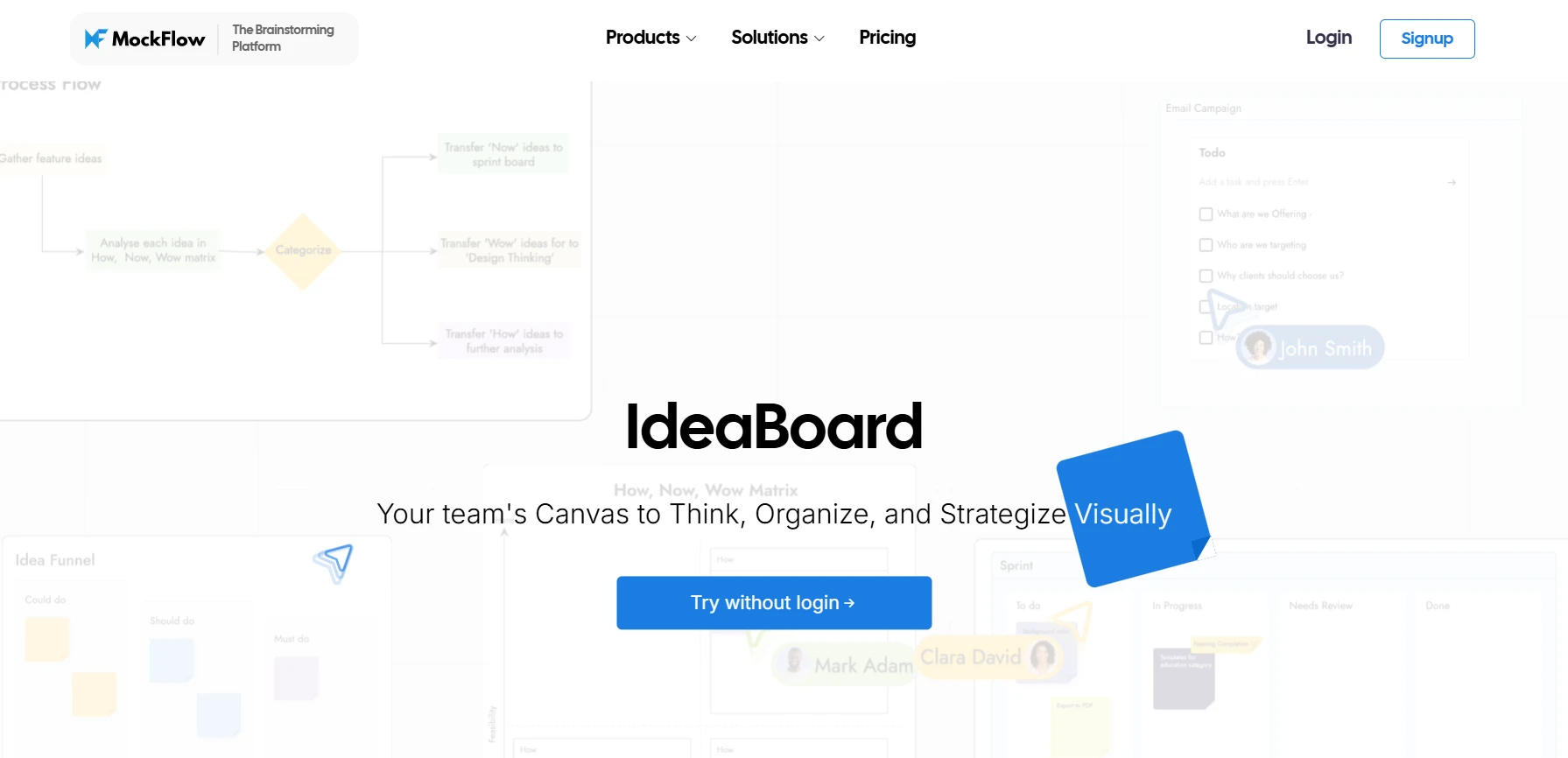
When it comes to digital whiteboarding and visual collaboration, MockFlow IdeaBoard is an excellent Mural alternative that blends simplicity and functionality.
Unlike Mural’s feature-heavy platform, MockFlow IdeaBoard focuses on providing a streamlined whiteboarding experience, allowing real-time collaboration, sticky notes, templates, and AI drawing features to create a visually engaging workspace for brainstorming sessions or workshops.

Best For:
Teams looking for a straightforward whiteboarding solution with added features for product teams, designers, and educators.
Key Features:
Digital Whiteboard: MockFlow’s IdeaBoard offers an infinite canvas for teams to collaborate, brainstorm, organize, and diagram ideas visually. It’s simple, fast, and designed specifically for ideation without unnecessary complexity.
- Real-Time Collaboration: Multiple users can work simultaneously, adding sticky notes, visual elements, and voice or video comments for richer team feedback.
Pre-built Templates: A variety of templates are available that are tailored to brainstorming and productivity, making it quick and easy to kickstart your sessions.
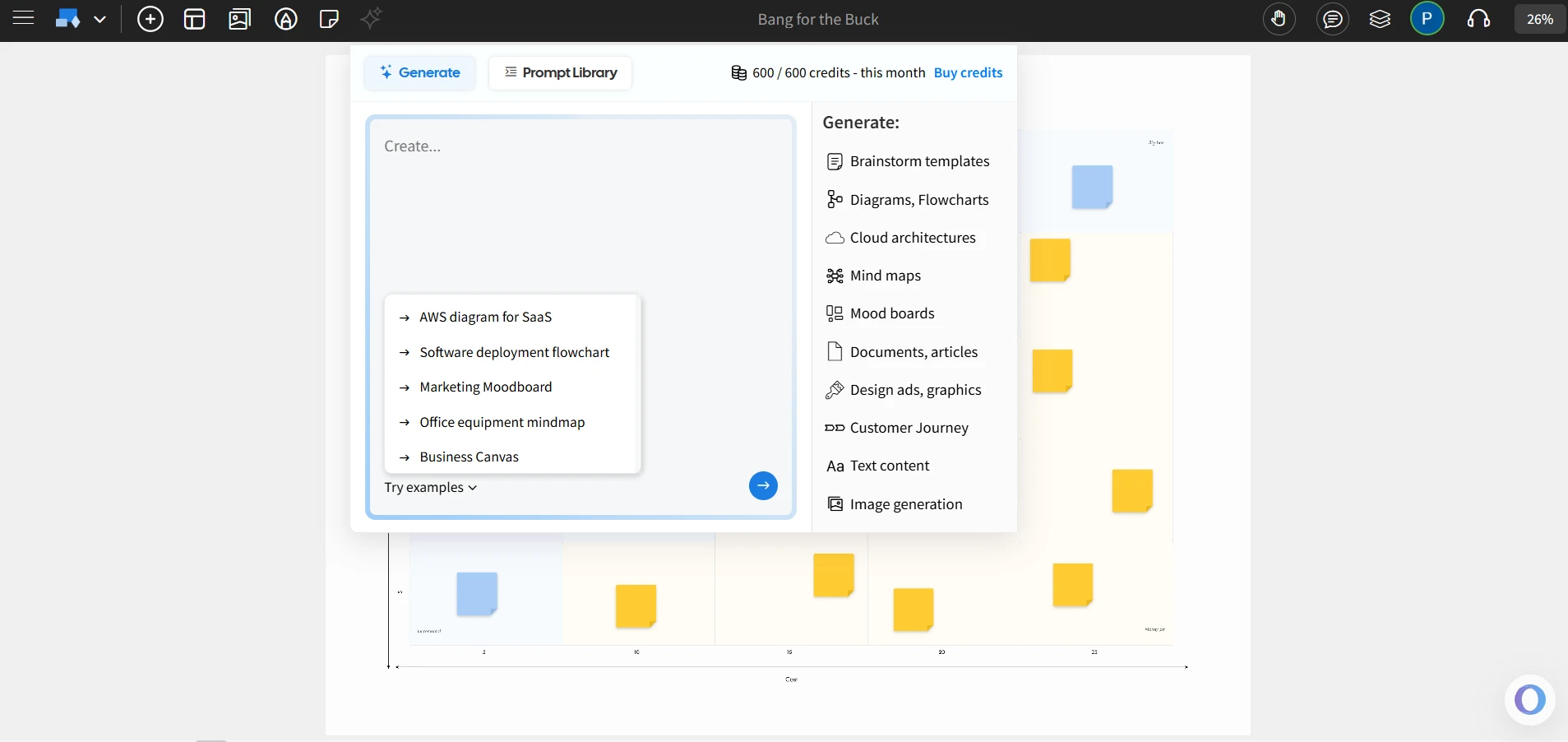
- AI-Enhanced Features: The AI toolbox enables users to generate templates, flowcharts, and architecture diagrams from prompts. Its AI-powered Maps and Docs components make visual ideation faster and more dynamic.
- Offline Mode: The desktop version of IdeaBoard allows users to work offline, with boards syncing automatically once back online.
Integrations: It integrates smoothly with tools like Trello and Google Docs, enhancing team collaboration across platforms.
- Enterprise Features: Enterprise plans include advanced permissions, SSO authentication, and secure data handling, ensuring safe collaboration for large teams.
- Dedicated tool for Wireframing: MockFlow also offers WireframePro as a separate tool for building detailed wireframes and prototypes, allowing teams to move from ideation in IdeaBoard to structured design in WireframePro seamlessly.
For those seeking more advanced collaboration, bundle plans start at $14/month combining WireframePro, IdeaBoard, and SiteMap with offline access and advanced AI credits.
MockFlow IdeaBoard is a great alternative to Mural because it combines the essential features needed for effective visual collaboration with a simple, intuitive interface.
Unlike Mural, which is costly (plan starts at $9.99/user/month) and can feel overwhelming for smaller teams or simpler projects, MockFlow offers clean design, functionality, and cost-effective solutions that are perfect for remote teams, brainstorming, and workshops.
Start your free trial today and experience seamless digital whiteboarding without the complexity of Mural. You can also quickly access the IdeaBoard Chrome extension for easy access directly from your browser.
2) Miro
Miro is a digital whiteboarding platform that provides an infinite canvas for teams to brainstorm, organize, and plan visually. It includes an extensive template library and collaboration tools that support both real-time and asynchronous work.
Teams that need a versatile digital whiteboard for brainstorming, workshops, and visual collaboration.
- Infinite Canvas: Offers a flexible space for brainstorming, planning, and organizing ideas.
- Real-time Collaboration: Multiple team members can work simultaneously, using sticky notes and drawing tools to contribute to the board.
- Template Library: Includes pre-built templates for brainstorming, retrospectives, and design thinking.
- Integrations: Integrates with tools like Google Drive, Slack, Jira, and Microsoft Teams to streamline collaboration.
- Extensive template library and integrations with other platforms.
- Suitable for large teams with diverse collaboration needs.
- Can feel overwhelming for smaller teams or users seeking a more straightforward interface.
- Pricing may be a consideration for teams on a budget.
- Some advanced facilitation and AI features are available only in paid plans.
Miro offers a free plan with limited boards. Paid plans start at $8/user/month.
3) Lucidspark
Lucidspark is a virtual whiteboard designed for real-time collaboration and team ideation. It helps teams brainstorm, organize ideas, and move toward structured planning. Integration with Lucidchart allows users to take concepts created on the whiteboard into more detailed diagrams if needed.
Teams that need a hybrid tool for brainstorming and diagramming, particularly those already using Lucidchart.
- Real-time Collaboration: Multiple users can add sticky notes, shapes, drawings, and comments simultaneously.
- Lucidchart Integration: Lets teams transfer ideas from Lucidspark into Lucidchart for detailed diagramming.
- Customizable Templates: Includes pre-built templates for brainstorming, sprint planning, retrospectives, and more.
- Facilitation Tools: Features like timers, breakout boards, and voting sessions support structured team sessions.
- Integrates with Lucidchart for seamless transition from ideation to diagramming.
- Provides templates and facilitation tools for different workflows.
- Some collaboration and management features are available only in paid plans.
- Focused mainly on ideation and planning, not detailed task management.
Lucidspark offers a free plan with limited features. Paid plans start at $9/user/month.
4) FigJam (by Figma)
FigJam is an online collaborative whiteboard tool from Figma designed for team brainstorming, diagramming, and workshops. Its integration with Figma allows design teams to move ideas from whiteboard sessions into the design workflow.
Teams already using Figma who need a collaborative space for ideation and planning.
- Real-time Collaboration: Teams can work together using sticky notes, shapes, drawings, and reactions.
- Integration with Figma: Connects directly with Figma for easy transition from ideation to design.
- Widgets and Integrations: Supports widgets for tools like Asana, Jira, and GitHub within the whiteboard.
- Simple Interface: Easy to use with minimal setup required.
- Suitable for teams already using Figma.
- Easy-to-use and collaborative whiteboard experience.
- Focused mainly on brainstorming and diagramming use cases.
- Lacks advanced project management or detailed visualization tools.
FigJam offers a free starter plan with the basic features. Paid plans start at $3/user/month.
5) Microsoft Whiteboard
Microsoft Whiteboard is a digital whiteboard app that offers a free-form canvas for collaboration within the Microsoft 365 ecosystem. It is suitable for teams already using Microsoft Teams or other Microsoft 365 applications.
Teams using Microsoft 365 who need a simple, built-in whiteboarding solution.
- Integration with Microsoft Tools: Integrates with Microsoft Teams and other Microsoft 365 apps, allowing users to create and share whiteboards directly within meetings or chats.
- Real-time Collaboration: Supports simultaneous editing where multiple users can draw, write, and add sticky notes or text in real time.
- Basic Whiteboarding Tools: Offers essential tools like pens, highlighters, erasers, shapes, text boxes, and sticky notes.
- Cross-Device Access: Available on Windows, web, iOS, Android, and Surface Hub.
- Free for Microsoft 365 users.
- Simple and intuitive interface.
- Lacks advanced features found in more specialized whiteboarding tools.
- Limited integrations outside the Microsoft ecosystem.
Microsoft Whiteboard is free for Microsoft 365 users.
6) ClickUp Whiteboard
ClickUp’s Whiteboard is part of the ClickUp project management suite, designed to help teams visually brainstorm, map workflows, and connect ideas directly to tasks. It’s best suited for teams already using ClickUp for project management.
Teams using ClickUp for project management who want a whiteboarding feature integrated with their tasks and workflows.
- Task Integration: Create or link ClickUp tasks directly from shapes, sticky notes, or text on the Whiteboard.
- Real-Time Collaboration: Collaborate live with team members, with visible cursors, commenting, and shared access controls.
- Visual Tools: Use shapes, text, sticky notes, arrows, and frames to organize ideas; upload or generate images with ClickUp AI.
- Export & Templates: Export boards as static PDFs and start faster using built-in or saved Whiteboard templates.
- Integrates whiteboarding with ClickUp’s task management.
- Enables real-time team collaboration.
- Whiteboard export is static and excludes interactive elements.
- Best suited for teams already using ClickUp.
ClickUp’s Free Forever plan includes up to 3 Whiteboards. Paid plans start at $7/user/month.
7) Collaboard
Collaboard is a digital whiteboard tool designed for secure, real-time collaboration with enterprise-grade data protection.
Teams that require data privacy, on-premise hosting, or compliance-ready collaboration environments.
- Self-Hosting Options: Collaboard allows on-premise or cloud deployment on platforms like Open Telekom Cloud, Microsoft Azure, or AWS.
- Real-Time Collaboration: Multiple users can work simultaneously on the same whiteboard with features like sticky notes, shapes, drawing tools, and media embedding.
- Board Security Controls: Boards can be password-protected, and access rights can be managed at multiple permission levels.
- Integrations: Supports integrations with Microsoft Teams, Cisco Webex, Jira, Confluence, Rocket.Chat, and Nextcloud.
- Suitable for teams that prioritize data security and hosting flexibility.
- Offers essential whiteboarding and facilitation tools for collaborative use.
- Interface and design are functional but less polished than some competitors.
- Limited third-party integrations compared to leading whiteboard platforms.
Collaboard offers a free plan with basic features. Paid plans start at €5.00/user/month.
8) Ziteboard
Ziteboard is a simple, browser-based online whiteboard designed for real-time collaboration and visual brainstorming. It’s lightweight and accessible across devices without installation.
Small teams or individuals who need a simple tool for quick brainstorming and collaboration.
- Browser-Based: Runs entirely in your browser with no downloads or installations required.
- Real-Time Collaboration: Multiple users can edit and draw on the same board simultaneously.
- Drawing & Text Tools: Includes freehand drawing, shape recognition, sticky notes, and text input.
- Easy Sharing: Boards can be shared via link; Pro users can create private boards.
- Simple and easy to use.
- Works directly from the browser.
- Lacks advanced features and integrations.
- Best for quick, informal brainstorming sessions, not suited for complex workflows.
Ziteboard is free to use with basic features. Paid plans start at $5/month.
The collaborative whiteboard software market alone was valued at $2.43 billion in 2024 and is projected to exceed $8 billion by 2033, showing how rapidly teams are investing in these tools to support new ways of working.
While each of these Mural alternatives offers unique features and benefits, MockFlow IdeaBoard stands out for its simplicity, affordability, and ease of use. Public tech-usage trackers already list around 100 companies using MockFlow across regions including the US, UK, India, and Canada. With powerful collaboration features, AI enhancements, and seamless integrations, it’s the ideal tool to elevate your team’s creativity and productivity.
Detailed Comparison: Mural vs. MockFlow IdeaBoard
When evaluating digital whiteboard tools, Mural and MockFlow offer distinct features tailored to different team needs. Here's a concise comparison to help you decide which platform aligns best with your requirements.
Feature-by-Feature Comparison
Feature | Mural | MockFlow IdeaBoard |
Digital Whiteboarding | Infinite canvas for brainstorming and planning. | Infinite canvas with a focus on brainstorming, simplicity, and ease of use. |
Real-Time Collaboration | Real-time editing with sticky notes, voting, and timers. | Real-time collaboration with sticky notes, multi-media comments, and drawing tools. |
Templates | Vast library for various use cases. | Pre-built templates emphasizing simplicity for faster execution. |
Integrations | Integrates with Teams, Zoom, Jira, and more. | Integrates with Trello, Google Docs, and VSCode |
AI Features | AI tools for mind map generation and sticky note clustering. | AI Toolbox for generating brainstorming/strategy layouts, flowcharts, maps, and diagrams from prompts. |
Offline Access | Limited offline capabilities. | Desktop app for full offline whiteboarding. |
Enterprise Features | Advanced features for large teams, such as reporting, project management, and security. | Enterprise-grade access control, SSO support, and secure data governance. |
Pricing | Freemium; pricing starts at $9.99/user/month, with additional features available at higher tiers. | Freemium; IdeaBoard starts at $5/month, Bundle plan at $14/month (all IdeaBoard features included). |
Why MockFlow IdeaBoard is Better for Remote Teams and Workshops
Mural is a comprehensive visual collaboration platform, offering infinite canvas, real-time collaboration, templates, and integrations, making it suitable for large teams and complex projects.
However, for remote teams and workshops, MockFlow IdeaBoard presents several advantages:
- Offline Mode: MockFlow allows users to continue working without an internet connection, ensuring uninterrupted collaboration even in areas with unstable connectivity.
- Real-Time Collaboration: Teams can collaborate simultaneously, adding sticky notes, multi-media comments, and drawings, fostering a dynamic and interactive environment.
- User-Friendly Interface: The intuitive design of MockFlow reduces the learning curve, enabling teams to focus on ideation and planning without being hindered by complex interfaces.
This ease of use is a must-have for teams today. Many teams get better outcomes when they take the ideas captured on a digital board and integrate them directly into their workflow with ease. This keeps work visible, useful, and connected to the project instead of getting lost after the session.
McKinsey notes that hybrid work continues to be the dominant workplace model globally. This means strong virtual collaboration capabilities will become non-negotiable for remote teams in future.
Pricing & Scalability
Pricing is a crucial factor when choosing between Mural and MockFlow IdeaBoard. Both offer freemium plans. Mural's pricing starts at $9.99 per user per month, which can be cost-prohibitive for smaller teams or those with limited budgets. In contrast, MockFlow offers more affordable options:
- IdeaBoard: $5/month/editor (billed annually)
- Bundle Plan (Ideaboard + WireframePro): $14/month/editor (billed annually)
MockFlow's pricing structure provides flexibility, making it accessible for startups and small teams without compromising on essential features.

MockFlow IdeaBoard vs. Mural: A Verdict
MockFlow IdeaBoard stands out as a compelling alternative to Mural, particularly for remote teams and startups. Its affordable pricing, offline app, AI capabilities, and user-friendly interface make it an attractive option for teams seeking a straightforward digital whiteboarding tool. While Mural offers advanced features suitable for large enterprises, MockFlow's simplicity and scalability cater to the needs of smaller teams and organizations.
How to Choose the Right Mural Alternative for Your Team
When exploring Mural alternatives for whiteboarding and visual collaboration, it’s important to consider key factors like team size, project complexity, and specific use cases. Here's how to make an informed decision:
Factors to Consider When Selecting the Right Tool
1. Team Size:
Larger teams often require a tool with advanced features like real-time collaboration, integrations, and detailed customization options.
Smaller teams, however, may prefer a simpler tool that is easy to use and cost-effective, without the overwhelming complexity of larger platforms. For instance, small teams tend to adopt tools more actively when anyone can open the board from a link without going through account creation or onboarding steps. This lowers friction and encourages wider participation.
2. Project Complexity:
If your team needs to map out detailed diagrams or manage complex workflows, you might need a platform with more robust tools. For simpler tasks like brainstorming and visual collaboration, a more straightforward whiteboarding tool like MockFlow IdeaBoard will suffice.
3. Ease of Use:
A user-friendly interface ensures that teams can start collaborating immediately. Tools that are easy to navigate with minimal training requirements will boost adoption and productivity across your team.
Choosing the Right Tool Based on Use Case
To select the right tool, you must match the tool’s features with your team’s primary use case:
- For Brainstorming: Choose a whiteboarding tool that provides an infinite canvas, sticky notes, AI capabilities, and real-time collaboration for easy idea generation.
- For Remote Teams: A tool with offline capabilities and real-time collaboration is essential for teams working in different locations or time zones. MockFlow IdeaBoard offers offline capabilities and an intuitive interface for remote work.
- For Designers: Pick a tool that supports visual ideation and seamless handoff to design workflows. Integrations with a separate UI design software help move from concept to execution without switching platforms.
- For Educators: Look for platforms with features tailored for classrooms, like templates and educator discounts, for interactive and engaging lessons. MockFlow IdeaBoard is an affordable choice with 50% educator discounts for educational institutions.
- For Project Management: Opt for a tool that integrates with project management software and provides easy task tracking and visual planning.
Also read → Here’s how to define your target audience (includes whiteboard templates)
Conclusion: Why MockFlow IdeaBoard Should Be Your First Choice
MockFlow IdeaBoard offers a comprehensive, easy-to-use platform for visual collaboration and whiteboarding, making it an excellent alternative to Mural.
With features like offline capabilities, real-time collaboration tools, and AI-powered enhancements, MockFlow is designed to help teams collaborate efficiently, regardless of location. Its intuitive interface, affordability, and seamless integrations make it the perfect solution for teams looking for simplicity without sacrificing functionality.
MockFlow IdeaBoard operates on a freemium plan, allowing teams to start collaborating immediately without any financial commitment. If you're ready to simplify how your team collaborates, start using MockFlow IdeaBoard for free today to see how it fits your needs.
You can also install the IdeaBoard Chrome extension for quick access directly from your browser.
FAQs About Mural Alternatives
1. What are the best Mural alternatives for teams?
The best Mural alternatives for digital whiteboarding and visual collaboration include MockFlow IdeaBoard, Miro, Lucidspark, FigJam, Microsoft Whiteboard, ClickUp Whiteboard, Collaboard, and Ziteboard. These tools offer real-time collaboration, templates, and integrations that support remote teamwork.
2. Why do teams look for Mural alternatives?
Teams look for Mural alternatives when they want simpler interfaces, lower pricing, or more intuitive digital whiteboarding features. Some users find Mural’s complexity and cost a barrier, especially for small or growing teams.
3. What makes MockFlow IdeaBoard a top Mural alternative?
MockFlow IdeaBoard stands out with an easy-to-use whiteboard, strong collaboration features, offline support, and extensive templates. It also integrates well with tools like Trello and Google Docs, making it ideal for product teams.
4. Which Mural alternative offers the most affordable pricing?
MockFlow IdeaBoard provides a free plan with essential whiteboarding features and affordable upgrades for unlimited boards and advanced collaboration tools. It offers 3 IdeaBoard projects, access to all templates, 10 reviewers, and 100 AI credits. It is cost-effective for startups and small teams.
5. Do Mural alternatives support remote workshops and brainstorming?
Yes. Tools like MockFlow IdeaBoard and Miro support real-time editing, commenting, templates, and visual elements to empower distributed teams during workshops, strategy sessions, and brainstorming activities.
6. Does MockFlow IdeaBoard offer offline access?
Yes. IdeaBoard’s desktop app allows users to create and edit whiteboards offline, with all changes syncing automatically once you’re back online.

18 Design Thinking Activities for Every Stage of Your Workshop
Design thinking exercises can help teams turn user insights into ideas they can explore and test. Teams often have plenty of...
6 Best Microsoft Teams Collaboration Tools for Cross-Functional Teams
Microsoft Teams has become the central workspace for conversations, meetings, and day-to-day coordination. Yet many teams still...

10 Best Miro alternatives: Best Whiteboard Tools for 2025
Introduction: Looking for the Best Miro Alternatives? Few tools have changed the way teams brainstorm quite like Miro. For many...
