Affinity Diagram: A Practical Guide to Organizing Ideas and Insights
Introduction
Brainstorming sessions often produce dozens of ideas in minutes, but it gets difficult to figure out which ideas connect and what they actually mean.
This is where an affinity diagram becomes useful.
An affinity diagram helps teams organize ideas visually by grouping related thoughts into clusters and themes. Widely used in UX research, brainstorming workshops, and product planning, this method makes it easier to turn raw observations into structured insights and decisions.
In this guide, you’ll learn what affinity diagrams are, how to make an affinity diagram step by step, and when teams use affinity mapping to analyze research, prioritize product ideas, and structure brainstorming outputs.
You’ll also see examples of affinity diagrams and how visual collaboration tools like IdeaBoard help teams build them more efficiently.
What is an Affinity Diagram?
An affinity diagram is a visual method that organizes ideas, observations, or research findings into related groups to reveal patterns and themes. Teams use affinity mapping to cluster sticky notes, sort insights, and identify relationships across brainstorming sessions, UX research, or customer feedback.
The method turns scattered input into clear categories that support analysis, prioritization, and decision making. Affinity diagrams often appear on whiteboards or digital collaboration boards, where teams group ideas, label themes, and refine insights together.
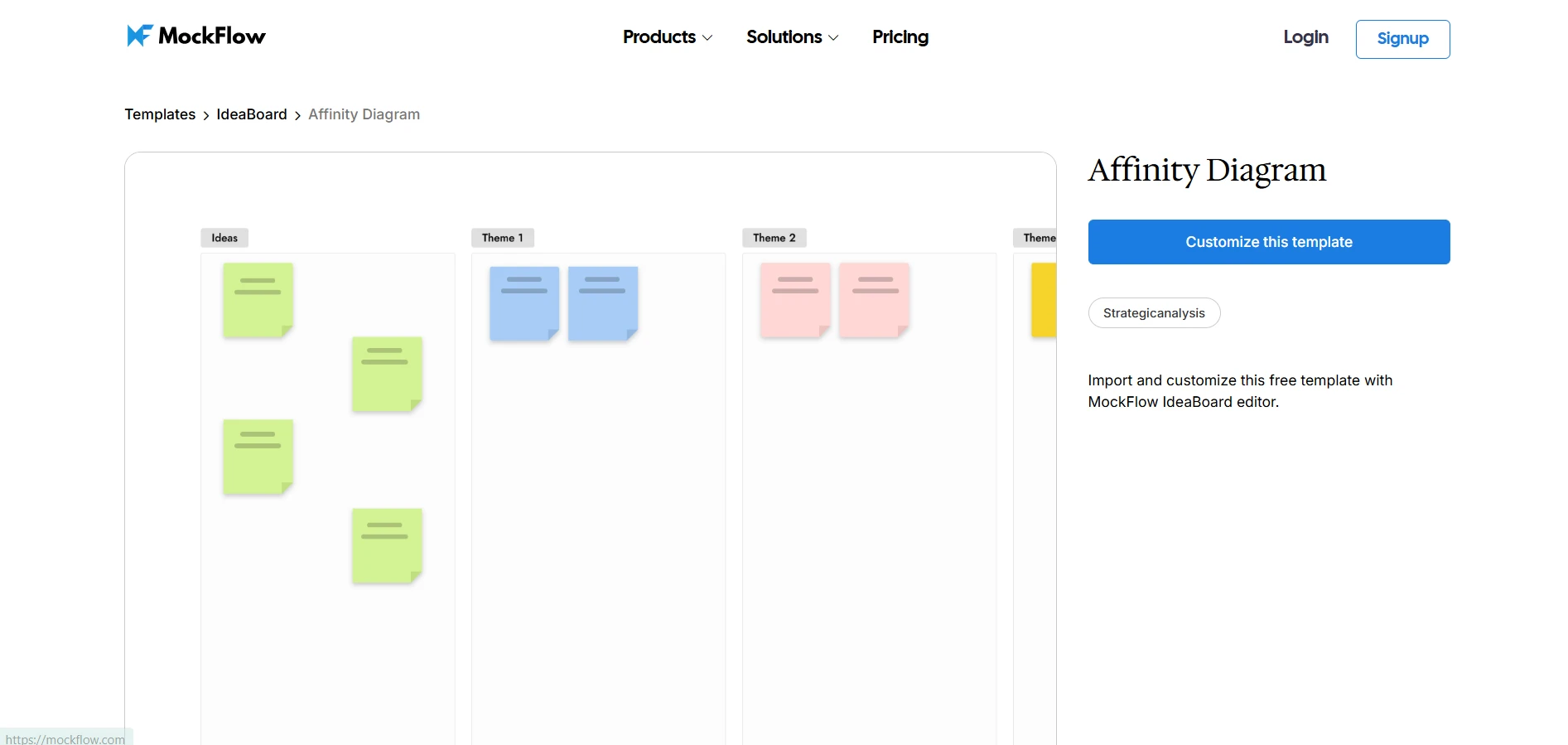
Click on the image to access the Affinity Diagram template
The concept is closely tied to affinity mapping, a technique used to group related ideas so patterns emerge naturally instead of being forced into predefined categories. It traces back to the KJ method, introduced by ethnographer Jiro Kawakita, who developed it as a structured way to organize qualitative observations and uncover relationships within complex data.
Affinity diagrams play a central role in brainstorming sessions, UX research analysis, product planning workshops, and strategy discussions. In fact, Lyssna’s 2025 global survey of 300 researchers found that 48.3% use affinity mapping in research synthesis, making it one of the most common ways teams cluster and interpret qualitative insights.
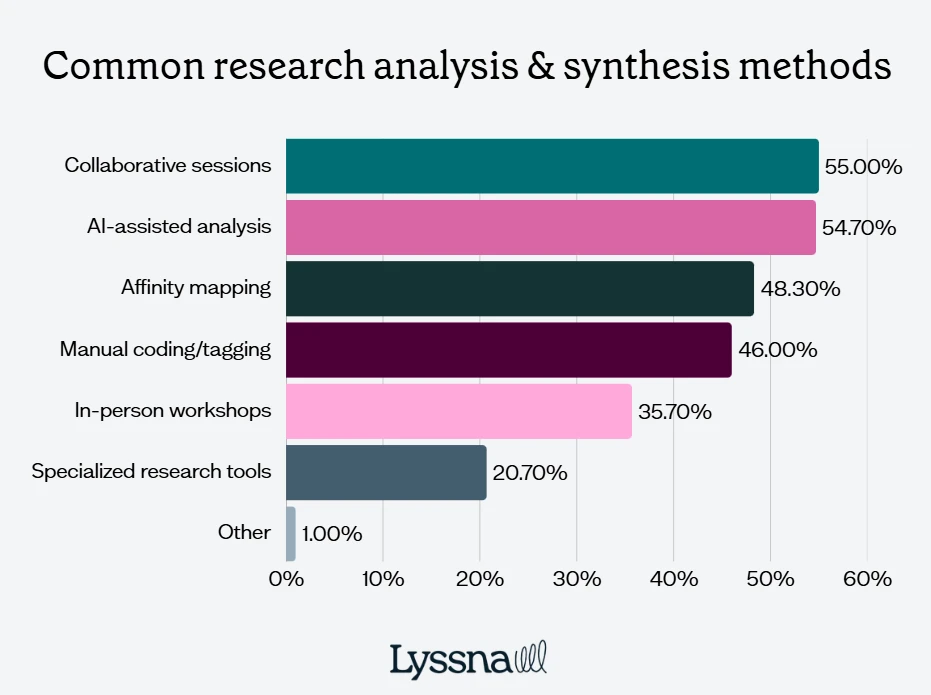
Image source: Lyssna Research Synthesis Report
When teams visually group ideas, they move beyond scattered notes and start identifying meaningful insights that guide decisions.
Key Aspects of an Affinity Diagram
Affinity diagrams work by breaking information into small pieces and organizing those pieces visually into meaningful clusters. Each component helps teams understand how ideas relate to one another and where patterns begin to emerge.
- Ideas or observations: These are the raw inputs collected during brainstorming sessions, interviews, or workshops. Each idea is usually written on a separate sticky note or card.
- Idea clustering: Clustering involves grouping similar ideas together. When teams place related notes side by side, patterns begin to emerge. For example, UX research observations about navigation issues might form a cluster separate from feedback about performance problems.
- Themes and labels: Once clusters become clear, teams assign labels that summarize the insight behind each group. These labels help explain what the grouped ideas represent and make the diagram easier to interpret.
- Visual organization: Affinity diagrams rely on visual layout to make relationships easier to understand. Sticky notes, cards, or digital whiteboard elements help teams rearrange ideas until meaningful patterns emerge.
By combining idea capture, clustering, and labeling, affinity diagrams turn messy brainstorming outputs into structured insights that teams can actually act on.
When dozens of ideas start forming clear themes on a board, discussions shift naturally from “What did we collect?” to “What do these patterns tell us?”. That shift is exactly what allows teams to move from brainstorming to meaningful analysis.
5 Steps to Create an Affinity Diagram
Affinity mapping becomes easier when teams use visual collaboration tools. Digital whiteboards allow participants to brainstorm ideas, cluster notes, and refine insights together in real time.
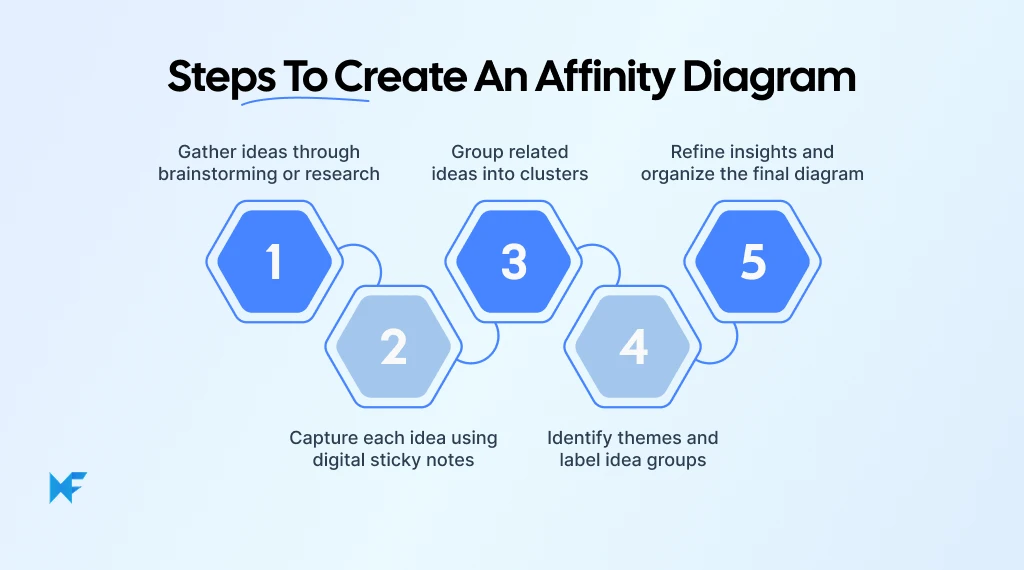
Step 1: Gather Ideas Through Brainstorming or Research
The process starts by collecting raw inputs. Teams gather ideas from several sources, including brainstorming sessions, user interviews, usability testing, or workshop discussions.
At this stage, the goal is quantity rather than organization. Participants focus on capturing as many observations as possible. In UX research, this may include notes about user frustrations, feature requests, or unexpected behaviors observed during testing sessions.
Step 2: Capture Each Idea Using Digital Sticky Notes
Each idea should appear on its own sticky note or card. Separating ideas makes it easier to move them around later during clustering.
Digital whiteboards simplify this step. Teams can quickly create and reposition notes without rewriting them. Visual collaboration platforms like IdeaBoard provide sticky notes and diagram elements on a shared canvas, enabling teams to brainstorm and structure ideas during the same session.
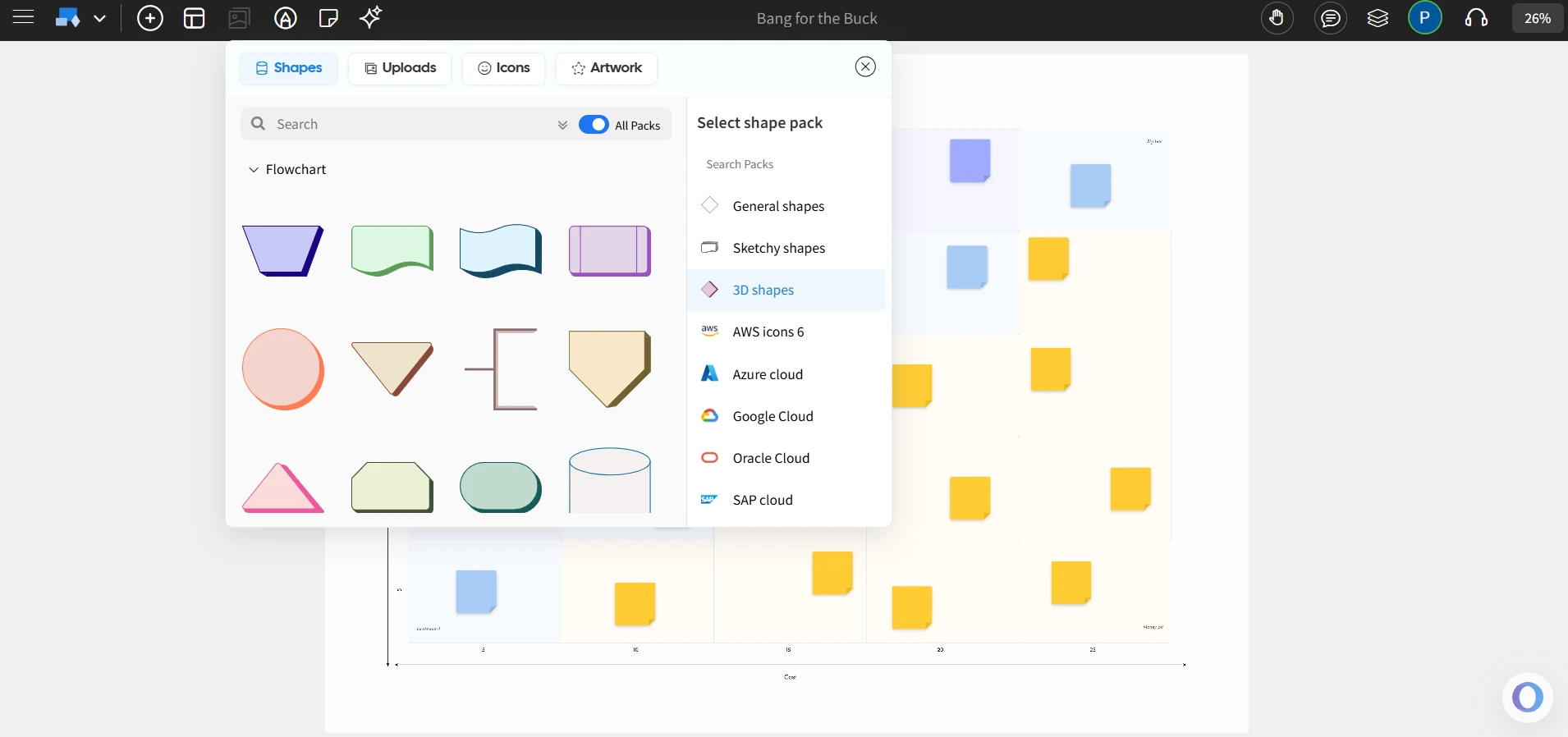
Image source: Screenshot of IdeaBoard’s Visual Elements
Step 3: Group Related Ideas Into Clusters
After capturing ideas, teams begin grouping similar notes together. Participants move notes across the board until related ideas naturally form clusters.
The goal is not perfection but discovery. A cluster of notes might represent recurring usability issues, workflow challenges, or product improvement opportunities.
This stage usually takes more discussion than teams expect. UX Research practitioners point out that meaningful synthesis should not be rushed, especially in deeper qualitative studies. That matches how affinity diagrams work in practice: patterns become clearer only after teams spend time grouping, discussing, and refining related observations together.
Step 4: Identify Themes and Label Idea Groups
Once clusters stabilize, teams assign descriptive labels to each group. These labels summarize the insight behind the cluster.
For example, a group of interview notes describing confusion about navigation might receive a label such as “Navigation usability challenges.” Clear labels make it easier for teams to communicate insights to stakeholders later.
Step 5: Refine Insights and Organize the Final Diagram
The final step involves reviewing and refining the structure of the diagram. Teams may merge clusters, remove duplicate ideas, or clarify theme labels.
Digital whiteboards help finalize the diagram because participants can easily rearrange clusters across an infinite canvas. Collaborative tools ensure that everyone can contribute to the final structure before the team moves forward with decision-making.
Affinity Diagram Examples and When to Use One
Affinity diagrams become especially useful when teams need to make sense of large volumes of qualitative information. Brainstorming sessions, user research, and strategy workshops often produce dozens of ideas or observations. Without structure, these insights remain scattered across notes and documents.
Affinity mapping helps teams step back and identify patterns. By clustering related ideas together, teams can quickly see recurring themes and decide which insights deserve deeper attention. This makes affinity diagrams valuable across research, product planning, and operational improvement workflows.
UX Research Synthesis
UX research often generates a large number of observations from user interviews, usability testing, and field studies. Reviewing notes individually makes it difficult to see patterns across users. That challenge is becoming more visible as research spreads across organizations.
In Great Question’s 2025 global survey of UX Research and ResearchOps professionals, 84% said their organizations allow non-researchers to conduct studies in at least a limited capacity, but only 50.6% supported democratizing manual synthesis of findings. This gap highlights why structured methods like affinity mapping remain so useful when teams need a more reliable way to interpret qualitative insights.
Affinity diagrams help researchers group related observations and uncover recurring themes. Common clusters in UX research include:
- Usability issues
- Feature requests
- Workflow challenges
- Navigation confusion
Teams often use structured boards such as the Affinity Diagram template in IdeaBoard to organize interview notes and cluster insights visually.
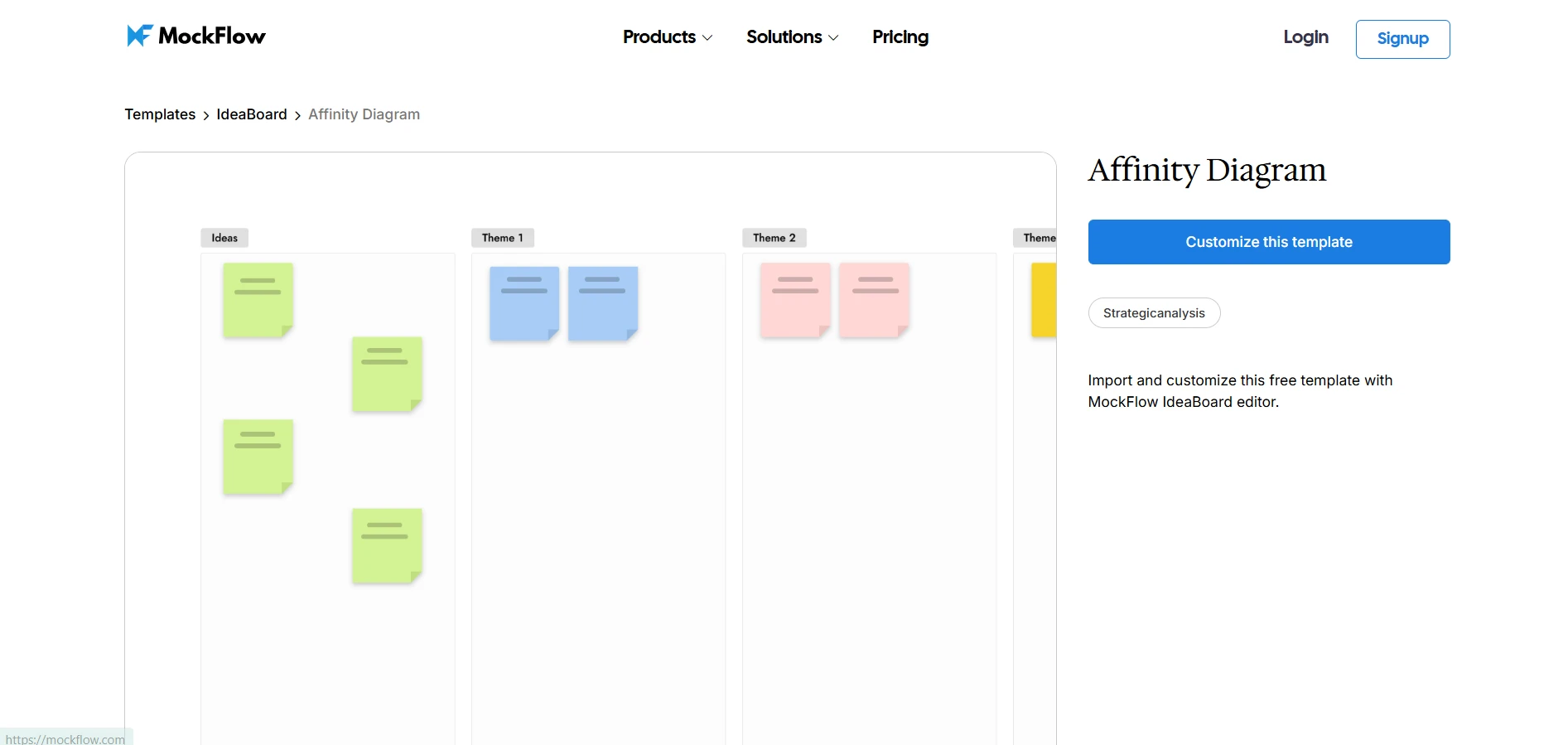
Customize this Affinity Diagram template for UX Research Synthesis
For example, a research team studying an onboarding experience might notice several participants struggling to locate key features. When grouped together on an affinity map, these notes reveal a clear usability pattern.
Product Feature Prioritization
Product teams collect ideas from many sources, including:
- Customer feedback
- Support tickets
- Internal brainstorming sessions
- Product analytics insights
When these inputs accumulate, it becomes difficult to see which problems appear most frequently.
Affinity diagrams help teams cluster related feature requests into themes such as:
- Performance improvements
- Usability enhancements
- New feature capabilities
- Reporting or analytics improvements
Once grouped visually, product managers can quickly identify where the most user demand exists.
In ProductPlan’s State of Product Management Report, 27% of respondents said customer feedback is the primary driver of product strategy, and 39% said they keep research results in a separate feedback repository rather than sending everything straight into the backlog. That separation helps teams spot patterns before deciding what to prioritize.
Teams often run these sessions using the AI Feature Brainstorm template in IdeaBoard, which provides a structured space to collect ideas, cluster feedback, and identify priority themes.
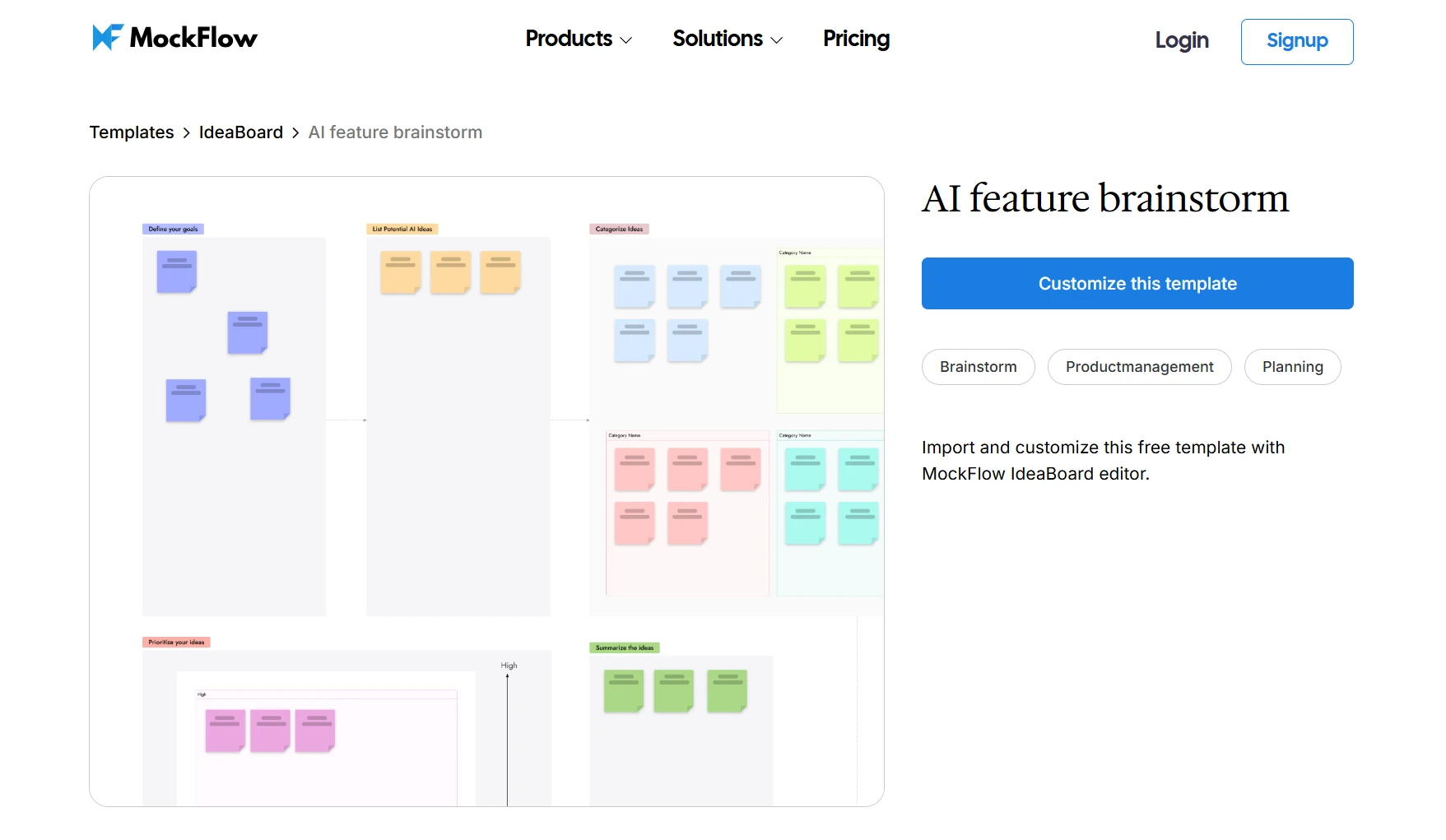
Try the AI Feature Brainstorm template for Product Feature Prioritization
Process Improvement Workshops
Operations and strategy teams frequently run workshops to analyze workflow challenges. Participants typically contribute observations about inefficiencies or delays in existing processes. During these workshops, participants may capture insights such as:
- Approval bottlenecks
- Communication gaps between teams
- Repeated manual tasks
- Delays in handoffs between departments
Clustering these observations helps teams identify systemic issues rather than isolated problems. Patterns often reveal root causes that were not obvious during the initial discussion.
To structure these sessions visually, teams can use the Process Turtle Map template in IdeaBoard, which allows participants to capture issues, group related observations, and map improvement opportunities on a shared canvas.
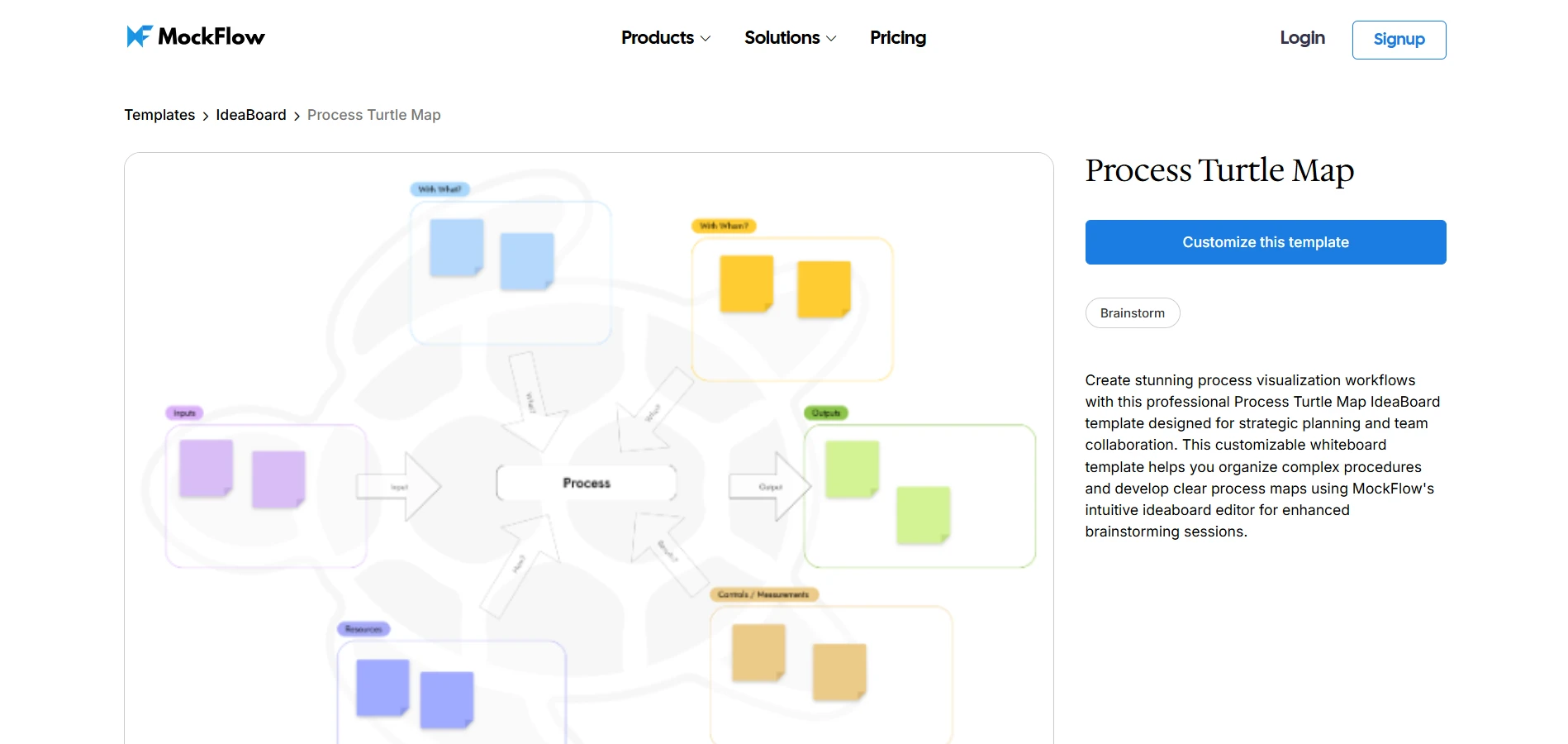
Test the Process Turtle Map template to run a Process Improvement Workshop
Across research, product development, and operational workshops, affinity diagrams provide a consistent advantage: they turn scattered ideas into visible patterns that guide better decisions.
Why IdeaBoard Works Well for Creating Affinity Diagrams
MockFlow’s IdeaBoard recreates the flexibility of a physical whiteboard while adding features that make brainstorming, clustering ideas, and refining insights far easier for distributed teams.
Teams can capture ideas, group related observations, and refine themes without the friction that often slows down traditional brainstorming sessions.
- Infinite visual canvas: IdeaBoard provides a large whiteboard-style canvas where teams can arrange ideas, clusters, and diagrams freely. Instead of worrying about space limitations, participants can move notes around, create new clusters, and restructure the diagram as patterns begin to emerge.
- Sticky notes and diagram components: Teams can quickly add sticky notes, shapes, and visual elements to capture ideas during brainstorming sessions. These elements make it easy to group related insights, reorganize clusters, and visually represent themes as the affinity diagram evolves.
- Real-time collaboration: Multiple participants can collaborate in real time on the same board, which makes affinity mapping far more collaborative. Designers, researchers, and product managers can review ideas, move notes, and discuss emerging themes together even when they are working remotely.
- Pre-built templates for brainstorming workflows: IdeaBoard offers ready-made visual frameworks for brainstorming, strategy discussions, and planning sessions. Its template library provides teams with a structured starting point, allowing them to focus on generating and organizing ideas rather than building the workspace from scratch.
- AI-assisted idea generation: IdeaBoard’s AI toolbox can generate structured board layouts or brainstorming frameworks from simple prompts. Instead of starting with an empty canvas, teams can quickly create organized visual spaces that guide their brainstorming and clustering sessions.
In User Interviews’ 2024 AI in UX Research Report, 90% of respondents said they use AI during analysis and synthesis, with 73% using it to summarize notes or transcripts and 52% using it for thematic or clustering analysis. That makes AI-assisted whiteboard workflows especially relevant for teams that want to move from raw ideas to organized patterns faster.
When teams have a shared visual workspace where ideas can move, evolve, and connect, affinity mapping becomes far more productive. What once felt like a chaotic collection of sticky notes gradually turns into a clear structure of themes, patterns, and insights that teams can confidently act on.
Conclusion
Great ideas rarely arrive in neat categories. Brainstorming sessions, research interviews, and team workshops often leave you with dozens of scattered notes and observations but no clear way to connect them.
Affinity diagrams solve that problem by helping teams visually group ideas, identify patterns, and turn raw inputs into meaningful insights. With IdeaBoard, teams can access templates, sticky notes, flexible boards, and collaborative tools that help transform messy brainstorming outputs into structured insights for teams to actually act on.
If your team wants a faster way to organize ideas and uncover patterns during brainstorming or research sessions, sign up for a free trial of IdeaBoard today.
FAQs
1. What is an affinity diagram?
An affinity diagram is a visual method used to organize ideas, observations, or research findings into related groups. Teams use it to cluster sticky notes, identify patterns, and uncover themes during brainstorming, UX research, workshops, or problem-solving sessions. The method helps transform scattered ideas into structured insights that support analysis and decision-making.
2. How do you create an affinity diagram step by step?
To create an affinity diagram, teams first gather ideas through brainstorming or research. Each idea is written on a sticky note or digital card. Participants then group related notes into clusters. After grouping, they label each cluster to identify themes. Finally, teams refine the groups and review the diagram to extract insights and priorities.
3. When should you use an affinity diagram instead of a mind map?
Use an affinity diagram when you need to organize many ideas or observations into natural groups without forcing a predefined structure. Mind maps start with a central concept and expand outward, while affinity diagrams allow themes to emerge organically from brainstorming notes, research insights, or workshop discussions.
4. How does affinity mapping help with UX research analysis?
Affinity mapping helps UX researchers analyze qualitative data such as interview notes, usability feedback, or user observations. By grouping similar insights into themes, teams can identify recurring patterns, highlight user pain points, and prioritize design opportunities. This process makes complex research findings easier to interpret and communicate.
5. What are the main parts of an affinity diagram?
The main parts of an affinity diagram include individual ideas or observations, sticky notes or digital cards to capture them, clusters of related ideas, and labels that describe each theme. These components help teams organize information visually and understand relationships between insights during workshops or research analysis.
6. What are common mistakes in affinity diagramming?
Common mistakes include forcing ideas into categories too early, allowing one person to dominate grouping decisions, creating vague cluster labels, and skipping discussion during the clustering process. Effective affinity diagramming requires collaboration, open interpretation of patterns, and clear theme labeling to produce meaningful insights.
50 Team Meeting Ice Breakers for In-Person, Virtual, and Hybrid Groups
A team meeting ice breaker is a short question or activity that helps people start participating before the main discussion. It...

What Is the Arrow Diagramming Method and How Does It Work?
Project work becomes much easier to understand when we can clearly see how tasks connect with each other. Instead of looking at...
Creative Problem Solving: The 4-Stage CPS Model and Techniques
Introduction Traditional problem solving breaks down when challenges are complex, ambiguous, or cross-functional. It pushes...
