6 Best Padlet Alternatives for Teams and Educators in 2026
Introduction
Padlet is a popular tool for organizing ideas, sharing content, and collaborating visually. However, it does not always meet every need, especially as your requirements become more specific or complex.
The right choice depends on what you are trying to accomplish. You may need a space for collecting resources, running workshops, gathering audience feedback, or turning early ideas into structured plans.
In this guide, we compare six Padlet alternatives: MockFlow IdeaBoard, Miro, Mural, FigJam, Wakelet, and Mentimeter. We will look at where each tool fits, what it can replace, and what to consider before choosing one.
Best Padlet alternatives at a glance
The best Padlet alternatives serve different types of work. MockFlow IdeaBoard is suited to AI-assisted brainstorming and visual planning, Miro to large-scale collaboration, Mural to facilitated workshops, FigJam to Figma-based design teams, Wakelet to resource curation, and Mentimeter to live participation.
Here is a quick comparison to help us narrow the list before looking at each tool in detail.
Tool | Best for | Padlet use case it can replace | Pricing |
MockFlow IdeaBoard | AI-assisted brainstorming, diagramming, and visual planning | Idea collection, Classroom walls, group boards, live polls, exit tickets, and project planning | Free (paid plans from $7/month) |
Miro | Large teams and complex workshops | Visual planning, mapping, and cross-functional collaboration | Free (paid plans from $8/user/month) |
Mural | Facilitated workshops and group exercises | Structured brainstorming and guided collaboration | Free (paid plans from $9.99/user/month) |
FigJam | Design teams already using Figma | Sticky-note sessions, diagrams, and design ideation | Free (paid plans from $3/user/month) |
Wakelet | Classroom resource curation | Sharing links, media, reading lists, and collections | Free (paid plans from $11.99/user/month) |
Mentimeter | Live participation and classroom feedback | Polls, quizzes, word clouds, and Q&A | Free (paid plans from €14/user/month) |
Why educators and teams look for Padlet alternatives
Padlet works well for many simple sharing and classroom activities. The need to switch usually appears when plan limits, licensing, disconnected workflows, or more advanced collaboration become harder to manage.
1. Pricing, board limits, and education licensing
Board, editor, storage, and participant limits matter more when a tool is used across multiple classes or departments. An individual plan may suit one educator, while schools often need centralized administration and institution-wide access. It helps to compare options built for education teams, especially those that offer role-based permissions, shared ownership, and easier onboarding for large groups.
2. Different Padlet workflows need different replacements
The best replacement depends on how you plan to use it. Focus on your core workflow, whether it’s collecting ideas, facilitating live sessions, or building ongoing projects, and choose a tool that supports that flow without adding friction. Prioritize ease of use, collaboration depth, and how well it fits into your existing setup.
3. Integrations and workflow fit
An integration should do more than open an external link. Check whether the tool fits into the platforms your team already uses for meetings, communication, learning, and project management.
Look at live collaboration, asynchronous sharing, channel or workspace access, permissions, and how often users need to switch between tools. IdeaBoard can be used as a standalone visual workspace and also supports Microsoft Teams workflows through pinned channel tabs, meeting canvases, and channel snapshots.
4. When a digital wall is no longer enough
Teams may eventually need mind maps, diagrams, Kanban boards, AI assistance, or persistent project canvases. That need becomes more pressing when work crosses departments. Gartner found that 84% of marketing leaders and employees experienced high collaboration drag when working with other functions.
At that point, visual whiteboarding tools offer more room to develop ideas beyond collecting posts. These tools allow teams to move from idea capture to execution, making collaboration more continuous rather than a one-time activity.
6 Best Padlet alternatives in 2026
The best Padlet alternatives solve different problems. Some are better for classroom resources or live participation, while others support workshops, planning, and long-term visual collaboration. The tools below are selected based on the decision scenarios they handle best.
1. MockFlow IdeaBoard: For AI-assisted brainstorming and visual planning
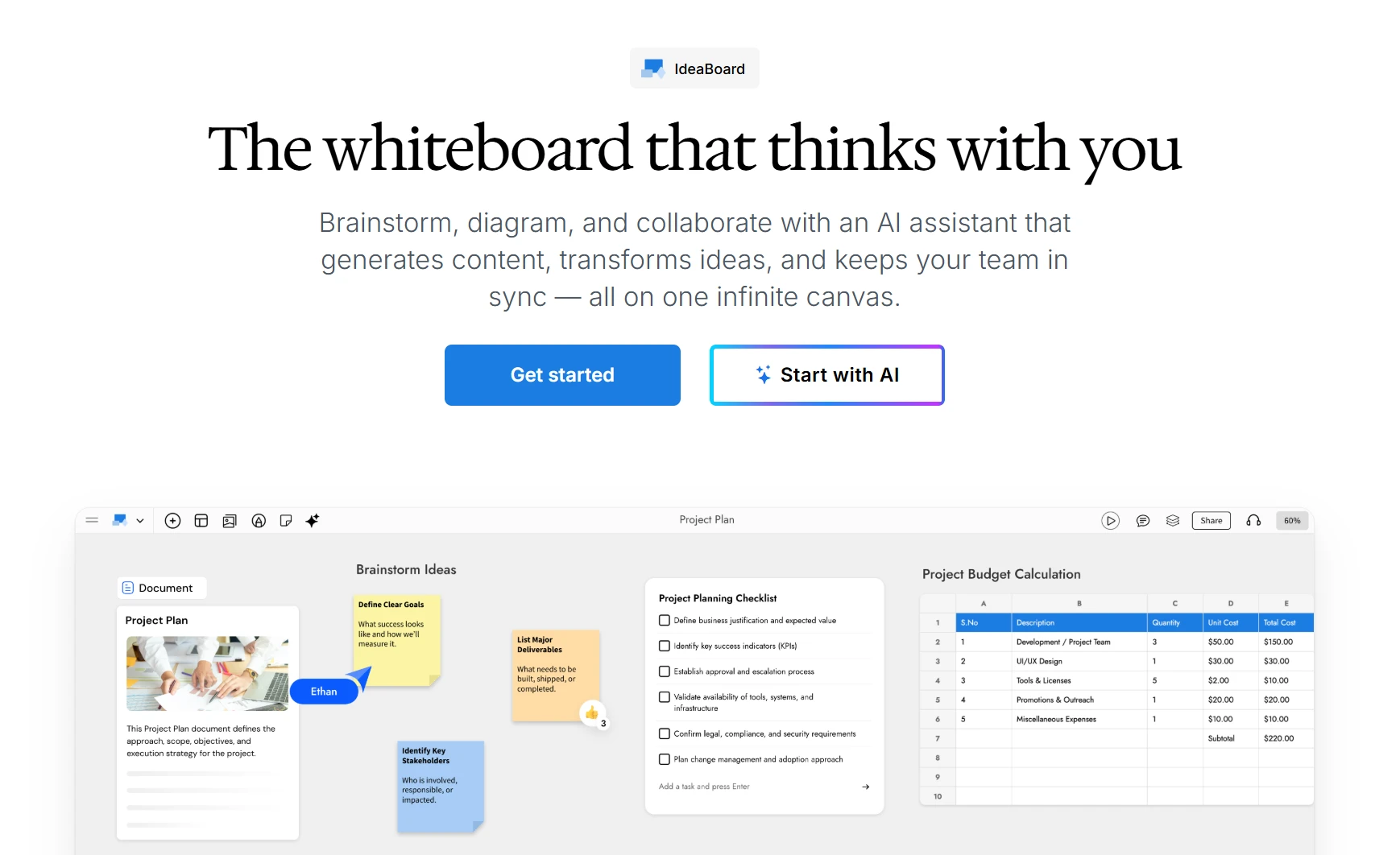
MockFlow IdeaBoard is an AI-powered visual workspace built for the same collect, share, and collaborate moments that teachers and teams already use Padlet for - with room to keep going once the wall fills up. Where Padlet stops at posts, IdeaBoard turns those posts into mind maps, diagrams, workflows, and plans on one infinite canvas.
For educators, that means a single space for warm-ups, group brainstorms, live polls, exit tickets, and reusable lesson boards. For teams, the same board can carry an idea from a first brainstorm through to a structured project plan - without exporting or switching tools. It can run standalone or connect to existing workplace tools, including Microsoft Teams.
What it offers
IdeaBoard goes beyond static posting by enabling dynamic, structured collaboration that evolves with the project lifecycle. It supports both real-time and asynchronous workflows, making it suitable for distributed teams, classrooms, and cross-functional collaboration.
Key capabilities include:
- Real-time boards for brainstorms, group work, lessons, and distributed teamwork
- Live polls and voting to gather quick feedback or let a class or team prioritize ideas together
- Timers to keep activities, rotations, and timed exercises on schedule
- Templates with ready-made layouts for brainstorming, retrospectives, lesson planning, product roadmaps, and more
- Visual-format conversion for moving between mind maps, workflows, plans, and other layouts without switching tools
- Reusable boards that teachers and teams can duplicate and adapt across classes or projects
- MCP integration for connecting IdeaBoard with external workflows and tools like Claude and VS Code
- Flexible sharing and integration options, including support for Microsoft Teams through pinned boards, meeting canvases, and channel snapshots
AI plays a central role in enhancing productivity:
- Mida AI cantransform prompts, documents, or images into structured boards - mind maps, workflows, planning canvases, or a first-draft lesson outline.
- The AI Prompt Box and ready-made recipes allow users to generate ideas, refine content, and build structured outputs directly within the board
- The prompt library provides guided workflows for common classroom use cases, reducing the effort needed to start from scratch
Where it fits best
IdeaBoard is suited to teams, educators, facilitators, consultants, and project groups that need to develop ideas visually.
It is a strong fit when Padlet is being used for:
- Classroom warm-ups, group activities, and lesson planning
- Live participation - polls, voting, and quick feedback during a lesson or meeting
- Brainstorming, idea prioritization, and retrospectives
- Project and product planning
- Mind maps and process diagrams
- Strategy sessions and stakeholder alignment
- Asynchronous and remote collaboration
- Reusable lesson and project boards, and visual documentation
Its range makes it work for a single teacher, a small team, or a whole institution looking to move from idea capture to execution within a single environment.
What to consider
IdeaBoard may offer more structure than someone who only wants a basic noticeboard or link collection needs. It is the better choice when a class or team needs to capture ideas and then expand, connect, organize, and act on them - live, in-session, and afterward.
2. Miro: For large-scale visual collaboration and complex workshops
Miro is a broad visual workspace for teams managing planning, research, workshops, and cross-functional projects. Its canvas supports work that moves through several stages, from early brainstorming to detailed diagrams and project planning.
What it offers
Miro combines real-time and asynchronous collaboration with a wide range of visual formats. Teams can use it to:
- Build diagrams, journey maps, wireframes, and planning boards
- Run collaborative workshops using shared canvases and templates
- Connect board activity with other tools through integrations
Its template library covers research, design sprints, customer journeys, and other structured workflows.
Where it fits best
We would consider Miro for larger teams running complex workshops, product discovery, research synthesis, or multi-stage planning. It is most relevant when several departments need to contribute to the same visual workspace.
What to consider
Miro may be broader than necessary for buyers seeking a straightforward Padlet replacement. The number of formats and workflows can require more initial setup, user onboarding, workspace organization, and ongoing administration.
Also read → Best Miro alternatives for collaboration and design
3. Mural: For facilitated workshops and structured group exercises
Mural is a visual collaboration platform built around guided working sessions. It gives facilitators a shared canvas for leading participants through defined exercises rather than relying on an open posting wall.
What it offers
Mural combines collaborative canvases with controls for managing how a session progresses. Its main capabilities include:
- Workshop templates and structured group exercises
- Timers for keeping activities within a set schedule
- Voting and private contribution modes
- Facilitation controls for directing participants around the canvas
Teams can also use sticky notes, mind maps, diagrams, and tables to capture and organize session outputs.
Where it fits best
We would consider Mural for consultants, facilitators, educators, and internal teams that regularly run formal workshops. It can support design-thinking exercises, retrospectives, brainstorming sessions, and structured planning activities.
What to consider
Mural is primarily suited to facilitator-led collaboration. Buyers looking for lightweight content posting, simple resource sharing, or an ongoing workspace centered inside Microsoft Teams may find that its core workflow does not match their main requirement.
Also read → Best Mural alternatives to choose in 2026
4. FigJam: For design teams already working in Figma
FigJam is a collaborative whiteboard connected to Figma’s product-design ecosystem. It gives teams a shared space to explore ideas before moving selected concepts into design work.
What it offers
FigJam supports real-time and asynchronous activities such as brainstorming, meetings, diagramming, planning, and research. Teams can use:
- Sticky notes and connectors for organizing ideas and mapping flows
- Comments and collaborative tools for group feedback
- Templates and lightweight workshop formats for structured sessions
- Links between whiteboard discussions and related Figma workflows
These capabilities make it suitable for visual ideation without requiring teams to begin inside a design file.
Where it fits best
We would consider FigJam when product managers, designers, researchers, and developers already use Figma and want their early-stage discussions close to the design process.
What to consider
Its main advantage depends on the wider Figma ecosystem. That connection may offer less value to educators, operations teams, or organizations that primarily work inside Microsoft Teams. Buyers looking for a Padlet replacement should assess whether the Figma connection supports their workflow or simply adds another platform to manage.
Also read → 8 best FigJam alternatives in 2026
5. Wakelet: For curating and sharing classroom resources

Wakelet is a content-curation platform for collecting, organizing, and sharing learning materials. Its structure centers on multimedia collections rather than a freeform visual canvas.
What it offers
Users can create collections that combine different types of classroom and research content. These may include:
- Links, videos, images, PDFs, and written notes
- Reading lists and topic-based research collections
- Student portfolios and project showcases
- Shared resource hubs for classes or groups
Content can be arranged into collections that educators and students can revisit, present, or continue building over time.
Where it fits best
We would consider Wakelet when Padlet is mainly being used to distribute class resources, organize research, build reading lists, or collect student work. It gives those materials a clearer content-led structure.
What to consider
Wakelet is not designed as a freeform whiteboard. It is less suited to workflows that depend on spatial brainstorming, connected diagrams, mind maps, process flows, or complex project planning. Decision-makers should first determine whether they need to organize content or develop ideas visually, since those needs call for different tools.
6. Mentimeter: For live participation, polling, and classroom feedback

Mentimeter is an audience-engagement and interactive presentation tool. It is better viewed as an option for collecting immediate responses than as a direct replacement for every Padlet digital-wall workflow.
What it offers
Presenters can add interactive activities to lessons, meetings, workshops, and training sessions. Its main formats include:
- Live polls for collecting immediate feedback
- Quizzes for checking understanding
- Word clouds that update as responses arrive
- Q&A activities with public or anonymous participation
- Presenter-led slides that combine questions with content
Participants can usually respond from their own devices while results appear during the session.
Where it fits best
We would consider Mentimeter for lectures, lessons, town halls, training sessions, and meetings where immediate participation is the main goal. It can help presenters gather opinions or check comprehension while the session is taking place.
What to consider
Mentimeter responses support interaction during a presentation, but they do not function like a persistent, editable project canvas. Teams that need to reorganize ideas, build diagrams, maintain plans, or continue visual collaboration after the session may require a broader whiteboarding tool.
What to compare before replacing Padlet
Before choosing a Padlet replacement, compare each tool against the way people will actually use it. Focus on access, collaboration, visual formats, licensing, and IT requirements rather than the length of the feature list.
1. Workflow integrations and context switching
Check how easily the tool fits into your existing communication, meeting, learning, and project workflows. A tool that requires repeated external links, separate logins, or manual sharing can create friction even when its core features are suitable.
Compare persistent access, live collaboration, post-session sharing, and connections with the platforms your team already uses. IdeaBoard works as a standalone visual workspace and can also support Teams-based organizations through pinned channel boards, meeting collaboration, and channel snapshots.
2. Live and asynchronous collaboration
Real-time editing is useful during lessons and workshops, but work should not stop when the call ends. Compare commenting, review access, board history, and the ability to continue developing ideas later.
Persistent boards are particularly useful for remote and hybrid teams that need visual updates across locations and time zones.
3. Visual formats and AI-assisted workflows
Look beyond sticky notes. Depending on the work, you may need mind maps, flowcharts, Kanban boards, journey maps, or structured planning layouts.
Also check whether AI can turn rough notes, prompts, or documents into usable visual outputs. IdeaBoard’s AI-assisted workflows can help teams move from raw input to structured boards. Compare other visual collaboration tools using the same standard.
4. Student, guest, and contributor access
Review whether participants need accounts and what they can edit, comment on, or view. Check guest access, reviewer roles, public sharing, and external participation.
Schools should also confirm age, privacy, and institutional requirements. IdeaBoard provides several board-sharing options for different contributor roles.
5. Pricing and institution-wide licensing
Compare the full cost across editors, students, reviewers, boards, storage, and administration. Individual pricing may look affordable but become restrictive at department or institution level. Always review current plan limits and pricing before making a final decision.
Total cost can also change when an organization consolidates overlapping tools. In a Forrester study, 54% of surveyed IT decision-makers said they reduced overall software license spending by an average of 36%.
6. Privacy, permissions, and IT approval
Check requested permissions, data access, SSO, sharing controls, and deployment options. For instance, IdeaBoard’s Teams integration does not require Microsoft Graph access, which reduces the permission footprint. Larger organizations should also review available enterprise controls before rollout.
Try IdeaBoard for your next visual collaboration session
Start with a real task your team already needs to complete. Open MockFlow IdeaBoard and choose a template or begin with a blank canvas.
Add your initial ideas, notes, documents, or images. Use Mida AI to turn that raw input into a mind map, workflow, plan, or structured board. Invite your team to contribute, comment, and refine the output in real time or continue working asynchronously.
Teams that use Microsoft Teams can also pin the board to a channel, open it during a meeting, and share a channel snapshot afterward.
Create your IdeaBoard account and test it with an upcoming brainstorm, class, workshop, or project.
FAQs about Padlet alternatives
1. What is the best Padlet alternative overall?
MockFlow IdeaBoard is a strong Padlet alternative for teams and educators needing more than a simple board. Other tools like Miro, Mural, FigJam, Wakelet, and Mentimeter may suit specific use cases better.
2. Can IdeaBoard replace Padlet?
IdeaBoard can replace Padlet when you need structured visual planning and live participation beyond simple posts. It may be more than users who only need a basic sharing board require.
3. What is the best free alternative to Padlet?
The best free option depends on limits like boards, users, and features. IdeaBoard, Wakelet, and Mentimeter each suit different needs such as planning, curation, or live interaction.
4. Which Padlet alternative is best for visual collaboration?
IdeaBoard is ideal for visual collaboration with mind maps, diagrams, and planning boards. It also supports real-time teamwork, live polls, and integrations like Microsoft Teams.
5. Which Padlet alternative is best for classrooms and training?
IdeaBoard works well for classrooms and training — visual lessons, group activities, live polls, and timed exercises in one board. Mentimeter is a strong option when large-scale live polling is the only goal, and Wakelet when the need is mainly resource sharing.
6. What should you compare before choosing a Padlet replacement?
Compare features like collaboration, visual formats, integrations, and pricing. Choose a tool that fits your workflow and can scale with your needs.
10 Best Agile Retrospective Tools for Better Sprint Meetings
Introduction Sprint retrospectives can start to feel repetitive when the same blockers resurface, familiar concerns dominate the...

6 Best AI Storyboard Generators for 2026: Compare Features & Pricing
Introduction When the script is ready, but turning it into scenes, frames, camera directions, and visual flow takes time, teams...

8 Best FigJam Alternatives for Remote Collaboration & Design
Introduction: What are FigJam Alternatives? You’ve probably been there: a team brainstorming session that’s supposed to be...
