6 Best AI Storyboard Generators for 2026: Compare Features & Pricing
Introduction
When the script is ready, but turning it into scenes, frames, camera directions, and visual flow takes time, teams start to lose momentum, resulting in delays.
That delay matters because video has become a core marketing format. Wyzowl’s 2026 Video Marketing report found that 91% of businesses use video as a marketing tool, while 19% of marketers who do not use video say they lack enough time to create it.
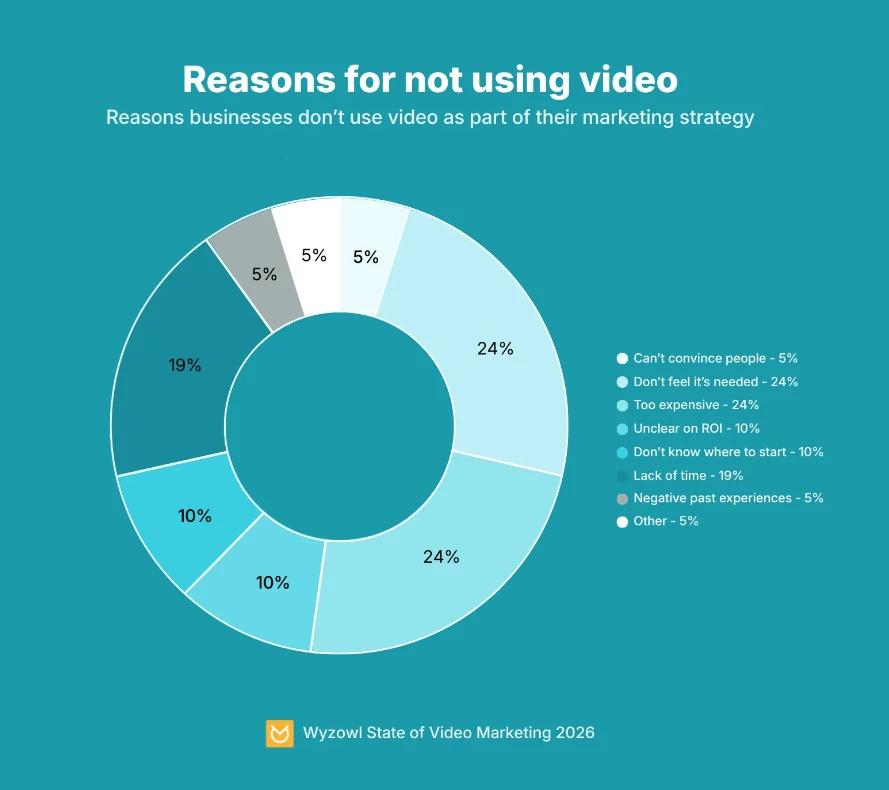
Image Source: Wyzowl’s 2026 Video Marketing Report
The best AI storyboard generator helps solve that early planning problem. It can turn scripts, text prompts, or rough ideas into storyboard frames, scene layouts, visual concepts, shot lists, and even animatic-style previews. Instead of starting from a blank canvas, creators, marketers, filmmakers, and agencies can move faster from idea to visual direction.
But every AI storyboard software works differently. While some tools are built for script-to-storyboard generation, and some focus on cinematic image quality, there are others better for team collaboration, client feedback, or simple online storyboard creation.
In this guide, we’ll compare 6 AI storyboard generator tools, break down what each of them is best for, what to look for, and explain how to choose one based on your workflow.
What Are the Best AI Storyboard Generators?
The best AI storyboard generator helps creators turn scripts, prompts, or ideas into visual storyboard frames. It supports scene planning, character consistency, collaboration, and export options for video production. Filmmakers, marketers, agencies, and content teams use AI storyboard tools to plan ads, videos, explainers, animations, and client pitches faster.
The right tool depends on workflow, visual quality, pricing, collaboration needs, and production readiness.
Here is a quick comparison before we review each tool in detail.
Tool | Best for | AI capabilities | Collaboration support | Pricing model |
IdeaBoard | Collaborative AI storyboarding and ideation | Text prompt-based storyboard creation, AI-assisted brainstorming, visual clustering, templates | Strong real-time collaboration and shared canvas workflows | Free plan available, paid plans for advanced use |
Boords | Structured storyboard workflows | AI storyboard generation, AI images, script import, shot list support | Strong team comments, guest reviews, client approval workflows | Free plan, paid monthly plans |
StoryboardHero | Script-to-storyboard automation | Script generation, storyboard frames, AI images, PDF, online, and MP4 exports | Team seats, guest commenting, client sharing | Paid plans |
Katalist AI | Visual storytelling and animatics | Storyboard AI, consistent characters, scene generation, motion/video generation support | More suited to creative pitching and individual workflows | 7-day trial, paid plans |
Midjourney | High-quality visual frame generation | Advanced text-to-image generation and style control | No native storyboard collaboration | Subscription plans |
Canva Storyboard Maker | Beginner-friendly storyboard creation | Templates, basic AI media generation, drag-and-drop editing | Basic sharing and team editing | Free plan, paid plans |
A solo filmmaker may care most about cinematic image quality, while a marketing team may need a shared canvas for feedback and campaign planning. Once you understand what each tool is built for, it becomes much easier to choose the one that fits your production process.
What to Look for in an AI Storyboard Generator?
If your team usually starts with a script, video brief, or campaign idea, script-to-storyboard capability should be the first thing you check. A good storyboard generator from a script should break written content into scenes and help you create useful storyboard frames without forcing you to start from a blank canvas.
Adobe’s 2025 Creators’ Toolkit Report found that 86% of global creators use creative generative AI, with creators using it for ideation, image generation, video creation, editing, and design. Storyboarding fits naturally into that workflow because it sits between the first idea and the final visual asset.
This is especially helpful for product explainers, training videos, YouTube scripts, ad concepts, and film planning.
You should also pay attention to the quality of the frames the tool creates. A storyboard does not need to look like final production art, but it should clearly show what is happening in each scene.
Look for these core capabilities:
- Text prompt accuracy: The tool should understand scene direction, action, setting, and mood without needing too much manual correction.
- Frame generation quality: The output should give your team a clear visual starting point, even if you refine it later.
- Character consistency: The same character, mascot, or product should not look completely different from one frame to the next.
- Scene composition: Each frame should help explain camera angle, subject placement, movement, and visual flow.
- Editing flexibility: You should be able to adjust scenes, rearrange frames, add notes, and refine the storyboard as feedback comes in.
Collaboration matters just as much as generation, especially if the storyboard needs approval from clients, stakeholders, or production teams. A strong AI storyboard maker online should make it easy to share boards, collect comments, organize feedback, and keep everyone aligned before production begins.
For team workflows, prioritize:
- Shared workspaces: Teams should be able to review and refine storyboards together.
- Commenting and feedback: Reviewers should be able to leave clear notes on scenes or frames.
- Version control or review history: Teams should know what changed and why.
- Client-friendly sharing: Agencies and freelancers need simple ways to present storyboards without creating extra files or long email threads.
Export options are another practical detail that can make or break the workflow. Some teams only need a shareable board, while others need PDFs, pitch decks, shot lists, or animatic-style previews. If your storyboard has to move into a production handoff, export formats become more important than they may seem at first.
Pricing should also match how often you plan to use the tool. A storyboard AI tool free plan may be enough for testing ideas or building simple boards, but if your team needs more AI image generation, stronger collaboration, brand control, or client review features, a paid plan will usually make more sense.
A good AI storyboard generator should make your creative workflow easier, not add another layer of work. Once you know whether you need script conversion, visual quality, collaboration, animatics, or simple storyboarding, the tool comparison becomes much easier to judge.
6 Best AI Storyboard Generator Tools
McKinsey’s 2025 State of AI survey found that 64% of respondents say AI is enabling innovation, which reflects why creative teams are looking for tools that can expand ideas, test directions faster, and improve the quality of early planning.
To build this list, we looked at how each tool supports real storyboard workflows, not just AI image generation. The comparison focuses on script-to-storyboard capability, frame quality, ease of use, collaboration, pricing fit, and how well each tool supports pre-production planning for creators, marketers, agencies, and video teams.
1. IdeaBoard
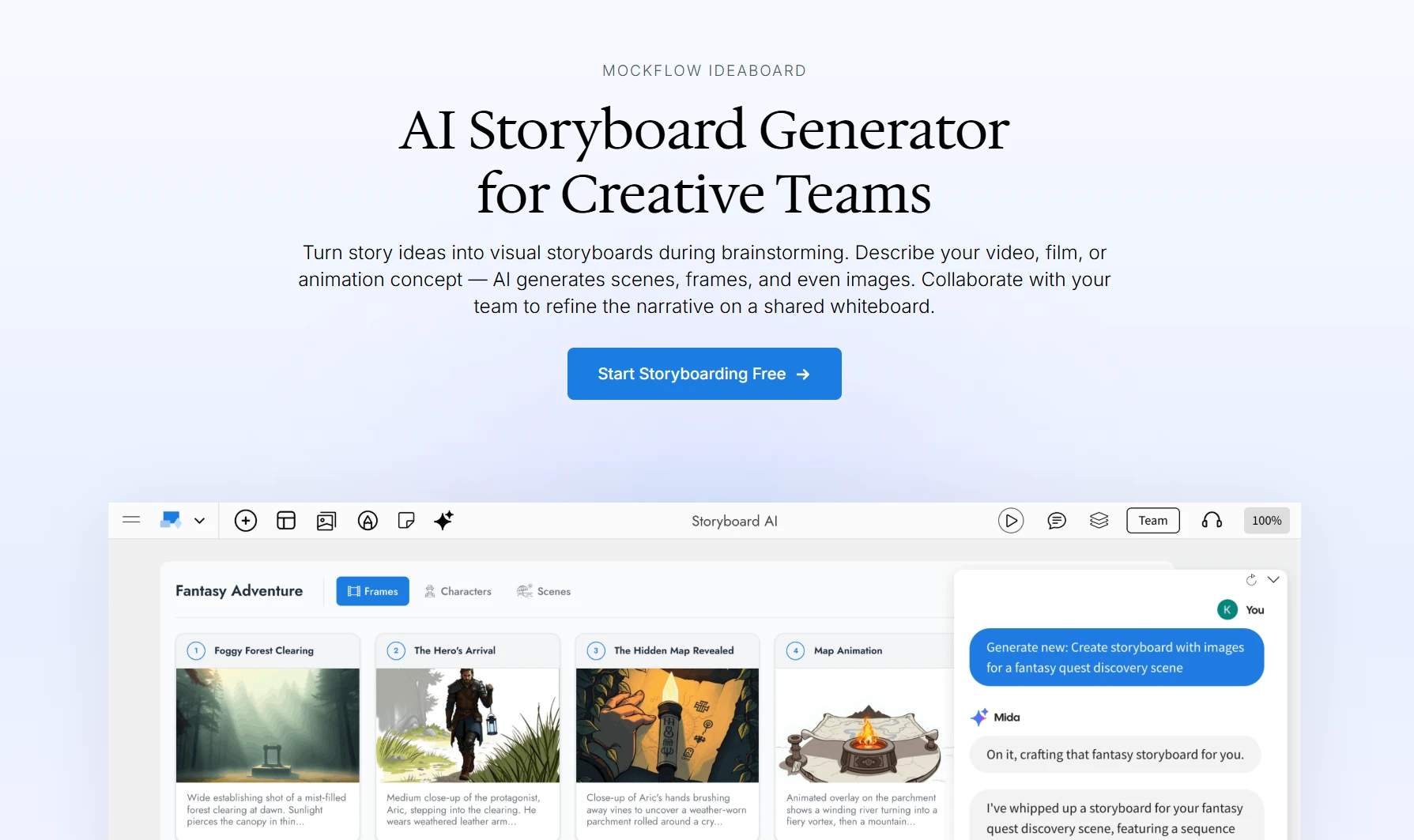
IdeaBoard offers an AI storyboard generator built for teams that want to turn ideas, scripts, and prompts into visual storyboard concepts inside a collaborative whiteboard. It combines AI-assisted storyboarding with an infinite canvas, templates, comments, and real-time collaboration, so teams can brainstorm, structure, review, and refine storyboard frames without moving across multiple tools.
Key strengths
- AI storyboarding: IdeaBoard helps teams generate storyboard ideas and visual directions from text prompts, making it easier to move from a rough concept to a structured board.
- Infinite canvas: Teams can map scenes, frames, references, notes, and visual flows freely without being boxed into a fixed slide or document format.
- Real-time collaboration: Multiple team members can co-edit boards, discuss ideas, leave voice and video notes as feedback, and refine storyboards together.
- Visual clustering: Teams can group scenes, concepts, frames, and references visually, which helps organize early-stage creative thinking.
- Template support: Built-in templates help teams start faster with storyboarding, brainstorming, moodboards, mind maps, and planning workflows.
- Review-friendly workflows: Secure view links, comments, presentation mode, and shared boards make it easier to bring stakeholders into the review process.
What changes after adoption
- Faster idea-to-storyboard movement: Teams can move from a script, campaign idea, or video concept into a visual structure without waiting for manual sketches.
- Clearer team alignment: Writers, marketers, designers, and video teams can see the same storyboard flow, which reduces confusion during pre-production.
- Less tool-switching: Brainstorming, visual organization, feedback, and storyboard refinement can happen in one shared workspace.
AI capabilities
- Text prompt-based generation: Users can start with a prompt, scene idea, or script direction and use AI to support storyboard creation.
- AI-assisted brainstorming: IdeaBoard helps teams expand rough ideas into clearer visual directions and creative structures.
- Scene and layout structuring: Teams can use AI support to organize storyboard elements, flows, and visual concepts more quickly.
- Visual ideation support: IdeaBoard works well before final frame production, especially when teams need to explore concepts, references, and narrative flow.
- MCP-based AI workflows: MockFlow also supports MCP connections, allowing AI assistants like Claude, Cursor, and VS Code Copilot to connect with MockFlow for generating visual assets such as flowcharts, mind maps, and more.
Pricing
- Basic: Free forever, with 3 IdeaBoard projects, templates, libraries, 10 reviewers, and up to 100 AI credits.
- IdeaBoard: $7 per month, billed yearly, with unlimited boards, advanced collaboration, unlimited reviewers, and 600 AI credits per user per month.
- Bundle: $17 per month, billed yearly, with IdeaBoard, WireframePro, SiteMap, and 2,800 AI credits per user per month.
- 10-day pass: Short-term paid access without a subscription or auto-renewal.
Best for: Teams that need collaborative storyboarding, AI brainstorming, and visual organization in one place.
IdeaBoard’s AI storyboard generator is especially useful when your storyboard needs input from more than one person. You can start with a script or idea, generate visual directions, organize the flow on a shared canvas, and bring the team into the review process early.
If you want to see how it fits your video planning workflow, sign up with IdeaBoard for free today.
2. Boords
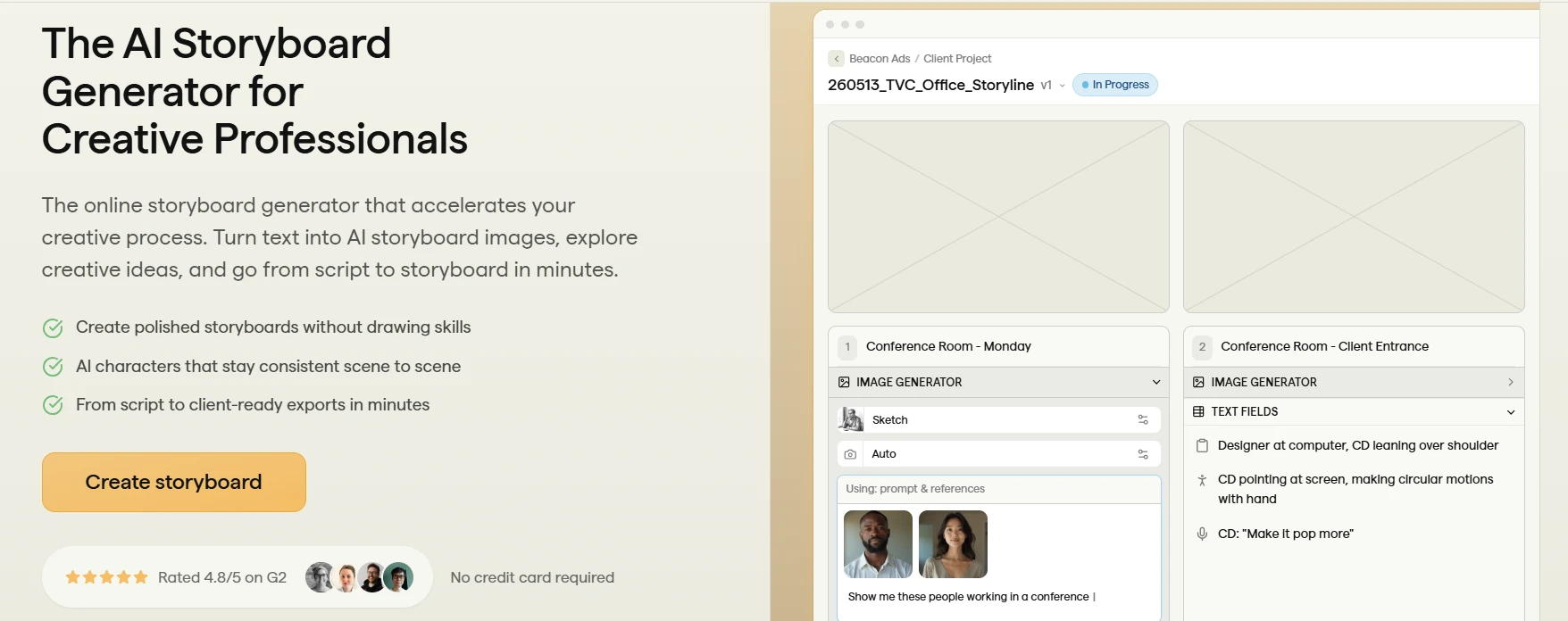
Boords is a dedicated storyboard and video pre-production tool built for teams that need structured storyboarding, feedback, and sign-off workflows. Its AI storyboard generator helps users create storyboard frames faster, while its broader platform supports animatics, comments, version control, and client review, making it useful for production teams that need more than a simple visual draft.
Key strengths
- Structured storyboarding: Boords gives teams a clean frame-by-frame workspace for building and organizing storyboard sequences.
- AI storyboard generation: The platform helps users create storyboard visuals faster with AI-generated frames and character consistency support.
- Animatic support: Teams can turn storyboards into animatics, which helps preview pacing before production begins.
- Client review workflows: Boords supports comments, approvals, and review cycles, which makes it useful for agency and client-facing projects.
- Version control: Teams can track changes and avoid confusion when multiple reviewers are involved.
- Export options: Users can move storyboards into production workflows with exports and sign-off-ready boards.
What changes after adoption
- Cleaner pre-production workflows: Teams can organize frames, comments, approvals, and animatics in one structured workspace.
- Better production handoff: Shot lists, animatics, and organized boards make it easier to move from idea to execution.
Pricing
- Free: Entry-level access for trying Boords.
- Pro: Includes up to 5 users, 1,000 AI images, unlimited storyboards, an animatic editor, password protection, version control, and activity trail.
- Team: Includes up to 10 users, 2,000 AI images, and team-focused controls.
- Agency: Higher-tier plan for larger creative teams and client workflows.
Best for: Teams that need structured storyboard planning, animatics, comments, and client approval workflows.
3. StoryboardHero
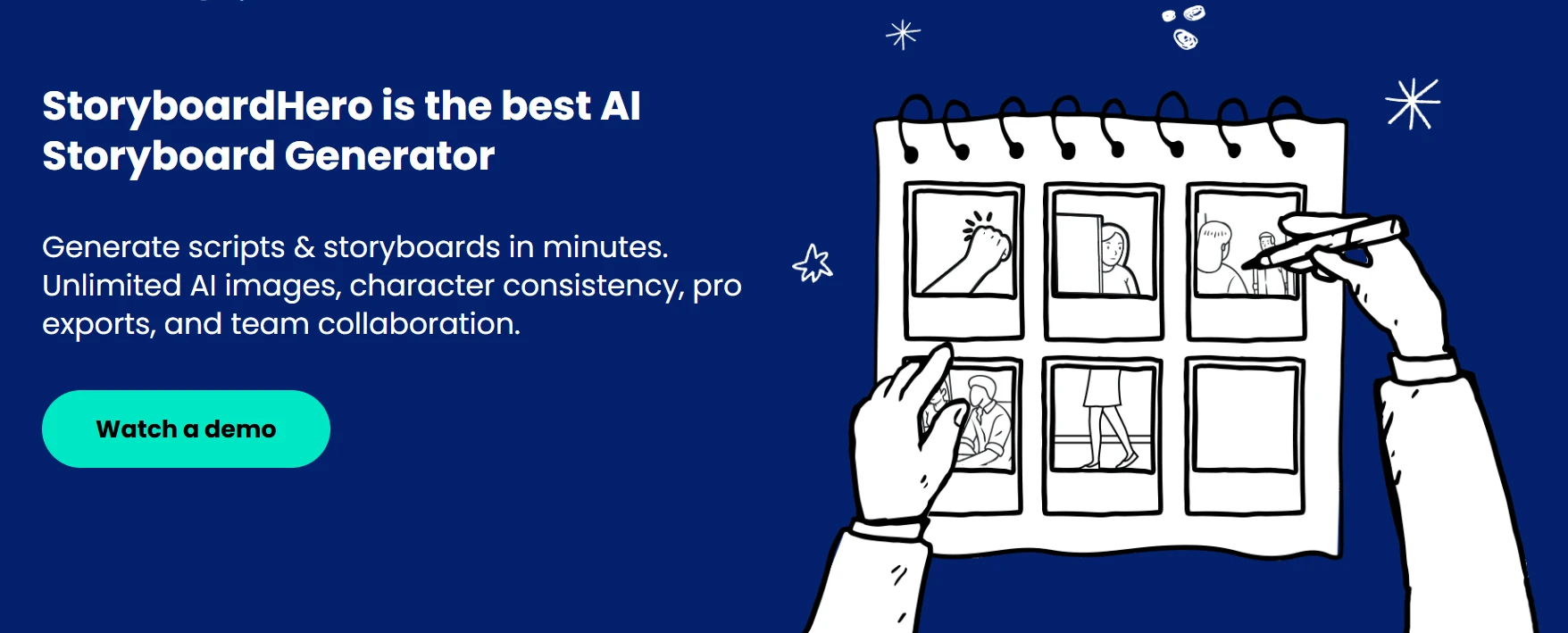
StoryboardHero is an AI-first storyboard generator built for users who want to move quickly from script to visual storyboard. It supports script generation, storyboard creation, AI image generation, exports, team seats, and client sharing, which makes it useful for agencies, filmmakers, and creators who need fast concept development.
Key strengths
- Script-to-storyboard workflow: StoryboardHero helps users import or create scripts and turn them into storyboard scenes and shots.
- Automated frame generation: The platform uses AI to generate storyboard frames, reducing the manual effort needed for first drafts.
- AI image support: Users can generate standard and premium AI images to visualize scenes more quickly.
- Client sharing: Storyboards can be shared online, which helps teams collect feedback without exporting multiple static files.
- Export flexibility: StoryboardHero supports PDF, online sharing, and MP4 video export.
- Team access: Plans include multiple seats, making it suitable for small teams and agencies.
What changes after adoption
- Faster first drafts: Teams can move from script to storyboard without building every frame manually.
- Quicker concept validation: Agencies can show visual directions earlier in the client approval process.
- Less production ambiguity: Scripts, frames, and exports stay connected in a single workflow.
Pricing
- Starter: $59 per month, with 5 seats, unlimited concepts, scripts, storyboards, frames, and AI images.
- Advanced: $199 per month, with 10 seats, more premium AI images, and the same core creation and export features.
- Enterprise: Custom pricing for unlimited seats, dedicated account management, and custom billing.
Best for: Agencies and creators who want quick storyboard generation from scripts.
4. Katalist AI
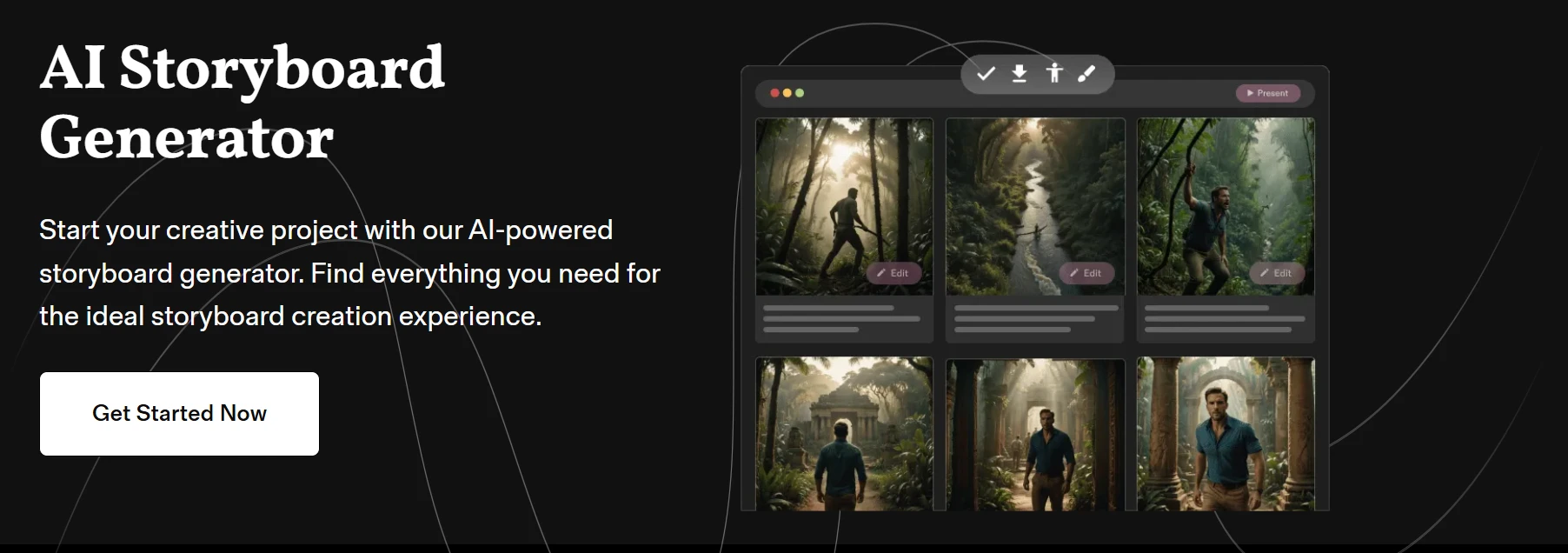
Katalist AI is built for visual storytelling, storyboard creation, and motion-led creative planning. It helps creators turn scripts into visual storyboards, maintain characters and scenes, and explore video-style outputs, making it useful for filmmakers, advertisers, and content teams that want more movement and narrative flow in their pre-production process.
Key strengths
- Script breakdown: Katalist uses an AI Script Assistant to identify key scenes and characters from written scripts.
- Storyboard generation: The platform turns script moments into visual storyboard scenes.
- Character consistency: Katalist supports consistent characters and scenes, which is important for narrative continuity.
- Motion-led planning: The platform supports video-style workflows, helping teams think beyond static frames.
- Scene control: Users can refine scenes, adjust visuals, and shape the story direction.
- Creative pitching: Katalist works well when teams need to present a visual story before full production begins.
What changes after adoption
- Stronger visual continuity: Teams can keep characters and scenes more consistent across the storyboard.
- Better motion planning: Creators can think through pacing, movement, and flow earlier in the process.
- Clearer creative pitches: Visual storyboards help teams explain concepts before investing in production.
Pricing
- Free trial: 7-day free trial.
- Essential: $19 per month, with 200 image credits and 700 video credits per month.
- Higher usage: Additional creative and video-generation needs may require expanded usage options.
Best for: Creators and teams working on visual stories, animatics, and motion-based planning.
5. Midjourney
Midjourney is not a dedicated storyboard maker, but many creators use it to generate high-quality concept frames, mood references, character studies, and cinematic visuals for storyboards. It is best treated as an AI image generator for film and visual development, especially when image quality matters more than built-in storyboard structure.
Key strengths
- High-quality visuals: Midjourney is widely used for polished, cinematic, and stylized image generation.
- Prompt control: Creators can refine prompts to shape mood, style, composition, and visual direction.
- Creative flexibility: The tool works well for concept art, environment studies, character references, and visual exploration.
- Style range: Users can create different artistic directions for film, animation, ads, and campaign concepts.
- Strong visual ideation: Midjourney helps teams explore what a scene could look like before storyboarding it elsewhere.
- Useful companion tool: It pairs well with storyboard platforms, whiteboards, or presentation tools where frames can be organized manually.
What changes after adoption
- Better visual references: Creative teams can develop stronger mood, setting, and character references before production.
- More polished concept frames: Storyboards can look more cinematic when visual quality matters.
- More manual assembly: Teams still need another tool to organize frames, comments, sequences, and approvals.
Pricing
- Basic: Entry-level subscription plan.
- Standard: Mid-tier subscription plan for more generation time.
- Pro: Higher-tier plan for heavier users.
- Mega: Highest subscription tier for high-volume usage.
Best for: Creators who prioritize cinematic visual quality over built-in storyboard automation.
6. Canva Storyboard Maker
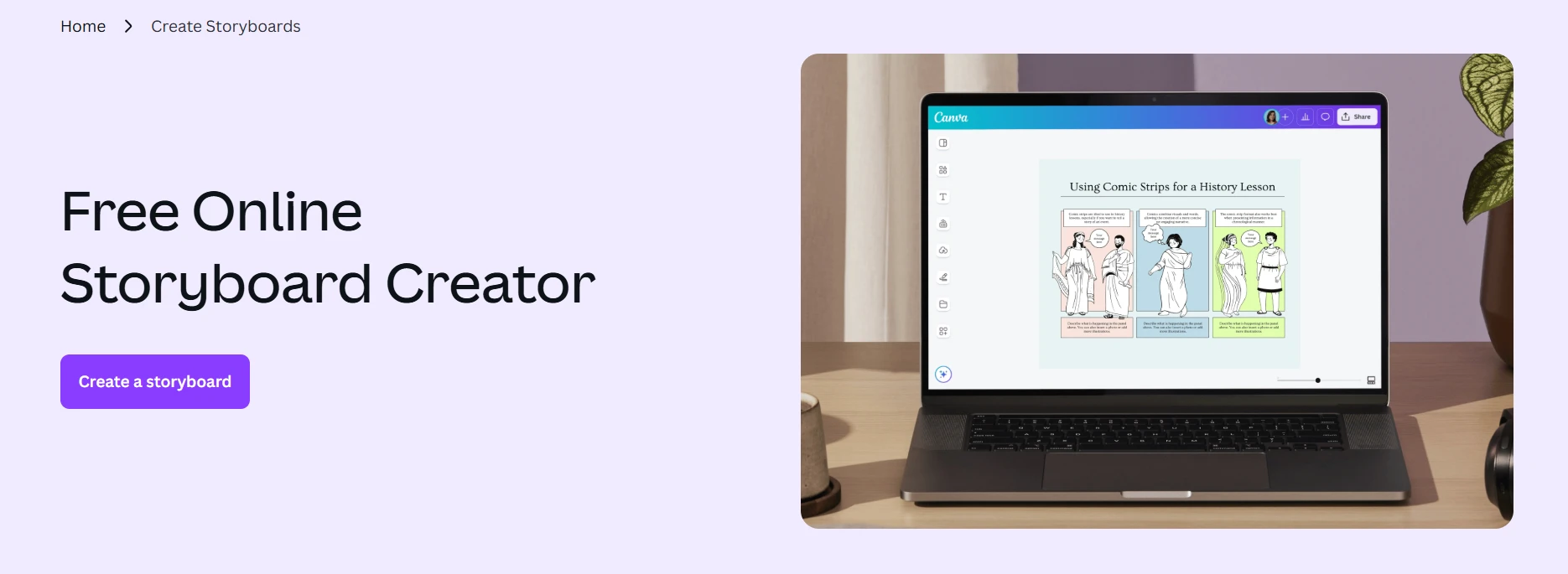
Canva Storyboard Maker is a beginner-friendly online storyboard creator for users who want templates, drag-and-drop editing, simple AI media tools, and easy sharing. It is not the most advanced AI storyboard generator, but it works well for marketers, educators, solo creators, and small teams that need a fast, simple way to plan visual content.
Key strengths
- Beginner-friendly interface: Canva makes storyboard creation simple with drag-and-drop editing.
- Ready-made templates: Users can start with editable storyboard templates instead of building layouts from scratch.
- Free design assets: Canva offers free stock photos, graphics, and design elements for visual planning.
- AI media support: Canva includes AI content and media-generation tools that can support basic visual creation.
- Easy sharing: Users can invite others to view, edit, or collaborate on storyboard designs.
- Fast setup: Small teams can create simple storyboards quickly without learning production-specific software.
What changes after adoption
- Faster basic storyboarding: Users can create simple visual plans without design or drawing skills.
- Easier team sharing: Boards can be shared with teammates, clients, or collaborators for quick review.
- Limited advanced control: Complex storyboards, animatics, and production-heavy workflows may need a more specialized tool.
Pricing
- Free: Basic design and storyboard creation tools.
- Pro: Paid plan for premium content and more advanced design features.
- Teams: Paid team plan for collaboration and shared brand workflows.
- Enterprise: Custom option for larger organizations.
Best for: Beginners, educators, marketers, and small teams creating simple visual storyboards.
How to Use IdeaBoard’s AI Storyboard Generator?
IdeaBoard works best when you want to move from a loose idea to a collaborative storyboard without jumping between documents, design tools, and feedback threads. Instead of starting with blank frames, you can use AI to shape your concept, organize scenes visually, and bring your team into the same workspace early.
Deloitte reported that 62% of creators anticipated using generative AI to support their business across different use cases. For storyboarding, that means AI can help teams move faster from rough ideas to visual scenes, feedback, and production-ready direction inside a shared workspace like IdeaBoard.
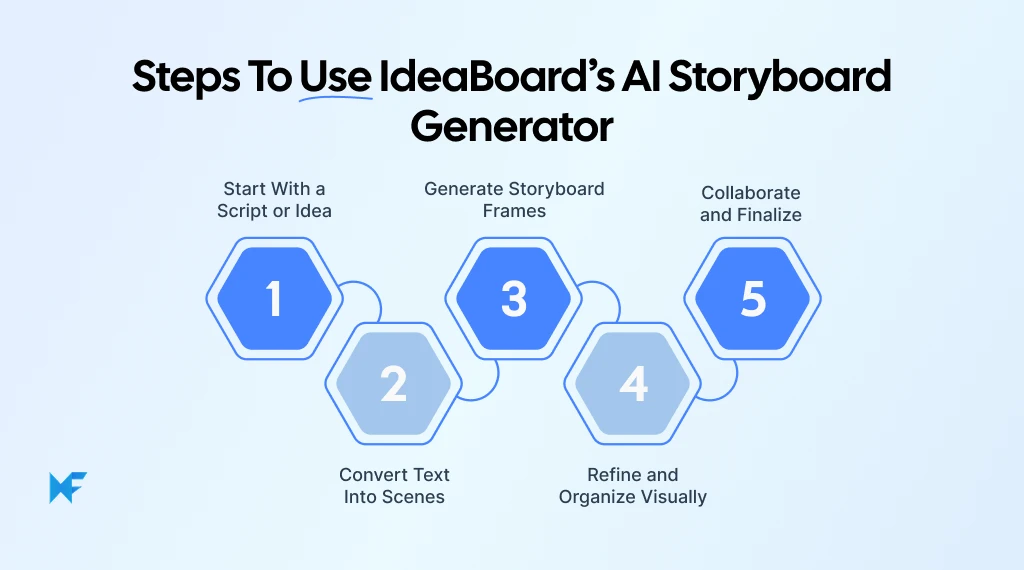
Step 1: Start With a Script or Idea
Start with the raw material you already have. This could be a video script, ad concept, product explainer outline, campaign idea, or even a rough scene description.
At this stage, you do not need perfect visual direction. You only need enough context for the story: what the video is about, who appears in it, what message it needs to communicate, and what kind of flow you want the viewer to follow.
Step 2: Convert Text Into Scenes
Once the idea is clear, break it into smaller scene directions. Each scene should explain what happens, who is involved, what the viewer should notice, and what mood or setting the frame should capture.
This step makes the AI output much more useful. Instead of asking the tool to understand an entire script at once, you give it focused prompts that can translate into clearer storyboard frames.
Step 3: Generate Storyboard Frames
Use your scene directions as prompts to generate storyboard frames inside IdeaBoard. Keep each prompt specific enough to guide the visual, but simple enough that the output does not become cluttered.
For example, instead of only writing “product demo scene,” describe the setting, action, subject, and visual style. A clearer prompt gives the AI better direction and gives your team a stronger starting point for review.
Step 4: Refine and Organize Visually
After the frames are generated, arrange them on the canvas in the order of the story. You can group related scenes, add notes, mark transitions, and adjust the flow until the storyboard starts to feel like a complete visual narrative.
This is where IdeaBoard becomes useful beyond AI generation. The canvas helps you spot missing scenes, unclear transitions, pacing issues, or moments where the story needs stronger visual context.
Step 5: Collaborate and Finalize
Share the board with your team, stakeholders, or clients so they can review the visual flow and leave feedback. Since the storyboard sits inside a collaborative workspace, teams can discuss changes, refine frames, and finalize the sequence before production begins.
This makes the review process easier because the feedback stays connected to the storyboard itself. By the end, you have a clearer visual plan that your writers, designers, editors, and production team can work from with fewer gaps.
A strong storyboard should remove confusion before production starts. IdeaBoard helps turn that early creative uncertainty into a shared visual plan your team can review, refine, and finalize with confidence.
Conclusion
A good storyboard should make production feel clearer. But for many teams, the challenge is turning that idea into a visual plan everyone can understand, review, and move forward with. That is where the right AI storyboard generator becomes useful.
MockFlow’s IdeaBoard is a strong choice if your team wants to combine AI-assisted storyboarding with visual collaboration. Instead of creating frames in one tool, collecting feedback in another, and tracking changes somewhere else, IdeaBoard gives you one shared space to shape the storyboard from idea to final review.
With IdeaBoard, you can:
- Turn rough ideas into visual direction
- Organize scenes on a shared canvas
- Bring feedback into the workflow
- Reduce pre-production confusion
If storyboarding is where your creative workflow slows down, IdeaBoard can help you move faster without losing clarity. Sign up for a free demo with IdeaBoard to see how AI storyboarding and visual collaboration can fit into your next video project.
FAQs
1. Which are the best AI storyboard generators in 2026?
The best AI storyboard generators in 2026 include IdeaBoard by MockFlow, Boords, StoryboardHero, Katalist AI, Midjourney, and Canva Storyboard Maker. These tools support different needs, from visual brainstorming and script-to-scene planning to cinematic frames, collaboration, and simple storyboard creation.
2. Why is IdeaBoard’s AI storyboard generator a good choice?
IdeaBoard’s AI storyboard generator is a good choice for teams that want to turn scripts or ideas into visual scenes, organize frames on a collaborative canvas, and refine storyboards with feedback. It works well for creators, marketers, agencies, and teams that need both AI generation and visual collaboration in one workflow.
3. Which AI storyboard generator is best for video creators?
The best AI storyboard generator for video creators is one that helps plan scenes, frames, and visual flow before production starts. Video creators should look for script-to-storyboard support, prompt-based scene generation, easy editing, and export options for sharing ideas with editors, clients, or production teams.
4. Which AI storyboard generator can turn a script into storyboard frames?
An AI storyboard generator with script-to-storyboard capabilities can convert written scripts into scenes and visual frames. This feature helps creators move from text to visual planning faster, especially for videos, ads, commercials, product explainers, and client pitches.
5. What should I look for in the best AI storyboard generator?
Look for script support, prompt-based generation, visual editing, scene organization, collaboration, export options, pricing flexibility, and production-readiness. The best AI storyboard generator should fit your use case, whether you need quick concept boards, client-ready visuals, or team-based storyboarding workflows.
6. Can AI storyboard generators support client review and approval?
Yes, many AI storyboard generators support client review through shareable boards, comments, visual organization, and export options. These features help teams collect feedback, refine scenes, and finalize storyboard direction before investing time and budget into full production.
10 Best Miro alternatives: Best Whiteboard Tools for 2025
Introduction: Looking for the Best Miro Alternatives? Few tools have changed the way teams brainstorm quite like Miro. For many...
Lucidchart Alternatives: Best Diagramming Tools for Teams in 2026
Lucidchart is a capable cloud-based diagramming platform. But many teams now look for its alternatives that offer more...
8 Best Visio Alternatives for Diagramming and Collaboration in 2026
What are the best Microsoft Visio alternatives? Microsoft Visio has long been used for flowcharts, process mapping, org charts,...
