
8 Best FigJam Alternatives for Remote Collaboration & Design
Introduction: What are FigJam Alternatives?
You’ve probably been there: a team brainstorming session that’s supposed to be collaborative turns into a frustrating mess.
While FigJam is a solid choice for quick brainstorming and collaborative whiteboarding, it doesn’t always meet the diverse needs of every team.
Whether you’re dealing with complex diagramming tasks, require seamless integration with other tools like Trello or Slack, or need a more secure and affordable solution, the right tool can streamline your process and enhance collaboration.
According to a report by Market.us, as the interactive whiteboard market is projected to reach USD 7.6 billion by 2032, growing at a 7.1% CAGR, teams are increasingly seeking tools that offer not only collaborative whiteboarding but also advanced features like diagramming and integration with other workflows.
In this guide, we’ll explore the top FigJam alternatives for 2025. From MockFlow, which offers a comprehensive solution for design and brainstorming, to other platforms with specialized features, we’ll find the tool to help your team collaborate more efficiently, stay aligned, and get more done.
Comparing FigJam Alternatives
To kick things off, let's compare some of the most popular FigJam alternatives based on their key strengths, usability, and specific features. This comparison table will help you quickly understand which tools stand out for various use cases:
Tool | Best For | Free Plan | Key Strengths |
MockFlow | Brainstorming and Ideation | Yes | Components for product teams, ease of use, AI assistant |
Miro | Large team collaboration | Yes | Scalability, extensive integrations, infinite canvas |
Mural | Structured brainstorming | Yes | Templates, facilitation tools, team workshops |
Lucidchart | Advanced diagramming | Yes | Data visualization, real-time collaboration, automation |
Stormboard | Brainstorming and planning | Yes | Simplicity, customizable templates |
Limnu | Minimalist whiteboarding | Yes | Real-time collaboration, ease of use |
Conceptboard | Secure, EU-based hosting | Yes | Version history, enhanced data security |
Ziteboard | Simple whiteboarding | Yes | Accessibility, drawing tools |
Top FigJam Alternatives in 2025
FigJam alternatives offer a range of collaboration and design tools that cater to various team needs. These alternatives support remote collaboration and brainstorming with customizable features. Many options are cloud-based, providing flexibility for teams to collaborate in real time, regardless of location.
Whether you're seeking affordability, ease of use, or robust design capabilities, there’s a FigJam alternative to fit your team’s specific requirements. Compare these tools to find the best fit for your design and collaboration needs.
1. MockFlow IdeaBoard
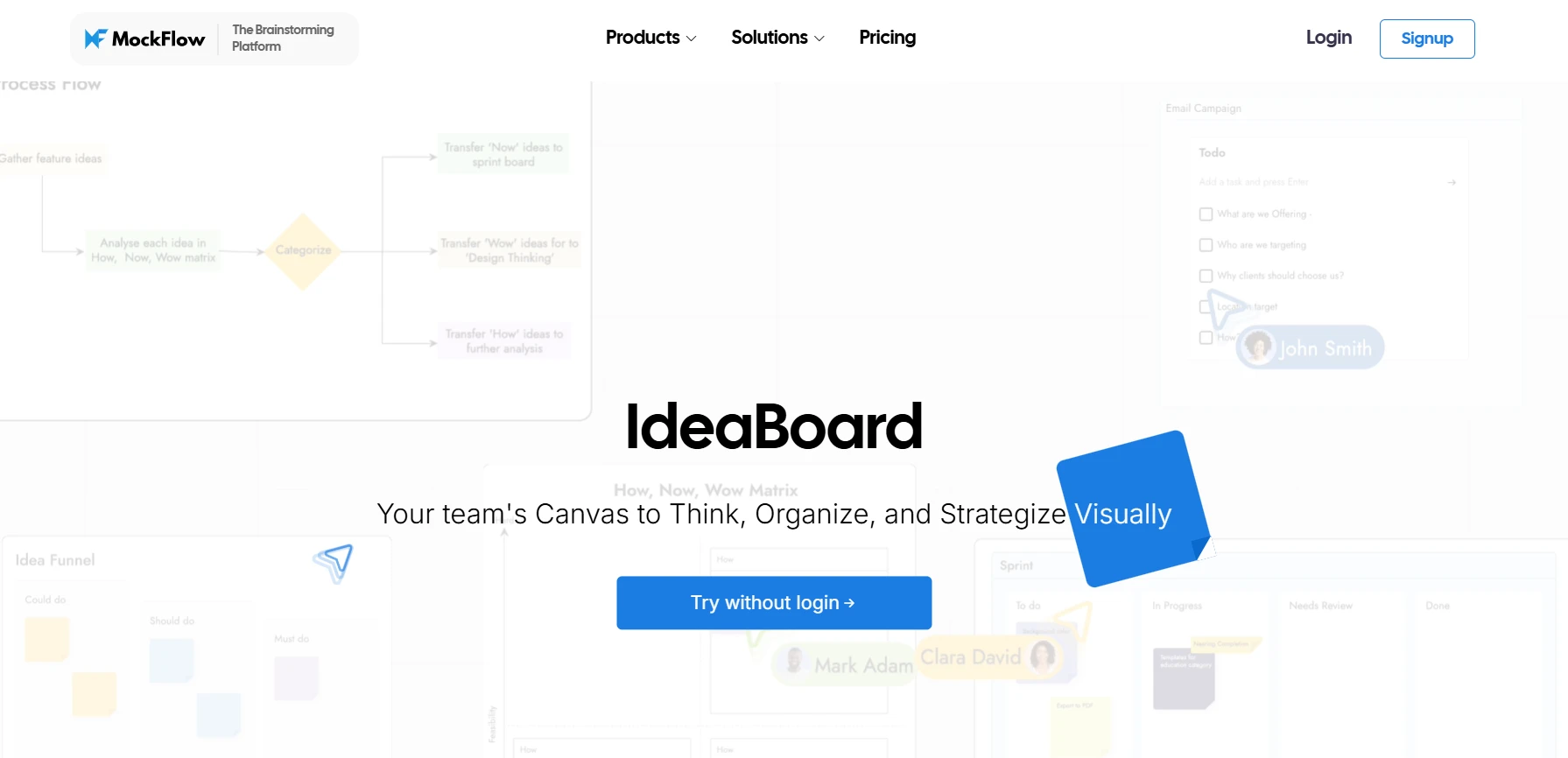
MockFlow IdeaBoard is emerging as the top choice for teams looking for a comprehensive whiteboarding platform. With a sleek and intuitive interface, it enables teams to collaborate effectively while keeping workflows simple and efficient.
What sets MockFlow apart is its ability to support every stage of creative development - from open-ended brainstorming and idea mapping to building structured frameworks like customer journeys, moodboards, and strategic layouts within IdeaBoard.
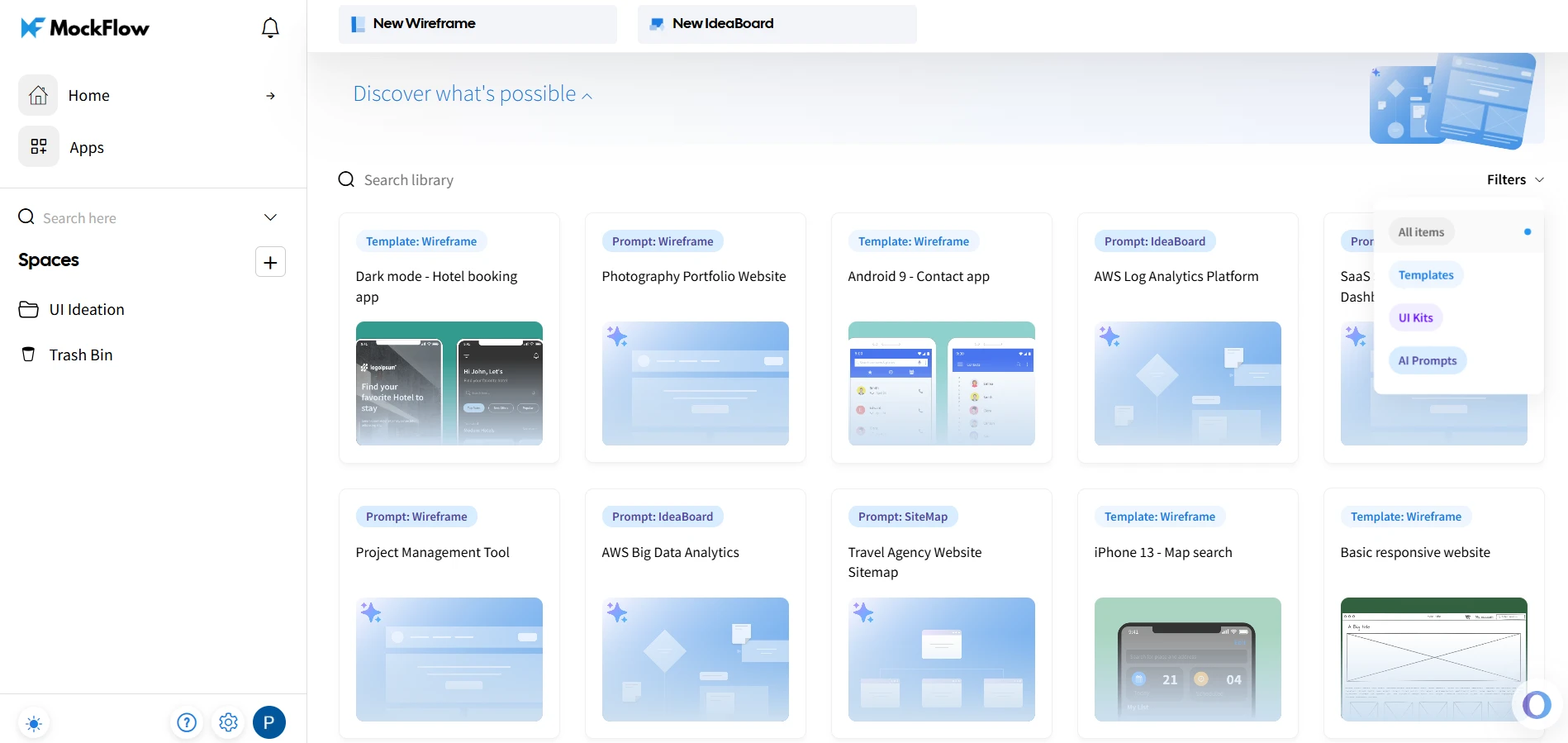
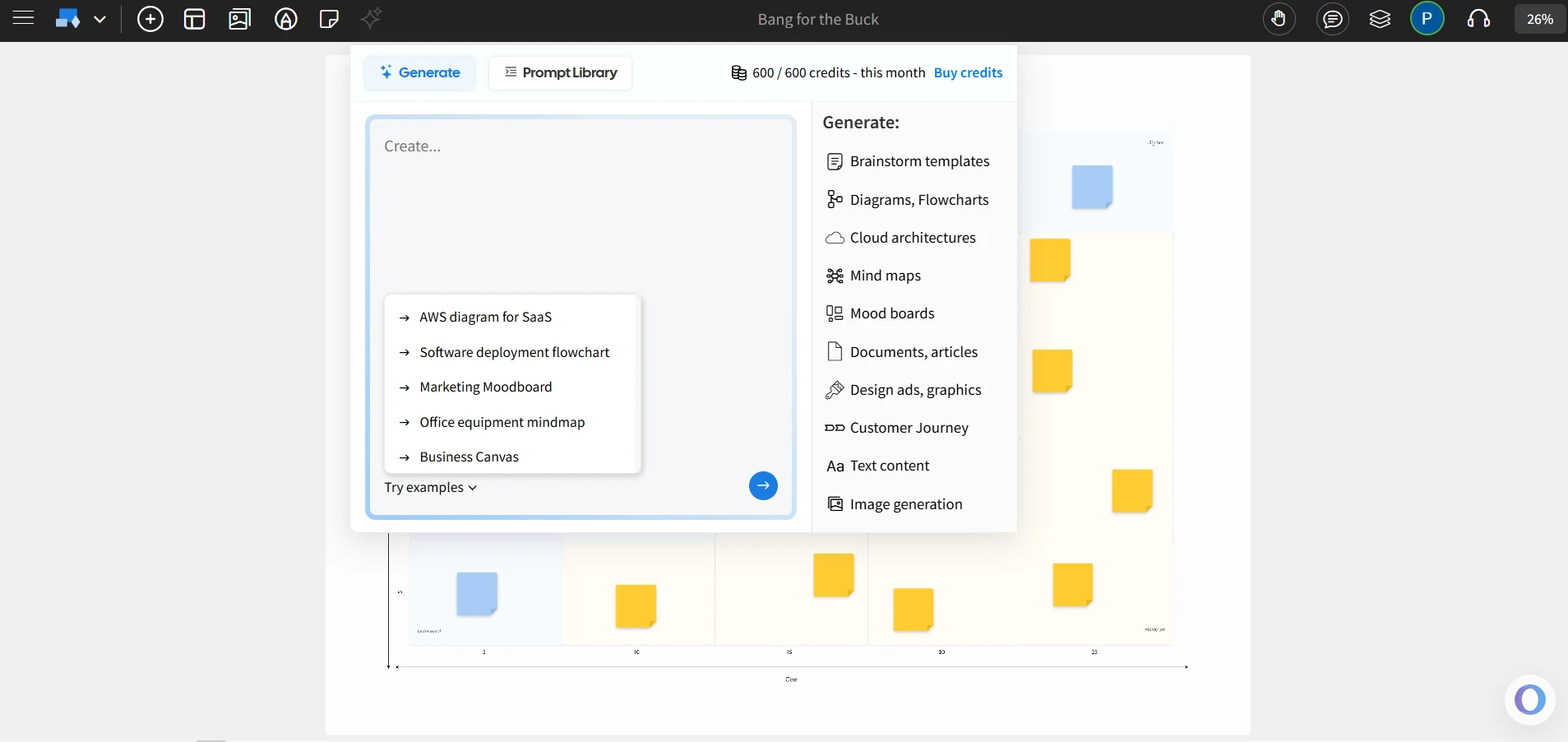
It also features AI-assisted generation to quickly create detailed diagrams, brainstorming layouts and more from just text prompts, and the desktop app with offline access ensures teams can continue working seamlessly even without an internet connection.
- Real-time collaboration: Team members can work together on the same project with live updates, ensuring smooth coordination and fast-paced decision-making.
- Templates for brainstorming and design: MockFlow offers a wide variety of templates, catering to different creative workflows, including brainstorming, UI/UX design, and project planning. This eliminates the need to start from scratch each time.
- User-friendly interface: One of MockFlow’s strongest points is its simplicity. There’s little to no learning curve, making it easy for new users to get started right away. Teams can quickly dive into their creative process without wasting time figuring out how to use the tool.
- Integrations: MockFlow integrates smoothly with other popular collaboration tools like Trello and Google Docs, ensuring that your team can easily incorporate this platform into their existing workflows.
- AI-assisted board generation: Instantly generate brainstorming layouts, customer journey maps, moodboards, marketing strategies, design graphics, and architecture diagrams - all from a simple text prompt. With Ideaboard’s AI-powered generation, you save time, skip the blank canvas, and start refining ideas instead of building them from scratch.
- Desktop app with offline mode: Available for both Windows and macOS, allowing you to work offline and sync your projects once you're back online.
- Chrome extension: Quickly convert existing websites or web applications into editable whiteboards directly from your browser with IdeaBoard Chrome extension, streamlining the design process.
- Secure collaboration: The platform offers robust user management and permission settings, ensuring that your data and ideas are secure and accessible only to the right team members.
Use Cases: MockFlow IdeaBoard is ideal for teams engaged in brainstorming and ideation, especially those that need a tool that covers all their collaboration, design, and workflow management needs without overcomplicating the process.
Its ability to handle diverse tasks, from simple whiteboarding to AI-assisted diagram generation, makes it the go-to tool for teams looking for an intuitive platform that works for all stages of a project.
Best For: Teams that need a comprehensive, user-friendly platform for real-time collaboration, design, and whiteboarding, with a high emphasis on simplicity and seamless integration.
Tip: If you're just getting started with MockFlow, try the free version first to explore the platform and understand its core features. Once you're comfortable with the basics, you might want to upgrade to a paid plan to unlock more advanced collaboration and integration options.
A recent report by Emergen Research suggested that the collaborative whiteboard software market is set to grow at a 12.3% CAGR, reaching USD 8.9 billion by 2034. As teams look for scalable, efficient solutions, tools like MockFlow are becoming increasingly attractive for their versatility and ease of integration.
2. Miro
Miro is well-known for its large-scale collaboration capabilities, making it a top choice for enterprise-level teams. It supports real-time collaboration with a flexible, infinite canvas that allows users to brainstorm and visualize ideas freely.
Key Features:
- Infinite canvas: Allows teams to expand their ideas without constraints.
- Pre-built templates: Offers templates for various use cases, such as brainstorming, strategy, and design.
- Real-time collaboration: Seamless teamwork with live updates across all members.
- Integrations: Integrates with tools like Slack, Jira, and Google Workspace.
Use Cases: Good for large teams needing scalability and flexibility in collaboration, offering a highly visual workspace.
3. Mural
Mural is a structured brainstorming tool that’s perfect for teams that need more structure in their ideation process. It comes with an array of templates designed to guide and facilitate team workshops and brainstorming sessions.
Key Features:
- Wide variety of templates: Pre-built templates for brainstorming, strategy, and design.
- Sticky notes, voting, and timers: Tools that help facilitate structured sessions.
- Integration with Microsoft Teams and Slack: Seamless collaboration and communication.
Use Cases: Ideal for teams that prefer a more structured approach to brainstorming and want facilitation tools for ideation.
4. Lucidchart
Lucidchart is a diagramming tool that offers advanced features like data visualization and process flow creation. It's perfect for teams that need complex diagrams and technical visuals.
Key Features:
- Advanced diagramming tools: Ideal for creating detailed and technical diagrams.
- Real-time collaboration: Teams can work together to create and edit diagrams simultaneously.
- Data linking and automation: Integrates data for dynamic diagrams and automates tasks.
Use Cases: Good for teams that require detailed and visually appealing representations of processes, workflows, or systems.
5. Stormboard
Stormboard is a versatile brainstorming and planning tool that makes it easy for teams to organize ideas and collaborate effectively in real time. It offers simplicity and flexibility, making it ideal for teams looking for an easy-to-use platform to plan, brainstorm, and track progress.
Key Features:
- Real-time collaboration: Team members can interact with the board simultaneously, making it perfect for fast-paced brainstorming.
- Customizable templates: Offers templates for a wide range of planning and ideation processes.
- Reporting tools: Easily track and report on ideas for better organization and decision-making.
Use Cases: Best for teams looking for an intuitive and straightforward brainstorming tool, especially those needing simplicity without sacrificing functionality.
6. Limnu
Limnu provides a minimalist whiteboarding experience that focuses on ease of use and real-time collaboration. It’s designed for teams that want a clean, distraction-free environment to brainstorm and visualize ideas quickly.
Key Features:
- Real-time collaboration: Teams can collaborate instantly, with no lag or complexity.
- Simple drawing tools: Ideal for quick sketches and idea generation without unnecessary features.
- Ease of use: The interface is simple and intuitive, making it easy to start collaborating right away.
Use Cases: Perfect for teams looking for a quick and easy-to-use whiteboarding tool, especially when simplicity and efficiency are top priorities.
7. Conceptboard
Conceptboard is a secure collaboration platform with a focus on EU-based data hosting, making it ideal for teams with strict privacy requirements. It combines strong collaboration features with data security to facilitate effective teamwork.
Key Features:
- Version history: Easily track and revert to previous versions of boards.
- Real-time collaboration: Allows teams to work together and edit content in real time.
- Secure EU-based hosting: Ensures data sovereignty and compliance with GDPR.
Use Cases: Best for teams that require secure collaboration, especially those in regulated industries or those needing data sovereignty.
8. Ziteboard
Ziteboard is a lightweight, web-based whiteboarding tool that focuses on simplicity and accessibility. It’s perfect for teams that need a quick, browser-based tool for real-time brainstorming and collaboration.
Key Features:
- Web-based: No installation needed, simply open your browser to start collaborating.
- Simple drawing tools: Offers basic tools for sketching and brainstorming ideas.
- Real-time collaboration: Teams can brainstorm and edit together in real time.
Use Cases: Ideal for small teams or individuals who need a fast, accessible whiteboard for collaboration without complex features.
Why Explore FigJam Alternatives?
While FigJam is a popular tool for brainstorming and ideation, it might not meet all of your team's needs, especially as your workflows become more complex. Here are a few reasons why you might want to explore alternatives:
- Advanced Features: FigJam may lack advanced diagramming capabilities that are essential for teams that need to focus on visual design.
- Integration Limitations: FigJam’s integrations with other tools may not cover all the platforms your team relies on, leading to a fragmented workflow.
- Security Concerns: Teams handling sensitive data may find FigJam’s security features insufficient, especially for projects requiring strict data protection and compliance.
- Scalability Needs: As teams grow, you may need a more scalable solution that adapts to your evolving needs and offers more control over your collaboration processes.
Coherent Market Insights recently reported that the AI digital boards market is growing rapidly, particularly in the education and corporate sectors. In fact, the education sector holds almost 48% share in the global AI digital boards market, enhancing teaching and learning methodologies.
As AI becomes more integral to these platforms, MockFlow IdeaBoard stands out as an adaptable solution for teams looking to future-proof their collaboration processes with cutting-edge AI-powered features.
Choosing the Right FigJam Alternative for Your Team
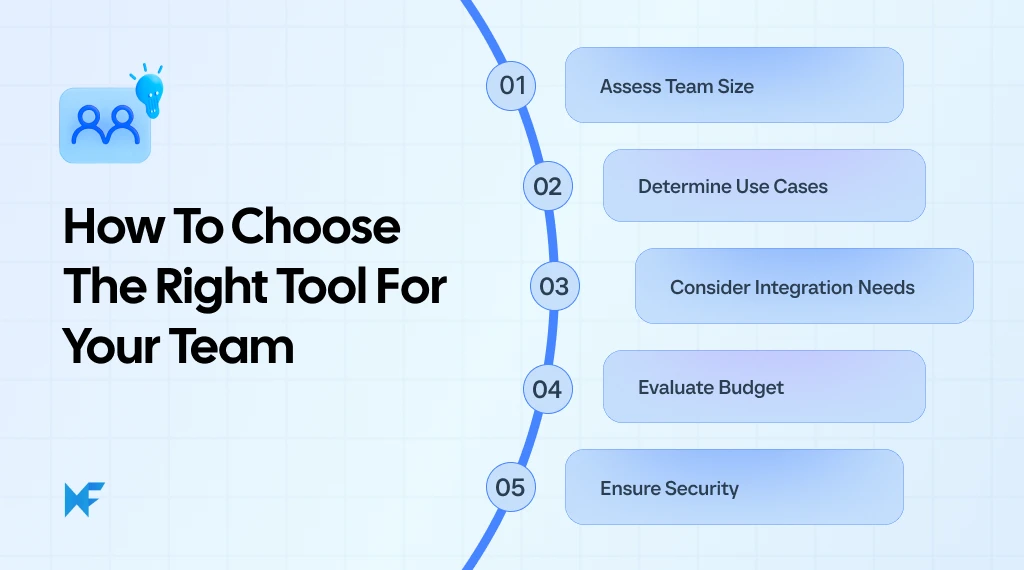
Selecting the best FigJam alternative for your team involves assessing a few key factors to ensure that the tool aligns with your needs and workflows. Here’s a breakdown of what to consider:
Team Size
The tool you choose should be scalable to support your team as it grows. Larger teams require more robust collaboration features, real-time updates, and the ability to manage multiple users without affecting performance. Look for a tool that can accommodate a diverse team and grow alongside your organization.
Specific Use Cases
Does the tool fit your team’s specific needs, whether it’s brainstorming or diagramming? Consider whether you need advanced diagramming features, customizable templates, or AI capabilities.
A tool that can handle a variety of tasks without switching between multiple platforms can significantly boost productivity. MockFlow IdeaBoard is one platform that excels in this area, offering a comprehensive set of features that cover brainstorming, design, and collaboration.
Integration Needs
Ensure the tool integrates seamlessly with the software your team already uses. A study by Mordor Intelligence found that the rise of cloud-native SaaS ecosystems has led to a growing preference for tools that offer deep integrations with project management and communication platforms. Many alternatives offer integrations, but you’ll want one that minimizes friction between systems.
Budget
Budget constraints are always a consideration, especially for smaller teams or startups. Make sure the tool provides essential features without overcharging for advanced capabilities that your team may not need.
Look for solutions with a freemium or flexible pricing model that can scale with your needs. It’s essential to balance functionality with cost to get the most value out of your investment.
Security
Security should always be a top priority, particularly for teams handling sensitive or regulated data. If data privacy and compliance are essential for your team, consider a tool with strong security measures, such as end-to-end encryption and secure user access management.
A platform like MockFlow provides advanced user management and permission settings, ensuring your team's data remains secure while you collaborate effectively.
By evaluating these factors, you can choose the right FigJam alternative to ensure that your team has access to all the necessary design tools for brainstorming and whiteboarding.
While discussing the rise of hybrid work settings, Eric Yuan, CEO of Zoom, emphasized, "We must innovate faster to support this new paradigm shift. We need to improve collaboration tools."
As hybrid and remote work continue to grow, selecting a tool like MockFlow IdeaBoard, which seamlessly integrates into both in-office and remote environments, becomes crucial for ensuring smooth collaboration, regardless of where your team is working.
Conclusion
As collaboration tools become increasingly integral to modern workflows, MockFlow IdeaBoard stands out as the leading choice among FigJam alternatives in 2025. It goes beyond the capabilities of typical whiteboarding tools by offering a comprehensive suite of features like AI toolbox and offline mode.
MockFlow’s ability to combine simplicity with powerful functionality makes it an ideal solution for teams of all sizes, whether you're a small startup looking for an intuitive platform or a large enterprise requiring advanced collaboration features.
Ready to enhance your team’s collaboration? Start your free trial with MockFlow today and experience its full suite of features designed to elevate your team’s productivity and creativity.
FAQs
1. What are the best FigJam alternatives for design teams?
MockFlow IdeaBoard is an excellent alternative to FigJam for design teams. It offers a comprehensive set of tools for whiteboarding, UI/UX design, and collaboration. With its user-friendly interface, MockFlow allows teams to brainstorm, share ideas, and collaborate in real time, making it a top choice for designers looking for a seamless and integrated design experience.
2. Which FigJam alternative offers the most features for remote collaboration?
MockFlow IdeaBoard excels in remote collaboration, offering features such as real-time editing, audio/video comments, version control, and easy sharing of designs with team members. The platform supports collaborative design and brainstorming, ensuring that teams can work together effectively, no matter where they are located.
3. How does FigJam compare to MockFlow?
FigJam is a lightweight whiteboarding tool, whereas MockFlow IdeaBoard offers a more comprehensive visual workspace with features like an infinite canvas, real‑time multiplayer editing, voice/video comments, AI assisted creation, offline access, and a rich template library for structured brainstorming and ideation.
4. What are the most affordable alternatives to FigJam?
MockFlow is one of the most affordable FigJam alternatives, offering a range of pricing options suitable for both small teams and large enterprises. With its freemium model, MockFlow allows users to access essential features for free, and premium plans are reasonably priced for teams looking for more advanced design and collaboration tools.
5. Can I replace FigJam with a free alternative for brainstorming?
Yes, MockFlow IdeaBoard offers a free version that supports brainstorming and collaboration. Its easy-to-use whiteboarding features allow teams to quickly sketch ideas, share feedback, and brainstorm concepts. It’s a great option for teams and startups that need a budget-friendly tool for creative collaboration.
6. How do FigJam alternatives like MockFlow IdeaBoard enhance team collaboration and productivity?
MockFlow IdeaBoard enhances team collaboration and productivity by providing real-time multi-user editing, sticky notes, multimedia comments, and brainstorming templates. Teams can work together on visual ideation, share ideas instantly, and receive feedback through integrated audio/video meetings, all within a single, intuitive workspace.
8 Best Milanote Alternatives for Visual Collaboration in 2026
Introduction You already know Milanote is not your only option. The harder part is figuring out which alternative actually fits...
Virtual Collaboration Tools: Best Options for Remote & Hybrid Teams
Introduction You’re about to invest in a new set of virtual collaboration tools, and this isn’t a casual decision. The platform...

10 Best Miro alternatives: Best Whiteboard Tools for 2025
Introduction: Looking for the Best Miro Alternatives? Few tools have changed the way teams brainstorm quite like Miro. For many...
