
Top 8 Architecture Diagram Tools for Collaboration and Design in 2025
Introduction
Ever been in a meeting where no one can quite agree on how the system actually works?
One person’s diagram looks different from another’s, the database team speaks a different language than the developers, and somewhere between the whiteboard sketches and endless docs, the original architecture gets lost.
This is where architecture diagram tools come into play. These tools simplify the complexity by offering a clear, visual representation that shows how all the components of a system work together. If you're newer to the process itself, it helps to first understand how to draw an architecture diagram, then use the tools below to build one faster.
Whether you’re designing software systems, planning network infrastructures, or mapping cloud environments, architecture diagram tools help ensure alignment, improve collaboration, and keep projects moving forward.
And in 2026, they’ve become non-negotiable. Teams that use them don’t just communicate better, they move faster and make fewer mistakes. In fact, the global collaborative applications market (which includes these tools) is set to double, hitting $78 billion by 2028, according to an IDC Forecast.
As more organizations embrace cloud-based, real-time collaboration, choosing the right tool can make all the difference. In this blog, we’ll take a closer look at the 8 best architecture diagram tools for 2026, breaking down their features to help you find the perfect fit for your team.
8 Best Architecture Diagram Tools in 2026
Architecture diagram tools help users create, visualize, and collaborate on system designs with ease. These tools are essential for mapping complex architectures, including cloud infrastructures, software systems, and network designs.
Many offer customizable templates, real-time collaboration, and integration with other platforms, enabling teams to streamline workflows. Cloud-based options further enhance accessibility and security, making it easier for distributed teams to work together.
With growing trends in AI-powered diagramming and cloud-native tools, these platforms are becoming increasingly important for efficient design and deployment in 2026 and beyond.
1. MockFlow
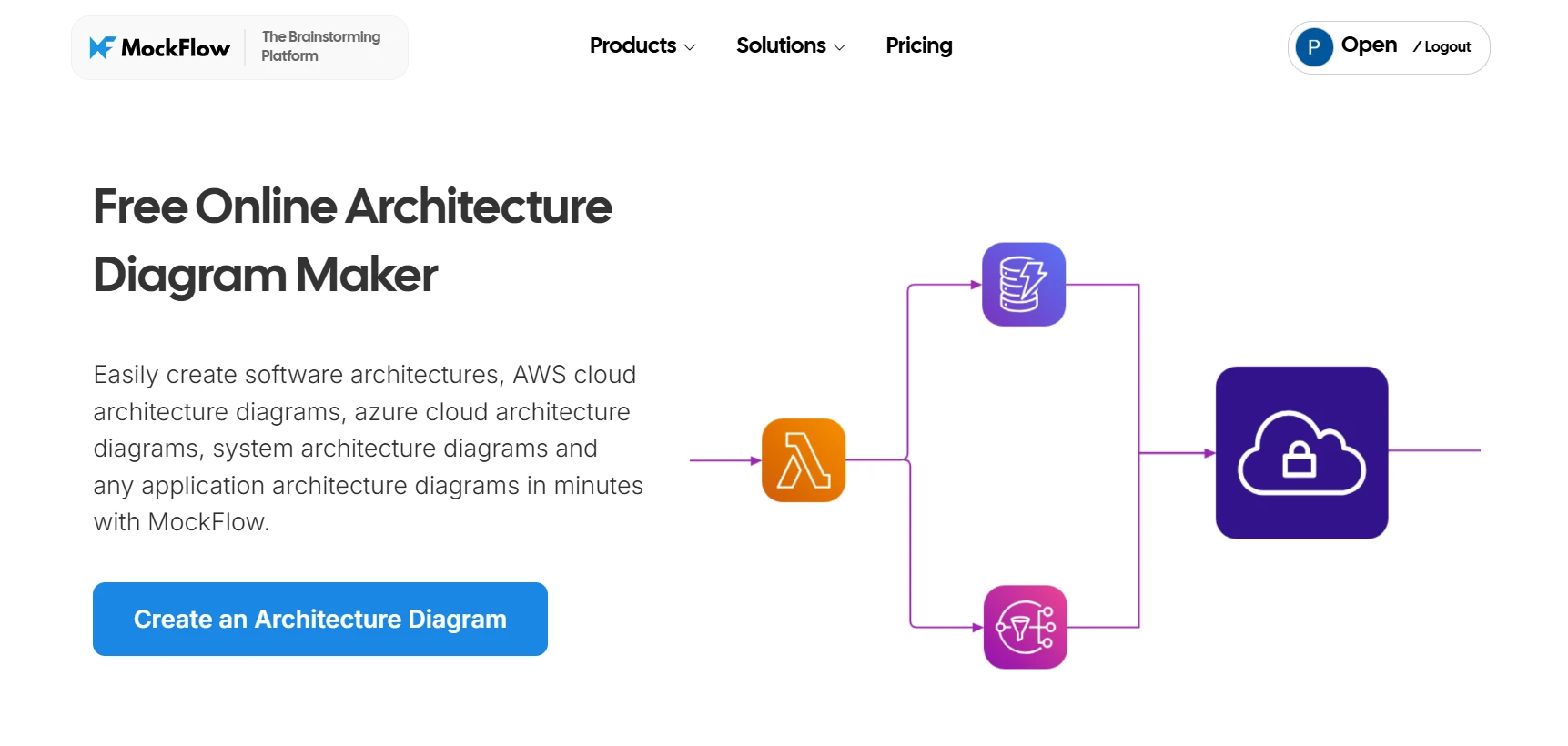
MockFlow is a user-friendly architecture diagram tool that caters to teams of all sizes. It simplifies the process of creating software systems, networks, and infrastructure diagrams while offering advanced features to meet the needs of both beginner and professional users.
It balances simplicity with depth, allowing users to create detailed, high-quality diagrams that align with rigorous design standards. With its intuitive interface and powerful capabilities, MockFlow helps teams collaborate efficiently in fast-paced environments.
This focus on unified collaboration addresses a common industry challenge. According to the State of Enterprise Architecture report, only 44% of solution architects use the same tools as enterprise architects, and 42% report disconnected or siloed data across platforms. MockFlow’s real-time collaboration and deep cloud integrations directly solve this fragmentation, ensuring every stakeholder works from a single source of truth.
Key Features
- Drag-and-Drop Interface: MockFlow’s drag-and-drop interface simplifies diagram creation. Users can quickly arrange shapes, lines, and icons without needing prior diagramming experience, making it ideal for teams with varying skill levels.
- Automatic Diagram Generation: MockFlow’s AI feature automatically generates diagrams based on user input, saving time and effort. This feature is especially useful for teams working on tight deadlines, allowing them to generate initial diagrams quickly and focus on fine-tuning rather than starting from scratch.
- Real-Time Collaboration: MockFlow supports real-time collaboration, enabling multiple users to work on the same diagram simultaneously. It allows teams to make updates, discuss changes, and provide feedback in real-time, ensuring alignment across departments.
- Integration with Cloud Services: MockFlow integrates with cloud storage services such as Google Drive and Dropbox, making diagrams easily accessible and shareable.
Use Cases:
- System Architecture Design: MockFlow is ideal for teams designing software systems. Developers can map out service-oriented or microservice architectures, defining data flow and system dependencies with clarity. With component packs for popular platforms like AWS, Azure, and Google Cloud, teams can quickly assemble architecture diagrams that match real-world implementations, using icons that represent actual cloud services and infrastructure layers.
- Cloud Infrastructure Visualization: MockFlow supports detailed AWS cloud architecture diagrams, enabling engineers to visualize compute instances, databases, VPCs, and other AWS components using the official AWS architecture icons. Similarly, teams working on Azure architecture diagrams can model enterprise-grade cloud solutions with Azure-specific symbols for App Services, Storage, Virtual Networks, and more. For cloud-native deployments, MockFlow’s Google Kubernetes architecture diagram components make it easy to represent pods, clusters, services, and workloads within GKE, allowing DevOps teams to plan and communicate complex container orchestration setups effectively.
- Network Design: Network architects can visualize data flows, security layers, and infrastructure components, helping to pinpoint potential bottlenecks and security risks within the system. MockFlow’s drag-and-drop environment and connection tools simplify designing both on-premise and hybrid networks.
- Flowcharting and Process Mapping: For teams working on business processes or user journeys, MockFlow excels at creating flowcharts and mapping workflows. Its intuitive interface allows for quick iterations and process refinement, improving communication and decision-making.
Best for: MockFlow is perfect for cross-functional teams, including software developers, system architects, and product managers. Its ease of use supports rapid diagram creation, while its advanced features make it suitable for creating professional, precise diagrams.
MockFlow’s combination of simplicity, real-time collaboration, and advanced tools makes it the best choice for teams working on complex architecture projects. Whether for system architecture, network design, or process mapping, it ensures that teams stay aligned and work more effectively.
Try Mockflow for free now and unlock seamless diagramming for your team.
2. Draw.io
Draw.io is a free, open-source diagramming tool popular for its flexibility and ease of use. This tool supports a wide range of diagram types, including UML, BPMN, flowcharts, and network diagrams, making it versatile for different needs.
Key Features:
- Draw.io integrates seamlessly with Google Drive, GitHub, and other platforms, allowing for easy storage and access.
- The desktop version enables users to work offline, making it a great choice for teams that require flexibility.
- With templates for UML, network diagrams, and flowcharts, Draw.io allows teams to get started quickly.
Use Cases: Draw.io is ideal for software engineers and system architects who need to create system designs or basic flowcharts on a budget.
Best For: Open-source enthusiasts and small teams looking for a cost-effective diagramming solution.
3. Lucidchart
Lucidchart is a cloud-based diagramming tool known for its ease of use and real-time collaboration. It’s favored by teams that need to create detailed software architectures and complex system diagrams.
Key Features:
- It offers real-time collaboration with integrated platforms like Google Workspace, Jira, and Confluence.
- The platform has an extensive template library for software architecture, network diagrams, and more.
- Lucidchart’s drag-and-drop interface makes it easy to use the platform.
Use Cases: Lucidchart is ideal for designing software architecture, data flow diagrams, and project workflows in a collaborative, team-oriented environment.
Best For: Medium to large teams working in cross-functional environments needing real-time collaboration. If Lucidchart isn't quite the right fit, see these Lucidchart alternatives for other options.
4. Miro
Miro is a versatile tool that combines interactive whiteboarding with diagramming capabilities. It is particularly useful for teams looking to brainstorm and create diagrams collaboratively in real-time.
Key Features:
- Miro offers interactive whiteboarding for teams to brainstorm and design.
- It also allows real-time collaboration for teams and cloud integration for ease of use.
- The platform has ready-to-use templates for network, system, and software architecture.
Use Cases: Well-suited for teams engaged in agile workflows, workshops, and brainstorming sessions, enabling real-time collaboration and visualization of ideas.
Best For: Creative teams and agile developers working on fast-paced projects or design iterations.
5. Excalidraw
Excalidraw is a free, open-source tool designed for fast, iterative diagramming. Its simplicity and lightweight interface make it ideal for quick prototyping and rough sketches before moving to more advanced diagramming tools.
Key Features:
- Excalidraw supports collaboration, making it easy for teams to brainstorm and iterate in real time.
- The minimalist interface allows for quick sketching without the distractions of unnecessary features.
- As an open-source tool, Excalidraw is free to use and can be customized for specific needs.
Use Cases: Ideal for startup teams or small groups that need quick, low-fidelity sketches or concept diagrams before moving on to more detailed designs.
Best For: Teams that need to sketch diagrams quickly for early-stage design or brainstorming.
6. Gliffy
Gliffy is another diagramming tool that integrates seamlessly with Atlassian products like Jira and Confluence. It's a powerful tool for teams that need to create network diagrams, process maps, and software architecture diagrams.
Key Features:
- Gliffy’s tight integration with Jira and Confluence makes it a good choice for teams already using these platforms.
- Teams can collaborate on diagrams in real-time, enhancing efficiency and communication.
- It offers templates for UML, ER diagrams, and flowcharts, catering to different diagramming needs.
Use Cases: Gliffy is used for network diagrams, process mapping, and software architecture design in larger enterprise environments.
Best For: Teams that already use Atlassian products and need an easy-to-use diagramming tool for collaboration.
7. SmartDraw
SmartDraw is a powerful diagramming tool that offers advanced features for creating detailed architecture diagrams. It supports various diagram types, including network and system architecture diagrams.
Key Features:
- SmartDraw can automatically generate diagrams based on data inputs, saving time and improving efficiency.
- The tool integrates seamlessly with these platforms, making it a powerful addition to your existing workflow.
- It includes templates for system architecture, network design, and other complex diagrams.
Use Cases: Best suited for enterprise-level teams needing advanced, data-driven diagramming capabilities for large-scale projects.
Best For: Teams requiring advanced architecture diagrams and integration with existing enterprise tools.
8. Eraser
Eraser is an AI-powered architecture diagram tool that generates diagrams from text descriptions or code snippets. It simplifies the diagramming process by using AI to quickly generate accurate diagrams based on simple input.
Key Features:
- Eraser can create diagrams from text or code, making it easier for developers and architects to quickly generate architecture diagrams.
- Teams can work together in real-time to modify and refine diagrams.
- It supports flowcharts, ER diagrams, network diagrams, and more.
Use Cases: Ideal for teams looking to quickly generate diagrams from descriptions or code, saving time on manual creation.
Best For: Developers and architects seeking AI-assisted diagram creation.
After considering the various factors like collaboration needs, integrations, and budget, MockFlow stands out as the top choice. It combines an intuitive interface with powerful AI-driven features, real-time collaboration, and seamless integration with popular platforms.
Whether you're a small team or an enterprise, MockFlow offers a flexible pricing model, ensuring it fits your needs while delivering a comprehensive solution for your architecture diagramming requirements.
Why You Need Architecture Diagram Tools
Architecture diagram tools are not just for visualizing designs; they play a critical role in communication, planning, and decision-making. In an age where systems are becoming increasingly complex, these tools help break down complicated structures into digestible, easily understandable visuals.
Clear Communication
Software engineers often emphasize that diagrams are invaluable for bridging the gap between technical and non-technical teams. They simplify complex ideas, making it easier for everyone to understand the system’s functionality.
Improved Planning & Analysis
Using architecture diagrams, teams can quickly identify potential issues or inefficiencies. They can also plan for future growth and make necessary adjustments to ensure that the system will scale as needed.
Enhanced Documentation
These diagrams serve as valuable documentation that provides a visual record of the system’s architecture. According to the DORA State of DevOps report, well-maintained architecture diagrams are associated with a 7.5% improvement in documentation quality and measurable gains in team delivery performance.
Faster Iteration
Teams can easily modify and update architecture diagrams, allowing them to iterate quickly based on feedback or new requirements. This reduces the time spent on manual adjustments and ensures that the team remains agile.
These benefits highlight why architecture diagram tools are essential for modern teams. With MockFlow, you can easily address all these needs in one powerful, user-friendly platform.
How to Choose the Right Architecture Diagram Tool
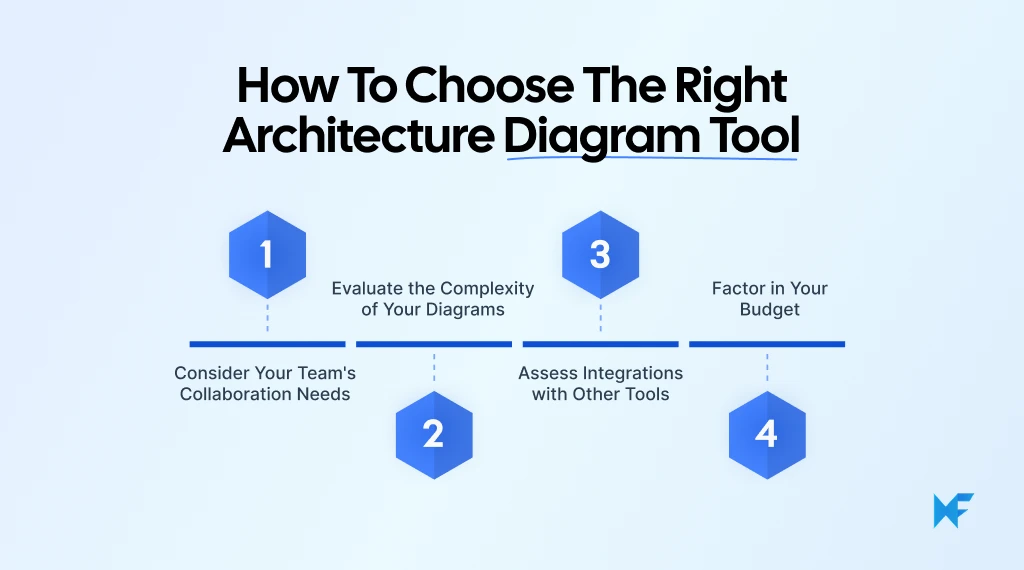
When choosing the right tool for your team, it’s important to consider your specific needs, whether it's collaboration, complexity, or integration. Here are some key factors to consider:
Consider Your Team’s Collaboration Needs
If your team needs to collaborate in real time, choose a tool that offers cloud-based features and supports seamless collaboration. This ensures everyone can work together on diagrams, update them instantly, and stay aligned, even if they're in different locations.
Evaluate the Complexity of Your Diagrams
Consider the complexity of the systems you're designing. For detailed diagrams, look for a tool that can handle intricate designs while remaining easy to use. Features such as templates, drag-and-drop interfaces, and customizable options will help you create and adjust diagrams efficiently. If your work leans more toward process and flow diagrams, our guide to the best flowchart software covers tools built for that.
Assess Integrations with Other Tools
The diagramming tool must integrate smoothly with other software your team is already using, such as project management platforms, cloud storage services, or design tools.
Factor in Your Budget
Budget constraints are a reality for many teams, so look for a tool that fits your financial plan while still meeting your diagramming needs. Some tools offer a free version with robust features, while others may offer a range of pricing options to accommodate different team sizes and functionalities.
According to Growth Market Reports, as the architecture diagram tool market continues to expand, projected to reach USD 3.5–5.3 billion by 2033, the next wave of innovation will center on AI-driven automation and real-time collaboration. MockFlow stands out by offering a comprehensive solution that meets all these criteria.
It strikes the perfect balance with its easy-to-use interface, AI-powered features, and real-time collaboration, making it ideal for teams of all sizes. It integrates seamlessly with popular platforms and offers a flexible pricing model, ensuring you get the right tool for your team’s specific needs.
Conclusion
Architecture diagrams are vital for clear communication, efficient planning, and team collaboration. The right tool can transform your ideas into well-structured visual designs, making it easier to align your team and streamline workflows.
When it comes to balancing powerful features with ease of use, MockFlow is the ideal choice for 2026. Its intuitive design, real-time collaboration, and cloud integration make it a standout option for teams looking to create effective, professional architecture diagrams.
If you’re ready to elevate your team's diagramming process, get started with MockFlow free today and see how easy it can be to create professional, collaborative architecture diagrams.
FAQs
1. What are architecture diagram tools?
Architecture diagram tools are software platforms designed to help users create, visualize, and collaborate on system architectures. These tools allow for the modeling of complex structures such as software systems, cloud infrastructures, and network designs. They offer customizable templates, cloud integration, and features for real-time collaboration, helping teams plan, optimize, and deploy systems more efficiently.
2. What types of architecture diagrams can be created with these tools?
With architecture diagram tools, users can create a variety of diagrams, including system architecture diagrams, cloud architecture diagrams, network flow diagrams, and software component models. These diagrams can depict everything from high-level system overviews to detailed workflows, supporting both technical and non-technical users in understanding system design.
3. Which tools are best for creating technical diagrams?
The best tools for creating technical diagrams include cloud-based platforms like MockFlow. It provides powerful features such as real-time collaboration, extensive built-in icon libraries, and ready-to-use templates - making it ideal for designing clear, detailed, and professional system architecture diagrams without any steep learning curve
4. How can I design system architecture diagrams online?
To design system architecture diagrams online, you can use cloud-based tools such as MockFlow. The platform allows users to create, edit, and share diagrams in real time, providing templates, customizable elements, and collaborative features that streamline the design process for both technical teams and business stakeholders.
5. What are the key features of cloud-based diagramming tools?
Cloud-based architecture diagramming tools offer several key features, including real-time collaboration, multi-platform support, automatic updates, and cloud integration. These tools enable distributed teams to work together on the same diagram, share feedback instantly, and maintain version control, all while providing secure access to the diagrams from anywhere.

Virtual Collaboration Tools: Best Options for Remote & Hybrid Teams
Introduction You’re about to invest in a new set of virtual collaboration tools, and this isn’t a casual decision. The platform...

Lucidchart Alternatives: Best Diagramming Tools for Teams in 2026
Lucidchart is a capable cloud-based diagramming platform. But many teams now look for its alternatives that offer more...

Best Excalidraw Alternatives for Teams in 2026
Excalidraw is a popular tool that makes visual thinking feel quick and informal. One can open a browser, sketch an idea, map a...
