
Lucidchart Alternatives: Best Diagramming Tools for Teams in 2026
Lucidchart is a capable cloud-based diagramming platform. But many teams now look for its alternatives that offer more flexibility, better free plans, deeper AI features, or stronger visual collaboration without per-user pricing that scales steeply as teams grow.
These Lucidchart alternatives differ by use case. Some focus on free diagramming, while others are better for AI generation, technical modeling, visual collaboration, or workshop facilitation.
- MockFlow IdeaBoard: AI-assisted diagramming with whiteboarding and meeting collaboration.
- Creately: Data-linked diagrams with project management features.
- draw.io: Free, self-hostable technical diagramming.
- LibreOffice Draw: Offline diagramming for simple workflows.
- Miro: Visual collaboration and workshop-ready diagramming.
- Mural: Facilitated workshops with diagramming templates.
- SmartDraw: Automated layouts for technical and enterprise diagrams.
- Visual Paradigm: UML, BPMN, and enterprise modeling.
- FigJam: Diagramming inside the Figma workflow.
- Whimsical: Flowcharts, wireframes, and mind maps for product planning.
When comparing, the right choice depends on whether your priority is free access, AI-assisted diagramming, deep technical modeling, and visual collaboration. Let's compare these Lucidchart alternatives side by side.
Lucidchart Alternatives at a Glance
Here’s a quick comparison of all the top Lucidchart alternatives:
Tool | Best For | Free Plan | Starting Price |
MockFlow IdeaBoard | AI-assisted diagramming + collaboration | Yes | $7/month (yearly) |
Creately | Data-linked diagrams + project management | Yes | $5/user/month (yearly) |
draw.io | Free technical diagramming | Yes | Free |
LibreOffice Draw | Offline, air-gapped environments | Yes | Free |
Miro | Enterprise workshop facilitation | Yes | $8/user/month (yearly) |
Mural | Structured facilitation sessions | Yes | $9.99/user/month (yearly) |
SmartDraw | Automated technical diagramming | No (trial only) | $7.95/month |
Visual Paradigm | UML + BPMN specialist modeling | No (trial only) | $6/user/month |
FigJam | Design teams inside Figma | Yes | $3/editor/month (yearly) |
Whimsical | Product planning + lightweight flows | Yes | $10/user/month |
Why Do Teams Look for Lucidchart Alternatives
Teams usually look for Lucidchart alternatives when the platform fits basic diagramming but starts to feel limited around scale, pricing, collaboration style, or internal approval.
Lucidchart is built for AI diagramming, process maps, technical diagrams, data-linked visuals, and real-time team collaboration, which makes it useful for structured diagram work. The fit becomes less clear when teams need broader whiteboarding, lighter pricing, offline access, or more flexible ideation workflows.
User reviews on Capterra and Reddit point to a few recurring limits:
- Collaboration is diagram-first: Lucidchart supports real-time collaboration, but teams that also need brainstorming, workshops, voting, facilitation, or freeform planning may need more than structured diagramming.
- Large diagrams can become slower and harder to edit: This comes up with complex data flows, technical diagrams, and multi-step workflows where the canvas has many objects and connectors.
- Advanced diagramming needs may require closer checking: UML support, specialist notation, and deeper technical modeling can become limiting for teams that need more than standard flowcharts or process maps.
- Internal approval can slow adoption: For client work or regulated environments, teams may need to review retention, third-party access, vendor approval, and whether diagrams could expose client data, internal architecture, or PII.
- Paid plans can get expensive for growing teams: Individual plans start at $9/month plus tax, and team plans are priced per user. Once more people need editing access, the cost can rise quickly compared to free, flat-priced, or other affordable options.
That is why the list below compares Lucidchart alternatives by use case, so teams can choose based on their team priorities and best fit.
Best Lucidchart Alternatives for Teams in 2026
The best Lucidchart alternative depends on what your team needs most: lower cost, stronger AI support, better collaboration, technical diagramming, or workshop-ready whiteboarding.
The tools below are grouped by use case so you can compare them based on the problem you are actually trying to solve.
Best for Visual Collaboration and AI-Assisted Diagramming
These tools work best when diagrams are part of live teamwork. They help teams brainstorm, generate diagrams with AI, discuss ideas, and turn rough thinking into structured visuals without moving across multiple tools.
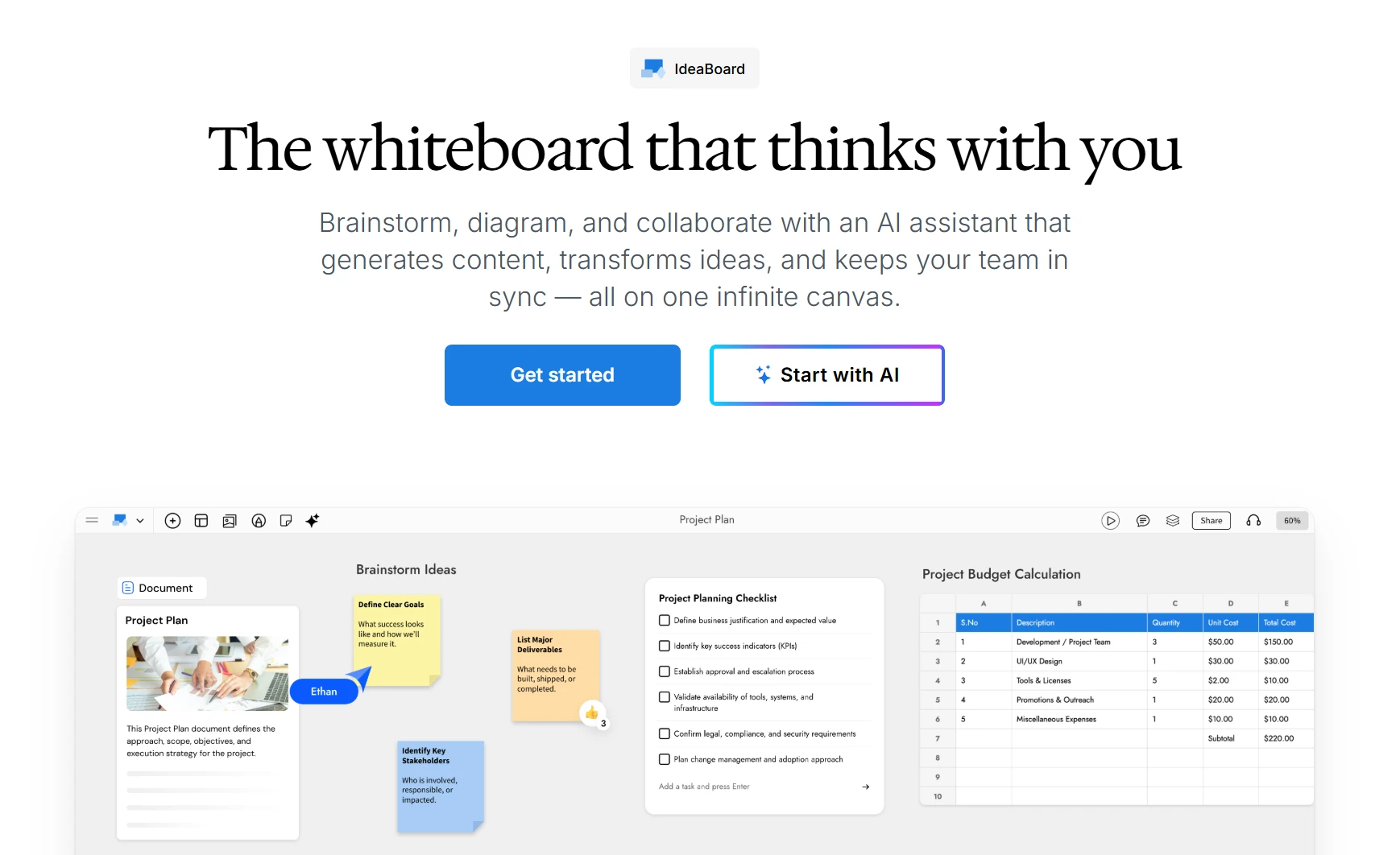
MockFlow IdeaBoard is an AI-powered visual collaboration platform that combines an infinite canvas, 15+ board types, and a built-in AI assistant called MIDA. It is built for teams that need to brainstorm, diagram, plan, and document in the same workspace without switching tools.
- Flexible visual workspace: Teams can use MockFlow IdeaBoard for flowcharts, swimlane diagrams, DB diagrams, org charts, customer journey maps, SWOT boards, Kanban boards, timelines, moodboards, and cloud architecture diagrams on the same canvas. This helps teams move from rough planning to structured documentation without switching tools.
- AI-assisted diagramming and planning: MIDA AI helps generate diagrams, workflows, mind maps, planning boards, and structured visual outputs from simple prompts. Teams can also use its prompt library to start faster instead of building every board from scratch.
- Live and async collaboration: Teams can co-edit boards in real time, add comments, react to ideas, and discuss diagrams with built-in audio and video. For distributed teams, audio/video comments and persistent boards make it easier to continue feedback after the meeting ends.
- Templates for workshops and planning: Editable templates support sprint planning, retrospectives, process mapping, strategy sessions, product planning, and brainstorming workflows so teams can begin with structure instead of a blank canvas.
- Meeting and tool integrations: IdeaBoard can be used inside Google Meet for live diagram reviews. It also supports workflows across Trello, VS Code, ChatGPT, and other connected tools, which helps teams keep visual work closer to where discussions already happen.
- Flexible ways to work: Teams can use IdeaBoard in the browser, try the desktop app for offline whiteboarding, or share boards externally when stakeholders only need view access. This makes it useful for everyday collaboration as well as privacy-sensitive workflows.
Users point to MockFlow’s ease of use, quick setup, and usefulness for communicating ideas across designers, developers, and other stakeholders. Still, IdeaBoard is best suited for collaborative planning and visual thinking.
- Teams needing highly specialized UML, BPMN, or engineering notation should test shape coverage first.
- Very complex technical documentation may need a specialist modeling tool.
Free plan available. Paid plans start at $7/month (billed yearly) and include AI-assisted workflows, multiplayer collaboration, advanced integrations, and expanded workspace capabilities. A one-time $39.90 Mac offline edition is available separately for individuals and privacy-sensitive teams.
Cross-functional teams that need AI-assisted diagramming, async collaboration, and built-in meeting tools in a single workspace.
- MIDA AI generates complete diagrams, workflows, and board layouts from a text prompt rather than requiring manual shape-by-shape construction
- Built-in live meetings, Google Meet integration, and video comments replace the need to combine Lucidchart with a separate video conferencing and async documentation tool
- 15+ board types cover the full workflow from initial brainstorming through to structured diagramming and stakeholder presentation in one workspace
- Flat monthly pricing from $7/month removes the per-user scaling friction that makes Lucidchart expensive for larger cross-functional teams
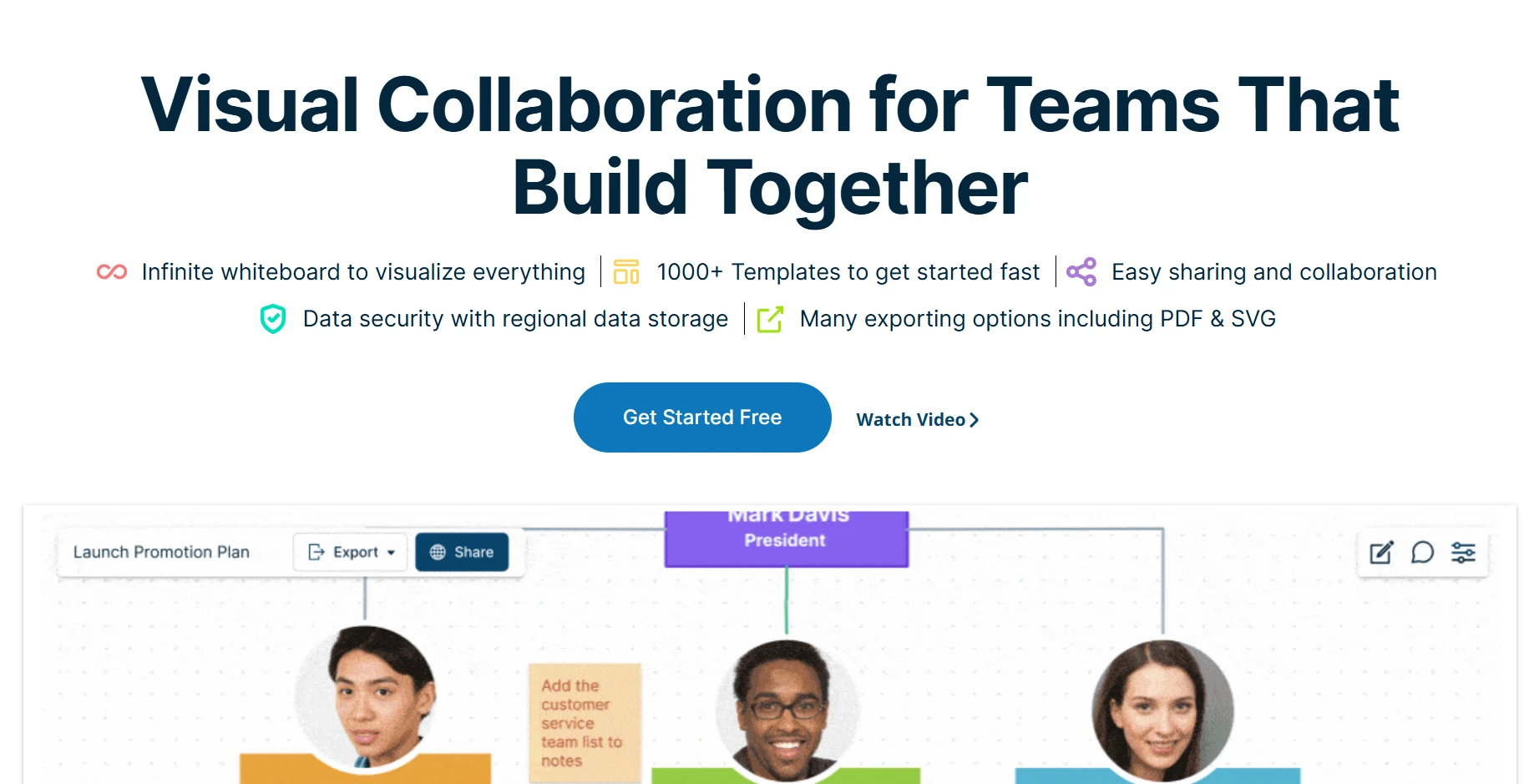
Creately is a visual collaboration platform that combines 70+ diagram types with a smart canvas that functions as a living database. Teams can link shapes to live data from Jira and Google Sheets, toggle the same dataset between a Kanban board and a flowchart, and manage projects and process documentation inside the same workspace.
- 70+ Diagram Types: Flowcharts, UML diagrams, ERD, BPMN, network diagrams, org charts, mind maps, wireframes, and more, covering both technical documentation and business process mapping.
- Smart Canvas with Data Linking: Link shapes to live data from Jira, GitHub, and Google Sheets so diagrams update automatically when underlying data changes. The same dataset can be viewed as a flowchart, Kanban board, or org chart without rebuilding.
- AI-Assisted Diagramming: Generate diagram structures from text prompts and use smart shape suggestions and automated connectors to build complex flowcharts faster than manual construction.
- Real-Time Collaboration with Project Management: Multi-user editing alongside built-in project management tools so teams can track work and visualize processes inside the same shared workspace.
- Integrations: Connects with Jira, Confluence, Google Workspace, Slack, Microsoft Teams, and GitHub.
Creately is useful when diagrams need to connect with project work, but that extra depth can add friction. Larger boards may show performance lag with bigger diagrams, especially when projects include many shapes, connectors, or data-linked elements.
- Beginners may find the workspace cluttered and overwhelming because it combines diagramming with project management features.
- Mobile editing is weaker than desktop use.
- Free-plan limits and export restrictions can surface quickly on larger boards.
Free plan available with unlimited canvases but limited items per canvas. Personal plan from $5/user/month, billed annually. Business plan at $89/month for unlimited users.
Operations and product teams that need data-linked diagrams and built-in project management alongside visual documentation.
Best for Free and Open-Source Diagramming
These tools are built for teams whose primary driver for leaving Lucidchart is cost. Both are completely free for core diagramming use. Neither requires a subscription for meaningful capability. The difference is depth of technical diagram support and deployment context.
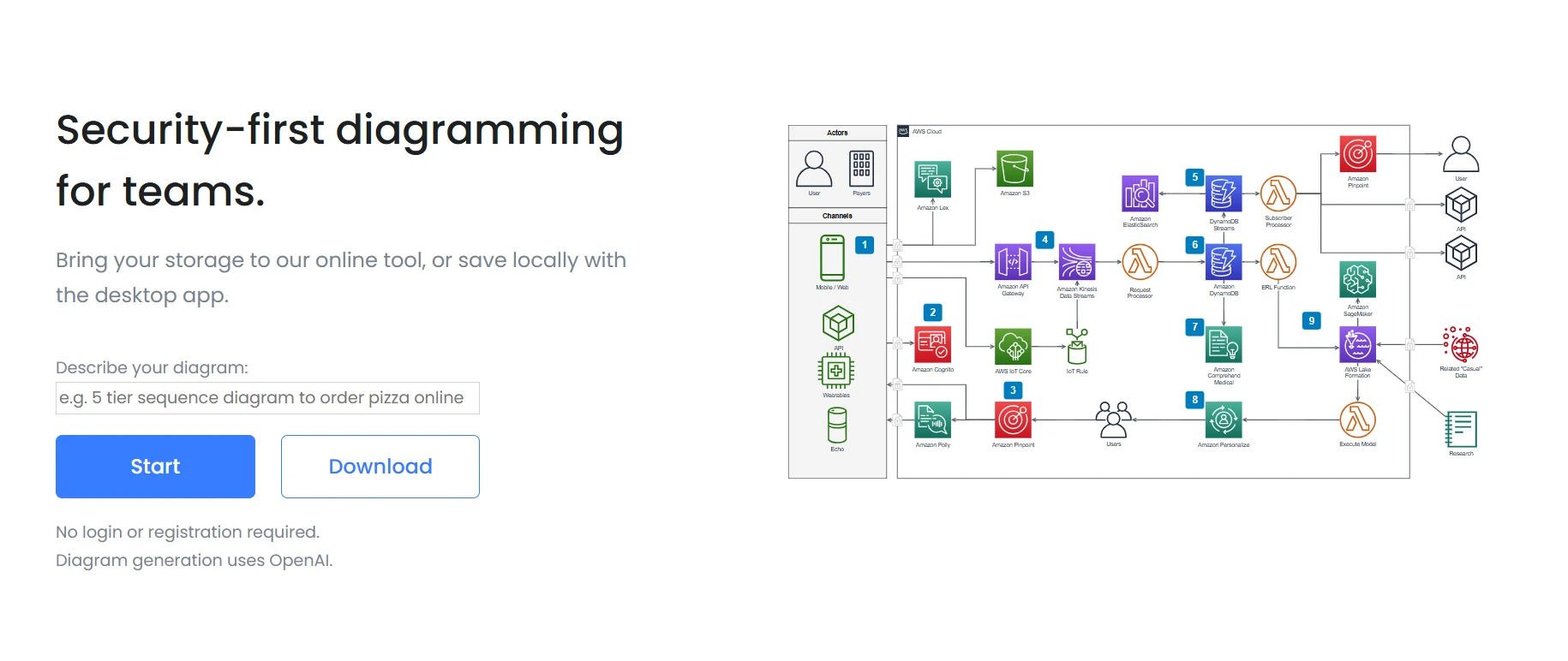
draw.io is the most widely used free Lucidchart alternative, purpose-built for technical diagramming with no subscription, no login required for basic use, and no functional limitations for individuals or teams.
- Completely Free: No paid tier required for core diagramming capability. Individuals and teams can create unlimited diagrams with no document caps.
- Broad Technical Shape Library: Covers UML, ERD, BPMN, network topology, org charts, flowcharts, AWS, Azure, and GCP architecture diagrams, and every major technical diagram standard out of the box.
- Self-Hostable via Docker: Runs entirely within your own infrastructure with no external database or cloud service dependency. Full data sovereignty for privacy-sensitive teams.
- Git-Friendly XML Format: Files are saved in an open XML format that works neatly with version-controlled documentation workflows. It is the only major diagramming tool that treats diagrams as code artifacts rather than binary files.
- Deep Atlassian Integration: Native Confluence and Jira plugins are free for up to 10 users on Atlassian plans, with paid plugin pricing starting at approximately $1.70/user/month.
draw.io is a strong option when the priority is free technical diagramming, but it can demand more manual effort on dense boards. Users note that large diagrams can feel clunky or slightly laggy, especially when many objects and connectors are involved.
- Connector alignment can take patience on complex flows.
- The interface may feel dated compared to newer visual collaboration tools.
- Real-time teamwork, facilitation, and workshop features are limited, so it works better for diagram creation than live collaboration.
Free for individual and team use. Confluence and Jira plugin from approximately $1.70/user/month for ten users.
LibreOffice Draw is a free, open-source diagramming application that runs fully offline as part of the LibreOffice suite. It supports basic shape-based diagrams, simple flowcharts, org charts, and technical illustrations for teams that need occasional diagramming without the overhead of a dedicated platform.
- Completely Free and Open-Source: No subscription, no account, no cloud dependency. Download and use indefinitely at no cost.
- Fully Offline Operation: Works entirely without an internet connection, making it appropriate for secure, air-gapped, or regulated environments.
- Basic Shape Library: Supports flowcharts, org charts, simple technical diagrams, and illustration-style visuals for straightforward documentation needs.
- LibreOffice Suite Integration: Familiar to teams already using LibreOffice Writer or Calc, reducing the learning curve for basic diagram creation.
LibreOffice Draw makes sense when the team wants a free, local drawing tool and does not need a browser-based workspace. The tradeoff is that it feels closer to desktop office software than a modern diagramming or collaboration platform. Users value the free office-suite access, but formatting can break when moving files between tools.
- No live co-editing for diagram reviews.
- No built-in workshop or brainstorming features.
- Limited integrations with project, chat, or documentation tools.
Free. Open-source under the Mozilla Public License.
Individuals and small teams in regulated, offline, or air-gapped environments who need basic flowcharts and org charts with zero cloud dependency and zero cost.
Best for Enterprise Workshop Facilitation
Lucidchart has no facilitation layer. These tools are built around it. Both handle large concurrent user sessions and include structured session tools that turn a shared canvas into a productive group working environment.
Miro is a widely adopted visual collaboration platform that wraps diagramming inside structured workshop formats. It covers 2,500+ templates for agile, strategy, and design thinking, and includes facilitation tools like timers, voting, cursor chat, private mode, and async TalkTrack video walkthroughs. AI Assist handles diagram generation, idea clustering, and summarization, and it connects with 250+ tools, including Jira, Slack, and Figma.
- Infinite Canvas with 2,500+ Templates: Covers agile, product, design thinking, and strategy workflows out of the box, including flowcharts, mind maps, process diagrams, and org charts alongside workshop templates. Teams can run full planning sessions without building frameworks from scratch each time.
- Workshop Facilitation Tools: Timers, voting, cursor chat, sticky notes, private mode, and TalkTrack async video walkthroughs for structured session management across large groups.
- AI Assist: Diagram generation from text, idea clustering, and automated summarization to reduce the documentation overhead that makes large collaborative sessions exhausting to follow up on.
- 250+ Integrations: Connects with Jira, Slack, Figma, Asana, Zoom, Microsoft Teams, and Google Workspace. Surfaces inside Jira and Confluence for Atlassian teams.
- Enterprise Security: SSO, SCIM, and data residency options for organizations in regulated industries.
Miro is strong for workshops and broad visual collaboration, but it can become harder to manage as boards grow. Teams working across many frames, sticky notes, comments, and embedded assets may run into board organization and navigation issues, especially when multiple collaborators keep adding content over time.
- Pricing can rise quickly when more editors need access.
- New or external participants may need onboarding before they can contribute confidently.
- Diagramming depth may feel secondary for teams focused on technical documentation.
Free plan available. Starter at $8/user/month (annual). Business at $16/user/month (annual).
Enterprise and mid-size teams that run regular cross-functional workshops, design sprints, and planning sessions where facilitation matters as much as the diagrams themselves.
Also read → Compare top Miro alternatives in 2026 before buying
Mural is built specifically for the structured session: the design sprint, the retrospective, the facilitated ideation session, where the facilitator needs tools to manage group energy, time, and output.
- Built-In Facilitation Toolkit: Session timers, private mode for independent work before group reveal, dot voting, reaction stamps, and guided session structures that keep participants engaged without the facilitator managing everything manually.
- Workshop-Specific Templates: The template library is purpose-built around workshop formats, design thinking, retrospectives, and sprint ceremonies rather than general-purpose diagramming.
- Diagramming on the Workshop Canvas: Flowcharts, mind maps, and process maps available within the facilitation workspace so teams can diagram and facilitate in the same session.
- Synchronous and Asynchronous Support: Works for both live facilitated sessions and async follow-through so the board stays useful after the session ends.
Mural works best for facilitated workshops, but it can feel less flexible when teams try to use it for ongoing documentation or detailed diagramming. Users point to performance issues on larger boards, especially when sessions include many collaborators, templates, and visual elements.
- The interface can feel less modern than newer whiteboarding tools.
- Exported outputs may need cleanup before sharing as formal documentation.
- Teams focused on technical diagrams may find the template and shape depth limited.
Free plan for individuals. Team plan from $9.99/user/month (annual billing).
Facilitators, agile coaches, and UX researchers who run structured workshops, retrospectives, and design sprints where session management is the primary need.
Also read → Comparing Mural alternatives in 2026? Start here | Compare Miro vs Mural side-by-side
Best for Technical and Engineering Diagrams
These tools are built for teams whose primary use case is precise, standards-compliant technical diagramming at enterprise scale. While Lucidchart covers most technical diagram types, these tools match or exceed it in specific areas: automated layout generation in SmartDraw and deep UML and BPMN specialist modeling in Visual Paradigm.
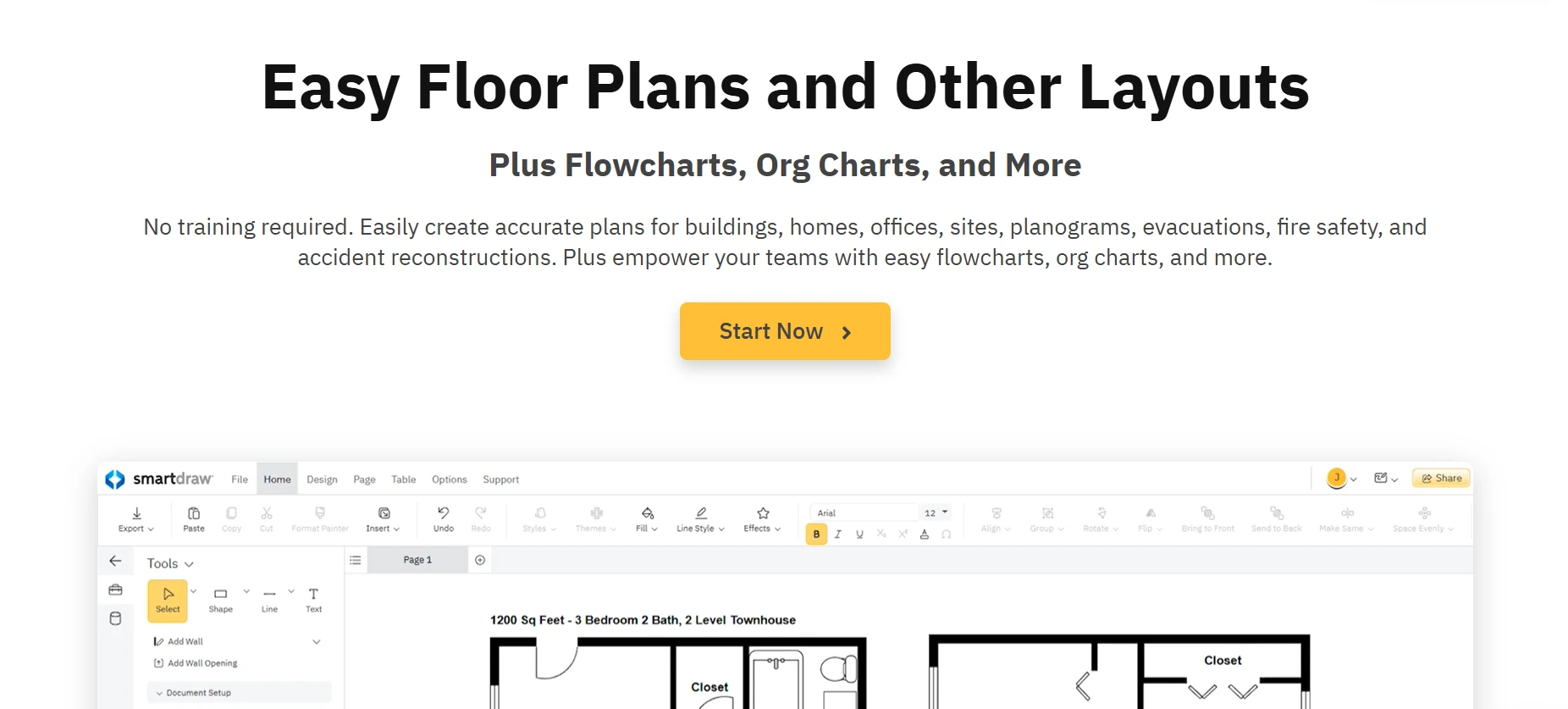
SmartDraw is an enterprise diagramming platform built for teams that need the broadest coverage of technical diagram types with automated formatting, and data-driven diagram updates.
- 70+ Diagram Types with Automated Layout: Flowcharts, org charts, network diagrams, floor plans, engineering diagrams, and process maps with smart formatting that adjusts layouts automatically as content changes, removing the manual arrangement work that slows down high-volume diagramming.
- Data-Driven Diagrams: Populate diagrams from connected data sources so documentation stays current without manual updates whenever the underlying system changes.
- Deep Enterprise Integrations: Microsoft 365, Google Workspace, Jira, Confluence, and AWS integrations for teams that need diagramming connected to their existing enterprise stack.
- Per-User and Site License Pricing: Offers both individual and team licensing options suited to organizations that want to avoid per-user pricing at scale.
SmartDraw is useful for teams that want automated layouts and a wide range of diagram types, but it is less flexible for live collaboration and open-ended planning. Some users point to limited templates in certain categories, which can slow teams down when they need a specific diagram style.
- There is no long-term free plan for ongoing evaluation.
- Mobile access is limited for teams reviewing diagrams away from desktop.
- Workshop, brainstorming, and facilitation features are lighter than dedicated whiteboarding tools.
No free plan. Individual plan from $7.95/month. Team plan from $6.95/user/month. Free trial available.
Enterprise teams producing high volumes of technical diagrams who need automated formatting, data-driven diagram updates, and deep Microsoft 365 integration without manual layout work.

Visual Paradigm is a technical modeling platform built for software engineers, enterprise architects, and business process teams that need full UML 2.x coverage, BPMN 2.0 process simulation, and enterprise architecture frameworks beyond what Lucidchart offers.
- Full UML 2.x Support: Covers all UML diagram types including class, sequence, use case, activity, state machine, component, deployment, and object diagrams with standards-compliant notation.
- BPMN 2.0 Modeling with Process Simulation: Build and simulate BPMN process models to test workflow logic before implementation rather than discovering issues after deployment.
- Enterprise Architecture Frameworks: Supports TOGAF and ArchiMate frameworks for enterprise architecture teams working on organization-wide system and process documentation.
- Agile Project Management Built In: User story mapping, sprint planning, and agile project management tools integrated alongside modeling features for development teams.
- Role-Based Access Controls: Team collaboration with granular permissions for organizations that need governance over who can view and edit sensitive architecture documentation.
Visual Paradigm is built for deeper UML, BPMN, and enterprise modeling, but that depth can make it harder for mixed teams to adopt. Product managers, designers, or business stakeholders may need more support before they can review or edit diagrams confidently. Some users also point to diagram connection issues, which can slow work during detailed modeling.
- Onboarding can feel heavy for non-technical users.
- Flexible brainstorming and workshop use cases are limited.
- Teams may need time to configure the workspace around their modeling standards.
No permanent free plan. Trial available. Plans from $6/user/month based on verified sources.
Software engineers, enterprise architects, and business process teams that need full UML 2.x or BPMN 2.0 compliance and have outgrown what general-purpose diagramming tools can offer.
Best for Design-Led and Product Teams
These tools are built for teams that use diagramming as part of a product or design workflow rather than standalone documentation. Where Lucidchart treats diagrams as outputs, these tools treat them as inputs to a broader design or planning process.
FigJam is the whiteboarding and diagramming tool built natively into Figma, where flowcharts and process diagrams feed directly into design files without a manual export-and-rebuild step.
- Bidirectional Figma Integration: Figma design files embed directly in FigJam boards, and FigJam elements convert into Figma frames for further refinement. The handoff between process diagramming and design execution is native, not manual.
- Flowcharts, Mind Maps, and Process Diagrams: Diagramming tools on a shared canvas alongside brainstorming features including sticky notes, cursor chat, emoji reactions, and dot voting.
- Lightweight and Immediately Familiar: Teams already using Figma can open FigJam without a separate onboarding process. The interface is minimal enough that new collaborators contribute in the first session.
- Affordable Entry Price: FigJam Professional at $3/editor/month (annual billing) makes it among the most affordable paid diagramming tools in this category.
FigJam makes the most sense for teams already working in Figma. Outside that ecosystem, it can feel lighter than dedicated diagramming or whiteboarding tools. Large boards may become harder to manage, with slower performance on complex files when many collaborators, frames, comments, or assets are added.
- Technical diagramming depth is limited for architecture or system maps.
- Alignment, layering, and export controls may feel basic.
- Non-design teams may not get enough value from the Figma connection.
Free plan with 3 FigJam files. Professional at $3/editor/month (annual billing).
Design teams already working in Figma who want flowcharts and process diagrams to feed directly into design files without switching tools or rebuilding work.
Also read → Looking for Figjam alternatives in 2026? Here are 8 best tools
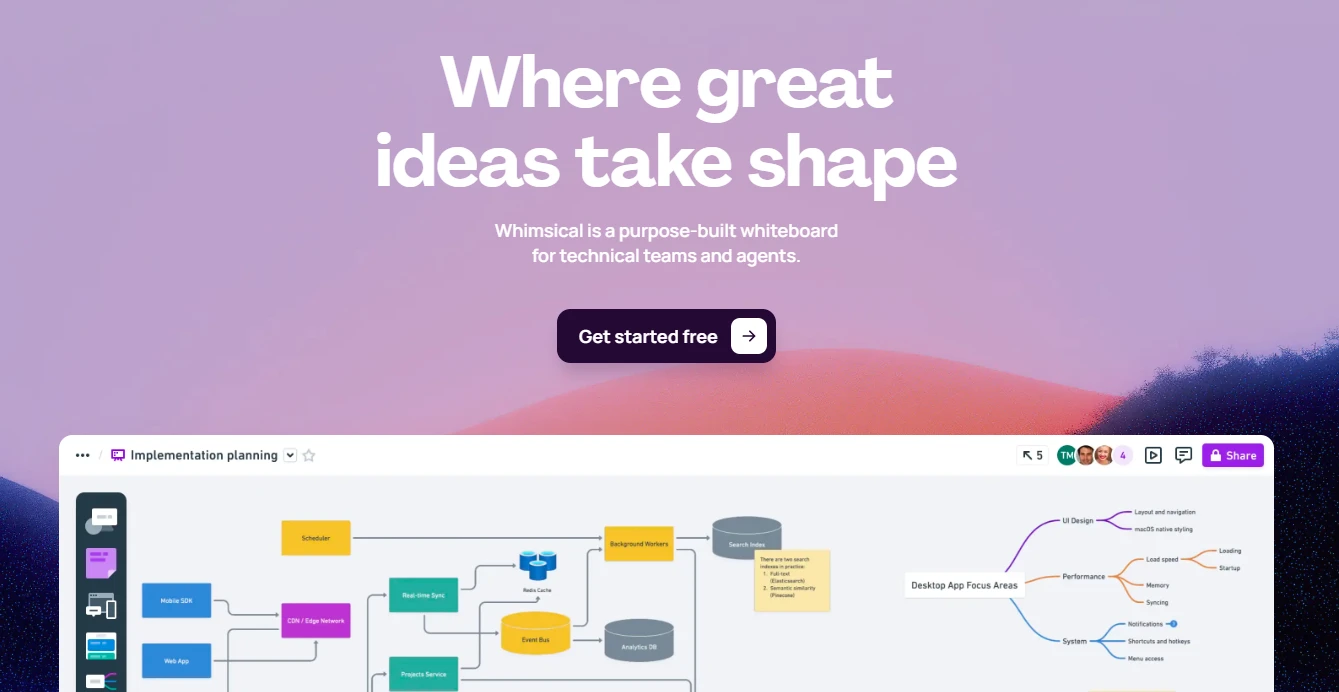
Whimsical is a planning-first workspace that combines flowcharts, wireframes, mind maps, and sticky note boards in a single interface built for the early-stage product workflow.
- Unified Planning Canvas: Flowcharts, wireframes, mind maps, sticky note boards, and sequence diagrams coexist in a single workspace. Teams can move between diagram types without exporting from one tool and rebuilding in another.
- AI Diagram and Wireframe Generation: Describe a flow or layout in plain text and get a structured visual output in seconds, removing setup time for common early-stage planning artifacts.
- Minimal Interface with Low Onboarding Friction: New collaborators can contribute immediately without a training session. The interface stays out of the way and lets the thinking happen.
- Strong Free Tier: Individuals and small teams can use Whimsical effectively for core diagramming and planning without a paid plan.
Whimsical is easy to start with, but it can feel limited once diagrams move beyond lightweight planning. Teams using it for simple flowcharts, wireframes, or mind maps may be comfortable. Larger planning boards can become harder to manage, and some users note limited customization options when they need more control.
- No data-linked diagrams for operational or technical workflows.
- Technical shape libraries are limited for architecture or engineering work.
- Export and documentation options may feel thin for enterprise sharing.
Free plan available. Paid plans from $10/user/month.
Product managers and early-stage product teams who need flowcharts, wireframes, and mind maps in one lightweight workspace without Lucidchart's complexity or per-user cost.
Features to Look for in Lucidchart Alternatives
Different teams leave Lucidchart for different reasons. The features that matter most depend on whether your team is replacing a documentation tool, a collaboration platform, or a technical modeling environment.
Use these criteria to compare tools with more clarity.
1. Diagram Types and Shape Libraries
Start by checking whether the tool supports the diagrams your team creates most often. Flowcharts and process maps are common requirements, but many teams also need org charts, UML diagrams, cloud architecture diagrams, customer journey maps, swimlanes, or planning boards.
IdeaBoard's 15+ board types are strong starting points as it comes with a vast template library and AI recipes for quicker idea generation and virtual collaboration.
2. Collaboration and Review Workflows
Diagramming rarely happens in isolation. Product managers, designers, engineers, analysts, and leadership teams often need to review the same visual from different angles.
Look for real-time editing, comments, guest access, version history, and easy sharing. These features matter because they reduce back-and-forth and help teams resolve feedback inside the diagram instead of spreading comments across chat, email, and documents.
3. AI-Assisted Diagramming
AI is useful when it reduces manual setup. A good alternative should help teams generate diagrams from prompts, organize rough ideas, create initial flows, or convert unstructured inputs into cleaner visuals.
For teams that want diagramming to connect with brainstorming and planning, IdeaBoard can be a strong fit. Its AI support helps teams move from early ideas to structured boards without rebuilding everything manually.
4. Pricing and Access
Pricing should be reviewed beyond the starting plan. A tool that looks affordable for one user may become expensive when more editors, reviewers, or external collaborators need access.
Check how each plan handles team members, guests, exports, AI usage, private boards, and integrations. This gives a clearer picture of the actual cost once the tool becomes part of daily work.
5. Flexibility Beyond Final Diagrams
Many teams use diagrams before the final documentation stage. They use them to explore ideas, plan workshops, explain processes, align stakeholders, and make decisions.
A strong alternative should support that wider workflow. Templates, offline access, presentation options, AI prompts, and collaboration features can make the tool more useful across planning, review, and execution.
Choose the Right Lucidchart Alternative for Your Use Case
Switching diagramming tools is rarely just about features. It is usually about a workflow that stopped working: a free plan that ran out too fast, a per-user cost that ballooned when the project went cross-functional, or a collaboration layer that was missing when your team needed it most.
A simple way to decide is to ask:
- Do we need diagrams only, or diagrams plus collaboration?
- Will non-technical stakeholders need to edit or comment?
- Do we need AI to generate diagrams faster?
- Are we replacing Lucidchart because of pricing, complexity, or missing workflow features?
- Does the tool support the diagram types we use every week?
Most teams do not need the most feature-heavy platform. They need a tool that fits the way diagrams are actually created, reviewed, and shared within their team.
For teams that want diagramming, brainstorming, AI support, and visual collaboration in one place, IdeaBoard is a practical option to try. You can start with the free plan or explore ready-made templates before committing to a full workflow change.
FAQs
1. What are Lucidchart alternatives?
Lucidchart alternatives are diagramming and visual collaboration tools that offer stronger free plans, better AI features, deeper collaboration, or more flexible pricing than Lucidchart for teams replacing it.
2. Why do teams look for Lucidchart alternatives?
3. Which Lucidchart alternative is best for free diagramming?
4. What is the best Lucidchart alternative for diagramming and collaboration?
5. How should I choose the right Lucidchart alternative?

8 Best Flowchart Software for Easy Design & Collaboration in 2025
Introduction You’re staring at a tangled web of processes. Multiple teams are working on different parts of the project, and no...

10 Best Miro alternatives: Best Whiteboard Tools for 2025
Introduction: Looking for the Best Miro Alternatives? Few tools have changed the way teams brainstorm quite like Miro. For many...
How to Choose the Right Visual Project Management Software for Your Use Case
Introduction Projects tend to fail when no one has a clear view of what’s happening. A Wellingtone report found that 47% of...
