Miro vs Mural: Full Comparison of Features, Pricing & Use Cases (2026)
Introduction
If you’re researching online whiteboarding tools, chances are Miro and Mural are already on your shortlist. They’re two of the most widely used platforms for digital collaboration, and at first glance, they seem almost identical - sticky notes, templates, real-time teamwork, and an infinite canvas.
But once you start looking closer, differences appear.
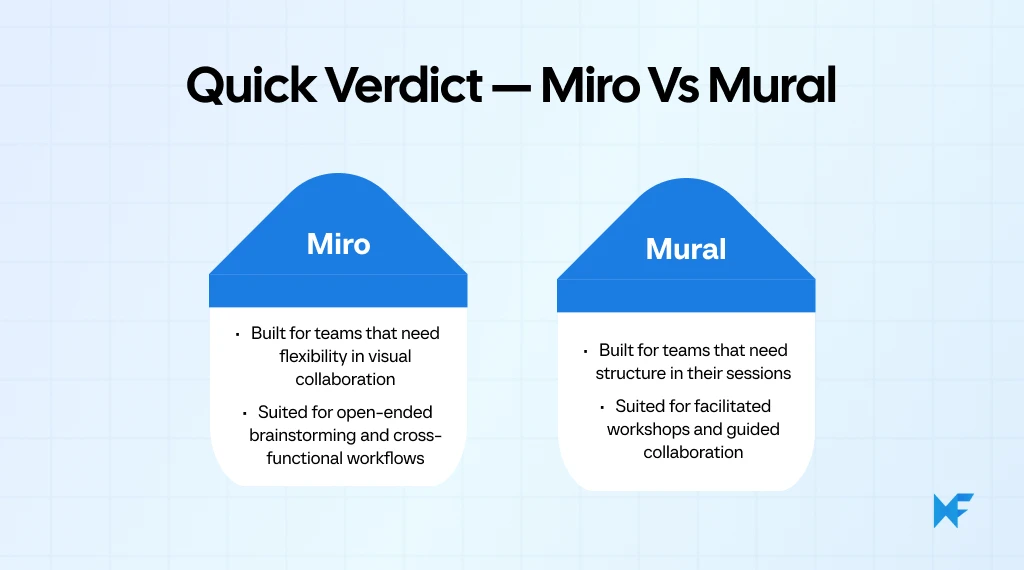
Here’s the quick truth: both are fine for online collaboration, but they focus on slightly different experiences. Miro gives you freedom and flexibility with more integrations and customization options. Mural keeps things simple and structured, which makes it perfect for workshops or team sessions that need focus.
In this blog, we’ll compare Miro vs Mural side by side. You’ll see how they stack up in features, templates, pricing, and ease of use, so you can decide what works best for your team.
And for teams evaluating even better options, we’ll show you how MockFlow’s IdeaBoard, a simpler and more affordable whiteboard alternative, is quietly becoming a favorite for teams who just want to collaborate without all the clutter.
Feature-by-Feature Comparison of Miro vs Mural
Miro and Mural are two leading online whiteboard tools for visual collaboration and remote teamwork. Both platforms enable teams to brainstorm, plan, and design in real time using an infinite canvas.
Miro offers richer integrations, advanced templates, and scalability for enterprises. Mural focuses on intuitive facilitation tools and smoother onboarding for workshops. Teams often compare Mural vs Miro based on features, pricing, and performance.
The right choice depends on use case, collaboration style, and team size. Both tools support innovation, productivity, and visual thinking in hybrid and remote environments.
Let’s compare them across some of the best features for digital whiteboarding.
Quick Comparison: Miro vs Mural
Feature | Miro | Mural |
Canvas & Collaboration | Infinite, flexible canvas with real-time and async editing | Infinite, structured canvas with focus on guided collaboration |
Templates & Mind-Mapping | 300+ templates, strong mind-mapping and diagramming tools | Curated templates for workshops, retrospectives, and visual frameworks |
Integrations | 250+ integrations (Slack, Jira, Zoom, Microsoft Teams, Notion) | Core integrations (Slack, Jira, Zoom, Trello, MS Teams) |
Facilitation Tools | Workshop mode, timer, voting, private mode, breakout frames | Timer, voting, private mode, built-in facilitation frameworks |
AI Capabilities | AI for diagram generation, note summarization, clustering | AI for idea generation, note grouping, summaries |
Pricing | Free (3 boards), Paid from $8/user/month | Free (3 boards), Paid from $9.99/user/month |
Enterprise & Security | SSO, encryption, data residency, admin controls | SSO, encryption, role-based access, BYOK |
Here’s a detailed breakdown of each of these features for both the tools:
1. Canvas & Collaboration Experience
Both Mural board vs Miro provide expansive digital canvases, but their approach to structure and flexibility differs significantly.
Miro
Miro offers an infinite (zoomable) canvas where users can brainstorm, diagram, and build visual workflows both in real-time and asynchronously.
- Boards can be shared immediately with team members (including via link) and support real-time editing.
- The free version supports an online whiteboard with basic features; full boards require signup.
- Because of the unlimited canvas and collaboration flexibility, it is suitable for teams that need open-ended space, diverse contributions, and asynchronous workflows.
Limitations to note:
- While the infinite canvas gives lots of freedom, it may also lead to clutter if not managed.
- The free “Lite” version limits board retention (e.g., boards expire after 24 hours unless you sign up) in some cases.
- Teams focused on structured, guided sessions might need to implement their own discipline to avoid distractions.
Mural
Mural likewise supports an infinite or resizable canvas, built for both real-time and asynchronous team input.
- Users can choose either “infinite” or “resizable” canvas types, giving some structure when needed.
- Collaboration supports sticky notes, diagrams, text, and multi-user input in real time.
- The platform includes features for structured collaboration (e.g., permission settings, facilitator controls) as part of the core canvas experience.
Limitations to note:
- While infinite canvas is available, the “resizable” option implies teams may need to choose a fixed size which can limit expansion if the session grows unexpectedly.
- Because it leans into structured formats, teams wanting maximum freedom may feel slightly constrained by template or facilitator-centric workflows.
- Some of the advanced facilitation controls (e.g., guest access, external collaboration features) may require higher-tier plans (implied by visitor/guest model for collaboration).
2. Templates, Sticky Notes & Mind-Mapping
Templates and mind-mapping tools define how easily teams can turn ideas into organized visuals, and here’s where their philosophies diverge.
Miro
Miro provides one of the largest template libraries among whiteboarding tools, supporting multiple use cases from brainstorming to UX mapping.
- 300+ pre-built templates covering brainstorming, flowcharts, mind-maps, agile workflows, and retrospectives.
- Custom template creation and sharing are supported on paid plans.
- Sticky notes are a core feature with color-coding, grouping, and quick conversion to tasks or cards.
- Built-in mind-mapping tool allows drag-and-drop hierarchy creation and visual connectors between ideas.
- Templates integrate with frameworks like Kanban, Gantt, or customer journey mapping.
Limitations to note:
- Some advanced templates and customization options are restricted to paid tiers.
- The interface can appear visually heavy when too many sticky notes or elements are active on large boards.
Mural
Mural’s templates are designed around facilitation and guided collaboration rather than open-ended exploration.
- Offers curated, workshop-ready templates organized by categories such as design thinking, agile, and strategy sessions.
- Sticky notes, shapes, and connectors are simple to use, with quick alignment and grouping tools.
- Template previews highlight goal-based outcomes, encouraging users to follow predefined flows.
- Mind-mapping capabilities exist but are manual; users connect ideas via lines or clusters rather than an auto-structured mind-map.
- Facilitators can lock or frame areas within templates to guide participant focus.
Limitations to note:
- Mind-mapping isn’t a dedicated feature; it requires manual setup.
- Template customization options are limited compared to Miro.
- Some facilitator templates and workshop kits are available only in paid plans.
3. Integrations & Workflow Connectivity
Integrations determine how smoothly these tools fit into a team’s daily workflow, from design to project management.
Miro
Miro is designed to fit into complex team workflows, offering a broad ecosystem of integrations for communication, task management, and documentation.
- 130+ integrations listed in the Miro Marketplace, including Slack, Jira, Asana, Zoom, Microsoft Teams, and Notion.
- Users can embed live documents, spreadsheets, or web content directly on boards.
- Integrates with Figma, Confluence, and Google Workspace for seamless design-to-document flow.
- Supports API and SDK access for custom integrations.
Limitations to note:
- Some integrations (like advanced Jira syncing or custom apps) require paid plans.
- Integration setup can be complex for non-technical users managing large workflows.
Mural
Mural provides integration options focused mainly on collaboration and meeting facilitation.
- Offers native integrations with Slack, Jira, Zoom, and Microsoft Teams.
- Supports embedding of external links and files within boards.
- Integrates with Atlassian tools, Azure DevOps, and Adobe Creative Cloud extensions for creative collaboration.
- Mural also includes a browser extension for quick access to templates and boards.
Limitations to note:
- Fewer integrations overall compared to Miro; lacks an open marketplace ecosystem.
- Some integrations (like Azure DevOps or Adobe) are only available on higher-tier plans.
- Focused more on facilitation workflows than deep system connectivity.
4. Facilitation & Workshop-Mode Features
When it comes to running workshops or structured sessions, facilitation tools are what set these platforms apart. Emphasis on guided facilitation aligns with ongoing hybrid work patterns. McKinsey highlights that hybrid routines continue to shape how teams collaborate, maintaining the need for asynchronous and structured visual ideation.
Miro
Miro provides multiple built-in tools to help facilitators run workshops, design sprints, and brainstorming sessions effectively.
- Facilitation Toolkit includes timer, voting, private mode (hide participants’ input until revealed), and attention management.
- Presentation Mode helps structure discussions by guiding participants through frames or slides.
- Breakout Frames and Collaborative Cursor Highlighting help moderators maintain flow in large sessions.
- The Miro Smart Meetings feature (available in paid plans) lets facilitators prepare timed agendas, control access, and capture outcomes automatically.
- Templates for workshops and retrospectives streamline setup for design sprints or collaborative exercises.
Limitations to note:
- Smart Meetings and advanced facilitation tools are limited to Business and Enterprise plans.
- Because Miro’s canvas is highly flexible, first-time facilitators may find sessions harder to control without clear structure.
Mural
Facilitation is one of Mural’s strongest areas, with built-in features purpose-built for guided collaboration and workshops.
- Facilitator Controls include private mode, timer, voting, and participant lock for structured discussions.
- Outline and Frames let hosts organize content sequentially, so participants follow the workshop flow.
- Facilitator Dashboard helps manage user activity, restrict edits, or spotlight content.
- Guest Access and Facilitation Superpowers make it easy to run client workshops without requiring full accounts.
- Templates designed for retrospectives, brainstorming, and strategy sessions are optimized for facilitator-led use.
Limitations to note:
- Some facilitation tools (e.g., advanced guest controls, voting templates) are available only in paid tiers.
- Mural’s structure-first approach may feel restrictive for teams preferring freeform collaboration.
5. AI Capabilities
The surge of AI in collaboration is massive. Microsoft’s 2024 Work Trend Index found that 75% of global knowledge workers now use generative AI, nearly double from six months prior. This has pushed visual collaboration tools to embed AI assistants for faster brainstorming and summarization.
Miro
Miro offers a suite of generative-AI features designed to enhance ideation, diagramming and content synthesis
- Generate diagrams, mind-maps or flowcharts from text prompts or selected board content.
- Summarize large boards or sticky-note collections, identify key themes and suggest next steps.
- AI-powered clustering of sticky notes by keyword or sentiment.
Limitations to note:
- AI features may be available only on paid plans or as add-ons (e.g., AI credits) and guests/visitors might not have full access.
- Because generative AI works on visual context, teams still need to manage structure and review results for quality.
Mural
Mural integrates AI tools into its visual workspace aimed at accelerating brainstorming and insight synthesis.
- Create generative mind maps from central ideas and expand them automatically.
- Cluster sticky notes or ideas into groups, summarize large content sets and classify sentiment of input.
- Conversation-bot style interface: generate ideas, questions, opportunity statements and collaborate via AI.
Limitations to note:
- Just like with any AI feature, teams must review generated output and ensure it aligns with intent and context.
- Some advanced AI tools may be tied to specific plan tiers or enterprise-level arrangements.
6. Pricing, Plans & Value for Whiteboard Teams
Miro and Mural’s pricing plans reflect how each platform scales for individuals, small teams, and enterprises alike.
Miro
Tiered for individuals to enterprises, with annual and monthly billing options.
- Free: 3 editable boards.
- Starter: $8/user/month billed annually ($10 monthly).
- Business: $16/user/month billed annually ($20 monthly).
- Enterprise: Custom pricing; advanced security and controls.
Mural
Clear tiers oriented to facilitation-heavy teams; annual and monthly options.
- Free: Core collaboration (plan details vary by current offer).
- Team+: $9.99/user/month billed annually ($12 monthly).
- Business: $17.99/user/month billed annually.
- Enterprise: Custom pricing; SSO and advanced governance.
7. Security, Scalability & Enterprise Readiness
For larger organizations, enterprise-grade security and governance features often determine which tool makes the cut.
Miro
Miro supports enterprise-scale deployments with advanced security, governance, and administrative controls.
- Certifications include ISO/IEC 27001, SOC 2 Type II, ISO/IEC 42001 (AI management standard).
- Enterprise features include SSO & SCIM provisioning, domain-control, audit logs, idle session timeout, data residency, and role-based permissions.
- The “Enterprise Guard” add-on provides automated sensitive-data discovery, classification, content lifecycle management, eDiscovery APIs, and customizable deletion/retention policies.
Limitations to note:
- Many of the most advanced governance features (Enterprise Guard, custom data-residency, key-management controls) are only available in Enterprise tiers.
- Even with strong security, the freedom of the canvas means oversight by admins is required to enforce structure at scale.
Mural
Mural offers enterprise-grade security, administration, and scalability geared toward large organizations and regulated industries.
- Offers identity and access management features such as SSO (SAML 2.0), SCIM provisioning, two-factor authentication, guest/visitor roles, IP allow-listing, file-type restrictions, data residency, BYOK encryption.
- Centralized administration supports multiple workspaces, audit logs, SIEM integration, enterprise support and onboarding for global deployments.
Limitations to note:
- Some advanced encryption options (BYOK) may be add-ons or tied to top-tier plan levels.
- While security and scalability are strong, teams still need to deploy proper governance frameworks to manage many guests, external users, and board proliferation.
8. Real-World Feedback: Reviews & Ratings
User reviews provide a practical perspective on how Miro and Mural perform in actual workflows, beyond feature lists.
Miro
- What users like: Reviewers on G2 (4.7/5 rating) appreciate Miro’s flexibility and wide variety of templates, noting that it works well for brainstorming, mapping ideas, and collaborating in real time.
- Where users struggle: Several users mention that large boards can feel cluttered or visually overwhelming, especially when many teammates contribute simultaneously.
- Additional limitation: Some reviewers also point out that certain advanced features come with a learning curve, which can slow down new users or non-technical collaborators.
Mural
- What users like: Mural on G2 (4.6/5 rating) receives consistent praise for its simplicity and facilitation-friendly structure, making workshops, retros, and guided sessions feel more organized and focused.
- Where users struggle: Users mention occasional lag or slowness when working with bigger boards or high-activity sessions.
- Additional limitation: Reviewers also note that navigation can feel limiting at times, especially for complex workflows compared to more flexible canvases.
Both Miro and Mural offer solid features, with Miro leaning more toward flexibility and integrations, while Mural shines in simplicity and facilitation.
Now that we’ve compared their core features, let's take a closer look at which tool might be the best fit for your team’s unique whiteboarding needs.
How to Choose Between Miro vs Mural?
By now, you’ve seen how Miro board vs Mural stack up in terms of key features, pricing, and usability. The next question is: which tool is the best fit for your team?
Users often mention that Miro excels when teams need to drop into a board and branch off from wide-open ideas, while Mural is frequently valued for keeping sessions visually tidy and guided through facilitator-friendly layouts. The choice often comes down less to individual capabilities and more to how a team prefers to navigate and organize visual collaboration.
Here’s a quick summary to help guide your decision:
Team Type / Use Case | Choose Miro If… | Choose Mural If… |
Product & Design Teams | You need an infinite, flexible canvas, integrations with design tools, and async brainstorming options. | You prefer structured templates for design sprints and guided visual frameworks. |
Facilitation & Workshops | You want customizable boards with open collaboration and Smart Meeting tools. | You run recurring workshops or retrospectives with predefined templates, timers, and voting controls. |
Cross-Functional Collaboration | You rely on integrations with Slack, Jira, Zoom, or Asana for ongoing projects. | You collaborate with external guests or clients needing simple access and visual guidance. |
Enterprise & Security Needs | You need large-scale deployment, admin controls, and integration with enterprise systems. | You prioritize SSO, data residency, SCIM, and governance simplicity across multiple teams. |
To sum up Miro vs Mural:
- Miro suits flexible, integration-heavy teams.
- Mural benefits facilitation-led and compliance-driven environments.
Where MockFlow IdeaBoard Fits In — The Modern Whiteboard Alternative
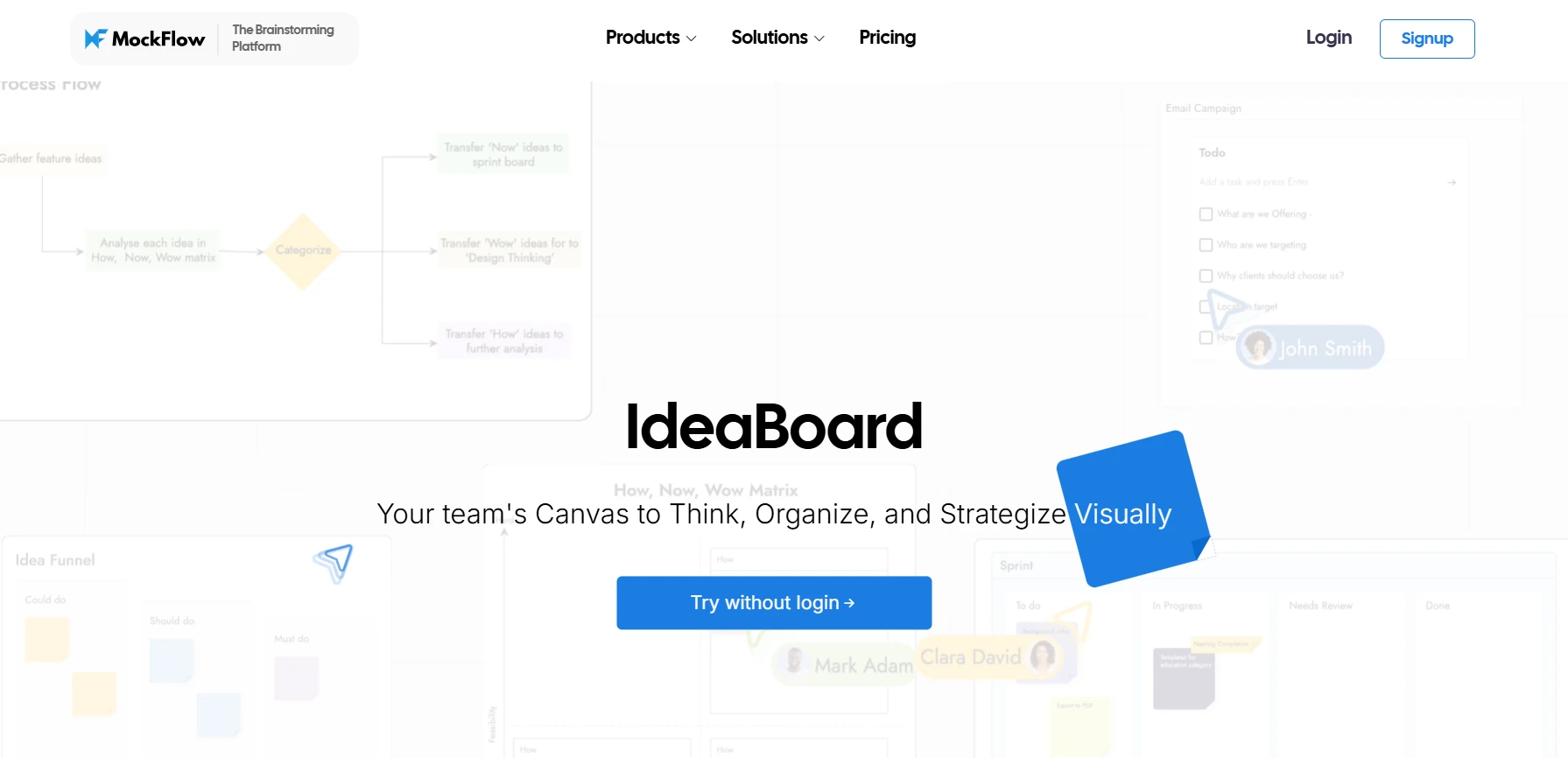
For teams seeking a simple yet powerful alternative to Miro and Mural, MockFlow IdeaBoard offers a unique approach to digital whiteboarding. While Miro and Mural cater to large-scale projects and structured workshops, IdeaBoard shines in providing a lightweight, intuitive whiteboarding experience with minimal overhead.
How IdeaBoard Aligns with Whiteboarding Needs
MockFlow’s IdeaBoard was created with the goal of providing teams with a lightweight yet powerful tool that makes collaboration seamless. It’s designed to help teams start brainstorming and collaborating right away, without the steep learning curve found in some other tools.
Key features of IdeaBoard:
- Simple interface: Intuitive drag-and-drop functionality for a quick start.
- Real-time collaboration: Multiple users can work on the board simultaneously, making it perfect for virtual meetings and brainstorming sessions.
- Infinite canvas: Teams can map out complex ideas, flowcharts, or mind maps without constraints.
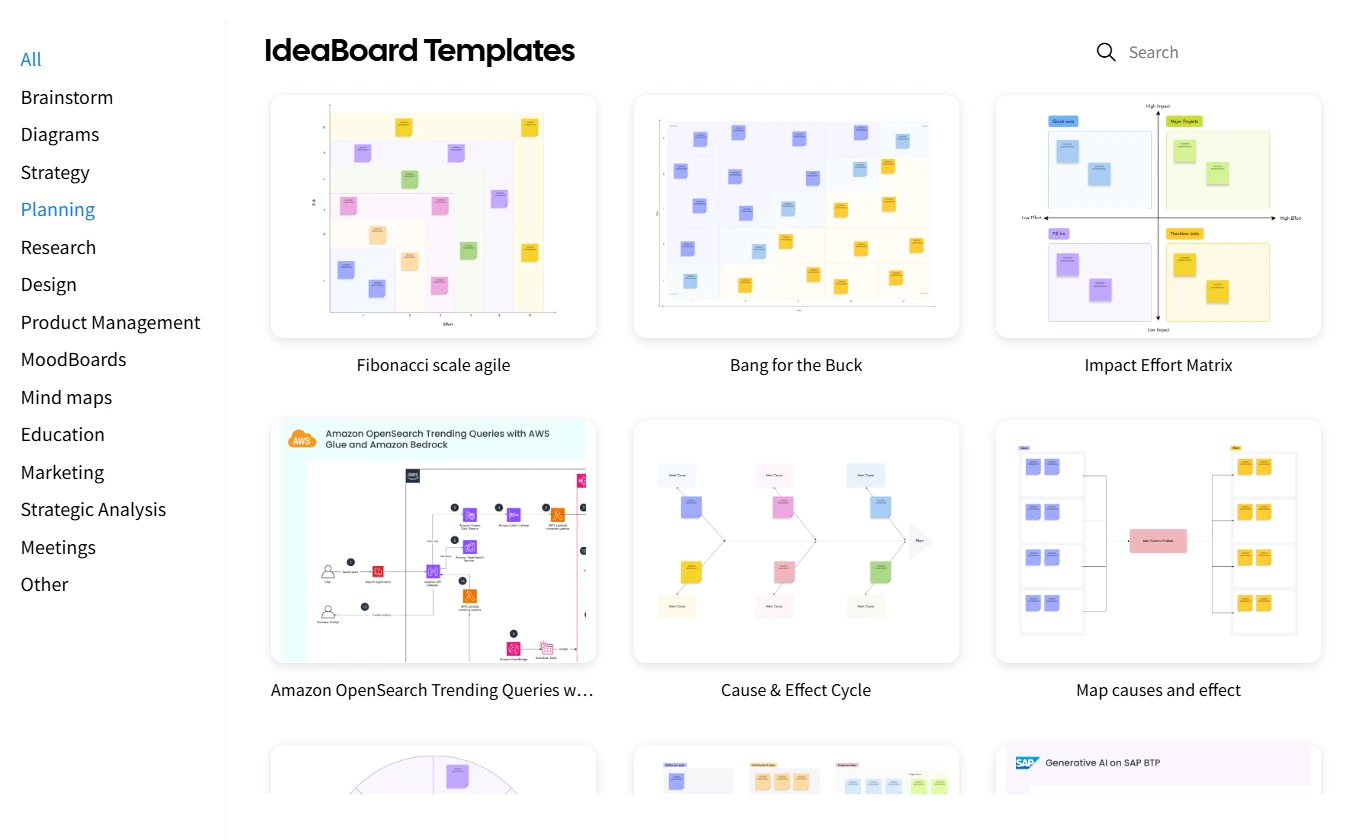
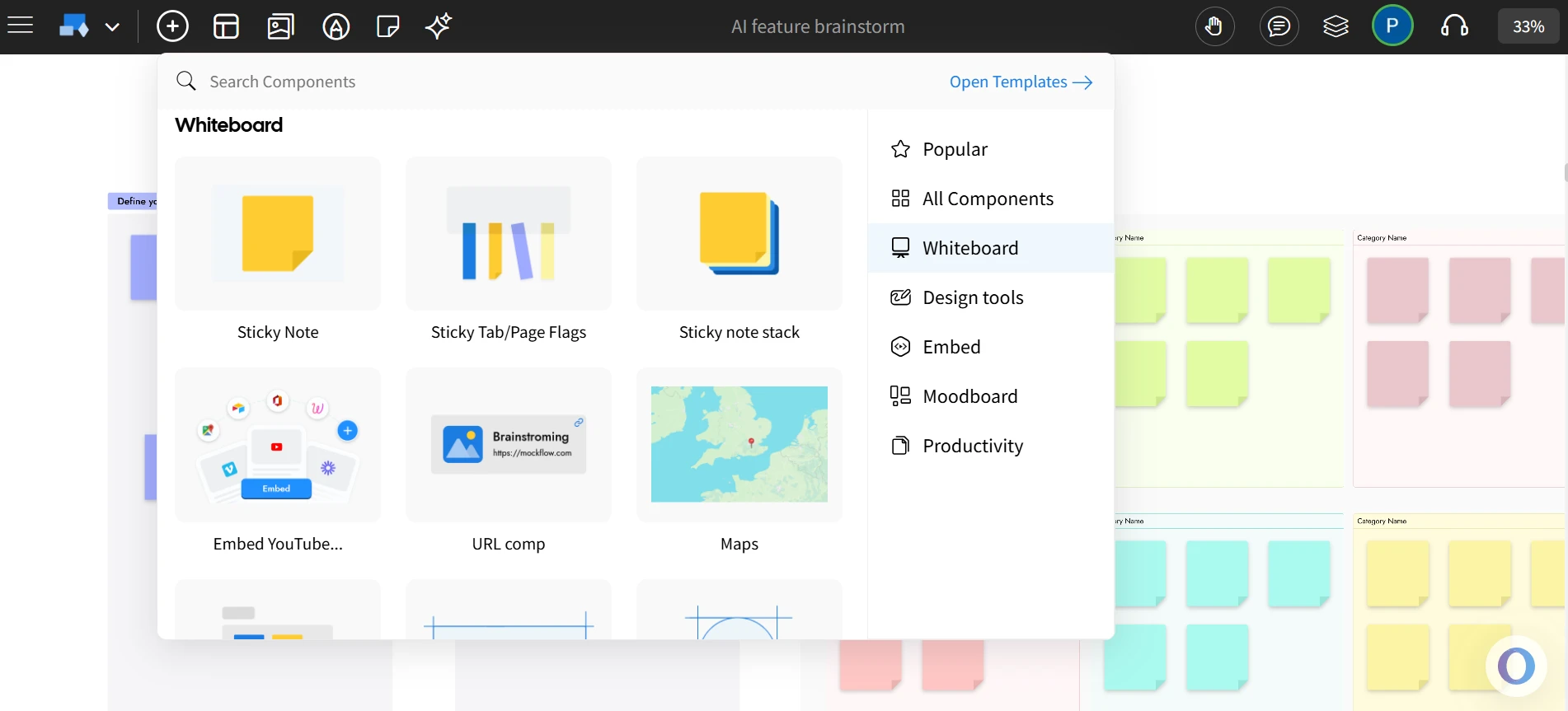
- Customizable templates: A rich library of templates for various team needs, from design thinking to project planning.
MockFlow's IdeaBoard provides everything you need to ideate and collaborate visually, with zero friction. This makes it perfect for teams that need a straightforward, effective whiteboarding solution without unnecessary bells and whistles.
Advantages & Differentiators for Visual Collaboration
What makes IdeaBoard stand out from Miro and Mural? Here are some unique features:
- Zero learning curve: Its simple interface is intuitive, making it easy for any team member to start collaborating right away, regardless of their tech skills.
- Offline capability: For teams that need to work in areas with limited internet access, IdeaBoard offers an offline mode, ensuring that work doesn’t get interrupted.
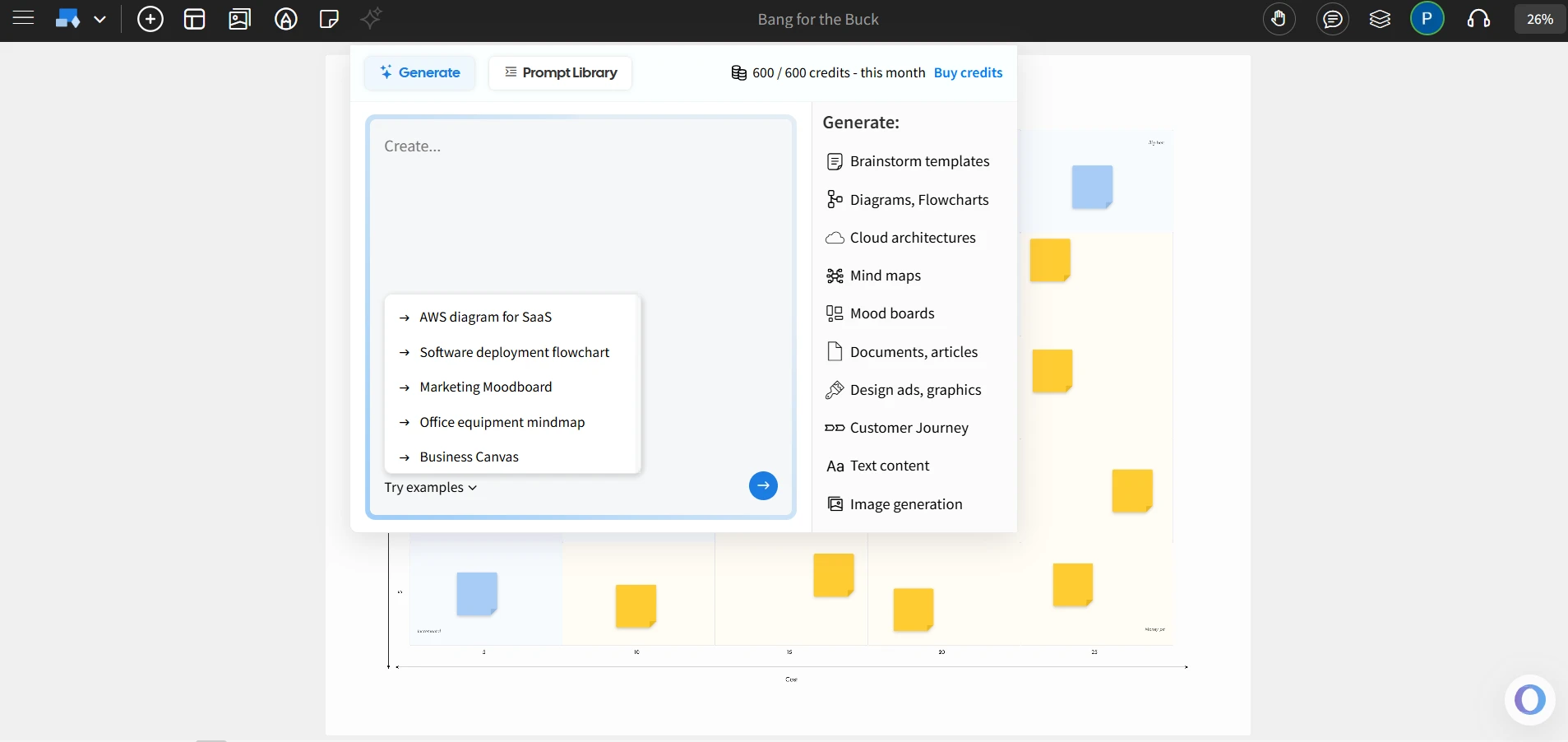
- AI-powered brainstorming: The AI Toolbox helps generate ideas and organize thoughts quickly, making it a great fit for teams looking to enhance their brainstorming sessions.
- Flexible export and sharing options: Export boards in multiple formats like PNG, share across platforms, and even save offline/on-premise files (like IdeaBoard’s .board format) for secure, version-controlled collaboration.
- Custom integrations: Integrates with popular tools like Trello, allowing teams to bring their boards into existing workflows seamlessly.
- Live Audio/Video Whiteboarding: Supports integrated audio and video meetings within the whiteboard workspace in its online version.
- Multimedia comments (video & voice): Lets users drag and drop video or voice comment components onto the board to maintain context and help feedback feel more human for remote teams.
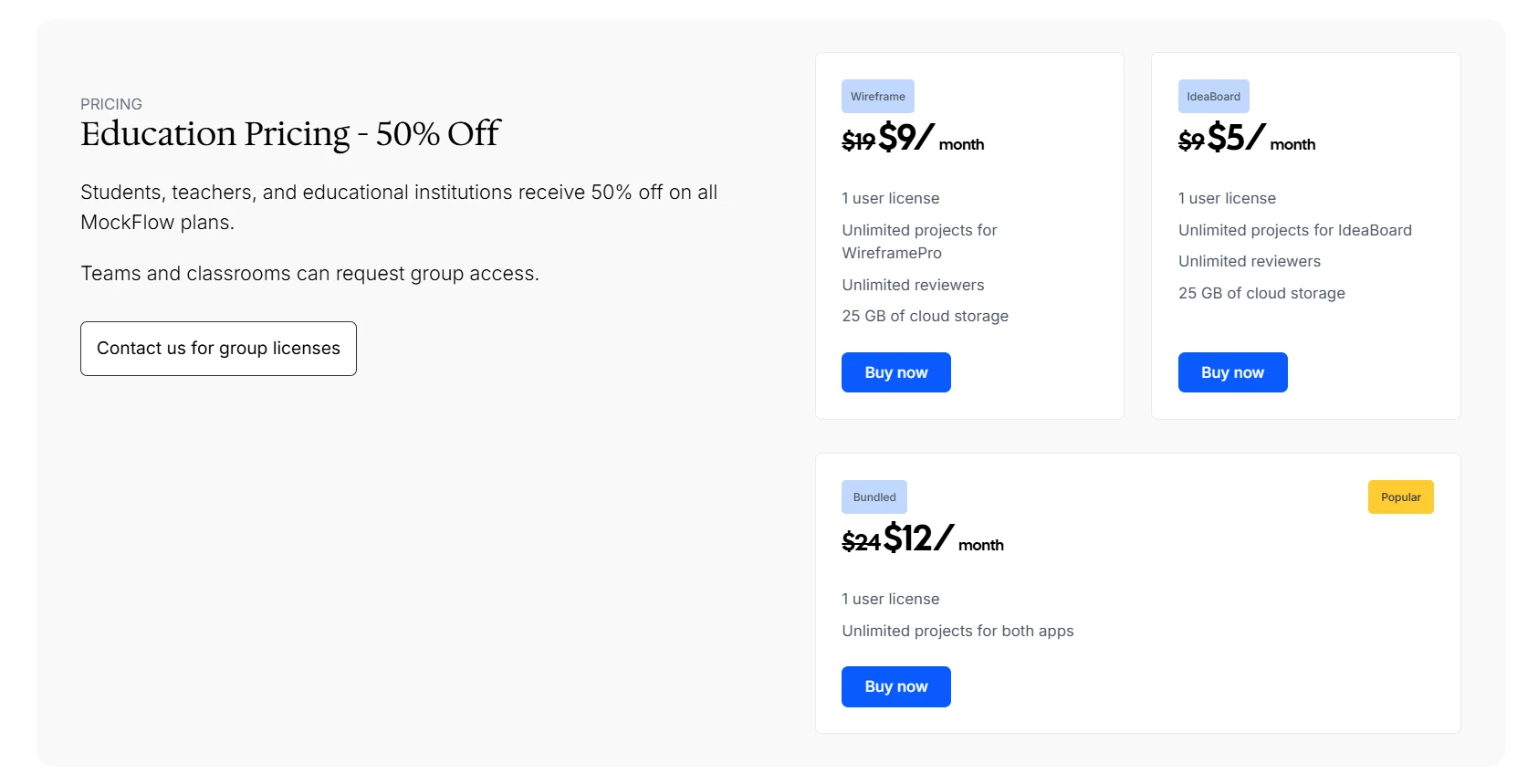
- Cost-effective: Offers a cost-effective alternative to the more feature-heavy options like Miro and Mural. It offers a free plan, with paid plans starting at $7/user/month.
These features ensure that IdeaBoard is a great Miro and Mural alternative for teams looking for a leaner, more focused whiteboarding tool without sacrificing power or versatility.
Ideal Scenarios & Teams for IdeaBoard
IdeaBoard excels in several environments and use cases, making it a great choice for different types of teams and industries:
- Small teams or startups: Teams that need a simple, cost-effective whiteboarding tool with powerful collaboration features. The low cost and ease of use make it an excellent choice for smaller teams that don’t want the complexity of more expensive tools.
- Remote or hybrid teams: For teams that need to collaborate in real-time or asynchronously, IdeaBoard offers both, with an intuitive platform that works seamlessly for distributed teams. Features like offline mode ensures that teams working in low-connectivity environments are not left behind.
- Agile teams: Teams running sprints, retrospectives, or product design workshops will appreciate IdeaBoard’s simplicity and flexibility, allowing them to focus on creating and collaborating instead of managing the tool.
- Creative teams: Whether you’re brainstorming new marketing ideas, sketching out user flows, or mapping out product roadmaps, IdeaBoard is ideal for designers, marketers, and product teams who need a simple way to collaborate visually.
- Educators and trainers: IdeaBoard is particularly suited for educators looking to deliver interactive lessons and visual sessions. The 50% discount for educators makes it an even more attractive option for schools and training institutions.
IdeaBoard has the power and simplicity that makes it a great choice for anyone looking to elevate their visual collaboration without the complexity and cost of more robust platforms. Around 100 companies globally are already using MockFlow, with adoption spanning across the US, UK, India, and Canada, reflecting its growing relevance.
You can start using MockFlow’s IdeaBoard for free or install the Chrome extension to whiteboard directly from your browser.
MockFlow vs Miro vs Mural Comparison
Here’s a quick comparison of Miro, Mural, and MockFlow’s IdeaBoard for different team needs.
Tool | Best For | Key Strengths | Consider If You Need |
Miro | Product design, creative agencies, large teams | Flexible canvas, extensive integrations, real-time collaboration | High customization, deep integrations with tools like Slack, Jira, Zoom |
Mural | Structured workshops, team retrospectives | Simplicity, ease of use, guest access | Streamlined collaboration for external clients, simple setup for workshops |
MockFlow IdeaBoard | Teams focusing on brainstorming and fast execution (product teams, educators, remote teams, agencies) | Intuitive interface, AI toolbox, structured boards, real-time + async collaboration, offline access options | A tool that reduces friction, helps teams get started quickly, adapts to multiple collaboration styles, and supports both ideation and structured work without unnecessary complexity. |
This table gives a clear snapshot of which tool is best suited for your team's needs, whether you prioritize flexibility, simplicity, or ease of use.
Conclusion
Choosing between Miro vs Mural ultimately depends on what your team values most. Miro shines with its flexibility and extensive integrations, making it perfect for large teams with complex workflows. Mural is ideal for those who need a streamlined tool for structured workshops and easy guest access.
However, if you’re looking for a simple, intuitive whiteboarding solution that doesn't compromise on collaboration power, MockFlow’s IdeaBoard stands out. It’s especially perfect for educators, small teams, freelancers, and remote teams who need a cost-effective yet powerful platform for brainstorming and ideation.
Take the next step and explore MockFlow’s IdeaBoard. Try it for free, explore our other pricing plans, or add the Chrome extension to start whiteboarding directly from your browser.
FAQs about Miro vs Mural
1. What is the difference between Miro and Mural?
Miro and Mural are both online whiteboard tools designed for visual collaboration, but they serve slightly different needs. Miro offers a broader feature set, including advanced integrations, diagramming tools, and scalability for large enterprises. Mural focuses on workshop facilitation and ease of onboarding, making it ideal for teams that prioritize structured sessions and simplicity. Both platforms support real-time collaboration and hybrid team workflows.
2. Which is better: Miro or Mural for visual collaboration?
Miro is better suited for design, product, and agile teams needing a versatile visual workspace with strong integrations. Mural, however, excels in workshops and team facilitation due to its user-friendly interface and built-in tools like timers and voting. The best choice depends on whether your team values depth of features (Miro) or simplicity and guided collaboration (Mural).
3. How does Miro vs Mural pricing compare?
Both Miro and Mural offer free and paid plans, but they differ in structure. Miro’s paid plan starts at $8/user/month and provides more flexibility for enterprise scaling with advanced admin controls and integrations. Mural’s paid plans start at $9.99/user/month and are generally simpler, appealing to facilitation-heavy teams. Both offer free tiers with limited editable boards, making them accessible to startups and individual users.
4. Which platform has better templates and integrations?
Miro leads with its extensive Miroverse community offering thousands of templates for design, agile planning, and brainstorming. It also supports integrations with tools like Jira, Asana, Slack, and Zoom. Mural provides strong facilitator-focused templates and integrates deeply with Microsoft Teams and other collaboration tools. Teams should choose based on their workflow ecosystem and use case.
5. For remote teams, should we choose Miro or Mural?
For remote and hybrid teams, both tools provide real-time collaboration, but their strengths differ. Miro is ideal for complex projects, diagramming, and design collaboration. Mural suits teams that prioritize structured workshops and quick facilitation. Large teams often prefer Miro for scalability, while Mural fits smaller groups seeking simplicity and engagement.
6. Why is MockFlow IdeaBoard a good alternative to Miro and Mural?
MockFlow IdeaBoard takes a focused approach to brainstorming by offering a clean, intuitive workspace that helps teams move from ideas to structure quickly. With drag-and-drop editing, AI-assisted board building, and ready-to-use templates for brainstorming, planning, and diagramming, it supports both free-form thinking and organized workflows without overwhelming users. Teams that want easy setup and focusing on brainstorming often find it more efficient than the complex workflows of Miro or Mural.

What Is a UI Kit? Definition, Benefits, Types, and Examples
UI kits are one of the most widely used tools in modern UI design — yet they’re often misunderstood or underutilized. At their...

How to Create a Wireframe: Step-by-Step Guide
Every idea in this world begins with a thought. Whether it's a groundbreaking app, an intuitive website, or a user-friendly...

How to Use the Starbursting Technique for Brainstorming in 2026
Introduction Some ideas feel “done” the minute we say them out loud. A new feature. A campaign hook. A process change. Everyone...
