10 UI/UX Design Trends to Watch For in 2026
Introduction
UI/UX design in 2026 is moving in two directions at once. Interfaces are becoming more adaptive, intelligent, and responsive to context. At the same time, designers are paying closer attention to user control, accessibility, clarity, and the human qualities that make digital products easier to trust and use.
That tension is shaping many of the most important UI design trends 2026 has brought into focus. While some UX UI trends are changing how interfaces respond to user goals, others are expanding how people interact through voice, gesture, motion, direct manipulation, and spatial environments.
Even visual styles are evolving as designers look for stronger expression without sacrificing usability.
In this guide, we explore 10 UI/UX design trends shaping digital products in 2026, with real interface examples and the practical design shifts behind each one.
What are the top UI/UX design trends in 2026?
The biggest UI/UX design trends in 2026 are generative and adaptive interfaces, agentic UX, multimodal interaction, graphical-first controls, accessibility-first design, purposeful motion, Liquid Glass, spatial interfaces, data-driven storytelling, and expressive neo-brutalism.
Together, they show interfaces becoming more intelligent and responsive while still prioritizing user control, clarity, and accessibility.
Trend | What is changing |
Generative and adaptive interfaces | Interfaces respond dynamically to context and user needs |
Intent-driven and agentic UX | Users increasingly express goals rather than executing every step |
Multimodal interfaces | Voice, touch, text, gesture, audio, and visuals work together |
Graphical-first interaction | Direct manipulation complements or replaces prompt-heavy workflows |
Accessibility-first design | Accessibility becomes part of the system from the beginning |
Purposeful motion | Animation communicates state, hierarchy, and feedback |
Liquid Glass | Translucency and depth return in more dynamic forms |
Spatial interfaces | UI expands beyond flat screens into 3D environments |
Data storytelling | Complex information becomes guided and interactive |
Neo-brutalism | Products use bolder visual identities without abandoning usability |
Current 2026 trend coverage consistently points to the same broader shifts, even when publishers use different names for them. Adaptive AI, multimodal interaction, accessibility, purposeful motion, spatial design, and more expressive visual languages are all shaping how designers think about the next generation of digital interfaces.
In fact, Gartner predicts that up to 40% of enterprise applications will include task-specific AI agents by the end of 2026. For interface designers, that makes visibility, control, progress feedback, and reversibility increasingly important parts of the experience.
Also read → Difference Between Web Design and UI/UX Design
Let’s take a look at the top 10 UI/UX design trends for 2026.
1. Generative and adaptive interfaces
Generative and adaptive interfaces move beyond fixed layouts. They can change content, hierarchy, workflows, or controls based on a user’s context, intent, behavior, or experience level.
The difference is easy to grasp once you see it in action: personalization shapes what users see, while adaptive UI goes a step further by reshaping how information and controls are presented.
Examples include:
- Dynamic recommendations based on behavior
- Simplified workflows for new users
- Advanced controls for experienced users
- Dashboards that prioritize information based on the current task
Netflix is a familiar example of personalized content presentation. A more adaptive product might also rearrange a workspace or surface different controls depending on what the user is trying to do.
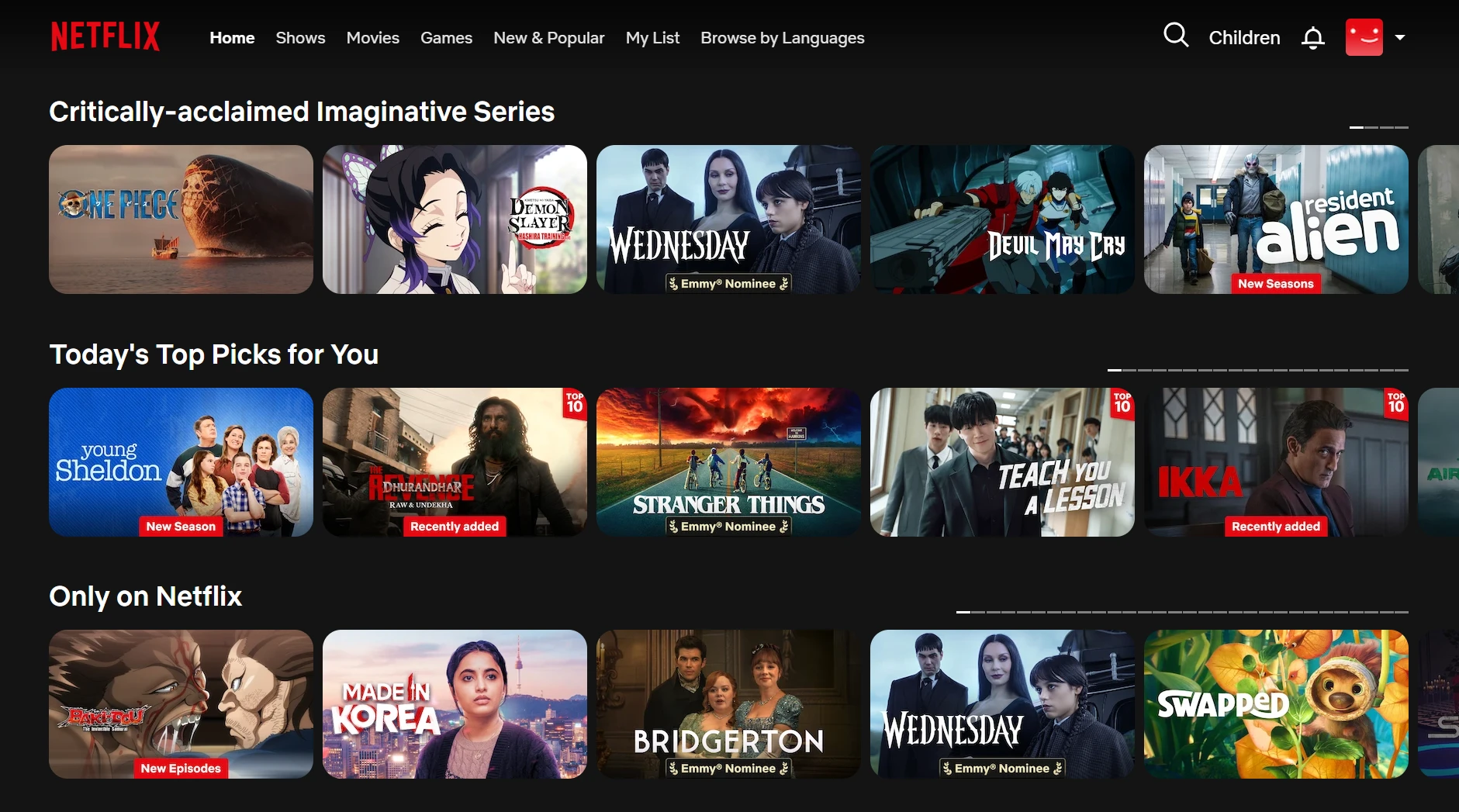
Image Source: Screenshot from Netflix
Keeping things predictable even as interfaces evolve requires careful design. Interfaces still need stable patterns, clear feedback, privacy safeguards, and enough user control to avoid becoming confusing.
For design teams, AI can also speed up the exploration stage. The example below shows how an existing wireframe can be used to generate a new, editable screen while keeping the broader visual direction consistent. This gives teams a faster way to compare interface ideas before moving into detailed design.
2. Intent-driven and agentic UX
Intent-driven and agentic UX shifts the interface from step-by-step commands toward goal-based interaction. Instead of telling a system exactly what to do at every stage, users can describe the outcome they want and let the interface help plan the path.
Command-based UX | Intent-driven UX |
The user defines each action | The user defines the goal |
Interface guides a fixed flow | The system may generate a path |
Feedback follows individual actions | Feedback explains ongoing system behavior |
Agentic interfaces take this further by planning or carrying out multiple actions toward the goal. That changes what good interface design needs to communicate.
Users should be able to:
- See what the system is doing and why
- Track progress and current status
- Pause, modify, approve, or stop actions
- Understand uncertainty when the system is not fully confident
- Review and reverse completed actions
As more products adopt agentic experiences, visibility and control become central to UX. A system that can act on a user’s behalf also needs to make those actions understandable, reviewable, and easy to interrupt.
ChatGPT’s agent mode depicts this well, where a user can describe a broader task, while the interface shows ongoing activity and allows them to interrupt or take control when needed.
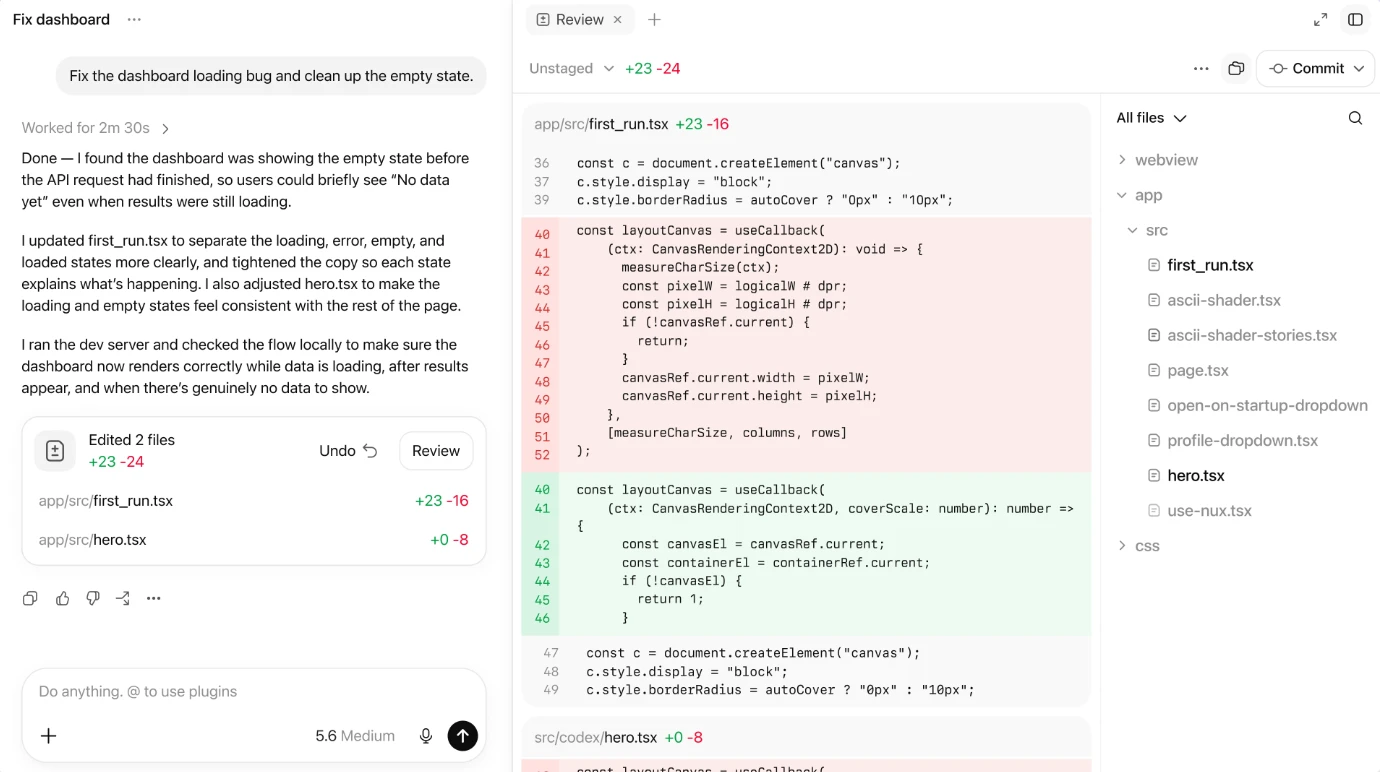
Image Source: ChatGPT Codex
3. Conversational and multimodal interfaces
Conversational interfaces are no longer limited to standalone voice or chat experiences. There is a growing focus on multimodal interfaces that let users move between different ways of interacting depending on the task and context. That can include:
- Text paired with visual controls
- Voice combined with touch
- Gesture supported by visual feedback
- Audio paired with haptics
- Screen-based interaction connected with ambient cues
Each mode should complement the others and give users a more natural way to complete the task.
For instance, in Google Maps, users can search with text or voice, then switch to visual maps, touch gestures, turn-by-turn audio, and on-screen guidance as the context changes.
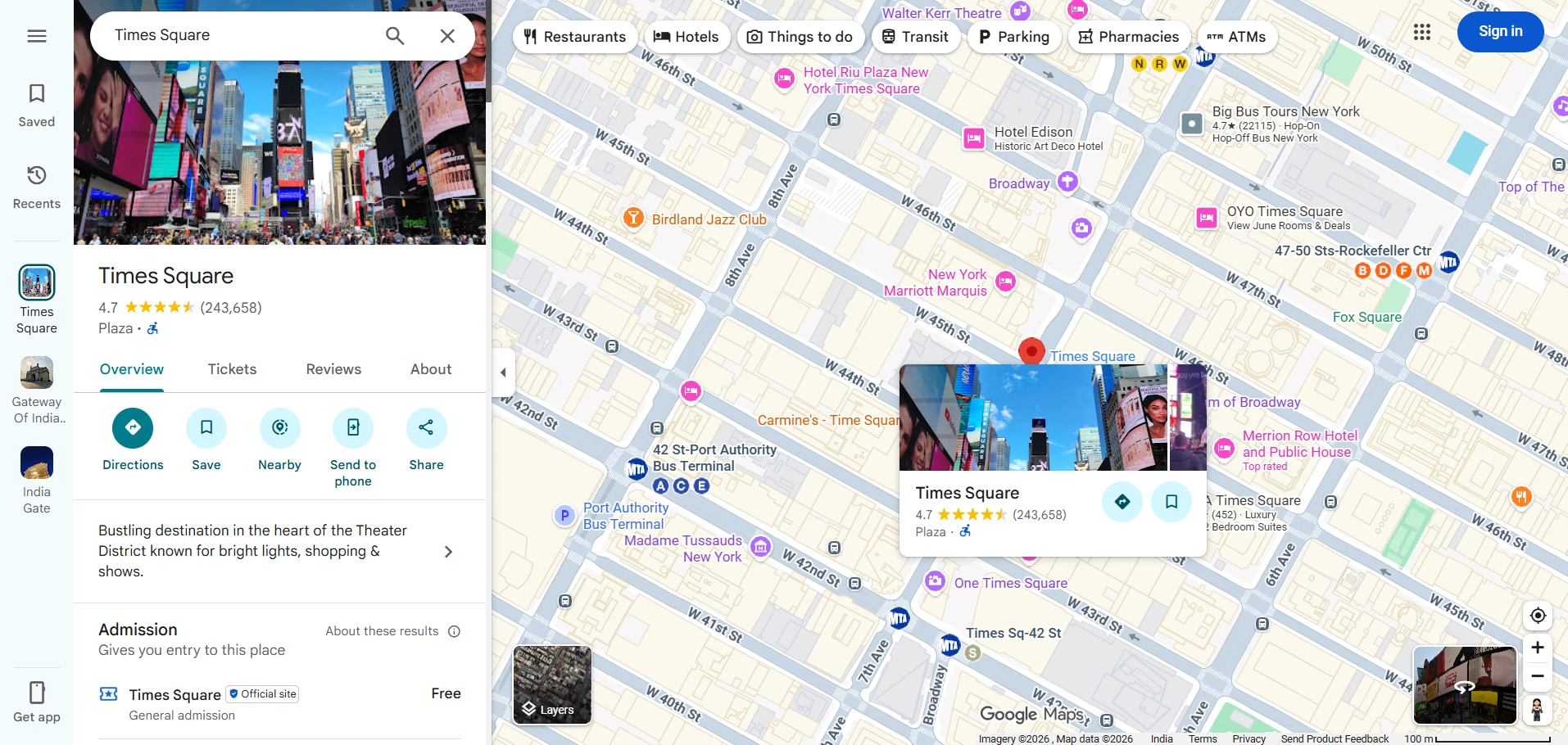
Image Source: Screenshot from Google Maps
Multimodal design can also improve accessibility by giving users alternative ways to interact. However, every core task still needs a clear and operable path, so the experience does not depend on one specific input method.
4. Graphical-first interfaces and direct manipulation
As AI products become more prompt-heavy, graphical-first interfaces offer an important counterbalance. Not every task is easier when users have to describe what they want. In many cases, it is faster and more precise to interact directly with what is on the screen.
That means letting users:
- Drag and drop objects
- Resize or reorder elements
- Select items directly
- Adjust settings visually
- Manipulate content in place
This approach is especially useful in creative tools, media products, dashboards, planning applications, and complex AI interfaces where visual context matters.
Spotify offers a simple example. Gesture-based controls let users swipe, tap, and move through content directly instead of describing every action through a command.
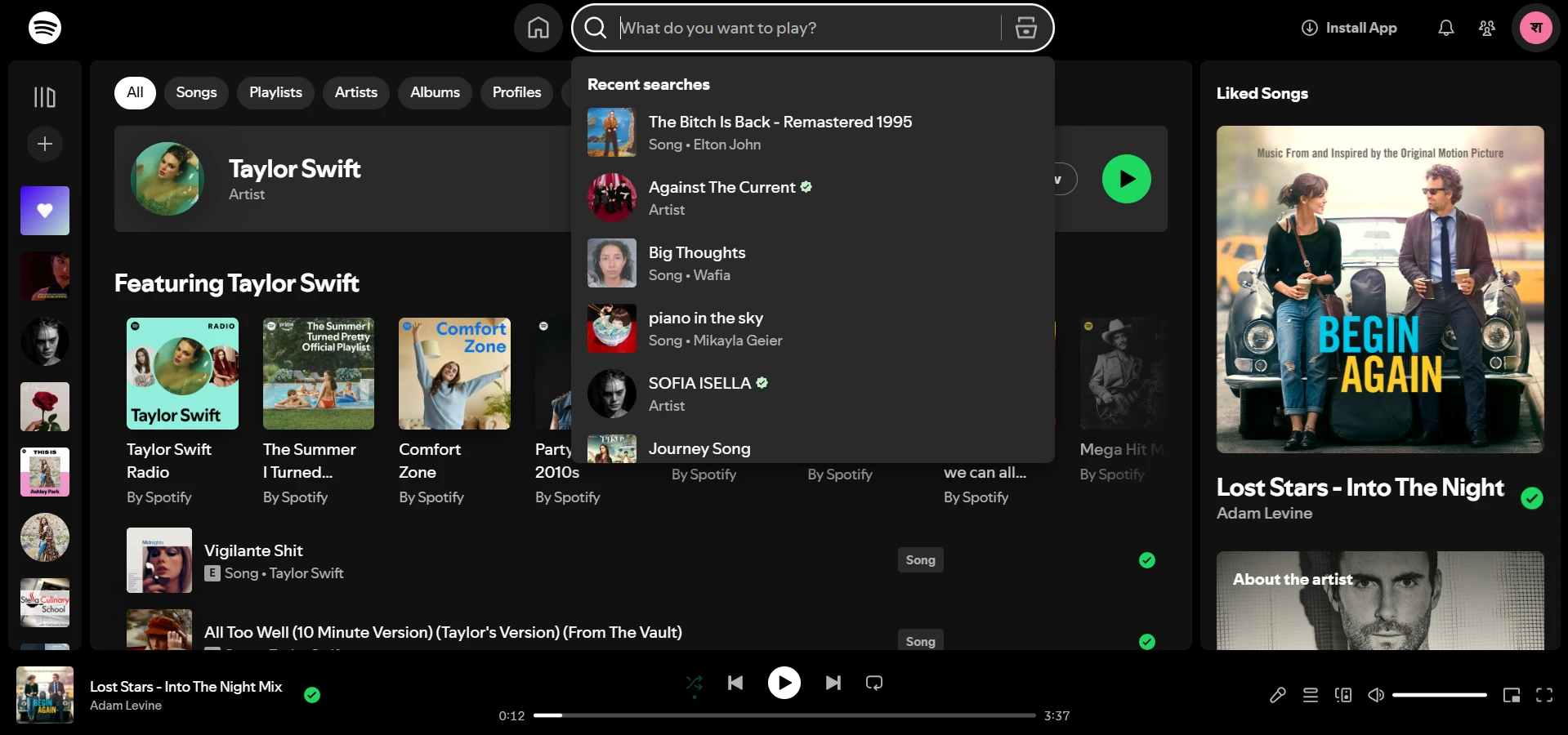
Image Source: Screenshot from Spotify
For designers, familiar controls still matter because they reduce friction and make interactions easier to understand. UI kits can also help teams quickly explore established interaction patterns when testing early interface concepts.
Also read → Best UI Kits for Designers: Compare 14 UI Kits for Design Workflows
5. Accessibility-first and inclusive interface design
Accessibility-first design treats accessibility as part of the interface system from the beginning, rather than a check added before launch. That includes:
- Keyboard access and clear focus states
- Sufficient color contrast and text alternatives
- Support for reduced-motion preferences
- Accessible dynamic content
- Multiple ways to complete important tasks
This becomes even more important as interfaces become adaptive and AI-generated. A layout that changes dynamically still needs to remain understandable, operable, and predictable for different users.
For example, Microsoft Teams offers accessibility within a mainstream product, with features designed to support different ways of seeing, hearing, and interacting with the interface.
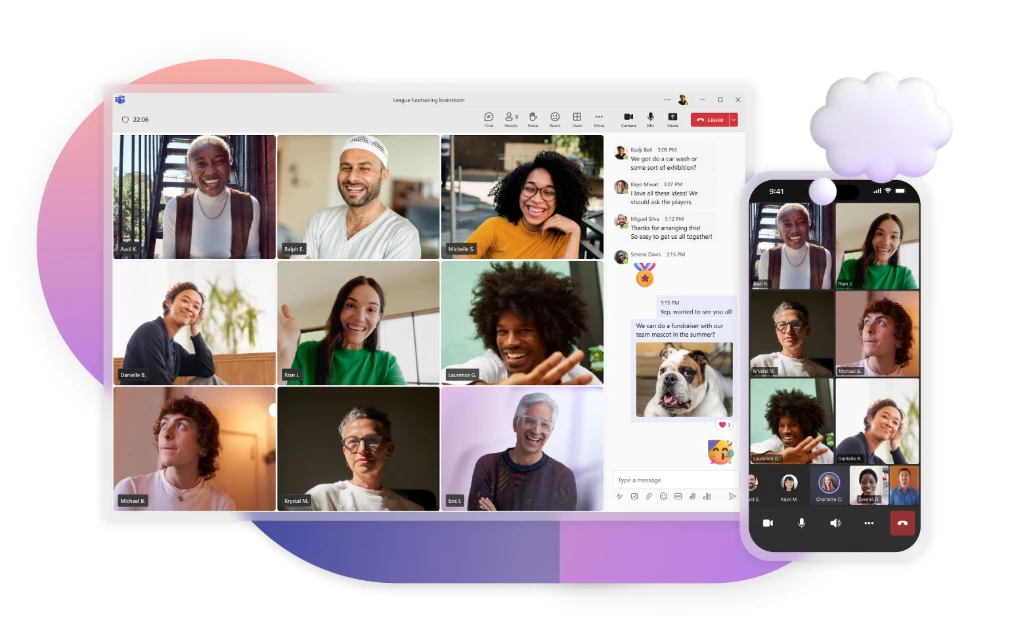
Image Source: Microsoft Teams
Accessibility is becoming a core design requirement, and the strongest interfaces build it into interaction patterns, content, and system behavior from the start.
6. Purposeful motion and micro-interactions
Motion in 2026 is becoming more purposeful, contextual, and responsive. Instead of adding animation for decoration, designers are using it to help users understand what is happening in the interface.
Purposeful motion can:
- Confirm that an action succeeded
- Communicate loading or system status
- Show relationships between interface elements
- Direct attention to important changes
- Make transitions between states easier to follow
- Add personality without interrupting the task
Google Material’s expressive motion language is a good example. Elements respond to user actions through transitions and movement that help communicate state changes and maintain context.
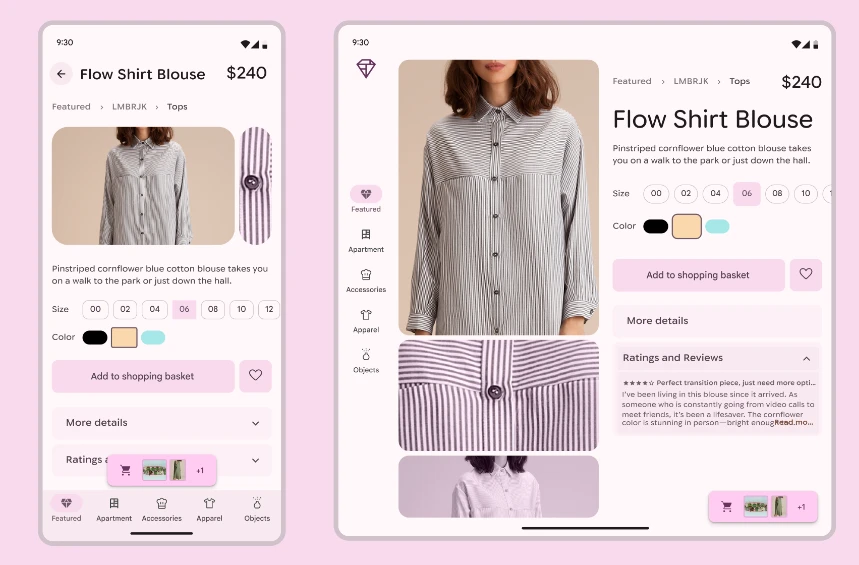
Image Source: What’s new at Google I/O 2026
The key is restraint. Motion should support the interaction rather than compete with it, and interfaces should respect reduced-motion preferences, so essential tasks remain comfortable and accessible.
7. Liquid Glass and adaptive transparency
Liquid Glass reflects a broader return to translucency, layering, depth, and dynamic material effects. The difference in 2026 is that these treatments feel more responsive and more tightly connected to the interface itself.
Rather than acting as a static visual effect, transparency can react to content, movement, and surrounding elements. This creates:
- Clearer foreground and background separation
- More depth between interface layers
- Dynamic refraction and material effects
- Interfaces that feel more responsive to context
Apple’s Liquid Glass is a prominent example. Its translucent surfaces adapt to the content behind them while preserving hierarchy and interaction cues across the operating system.
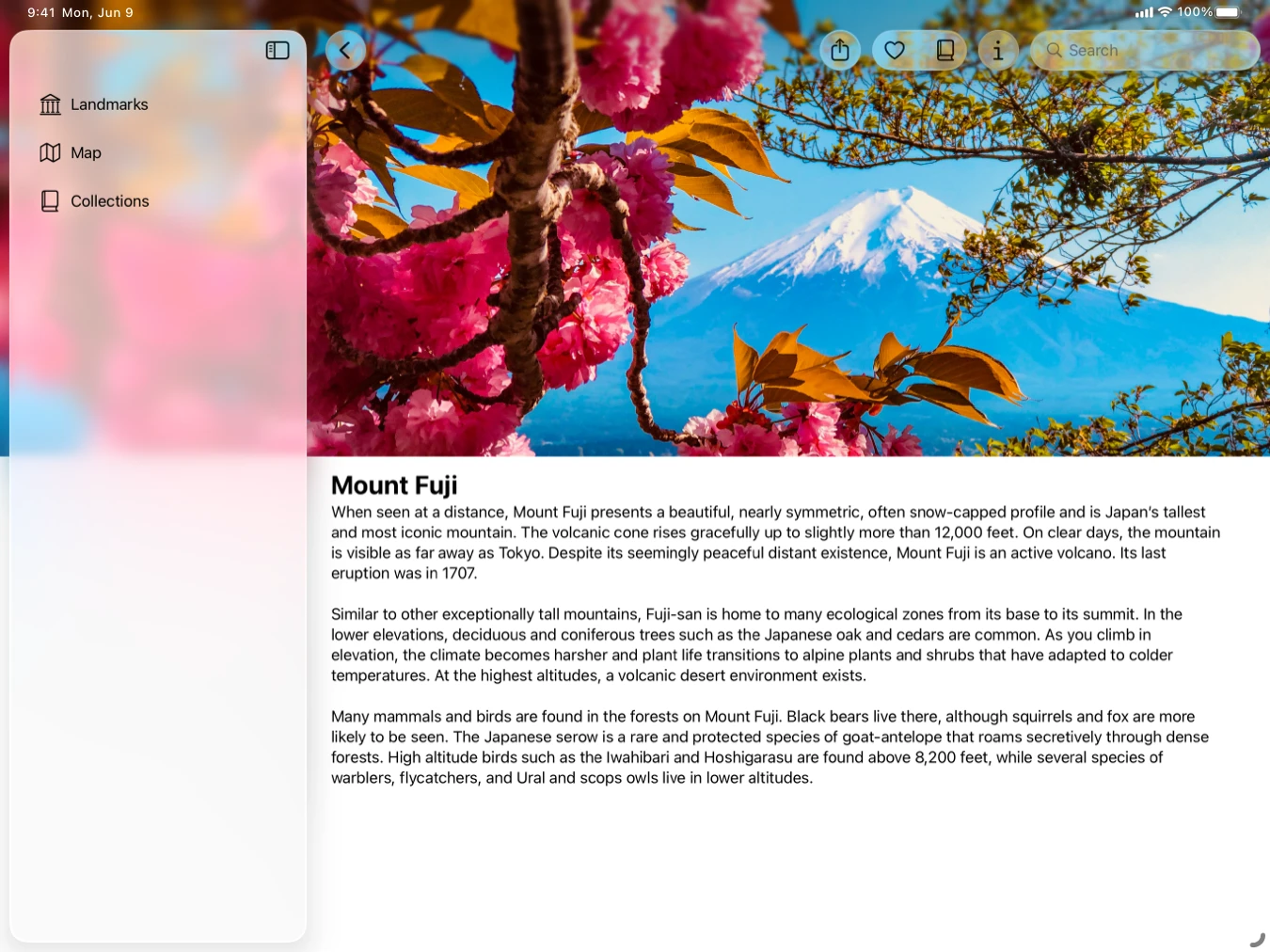
Image Source: Apple’s Liquid Glass
The main challenge is readability. Transparency and depth should never reduce contrast, obscure text, or make controls harder to identify. The visual effect works best when it strengthens hierarchy without making the interface harder to use.
8. Spatial and immersive interfaces
Spatial and immersive interfaces move UI design beyond a single flat screen. Instead, windows, controls, and content can exist around the user and respond to their environment. This includes:
- Spatial windows and floating panels
- 3D product visualization
- AR overlays on real-world environments
- Gaze and gesture-based interaction
- 2D controls layered into spatial experiences
Apple Vision Pro is a clear example. Apps and controls can appear as spatial windows around the user, while gaze and hand gestures become part of the interaction model.
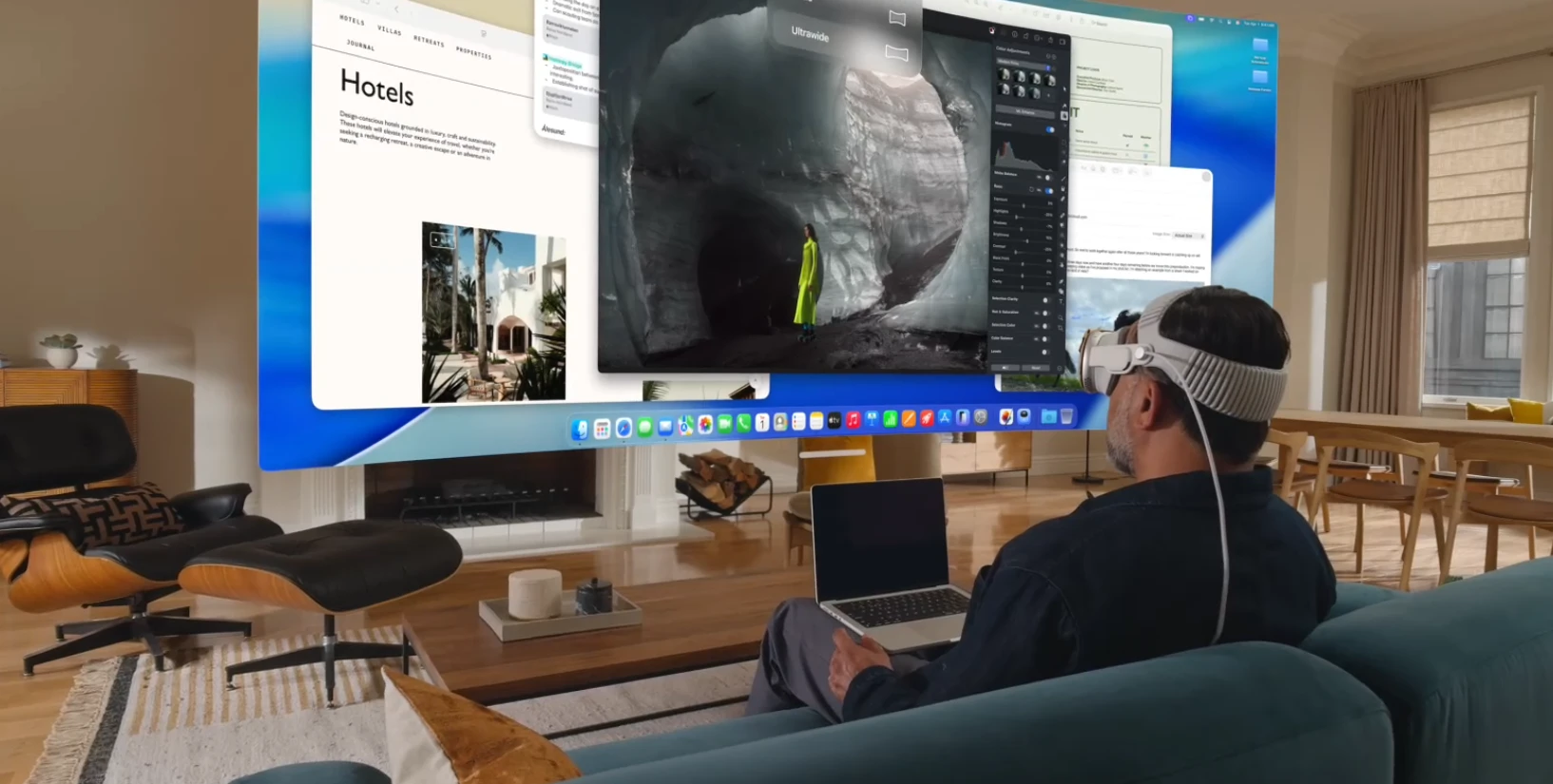
Image Source: Apple Vision Pro
AR experiences take a similar approach in a different context. IKEA Place, for example, lets users view products inside their own space, combining a familiar mobile interface with real-world visualization.
Spatial design is still more specialized than mainstream web or mobile UI, but it is becoming increasingly relevant for products where context, scale, and environment are part of the experience.
9. Data-driven visual storytelling
Data-driven visual storytelling is shifting interfaces away from static dashboards toward experiences that help users interpret information as they move through it. This can include:
- Progressive disclosure that reveals details at the right moment
- Interactive charts that respond to user input
- Animated transitions that show how values change
- Contextual annotations that explain important shifts
- Guided narratives or step-by-step exploration
The goal is to help users understand what changed, why it matters, and where to look next.
A strong example is a climate or public-data experience that introduces information in stages, then lets users explore deeper through charts, annotations, and interactive controls. The interface acts as a guide rather than presenting a wall of numbers.
This approach is especially useful in analytics and enterprise products, where better hierarchy and narrative flow can make complex information easier to interpret and act on.
Design teams can use tools for creating wireframes with AI to quickly explore different dashboard layouts, information hierarchies, and interaction ideas before choosing a direction.
10. Neo-brutalism and expressive interface design
Neo-brutalism reflects a wider reaction against polished interfaces that all start to look the same. The 2026 direction is about breaking conventions with purpose and giving products a more distinct visual identity. Common traits include:
- Bold typography
- Strong borders
- High-contrast colors
- Visible grids
- Raw or unconventional layouts
- Deliberate visual personality
Gumroad is a well-known example, using bold colors, heavy outlines, and an intentionally unconventional visual system to create a recognizable interface.
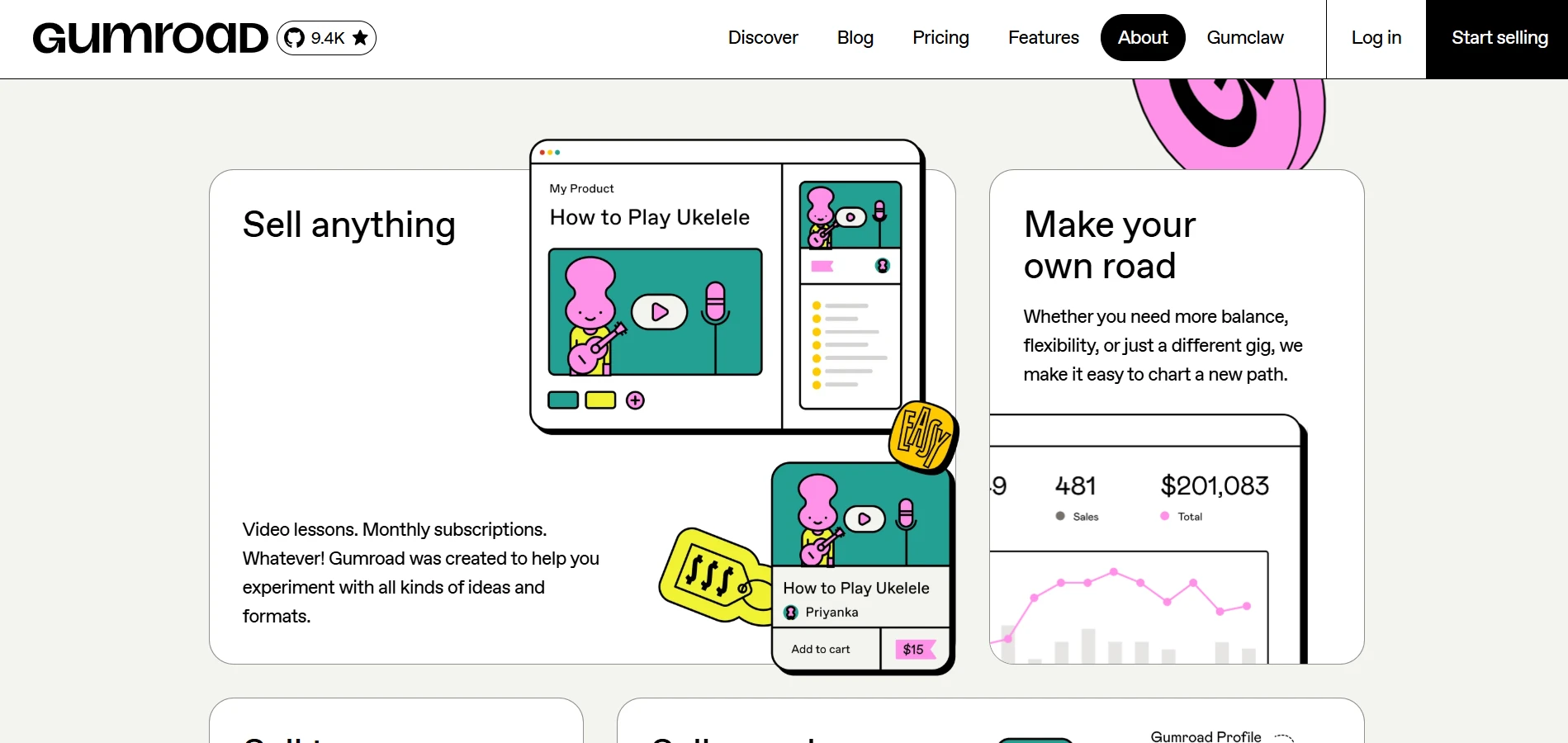
Image Source: Gumroad
Expressive design does not mean ignoring usability. The strongest examples still maintain clear hierarchy, readable content, and understandable navigation. Gradients, illustrations, playful cursors, and other visual techniques can support that personality when they strengthen the overall experience rather than distract from it.
What do the biggest UI/UX trends of 2026 have in common?
The biggest UI/UX trends of 2026 point to three broader shifts in how digital products are being designed.
1. Interfaces are becoming more adaptive: Generative UI, personalization, and agentic systems are moving products away from one fixed experience.
Gartner predicts that more than 20% of digital workplace applications will use AI-driven personalization to create adaptive experiences by 2028. As interfaces respond more closely to user goals and context, designers also need to preserve predictability, transparency, and user control.
2. Interaction is expanding beyond clicks and screens: Multimodal, graphical-first, and spatial interfaces give users more ways to interact based on the task.
Gartner also predicted that 80% of enterprise software and applications will be multimodal by 2030, up from less than 10% in 2024. The design challenge is making those different input and feedback modes feel like one coherent experience.
3. Human factors still determine whether a trend succeeds: Accessibility, clear feedback, user control, readable hierarchy, and restrained motion remain essential.
Yet only 28% of organizations say they address accessibility during the planning stage, according to Level Access's State of Digital Accessibility Report. That gap shows why established design fundamentals need to keep pace with new interface capabilities.
Before committing to a new visual style or interaction pattern, teams can explore it at the wireframe stage. By using a tool like MockFlow's WireframePro, they can compare different interface directions before investing in high-fidelity execution.
Conclusion
A trend only becomes valuable when it improves the experience for the people using the product.
Design teams often need to decide which new interaction patterns are worth pursuing before too much time goes into high-fidelity design and development. The next step is to test those ideas early. Compare different flows, explore unfamiliar interaction models, and see where clarity or usability starts to break down.
That is where WireframePro can help. Teams can quickly turn early interface ideas into wireframes, compare multiple directions, and refine the experience before committing to detailed execution. This makes it easier to explore emerging UI/UX trends without treating every new pattern as a final design decision.
If you're ready to test your next interface idea, sign up for a free demo with WireFramePro and start exploring.
FAQs
1. What are the biggest UI/UX design trends in 2026?
The biggest UI/UX design trends in 2026 include adaptive interfaces, agentic UX, multimodal interaction, accessibility-first design, purposeful motion, Liquid Glass, spatial interfaces, data storytelling, graphical-first controls, and more expressive visual styles.
2. How is AI changing UI/UX design in 2026?
AI is making interfaces more adaptive and intent-driven. Products can respond to user context, personalize experiences, and help complete multi-step tasks. This also creates new design requirements around transparency, predictability, progress feedback, and user control.
3. Which UI design trends from 2025 are still relevant in 2026?
Several UI design trends introduced in 2025 are still evolving. Glassmorphism has developed into Liquid Glass, micro-interactions are becoming more purposeful, 3D design is expanding into spatial experiences, and AI interfaces are becoming increasingly adaptive and agentic.
4. What is adaptive UI design?
Adaptive UI design allows an interface to change based on context, behavior, experience level, or user intent. It can adjust content, hierarchy, controls, or workflows while maintaining enough consistency for users to understand and navigate the product confidently.
5. What is agentic UX?
Agentic UX describes interfaces where a system can plan or carry out multiple actions toward a user-defined goal. Good agentic experiences make progress visible and give users ways to review, pause, modify, approve, or stop system actions.
6. Should every product follow the latest UI/UX design trends?
No. A UI/UX trend is worth adopting only when it improves the experience for the product’s users. Teams should prioritize clarity, accessibility, performance, and task completion over visual novelty or adopting a new interaction pattern simply because it is current.
Miro vs FigJam Comparison: Features, Pricing & Use Cases Explained
Introduction If you’ve been exploring digital whiteboarding tools, Miro and FigJam are likely two names you’ve come across...
How to Create Team Charters in 2026? A Guide with Benefits & Templates
Introduction Sometimes teams struggle to stay aligned as projects move forward, especially when responsibilities, communication,...
Affinity Diagram: A Practical Guide to Organizing Ideas and Insights
Introduction Brainstorming sessions often produce dozens of ideas in minutes, but it gets difficult to figure out which ideas...
