
Decision Tree Diagram: Symbols, Examples, and How to Create One
Introduction
Some decisions look simple until you start mapping the consequences.
Teams debate possibilities endlessly because it’s hard to see how every choice connects to risk, probability, and final results. A decision tree diagram helps fix that friction.
Instead of discussing scenarios abstractly, a decision tree visually maps each option, outcome, and consequence in a structured branching diagram. It helps teams analyze choices logically, evaluate potential risks, and compare decision paths before committing to a strategy.
In this guide, we'll walk through what a decision tree diagram is, how its core components work, and how to create one step by step. We’ll also explore real-world examples and see how visual collaboration tools help teams build and analyze decision trees more easily during planning and strategy sessions.
What Is a Decision Tree Diagram? Learn the Basics in Minutes
A decision tree diagram is a visual model that maps decisions and possible outcomes in a tree structure. The diagram starts with a root node that represents a decision problem. Branches show possible actions or conditions. Decision nodes evaluate options. Leaf nodes display final outcomes or predictions.
Decision tree diagrams help analyze scenarios, compare paths, and choose the best strategy. Businesses use them for risk analysis and planning. Data scientists use them for classification and prediction in machine learning models.
According to a 2026 Deloitte report, 60% of executives now regularly use AI to support their decisions, yet only 5% say their organizations are leading in AI-enabled decision-making.
As decisions become more complex and data-heavy, structured frameworks like decision tree diagrams help teams evaluate outcomes more clearly and communicate the logic behind each decision path.
A decision tree diagram helps you:
- Break down complex decisions into smaller steps
- Visualize possible outcomes and scenarios
- Compare different options logically
- Evaluate risks, probabilities, and expected results
- Communicate decisions clearly with teams
Because of this clarity, decision trees are widely used in business strategy, project planning, analytics, and machine learning.
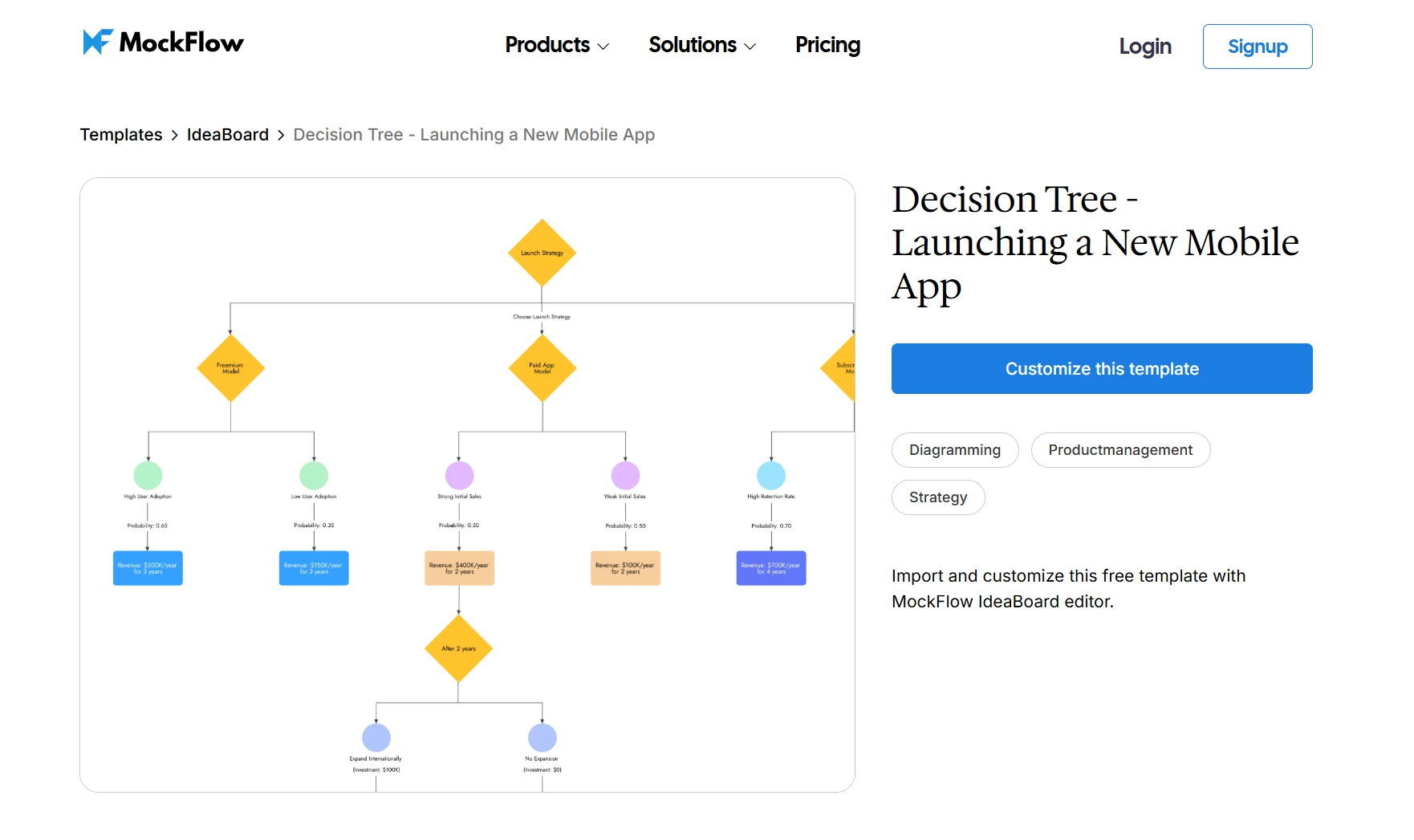
Click on this image to access the Decision Tree Diagram template
Every decision tree relies on a small set of visual elements that make the structure easy to interpret. Once you understand these symbols, reading or creating a decision tree becomes straightforward.
Decision Tree Symbols and What They Mean
A decision tree flowchart stays easy to understand because it relies on a small set of consistent visual elements. Once you recognize these symbols, reading a decision tree becomes almost intuitive. Each element plays a specific role in showing how decisions unfold and how different paths lead to different outcomes.
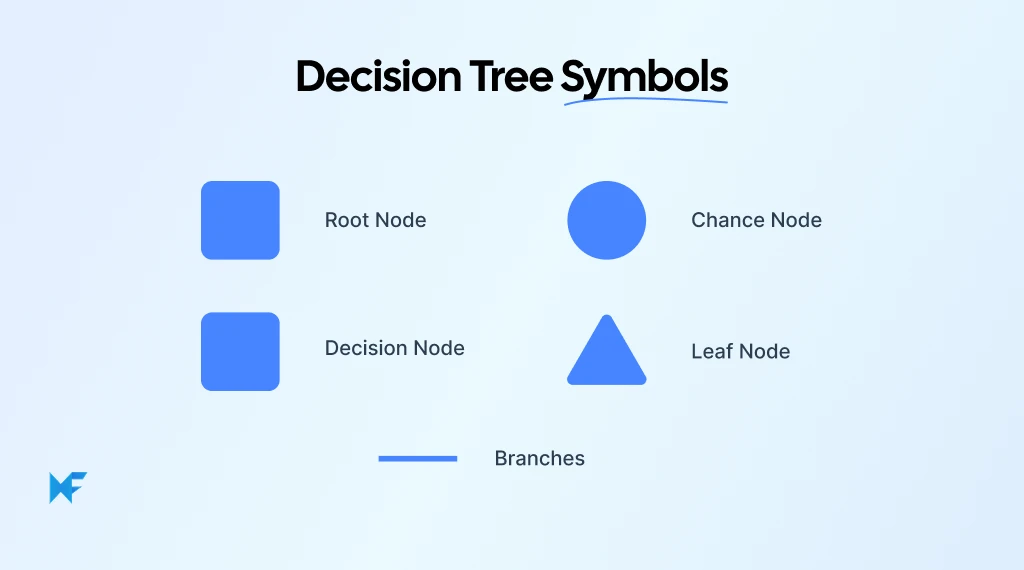
Root Node
The root node marks the starting point of the entire decision process. It represents the main problem or question the team is trying to answer.
For example, a strategy team might begin with a question such as, “Should the company expand into a new market?”
Every path in the diagram grows from this initial decision point, which is why the root node acts as the foundation of the entire decision tree.
Decision Nodes
Decision nodes appear whenever a choice must be made between multiple options. Each choice creates a new branch in the diagram. A product team evaluating a launch strategy might use decision nodes like:
- Launch immediately
- Run beta testing first
- Delay the release
Each option leads to a different path and a different set of possible outcomes. Decision nodes are where teams compare alternatives and explore the consequences of each option.
Chance Nodes
Not every outcome depends on a deliberate decision. Some outcomes depend on uncertainty, probability, or external factors. That’s where chance nodes come in.
Chance nodes represent events that cannot be controlled but must still be considered. These often appear in financial forecasting, investment planning, or market analysis. For example, an expansion decision might include uncertain scenarios such as strong market demand, moderate growth, or weak adoption.
Branches
Branches connect nodes and show how decisions lead to outcomes. They represent the logical flow of the diagram.
Each branch tells a story: a specific choice followed by a possible result. When visualized clearly, these branches allow teams to trace the path of every decision and understand how one step influences the next. A well-structured decision map makes these relationships easy to follow.
Leaf Nodes
Leaf nodes sit at the end of the decision tree. They represent the final outcome of a particular decision path.
These outcomes could include financial results, project success metrics, or strategic consequences. A business investment decision tree, for example, might end with outcomes such as:
- High profit
- Moderate return
- Financial loss
Leaf nodes show exactly where each decision path leads, which makes the consequences of each choice visible.
In machine learning practice, these leaf nodes represent the goal of the algorithm. A machine learning professional explained that decision trees keep splitting data until the resulting leaf nodes become as “pure as possible,” meaning the outcomes within each branch are highly consistent.
This process helps the model create clearer prediction rules without overfitting the data.
When these elements come together, a decision tree turns abstract discussions into a clear visual structure.
The importance of interpretable decision structures has also gained attention in AI research. The Stanford AI Index 2025 reported that responsible-AI research papers grew 28.8% in one year, while transparency and explainability research submissions increased fourfold since 2019. This trend reflects a growing demand for models that people can understand and trust, which is one reason decision trees remain widely used.
Once the symbols are familiar, the next step is learning how to build a decision tree that maps real decisions step by step.
How to Create a Decision Tree Diagram with IdeaBoard
When teams sketch decisions on a whiteboard or inside a document, ideas quickly become messy. Options get missed, outcomes are hard to track, and conversations jump between possibilities without structure. A visual workspace solves this problem by letting teams map decisions step by step.
Digital whiteboards like IdeaBoard make this process much easier. Instead of trying to organize decisions in static documents, teams can visually arrange nodes, branches, and outcomes on a shared canvas while discussing scenarios in real time.
Here’s a simple process you can follow to build a decision tree diagram.
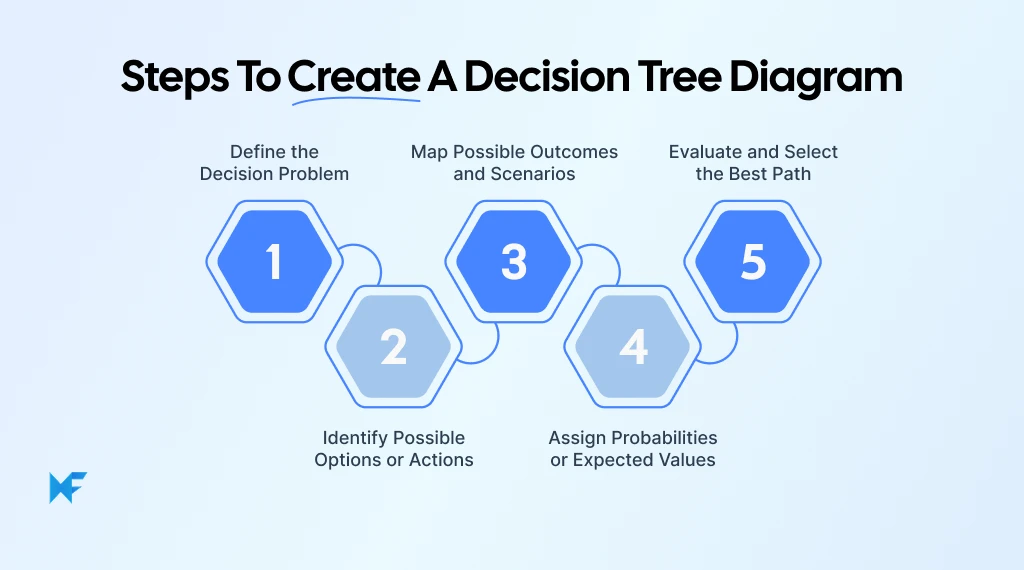
Step 1: Define the Decision Problem
Every decision tree starts with a clear question, which becomes the root node of the diagram. Examples might include:
- Should we launch the new product this quarter?
- Should the company build software internally or purchase a platform?
When teams start with a clearly defined decision, the rest of the diagram naturally stays focused. While using IdeaBoard, teams can begin by placing a single sticky note or node at the center of the canvas to represent the root decision before expanding the diagram outward.
Step 2: Identify Possible Options or Actions
Once the main decision is defined, the next step is listing the available options.
Each option becomes a branch from the root node. For example:
- Launch the product now
- Delay launch
- Cancel initiative
This stage often benefits from visual team collaboration. Teams can quickly add sticky notes or diagram shapes to represent each option, then move them around as the discussion evolves. Seeing options visually helps stakeholders compare alternatives more easily.
Step 3: Map Possible Outcomes and Scenarios
Each decision option leads to possible outcomes. These outcomes form the next level of branches in the decision tree. For example, if a company decides to launch a product immediately, the outcomes might include:
- High market adoption
- Moderate adoption
- Low adoption
Mapping these scenarios visually helps teams understand how different decisions lead to different results. A well-structured decision tree graph makes it easier to explore these paths without losing track of the bigger picture.
Step 4: Assign Probabilities or Expected Values
Once outcomes are mapped, teams can add data to evaluate each path. For example:
- 60 percent probability of success
- $2 million projected revenue
- $500,000 potential loss
Adding probabilities or expected values turns the diagram into a data-driven decision model. Teams can attach notes, annotations, or labels to branches in IdeaBoard to record these assumptions and refine them as more information becomes available.
Step 5: Evaluate and Select the Best Path
The final step is comparing outcomes across all branches to determine the most favorable path.
At this stage, teams review probabilities, expected value, and potential risks before choosing a direction. Because the entire decision-making tree diagram is visible, stakeholders can trace each path from the root node to the final outcome.
Visual collaboration tools help here because teams can adjust branches, add new scenarios, or reorganize the diagram during discussions. This flexibility allows teams to refine their decision model until they reach alignment on the best path forward.
When to Use a Decision Tree Diagram
When teams try to analyze these situations through discussion alone, important scenarios often get overlooked, and mapping the decision visually helps everyone see the full picture.
Instead of guessing which option might work best, a decision tree diagram allows them to explore each possible outcome and understand how one decision influences the next.
You’ll often see decision trees used in situations like:
- Evaluating investment or financial decisions where different market outcomes are possible
- Planning product launches that involve multiple timing or rollout options
- Designing operational workflows or escalation paths within an organization
- Analyzing risk scenarios where probabilities affect outcomes
- Building machine learning models that classify or predict results based on conditions
Tree-based models remain among the most widely used approaches for structured data problems. In fact, recent studies show that ensemble tree models often achieve very high accuracy levels, including 98.9% accuracy in air-pollution classification tasks in recent research studies. These models extend the same branching logic used in decision trees to improve predictive performance.
In these situations, a decision flowchart provides structure to what would otherwise be a complex conversation. Teams can compare alternatives logically, evaluate potential risks, and identify the path that delivers the strongest outcome.
Decision trees also improve team collaboration skills. When stakeholders can see the logic behind each branch of the diagram, discussions become more focused and less driven by assumptions.
Once you understand when decision trees are useful, the next step is seeing how they work in real scenarios. Real-world examples make it easier to recognize how these diagrams support better decision-making across business, product strategy, and analytics.
Decision Tree Diagram Examples (Real Use Cases)
Seeing how a decision tree diagram works in real scenarios makes the concept much easier to understand. Instead of abstract models, teams often build decision trees to analyze practical choices like investments, product launches, or operational strategies.
Below are 3 common scenarios where decision trees help teams visualize options, evaluate outcomes, and make more structured decisions. Each example also shows how you can quickly map the diagram using templates available in IdeaBoard.
Example 1: Product Launch Strategy
Product teams often face multiple strategic choices during a launch, such as “Should the feature be released immediately, tested through a beta program, or delayed until more improvements are completed?”
Each option leads to different possible outcomes, such as high adoption, moderate engagement, or user churn.
A structured decision tree helps teams compare these scenarios before finalizing a launch plan. To map this decision visually:
- Start with the core product decision as the root node
- Add branches for launch strategies (launch now, beta test, delay)
- Map potential outcomes for each option
- Attach metrics such as adoption rate, revenue potential, or user feedback
- Evaluate which strategy supports the product goals most effectively
For product and growth teams, the Decision Tree template is especially useful because it connects decisions with measurable outcomes like adoption metrics, conversion rates, or revenue impact.
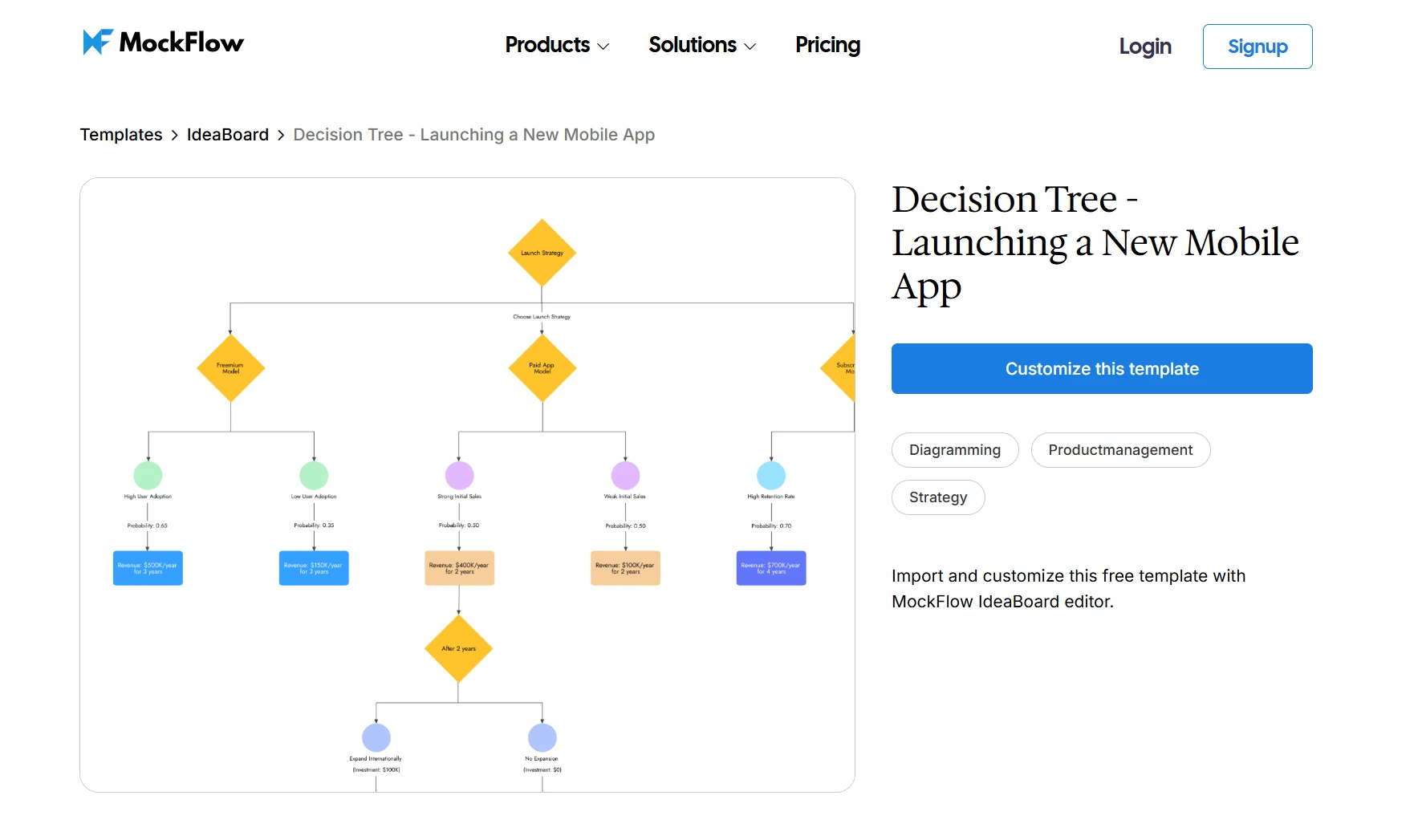
Try IdeaBoard’s Decision Tree template to map a Product Launch Strategy
Example 2: Business Investment Decision
Companies frequently use decision trees when evaluating large investments.
Consider a manufacturing company deciding whether to build a new production facility, where the leadership team must evaluate multiple possible outcomes, such as strong demand, moderate demand, or weak demand. Each outcome affects revenue projections, operating costs, and financial risk.
A decision-making tree diagram allows the team to visualize these scenarios before committing resources. To create this diagram:
- Start with the investment question as the root node
- Add branches for possible decisions (invest, delay, cancel)
- Map possible market outcomes under each branch
- Add estimated revenue or cost projections to each outcome
- Compare the financial results across decision paths
For this type of scenario analysis, the KPI Tree template template in IdeaBoard works best because it provides a clear branching structure for comparing outcomes and evaluating expected value.
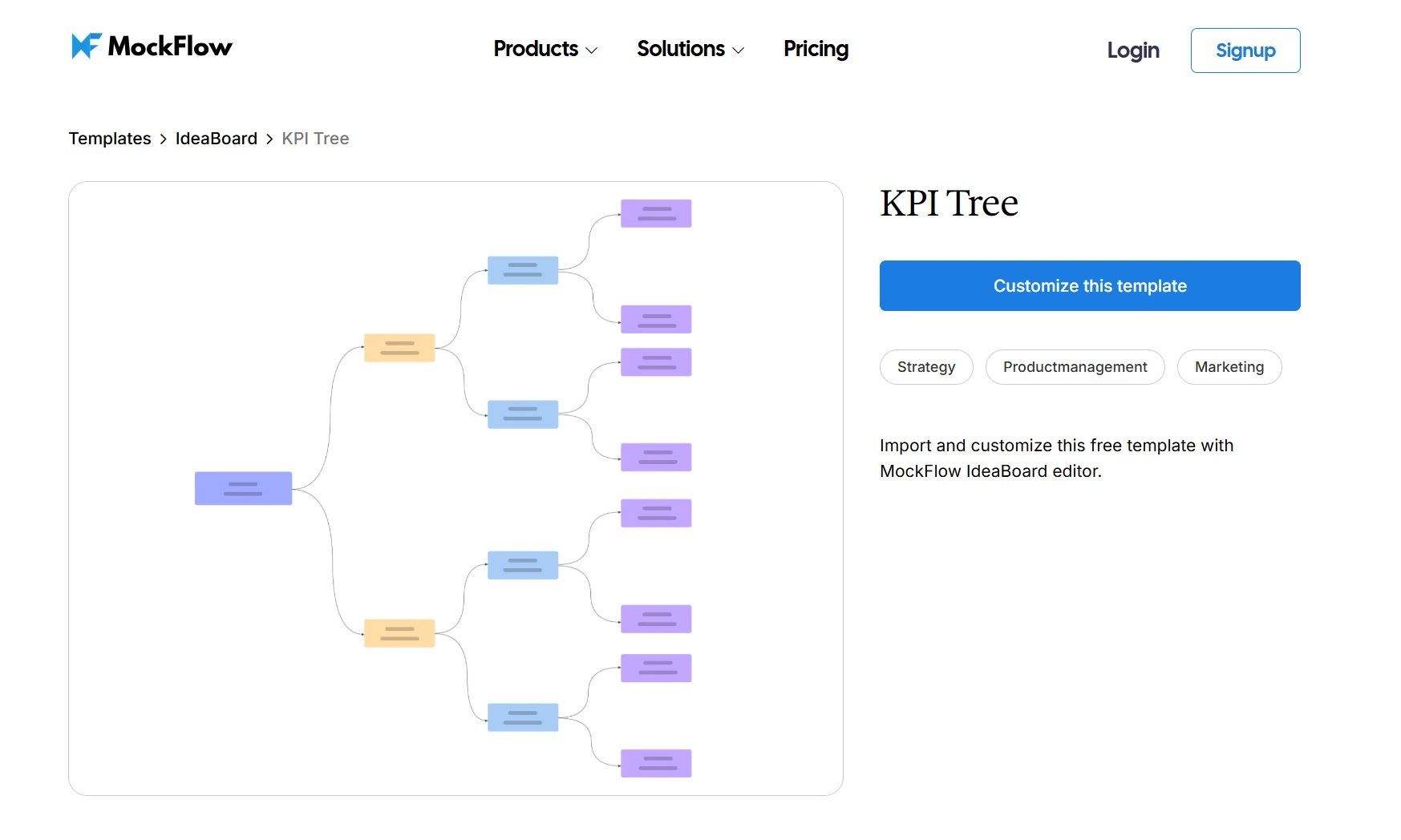
Customize this KPI Tree template to simplify a Business Investment Decision
Example 3: Product Discovery and Problem Exploration
Decision trees also play an important role during the product discovery phase. Teams often explore different hypotheses before deciding which problem to solve or which feature to prioritize. For example, a SaaS product team might investigate whether declining user engagement comes from onboarding friction, feature complexity, or pricing issues.
Mapping these possibilities visually helps teams test assumptions before investing in development. To build this diagram:
- Start with the main product question or hypothesis
- Add branches representing possible causes of the problem
- Break each cause into smaller investigative paths
- Connect possible solutions or experiments to each branch
- Identify which hypothesis deserves further testing
For early-stage exploration, IdeaBoard’s Discovery Tree template works well because it helps teams connect assumptions, experiments, and outcomes within a structured visual framework.
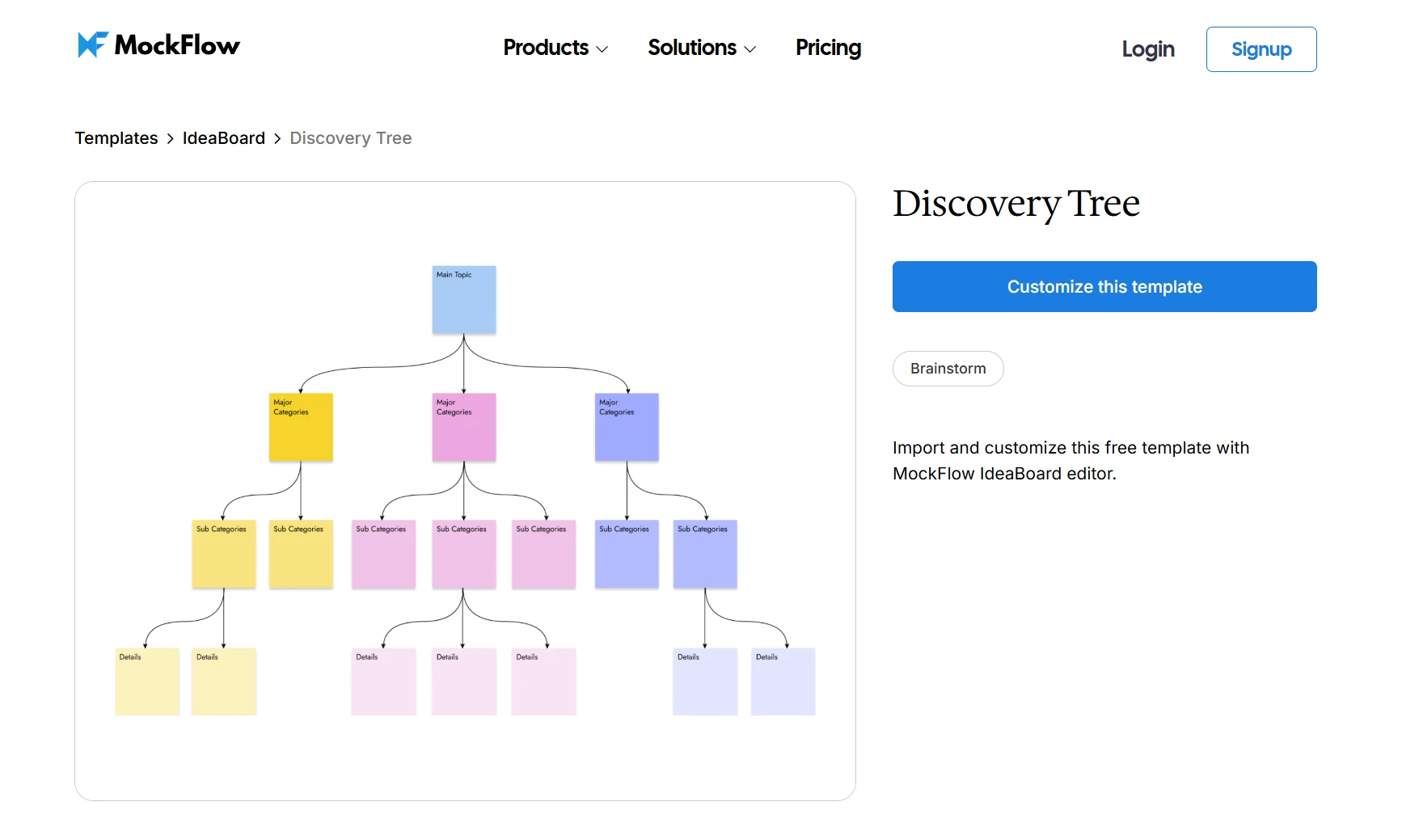
Test this Discovery Tree template for Product Discovery and Problem Exploration
Simplicity is one reason decision trees remain popular in practical machine learning workflows. An engineer explained how decision trees outperform neural networks using a simple analogy: while neural networks must learn many parameters from data, a decision tree can often solve a problem by directly separating outcomes through clear conditional rules.
These examples show how decision trees turn complex questions into structured visual models. Whether teams are evaluating investments, planning product launches, or exploring new ideas, the diagram helps organize thinking and compare multiple paths before taking action.
How IdeaBoard Simplifies Decision Tree Diagram Creation
Building a decision tree diagram from scratch can quickly become tedious. Drawing nodes, aligning branches, and restructuring the diagram every time a new idea appears can slow teams down, especially during strategy discussions where decisions evolve quickly.
This is where visual collaboration tools make a noticeable difference. Instead of forcing teams to sketch diagrams in static documents or spreadsheets, MockFlow’s IdeaBoard provides a flexible workspace where decisions can be mapped visually and refined in real time.
The platform turns a simple decision tree chart into a collaborative thinking tool that teams can build, adjust, and explore together.
- Flexible workspace: An infinite whiteboard canvas allows teams to arrange nodes, branches, and ideas freely. This open workspace makes it easy to build complex decision tree graphs without worrying about running out of space.
- Ready-to-use templates: IdeaBoard offers a template library with pre-built frameworks to help teams start faster. Instead of designing a diagram structure from scratch, users can pick templates and customize them for their specific scenario.
- Real-time collaboration: Multiple team members can contribute to the diagram simultaneously. This makes decision trees especially effective during strategy workshops, planning sessions, or product discussions where several stakeholders need to evaluate options together.
- AI-assisted brainstorming: IdeaBoard’s AI toolbox can generate structured layouts and visual diagrams from simple prompts. Teams can turn rough ideas into organized branching diagrams quickly, helping them focus on analyzing decisions instead of building the diagram manually.
- Voice and video comments: Team members can leave short audio or video clips directly attached to elements on the board. Instead of relying only on text comments, stakeholders can explain decisions, provide feedback, or clarify assumptions in a more natural way.
- Offline desktop app: IdeaBoard also offers a desktop version for Mac and Windows that can run entirely offline. Teams can continue working on diagrams without an internet connection or server dependency, which is especially useful for secure environments or uninterrupted brainstorming sessions.
Together, these capabilities transform decision trees from static diagrams into dynamic collaboration tools. When teams can visualize options clearly and refine decision paths together, complex choices become easier to evaluate and finalize.
Conclusion
Complex decisions rarely involve only two options. Most business and strategic choices involve multiple possibilities, uncertain outcomes, and competing priorities.
A decision tree diagram brings that clarity by organizing decisions visually. Teams can break down complex scenarios into manageable steps, evaluate probabilities, and compare outcomes clearly.
That process becomes even smoother with IdeaBoard. Its visual canvas, ready-made templates, and collaborative workspace allow teams to build and refine decision trees quickly during strategy sessions, product planning, or project discussions.
If your team wants a clearer way to analyze decisions and align on the best path forward, try building your next decision tree diagram in IdeaBoard. Sign up for a free demo and start exploring your ideas visually today.
FAQs
1. What is a decision tree diagram?
A decision tree diagram is a visual structure that maps decisions and possible outcomes using a tree-like layout. It begins with a root node and branches into different decision paths. Each branch represents an option or condition, and leaf nodes represent final outcomes or predictions. Decision tree diagrams help analyze choices, evaluate risks, and visualize decision processes in business analysis and machine learning.
2. What are the components of a decision tree diagram?
A decision tree diagram consists of several key elements. The root node represents the starting decision. Decision nodes represent evaluation points where choices occur. Branches show possible actions or outcomes. Leaf nodes represent final results or predictions. Some diagrams also include chance nodes that represent uncertain outcomes with assigned probabilities.
3. How do you create a decision tree diagram step by step?
Creating a decision tree diagram involves several clear steps. First, define the decision problem you want to analyze. Second, identify the possible options or actions. Third, map possible outcomes for each option. Fourth, assign probabilities or expected values to uncertain outcomes. Finally, evaluate each path and select the decision path with the best expected result.
4. How are decision tree diagrams used in machine learning?
In machine learning, decision tree diagrams represent predictive models that classify or predict outcomes based on data features. The algorithm splits datasets into branches based on conditions such as feature values. Each split forms a decision rule. The final leaf nodes produce predictions used for classification or regression tasks.
5. Decision tree vs random forest: what is the difference?
A decision tree is a single tree-structured predictive model that splits data into branches based on decision rules. A random forest combines many decision trees into an ensemble model. Each tree makes a prediction, and the model aggregates results. Random forests usually improve accuracy and reduce overfitting compared with a single decision tree.
6. What tools can you use to create a decision tree diagram?
Many tools can generate decision tree diagrams. Visual collaboration platforms such as digital whiteboards allow teams to map decision paths visually. Data science tools such as Python libraries can also generate decision tree visualizations for machine learning models. These tools help organize decision logic, evaluate outcomes, and present structured decision paths clearly.

What Is the Arrow Diagramming Method and How Does It Work?
Project work becomes much easier to understand when we can clearly see how tasks connect with each other. Instead of looking at...

Best UI Kits for Designers: Compare 14 UI Kits for Design Workflows
Every designer has a slightly different relationship with UI kits. Sometimes we need one because a blank canvas is slowing us...

How to Create a Wireframe: Step-by-Step Guide
Every idea in this world begins with a thought. Whether it's a groundbreaking app, an intuitive website, or a user-friendly...
