10 Best Agile Retrospective Tools for Better Sprint Meetings
Introduction
Sprint retrospectives can start to feel repetitive when the same blockers resurface, familiar concerns dominate the discussion, and action items rarely make it into the next sprint. Even productive conversations can lose their value when there's no clear way to capture feedback and follow up on decisions.
Retrospective tools help agile and Scrum teams collect sprint feedback, organize discussions, identify blockers, and agree on improvements. They provide a shared workspace where teams can collaborate and turn observations into actionable next steps.
The most useful retrospective tools make it easy for everyone to contribute, identify recurring issues, and track agreed improvements. We'll compare 10 options to see how their templates, collaboration features, facilitation tools, and pricing stack up.
Key Features to Look for in Retrospective Tools
A retrospective tool should make it easier for every team member to contribute, keep discussions on track, and follow through on agreed improvements. When evaluating retrospective tools, these five capabilities are worth checking:
- Retrospective templates: Ready-made formats save preparation time and give each discussion a clear structure. For instance, MockFlow’s Start, Stop, Continue Retrospective template is easy to navigate for teams.
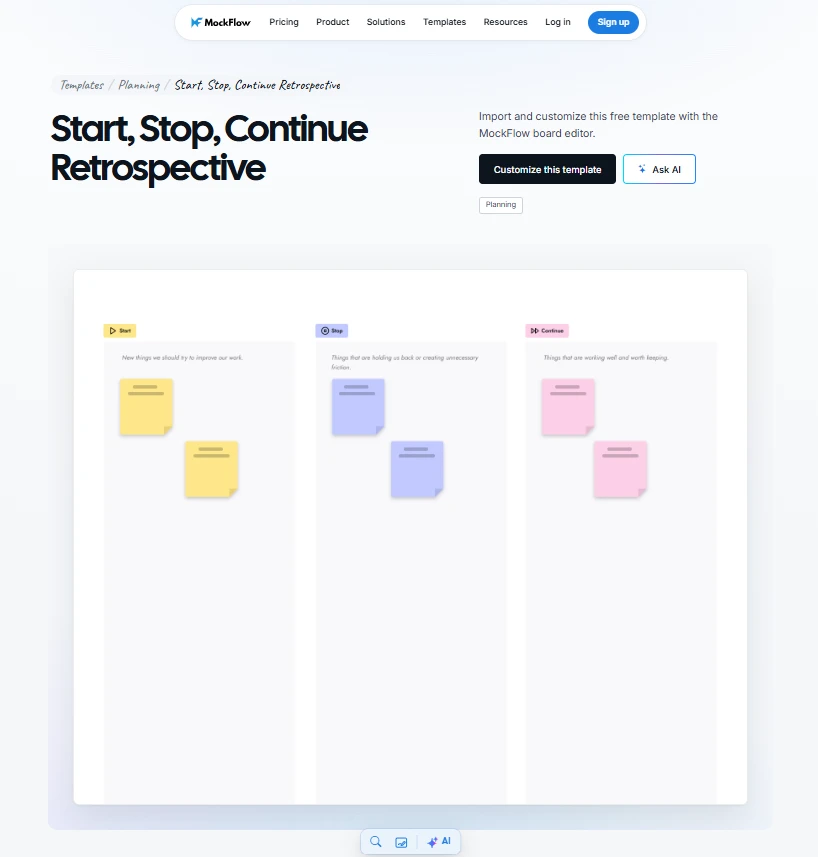
Click on the image to customize the Start, Stop, Continue Retrospective template with MockFlow.
- Real-time collaboration and anonymity: Shared boards allow remote teams to contribute simultaneously. Anonymous feedback, where supported, can encourage people to raise concerns they might hesitate to share openly.
- Feedback grouping and voting: Combining similar observations helps teams recognize recurring problems. Voting features make it easier to prioritize issues that need immediate attention.
- Action items and follow-up: Look for retro software that lets teams document improvements, assign responsibilities where supported, and review progress in subsequent sprints.
- Integrations and accessibility: Check whether the tool connects with existing workflows through platforms like Jira or Slack. Browser-based access also makes participation easier for distributed teams.
Features like integration play an important role. According to the Agile Business Consortium's 2026 research survey, 44% of respondents described their agile-supporting tools as only moderately integrated. James Dwan, CEO of Catalyst Consulting, highlighted the broader problem behind disconnected tools, saying, “Disconnected tools [...] create local efficiencies while making the system worse.”
For retrospective meetings, this makes it important to check whether action items can move into existing development workflows, so agreed improvements don't remain isolated on a retrospective board.
These features help keep retrospective discussions productive while giving teams a practical way to carry their decisions into the next sprint.
Also read → How to Run a Sailboat Retrospective Step by Step (With Template)
10 Best Retrospective Tools for Agile Teams at a Glance
Retrospective tools range from flexible digital whiteboards to dedicated Scrum retrospective platforms. MockFlow offers an AI-assisted visual workspace with customizable templates, while Parabol and TeamRetro provide guided meeting workflows. Miro and Mural support retrospectives alongside broader team collaboration.
Here's how the top 10 options compare on their features, facilitation capabilities, and pricing:
Tool | Best for | Standout capability | Collaboration and facilitation | Free plan or trial | Starting paid pricing |
MockFlow | Flexible visual sprint retrospectives | AI-assisted board creation, interactive meeting artifacts, and customizable templates | Real-time editing, comments, live voting | Free Basic plan, 3 boards, 1 editor | Plus and Max, per editor |
Parabol | Recurring agile meetings | Guided retrospectives, standups, sprint poker | Feedback grouping, voting, action tracking | Free, 2 teams, 10 meetings/month | $8/active user/month |
TeamRetro | Structured team improvement | Anonymous feedback and team health checks | Guided workflows, smart grouping, private voting | 30-day free trial | $20.83/month, billed annually |
EasyRetro | Simple online retrospectives | Customizable retro boards and AI-assisted summaries | Collaborative boards, feedback grouping, voting | Free, 1 public board/month | $21/month, billed annually |
Retrium | Guided Scrum facilitation | Structured retrospectives and team radar | Facilitated discussions, voting, action tracking | 30-day free trial | $39/team room/month |
Echometer | Continuous improvement | Team health tracking and retrospective surveys | Private brainstorming, dot voting, action tracking | Free, 1 retro/month after trial | €29/team/month, billed annually |
Miro | Visual team collaboration | Flexible canvas and retrospective templates | Sticky notes, timer, voting on paid plans | Free, 3 editable boards | $8/member/month, billed annually |
Mural | Facilitated remote workshops | Interactive whiteboards and facilitation controls | Shared canvases, voting, workshop activities | Free, 3 editable murals | $9.99/member/month, billed annually |
Neatro | Guided team reflection | Structured retrospectives and team radar | Private brainstorming, voting, facilitation tools | Free, up to 10 members | $23.20/team/month, billed annually |
GoRetro | Sprint-focused Scrum teams | Sprint monitoring and retro analytics | Anonymous input, voting, action items | 30-day free trial | $29/team/month, billed annually |
Disclosure: MockFlow is our product and is featured first in this list. The order reflects relevance to use cases, not rankings. Pricing is in USD unless otherwise specified. Annual billing conditions apply where indicated, and features vary by subscription tier.
The table gives you a quick comparison, but the features that matter will depend on how your team runs retrospectives. Let's look at each tool in more detail, including what it offers, where it works well, and any limitations worth considering before making a choice.
1. MockFlow
MockFlow is a collaborative digital whiteboard that helps agile and Scrum teams collect sprint feedback, discuss blockers, and plan improvements. Beyond customizable retrospective templates, it offers AI-powered board creation and interactive workshop tools, allowing teams to run structured retrospectives and organize their outcomes in one workspace.
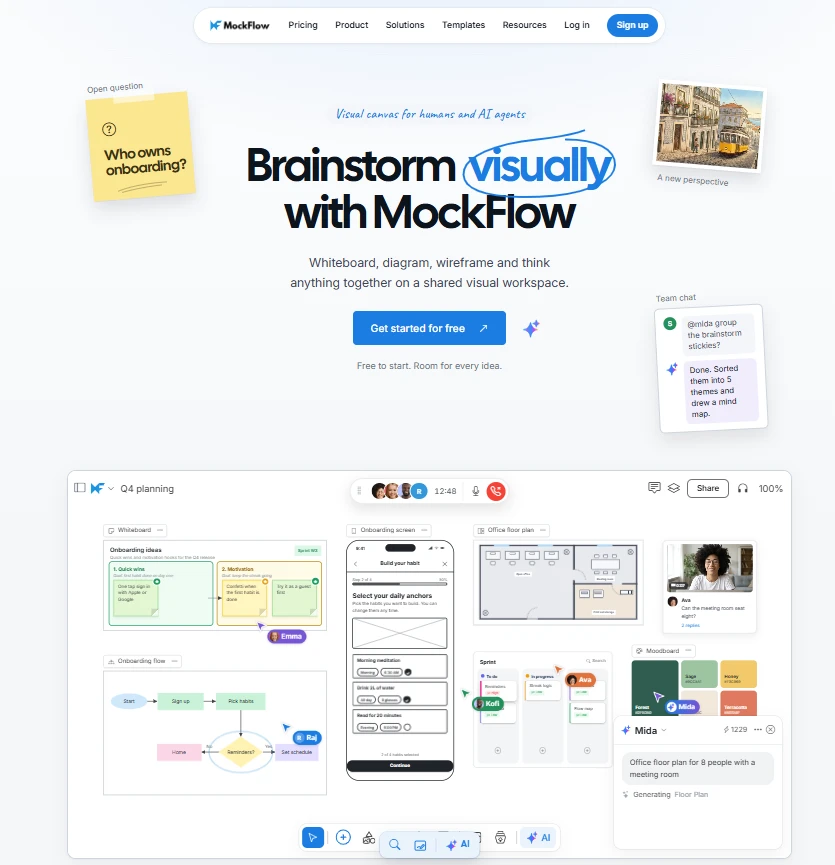
How does MockFlow help teams run collaborative sprint retrospectives?
MockFlow provides features that support different stages of a retrospective, from preparing the board to organizing feedback and following up on improvements:
- AI-powered board creation: Teams can use custom AI prompts and the provided prompt library to generate retrospective layouts with dedicated spaces for feedback, blockers, priorities, and action items.
- Mida AI assistant: Mida can create and refine sticky note content, group observations, and transform board content into different formats. For example, facilitators can turn scattered brainstorming notes into a structured mind map or action plan.
- Infinite visual canvas: Teams can map out an entire sprint retrospective on one board, using components like sticky notes and typed fields to capture individual feedback and visually group recurring issues, and expand the board as needed.
- Interactive retrospective artifacts: MockFlow offers ready-to-use workshop artifacts that facilitators can add directly to their boards. These include dot voting for prioritizing feedback, mood check-ins for understanding team sentiment, and speaker timers for keeping discussions organized.
- Comments and sharing: Contextual feedback and audio comments help preserve discussions. Video comments are available on the Max plan, while saved boards provide a reference for future sprints.
- Real-time collaboration: Remote and hybrid teams can contribute simultaneously, with voting and timers available on supported plans. The Google Meet integration also lets teams brainstorm together on a shared board without leaving their meeting.
- Integrations: MockFlow also integrates with Jira, Slack, Microsoft Teams, Confluence, and Trello, helping teams incorporate retrospective boards into existing workflows. They can link boards to Jira issues, share feedback through Slack, and keep sprint discussions accessible for follow-up.
Teams can also use MockFlow's Sprint Retro Table skill with a compatible AI assistant through MockFlow's MCP integration. It provides a structured retrospective table for capturing what went well, what needs improvement, votes, and action items with assigned owners.
For teams that prefer starting with a ready-made layout, MockFlow also offers customizable retrospective templates:
- Sailboat Retrospective: Helps teams visualize sprint goals as a destination, positive forces as wind, blockers as anchors, and future risks as rocks. For example, delayed code reviews might emerge as an anchor holding back sprint progress, prompting the team to improve review turnaround times.
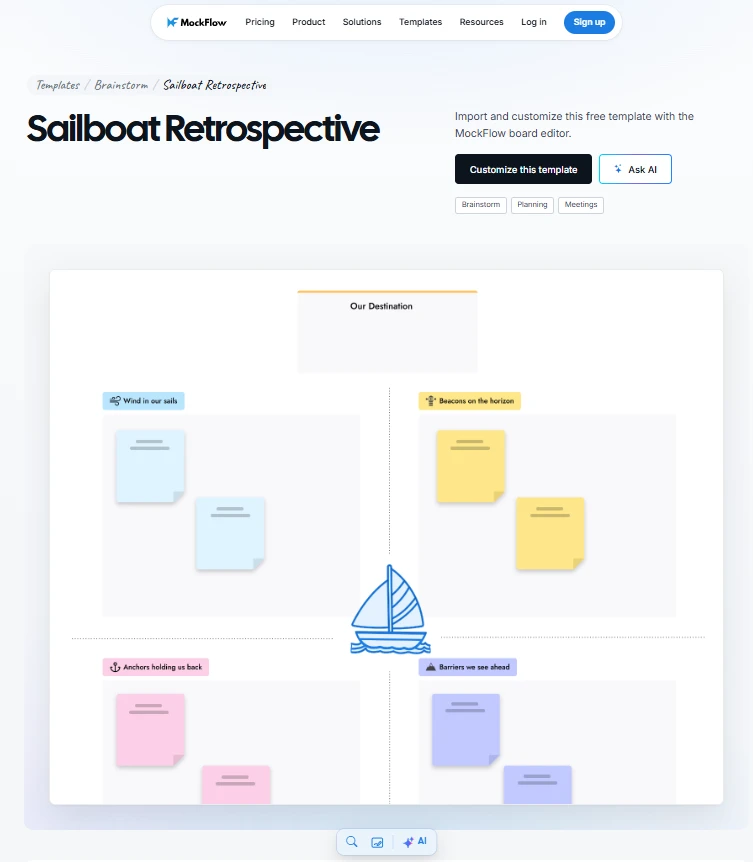
Try MockFlow's Sailboat Retrospective template to visualize sprint blockers and opportunities for improvement.
- 4 L's Retrospective: Organizes reflections around what the team Liked, Learned, Lacked, and Longed for. This format works well when teams want to discuss sprint execution alongside lessons learned and areas needing additional support.
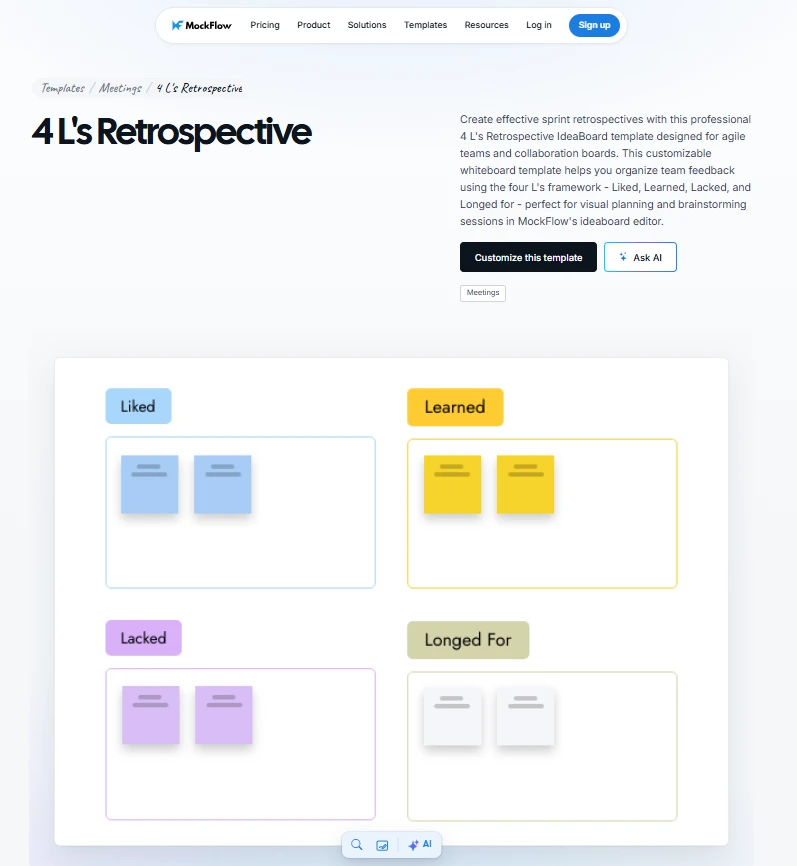
Customize the 4 L's Retrospective template in MockFlow to capture your team's sprint reflections.
- Mad, Sad, Glad Retrospective: Encourages team members to share what frustrated them, what disappointed them, and what went well. It's particularly useful for discussing team morale and collaboration challenges that might otherwise go unaddressed.
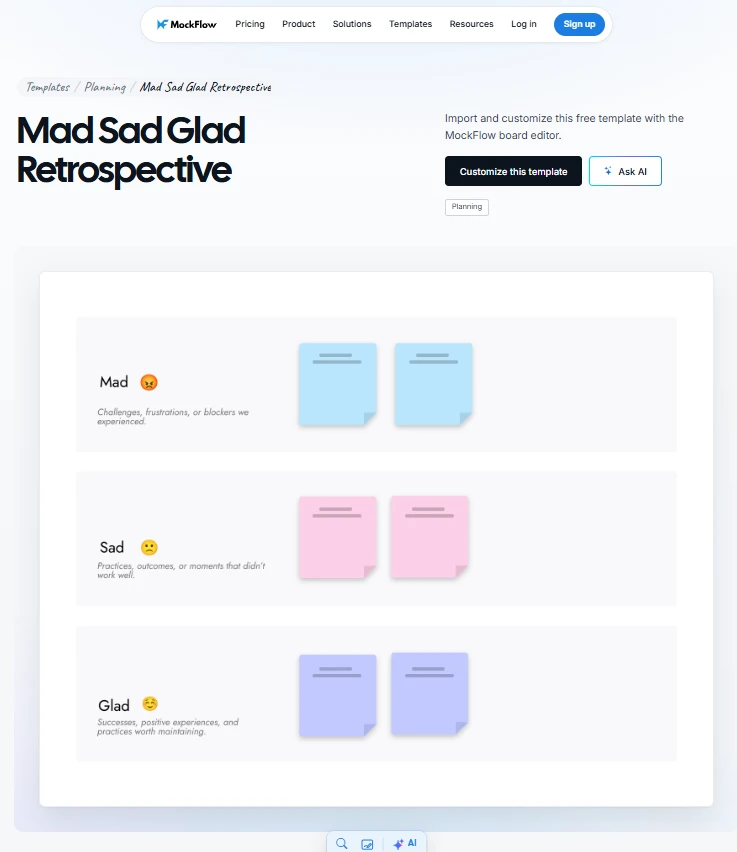
Use MockFlow's Mad, Sad, Glad Retrospective template to explore your team's experiences during the sprint.
G2 rating: 4.2/5
What to consider: MockFlow works well for teams that value flexibility in how they run retrospectives. If detailed team health analytics or automated retrospective reporting are priorities, it's worth exploring how its capabilities fit alongside your existing reporting workflows.
Pricing: MockFlow offers a free Basic plan with three boards, one editor, and 100 monthly AI credits for personal and nonprofit use. Commercial teams can choose the paid Plus or Max plans, priced per editor, for expanded collaboration and additional capabilities.
2. Parabol
Parabol is an online agile meeting platform designed for sprint retrospectives, standups, and Sprint Poker estimation. Its guided workflows take teams through each stage of a retrospective, making it useful for Scrum Masters who run recurring sessions and want a consistent meeting structure.
How does Parabol help Scrum Masters run sprint retrospectives?
Parabol provides a structured retrospective process where participants can share feedback, identify common issues, and agree on improvements. Its key capabilities include:
- Guided retrospective meetings: Parabol walks teams through reflection, grouping, voting, and discussion. Built-in timers and icebreakers help facilitators manage the session without manually organizing each stage.
- Anonymous feedback: Participants can submit reflections anonymously, helping them raise concerns about sprint challenges without pressure from other team members.
- Feedback grouping and voting: Teams can collaboratively group related observations and use anonymous voting to decide which topics deserve discussion. Paid plans also include AI-assisted grouping suggestions.
- Action tracking: Teams can create action items during discussions and revisit them through meeting history. Automated summaries on paid plans help document outcomes.
- Integrations: Parabol connects with Jira, GitHub, GitLab, Slack, and other platforms. Teams can send agreed action items directly to development backlogs, reducing the need to transfer meeting notes manually.
G2 rating: 4.6/5
What to consider: Parabol works well for teams that prefer guided Scrum ceremonies. However, teams looking to freely arrange diagrams, brainstorm visually, or design custom workshop layouts may find its structured meeting interface less flexible than a general-purpose digital whiteboard.
Pricing: Parabol offers a free Starter plan supporting up to two teams, unlimited users, and 10 meetings per month. The Team plan costs $8 per active user per month and includes unlimited teams, meeting history, AI meeting summaries, and team health checks. Enterprise pricing is customized.
3. TeamRetro
TeamRetro is an online retrospective tool designed for agile teams that want structured sprint reflections and a consistent way to track improvements. It combines guided retrospective meetings with team health checks, allowing Scrum Masters to identify recurring challenges and monitor how team dynamics change across sprints.
How does TeamRetro help agile teams track continuous improvement?
TeamRetro combines retrospective facilitation with reporting features that help teams revisit previous discussions and measure progress. Its key capabilities include:
- Guided retrospective workflows: Teams can follow structured meeting stages, from brainstorming and grouping feedback to voting and deciding action items. Built-in timers, icebreakers, and presentation mode help Scrum Masters keep discussions on track.
- Anonymous feedback and voting: Team members can contribute anonymously and vote privately on issues they want to discuss. Facilitators can also choose between anonymous, named, and alias-based participation.
- Team health checks: Customizable surveys help teams assess areas such as communication and team morale. Radar charts and historical trends allow Scrum Masters to see whether team sentiment improves across multiple sprints.
- Action tracking and reporting: Teams can assign owners and due dates to agreed improvements, review outstanding actions in future retrospectives, and use dashboards to monitor recurring issues.
- Integrations: TeamRetro connects with Jira, Azure DevOps, GitHub, Slack, Microsoft Teams, and other platforms. Teams can publish retrospective action items to their existing task management systems and share meeting summaries.
G2 rating: 4.5/5
What to consider: TeamRetro offers extensive facilitation and reporting capabilities, which may be more than a small team needs for occasional, informal retrospectives. Its team-based subscription model is better suited to organizations that run retrospectives regularly and want to track progress over time.
Pricing: TeamRetro offers a 30-day free trial. Its Single Team plan starts at $20.83 per month, billed annually at $250, and supports up to 25 members. The Small Organization plan starts at $50 per month, billed annually, for three teams. Larger organizations can choose higher-tier or custom Enterprise plans.
4. EasyRetro
EasyRetro is a lightweight online retrospective tool that helps agile teams collect sprint feedback and discuss improvements without complicated setup. Its browser-based boards allow participants to share observations, vote on concerns, and agree on action items. With over 150 retrospective templates available, teams can choose a familiar format or customize their boards for different discussions.
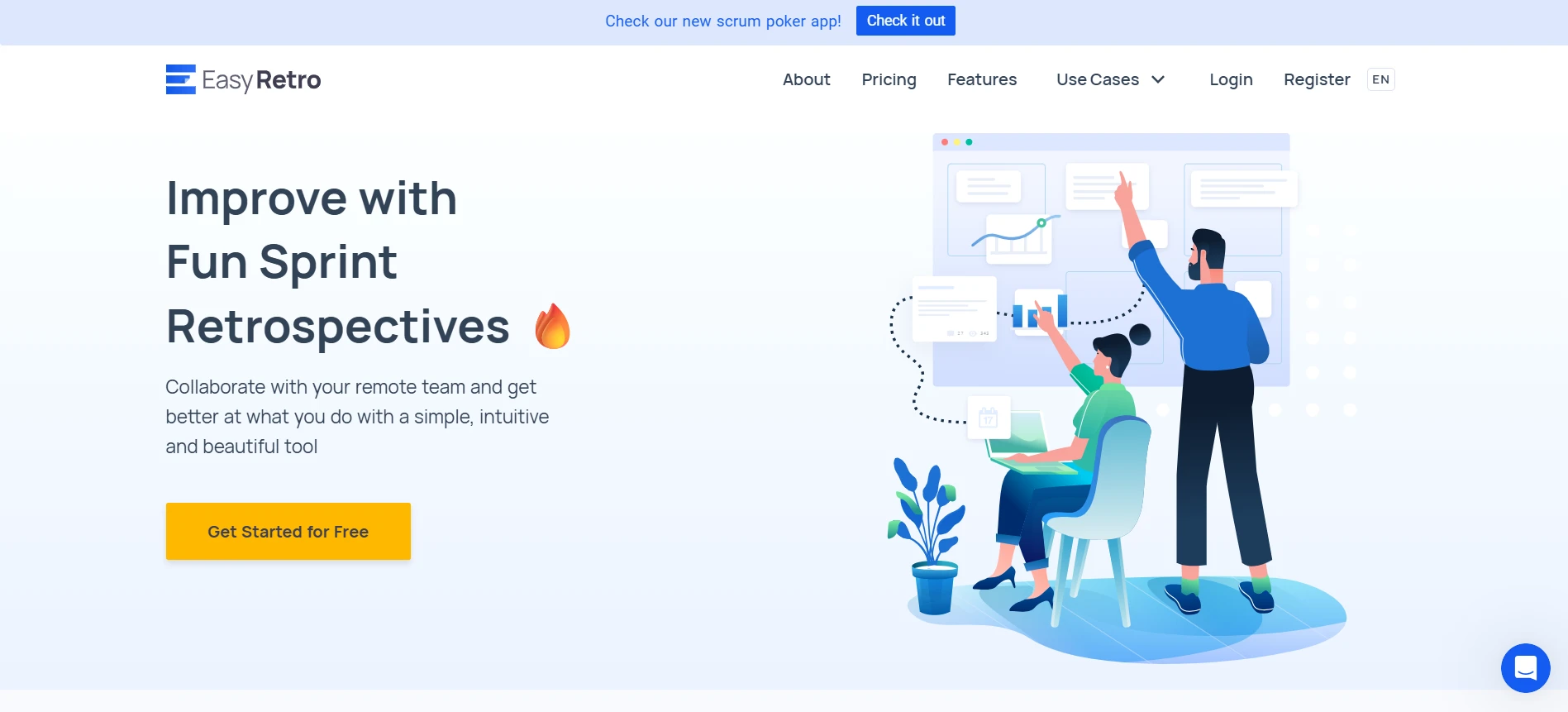
How does EasyRetro simplify online sprint retrospectives?
EasyRetro keeps the retrospective process straightforward, with features that help teams organize feedback and make decisions during meetings:
- Customizable retrospective boards: Teams can choose from ready-made formats such as Start, Stop, Continue, and 4Ls, or create their own columns to structure feedback around specific sprint challenges.
- Collaborative feedback collection: Participants can contribute through a shared board link without creating individual accounts. Anonymous posting allows team members to raise concerns more comfortably during remote discussions.
- Feedback organization and voting: Facilitators can drag cards between columns, merge similar observations, and set voting limits. AI-assisted grouping is also available to help identify common themes.
- Action items and meeting history: Teams can document improvements, assign responsibilities, and revisit unfinished action items. Previous retrospective boards remain accessible through a dashboard for follow-up.
- Integrations and exports: EasyRetro supports Jira, Trello, Slack, and Confluence. Teams can export action items to development tools or save boards in formats such as PDF and CSV.
G2 rating: 4.3/5
What to consider: EasyRetro is suitable for teams that want an accessible retro board with minimal preparation. Although it offers surveys and team analytics, organizations requiring advanced team health assessments or more extensive improvement reporting may prefer platforms with dedicated analytics workflows.
Pricing: EasyRetro offers a free plan with one public board per month and unlimited participants. Paid plans start at $21 per month for the Team plan, billed annually, which includes five public boards per month and unlimited private team boards. Business plans start at $50 per month, billed annually, with higher board limits. Paid subscriptions are priced per team rather than per participant.
5. Retrium
Retrium is an online retrospective tool designed to help Scrum Masters facilitate structured sprint discussions. It guides teams through collecting feedback, identifying recurring concerns, prioritizing discussion topics, and deciding on improvements. It also offers dedicated Team Rooms and a variety of retrospective activities.
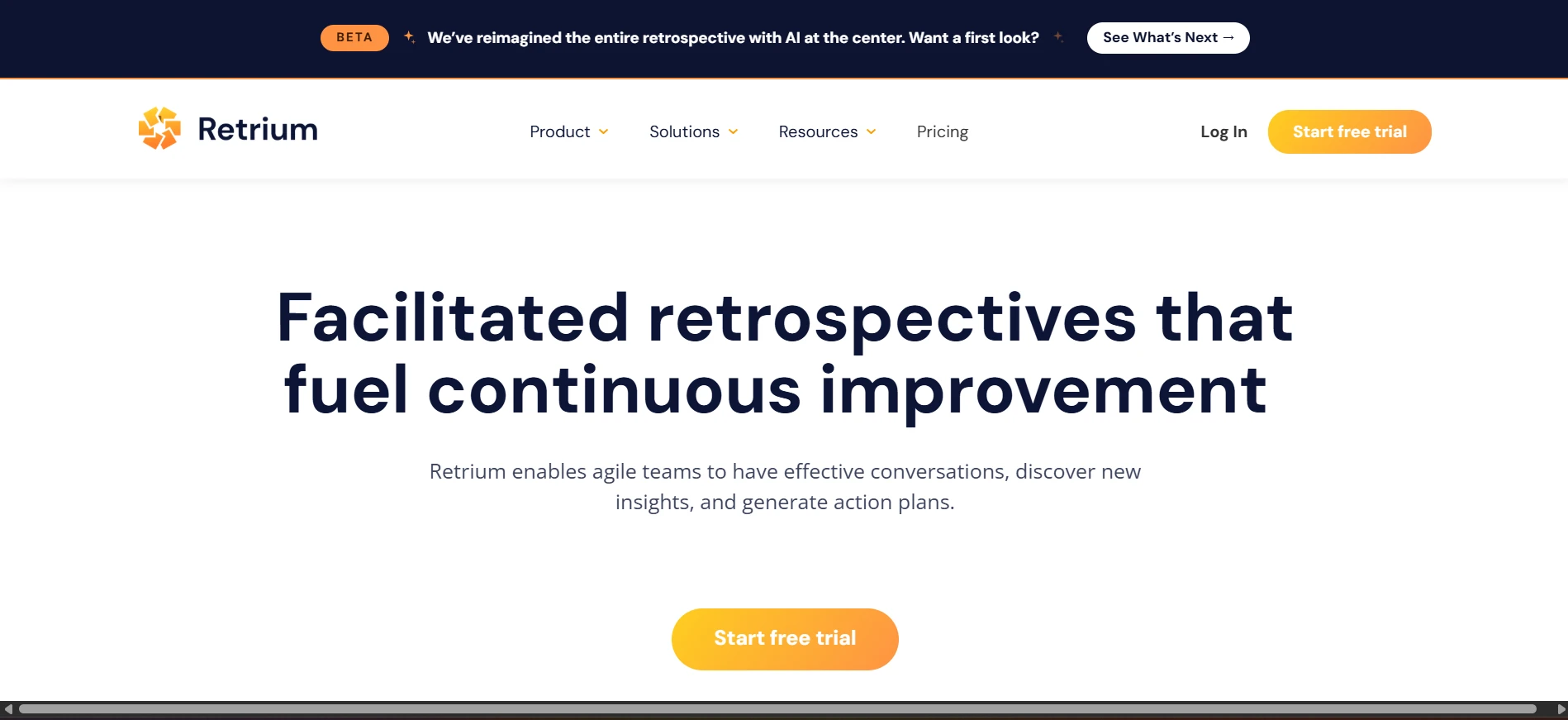
How does Retrium help Scrum Masters facilitate effective retrospectives?
Retrium uses a guided meeting workflow to keep participants focused on each stage of the retrospective. Its key capabilities include:
- Guided facilitation: Retrium follows five stages: Think, Group, Vote, Discuss, and Wrap Up. Facilitators can move participants through each stage and use built-in timers to manage discussions.
- Feedback grouping and voting: Teams can group related observations into shared themes and privately vote on which issues to discuss. Retrium then orders topics by votes to help facilitators address the highest-priority concerns first.
- Retrospective activities: Teams can choose from different facilitated formats, including column-based discussions and team radar exercises. This helps Scrum Masters adapt the discussion to the team's needs while retaining a structured process.
- Action items and meeting history: Teams can document improvements, assign responsible members, and set target dates. Previous retrospectives and outstanding action items remain accessible within each Team Room.
- Jira integration: Retrium supports Jira Cloud integration, allowing teams to connect retrospective improvements with their existing development workflows.
G2 rating: 4.5/5
What to consider: Retrium is particularly suited to teams that prefer facilitator-led sessions. Its structured meeting format may feel restrictive for teams wanting an open visual canvas. Organizations managing multiple teams should also consider the room-based pricing model, since each active Team Room contributes to the subscription cost.
Pricing: Retrium offers a 30-day free trial. Its Team plan starts at $39 per Team Room per month, with unlimited participants and retrospectives. The Business plan costs $715 per Team Room annually, while Enterprise pricing is customized for larger organizations.
6. Echometer
Echometer is an agile retrospective platform that combines structured sprint discussions with ongoing team health measurement. It helps Scrum Masters gather feedback, facilitate retrospectives, identify recurring collaboration issues, and track improvements across multiple sprints.
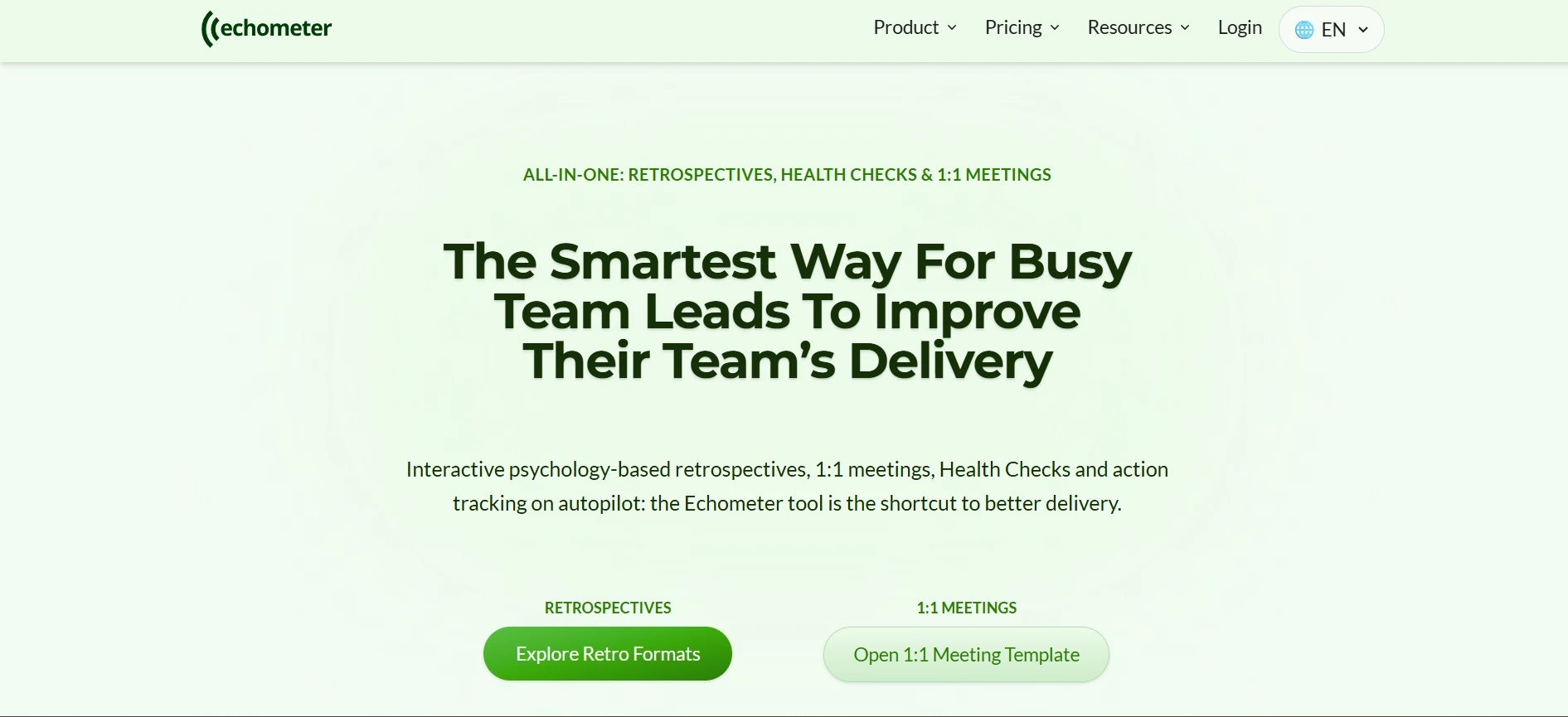
How does Echometer help agile teams measure continuous improvement?
Echometer connects retrospective discussions with team health data, giving Scrum Masters a clearer view of how their teams develop over time. Its key capabilities include:
- Guided retrospectives: Facilitators can use structured meeting workflows with built-in icebreakers, timers, and voting. Participants can share feedback on a collaborative retro board and prioritize topics before agreeing on improvements.
- Anonymous surveys and feedback: Teams can collect anonymous responses before a retrospective through asynchronous surveys. Private brainstorming and anonymous voting also help participants contribute without being influenced by others.
- Team health checks: Echometer provides customizable health surveys covering areas such as team morale and collaboration. Results appear in dashboards that track changes across multiple retrospectives.
- Improvement tracking: Teams can document agreed actions and review outstanding commitments during subsequent retrospectives. This helps them assess whether previous decisions have addressed recurring sprint challenges.
- Reporting and retrospective history: Historical dashboards show team health trends alongside retrospective activity. Teams can also evaluate meeting effectiveness using Return on Time Invested (ROTI) scores and export retrospective results.
- Integrations: Echometer supports Jira integration, allowing teams to create Jira issues from retrospective action items and track improvements within their development workflow.
G2 rating: 4.8/5
What to consider: Echometer is suited to teams that run regular retrospectives and want to measure progress over time. Teams looking for occasional brainstorming sessions or a general-purpose visual whiteboard may find its structured approach more extensive than necessary.
Pricing: Echometer offers a free Starter plan for one team, limited to one retrospective per month after the trial period. The Pro plan starts at €29 per team per month, billed annually, and includes unlimited retrospectives and customizable health checks. The Business plan starts at €49 per team per month, billed annually, with additional security and administrative features.
7. Miro
Miro is a collaborative digital whiteboard that helps agile teams run sprint retrospectives and other planning activities in a shared visual workspace. Its flexible canvas allows teams to collect feedback, organize ideas, and discuss improvements using customizable retrospective templates.
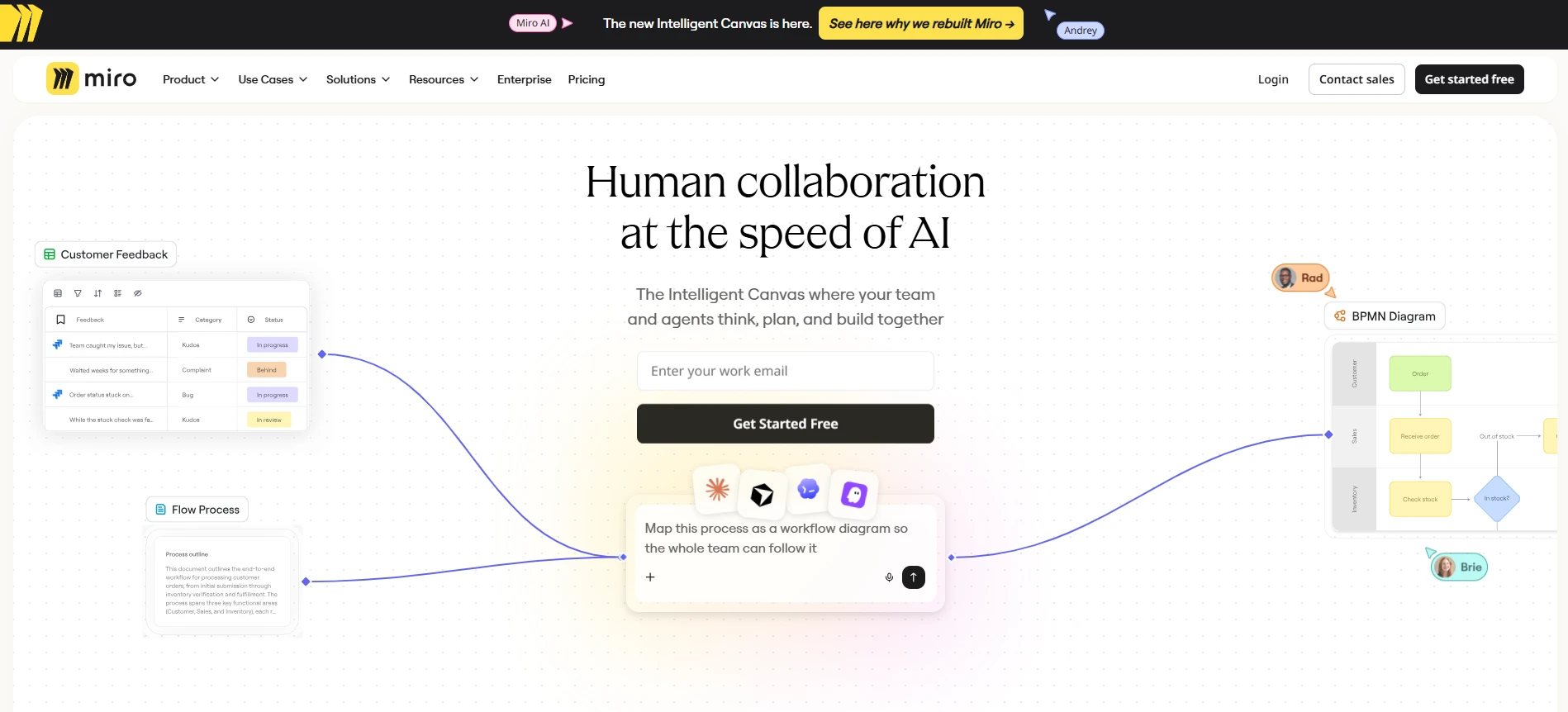
How can agile teams use Miro for sprint retrospectives?
Miro provides visual collaboration and meeting facilitation features that help teams gather feedback and prioritize improvements. Its key capabilities include:
- Retrospective templates: Teams can choose from ready-made retrospective formats or create custom layouts. Paid plans also support reusable custom templates, reducing preparation time for recurring sprint meetings.
- Visual feedback organization: Participants can add sticky notes, group similar observations, and use frames to organize discussion topics. This helps teams identify recurring blockers and keep agreed improvements visible.
- Real-time collaboration: Team members can contribute simultaneously through shared boards, making Miro suitable for remote and hybrid retrospectives. Facilitators can follow participants' cursors and bring attention to specific areas of the board.
- Facilitation and voting: Paid plans include timers and voting tools to help teams prioritize discussion topics. Private mode allows participants to contribute feedback without immediately revealing their responses to the group.
- Integrations: Miro connects with tools such as Slack, Microsoft Teams, Jira, and Asana. Teams can incorporate retrospective discussions into existing workflows, with Jira-related capabilities depending on their subscription.
G2 rating: 4.6/5
What to consider: Miro works well for teams that want a flexible whiteboard for multiple collaborative activities. However, organizations requiring dedicated retrospective history, automated action tracking, or team health reporting may need additional tools.
Pricing: Miro offers a free plan with three editable boards and unlimited team members. The Starter plan costs $8 per member per month (billed annually) and includes unlimited private boards, voting, and timers. The Business plan starts at $20 per member per month, billed annually, with additional integrations and collaboration features. Enterprise pricing is customized.
8. Mural
Mural is a visual collaboration platform that helps distributed agile teams run interactive sprint retrospectives and facilitated workshops. With customizable retrospective templates and built-in facilitation controls, Scrum Masters can structure discussions, collect feedback, and explore recurring challenges while giving team members space to contribute.
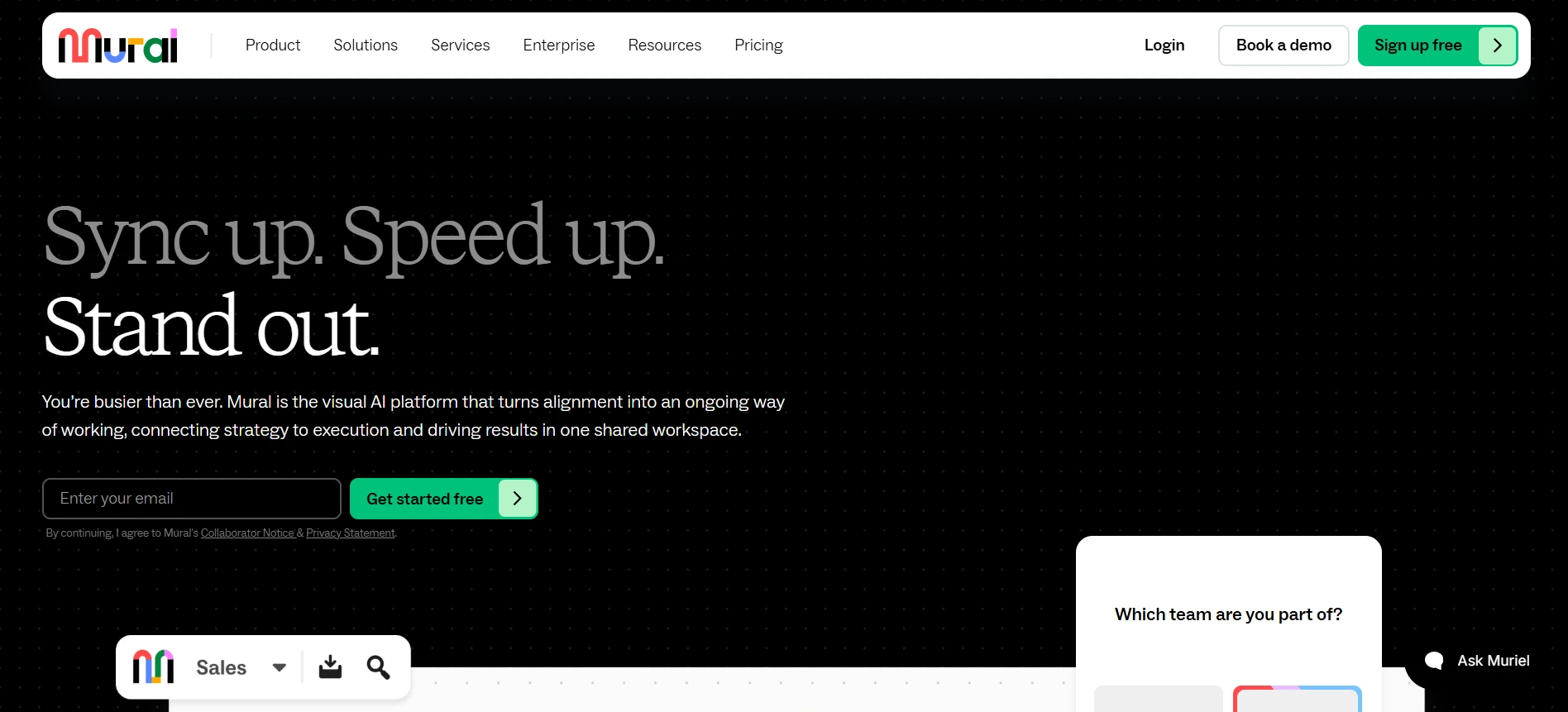
How does Mural support remote sprint retrospectives?
Mural combines visual collaboration with facilitation features that help teams stay engaged and focused throughout a retrospective. Its key capabilities include:
- Retrospective templates: Teams can use ready-made formats such as Sailboat, Start, Stop, Continue, or Sprint Retrospective. Custom templates also let facilitators reuse layouts for recurring meetings.
- Real-time and asynchronous collaboration: Distributed teams can contribute to the same board during a meeting or add feedback beforehand. Mural also supports collaboration through Microsoft Teams and Zoom.
- Facilitation controls: Built-in timers help manage activities, while the Summon feature brings participants' attention to a specific area. Private mode hides individual contributions during brainstorming, helping participants share ideas without being influenced by others.
- Feedback prioritization: Anonymous voting allows teams to identify which issues deserve discussion. Facilitators can then use the results to focus on concerns that participants consider important.
- Integrations and sharing: Mural integrates with Jira, Slack, Asana, and other platforms. Its Jira integration supports importing issues and creating Jira issues from sticky notes, helping teams connect retrospective discussions with development work.
G2 rating: 4.6/5
What to consider: Mural works well for teams that frequently run visual workshops alongside sprint retrospectives. However, organizations needing specialized agile reporting, historical team health analytics, or automated retrospective action tracking may require additional tools.
Pricing: Mural offers a free plan with unlimited members and three editable murals at a time. The Team+ plan starts at $9.99 per member per month, billed annually, and includes unlimited editable murals and private rooms. The Business plan starts at $17.99 per member per month, billed annually, with advanced integrations and administrative features. Enterprise pricing is customized.
9. Neatro
Neatro is an online retrospective platform that helps agile teams run structured sprint reflections and track improvements over time. Its guided meeting process takes participants through feedback collection, discussion, voting, and action planning. It also includes Team Radars, allowing Scrum Masters to assess team health alongside regular retrospectives.
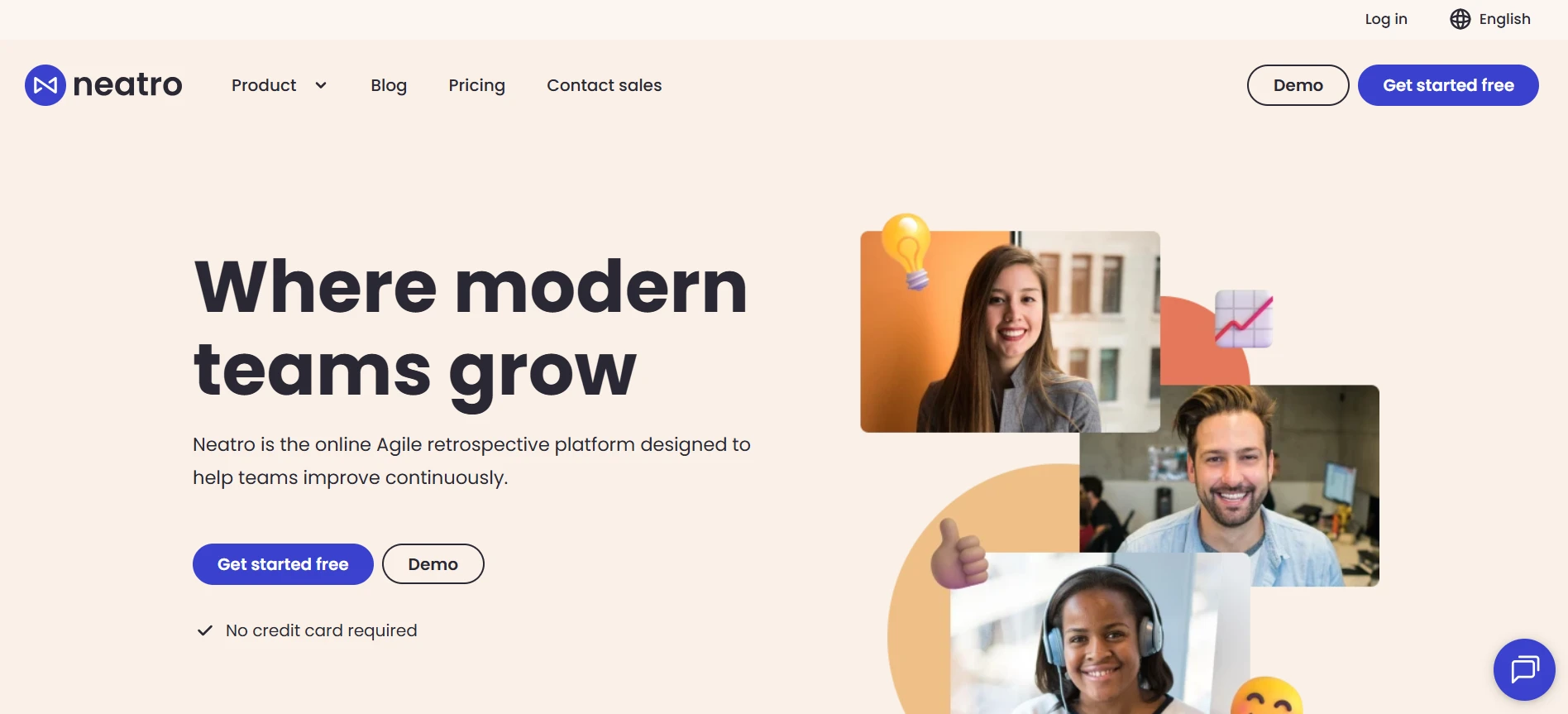
How does Neatro encourage participation in agile retrospectives?
Neatro allows team members to reflect independently before discussing their observations together. This gives quieter participants an opportunity to share their concerns without being influenced by the group's initial reactions. Its key capabilities include:
- Retrospective templates: Neatro offers 70+ retrospective templates, including familiar formats and creative activities. Teams can also customize templates to suit their sprint discussions.
- Private brainstorming: Participants submit their initial feedback independently, with anonymous contribution options available. This helps reduce groupthink and encourages people to share concerns they might hesitate to raise openly.
- Guided discussions and voting: Neatro follows four stages: Comments, Group, Vote, and Action Plan. Teams can combine related observations and vote anonymously to prioritize discussion topics.
- Team Radars: Teams can assess their health across different dimensions using structured radar activities. Custom radars help Scrum Masters explore specific concerns and identify areas requiring attention.
- Integrations: Neatro supports Jira Cloud, Azure DevOps, GitHub, Asana, and Monday.com. Teams can export action items to these platforms and manage improvements within their existing workflows.
G2 rating: 4.9/5
What to consider: Neatro suits teams that prefer guided retrospective sessions with dedicated team health tracking. Its structured meeting stages may be less suitable for teams wanting a completely flexible whiteboard. The free plan's 30-day data history also limits longer-term retrospective analysis.
Pricing: Neatro offers a free plan for up to 10 team members, with unlimited retrospectives, Team Radars, and 30 days of data history. The Premium plan starts at $23.20 per team per month, billed annually, and includes unlimited members, integrations, and data history. Pro starts at $31.20 per team per month, billed annually, while Enterprise pricing is customized.
10. GoRetro
GoRetro is an agile retrospective tool that helps Scrum teams collect sprint feedback, identify recurring blockers, and track improvements. It combines collaborative retrospective boards with sprint monitoring features, allowing teams to discuss their experiences alongside actual sprint performance data.
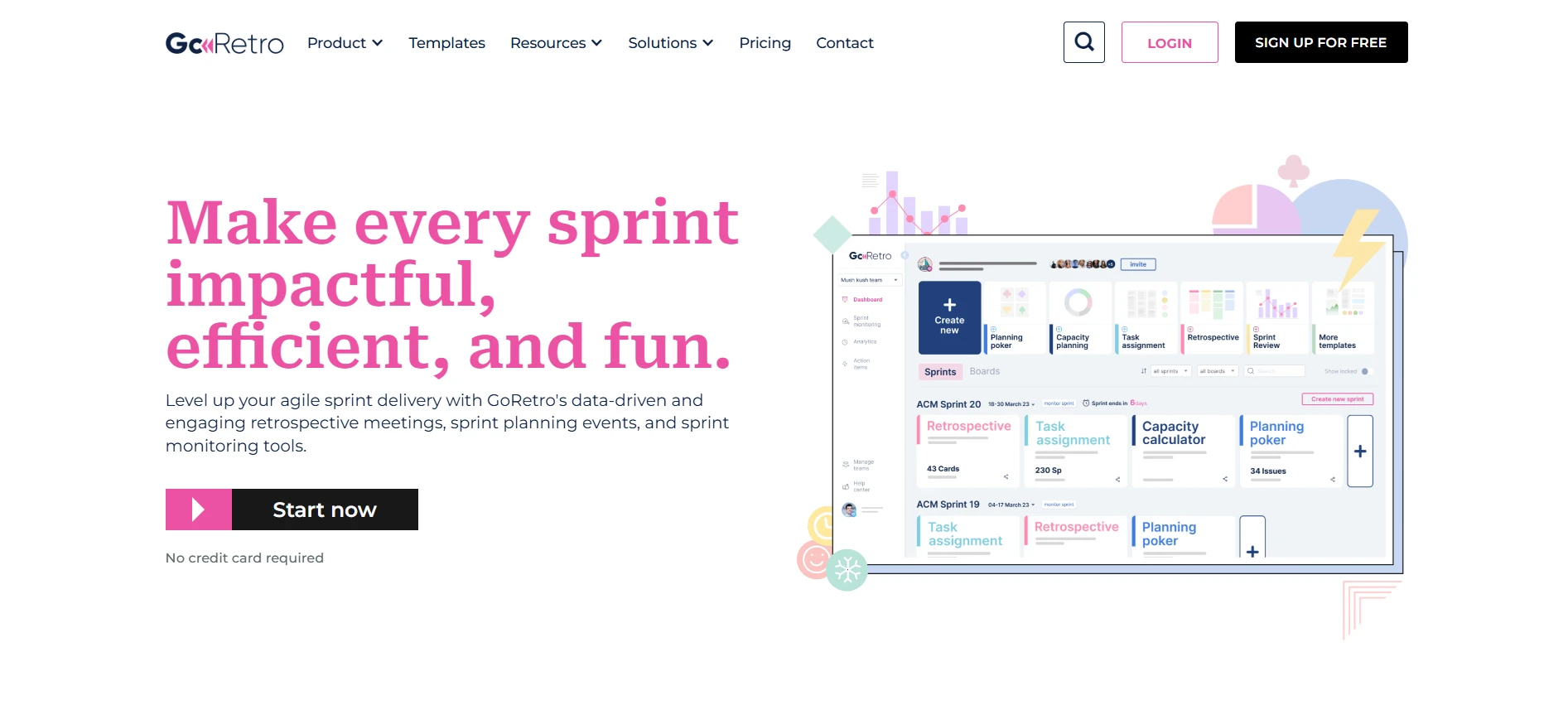
How does GoRetro connect sprint retrospectives with performance insights?
GoRetro brings team feedback and sprint data into the same retrospective workflow, helping teams make more informed improvement decisions. Its key capabilities include:
- Collaborative retro boards: Teams can choose from 20+ retrospective templates or customize boards with their own columns. Participants can contribute feedback in real time or asynchronously, making it suitable for distributed Scrum teams.
- Anonymous feedback and prioritization: Facilitators can hide card authors, control feedback visibility, and set voting limits. Teams can then prioritize concerns based on votes before discussing possible improvements.
- Sprint monitoring and analytics: GoRetro provides sprint performance insights, including planned versus completed work, spillover, and historical sprint trends. Its Joker cards use sprint data to suggest discussion topics based on potential delivery concerns.
- Team sentiment and retrospective reporting: The Happiness Index helps teams capture morale, while retrospective analytics track participation and feedback trends. Meeting recaps provide a record of discussions and agreed actions.
- Integrations: GoRetro's Jira Cloud integration connects sprint data with retrospective discussions and lets teams create Jira issues from action items. Slack integration is also available for team communication.
G2 rating: 4.6/5
What to consider: GoRetro is particularly relevant for Scrum teams using Jira and wanting data-informed retrospectives. Teams looking for a general-purpose visual whiteboard may find its sprint-focused approach restrictive. Advanced analytics and sprint monitoring require a paid subscription.
Pricing: GoRetro's current pricing page offers a 30-day free trial without a credit card. The Premium plan starts at $29 per team per month, billed annually, and includes retrospective analytics and sprint monitoring. Sprint Pro starts at $49 per team per month, billed annually, and adds capacity planning and planning poker. Organization pricing is customized.
How to Choose the Right Retrospective Tool for Your Team
The right retrospective software depends on how your team runs sprint discussions and what you expect to achieve from them. A small team conducting quick retrospectives every two weeks may need a simple online board, while larger Scrum teams may benefit from guided facilitation and long-term improvement tracking.
Here's what to prioritize based on your team's needs:
If your team needs... | What to prioritize | Platforms to consider |
Flexible visual discussions | Customizable whiteboards and shared canvases | MockFlow, Miro, Mural |
More candid team feedback | Anonymous contributions and private voting | TeamRetro, Retrium, Echometer |
Quick, recurring sprint retrospectives | Simple setup and reusable templates | EasyRetro, Parabol, Neatro |
Remote or hybrid participation | Real-time collaboration and accessible sharing | MockFlow, Mural, EasyRetro |
Sprint feedback connected to development work | Jira integrations and actionable follow-up | GoRetro, MockFlow, Parabol |
Structured Scrum facilitation | Guided meeting stages and action tracking | Parabol, Retrium, TeamRetro |
AI-assisted meeting preparation | AI-generated layouts and feedback organization | MockFlow, EasyRetro, Parabol |
Long-term improvement reporting | Retrospective history and team health analytics | Echometer, TeamRetro, Neatro |
Compatibility with existing tools is another factor worth evaluating. According to the 2025 Stack Overflow Developer Survey, 54% of respondents regularly use six or more software tools at work. Adding retrospective software to that mix makes it worth checking whether it connects with the platforms your team already relies on.
For example, MockFlow integrates with platforms like Jira, Slack, Microsoft Teams, Google Meet, Confluence, and Trello, allowing teams to incorporate visual collaboration into their existing workflows. Its Jira integration lets teams embed boards directly inside Jira issues.
This is particularly useful for Scrum teams that want to keep retrospective discussions accessible alongside their sprint-related work.
Before choosing a tool, consider team size and how frequently retrospectives take place. Check whether free plans restrict boards, participants, or meeting history. It's also worth confirming compatibility with existing tools like Jira or Slack, especially if retrospective action items need to become development tasks.
Finally, run a trial retrospective using your preferred format. See how easily participants contribute feedback, how smoothly discussions progress, and whether agreed improvements are easy to revisit before committing to a paid subscription.
Also read → Sprint Retrospective Ideas to Run Better Agile Meetings
Make Every Sprint Retrospective Count
A productive sprint retrospective should leave your team with clear improvements to work on, rather than another collection of feedback that gets forgotten before the next sprint.
Dedicated agile retrospective tools offer structured facilitation and reporting to help teams maintain consistent improvement cycles. Visual workspaces, on the other hand, give teams more flexibility to shape discussions around their specific challenges.
If your team prefers a collaborative approach, MockFlow offers customizable retrospective templates and AI-assisted board creation to make planning and running sessions easier.
If you're ready to put your next retrospective into action, sign up with MockFlow for free and give your team a shared space to reflect and plan improvements.
FAQs
1. What is the best tool for sprint retrospectives?
The best sprint retrospective tool depends on your team's needs. MockFlow and Miro work well for flexible visual discussions, while Parabol and TeamRetro offer guided facilitation. Echometer is worth considering if tracking team health and improvements across sprints is a priority.
2. What are the best free retrospective tools for remote teams?
MockFlow, Parabol, EasyRetro, Miro, and Neatro offer free plans with different restrictions. Some limit the number of boards or meetings, while others restrict participants or collaboration features. Check each platform's free-plan terms before choosing one for recurring retrospectives.
3. Can retrospective tools integrate with Jira?
Yes. Tools such as MockFlow, Parabol, TeamRetro, Retrium, and GoRetro support Jira integrations. Depending on the platform, teams can create Jira issues from retrospective action items or access sprint-related data. Integration capabilities and subscription requirements vary, so check whether your preferred workflow is supported.
4. Which retrospective tools support anonymous feedback?
Parabol, TeamRetro, EasyRetro, Retrium, Echometer, and Neatro support anonymous feedback collection. Some also offer private or anonymous voting. These features can help team members raise sensitive concerns, although anonymous submissions and anonymous voting are separate capabilities worth checking before selecting a tool.
5. What is the difference between a retrospective tool and a digital whiteboard?
Dedicated retrospective software typically provides guided meeting stages, voting, action tracking, and retrospective history. Digital whiteboards offer more freedom to customize layouts and organize discussions visually. Tools like MockFlow and Miro are useful when teams want retrospectives alongside other collaborative activities.
6. How do you run an effective sprint retrospective online?
Start with a clear retrospective format and let participants contribute feedback on a shared board. Group similar observations, vote on priorities, and discuss the underlying causes. Before closing, agree on specific improvements, assign owners, and review their progress during the next sprint.
10 Best Miro alternatives: Best Whiteboard Tools for 2025
Introduction: Looking for the Best Miro Alternatives? Few tools have changed the way teams brainstorm quite like Miro. For many...
10 Best Process Mapping Tools to Visualize Workflows in 2026
When a process is scattered across documents and people’s heads, it becomes difficult to understand how the work actually gets...
8 Best Mural Alternatives for Whiteboarding and Remote Teams in 2026
Introduction: Why Look for Mural Alternatives? Teams rely on digital whiteboards to fuel creativity and keep workshops moving...
