How to Run a Sailboat Retrospective Step by Step (With Template)
Retrospectives can start to feel predictable after a while. We ask similar questions, collect familiar feedback, and sometimes leave with the same issues waiting for us in the next sprint.
A sailboat retrospective gives us a more visual way to approach team reflection. It helps change the conversation and gives everyone a shared picture to work from, whether we are reviewing a sprint, project, or broader team goal.
In this guide, we’ll explore the different parts of the sailboat exercise, when it works well, how to facilitate it, and how to create a reusable retrospective board for future sessions.
What is a sailboat retrospective?
A sailboat retrospective is a visual Agile retrospective exercise that helps teams reflect on what is moving them toward a goal, what is slowing them down, and what risks lie ahead. The team is the sailboat, the island is the goal, the wind shows positive forces, anchors show blockers, and rocks highlight future risks.
Teams usually add observations on sticky notes, group similar ideas, and discuss what to carry forward or improve. The format works well for Scrum teams because it keeps the conversation tied to progress, risks, and continuous improvement.
What are the elements of a sailboat retrospective?
Each part of the sailboat visual represents a different part of the team’s progress. Keeping the meaning clear helps participants add more useful feedback and makes the discussion easier to facilitate.
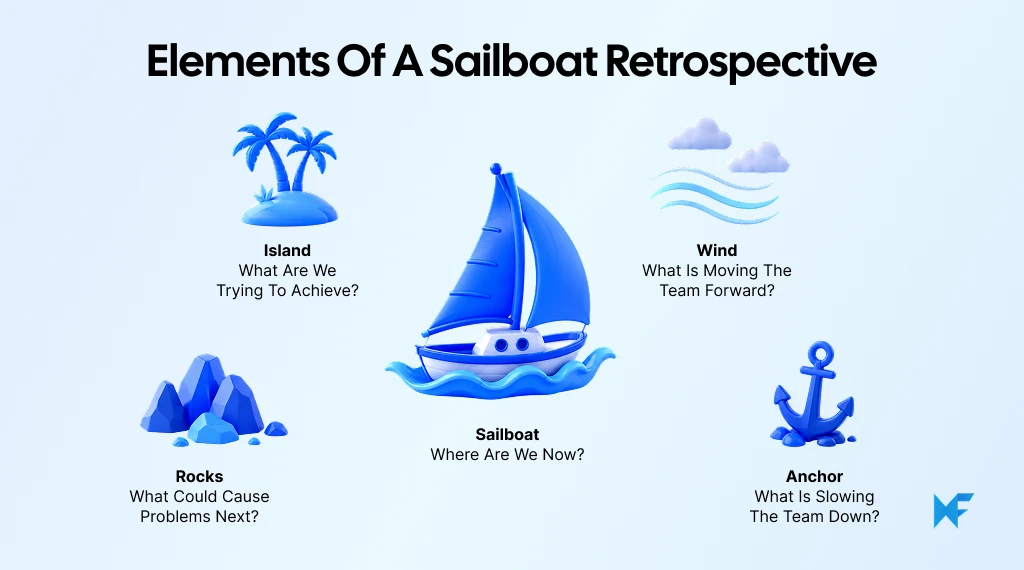
Sailboat element | What it represents | Prompt for the team |
Sailboat | The team | Where are we now? |
Island | Goal or destination | What are we trying to achieve? |
Wind | What helps progress | What is moving the team forward? |
Anchor | Obstacles or blockers | What is slowing the team down? |
Rocks | Risks ahead | What could cause problems next? |
1. The sailboat: The team
The sailboat represents the team moving through a sprint or project. It gives the exercise a shared point of reference and keeps the discussion focused on collective progress rather than individual performance.
2. The island: The goal
The island represents the destination the team is trying to reach. This could be a sprint goal, release objective, project milestone, or broader team outcome.
A useful prompt is: What are we trying to reach?
Defining the destination first gives the rest of the retrospective a clear frame.
3. The wind: What moves the team forward
The wind represents the things that helped the team make progress. Examples can include clear requirements, effective collaboration, useful tools, smoother processes, or decisions that removed friction.
A useful prompt is: What helped us move forward?
This part helps teams identify practices worth preserving or strengthening.
4. The anchor: What holds the team back
Anchors represent issues that are already slowing progress. These may include unclear priorities, dependencies, communication gaps, slow approvals, resource constraints, or technical debt.
A useful prompt is: What slowed us down?
The aim is to surface the friction clearly before moving into solutions.
5. The rocks: Risks and challenges ahead
Rocks represent problems that may affect the team in the future. Examples include an unresolved dependency, an approaching deadline, limited capacity, or a technical risk.
A useful prompt is: What could prevent us from reaching the destination?
An anchor is already creating friction. A rock is a risk that could create trouble later.
Sailboat retrospective example
Consider a product team reviewing a two-week sprint. The team uses the sailboat retrospective to connect recent progress with the next release goal.
Element | Example team reflections |
Island | Release the onboarding improvements successfully |
Wind | Faster design reviews; clearer acceptance criteria; better developer-QA collaboration |
Anchor | Late stakeholder feedback; frequent mid-sprint scope changes |
Rocks | Upcoming team leave; unresolved API dependency |
The island keeps the discussion tied to the outcome. Winds show what helped the sprint move forward. Anchors reveal problems already affecting delivery, while rocks surface risks that could affect the next sprint.
The team can then group similar sticky notes, identify the themes that matter most, and turn them into specific actions.
Teams that want to try the format directly can start with MockFlow IdeaBoard’s Sailboat Retrospective template instead of building the board from scratch.
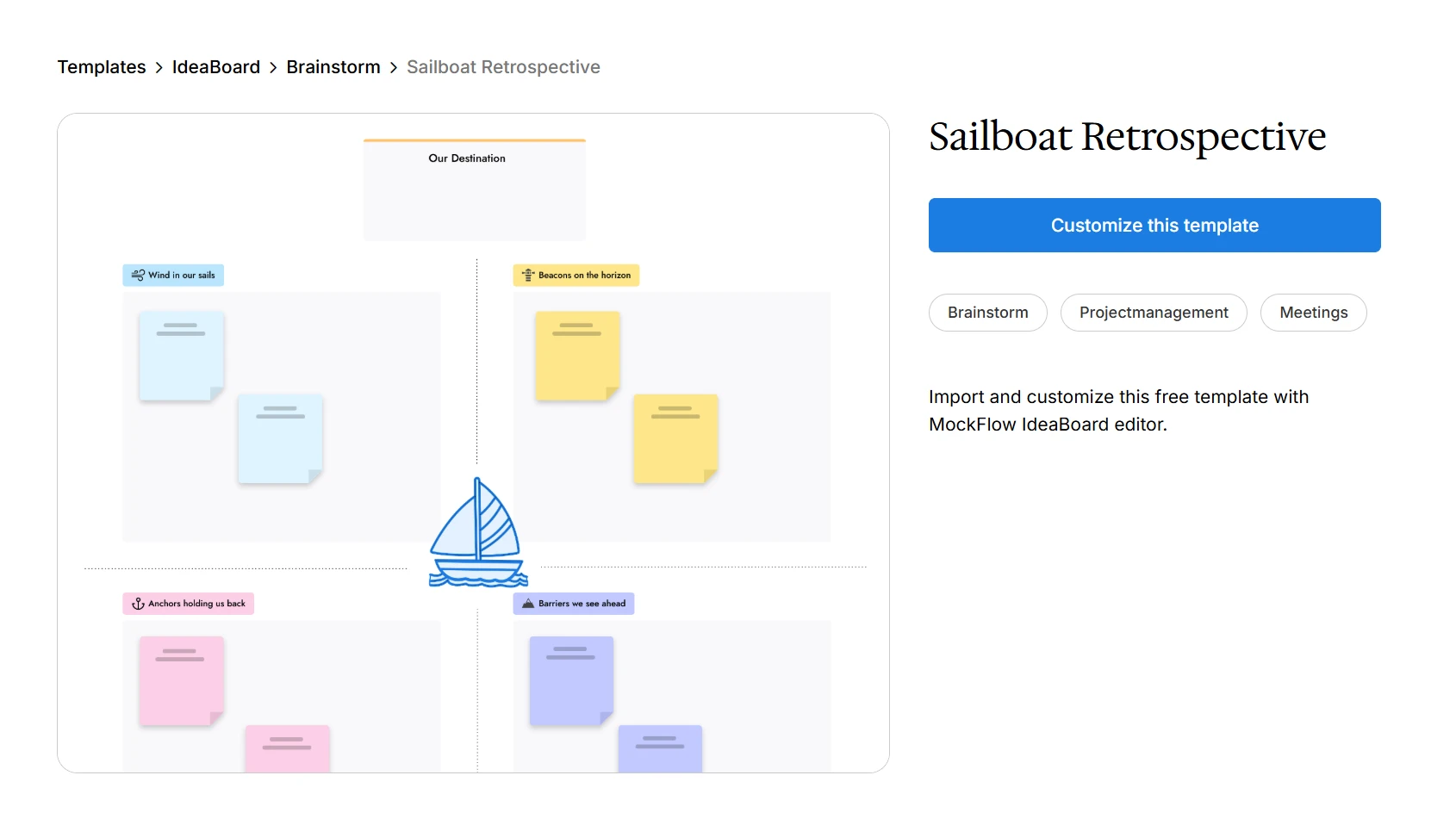
Customize this sailboat retrospective template in your next session
When should you use a sailboat retrospective?
A sailboat retrospective works well when a team needs more than a quick “what went well, what didn’t” check-in. It is especially useful when the goal is to connect recent work with what helped progress, what caused friction, and what could create problems next.
It fits well:
- At the end of a Scrum sprint
- After an important project phase
- Before the next iteration begins
- When standard retrospectives feel repetitive
- When teams need to discuss blockers and future risks together
- For remote or hybrid retrospective meetings using a shared board
Eurostat reports that 52.9% of EU enterprises conducted online meetings in 2024, making shared visual formats especially relevant when participants are not always in the same room.
A simpler retrospective may be better when time is very limited or when one specific issue already needs focused root-cause analysis.
If your team is unsure about using sailboat retrospective yet, try customizing 4 L’s retrospective template for your next sprint session.
What are the benefits of a sailboat retrospective?
The main value of a sailboat retrospective is that it gives teams a structured way to reflect on progress without reducing the conversation to wins and problems.
Benefit | How it helps the team |
Makes reflection visual | Turns team experiences into a simple shared picture |
Balances positives and problems | Captures what is working alongside what needs attention |
Surfaces future risks | Rocks bring upcoming concerns into the discussion early |
Keeps discussion goal-oriented | The island connects feedback to a clear destination |
Encourages participation | Sticky-note input gives everyone space to contribute |
Reveals recurring themes | Similar winds, anchors, and risks can be grouped quickly |
Supports continuous improvement | Insights can be turned into actions for the next sprint |
Works for distributed teams | A shared retrospective board supports remote and hybrid participation |
The visual format can also refresh an agile workshop when standard retrospective meetings start producing the same answers.
How to run a sailboat retrospective
A good sailboat retrospective should move from individual reflection to focused discussion and clear next steps. Teams can run it with physical sticky notes or on a shared digital retrospective board.
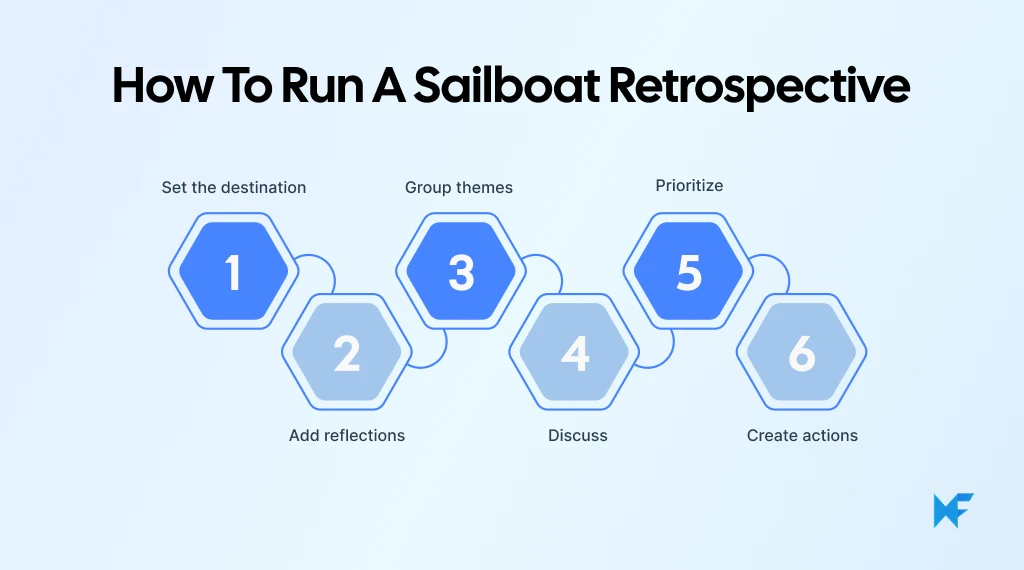
1. Set the destination and explain the sailboat exercise
Start by defining the sprint, project, or period being reviewed. Set the island as the destination and briefly explain what the wind, anchor, and rocks represent.
Keep the prompts consistent so everyone reflects on the same questions.
2. Give everyone time to add their reflections
Give participants a few minutes to add sticky notes under the wind, anchor, and rocks.
Each note should contain one clear observation. Silent input helps reduce the influence of the first or loudest speaker and gives everyone time to think.
3. Group and discuss related ideas
Review the notes together and cluster similar observations.
Look for repeated themes across what helped progress, what slowed it down, and what may create risk next. Keep the discussion focused on team processes and working conditions.
4. Prioritize the most important issues
Avoid trying to solve every point in one retrospective.
Prioritize a small number of themes based on their impact, urgency, frequency, and whether the team can influence them. Voting or team agreement can help narrow the focus.
5. Turn insights into action items
Convert the highest-priority themes into specific actions for the next sprint or project phase.
Assign ownership where useful, preserve the winds worth repeating, and record rocks that need monitoring. Revisit these actions in the next retrospective to see whether anything changed.
How to create a sailboat retrospective in MockFlow IdeaBoard
A digital sailboat retrospective should make it easier to prepare the session, collect feedback, and carry useful actions into the next sprint. That flexibility is one reason shared digital workspaces have become useful for team exercises.
In an OECD survey, 87% of respondent businesses said digital tools were beneficial for improving workplace flexibility. MockFlow IdeaBoard is one such collaboration tool where boards support full workflow in one shared space.
Here’s how teams can use IdeaBoard to create sailboat retrospective with ease:
1. Start with a retrospective template, AI, or a blank board
The quickest option is to start with the Sailboat Retrospective template. It gives the team the core layout without having to build the sailboat exercise from scratch.
Before the session:
- Add the sprint or project name
- Define the island or destination
- Adjust the prompts for the team
- Remove anything that does not support the discussion
For a more customized setup, teams can use the IdeaBoard prompt library or generate a starting board with AI.
For example:
“Create a Sailboat Retrospective board for an Agile sprint. Include a sailboat for the team, an island for the sprint goal, wind for what moved the team forward, an anchor for what slowed the team down, and rocks for future risks. Add clearly labeled areas for sticky notes.”
The generated layout can then be edited, simplified, or rearranged before the session begins.
Teams that prefer to build their own format can start with a blank canvas and add the sailboat elements manually.
2. Set up the sailboat retrospective board
Keep the board easy to understand at a glance. Participants should know where to add feedback without needing repeated instructions.
Add a clear prompt beside each area:
- Wind: What moved the team forward?
- Anchor: What slowed the team down?
- Rocks: What risks could affect the next sprint?
Place the sprint or project goal near the island and leave enough room for sticky notes around each section.
It also helps to create a separate area for priorities and action items. This keeps decisions visible once the discussion moves beyond reflection.
3. Collect and organize team feedback
Give participants individual reflection time before the group discussion starts. Ask everyone to add one clear observation per sticky note.
A simple process works well:
- Add feedback independently
- Keep each note focused on one point
- Place it under wind, anchor, or rocks
- Group similar notes once everyone has contributed
Clustering related notes makes recurring blockers and risks easier to spot without forcing the team to discuss every comment separately.
For teams already collaborating in Microsoft Teams, IdeaBoard can keep the retrospective close to the team’s existing workflow. This is useful for distributed teams that already use Teams for sprint discussions and project collaboration.
Facilitators can also review MockFlow’s guide to sharing an IdeaBoard with a team before the session so access does not become part of the meeting itself.
4. Discuss, prioritize, and document next steps
Once the notes are grouped, focus the conversation on what the team can act on.
Review each cluster and decide:
- Which winds should continue?
- Which anchors need attention first?
- Which rocks need monitoring?
- What should change before the next sprint?
Move the agreed actions into a dedicated next-steps area and make them specific enough to revisit later.
Keep the completed retrospective board as a reference. At the next session, the team can compare previous actions with what actually changed. This makes the board useful beyond a single retrospective and gives the team a clearer record of continuous improvement.
If extra context is needed around a decision or action, voice and video comments in IdeaBoard can help preserve that context without overcrowding the board.
Conclusion
A sailboat retrospective gives teams a simple way to connect progress, blockers, risks, and goals in one visual exercise. Its real value comes from turning those reflections into a few clear actions that can carry into the next sprint or project phase.
With MockFlow IdeaBoard, teams can start with a ready-made template, generate a board with AI, or build one from scratch and collaborate in the same workspace.
Ready to try it? Sign up for MockFlow and run your next sailboat retrospective in IdeaBoard.
Frequently asked questions
1. How long should a sailboat retrospective take?
Most sailboat retrospectives take around 60 to 90 minutes, depending on team size and discussion depth. Smaller teams may need less time. The important part is leaving enough time for individual reflection, grouping notes, prioritizing themes, and agreeing on actions.
2. How many people should join a sailboat retro?
A sailboat retro works best with a group small enough for everyone to contribute meaningfully. For larger teams, facilitators can split participants into smaller groups first, then bring the main themes back to the full team for discussion and prioritization.
3. What questions should a facilitator ask during the sailboat exercise?
Useful prompts include:
- What helped the team make progress?
- What created friction during the sprint?
- What risks are coming up?
- Has the destination or goal changed?
- Which issue would make the biggest difference if addressed next?
These questions keep the discussion connected to improvement rather than simply collecting observations.
4. What is the difference between a sailboat retrospective and Start, Stop, Continue?
Start, Stop, Continue organizes feedback around behaviors or practices to begin, end, or maintain. A sailboat retrospective adds a goal and future-risk perspective, making it useful when teams want to understand what is influencing progress toward a specific destination.
5. Can a sailboat retrospective be used outside Scrum?
Yes. The format can also support project reviews, team workshops, milestone discussions, and other collaborative reflection sessions. The destination simply needs to represent a shared outcome, while the wind, anchors, and rocks capture what is helping, hindering, or threatening progress.
6. How do you stop a sailboat retrospective from becoming repetitive?
Change the destination and prompts to match the current sprint or project instead of reusing the exact same questions each time. Review previous action items before adding new feedback, and focus discussion on themes that the team can realistically influence. Changing retrospective formats periodically can also keep reflection useful.

How to Make a Flowchart: Symbols, Types, Steps, and Templates
When a process has too many steps, decisions, or handoffs, it becomes harder to explain and even harder to improve. A flowchart...
Miro vs Lucidspark: A Complete Feature-by-Feature Comparison for 2026
Introduction If you’re comparing Miro and Lucidspark, you’re likely exploring which digital whiteboard aligns best with your...

How to Approach SaaS Product Design the Right Way
SaaS product design shapes how users experience your software from the first click to daily use. It goes beyond visual polish,...
