Dot Voting: How to Prioritize Ideas and Make Team Decisions
Your brainstorming session has produced more ideas than the team can realistically pursue. Now you need a clear way to decide which ones deserve attention first.
Discussing every option can take time and make it difficult to see where the wider group stands. Dot voting gives you a structured way forward. Each participant gets a limited number of votes to support their preferred ideas, making it easier to see where team interest is strongest.
The method is simple, but how you run it matters. Clear options and voting rules can lead to more useful results. This guide covers how dot voting works, when to use it, practical variations, common limitations, and how to run it online with IdeaBoard.
What is dot voting?
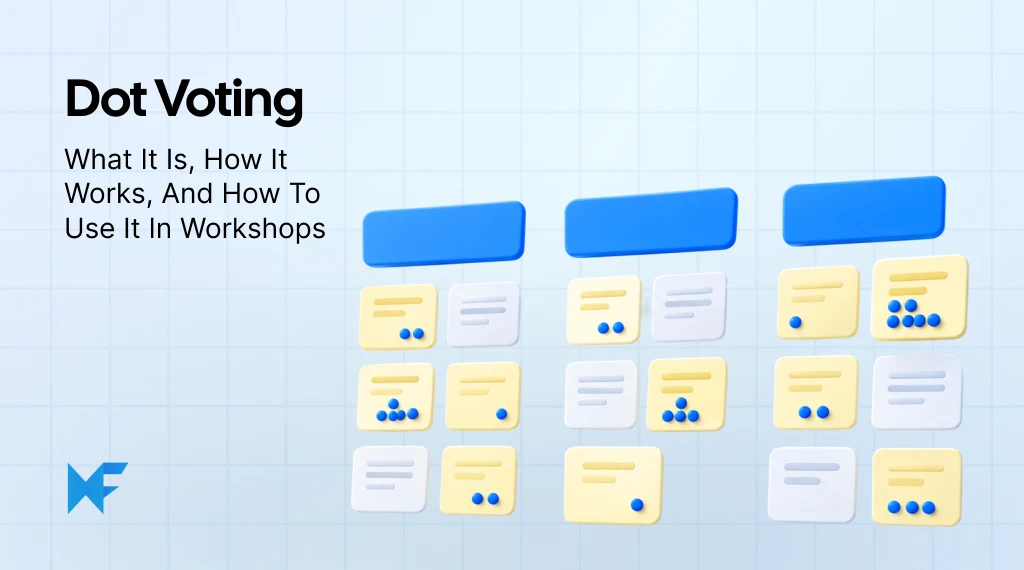
Dot voting is a group prioritization technique where participants use a limited number of votes, represented by dots, to select the ideas or options they want to prioritize. The results help teams identify which ideas have stronger support and which ones need further discussion.
Also known as dotmocracy, sticker voting, or sticky-dot voting, this method uses visual voting to make team preferences easier to see. Instead of discussing every idea at the same level, teams can quickly identify the options that stand out.
The process usually follows four simple steps:
- Ideas are displayed on a shared space, such as a board with sticky notes or cards.
- Each participant receives a fixed number of voting dots.
- Participants place their dots on the ideas they want to prioritize.
- Ideas with the most votes become candidates for further discussion or action.
Teams still need to consider factors like feasibility, impact, and available resources before making final decisions.
Dot voting use cases in brainstorming, workshops, and product decisions
Dot voting is useful whenever teams need to prioritize ideas, topics, or options from a larger set of possibilities. It creates a simple voting structure that helps groups find common areas of interest without requiring lengthy discussions for every option.
Some common use cases include:
- Brainstorming sessions: Teams can use dot voting to narrow down a large list of ideas and identify the options worth exploring further.
- Workshops: Facilitators can use dot voting to prioritize discussion topics, highlight important themes, or decide which areas need deeper exploration.
- Product planning: Product teams use dot voting to compare feature ideas, support roadmap discussions, and identify items that need further evaluation.
- UX and design activities: Design teams can use dot voting to prioritize research findings, compare design directions, or select areas for improvement.
- Agile team activities: Teams can use dot voting during sprint retrospectives to highlight improvement opportunities and decide which topics to discuss first.
Dot voting works best when teams need quick alignment across many options and want everyone to have an equal opportunity to contribute.
How to do dot voting with IdeaBoard
Teams can run dot voting digitally with IdeaBoard to collect ideas, organize options, and prioritize choices in a shared workspace. Instead of managing physical sticky dots, teams can structure the activity online and keep the ideas and discussions together.
If you are prioritizing ideas for an upcoming launch, you can start with the product launch priorities dot voting template. It gives your team a ready-made structure for comparing launch priorities, so you can spend less time building the voting board and more time discussing which ideas deserve attention.
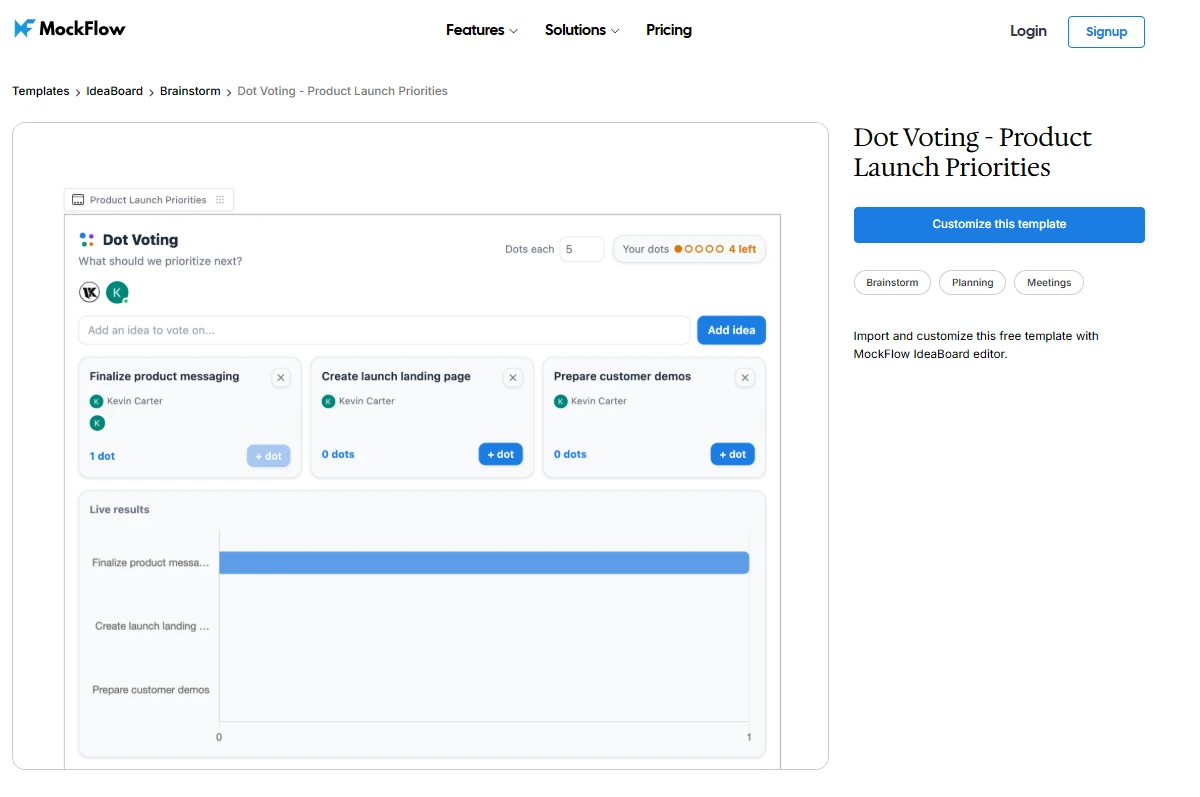
Customize this product launch priorities dot voting template
Customize the template with your own launch options, agree on the voting rules, and use the results as the starting point for the prioritization discussion.
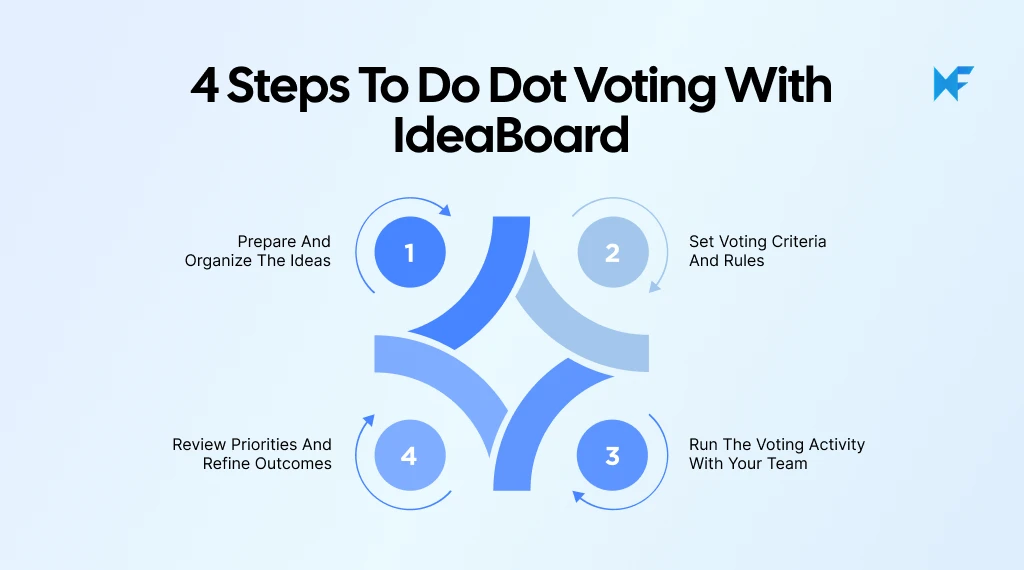
1. Prepare and organize the ideas
Before voting begins, teams need a clear set of options to evaluate. When ideas are repeated, unclear, or too broad, participants may struggle to compare them and votes can split across similar options.
Start by adding each idea as a separate sticky note or card. Keep descriptions short and specific, then group related ideas and remove duplicates before voting.
IdeaBoard’s online whiteboarding workspace helps teams organize ideas visually using sticky notes and flexible layouts, making it easier to review, refine, and prepare options before prioritization.
2. Set voting criteria and rules
Dot voting works best when participants understand what they are evaluating. A team prioritizing product ideas may focus on customer value, while a workshop group may prioritize topics that need further exploration.
Before voting, define:
- How many dots each participant receives.
- Whether multiple dots can be placed on one idea.
- Whether votes are visible or private.
- What happens after the results are reviewed.
For teams running recurring brainstorming sessions, IdeaBoard’s prompt library can help teams create more structured idea-generation activities before prioritization begins. Starting with clearer ideas makes the voting process more focused, while templates can help organize the activity itself.
3. Run the voting activity with your team
Once the ideas and voting rules are ready, participants can review the options and place their votes. Encourage everyone to vote independently before opening the discussion. This gives each person space to consider the ideas without being influenced by others, helping reduce the impact of dominant voices and giving quieter participants an equal opportunity to contribute.
Independent voting also gives teams a clearer picture of overall preferences before discussion begins. For remote and hybrid teams, a shared digital board removes the need for everyone to be in the same physical space. With IdeaBoard’s remote collaboration capabilities, distributed teams can review ideas together, participate from different locations, and keep the prioritization process aligned in one shared workspace.
4. Review priorities and refine outcomes
The voting results show which ideas have stronger support, but they are only the beginning of the decision-making process. Teams still need to understand why certain ideas stood out and what should happen next.
After reviewing the results, teams can:
- Combine related ideas that received support.
- Add missing details or context.
- Identify ideas that need further validation.
- Turn selected priorities into action items.
Treat the highest-voted idea as a testable next step rather than a permanent commitment. Teams can run it as a short experiment with an owner, timeframe, and success measure, then review the result before adopting it more widely.
What are the benefits and limitations of dot voting
Dot voting helps teams narrow down ideas and identify where group interest is strongest, especially after brainstorming sessions with many options.
However, the results show preferences rather than complete reasoning. Teams still need discussion and evaluation before deciding which ideas to move forward with.
Benefits | Limitations |
Quickly narrows many ideas into a smaller set for further discussion. | Popular ideas can attract votes even when other options may offer greater long-term value. |
Gives each participant an equal opportunity to influence prioritization. | Groupthink or persuasive participants can influence votes when choices are visible. |
Makes group preferences visible by showing which ideas receive the most support. | Ideas with different levels of complexity can be difficult to compare through votes alone. |
Reduces lengthy debate by giving teams a structured way to surface priorities. | Similar ideas can split votes and understate the overall support for a concept. |
Creates a shared view of priorities that can guide the next discussion. | Vote counts provide limited context about why participants supported an idea. |
A high vote count does not show what the team must postpone to pursue an idea. To make the tradeoff visible, ask participants which current priority they would delay if the selected idea moves forward.
Dot voting best practices and variations
Small changes to the dot voting process can make the results more useful depending on the team’s goal, the number of ideas being reviewed, and the level of prioritization required. These practices help teams reduce bias, improve clarity, and create better discussions around the final results.
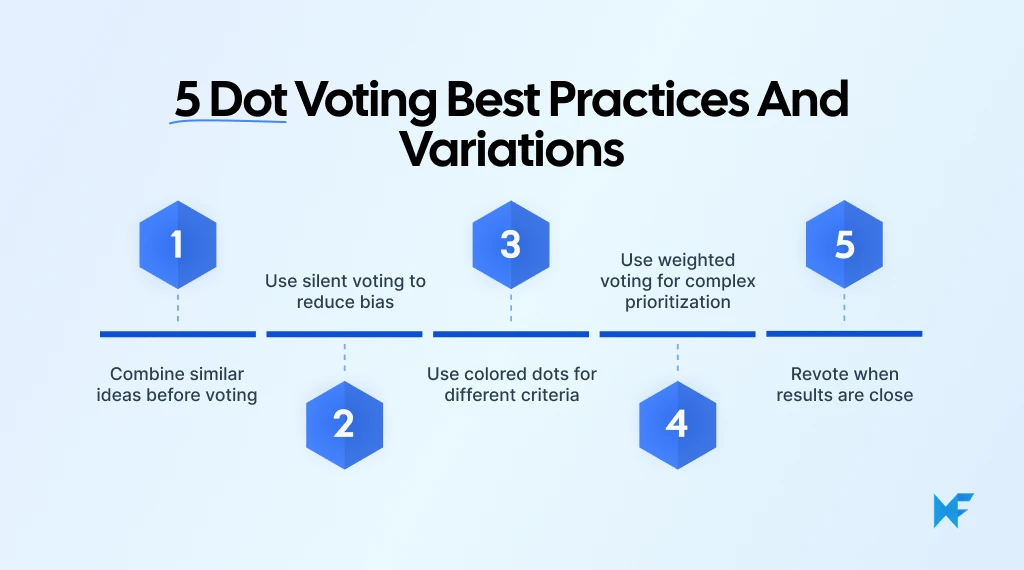
1. Combine similar ideas before voting
Before voting begins, review the ideas and identify options that represent the same concept. When similar ideas remain separate, they can divide votes and make a strong idea appear less important than it actually is.
Merge duplicates and combine related suggestions where appropriate. However, keep ideas separate when they represent genuinely different approaches or solutions.
A visual workspace can make this review process easier by helping teams group related ideas and refine options before voting. Using a structured whiteboarding approach allows teams to organize ideas clearly before moving into prioritization.
2. Use silent voting to reduce bias
Silent voting gives participants time to evaluate ideas independently before hearing other opinions. This can be particularly useful in remote collaboration, where teams need to create space for individual input before moving into a group conversation.
PwC’s 2025 workforce survey found that only 56% of workers feel safe trying new approaches, while 54% say their team treats failures as opportunities to learn. Silent voting gives participants a private space to express their preferences without pressure from managers or more vocal colleagues.
For a more balanced vote:
- Let everyone review the ideas first.
- Ask participants to vote independently.
- Begin the discussion only after voting is complete.
Delaying discussion reduces the chance of hierarchy or persuasive participants shaping other people’s choices.
3. Use colored dots for different criteria
Teams can use different colored dots when they want to evaluate ideas from multiple perspectives. Instead of every vote representing the same preference, each color can highlight a different factor.
For example:
- Green dots can represent customer value.
- Blue dots can represent feasibility.
- Yellow dots can represent urgency.
This gives teams more context than a single vote count and shows where an idea is strong or may need further evaluation.
4. Use weighted voting for complex prioritization
When equal votes do not provide enough distinction between ideas, weighted voting can show the strength of participants’ preferences.
For example, a first-choice idea might receive three points, while second and third choices receive fewer. This creates a more detailed ranking when several options have similar support and helps teams see which ideas are genuinely higher priorities.
5. Revote when results are close
The first voting round does not always produce a clear priority. When several ideas receive similar support, use the results to narrow the field before voting again.
Teams can remove low-priority options, discuss the closely ranked ideas, and then conduct another round. This works particularly well as part of a broader brainstorming workflow, where prioritization follows idea generation rather than happening as an isolated activity.
A second round gives participants more context and fewer options to compare, helping the group move from broad preferences toward clearer priorities.
How to run dot voting online with IdeaBoard
To run dot voting online, start by adding your ideas to a shared digital board. Organize related ideas so participants have clear options to evaluate. Then set the voting rules and let everyone vote before reviewing the results as a team.
With IdeaBoard, you can keep this process in one visual workspace. Sticky notes help structure ideas before voting. Real-time collaboration gives remote and hybrid participants the same space to contribute. The outcomes also stay on the board, making it easier to revisit priorities and continue discussions after the session.
Ready to put dot voting into practice? Try IdeaBoard today and run your next brainstorming and prioritization session in one collaborative workspace.
FAQs
1. How many dots should each person get in dot voting?
A common guideline is to give each participant approximately one dot for every four or five options. You can adjust the number depending on how many ideas are being considered. Fewer dots force stronger prioritization, while more dots allow participants to support a broader set of ideas.
2. Can you put multiple dots on the same idea?
Yes, if the voting rules allow it. Some dot voting activities let participants place multiple dots on one idea to show stronger support. Others require votes to be spread across different options. Decide which approach you will use and communicate the rule before voting begins.
3. What is the difference between dot voting and dotmocracy?
Dotmocracy is another term commonly used for dot voting activities. Both methods give participants a limited number of votes that they can use to indicate which options they want to prioritize.
4. When should we use dot voting?
Use dot voting when a team has several options and needs to identify which ones deserve further attention. It works particularly well after brainstorming sessions. Teams can also use it to prioritize product features, select workshop topics, or identify improvement opportunities.
5. What are the disadvantages of dot voting?
Dot voting can be influenced by group dynamics, especially when participants see other votes before making their choices. Similar ideas may also split votes, while familiar or popular options can attract attention without enough evaluation. Votes also provide limited context about why participants selected an idea, so further discussion is often necessary.
6. Can we use dot voting for remote teams?
Yes. Remote teams can run dot voting on a shared digital board instead of gathering around a physical one. With IdeaBoard, participants can review the same ideas, contribute from different locations, and keep the voting context available for follow-up discussions.

8 Brainstorming Rules for Productive and Creative Idea Generation
Introduction Brainstorming can be one of the most exciting parts of any project. It’s the chance to share ideas, get creative,...

How to Create a Process Map: A Step-by-Step Guide for Teams
TL;DR: A process map helps teams visualize how work moves from start to finish, including steps, decisions, owners,...

Bubble Map: Templates, Comparisons, and Practical Uses
Introduction There’s something about seeing ideas laid out visually that just feels easier to follow. You’re not reading line by...
