
Functional Block Diagram: Definition, Examples, and Uses
Introduction
Sometimes the easiest way to talk through a system is to simply draw it.
A few blocks on a canvas, arrows connecting them, and suddenly everyone looking at it understands how the pieces relate to each other. What starts as a quick sketch during a discussion often turns into a functional block diagram that helps teams visualize how different parts of a system interact.
Teams use this approach across software architecture, automation systems, engineering design, and even operational workflows because it makes system thinking much easier to share and refine with others.
With visual collaboration tools like IdeaBoard, creating these diagrams becomes a lot more flexible. Instead of static diagrams, teams can sketch, move blocks around, and iterate together on a shared whiteboard.
In this guide, we’ll walk through how functional block diagrams are structured and how you can use them to map systems clearly, collaborate with your team, and turn rough ideas into structured diagrams.
What Is a Functional Block Diagram?
A functional block diagram (FBD) is a visual representation of a system that shows how functional components interact. Each block represents a specific function or module. Arrows show the flow of signals, data, or control between blocks. The diagram explains how inputs move through processes to produce outputs.
Engineers use functional block diagrams to model system behavior, organize system architecture, and simplify complex designs. These diagrams appear in systems engineering, PLC programming, software architecture, and industrial automation to document and communicate how system components work together.
In a function block diagram, the focus stays on what the system does, rather than how each internal component is implemented. This makes the structure of a system easier to understand without diving into technical details.
It also differs from other diagram types:
- Schematic diagrams show detailed electronic components and circuitry.
- Flowcharts illustrate step-by-step logic or decision paths.
- Process diagrams map operational workflows across activities or teams.
A functional block diagram, by contrast, focuses on the relationships between functional units in a system, making it especially useful when teams want a clear, high-level view of system architecture design.
How Functional Block Diagrams Work
Functional block diagrams help teams understand a system by focusing on how functions interact, rather than showing every internal detail. Instead of mapping individual components, the diagram highlights the relationships between modules and how information moves through the system.
This makes it easier for teams working in systems engineering, software architecture, and automation environments to quickly grasp system behavior and communicate designs visually.
Key Components of a Functional Block Diagram
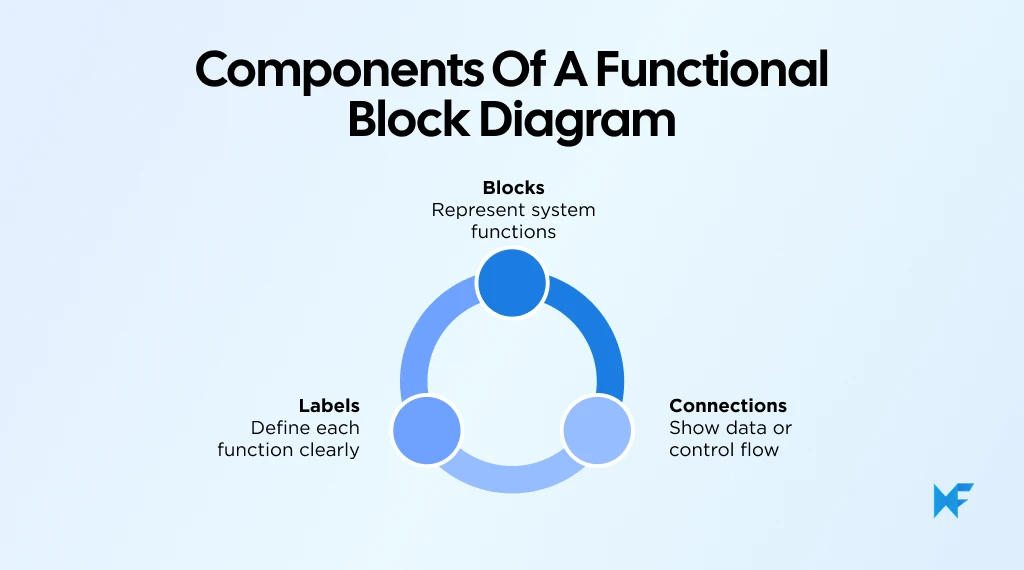
Every functional block diagram is built using a few simple visual elements that describe how a system operates.
1. Blocks
Blocks represent the functional units within the system. Depending on the context, a block may represent:
- a software service in a software architecture
- a subsystem in systems engineering
- a machine operation in industrial automation
- a process step in an operational workflow
2. Connections
Connections appear as directional arrows that show data flow, signal flow, or control flow between blocks. These connections illustrate how one function triggers or interacts with another.
3. Labels
Labels identify what each block does. Clear naming helps teams quickly understand the purpose of each module and how it fits within the system.
Inputs, Processes, and Outputs
Most functional block diagrams follow a simple structure based on how information moves through a system.
Component | Role |
Input | Information or signals entering the system |
Process | Functional block that transforms the input |
Output | The result produced by the system |
In most diagrams, the flow moves from left to right, helping readers easily follow how inputs move through different processes before producing an output.
Because of this structured flow, teams often begin by sketching the process first and then refining each step into functional blocks.
A flowchart layout can be a useful starting point for structuring the diagram visually. Teams can begin with a flowchart template and customize each block to represent functional units within their system.
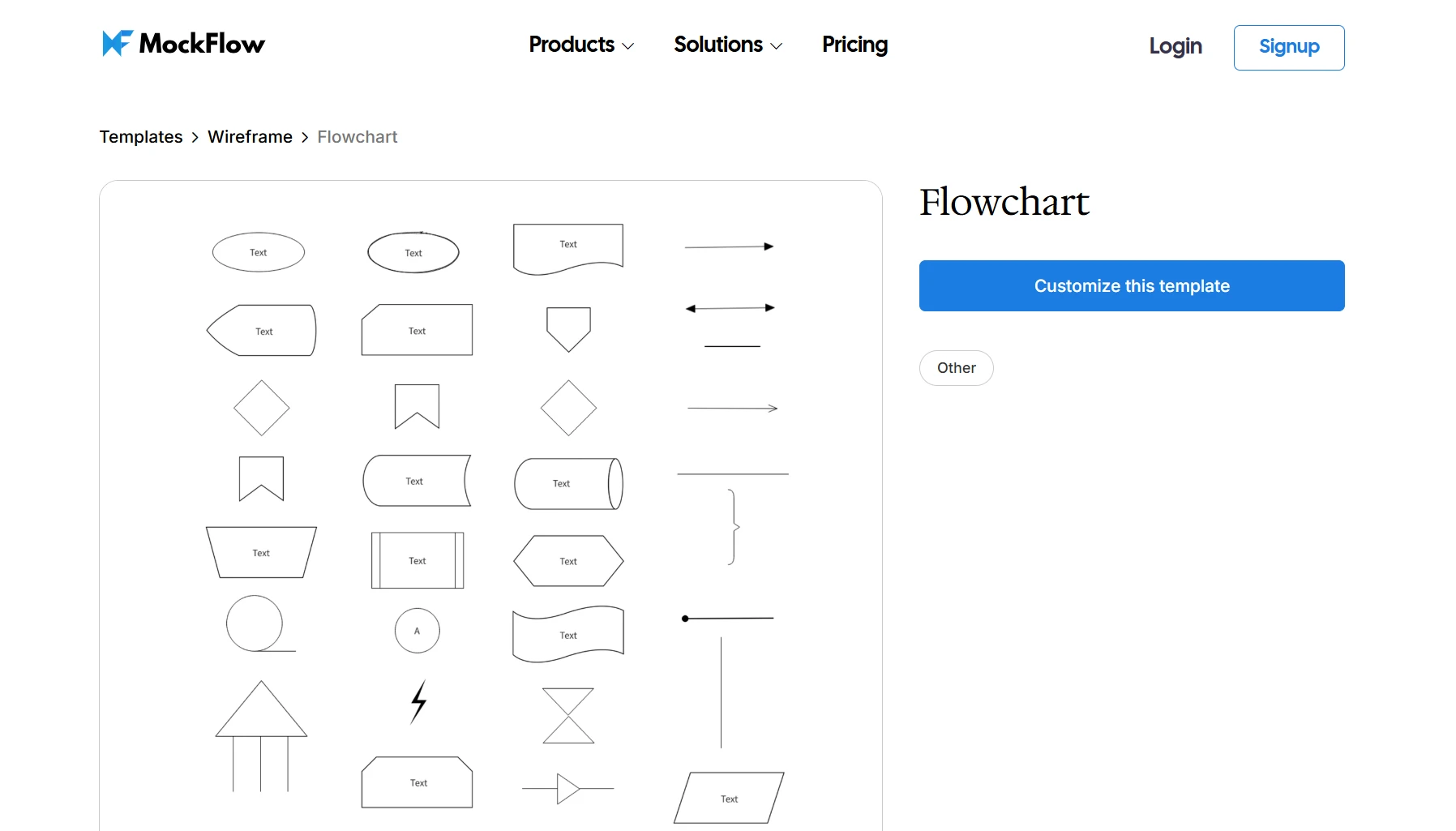
Customize this flowchart template on IdeaBoard
Functional Block Diagram Example
Example: Online Order Processing System
A simple way to understand how a functional block diagram works is to look at an online order processing system. When a customer places an order on an e-commerce platform, several system functions work together to complete the transaction.
In a functional block diagram, each step in that process becomes a separate block, such as:
- Customer Order Submission
- Order Validation
- Payment Processing
- Inventory Verification
- Shipping / Fulfillment
The flow of information moves sequentially between these functions:
Customer Order → Order Processing → Payment Authorization → Inventory Check → Shipping
Each block performs a specific task and produces an output that triggers the next step. For example, payment authorization confirms the transaction, which then allows the system to verify inventory before initiating shipping.
Visualizing systems this way helps teams simplify complex digital workflows and understand how different system modules interact.
Systems like this are often first mapped using activity or workflow diagrams, which can later be adapted into functional block diagrams. Teams can try this shopping order activity diagram template on IdeaBoard to get a customizable layout for shopping order workflow and process diagrams.
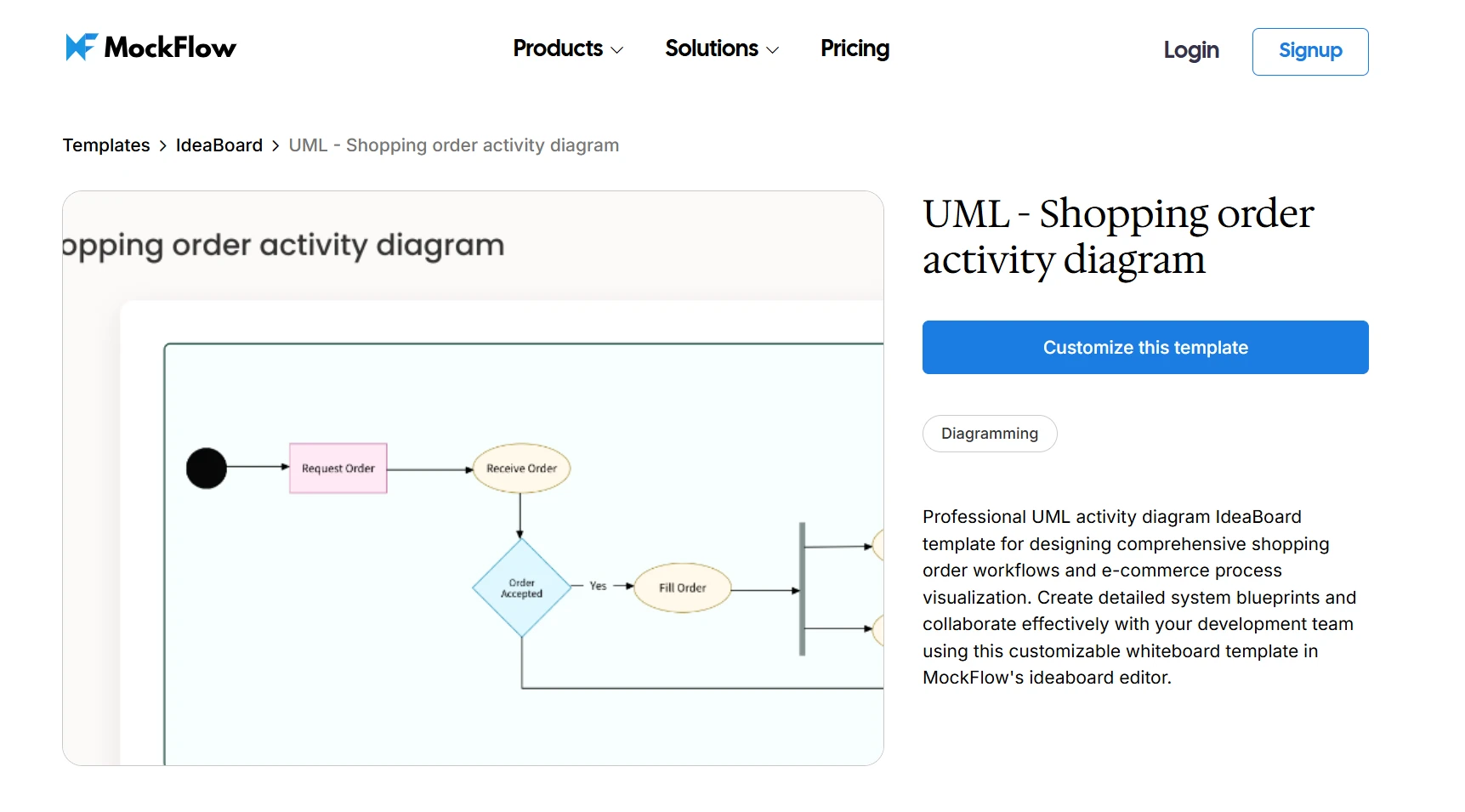
Customize this shopping order activity diagram on IdeaBoard
This template can be customized to represent the functional modules in an order processing system and visualize how information flows between them.
Where Are Functional Block Diagrams Used?
Functional block diagrams are used across multiple disciplines because they make it easier to visualize how system functions interact.
Systems Engineering
In systems engineering, functional block diagrams help engineers understand how subsystems interact within a larger architecture. This is common in embedded systems, aerospace platforms, and robotics architectures, where multiple modules must communicate reliably.
Engineers often represent these interactions using UML-style interaction diagrams that show how components exchange signals or commands.
To experiment with this approach visually, you can try mapping subsystem communication using this UML interaction diagram template. It provides a structured way to visualize how system modules interact before refining the structure into a full functional block diagram.
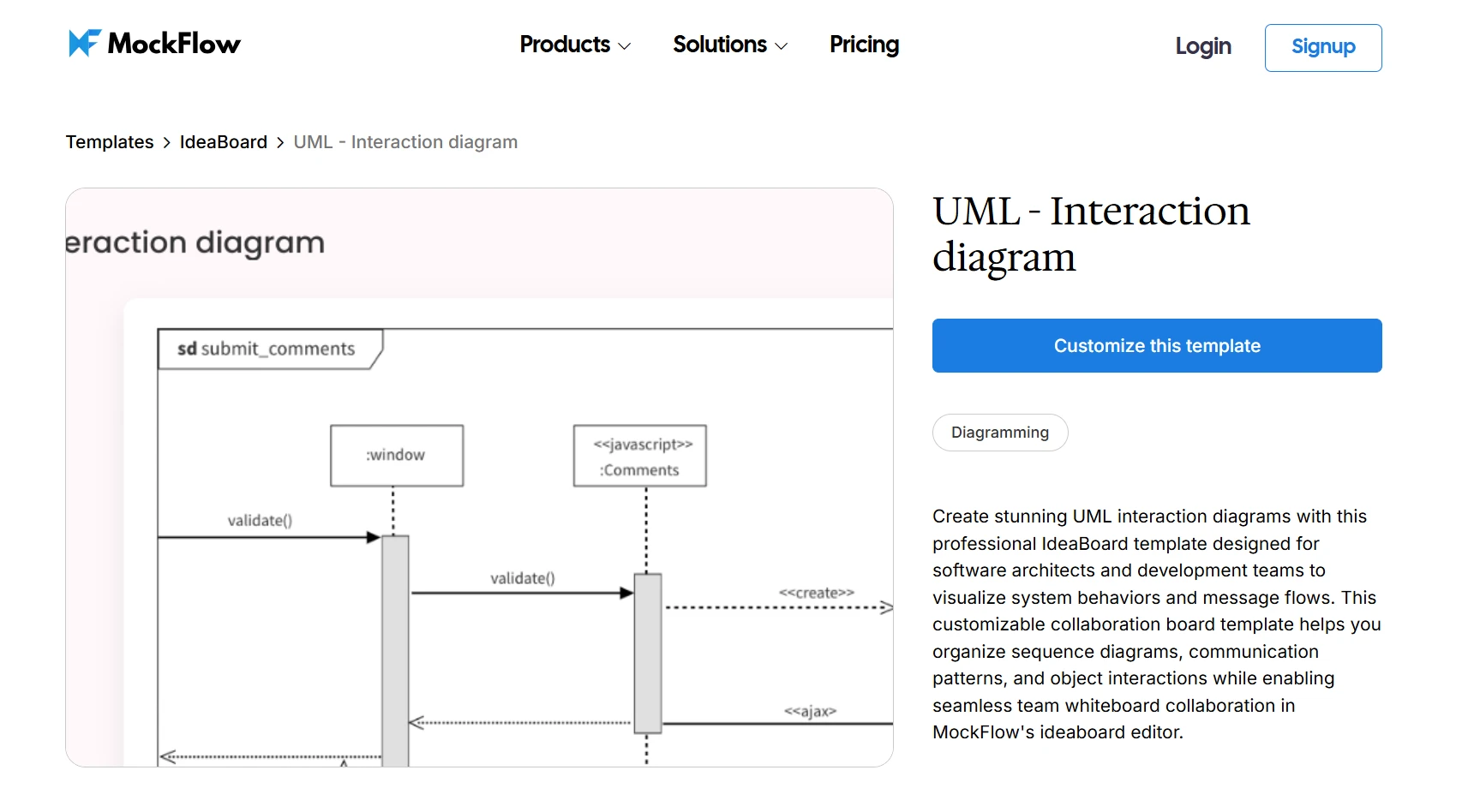
Customize this interaction diagram template on IdeaBoard
PLC Programming and Industrial Automation
Functional block diagrams are widely used in PLC programming and industrial automation to represent machine behavior and control logic.
Engineers use them to model:
- control logic
- signal processing
- machine operations
In PLC programming specifically, FBD is one of five languages defined by the IEC 61131-3 standard. This standardization makes FBDs a universal language among PLC engineers, regardless of hardware vendor. Because of this standardization, functional block diagrams are a common way to design, document, and troubleshoot industrial automation systems.
Software Architecture Design
Software teams frequently use functional block diagrams to map system architecture, microservices, APIs, and application modules. Instead of focusing on code-level details, the diagram highlights how information flows between system components.
A common way to visualize this movement of information is through data flow diagrams, which show how data travels between services or modules.
If you want to structure a system visually before refining it into a functional block diagram, you can start by mapping the flow of information using this data flow diagram template. It provides a simple framework for visualizing how data moves across system components.
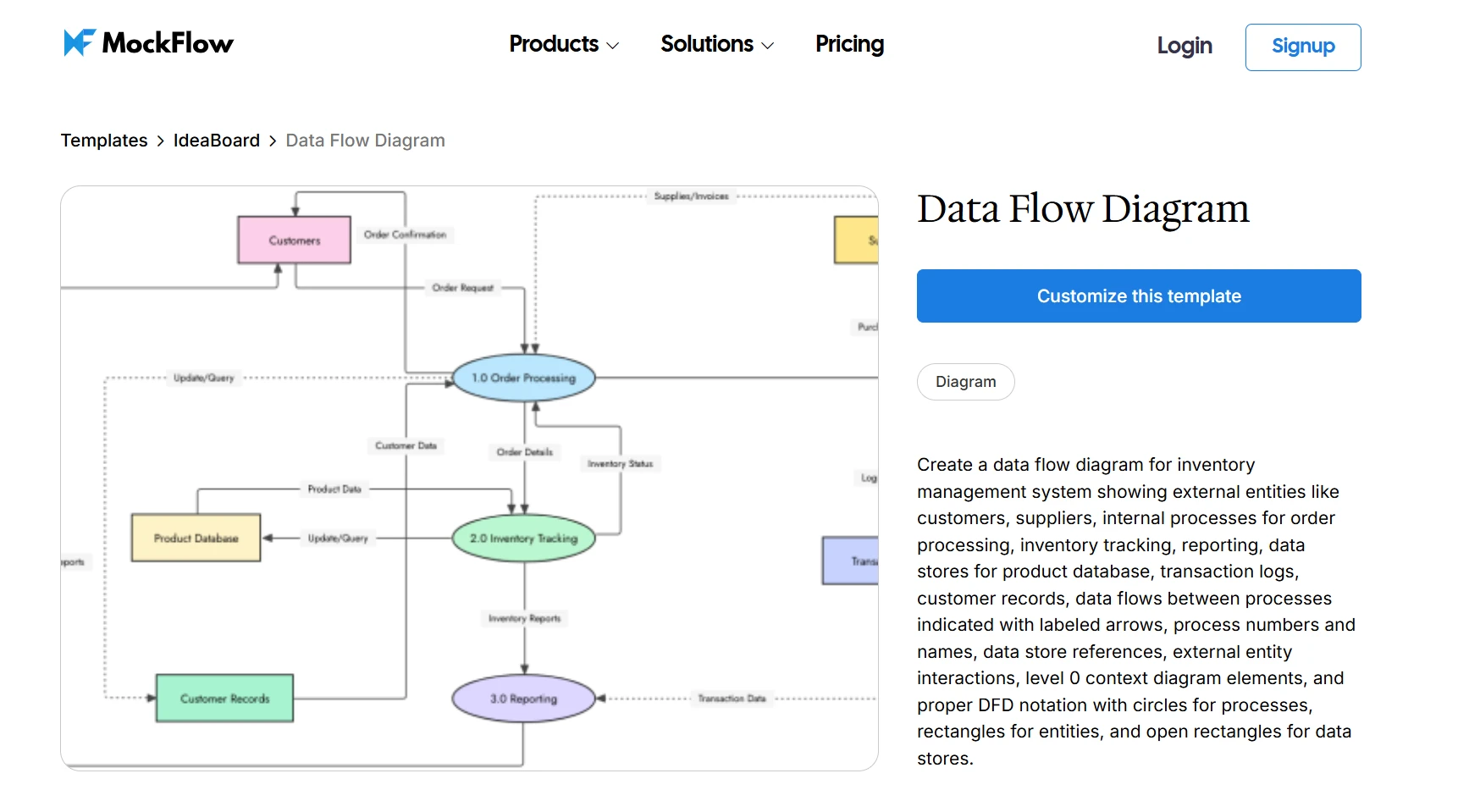
Customize this data flow diagram template on IdeaBoard
Business Process Modeling
Functional block diagrams can also represent business processes and operational workflows. In this context, blocks represent operational steps rather than technical components.
Common examples include:
- order processing pipelines
- customer onboarding workflows
- internal operational procedures
Teams often begin by process-mapping the workflow using a process flow diagram, then refine the structure into a functional block diagram as the process becomes clearer.
To try this approach, you can map a workflow visually using this business analysis process flow template on IdeaBoard.
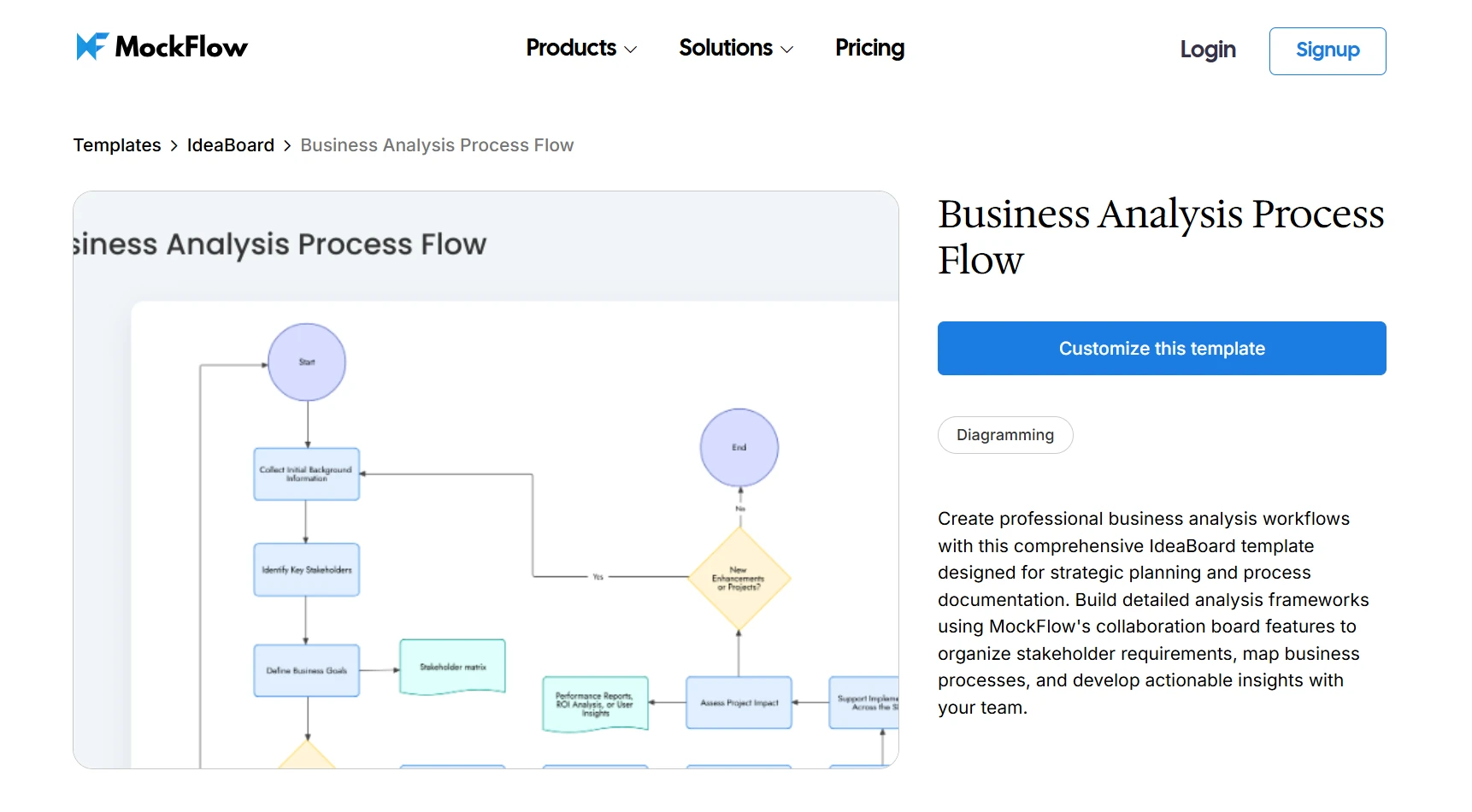
Customize this business analysis process flow diagram template on IdeaBoard
How to Create a Functional Block Diagram With IdeaBoard
Creating a functional block diagram becomes much easier when teams work on a visual whiteboard instead of static pages or documents. As per Eurostat, 52.9% of EU enterprises reported conducting online meetings in 2024, highlighting how teams increasingly rely on shared digital environments to discuss and visualize complex systems.
In IdeaBoard, teams can map system functions, connect modules, and refine diagrams together on a shared canvas that grows with the system.
Here is a simple way to build a functional block diagram.
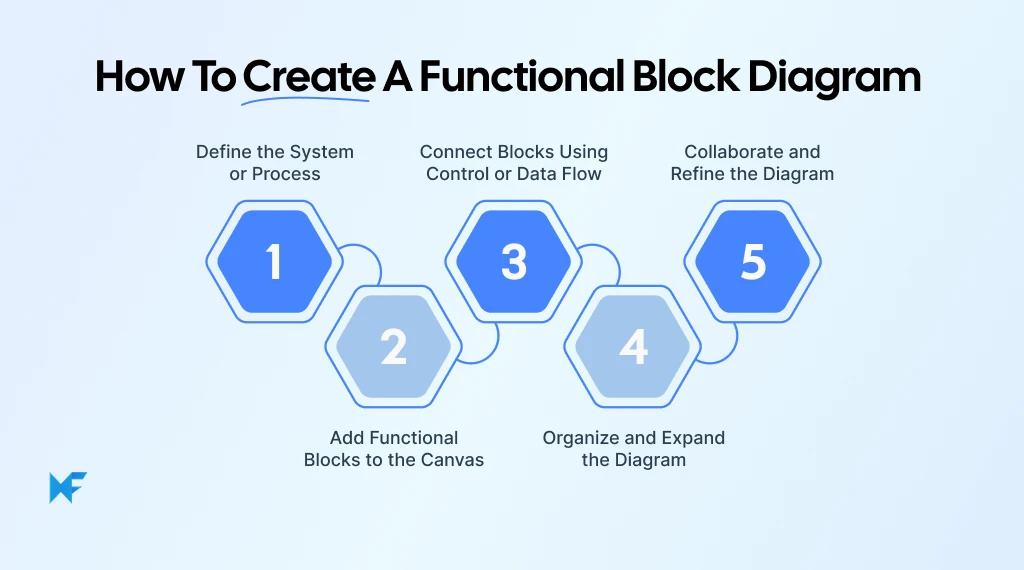
Step 1: Define the System or Process
Start by defining the scope of the system. This includes identifying system boundaries, objectives, and the main inputs and outputs.
For example, the system could represent a customer order fulfillment process.
Placing the core concept at the center of the board helps everyone align on what the diagram represents before adding modules. The infinite canvas makes it easy to expand the diagram as new system components appear.
Step 2: Add Functional Blocks to the Canvas
Next, represent each functional unit as a block.
Examples might include data processing, inventory validation, or payment authorization.
IdeaBoard makes this step fast because blocks, shapes, and containers can be dragged onto the canvas and arranged visually. Clear labels help teams understand what each module represents and how it contributes to the system.
Step 3: Connect Blocks Using Control or Data Flow
Once the blocks are in place, connectors show how functions interact.
Arrows typically represent data movement, signal flow, or control logic between modules. For example:
- payment authorization request
- inventory availability check
- shipping notification
Adding connectors makes system dependencies visible and helps teams trace how actions in one module trigger the next stage in the process.
Step 4: Organize and Expand the Diagram
As the diagram grows, organizing related modules becomes important.
Grouping related blocks and creating visual clusters helps maintain clarity, especially in large systems. Because the canvas expands freely, additional modules can be added without restructuring the entire diagram.
Step 5: Collaborate and Refine the Diagram
System diagrams often require input from engineers, developers, and product teams.
IdeaBoard supports real-time collaboration, allowing multiple contributors to edit the same diagram simultaneously. Multimedia comments, feedback, and shared editing help teams refine system architecture together and reach alignment faster.
Use Templates or AI to Quickly Build Your Diagram Layout
For faster setup, teams can also start with ready-made diagram templates that provide structured layouts for flowcharts, concept maps, process diagrams, and system maps. These templates can be customized to match the functions and relationships in your system.
For even quicker diagram creation, IdeaBoard also offers AI-assisted diagram generation, where simple prompts can generate structured visual layouts automatically. Teams can then refine, reshape, or modify those diagrams with AI as ideas evolve, making it easier to move from rough concepts to clear system visualizations.
Eurostat reports that 13.5% of EU enterprises used AI technologies in 2024, up from 8% in 2023. As modern systems incorporate technologies like automation, cloud services, and AI, visualizing how system components interact using a design collaboration tool that supports these features becomes even more important.
Tips for Creating Effective Functional Block Diagrams
A well-designed functional block diagram should make system interactions clear at a glance. Keeping the structure simple and organized helps teams understand system behavior quickly.
- Use a visual diagramming tool: In a 2024 OECD survey, 87% of businesses said digital tools improve workplace flexibility. Visual whiteboards make it easier to arrange modules, update flows, and collaborate as the system evolves.
- Keep blocks high-level: Each block should represent a clear function, not internal implementation details.
- Maintain consistent naming: Use clear and consistent labels so every module is easy to identify.
- Ensure clear directional flow: Arrows should clearly show how data, signals, or control move through the system.
- Avoid overcrowding diagrams: Too many elements in one space reduce readability; split complex systems into smaller sections when needed.
- Label inputs and outputs clearly: Marking inputs and outputs helps readers quickly understand how the system receives and produces information.
Conclusion
Functional block diagrams help teams break down complex systems into clear, understandable structures. By visualizing how components interact, teams can analyze workflows, communicate system logic, and simplify architecture design before implementation.
Visual diagramming environments make this process easier by allowing teams to sketch, adjust, and refine diagrams collaboratively on a shared canvas.
If you want to start building system diagrams more easily, you can sign up for free to create your first functional block diagram using IdeaBoard and explore how visual collaboration helps turn system ideas into clear, structured diagrams.
FAQs about functional block diagrams
1. What are the benefits of using a functional block diagram?
A functional block diagram helps simplify complex systems by breaking them into clear visual modules. It improves communication between teams, makes system architecture easier to understand, and helps identify how different parts of a system interact before detailed design begins.
2. What is a functional block diagram in PLC programming?
In PLC programming, a functional block diagram visually represents control logic used in automation systems. Each block performs a specific function such as timers, counters, or signal operations. Connecting these blocks shows how machines and processes operate together.
3. Which is the best functional block diagram maker?
The best functional block diagram maker should allow teams to easily add blocks, connect flows, and collaborate on diagrams. Visual whiteboard tools like MockFlow IdeaBoard help teams design system diagrams, organize modules, and refine workflows together on a shared canvas.
4. What is the difference between a functional flow block diagram and a functional block diagram?
A functional block diagram (FBD) shows how system components or modules interact, using blocks and arrows to represent functions and the flow of data or signals between them. A functional flow block diagram (FFBD) is a systems engineering notation used in aerospace and defense contexts. It focuses on the logical and sequential execution of functions.
Unlike an FBD, an FFBD defines the order in which functions must occur and the conditions between them. In short: an FBD describes system structure, while an FFBD describes functional execution logic and sequence.
5. How do you create a functional block diagram?
Start by defining the system or process you want to represent. Add blocks for each main function and connect them with arrows to show how information or signals move between modules. A diagramming tool or visual whiteboard helps organize the layout and refine the structure.
What is a Context Diagram? A Guide with Examples & How to Create One
Introduction Launching a new system or improving an existing one? You’ll want to know exactly how everything fits together,...

What Is Interaction Design? Principles, 5 Dimensions, and Best Practices for Engaging UI
Interaction design (IxD) is the craft of shaping how users interact with digital products, what happens when they tap, swipe,...

Asana Whiteboard: How to Add Visual Planning to Asana
Ever had a project that looked clear in Asana, but still felt hard to talk through as a team? That usually happens when the...
