8 Best Draw.io Alternatives for AI and Technical Diagramming
Introduction
Draw.io is widely used for creating technical diagrams, from flowcharts to system architectures. However, as teams scale their workflows, they often look for tools that offer more flexibility, faster creation, and better collaboration.
Different alternatives address these needs in different ways. Some focus on real-time teamwork and visual planning, while others specialize in structured documentation, cloud architecture, or infrastructure workflows.
This guide compares eight Draw.io alternatives to help you find a tool that fits your workflow, whether you prioritize collaboration, technical depth, or automation.
What Is the Best Draw.io Alternative?
The best Draw.io alternative depends on your needs. MockFlow IdeaBoard suits AI-powered diagramming and collaboration. Microsoft Visio fits formal technical diagrams. Lucidchart works for structured, data-linked visuals. Miro is strong for workshops. Creately connects diagrams with project context. Brainboard supports Terraform workflows. Cloudcraft focuses on AWS and Azure visualization. IcePanel is best for C4 architecture.
Here is a quick side-by-side comparison of each alternative tool:
Tool | Best for | Key strength | Pricing* |
MockFlow IdeaBoard | AI diagramming and collaboration | Generates and transforms editable visuals | Free, with paid plans from $7/month |
Microsoft Visio | Formal technical diagrams | Microsoft file support and shape libraries | Included with eligible Microsoft 365 plans; standalone plans from $5/user/month |
Lucidchart | Structured documentation | Data-linked diagrams | Free, with paid plans from $9/month plus tax |
Miro | Workshops and planning | Broad collaborative canvas | Free, with paid plans from $8/member/month |
Creately | Connected workspaces | Diagrams linked to project data | Free, with paid plans from $5/month |
Brainboard | Terraform workflows | Visual infrastructure-to-code | Free, with Pro at $99/user/month |
Cloudcraft | Cloud visualization | Live AWS and Azure views | Free, with paid plans from $40.83/user/month |
IcePanel | C4 architecture | Reusable software models | Free, with paid plans from $40/editor/month |
*Prices shown for annual billing where applicable. Enterprise plans generally require a custom quote.
The best replacement should match the diagrams you create and what happens after they are created. Compare how each tool supports editing, collaboration, documentation, technical depth, and long-term maintenance before making a decision.
Why consider an alternative to Draw.io?
Teams usually start looking for a Draw.io alternative when the tool no longer fits how diagrams are created, reviewed, or maintained. Draw.io still works well for straightforward diagramming, but these common friction points often lead teams to compare other options.
1. Manual effort: Complex diagrams take time to build and arrange. Teams may prefer tools that generate visuals from prompts, documents, or images.
2. Collaboration limits: Growing teams need real-time editing, comments, and clear version control. File exports and duplicates can slow decisions.
3. Limited flexibility: Diagrams often need to evolve into plans, boards, or presentations. Static visuals can restrict broader workflows.
4. Specialist needs: Technical teams may require features like Terraform generation, live cloud mapping, or structured architecture modeling.
5. Consistency challenges: Repeated diagrams benefit from templates and reusable formats to reduce setup time and improve standardization.
6. File control requirements: Needs like offline access, local storage, private workspaces, and stricter permissions can influence tool choice.
8 best Draw.io alternatives in 2026
Each Draw.io alternative approaches diagramming differently. Some focus on AI-assisted creation and collaboration, while others are built for formal documentation, cloud visualization, or infrastructure workflows.
The reviews below compare what each tool offers, where it fits best, and what teams should check before switching.
1. MockFlow IdeaBoard
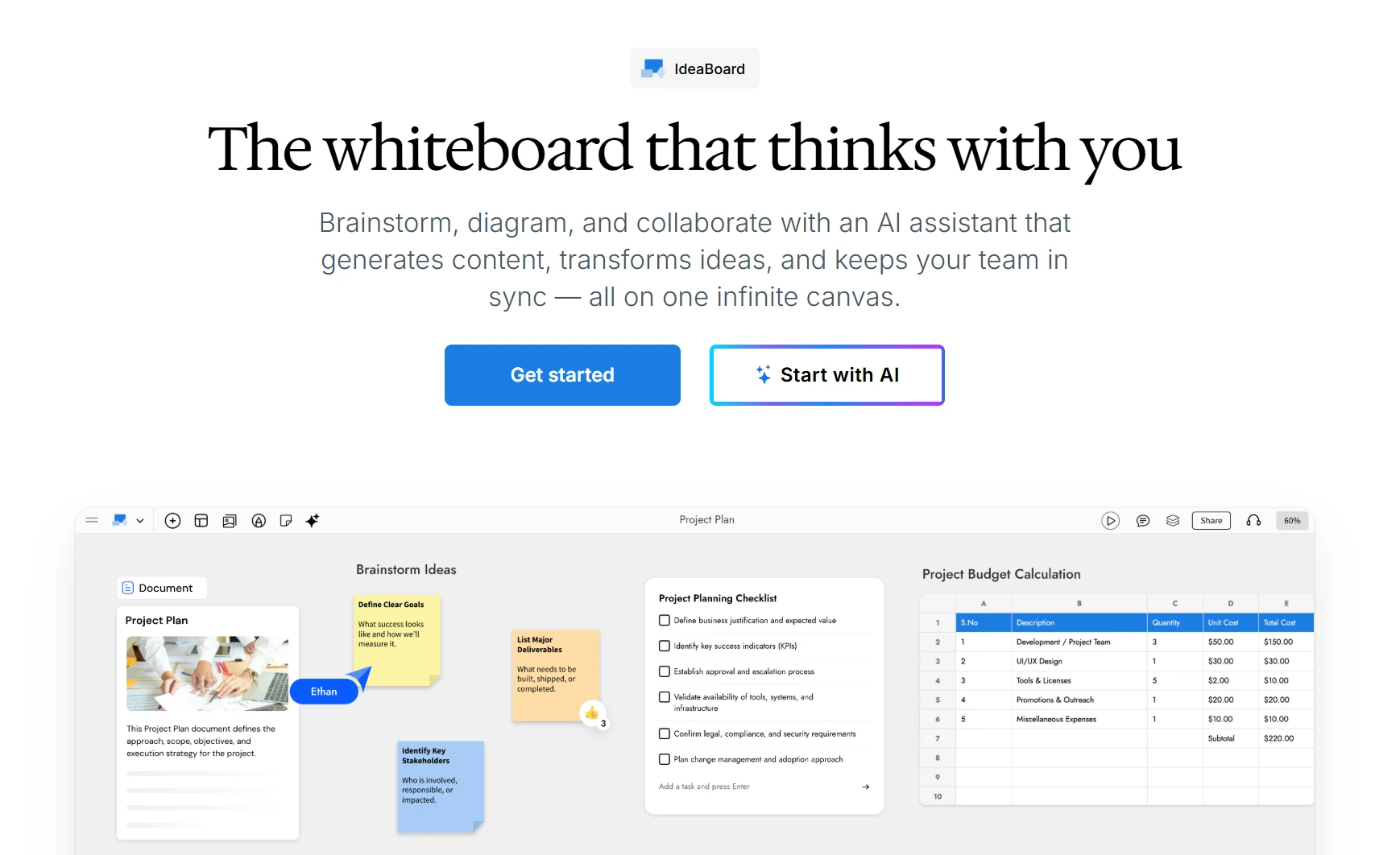
MockFlow IdeaBoard is an AI-powered visual workspace for creating, transforming, and collaborating on diagrams. It supports technical diagrams, planning boards, and freeform visual thinking in the same canvas, helping teams move from an initial idea to an editable, structured output.
Where Draw.io asks you to place every shape by hand, IdeaBoard can generate a first, editable draft from a written description, a document, or existing code and development context - then let engineers and product teams refine it together on the same canvas.
- AI-powered diagram creation: Mida AI can turn prompts, documents, and images into editable flowcharts, mind maps, architecture diagrams, Kanban boards, timelines, and other visual formats.
- MCP integration for dev context: IdeaBoard connects with MCP tools like Claude and Cursor to generate diagrams from existing AI or development context and bring them into an editable canvas - turning code or architecture notes into a diagram without redrawing it by hand.
- Standard technical notation: IdeaBoard supports flowcharts, swimlane diagrams, database schemas, UML, BPMN, ER diagrams, customer journey maps, and cloud architecture layouts using proper notation rather than approximate shapes.
- Visual-format conversion: Teams can transform one type of visual into another without rebuilding the content manually. For example, rough notes can become a mind map, workflow, or project plan.
- Reusable AI prompt boxes and recipes: Place configurable AI Prompt Boxes on the canvas to generate flowcharts, schemas, or planning boards. Built-in recipes standardize repeatable workflows while keeping prompts and outputs in context.
- Real-time and asynchronous collaboration: Participants can edit together, comment on specific elements, add reactions, and use voice or video comments when text does not provide enough context.
- Templates and guided prompts: Teams can start with ready-made templates or use the IdeaBoard prompt library to create structured visuals without beginning from a blank canvas.
- Export and embedding: Export diagrams to PNG, embed the board anywhere, and connect diagramming to Confluence and Jira through dedicated apps.
- Offline and file-based work: Desktop and file modes support locally managed boards for teams that need offline access or more control over storage.
- Workflow integrations: IdeaBoard can also be used inside Microsoft Teams through pinned channel boards, meeting canvases, and channel snapshots.
- MCP integration for contextual diagramming: IdeaBoard connects with MCP tools like Claude and Cursor to generate diagrams from existing AI or dev context and bring them into an editable canvas.
A product team, for example, could use Mida AI to generate an initial system diagram from a written description. Engineers can refine dependencies while product managers add user flows, risks, and implementation notes on the same board.
IdeaBoard supports a broad range of technical and business diagrams, but teams with strict UML, BPMN, or engineering notation requirements should test their existing diagrams before migrating.
It can help teams plan and communicate cloud architecture, but it does not generate Terraform or deploy infrastructure. Those workflows require a specialist platform such as Brainboar.
The free Basic plan includes three IdeaBoard projects, reviewer access, and AI credits. Paid plans start at $7/month and add expanded AI usage, multiplayer collaboration, integrations, and additional workspace capabilities.
IdeaBoard fits product, engineering, operations, education, consulting, and cross-functional teams that need AI-assisted diagramming, visual planning, and collaborative documentation in one workspace.
- Generate complete, editable diagrams from prompts, documents, or code and dev context
- Standard UML, BPMN, and ER notation rather than approximate shapes
- Diagramming, planning, and feedback stay connected on one canvas
- Offline and local-file options for restricted environments (paid plans)
- MCP connections to Claude and Cursor for diagramming from development context
2. Microsoft Visio
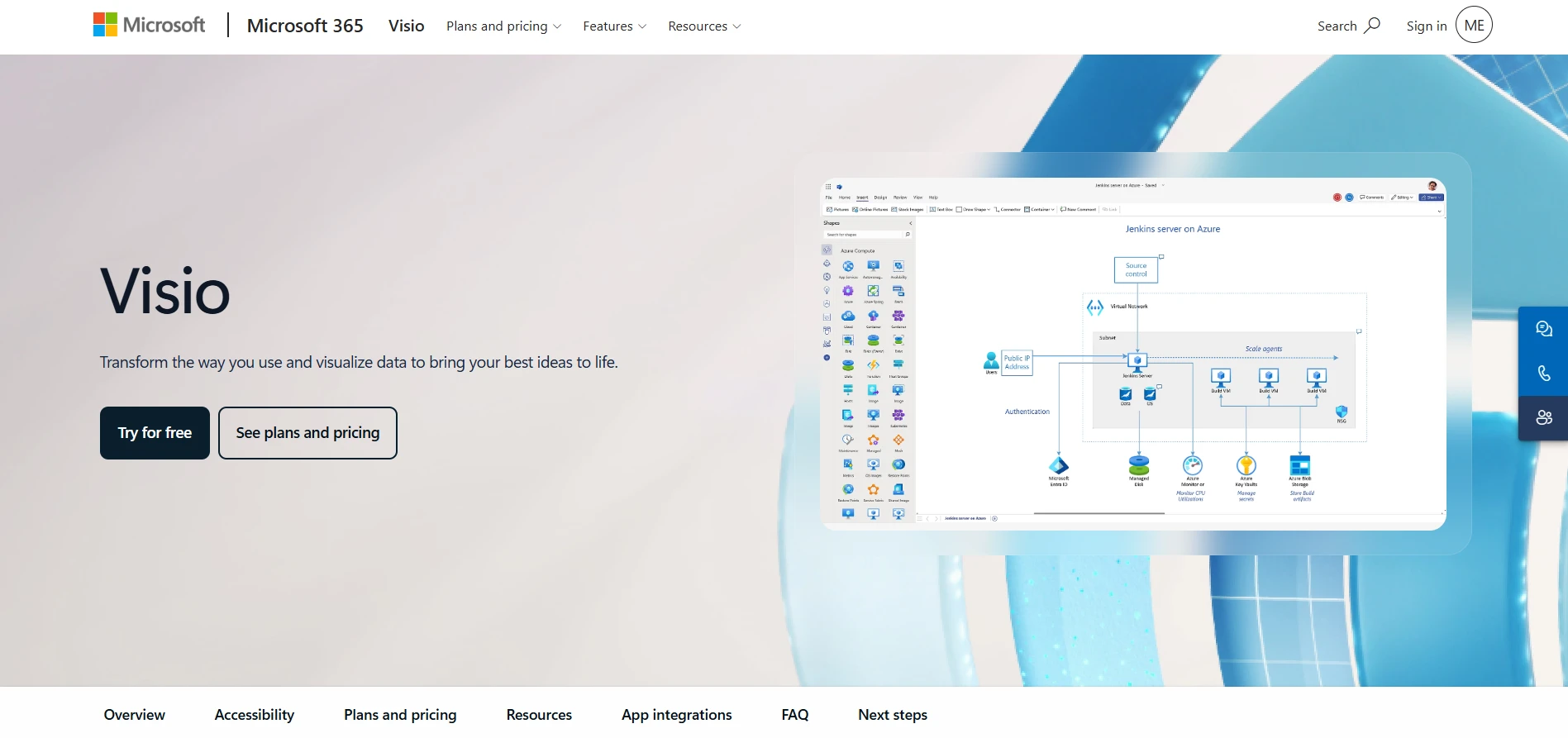
Microsoft Visio is a diagramming tool for organizations that need formal business and technical visuals within the Microsoft 365 ecosystem. It supports common diagram types while also covering more structured workflows.
- Formal diagram coverage: Visio supports flowcharts, process maps, network diagrams, organizational charts, UML diagrams, ER diagrams, and floor plans.
- Shape and template libraries: Users can start with predefined templates and technical shape sets instead of building every structure manually.
- Data-linked visuals: Diagrams can connect with sources such as Excel and Power BI, helping teams reflect changing business information.
- Web and desktop options: Plan 1 provides browser-based diagramming, while Plan 2 adds the desktop application, offline editing, and broader technical capabilities.
Some advanced templates, shapes, data features, and desktop capabilities are limited to higher plans. Teams should also test file compatibility and collaboration requirements before migrating larger diagram libraries.
Visio’s lightweight web app is included with eligible Microsoft 365 commercial plans. Visio Plan 1 costs $5 per user per month, paid yearly. Visio Plan 2 costs $15 per user per month, paid yearly, and includes the desktop app and more advanced diagramming capabilities.
Visio fits organizations that already manage formal documentation through Microsoft 365 and rely on established Visio files or shape libraries.
- Support for Visio file formats
- Broader formal notation and shape libraries
- Data-linked diagramming
- Desktop and offline access through Plan 2
3. Lucidchart
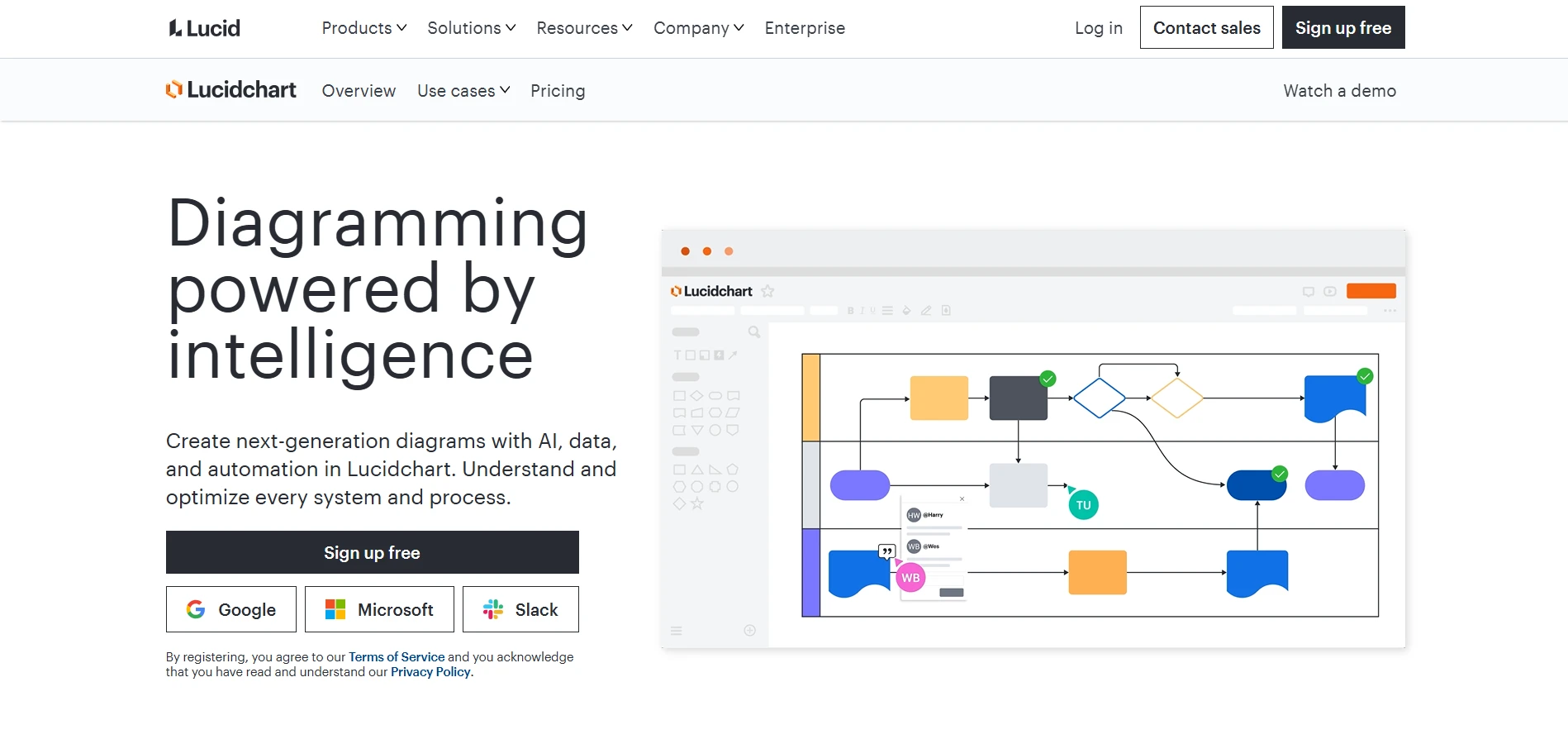
Lucidchart is a cloud-based diagramming platform for teams creating business, process, system, and technical documentation. It combines structured diagramming with collaboration, data connections, and workplace integrations.
- Diagram coverage: Lucidchart supports flowcharts, UML diagrams, ER diagrams, process maps, network diagrams, org charts, and cloud architecture visuals.
- Data-linked diagrams: Shapes can connect with external data, helping teams maintain diagrams that reflect operational or system changes.
- Collaborative review: Multiple contributors can edit documents, leave comments, and tag reviewers during the feedback process.
- AI-assisted creation: Lucid AI can support diagram generation and summarization, while integrations connect diagram work with other AI and workplace tools.
- Enterprise integrations: Lucidchart connects with platforms such as Microsoft 365, Google Workspace, Jira, and Confluence.
Free-plan document and object limits can restrict repeated use. Data linking, advanced administration, security controls, and larger shape libraries may also depend on the selected paid plan.
Lucidchart offers a free plan with three editable documents and up to 60 shapes per document. The Individual plan costs $9 per month plus tax. Team and Enterprise pricing depends on the selected configuration and organization requirements.
Lucidchart fits business, operations, IT, and architecture teams that maintain structured diagrams and need links between visuals and source data.
- Data-linked diagramming
- Broader enterprise integrations
- Collaborative document review
- Administrative and security options on higher plans
4. Miro

Miro is a collaborative visual workspace used for diagramming, workshops, research, planning, and cross-functional projects. Diagramming is one part of a wider canvas that also supports documents, tables, slides, and planning formats.
- Flexible canvas: Teams can combine diagrams, sticky notes, Kanban boards, tables, documents, and presentations within one workspace.
- Diagramming tools: Miro supports flowcharts, process maps, journey maps, wireframes, and technical diagrams alongside planning content.
- Workshop controls: Timers, voting, facilitation tools, and presentation modes support guided group sessions.
- Templates: Its library covers brainstorming, Agile activities, research, product planning, and diagramming workflows.
- AI support: Miro can generate diagrams, organize board content, summarize information, and create structures from existing canvas context.
- Integrations: The platform connects with more than 250 workplace and project-management applications.
Miro’s breadth can add setup and workspace administration for teams that only need focused diagramming. Technical teams should also test notation depth, exports, and document controls against their current Draw.io files.
Miro offers a free plan. The Starter plan costs $8 per member per month when billed yearly. The Business plan costs $20 per member per month when billed yearly, while Enterprise pricing is customized.
Miro fits teams that combine diagramming with workshops, discovery, research, planning, and stakeholder collaboration.
- Wider workshop and facilitation tools
- Multiple planning formats on one canvas
- Large template library
- Real-time and asynchronous collaboration
5. Creately
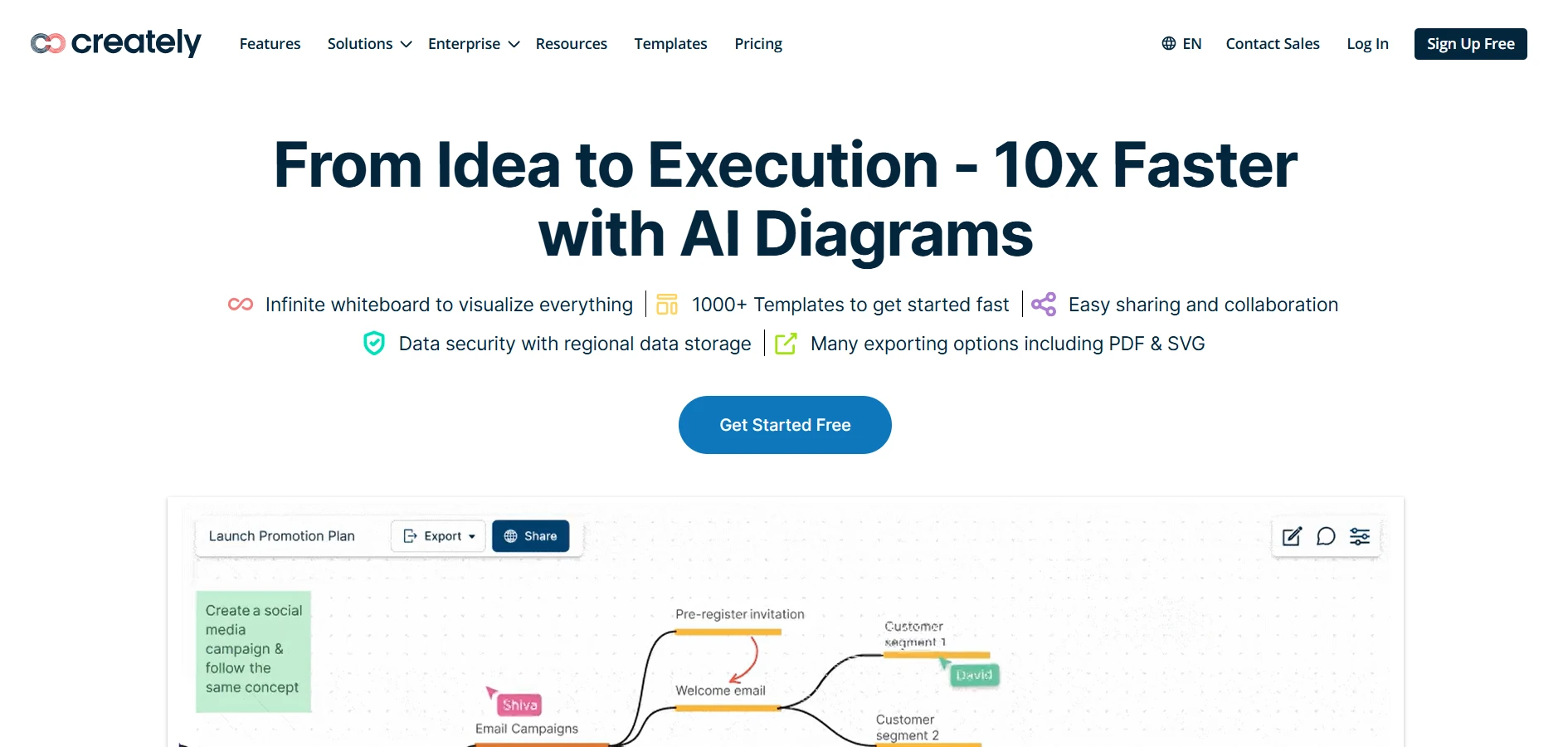
Creately combines diagramming, whiteboarding, and work management on a shared visual canvas. It supports business, technical, and planning diagrams while allowing teams to attach operational details to visual objects.
- Diagram coverage: Creately supports flowcharts, UML diagrams, ER diagrams, BPMN flows, mind maps, org charts, wireframes, and cloud architecture diagrams.
- Connected visual objects: Shapes can include notes, files, ownership, status, and other project information.
- Collaboration: Teams can edit together in real time or continue reviewing diagrams asynchronously.
- Templates and AI: Users can start with templates or generate initial diagram structures with AI.
- Data connections: Some workflows can connect diagrams with spreadsheet data and operational information.
Creately’s workspace model may require additional setup when diagrams include project data, responsibilities, and ongoing status updates. Free and paid plans also apply different limits to items, folders, exports, and administration.
Creately offers a free plan. The Starter plan costs $5 per month, while the Team plan costs $5 per user per month. Its Business plan costs $89 per month when billed yearly and supports unlimited users. Enterprise and on-premise pricing is available through sales.
Creately fits operations, HR, product, and IT teams that want diagrams connected to ongoing project information.
- Diagrams can carry project context and ownership
- Broader work-management capabilities
- Real-time and asynchronous collaboration
- Templates for business and technical workflows
6. Brainboard
Brainboard is a cloud infrastructure platform that connects visual architecture design with Terraform and deployment workflows. It is designed for cloud, platform, and DevOps teams rather than general business diagramming.
- Visual cloud design: Teams can build infrastructure using provider-specific resources instead of generic diagram shapes.
- Terraform generation: Brainboard produces Terraform code as architecture is created or changed.
- Multi-cloud support: It supports workflows across AWS, Azure, GCP, OCI, and other providers.
- Reusable standards: Teams can use Terraform modules, naming rules, variables, and tags to standardize infrastructure.
- Governance and delivery: Paid plans add versioning, Git integration, RBAC, remote backends, and visual CI/CD.
- Security and cost checks: Integrations can assess policy, security, and estimated cost before deployment.
Brainboard is a specialist infrastructure platform. It is not intended for everyday flowcharts, process maps, workshops, or broad visual planning. Teams should also review supported providers, Terraform compatibility, deployment controls, and required engineering skills.
Brainboard offers a Free plan with unlimited projects, environments, and cloud architectures. The Pro plan costs $99 per user per month. Enterprise pricing is customized, and read-only guest users are available at no additional charge.
Brainboard fits platform, DevOps, and cloud engineering teams connecting architecture decisions with infrastructure code.
- Terraform generated from visual designs
- Provider-aware cloud components
- Integrated governance and deployment workflows
- Reusable infrastructure standards
7. Cloudcraft
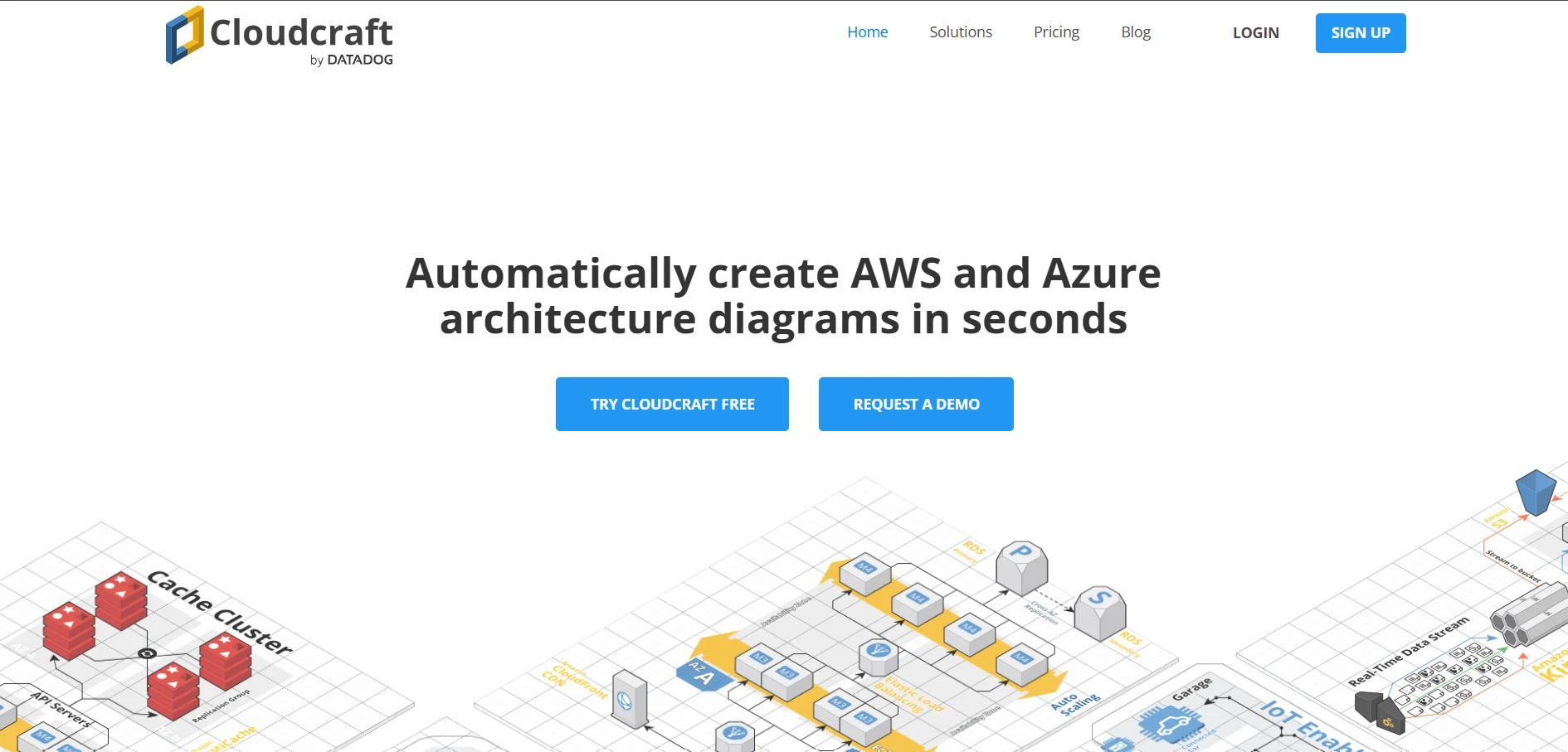
Cloudcraft is a cloud architecture visualization tool for AWS and Azure environments. It supports manually designed blueprints and architecture views generated from connected cloud resources.
- Provider-specific components: Teams can create diagrams using AWS and Azure services rather than generic shapes.
- Live environment scanning: Connected accounts can be used to build current architecture views across cloud environments.
- 2D and 3D views: Diagrams can be presented as conventional technical layouts or isometric visuals.
- Cost-aware blueprints: Cloudcraft estimates AWS or Azure spend while teams adjust a proposed architecture.
- Version history: Changes to architecture blueprints can be reviewed and earlier versions restored.
- Custom components: Teams can add services and internal systems that are not covered by standard cloud libraries.
Cloudcraft focuses on cloud architecture rather than general diagramming. It is less relevant for UML, business processes, brainstorming, or cross-functional planning. Buyers should also check cloud-account permissions, supported services, export needs, and whether live scanning is included in the selected plan.
Cloudcraft offers a free single-user plan. Pro costs $40.83 per user per month when billed annually, or $99 with monthly billing. Enterprise costs $100 per user per month annually, or $120 monthly. A 14-day Pro trial is available.
Cloudcraft fits cloud architects, engineers, migration teams, and FinOps teams working with AWS or Azure.
- Live cloud-resource visualization
- AWS and Azure component libraries
- Cost estimates within blueprints
- Cloud-focused architecture views
8. IcePanel
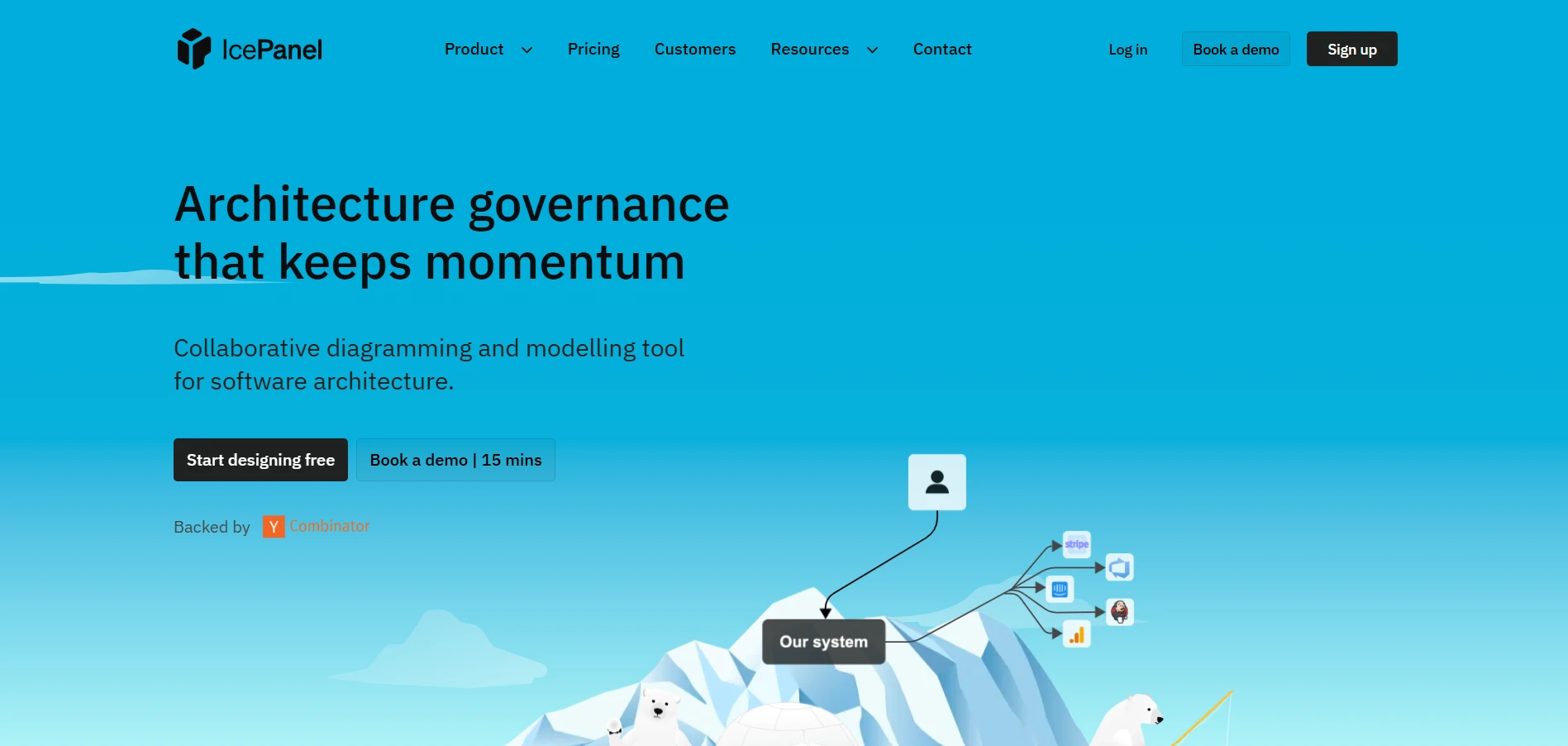
IcePanel is a model-driven diagramming platform for software architecture. It uses the C4 model to help teams create connected views of systems, containers, components, users, and relationships.
- C4 modeling: Teams can move from high-level system context to more detailed container and component diagrams.
- Reusable architecture objects: The same modeled object can appear across multiple views, reducing repeated updates.
- Architecture metadata: Objects can include technologies, descriptions, tags, ownership, and supporting context.
- Current and future states: Drafts allow teams to explore proposed architecture changes without replacing the documented current state.
- Flows and overlays: Teams can show interactions, dependencies, risks, and different architecture perspectives.
- APIs and exports: Higher plans add REST API access, decision records, protected sharing, and object or domain exports.
IcePanel follows a structured modeling approach rather than freeform diagramming. Teams unfamiliar with the C4 model may need to define architecture conventions before adoption. It is also less suitable for general business diagrams, workshop boards, or informal brainstorming.
IcePanel’s Free plan supports up to five editors, unlimited viewers, 100 model objects, and unlimited diagrams. Growth costs $40 per editor per month when billed annually. Scale costs $80 per editor per month annually and requires at least 20 editors.
IcePanel fits software architects and engineering teams maintaining consistent architecture documentation across multiple views.
- Reusable architecture models
- Layered C4 views
- Current and future-state planning
- Structured metadata and decision records
Also read → Best Miro alternatives for visual collaboration in 2026 | Find top Visio alternatives for diagramming | Best Lucidchart alternatives for 2026 | Compare Miro vs Visio side by side
How to choose the right Draw.io alternative
The right Draw.io alternative should match the diagrams you create and what needs to happen after the first draft. Use these six checks to narrow the list.
1. Start with the main diagram type
Choose based on your most frequent work.
- Flowcharts and process maps need connectors, swimlanes, and reusable templates.
- UML and ER diagrams need reliable technical notation.
- Cloud architecture may require provider-specific components or live resource imports.
- C4 models need reusable objects across several architecture views.
2. Decide how much automation you need
Compare how each tool handles AI generation. Test whether it can turn prompts, documents, or images into editable diagrams and whether the output is accurate enough to refine.
The value should be measurable in the actual workflow. Microsoft and LinkedIn found that 90% of AI users said the technology helps them save time.
IdeaBoard is relevant when teams want to generate and transform flowcharts, mind maps, architecture diagrams, and planning boards without rebuilding each visual manually.
3. Check how diagrams are reviewed
Look for real-time editing, comments, version history, guest access, and asynchronous review. These features matter when diagrams move between product, engineering, operations, and leadership teams.
4. Separate visual planning from infrastructure work
A diagramming platform can help teams plan and communicate architecture. It cannot replace specialist infrastructure tools.
Choose Brainboard for Terraform workflows, Cloudcraft for live AWS or Azure visualization, and IcePanel for structured C4 modeling.
5. Review file control and deployment options
Check offline access, local files, exports, private workspaces, SSO, and administration. Teams working in restricted environments should also confirm where files are stored and how access is managed.
6. Calculate the full cost
Compare editor licenses, reviewer access, AI credits, private projects, storage, version history, and enterprise controls. A lower entry price may become expensive when more contributors or advanced features are required.
The best replacement is the one that supports your current diagramming needs while giving the team enough room to collaborate, maintain documentation, and handle more advanced workflows later.
Try IdeaBoard for your next diagram
The next step is simple: test IdeaBoard with a real diagram your team needs to create.
Start with a prompt, document, or image. Let Mida AI generate an editable flowchart, mind map, architecture diagram, or planning board. Then refine it with your team, add context, and move the work forward from the same canvas.
Sign up for IdeaBoard for free and see how quickly you can turn an idea into a clear, collaborative visual.
FAQs About Draw.io Alternatives
1. What is the best Draw.io alternative overall?
MockFlow IdeaBoard is a strong overall Draw.io alternative for teams that want AI-assisted diagramming, visual collaboration, templates, and editable outputs in one workspace. Other tools may suit other needs, such as Visio for formal Microsoft diagrams or Brainboard for Terraform workflows.
2. Is there a free Draw.io alternative?
Yes. IdeaBoard offers a free plan for creating and collaborating on visual diagrams, while tools such as Miro, Creately, and IcePanel also provide limited free access. Compare project limits, AI credits, collaborators, exports, and private workspace options before choosing.
3. Which Draw.io alternative is easiest to use?
IdeaBoard is a practical choice for teams that want to create diagrams from prompts, documents, or images without placing every shape manually. Ease of use still depends on the task, especially when formal UML, ER diagrams, or specialist cloud models are required.
4. Which Draw.io alternative is best for UML and ER diagrams?
IdeaBoard supports collaborative UML-style and database diagrams, making it suitable for planning and documentation. Visio and Lucidchart may also fit teams that rely on formal notation, large shape libraries, or established technical-documentation workflows.
5. Which Draw.io alternative is best for cloud architecture?
IdeaBoard works well for planning and communicating cloud architecture visually. Teams that need live cloud scanning, Terraform generation, or C4 modeling may also evaluate Cloudcraft, Brainboard, or IcePanel for those specialist workflows.
6. Can AI create editable diagrams from text?
Yes. IdeaBoard’s Mida AI can turn prompts, documents, and images into editable flowcharts, mind maps, architecture diagrams, Kanban boards, and other visual formats. Teams can then refine the layout, add context, and collaborate on the same canvas.
10 Best Agile Retrospective Tools for Better Sprint Meetings
Introduction Sprint retrospectives can start to feel repetitive when the same blockers resurface, familiar concerns dominate the...

10 Best Product Design Tools for UI, UX & Product Teams in 2026
Finding the right product design tools can make the difference between a smooth design process and one filled with unnecessary...

10 Best Process Mapping Tools to Visualize Workflows in 2026
When a process is scattered across documents and people’s heads, it becomes difficult to understand how the work actually gets...
