10 Best Product Design Tools for UI, UX & Product Teams in 2026
Finding the right product design tools can make the difference between a smooth design process and one filled with unnecessary back and forth. The right platform helps teams turn ideas into polished products faster, while making collaboration, feedback, and developer handoff much easier.
Product design tools are software that support every stage of product design. They help create wireframes, design user interfaces, build interactive prototypes, collaborate with stakeholders, and prepare designs for development. These tools are valuable for solo designers, startups, and enterprise teams alike.
In this guide, we compare the best product design tools based on ease of use, design features, collaboration, pricing, and scalability to help you find the right fit for your workflow.
Product design tools at a glance
Here’s a quick comparison of the best product design tools so we can shortlist the right options before diving deeper.
Tool | Best For | Free Plan | Starting Price | Platform |
MockFlow | Product design ideation + diagramming + wireframing | Yes | From ~$14/month | Web, Desktop, Mac |
Figma | UI design + collaboration | Yes | From ~$12/editor/month | Web, Desktop |
Sketch | Mac-based UI design | No (trial only) | From ~$10/month | Mac |
Framer | Interactive UI + website design | Yes | From ~$5/month | Web |
Axure RP | Advanced prototyping | Trial | From ~$29/month | Windows, Mac |
UXPin | High-fidelity prototyping | Yes | From ~$6/month | Web, Desktop |
Balsamiq | Low-fidelity wireframing | Trial | From ~$12/month | Web, Desktop |
Miro | Visual collaboration + ideation | Yes | From ~$8/user/month | Web, Desktop, Mobile |
Rive | Interactive animations | Yes | From ~$15/month | Web |
Webflow | Visual web design + development | Yes | From ~$14/month | Web |
How we evaluated the best product design tools
Every team's design process is different, so we looked beyond feature lists and focused on what matters during day-to-day work. Each product design software in this guide was evaluated using the same set of criteria to make comparisons fair and practical.
We assessed every tool based on:
- Ease of use: How quickly designers and teams can get started.
- Wireframing and prototyping: Support for creating everything from early concepts to interactive prototypes.
- UI design features: Design capabilities, component libraries, and editing flexibility.
- Collaboration: Real-time editing, commenting, and feedback workflows.
- Design systems: Support for reusable components and consistent design across projects.
- Developer handoff: Tools for sharing specifications and assets with developers.
- Integrations: Compatibility with popular tools like Jira, Slack, GitHub, and more.
- Pricing: Overall value across free and paid plans.
- Scalability: How well the platform supports growing teams and larger projects.
Let’s get a detailed breakdown of each tool and how to choose the right one.
What are the 10 best product design tools?
Here is a list of top 10 best product design tools and what each of them delivers best.
1. MockFlow: Best for rapid wireframing and product ideation
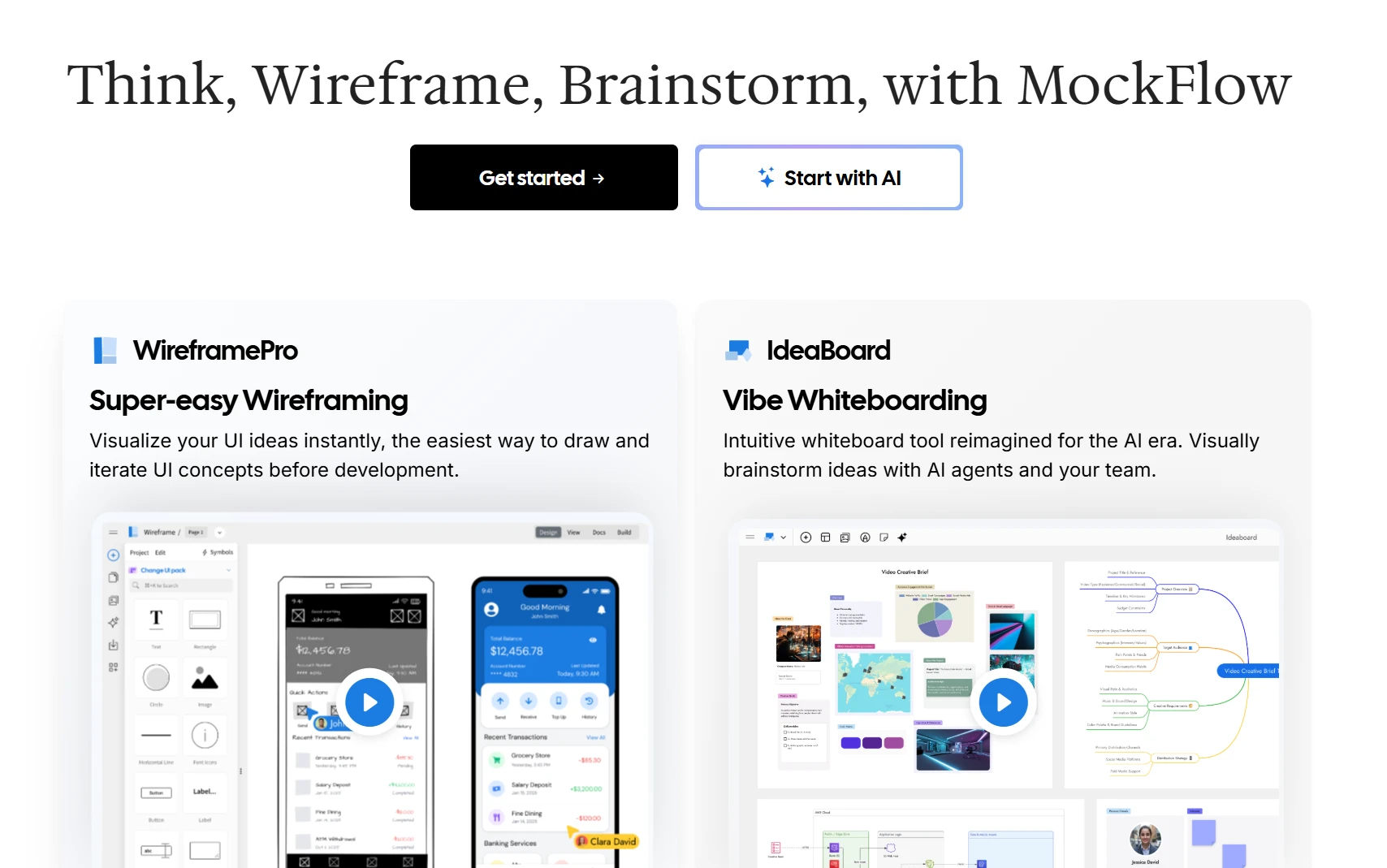
MockFlow is built for teams that want to move from ideas to product designs without spending weeks learning a complex platform. Unlike many product design tools that focus primarily on high-fidelity design, MockFlow combines rapid wireframing, AI-assisted brainstorming, visual planning, and developer handoff in one workspace.
Best suited for: Product teams, UX/UI designers, startups, business analysts, and cross-functional teams.
MockFlow is strongest in the early stages of product development, when teams need to move quickly and iterate often. It brings wireframing, whiteboarding, diagramming, documentation, and AI-assisted creation into one workflow, so teams can explore ideas, align stakeholders, and prepare for development without switching tools.
It performs well in these areas:
- Rapid wireframing: A large library of UI components, templates, and ready-made screens makes it easy to sketch interfaces quickly and validate layouts before investing in visual polish.
- AI-assisted creation: MockFlow’s AI tools can generate wireframes, mind maps, flowcharts, diagrams, and other planning assets from prompts, helping teams turn ideas into usable drafts faster.
Here's an example of how one can create a podcast app product design on MockFlow:
- Visual collaboration: IdeaBoard gives product teams a shared space for brainstorming, sticky-note workshops, comments, live editing, voice/video input, and presentation-style reviews.
- User flows and information architecture: Teams can map journeys, sitemaps, and navigation structures alongside wireframes, which helps keep product logic and screen design aligned.
- Design systems and reusable components: Shared UI kits and component libraries help teams maintain consistency across screens, products, and iterations.
- Documentation and annotations: MockFlow can be used to capture notes, decisions, and requirements directly in the workflow, making it easier to keep product context attached to the design.
- Developer handoff: Flowcharts, system diagrams, exports, and shareable links help clarify requirements before development starts and reduce ambiguity during implementation.
- Cross-functional planning: Product managers, designers, developers, and business stakeholders can all contribute in the same workspace, which makes MockFlow useful beyond pure design work.
- Templates and starter kits: Prebuilt templates speed up common workflows such as brainstorming, wireframing, journey mapping, and planning workshops.
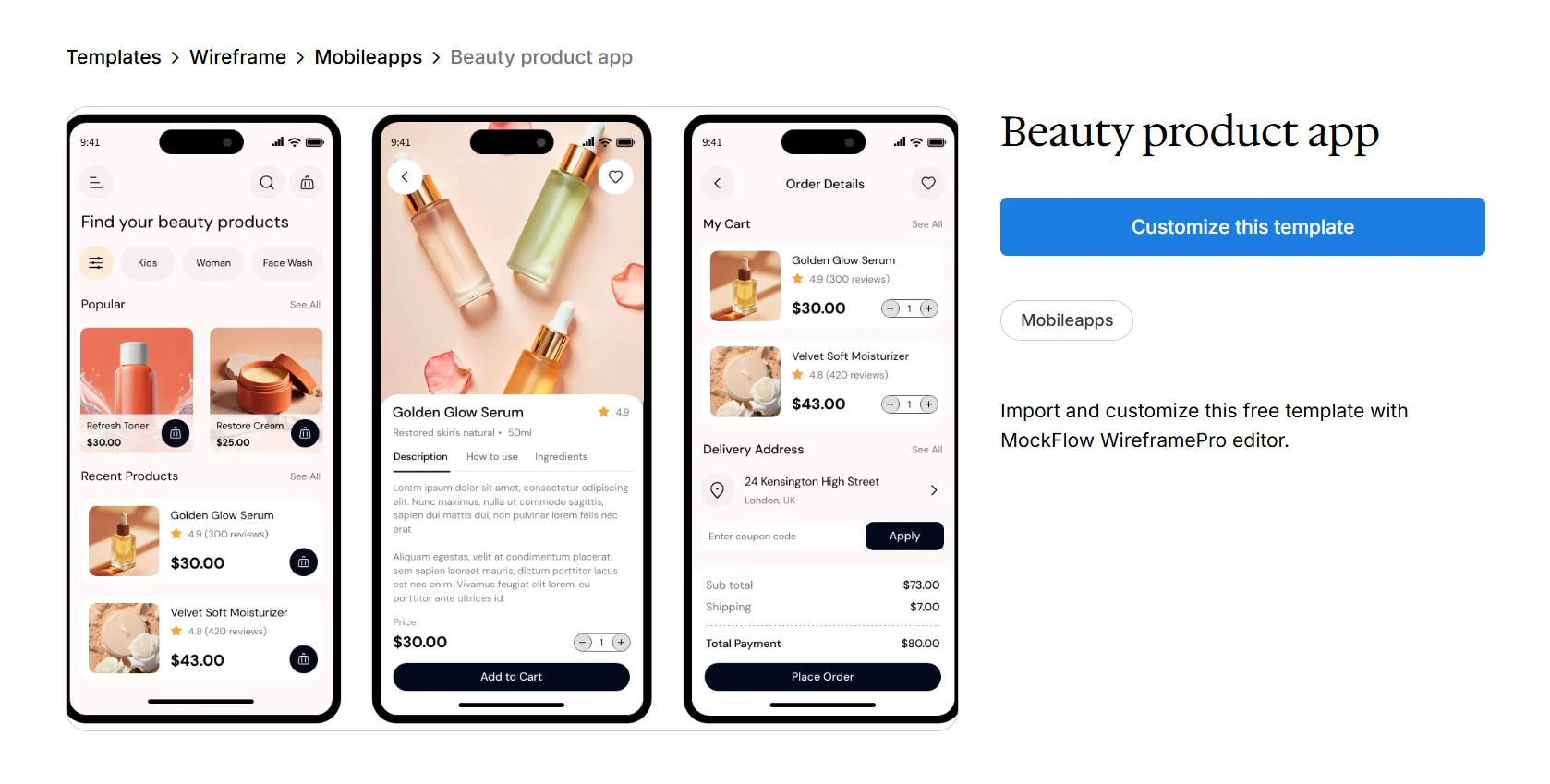
Customize this product design template on IdeaBoard
MockFlow focuses on rapid wireframing design and collaboration. Designers creating highly polished interfaces may eventually move designs into specialized UI design tools for final refinement.
Supports real-time collaboration, comments, video meetings, and integrates with Slack, Microsoft Teams, Trello, Google Drive, Visual Studio Code, Atlassian products, and AI workflows through MCP.
A free plan is available. WireframePro starts at $14/user/month, IdeaBoard starts at $7/user/month, and the full MockFlow Suite starts at $17/user/month when billed annually.
If your workflow starts with brainstorming, wireframing, and rapid iteration before moving into development, MockFlow is a strong choice.
Ready to see how it fits into your workflow? Sign up for MockFlow and explore its wireframing, collaboration, and AI-powered design tools with a free account.
2. Figma: For collaborative UI and product design
Figma is a cloud-based product design software that combines UI design, prototyping, design systems, and developer handoff in a single platform. It is built around browser-based collaboration, allowing multiple people to work on the same design file simultaneously.
Best suited for: UX/UI designers, product teams, agencies, startups, and enterprise organizations.
Where it excels
- Collaborative UI design: Multiple designers can edit the same file in real time, making reviews and design iterations easier to manage.
- Interactive prototyping: Teams can create clickable prototypes with transitions and interactions to validate user flows before development.
- Design systems: Shared libraries, variables, and reusable components help maintain consistency across products and teams.
- Developer handoff: Dev Mode provides measurements, assets, and code snippets that developers can reference during implementation.
Trade-offs to consider
Large design files with thousands of components can become difficult to manage without a well-structured design system. Some advanced features, including Dev Mode and organization-level design management, require higher-tier subscriptions. Since Figma is primarily cloud based, offline access is limited compared to desktop-first applications.
Collaboration and integrations
Figma supports real-time co-editing, comments, presentations, and shared workspaces for designers and stakeholders. It integrates with Jira, Slack, Microsoft Teams, Notion, GitHub, Storybook, and a wide range of third-party plugins.
Pricing snapshot
A free Starter plan is available. Professional plans start at $16 per seat/month (billed annually), while Organization and Enterprise plans are available for larger teams.
Our take
Figma is centered around collaborative product design, making it suitable for teams that manage UI design, prototyping, and developer handoff within a cloud-based workflow.
3. Sketch: For macOS-based UI design teams
Sketch is a macOS-based UI design tool focused on interface design, vector editing, and design systems. It offers native desktop performance while supporting cloud workspaces for collaboration and developer handoff.
Best suited for: UX/UI designers, freelancers, agencies, and Mac-based product teams.
Where it excels
- Interface design: Vector editing tools, Symbols, and Smart Layout features help designers build consistent interfaces efficiently.
- Design systems: Shared Libraries make it easier to reuse components and maintain consistency across multiple projects.
- Prototyping: Interactive prototypes can be created directly within Sketch to test navigation flows without relying on separate tools.
- Native macOS experience: Running as a desktop application provides responsive performance and offline editing capabilities.
Trade-offs to consider
Sketch only runs natively on macOS, making it unsuitable for teams with Windows users. While cloud collaboration has expanded, it is still less seamless than platforms designed around real-time co-editing. Many workflows also depend on plugins, which can introduce compatibility or maintenance challenges over time.
Collaboration and integrations
Sketch Cloud allows teams to share designs, collect feedback, inspect files, and support developer handoff. It integrates with Jira, Slack, Microsoft Teams, Zeplin, Abstract, Miro, and a broad plugin ecosystem.
Pricing snapshot
Sketch offers a 30-day free trial. Paid plans start at $10 per editor/month (Standard, billed annually), while Business plans start at $22 per editor/month.
Our take
Sketch is built around a macOS-native design workflow, with its primary focus on interface design, reusable components, and design system management.
4. Framer: For interactive prototypes and production-ready websites
Framer combines UI design, interactive prototyping, and website publishing in a single platform. It is designed for teams that want to move from design concepts to live, responsive websites without switching between multiple tools.
Best suited for: Product designers, UX/UI designers, startups, marketers, and design teams building websites.
Where it excels
- Interactive prototyping: Designers can add animations, transitions, and interactions that closely resemble the final user experience.
- Responsive design: Built-in layout tools help designs adapt across desktop, tablet, and mobile screen sizes without creating separate versions.
- Website publishing: Designs can be turned into production-ready websites using Framer's built-in CMS and hosting capabilities.
- AI-powered creation: AI features assist with generating pages, layouts, and content, helping speed up early design work.
Trade-offs to consider
Framer is geared more toward web experiences than complete product design workflows. Complex design systems and developer documentation are not as extensive as dedicated product design software. Teams building large-scale applications may also require additional tools for design management and developer handoff.
Collaboration and integrations
Framer supports multiplayer editing, comments, version history, and shared workspaces. It integrates with Figma, Jira, Slack, Google Fonts, CMS platforms, analytics tools, and various publishing services.
Pricing snapshot
A free plan is available. Paid plans for individuals start at $5 per site/month (Mini) and $15 per site/month (Basic), while team and enterprise plans are also available.
Our take
Framer combines design, prototyping, and website publishing, making it primarily suited for teams building interactive web experiences rather than managing the entire product design lifecycle.
5. Axure RP: For complex enterprise UX and advanced prototyping
Axure RP is product design software built for creating detailed wireframes, interactive prototypes, and functional specifications. It places greater emphasis on documenting complex user flows and application logic than visual interface design.
Best suited for: UX designers, business analysts, enterprise product teams, and organizations working on complex software projects.
Where it excels
- Interactive prototypes: Conditional logic, variables, and dynamic content allow teams to simulate complex user interactions without writing code.
- Detailed documentation: Designers can generate specifications alongside prototypes, helping communicate requirements more clearly.
- Complex workflows: It supports multi-step user journeys, forms, dashboards, and enterprise applications with sophisticated interactions.
- Developer handoff: Prototypes and documentation can be shared through Axure Cloud for stakeholder reviews and implementation.
Trade-offs to consider
Axure RP has a steeper learning curve than most modern UI design tools. The interface can feel dated, especially for designers accustomed to browser-based platforms. It also places less emphasis on visual design collaboration, making it less suitable for teams looking for an all-in-one UI design environment.
Collaboration and integrations
Axure Cloud enables commenting, reviews, version management, and prototype sharing. Integrations are available for Jira, Microsoft Teams, Slack, Confluence, and Azure DevOps.
Pricing snapshot
Axure RP does not offer a free plan. Axure RP Pro starts at $29 per user/month, while Team plans start at $49 per user/month when billed annually.
Our take
Axure RP is centered on advanced prototyping and product documentation, particularly for enterprise projects that require detailed interaction models and specifications.
6. UXPin: For design systems and developer collaboration
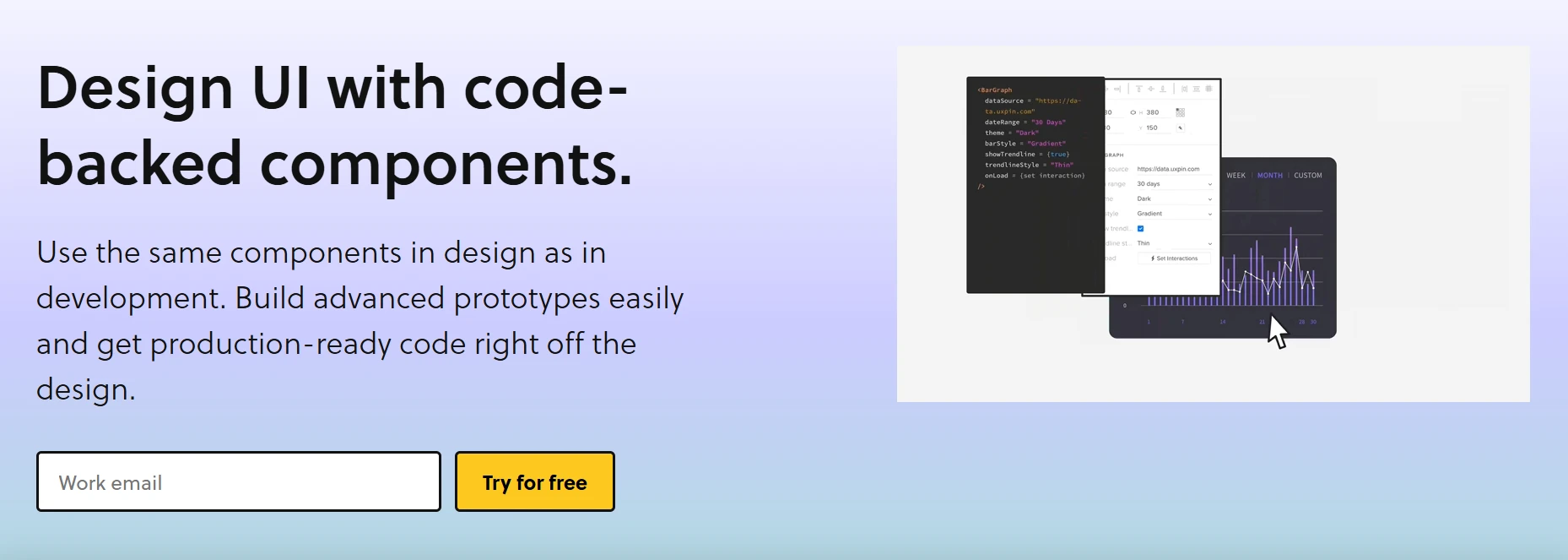
UXPin combines UI design, prototyping, design systems, and developer collaboration in a single platform. Its main differentiator is the ability to build prototypes using production-ready components instead of static design elements.
Best suited for: Product teams, UX/UI designers, enterprise organizations, and teams maintaining large design systems.
Where it excels
- Code-based design systems: Teams can build prototypes using reusable React components, helping designs stay aligned with production code.
- Advanced prototyping: Variables, conditional interactions, and realistic states make prototypes behave more like finished products.
- Design consistency: Shared component libraries simplify maintaining consistent interfaces across multiple products.
- Developer collaboration: Developers can inspect components, review specifications, and work from designs that closely match implementation.
Trade-offs to consider
Using code-backed components requires additional setup and coordination with development teams. Designers who prefer fast, low-fidelity ideation may find the workflow slower than traditional wireframing tools. Some advanced collaboration and design system capabilities are limited to higher-priced plans.
Collaboration and integrations
UXPin supports real-time collaboration, comments, shared libraries, version history, and developer inspection. It integrates with Storybook, Git repositories, Jira, Slack, Microsoft Teams, and other development workflows.
Pricing snapshot
UXPin offers a free trial but does not provide a permanent free plan. Paid plans start at $6 per editor/month (Essentials), with advanced features available on higher-tier subscriptions.
Our take
UXPin focuses on design systems and component-driven product development, making it more aligned with teams that closely integrate design and engineering workflows.
7. Balsamiq: For low-fidelity wireframing
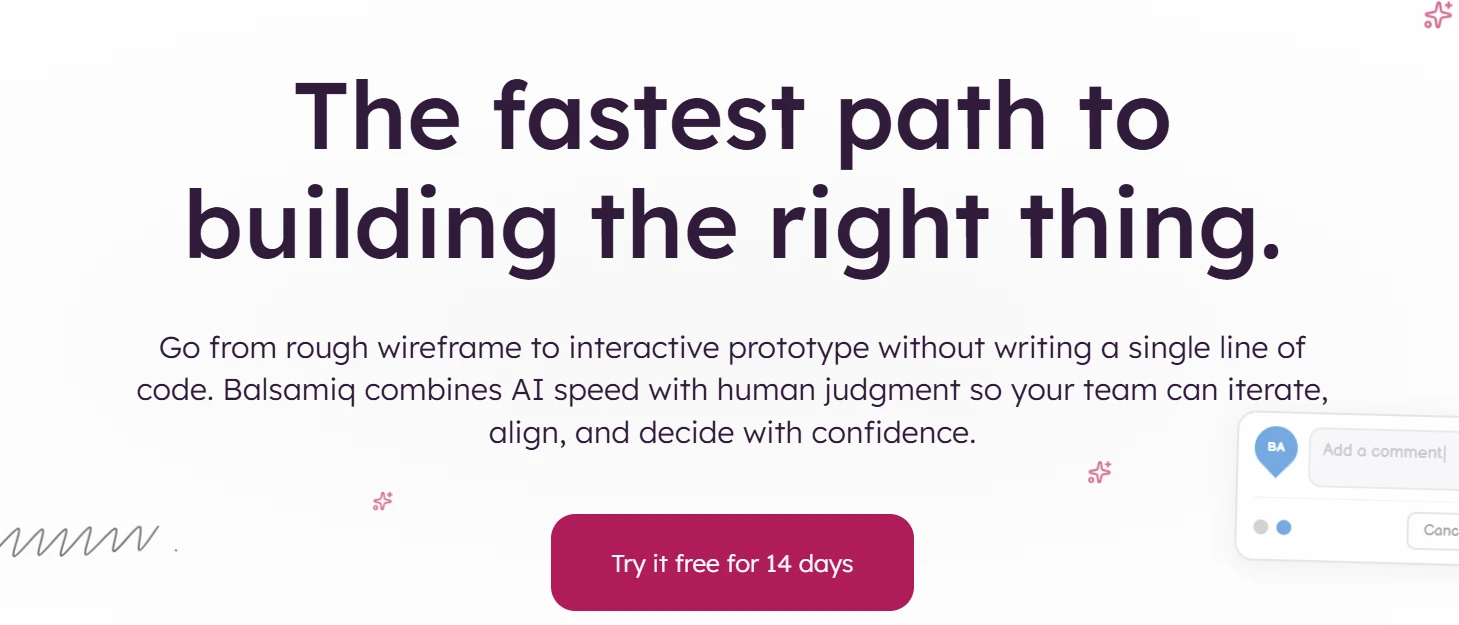
Balsamiq is a low-fidelity wireframing tool focused on quickly sketching product ideas without spending time on visual details. It uses a hand-drawn style interface to keep the focus on structure and layout rather than polished UI design.
Best suited for: Product teams, UX designers, business analysts, and early-stage startups.
Where it excels
- Low-fidelity wireframing: The drag-and-drop interface allows teams to quickly sketch layouts without design distractions.
- Fast ideation: The intentionally rough visual style encourages iteration and feedback rather than final design decisions.
- Simple user flows: Helps map basic navigation and structure before moving into high-fidelity design tools.
- Easy onboarding: Minimal learning curve allows non-designers to contribute to early product discussions.
Trade-offs to consider
Balsamiq is not designed for high-fidelity UI design or interactive prototyping. It lacks advanced visual design capabilities, animations, and detailed component systems. As a result, teams typically transition to another tool once wireframes are finalized.
Collaboration and integrations
Balsamiq supports shared projects, comments, and basic collaboration features. It integrates with Jira, Confluence, Trello, Google Drive, and Microsoft Teams for workflow management and documentation.
Pricing snapshot
Balsamiq offers cloud and desktop versions. Pricing starts at $9 per user/month for the cloud version, with additional plans available for larger teams.
Our take
Balsamiq is centered on early-stage wireframing and is commonly used to align teams on structure and flow before moving into detailed UI design work.
8. Miro: For collaborative product discovery and workshops

Miro is a collaborative whiteboarding platform used for brainstorming, planning, and mapping ideas visually. While not a dedicated UI design tool, it is often used in product workflows for ideation and early-stage product planning.
Best suited for: Product teams, UX researchers, designers, agile teams, and cross-functional organizations.
Where it excels
- Collaborative whiteboarding: Teams can brainstorm ideas, map workflows, and organize concepts in real time on a shared canvas.
- User journey mapping: Useful for mapping customer journeys, service flows, and product structures before design begins.
- Workshops and planning: Supports agile ceremonies like retrospectives, sprint planning, and discovery sessions.
- Template-driven workflows: Prebuilt templates help structure ideation sessions and research activities quickly.
Trade-offs to consider
Miro is not designed for UI design or prototyping. It lacks component-level design systems and developer handoff features found in dedicated product design tools. Large boards can also become difficult to manage over time without structured organization.
Collaboration and integrations
Miro is built around real-time collaboration with comments, voting, video chat, and live cursors. It integrates with Jira, Slack, Microsoft Teams, Notion, Confluence, Google Workspace, and hundreds of workflow tools.
Pricing snapshot
A free plan is available. Paid plans start at $8 per user/month (Starter), with Business and Enterprise tiers for larger teams.
Our take
Miro is primarily used in the early discovery and planning phase of product work rather than detailed UI design or prototyping.
9. Rive: For interactive animations and motion design
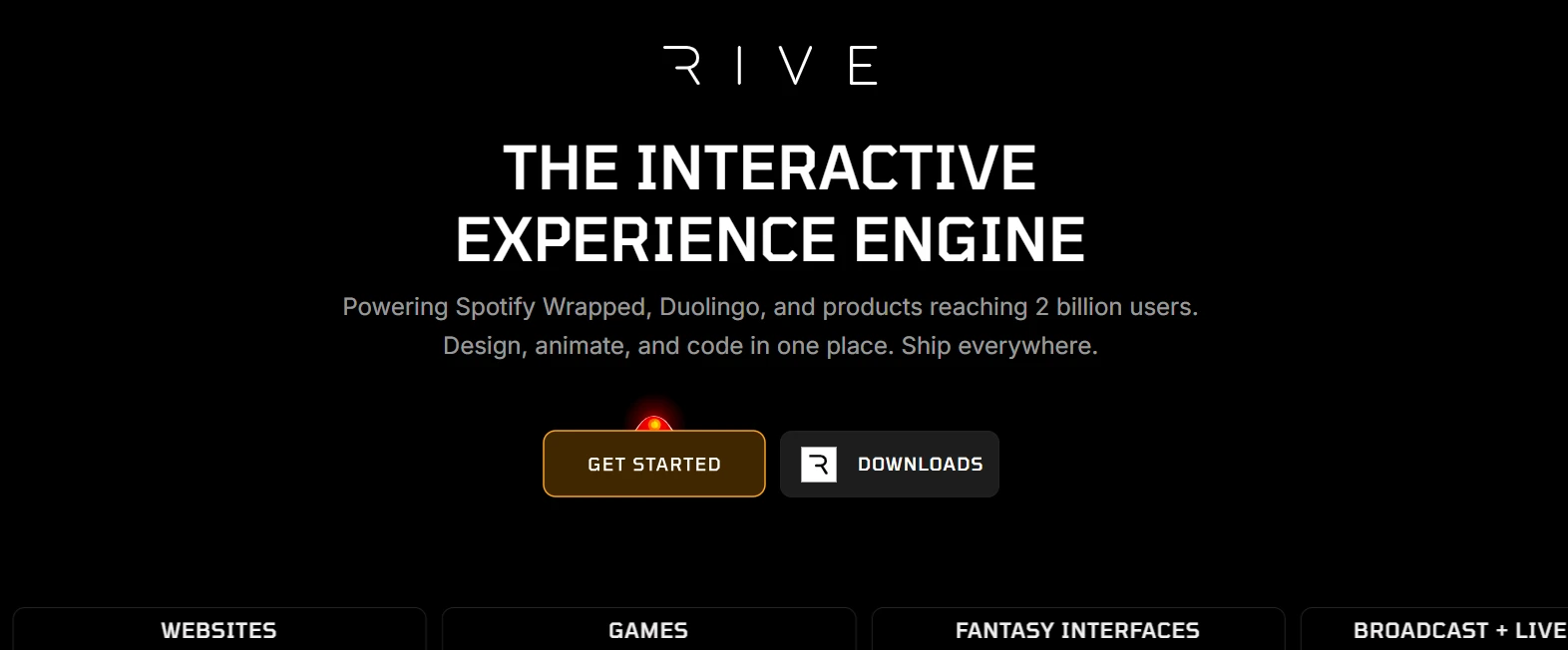
Rive is a design tool focused on creating interactive animations and real-time motion graphics for digital products. It is commonly used to build lightweight, interactive animations that can be integrated directly into apps, games, and web interfaces.
Best suited for: UI designers, motion designers, game developers, and product teams working with interactive experiences.
Where it excels
- Interactive animations: Designers can create animations that respond to user input, making interfaces feel more dynamic.
- State machine system: Allows complex animation behaviors based on user interactions or application states.
- Cross-platform export: Animations can be used in web, mobile, and game environments with consistent behavior.
- Real-time editing: Changes to animations can be previewed instantly, speeding up iteration cycles.
Trade-offs to consider
Rive is not a UI design or wireframing tool. It focuses only on motion and interactivity, meaning it must be used alongside other product design tools. It also requires some learning time to understand its state machine system.
Collaboration and integrations
Rive supports cloud-based collaboration, team workspaces, and asset sharing. It integrates with Flutter, Unity, web frameworks, and design workflows through export options and plugins.
Pricing snapshot
A free plan is available. Paid plans start at $15 per month (Solo), with team and enterprise plans available.
Our take
Rive is centered on interactive motion design and is typically used as a complementary tool within broader product design workflows.
10. Webflow: For designing and launching websites visually
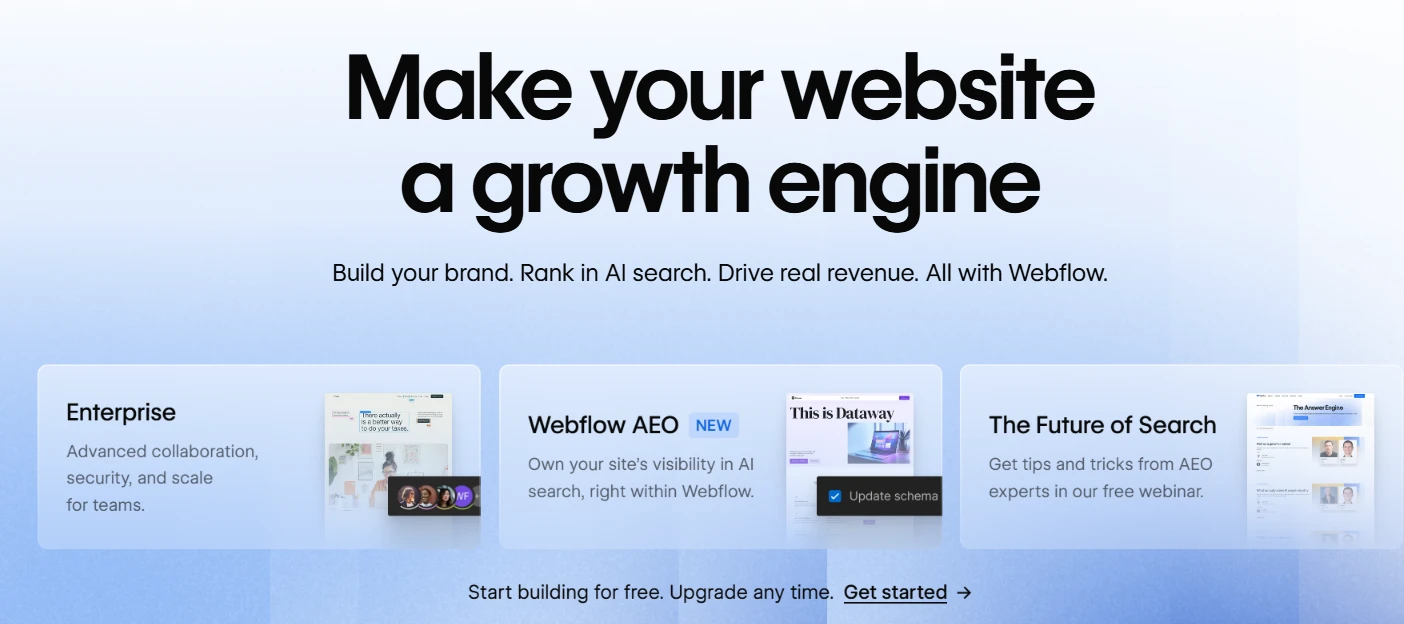
Webflow is a visual web design and development platform that allows teams to design, build, and launch responsive websites without writing code. It combines design tools with a built-in CMS and hosting environment.
Best suited for: Web designers, startups, marketing teams, and product teams building marketing websites.
Where it excels
- Visual web design: Designers can build layouts using a visual canvas that translates directly into HTML and CSS structures.
- Responsive design control: Breakpoint-based editing allows precise control over how websites behave across devices.
- CMS capabilities: Built-in content management system supports dynamic pages, blogs, and structured content.
- Publishing and hosting: Websites can be published directly from the platform with integrated hosting and deployment tools.
Trade-offs to consider
Webflow is optimized for web experiences rather than product UI design or prototyping. It can become complex for beginners due to its deep layout and interaction controls. It also does not replace dedicated wireframing or early-stage ideation tools.Collaboration and integrationsWebflow supports team collaboration through shared projects, comments, and staging environments. It integrates with Figma, Zapier, Google Analytics, HubSpot, and various marketing and automation tools.Pricing snapshotA free starter plan is available. Paid site plans start at $14 per month, with CMS, Business, and Enterprise tiers depending on project needs.Our takeWebflow is focused on visual website building and is typically used in workflows that extend beyond product design into marketing and production web development.How to choose the right product design toolThe right product design tools are less about feature lists and more about how well a tool fits into the way we actually design and ship products. The best choice usually becomes clear when we evaluate it through workflow, team structure, and long-term scalability.1. Choose based on design workflowStart by identifying the core workflow. Wireframing and early ideation need speed and flexibility. UI design requires strong components and layout control. Prototyping depends on interaction depth. Developer handoff requires clarity, structure, and export support. The right tool usually excels in one or two of these areas rather than all.2. Consider collaboration and team sizeSolo designers often need lightweight tools that avoid overhead. Startups benefit from fast iteration and shared visibility. Agencies need organization across multiple clients. Enterprise teams prioritize permissions, design systems, and structured collaboration across departments.3. Compare pricing and long-term scalabilityFree plans work well for exploration, learning, or small projects. Paid plans become necessary when collaboration increases, files grow, or design systems need consistency across teams and products.Buyer checklistEvaluate these before committing to any tool: workflow fit
collaboration strength
learning curve
scalability
ConclusionProduct design tools shape how ideas move from early thinking to usable interfaces. The impact depends on how well the tool fits into everyday workflows, team structure, and collaboration patterns.
Different teams need different strengths, from fast wireframing to structured UI design and scalable prototyping. Budget and long-term scalability also play a key role as teams grow and processes become more complex.
MockFlow supports early-stage product design with speed and clarity, helping teams structure ideas and move them forward efficiently.
Start here → Sign up with MockFlow
FAQs
1. What is the best product design tool?The best product design tool depends on the stage of work. MockFlow is strong for early-stage wireframing and structuring product ideas, while tools like Figma and others are often used for detailed UI design and refinement. Many teams choose based on workflow needs across the product lifecycle.2. Which product design software is best for beginners?MockFlow is a strong starting point for beginners because it keeps the focus on simple wireframing, idea structuring, and fast iteration. Tools like Balsamiq also serve low-fidelity needs, while more advanced platforms can require additional learning.3. What is the difference between UI design tools and product design software?UI design tools focus mainly on visual interface creation, components, and high-fidelity screens. Product design software covers a broader scope, including wireframing, prototyping, collaboration, and early-stage product thinking before final UI execution.4. Are there free product design tools?Yes. Tools like MockFlow, Figma, Miro, and Webflow offer free plans. Free tiers are typically used for learning, small projects, or early-stage design work, with paid plans unlocking collaboration and scalability features.5. Which product design tool is best for teams?MockFlow works well for teams that need fast wireframing, idea structuring, and early collaboration. For broader UI execution workflows, teams may also use additional tools depending on their design maturity and requirements.
8 Best Mural Alternatives for Whiteboarding and Remote Teams
Introduction: Why Look for Mural Alternatives? Teams rely on digital whiteboards to fuel creativity and keep workshops moving...

12 Best Design Thinking Software Tools Compared for 2026
Introduction You’ve narrowed down your options for design thinking software, but figuring out which one can support your team...

8 Best Virtual Meeting Tools for Remote & Hybrid Teams in 2026
Introduction Looking for the best virtual meeting tools for your remote or hybrid team? You’re in the right place. Running...
