
8 Best Visio Alternatives for Diagramming and Collaboration in 2026
What are the best Microsoft Visio alternatives?
Microsoft Visio has long been used for flowcharts, process mapping, org charts, BPMN workflows, and technical documentation. But many teams now prefer Visio alternatives that offer easier collaboration, browser-based editing, AI-assisted workflows, and faster onboarding.
The best Visio alternatives include MockFlow IdeaBoard, Miro, Lucidchart, SmartDraw, Visual Paradigm, EdrawMax, draw.io, and LibreOffice Draw. These tools differ in collaboration depth, technical diagramming capabilities, AI features, workflow visualization, pricing flexibility, and ease of use.
- MockFlow IdeaBoard combines AI-assisted diagramming, whiteboarding, and visual collaboration in one workspace.
- Miro focuses on collaborative workshops and remote brainstorming.
- Lucidchart emphasizes cloud-based process mapping and Visio compatibility.
- SmartDraw supports enterprise workflow visualization and technical diagramming.
- Visual Paradigm specializes in UML and BPMN modeling for technical teams.
- EdrawMax offers broad diagramming coverage with extensive templates.
- draw.io provides a flexible free Visio alternative with open-source accessibility.
- LibreOffice Draw supports lightweight desktop-based diagramming for simple workflows.
When comparing, the right choice depends on whether your priority is collaboration, technical modeling, AI-assisted workflows, enterprise governance, or free diagramming flexibility. Let’s compare these Visio alternatives side by side.
Microsoft Visio Alternatives: Quick Comparison
Here’s a quick side-by-side comparison of the best Visio alternatives for collaboration, diagramming depth, AI workflows, and pricing flexibility.
Tool | Best For | Collaboration | AI Features | Free Plan | Best Starter Plan |
MockFlow IdeaBoard | AI-first visual collaboration | Real-time multiplayer editing | AI workflow generation; ChatGPT, Claude integration | Yes | $7/month yearly |
Miro | Workshops and brainstorming | Strong remote collaboration | AI summaries and clustering | Yes | Starter at $8/user/month yearly |
Lucidchart | Business process mapping | Team collaboration | AI diagram assistance | Yes | Individual at $9/month |
SmartDraw | Enterprise workflows | Shared team access | Intelligent formatting | No | Individual at $7.95/month |
Visual Paradigm | UML and BPMN modeling | Team repositories | AI code and diagram tools | No | Starter at $6/user/month |
EdrawMax | All-in-one diagramming | Cloud collaboration | AI diagram generation | Yes | Subscription from $41.99, billed semi-anually |
draw.io | Free browser-based diagramming | Basic shared editing | No | Yes | Free |
LibreOffice Draw | Lightweight desktop diagrams | Limited | No | Yes | Free |
Why Teams Are Looking for Microsoft Visio Alternatives
Many teams searching for a Microsoft Visio alternative want simpler and more collaborative workflow visualization tools that fit modern work environments.
Common reasons include:
- High licensing costs that increase as more contributors need access
- Limited real-time collaboration compared to browser-based visual workspaces
- Steeper onboarding for non-technical teams that need faster diagram creation
- Growing demand for drag-and-drop editing and template-driven workflows
- Need for brainstorming, planning, and process visualization inside one workspace
- Preference for cloud-based diagramming with AI-assisted workflow generation
To simplify evaluation, we’ve grouped the best Visio alternatives by use case so teams can compare tools based on collaboration style, technical depth, workflow requirements, and budget.
Insight: Atlassian’s State of Teams 2024 report noted that high-performing teams actively improve the tools and workflows they use for collaboration, which explains why many distributed teams are moving toward shared visual workspaces instead of isolated desktop diagram files. |
Best Visio Alternatives for Team Collaboration and Whiteboarding
This category is best for teams that work visually across meetings, planning sessions, workshops, and async collaboration. These tools focus less on static diagram drafting and more on helping teams brainstorm, map workflows, and collaborate together in real time.
1. MockFlow IdeaBoard
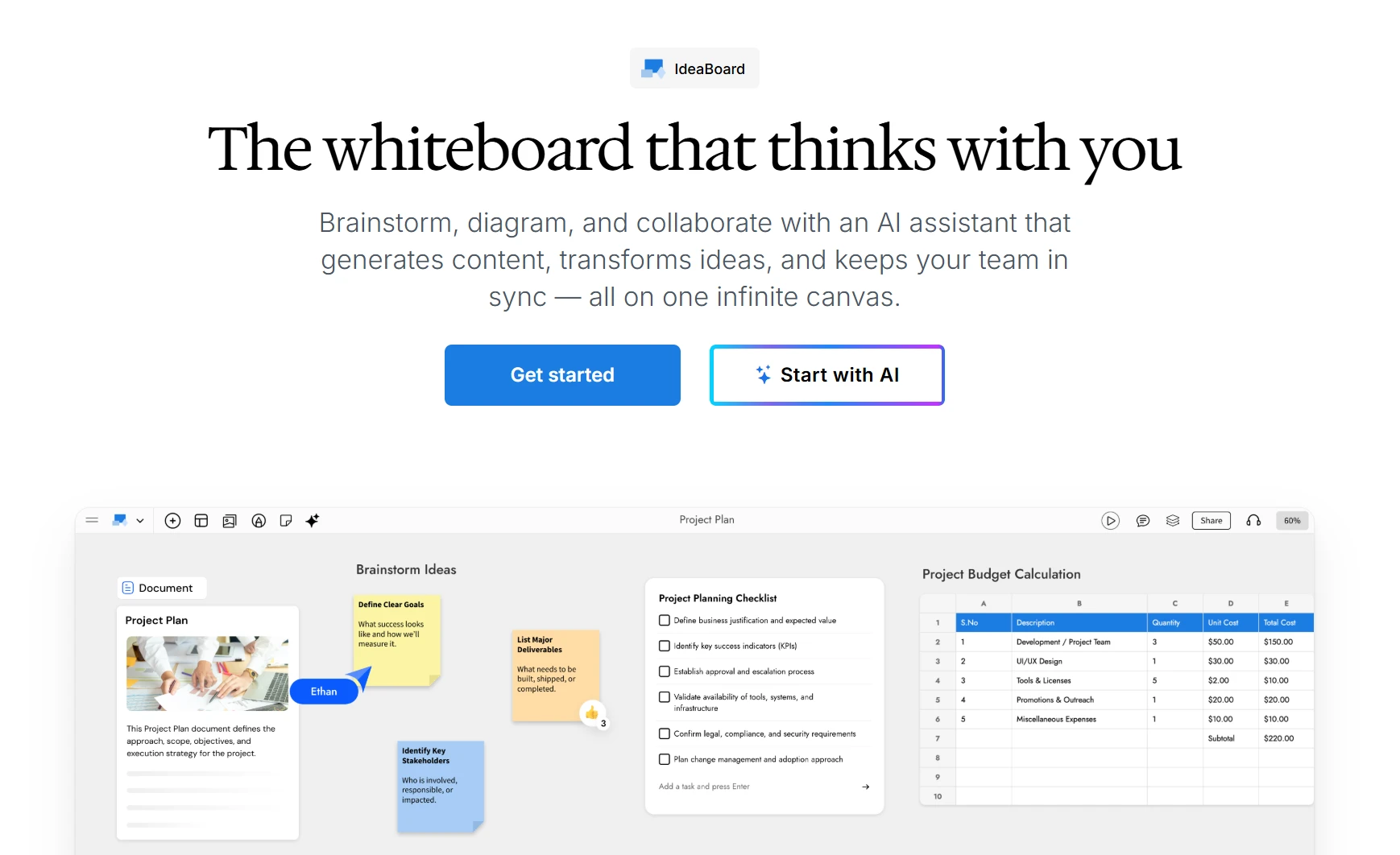
MockFlow IdeaBoard is an AI-powered visual collaboration platform built for brainstorming, workflow visualization, and cloud-based diagramming. It works especially well as a Visio alternative for teams that want browser-first access, real-time multiplayer editing, and AI-generated diagrams without the desktop-heavy setup and single-player workflow of traditional drafting tools.
Ideal Users
IdeaBoard is built for collaborative workflow visualization instead of isolated diagram editing. Teams can brainstorm, map workflows, review ideas, and plan together inside the same shared workspace.
Key strengths include:
- 15+ diagram types on one canvas: Flowcharts, BPMN-style swimlanes, UML, ER/database diagrams, AWS/Azure/GCP/Cisco network diagrams, sequence diagrams, mind maps, org charts, Gantt charts, Kanban boards, customer journey maps, P&ID, circuit, and more - with dedicated icon packs for specialized domains.
- Real-time multiplayer collaboration: Live cursors, sticky notes, connectors, comments, reactions, audio/video comments, and built-in audio/video meetings inside the board.
- MIDA AI assistant: Generate complete diagrams, workflows, and frameworks from a single text prompt; convert mind maps, documents, or spreadsheets into flowcharts; and refine any board element through natural language.
- AI Prompt Box and Recipe Library: Facilitators can configure reusable AI generators with system instructions and output types that any team member can run on the shared board — useful for standardized process documentation.
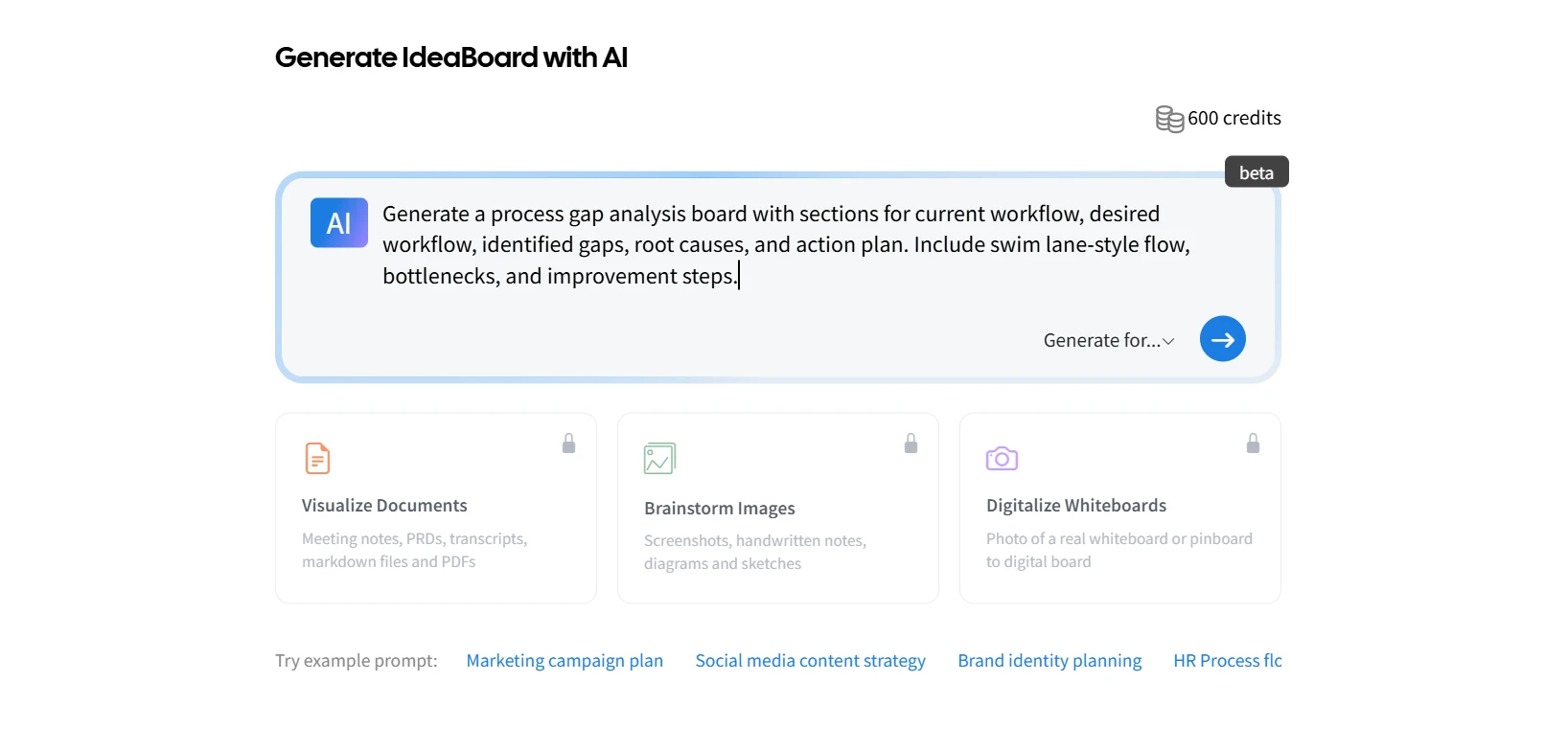
- Browser-first with offline option: Run IdeaBoard in any browser with no install, or use the desktop app that stores boards as local .board files for teams with strict data privacy or compliance requirements.
- Modern AI stack integrations: Generate diagrams directly from Claude Code, Cursor, VS Code Copilot, and ChatGPT via the IdeaBoard MCP server and ChatGPT app - useful for engineers documenting code, architecture, or workflows from inside their existing tools.
- Infinite canvas, templates, and exports: Large-scale planning workspace with a growing template library and PDF/image export for stakeholder sharing.
- Meeting and tool integrations: Native integration with Google Meet's Activities panel, Trello Power-Up, and a Chrome Extension that converts any webpage into an editable diagram or mind map.
IdeaBoard also combines brainstorming and diagramming in one workflow, which helps teams ideate, organize, refine, and present without switching tools.
IdeaBoard is designed primarily for collaborative visual workflows rather than deeply technical engineering documentation.
- It is less engineering-heavy than enterprise UML modeling platforms
- It focuses more on whiteboarding and visual planning than CAD-style drafting
- Teams already locked into Microsoft 365 stencil libraries may need to recreate complex diagrams rather than direct-importing .vsdx files.
IdeaBoard offers a free plan with core whiteboarding and diagramming features for individuals and small teams. Paid plans start at $7/month billed yearly and include AI-assisted workflows, multiplayer collaboration, advanced sharing, and scalable team workspaces. Teams can compare plans on its pricing page.
Compared to Visio, IdeaBoard is much easier for non-technical teams. Teams can open a browser and start collaborating immediately without lengthy onboarding or desktop-heavy setup. The interface feels closer to a modern visual workspace than a traditional enterprise drafting tool.
Teams also choose IdeaBoard because collaboration happens naturally inside the platform:
- Real-time multiplayer editing supports remote planning sessions
- AI-powered ideation helps generate workflows and structure ideas faster
- Shared visual workspaces reduce back-and-forth across separate tools
- Built-in brainstorming workflows support strategy discussions and workshop facilitation
- Browser-based access makes async teamwork simpler for distributed teams
IdeaBoard also extends beyond basic diagramming through AI-assisted visual workflows. Teams can generate and reshape diagrams using the AI transformation tools, and the dedicated ChatGPT app lets teams generate visual maps inside ChatGPT and seamlessly continue refining them in IdeaBoard.
Teams running remote workshops can also collaborate directly inside Google Meet whiteboarding sessions, while the MCP integration framework supports connected AI-driven workflows across tools and systems.
Get Started With IdeaBoard Teams evaluating a modern Visio alternative can explore IdeaBoard in multiple ways depending on how they prefer to work. - Try the no-signup workspace for instant brainstorming, workflow visualization, and collaborative whiteboarding - Sign up for free to access AI-assisted workflows, multiplayer collaboration, advanced integrations, and shared team workspaces This makes it easier for teams to start quickly and expand into more advanced visual collaboration workflows as their needs grow. |
2. Miro

Miro is a cloud-based whiteboarding and collaboration platform built for brainstorming, workshops, visual planning, and remote teamwork. It works well for teams that want collaborative diagramming with browser-first access and shared visual workspaces.
Miro focuses heavily on collaborative visual work rather than traditional diagram drafting. Teams can create flowcharts, planning boards, mind maps, and workshop canvases inside one shared workspace.
Key capabilities include:
- Real-time multiplayer editing for remote and hybrid teams
- Shared whiteboards for workshops, planning sessions, and async collaboration
- Drag-and-drop editing with ready-made templates for quick onboarding
- Sticky-note workflows for brainstorming and ideation sessions
- Integrations with Slack, Jira, Microsoft Teams, and Google Workspace
- Browser-based access without desktop dependency
Miro works best for collaborative whiteboarding and workshop facilitation. Teams looking for highly structured technical diagramming may find the experience less focused than dedicated UML or engineering diagram tools.
Users on G2 reviews frequently mention that very large boards can feel difficult to manage over time. Some users also note performance slowdowns when boards become content-heavy.
Discussions on Reddit mention that Miro is useful for collaborative planning and visual organization, though some users feel the interface can become visually dense during larger projects.
Miro offers a free plan with limited boards and collaboration features. Paid plans start at $8/user/month billed yearly and include advanced collaboration controls, integrations, workshops, and AI-assisted workspace features.
Teams usually choose Miro over Visio when collaboration becomes the priority. The platform makes brainstorming, visual planning, and remote workshops easier through shared browser-based workspaces.
Compared to Visio, Miro offers faster onboarding and a more flexible collaboration experience. Teams can work together in real time, leave feedback directly on boards, and organize ideas visually without relying on desktop-first workflows or technical diagram setup.
Best Visio Alternatives for Professional Diagramming and Process Mapping
This category is best for operations teams, consultants, and workflow-heavy organizations that need structured process mapping, BPMN workflows, org charts, and enterprise collaboration.
3. Lucidchart
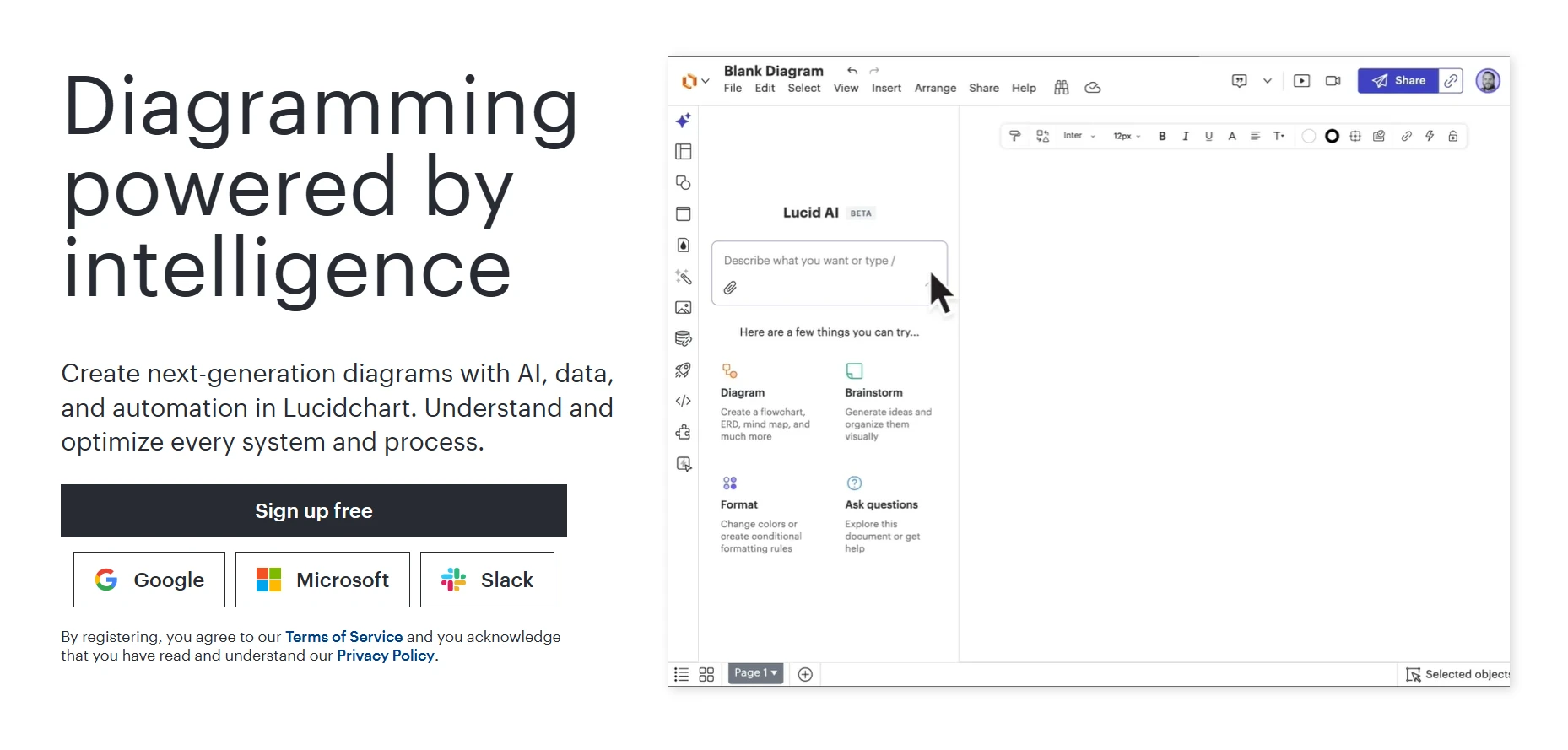
Lucidchart is a cloud-based diagramming platform designed for process mapping, workflow visualization, org charts, and collaborative business documentation. It is commonly used as a visio online alternative for teams that need structured diagramming with browser-based collaboration.
Lucidchart fits operations teams, consultants, business analysts, IT teams, and organizations that manage process-heavy documentation across distributed teams.
Lucidchart focuses on structured business diagramming and collaborative workflow documentation. The platform supports BPMN diagrams, process flows, org charts, network diagrams, and technical documentation workflows.
Key strengths include:
- Browser-based diagramming with shared team access
- Visio import support for migrating existing workflows
- BPMN and process mapping tools for operational documentation
- UML support for technical and business process visualization
- Collaboration through comments, shared editing, and workspace permissions
- Template libraries for workflow diagrams, org charts, and business documentation
- Integrations with Jira, Confluence, Slack, Google Workspace, and Microsoft tools
Lucidchart works best for structured process documentation and business workflows. Teams looking for workshop-style collaboration or large-scale whiteboarding may find the experience more formal than collaborative whiteboard platforms.
Users on Capterra reviews often mention that advanced features and larger team collaboration require higher pricing tiers. Some reviewers also mention that diagram customization can feel restrictive for very detailed workflows.
Reddit discussions mention concerns around pricing growth for larger teams and evolving feature limitations compared to newer collaborative diagramming tools.
Lucidchart offers a free plan with limited editable documents and collaboration. Paid plans start at around $9 per user per month and include advanced diagramming, Visio import support, integrations, and team collaboration features.
Teams often choose Lucidchart over Visio because the platform simplifies browser-based collaboration and process documentation. It removes much of the desktop dependency that comes with traditional Visio workflows.
Compared to Visio, Lucidchart offers easier onboarding, shared cloud workspaces, and simpler collaboration for distributed teams. It also supports Visio file imports, which helps organizations transition existing workflows without rebuilding diagrams from scratch.
4. SmartDraw
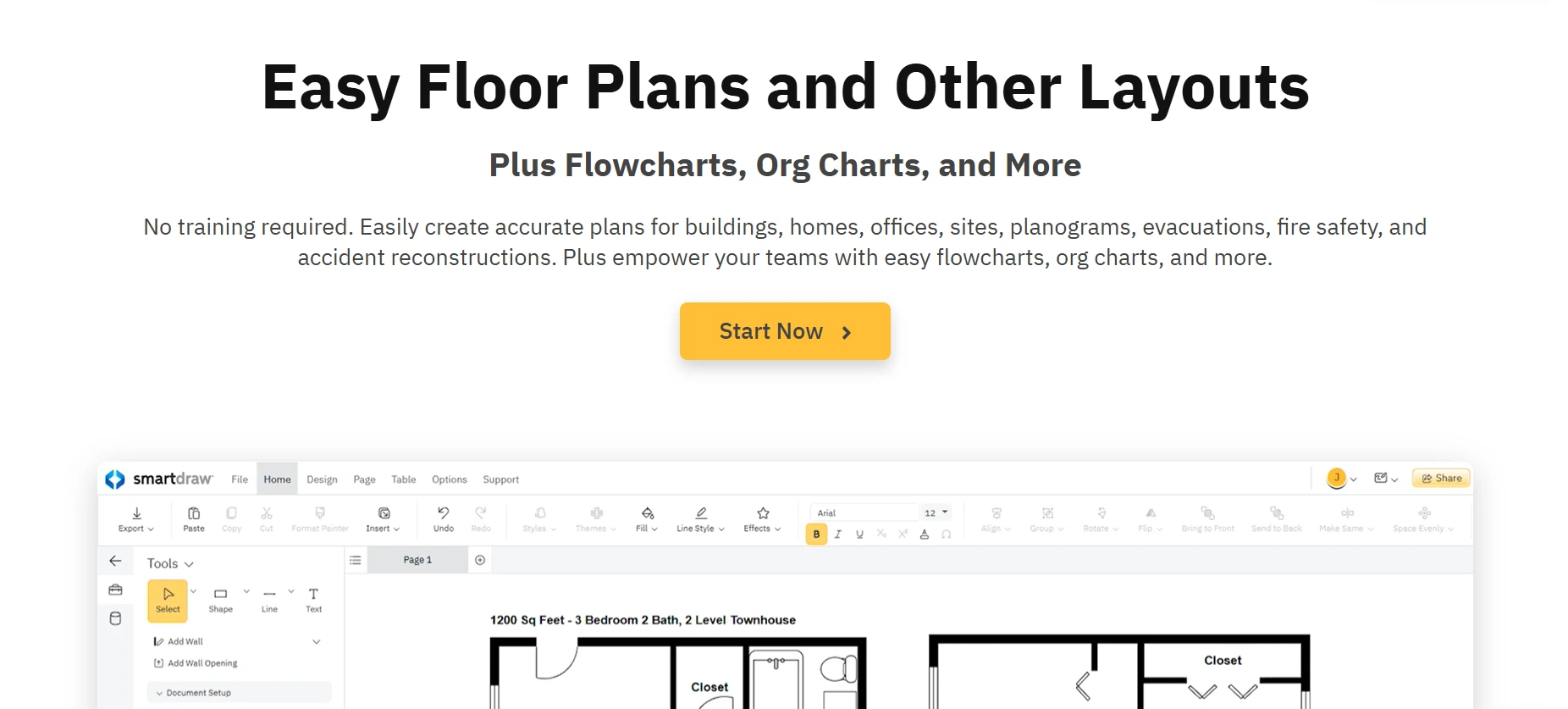
SmartDraw is a diagramming and process mapping platform built for business documentation, engineering diagrams, floor plans, and workflow visualization. It is commonly used by organizations that need structured diagram creation with enterprise-focused workflows.
SmartDraw fits operations teams, IT departments, consultants, engineers, and organizations that create structured process documentation and technical workflow diagrams regularly.
SmartDraw focuses heavily on structured diagramming and business documentation. The platform supports flowcharts, org charts, engineering diagrams, network diagrams, floor plans, and process mapping workflows.
Key strengths include:
- Automated diagram formatting that adjusts layouts dynamically
- Extensive shape libraries for engineering, IT, and operational workflows
- Support for process mapping, org charts, and technical workflow visualization
- Integration with Microsoft Teams, Jira, Confluence, Google Workspace, and AWS
- Intelligent alignment and formatting tools that reduce manual diagram adjustments
- Visio import and export support for workflow migration
- Desktop and browser-based access for different team environments
SmartDraw is designed more around structured documentation than collaborative whiteboarding. Teams looking for workshop-style brainstorming or freeform visual planning may find the experience less flexible.
Users on G2 reviews frequently mention that the interface can feel dated in certain workflows and that advanced customization may take time to learn. Reviewers additionally mention occasional limitations while working on highly detailed diagrams inside browser sessions.
SmartDraw does not offer a permanent free plan. Individual plans start at around $7.95 per month and include diagram templates, Visio compatibility, integrations, and collaborative sharing features.
Teams often choose SmartDraw over Visio because it simplifies structured diagram creation through automated formatting and browser accessibility. The platform reduces manual diagram alignment work and supports faster documentation workflows.
Compared to Visio, SmartDraw offers easier sharing, broader template coverage, and simpler onboarding for business users who need process mapping and operational diagrams without relying fully on desktop-based Microsoft environments.
Best Visio Alternatives for Technical and Enterprise Diagramming
These tools are best for enterprise IT teams, software architects, and engineering teams that manage UML diagrams, BPMN worklows, network diagrams, and technical process modeling across large documentation environments.
5. Visual Paradigm

Visual Paradigm is a technical diagramming and modeling platform designed for UML, BPMN, ERD modeling, system architecture, and enterprise documentation workflows. It is commonly used by software teams and enterprise IT departments that require structured technical process modeling.
Key strengths include:
- UML support for class diagrams, sequence diagrams, use case diagrams, and architecture modeling
- BPMN workflow modeling for enterprise process documentation
- ERD and database modeling tools for technical system planning
- Collaboration features for shared technical documentation workflows
- Integration support for Jira, Confluence, and development environments
- Reverse engineering capabilities for code-to-diagram workflows
- Desktop and cloud-based deployment options for enterprise environments
Visual Paradigm is designed primarily for technical users and enterprise modeling workflows. Teams looking for lightweight brainstorming or beginner-friendly visual planning may find the interface more technical than collaborative whiteboarding platforms.
Users on Capterra reviews frequently mention that the platform offers extensive modeling capabilities for UML and BPMN workflows. Some reviewers also note that the interface can take time to learn and that the number of features may feel overwhelming for smaller teams or occasional diagramming needs.
Visual Paradigm does not offer a permanent free plan. Paid plans start at $6 per user per month for the Modeler edition and scale across other tiers with broader UML modeling, BPMN workflows, collaboration, and enterprise architecture features.
Teams often choose Visual Paradigm over Visio when they need deeper technical modeling support for software architecture and enterprise documentation. The platform provides dedicated UML and BPMN tooling that goes beyond general-purpose diagramming.
Compared to Visio, Visual Paradigm supports more structured software modeling workflows and stronger technical documentation capabilities for enterprise engineering environments.
6. EdrawMax
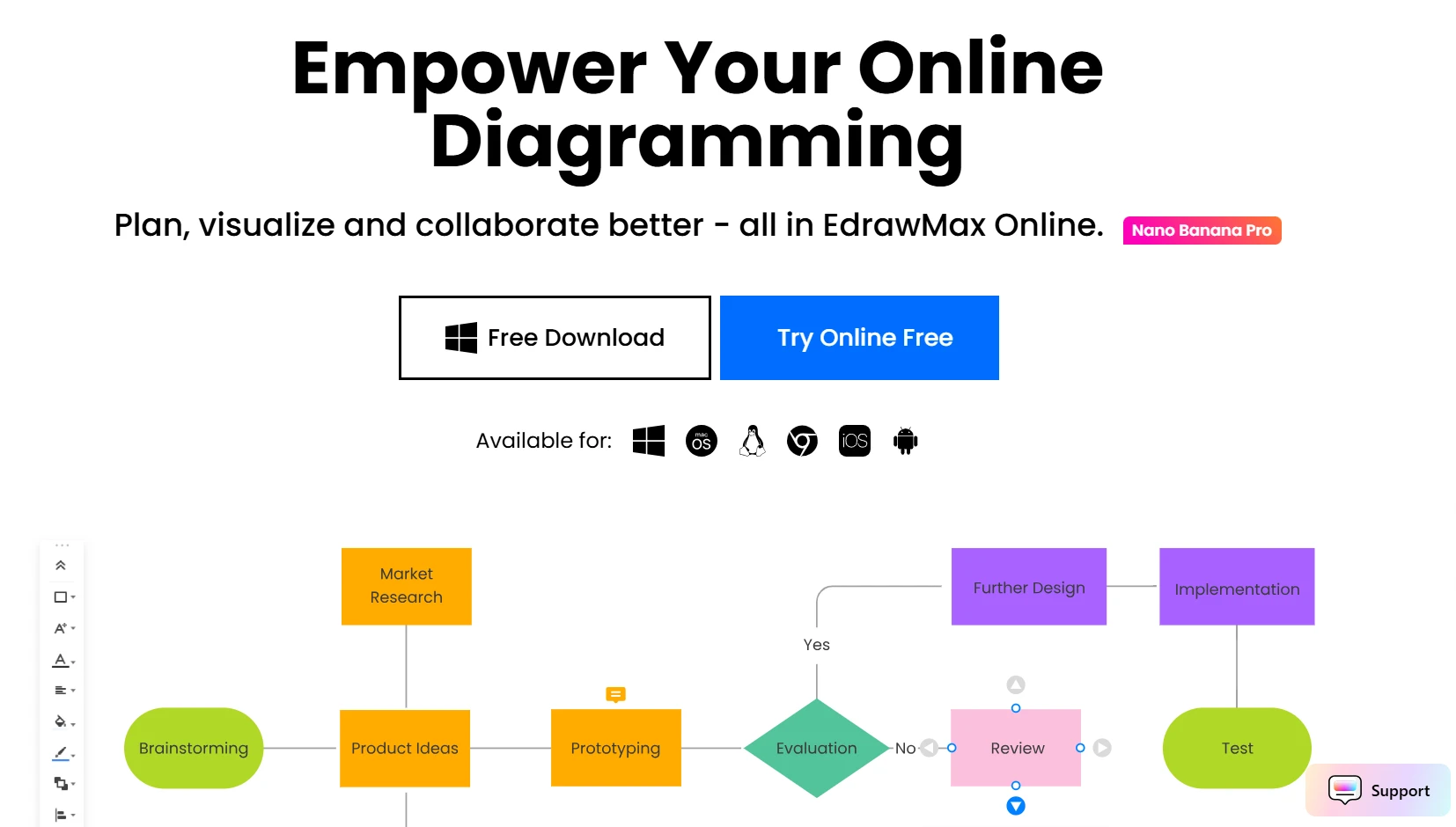
EdrawMax is a diagramming platform designed for process mapping, technical diagrams, org charts, floor plans, and workflow visualization. It is commonly used by teams that need broad diagram coverage inside one browser-based workspace.
EdrawMax fits operations teams, consultants, educators, engineers, and organizations that need both business process diagrams and technical documentation workflows.
EdrawMax focuses on offering many diagram types inside a single platform. The tool supports flowcharts, org charts, UML diagrams, network diagrams, engineering layouts, and business process documentation.
Key strengths include:
- Large template library for technical and business workflows
- Support for UML, BPMN, org charts, floor plans, and engineering diagrams
- Browser-based and desktop access for different working environments
- Visio file import support for migration workflows
- Drag-and-drop diagram editing with customizable shape libraries
- Collaboration support through shared cloud workspaces
- AI-assisted diagram generation for workflow creation and planning
EdrawMax covers many diagram categories inside one platform, though some users mention that the interface can feel crowded while navigating advanced features.
Users on Capterra reviews frequently mention that the wide template selection helps reduce setup time for common workflows. Some reviewers also note that certain advanced features are available only in paid plans and that larger diagrams may occasionally affect editing performance on lower-powered systems.
EdrawMax offers a free plan with limited exports and templates. Paid subscription plans start at $41.99 for six months on the semi-annual billing option and include expanded templates, cloud features, collaboration capabilities, and optional EdrawMax AI assets.
Teams often choose EdrawMax over Visio because it combines technical diagramming and business workflow visualization inside one platform. The browser-based access also makes collaboration simpler for distributed teams.
Compared to Visio, EdrawMax offers broader template coverage, easier onboarding for non-technical users, and more flexibility for teams that work across both operational planning and technical documentation.
Best Free and Open Source Visio Alternatives
Best for startups, freelancers, educators, and budget-conscious teams that need accessible diagramming tools without enterprise-level pricing. These platforms usually trade advanced governance, deeper automation, and enterprise collaboration controls for simplicity, flexibility, and lower cost.
7. draw.io (diagrams.net)
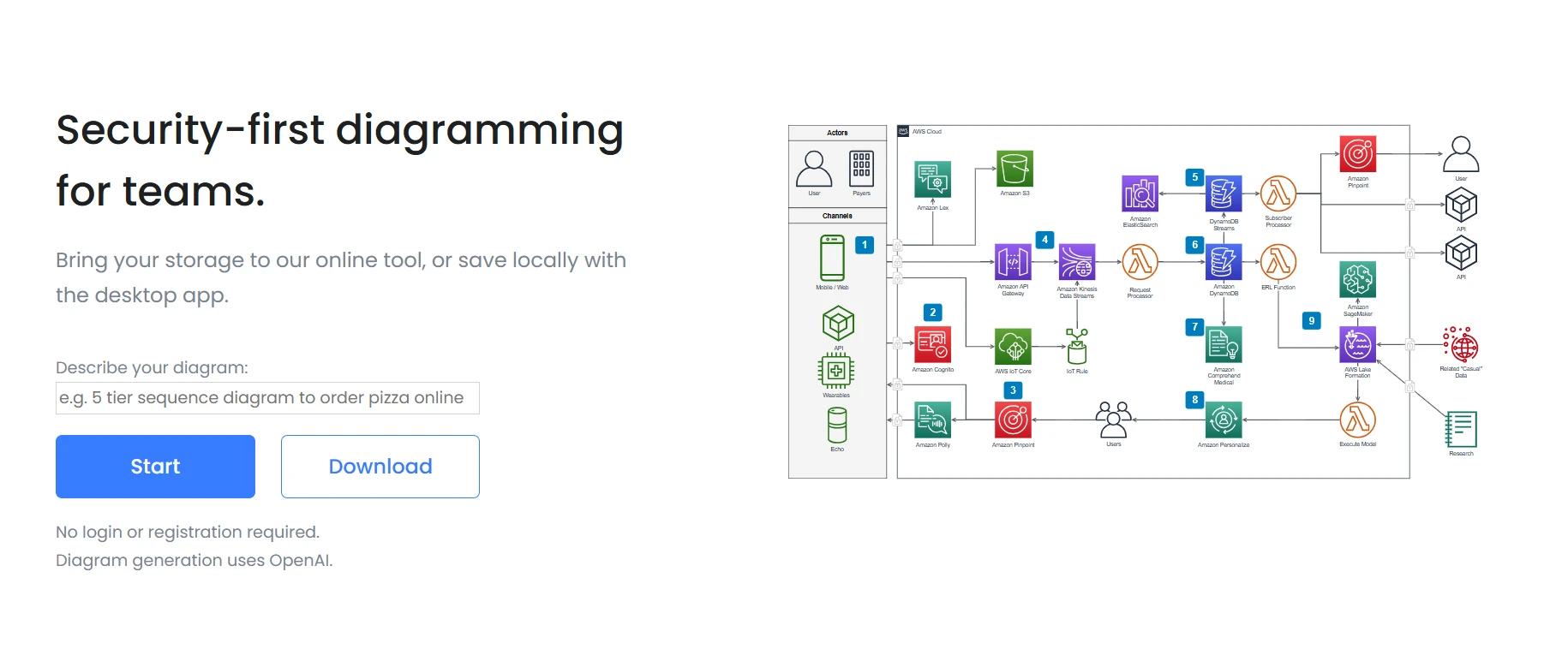
draw.io (diagrams.net) is a free and open source diagramming platform designed for flowcharts, UML diagrams, network diagrams, BPMN workflows, and technical documentation. It is widely used as a free Visio alternative for browser-based diagramming and lightweight workflow visualization.
draw.io fits startups, educators, freelancers, developers, IT teams, and budget-conscious organizations that need flexible diagramming without recurring software licensing costs.
draw.io focuses on accessible diagramming without subscription requirements or complex onboarding. Teams can create diagrams directly inside the browser or use the desktop version for offline workflows.
Key strengths include:
- Free browser-based diagramming with no mandatory subscription
- Support for flowcharts, UML diagrams, BPMN workflows, and network diagrams
- Integration with Google Drive, OneDrive, GitHub, Jira, and Confluence
- Offline desktop application for local diagram editing
- Visio file import support for migration workflows
- Custom shape libraries and drag-and-drop editing tools
- Open source flexibility for teams that prefer self-managed workflows
draw.io focuses more on flexible diagram editing than collaborative whiteboarding. Teams that need advanced workflow automation or structured enterprise collaboration may find the experience more lightweight than paid enterprise platforms.
Users on G2 reviews frequently mention that the free access and integration support make the platform easy to adopt across teams. Some reviewers also note that the interface can feel less polished than commercial diagramming software and that collaboration workflows are more basic compared to cloud-native whiteboarding platforms.
Users on Reddit comparing draw.io vs visio mention that draw.io feels easier to access and more practical for quick documentation workflows, especially for smaller teams that do not want Microsoft licensing overhead. Some users still prefer Visio for larger enterprise environments and more advanced enterprise documentation standards.
draw.io is free to use across browser and desktop environments. Teams can use the platform without subscription costs, though enterprise hosting and integration environments may involve separate infrastructure expenses.
Teams often choose draw.io over Visio because it removes licensing costs and works directly inside the browser. The platform also supports offline editing and open-source workflows without requiring heavy enterprise setup.
Compared to Visio, draw.io feels easier to access for smaller teams and individual users that need quick diagram creation, technical documentation, and lightweight workflow visualization without long onboarding processes.
8. LibreOffice Draw
LibreOffice Draw is a free open-source drawing and diagramming tool included with the LibreOffice suite. It is commonly used for lightweight flowcharts, vector graphics, technical sketches, and simple workflow visualization without subscription costs.
LibreOffice Draw fits educators, freelancers, students, nonprofit organizations, and budget-conscious users that need lightweight desktop diagramming without recurring software costs.
LibreOffice Draw focuses on desktop-based diagramming and document graphics instead of cloud collaboration. The platform supports flowcharts, vector editing, PDF annotation, and simple technical diagrams.
Key strengths include:
- Free open-source access without licensing costs
- Desktop-based editing for offline workflows
- Support for flowcharts, diagrams, and vector illustrations
- PDF editing and annotation capabilities
- Lightweight installation compared to larger enterprise diagramming platforms
- Compatibility with multiple operating systems including Windows, Linux, and macOS
- Integration with the broader LibreOffice productivity suite
LibreOffice Draw is designed more for lightweight desktop diagramming than collaborative workflow management. Teams that need browser-based editing, multiplayer collaboration, or enterprise integrations may find the experience limited.
Users on G2 reviews frequently mention that the platform works well for simple diagrams and document editing without additional software costs. Some reviewers also note that the interface can feel dated compared to newer browser-based diagramming tools.
Users on Reddit mention that LibreOffice remains practical for offline productivity workflows, though some users feel the UI and collaboration experience are less modern than cloud-first platforms.
LibreOffice Draw is completely free to use as part of the LibreOffice suite. There are no subscription tiers, paid collaboration plans, or enterprise licensing requirements.
Teams often choose LibreOffice Draw over Visio because it removes licensing costs and works fully offline. The platform also appeals to organizations that prefer open-source software and local file management.
Compared to Visio, LibreOffice Draw feels simpler for occasional diagramming tasks and lightweight workflow visualization. It works best for users that prioritize accessibility and offline document editing over advanced enterprise collaboration features.
How to Choose the Right Visio Alternative
The right Visio alternative depends less on feature volume and more on how your team actually plans, collaborates, and documents workflows day to day.
- Choose based on diagram type and workflow: BPMN and UML workflows usually need more structured technical modeling features, while brainstorming, flowcharts, org charts, and workflow visualization often work better inside collaborative whiteboarding platforms.
- Prioritize collaboration and ease of use: Browser-based tools with drag-and-drop workflows, multiplayer editing, comments, and faster onboarding usually work better for remote and cross-functional teams.
- Check Visio file compatibility: Tools that support visio import and export reduce migration effort and help preserve existing workflows without rebuilding diagrams manually. Compatibility with the visio file format becomes especially important for larger documentation environments.
- Evaluate templates, AI features, and integrations: Prebuilt diagramming templates can reduce setup time significantly. AI-assisted workflow generation and integrations with Slack, Jira, Teams, and Google Workspace also improve day-to-day collaboration workflows.
Microsoft’s 2024 Work Trend Index found that 90% of users say AI helps them save time at work, which is why many teams now evaluate AI-assisted workflow generation as part of their diagramming software decisions.
Teams exploring collaborative visual workflows can try IdeaBoard for free or start with a lightweight browser-based no-signup workspace of its online whiteboard to get started instantly.
FAQs
What is the best Microsoft Visio alternative overall?
The best Visio alternative depends on how your team works. MockFlow IdeaBoard works well for collaborative workflow visualization, brainstorming, and remote teamwork, while tools like Lucidchart and Visual Paradigm fit more structured business or technical documentation workflows.
Is there a free alternative to Microsoft Visio?
Yes. draw.io and LibreOffice Draw are widely used free Visio alternatives for flowcharts, process mapping, and lightweight diagramming. Teams that also need collaborative whiteboarding and AI-assisted workflows can start with IdeaBoard’s free plan.
What is the best open source Visio alternative?
draw.io is one of the most commonly used open source Visio alternatives because it supports browser-based editing, Visio import workflows, and offline access without licensing costs. LibreOffice Draw is another option for lightweight desktop-based diagramming.
Which Visio alternative is best for remote teams?
Remote teams usually need browser-based collaboration, shared workspaces, multiplayer editing, and async feedback tools. IdeaBoard and Miro are commonly preferred for remote workshops, collaborative planning, and visual teamwork across distributed teams.
Which Visio alternative is best for network diagrams?
IdeaBoard supports collaborative network planning through visual workflow mapping, shared diagram editing, and browser-based collaboration. It works especially well for teams that need to discuss infrastructure layouts, document workflows visually, and collaborate on technical planning across distributed teams.
Which Visio alternative is easiest to use?
MockFlow IdeaBoard is one of the easiest Visio alternatives for non-technical teams because it offers drag-and-drop editing, browser-based access, AI-assisted workflows, and collaborative whiteboarding without complex setup or lengthy onboarding.

8 Best Mural Alternatives for Whiteboarding and Remote Teams
Introduction: Why Look for Mural Alternatives? Teams rely on digital whiteboards to fuel creativity and keep workshops moving...

6 Best Microsoft Teams Collaboration Tools for Cross-Functional Teams
Microsoft Teams has become the central workspace for conversations, meetings, and day-to-day coordination. Yet many teams still...

8 Best FigJam Alternatives for Remote Collaboration & Design
Introduction: What are FigJam Alternatives? You’ve probably been there: a team brainstorming session that’s supposed to be...
