How to Create Team Charters in 2026? A Guide with Benefits & Templates
Introduction
Sometimes teams struggle to stay aligned as projects move forward, especially when responsibilities, communication, and expectations are not clearly defined from the beginning. As teams work across departments, time zones, and different workflows, even small gaps in alignment can create confusion and slow down collaboration.
This is where a team charter becomes valuable.
A team charter helps establish a clear framework for how a team operates. It defines goals, responsibilities, accountability, communication practices, and teamwork agreements so everyone understands how to collaborate effectively.
Team charters are commonly used in project teams, Agile environments, cross-functional collaborations, and remote or hybrid workplaces where coordination is especially important. Setting expectations early helps teams reduce misunderstandings, improve accountability, and maintain smoother workflows over time.
In this guide, we’ll cover what a team charter is, what to include in one, how to create a team charter step by step, and how collaborative visual workspaces like IdeaBoard can support team charter management more effectively.
What Is Included in a Team Charter?
A team charter is a shared document that helps teams stay aligned on how they will work together. It outlines goals, responsibilities, communication expectations, accountability, and collaboration practices so everyone starts with the same understanding.
Many teams use a team charter document as a practical guide throughout a project or ongoing workflow. Instead of leaving expectations open to interpretation, the charter helps create clear working agreements that make collaboration smoother and more consistent over time.
Gartner’s 2024 Collaboration Drag research also found that poor collaboration practices significantly contribute to employee burnout and disengagement, making structured team alignment increasingly important for modern teams.
Team Goals and Objectives
One of the first things a team charter should define is what the team is trying to achieve. When goals are unclear, teams can easily lose focus or start working toward different priorities without realizing it.
This section usually covers the team’s mission, expected outcomes, deliverables, timelines, and success metrics. Having these details documented early helps everyone stay aligned and gives the team a clear way to measure progress as work moves forward.
Team Charter Components | Purpose |
Team mission | Keeps everyone aligned on the team’s purpose |
Goals and objectives | Defines priorities and expected outcomes |
Deliverables | Clarifies what the team is responsible for |
Success metrics | Helps track progress and performance |
Timelines | Sets expectations around deadlines and milestones |
Clearly defined goals also make it easier for teams to prioritize work, track progress, and maintain focus throughout the project lifecycle.
Roles, Responsibilities, and Accountability
Sometimes project delays happen simply because ownership is not clearly defined. Teams may assume someone else is handling a task, or multiple people may end up doing the same work without realizing it.
A team charter helps avoid this by clearly outlining responsibilities, ownership areas, reporting expectations, and accountability measures. When everyone understands their role and how decisions are made, collaboration becomes much more efficient and predictable.
Clear accountability also helps teams reduce confusion, improve coordination, and create smoother collaboration across different departments or workflows.
Many teams also use visual process mapping and workflow planning techniques to improve process visibility and clarify workflows across stakeholders.
Team Norms and Communication Guidelines
Even strong teams can struggle when communication expectations are never discussed properly. Small misunderstandings around meetings, updates, or decision-making can quickly slow down collaboration.
This section of the team charter focuses on how the team will communicate and work together day to day. It may include meeting schedules, preferred communication channels, feedback processes, response-time expectations, and conflict-resolution approaches.
Documenting these teamwork agreements helps create consistency across workflows while making collaboration feel more organized and transparent for everyone involved.
Why Teams Need a Team Charter
A team charter is more than just a planning document. It helps teams stay aligned, improve accountability, streamline communication, and reduce confusion as projects move forward.
When expectations are not clearly documented, teams often spend unnecessary time resolving misunderstandings, clarifying ownership, or managing communication gaps instead of focusing on execution.
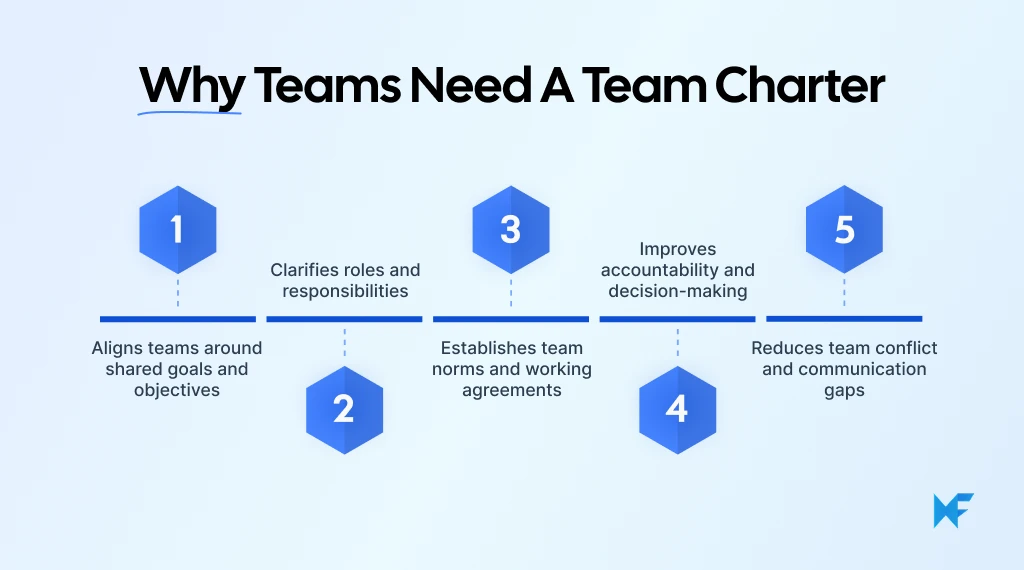
Aligns Teams Around Shared Goals and Objectives
Shared objectives help teams collaborate more effectively by keeping everyone focused on the same priorities. When goals are unclear, teams often experience disconnected workflows, delays, and conflicting expectations.
According to McKinsey’s State of Cross-Functional Teams Report 2024, three in four cross-functional teams underperform when goals are misaligned. Teams with a shared vision are far more likely to achieve stronger outcomes.
A team charter helps create that alignment by clearly documenting goals, priorities, and expectations from the beginning. This keeps cross-functional, remote, and hybrid teams focused on common outcomes while improving coordination across workflows.
Clarifies Roles and Responsibilities
Many collaboration challenges come down to unclear ownership. When responsibilities are not documented properly, teams may duplicate work, overlook important tasks, or struggle with delayed decision-making.
A team charter helps define who is responsible for what, how accountability is managed, and where decisions are made across the team.
This is especially useful for:
- Agile teams
- Product launches
- Cross-functional initiatives
- Remote project teams
- Client-facing collaborations
Clear ownership structures also help stakeholders feel more confident because responsibilities and expectations remain visible throughout the workflow.
Establishes Team Norms and Working Agreements
Every team has its own way of communicating and collaborating. The challenge is that many of these expectations remain unspoken until problems begin to surface.
A team charter helps teams document working agreements around communication, meetings, approvals, feedback, and workflow expectations. This creates more consistency and reduces friction during day-to-day collaboration, especially for distributed teams managing work across multiple tools and locations.
Many organizations also rely on structured remote collaboration practices to maintain visibility and communication consistency across workflows.
Common team agreements often include:
- Meeting cadence
- Decision-making processes
- Response-time expectations
- Documentation standards
- Escalation workflows
For Agile teams, these agreements also help improve sprint planning, standups, and retrospective discussions by keeping collaboration practices more structured and predictable.
Improves Accountability and Decision-Making
Teams make faster progress when decision-making processes are clearly defined. Without structure, approvals can become delayed, responsibilities may become unclear, and teams often lose momentum during execution.
A well-defined team charter outlines how decisions are reviewed, communicated, and finalized. It also helps teams track commitments, monitor progress, and maintain accountability throughout the project lifecycle.
Clear accountability structures also make it easier for teams to identify blockers early and keep projects moving efficiently. Many teams also use visual decision-making frameworks like decision tree diagrams to improve workflow clarity during planning and execution.
Reduces Team Conflict and Communication Gaps
Many workplace conflicts happen because expectations were never clearly discussed in the first place. Small misunderstandings around responsibilities, communication, or timelines can gradually affect collaboration and trust within the team.
A team charter helps reduce these issues by establishing communication guidelines and collaboration expectations early. Teams can also document feedback processes and conflict-resolution approaches so there is more consistency in how challenges are handled.
This becomes especially valuable for remote and hybrid teams where communication gaps can grow quickly without clear processes and shared visibility.
Team Charter Template Structure
Many teams struggle with creating a team charter because they are unsure what sections to include, how detailed the document should be, or how to organize information collaboratively.
A structured team charter template solves this problem by giving teams a repeatable framework for alignment, accountability, and workflow planning.
Teams can use a visual team charter template to organize goals, responsibilities, workflows, and communication guidelines in one shared workspace before finalizing the charter collaboratively.
The MockFlow IdeaBoard Team Charter Template provides a practical starting point.
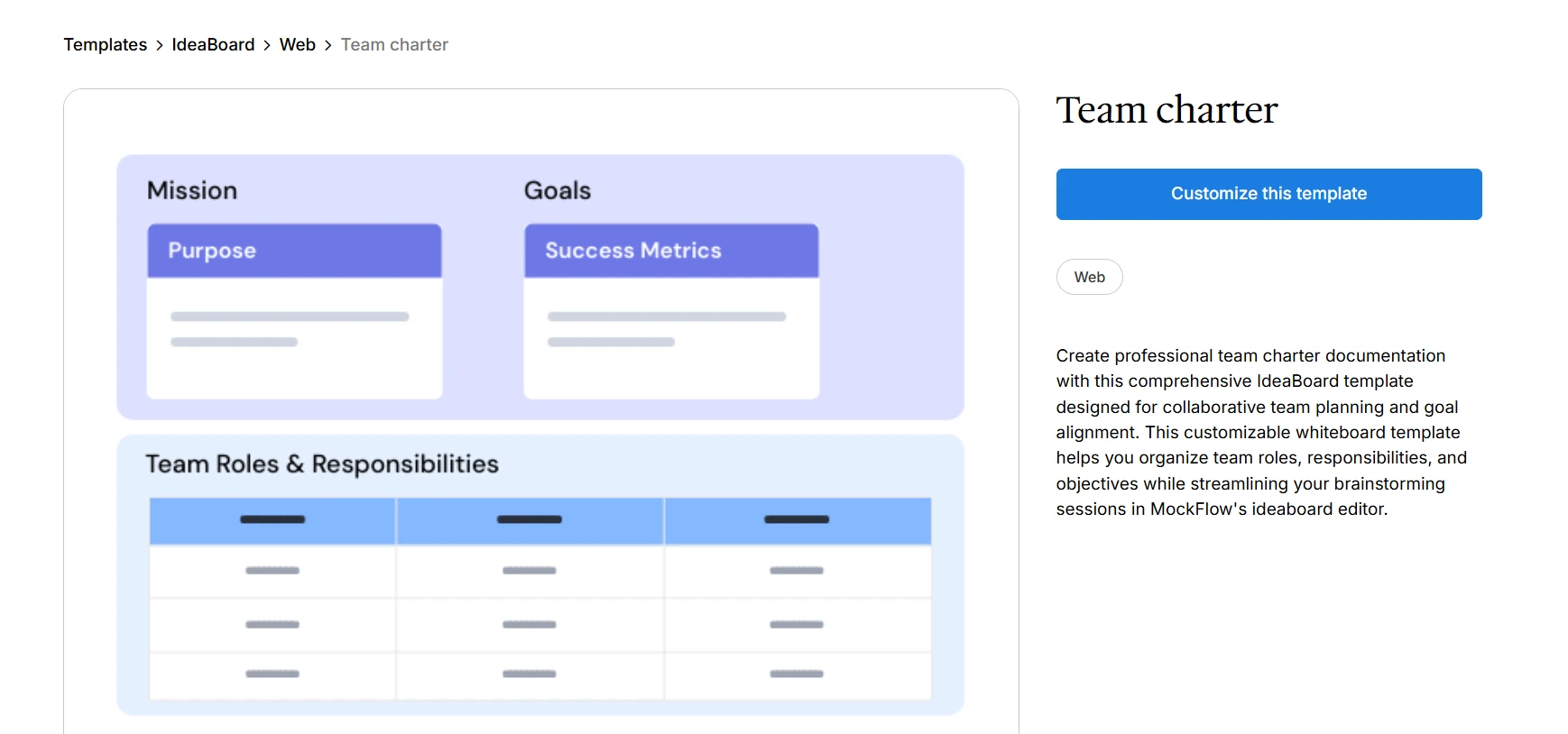
Customize this team charter template on IdeaBoard
This type of workspace works best when treated as:
- A collaborative planning environment
- A team alignment document
- A continuously editable working framework
How to Customize the Team Charter for Different Teams
Not every team requires the same charter structure. A project team charter for a software rollout may look very different from an Agile team charter or a cross-functional operations workflow.
Customization usually depends on factors like team size, workflow complexity, stakeholder involvement, and communication needs. The goal is to adapt the charter so it supports how the team actually collaborates.
Team Type | Customization Focus |
Agile teams | Sprint planning, decision workflows, retrospectives |
Cross-functional teams | Stakeholder alignment, communication clarity, and ownership tracking |
Remote or hybrid teams | Communication guidelines, documentation standards, async collaboration |
Project-based teams | Timelines, deliverables, accountability structures |
Operations teams | Process consistency, reporting workflows, escalation procedures |
Visual collaboration platforms like IdeaBoard support this flexibility through editable layouts, drag-and-drop collaboration, visual workflow mapping, expandable whiteboard spaces, and real-time editing.
Teams should treat the charter as a flexible collaboration framework that evolves with changing workflows and priorities rather than a static document.
How to Create a Team Charter Step-by-Step
Creating a team charter becomes significantly easier when teams collaborate visually instead of relying on disconnected spreadsheets or static documents.
Visual collaboration helps teams brainstorm, organize responsibilities, align expectations, and maintain updated documentation over time.
Teams can:
- Start with a template
- Generate a workspace using AI
- Build a structure from scratch
This approach improves participation, transparency, and long-term alignment.
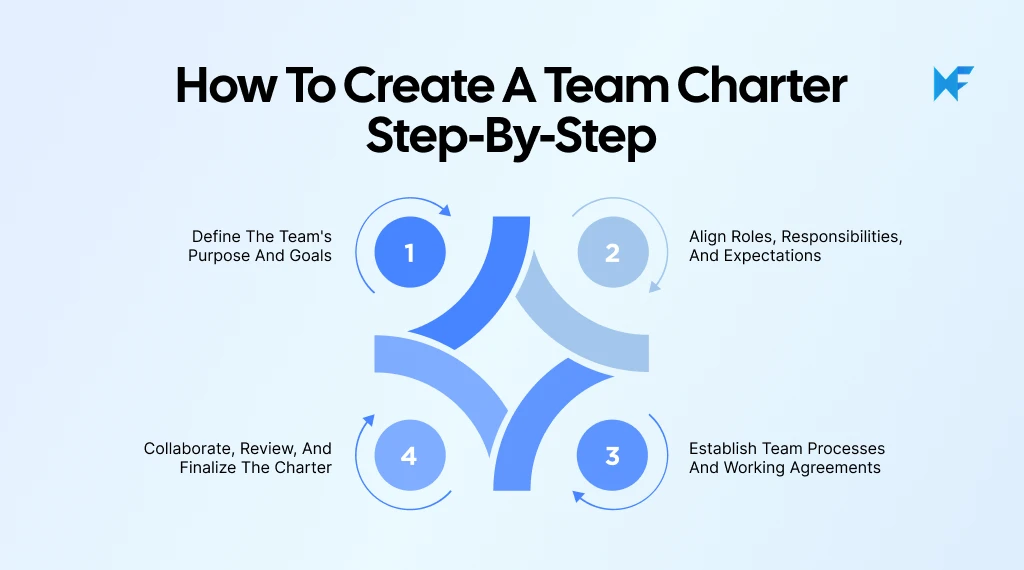
Step 1: Start With a Team Charter Template or AI-Generated Workspace
The easiest way to start creating a team charter is by using a structured template instead of building everything from scratch. This helps teams organize discussions faster while making sure important areas like goals, responsibilities, communication workflows, and accountability are not overlooked.
Many teams begin by outlining:
- Goals and objectives
- Team responsibilities
- Communication practices
- Working agreements
- Accountability expectations
Visual collaboration workspaces make this process easier with AI-powered workspace generation, editable templates, flexible layouts, and expandable canvases that teams can customize as discussions evolve.
Step 2: Define the Team’s Purpose, Goals, and Responsibilities
Once the workspace is ready, the next step is defining what the team is responsible for and what success should look like. This is where teams align on objectives, ownership, accountability, and expected outcomes before work begins.
At this stage, teams should clearly document:
- Team objectives
- Performance goals
- Ownership areas
- Stakeholder responsibilities
- Reporting expectations
These discussions become much easier when teams can organize ideas visually in a shared workspace. Mapping responsibilities, priorities, and workflows together helps everyone understand how individual contributions connect to broader team goals.
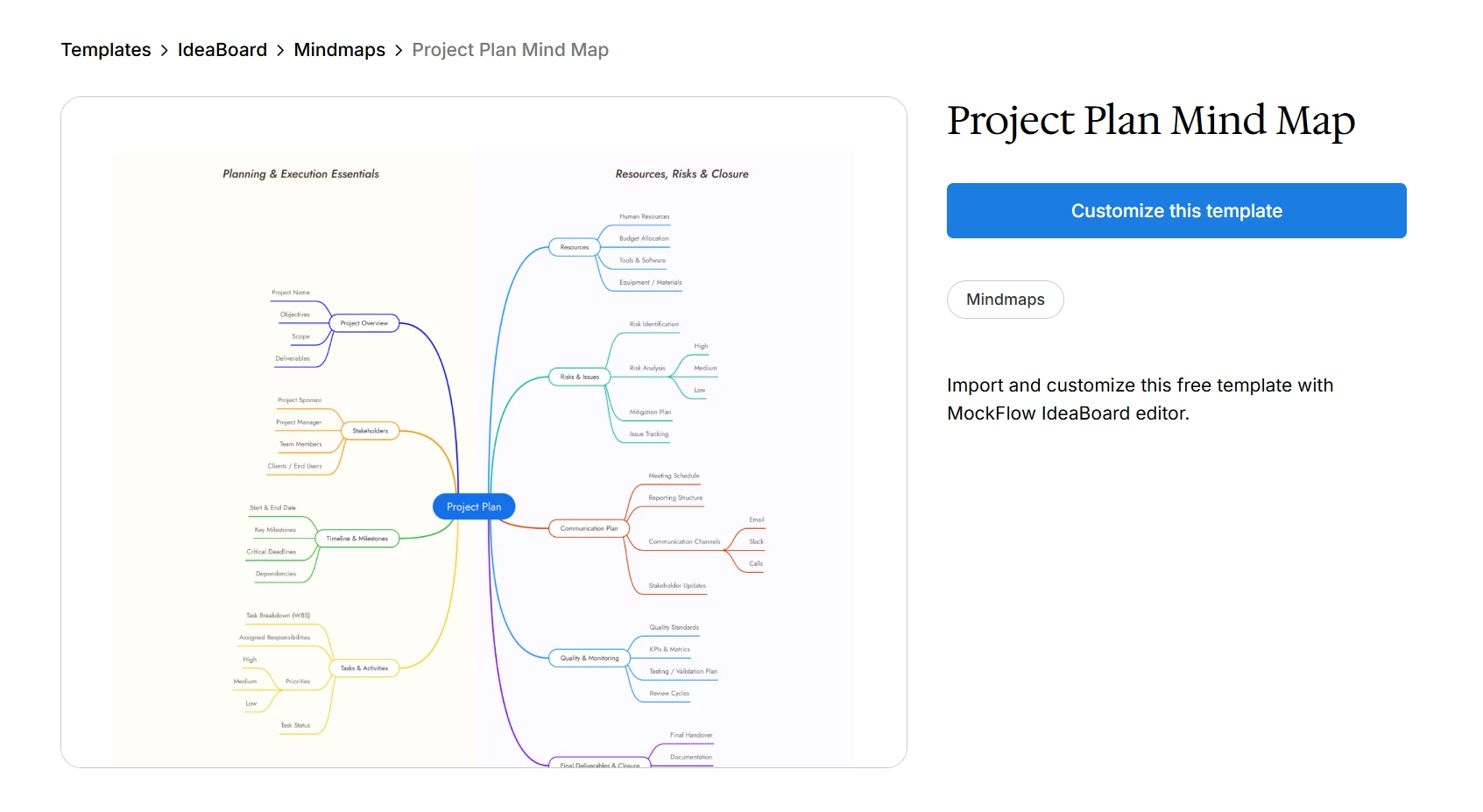
IdeaBoard’s Project Plan Mind Map makes it easier to break down objectives, organize workflows, map dependencies, and structure responsibilities visually before finalizing the team charter.
Customize this project plan mind map template on IdeaBoard
Step 3: Establish Team Processes and Working Agreements
After goals and responsibilities are defined, teams should focus on documenting how collaboration will work in practice. This helps create more consistency across workflows while making day-to-day coordination easier to manage.
This section usually includes:
- Communication workflows
- Meeting cadences
- Decision-making approaches
- Feedback processes
- Conflict-resolution guidelines
Instead of managing these discussions across scattered documents and tools, collaborative workspaces allow teams to centralize workflows, review processes together, and keep updates visible across stakeholders.
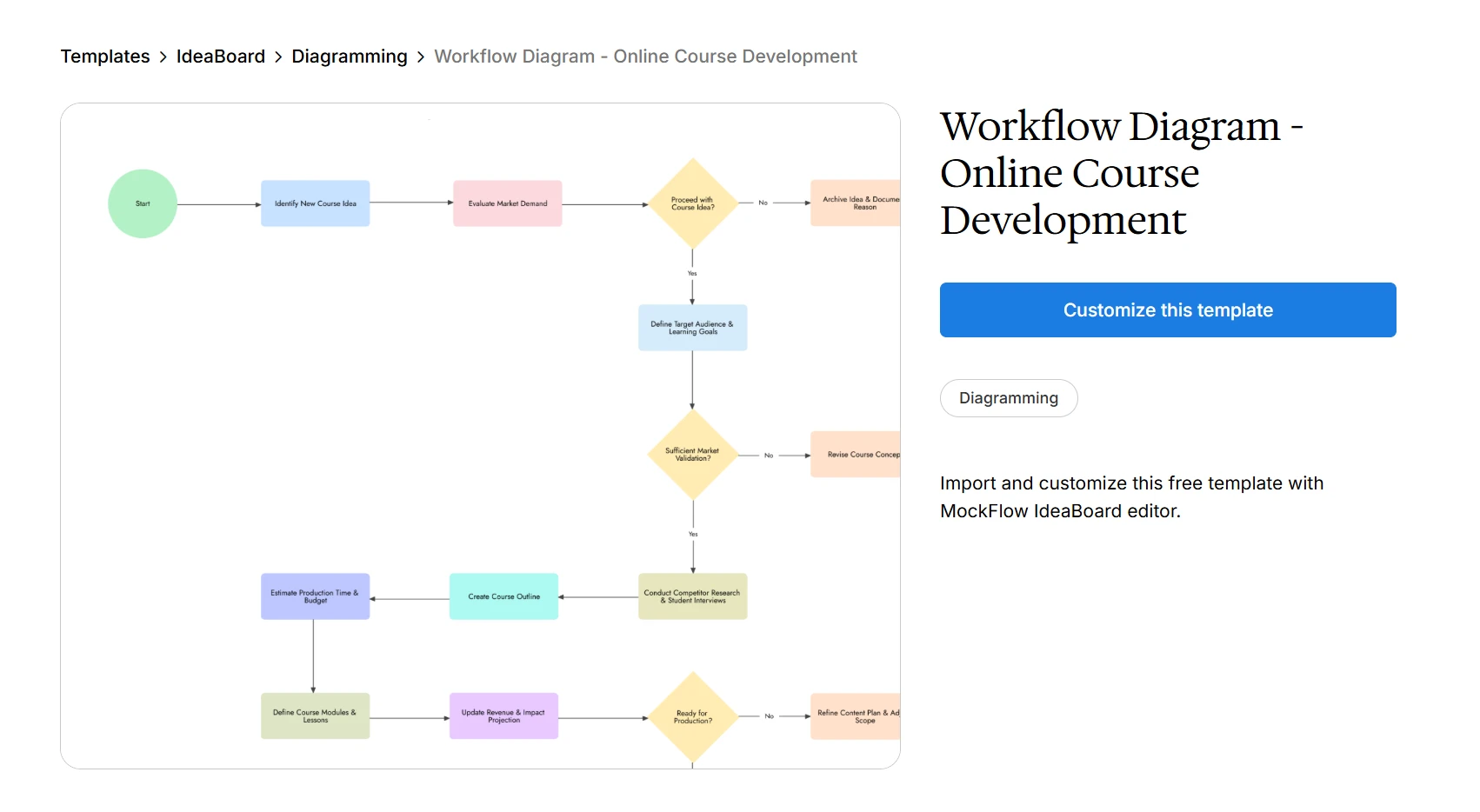
Teams often use workflow and meeting structures to standardize recurring collaboration practices and maintain smoother execution across projects.
Customize this online course development workflow diagram template
Step 4: Collaborate, Review, and Finalize the Charter
Before finalizing the team charter, the entire team should review it together to confirm that responsibilities, workflows, expectations, and communication practices are clearly aligned. Including managers, stakeholders, and team members in the review process helps reduce misunderstandings and improves overall accountability.
Collaborative review sessions also make it easier to identify gaps, refine workflows, and gather feedback before execution begins. Many teams use structured meeting workflows to organize these discussions and keep decisions documented throughout the review process.
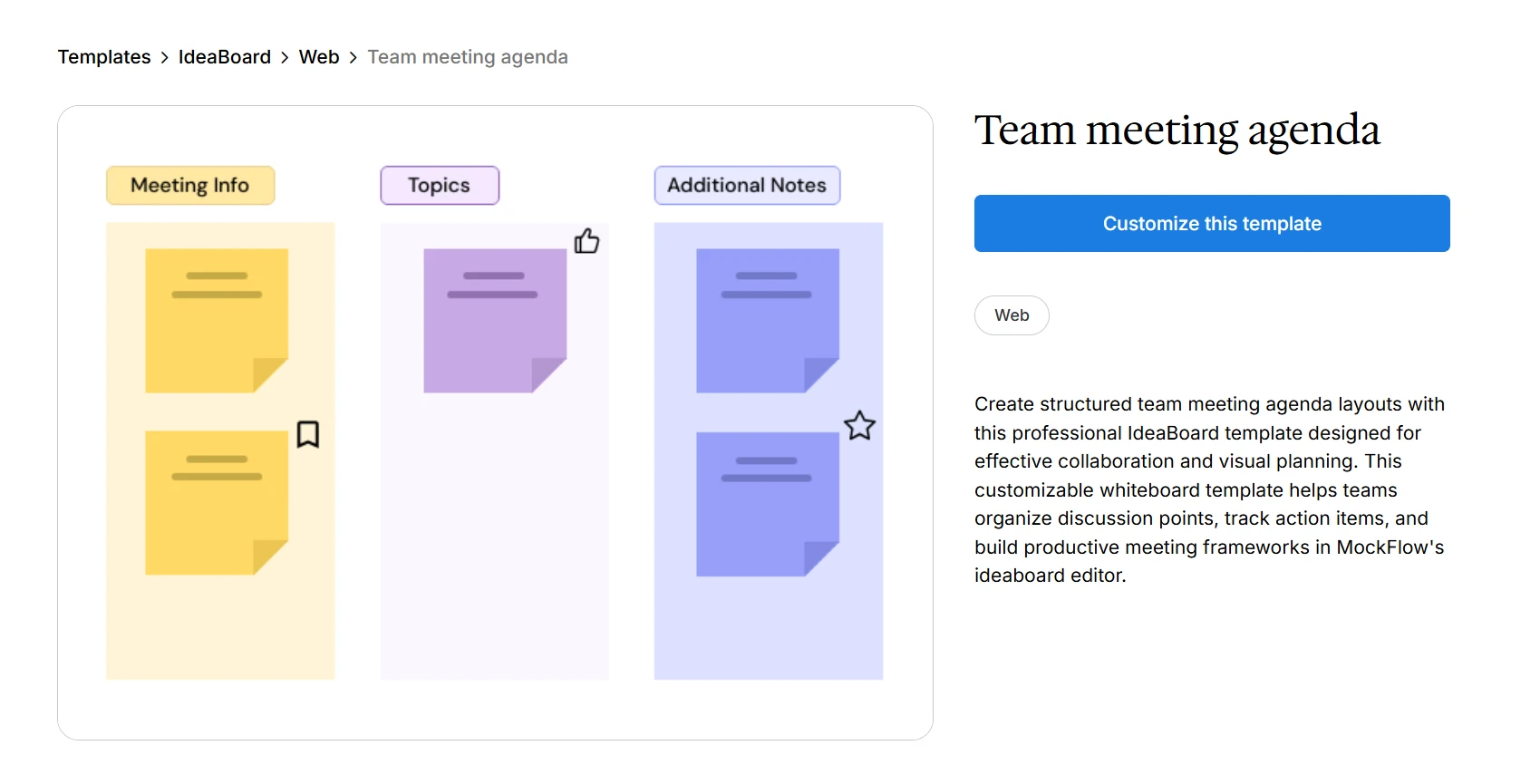
Templates like the Team Meeting Agenda can help teams manage charter review discussions more effectively.
Customize this team meeting agenda template to plan your next session
How Teams Collaborate on Team Charters With IdeaBoard
Team charters are most effective when they remain visible, collaborative, and continuously editable. Instead of managing responsibilities and workflows across scattered documents, teams work better when everything is organized in one shared workspace.
For distributed and cross-functional teams, collaborative workspaces make it easier to align goals, document decisions, and keep communication visible throughout the project lifecycle.
1. Organize Team Charter Discussions Visually
Organizing team charter discussions visually makes planning sessions easier to structure and follow. Instead of relying on lengthy documents or disconnected notes, teams can map workflows, responsibilities, and ideas together in one shared environment.
Collaborative boards are often used to organize:
- Priorities and deliverables
- Ownership mapping
- Team processes
- Collaboration workflows
- Accountability structures
This creates better visibility across stakeholders while helping teams structure discussions more efficiently during planning sessions.
For faster brainstorming and idea organization, teams can use the IdeaBoard’s AI prompt library to generate planning prompts, workflow ideas, and collaboration structures during charter creation.
Teams can also use the AI toolbox for brainstorming, idea generation, and workflow structuring directly inside collaborative boards.
2. Collaborate on Charter Documents in Real Time
Creating a team charter usually requires input from multiple contributors across departments and workflows. Real-time collaboration helps teams review responsibilities together, refine processes faster, and align decisions without long review cycles.
Shared editing environments also reduce version confusion because everyone works from the same source of truth.
Teams can collaborate more effectively through:
- Simultaneous editing
- Comments and feedback
- Shared workspaces
- Collaborative planning boards
- Real-time brainstorming sessions
IdeaBoard also supports visual collaboration directly inside meetings through its Google Meet integration, making it easier for teams to brainstorm and update team charters without switching between tools.
Teams that want AI-assisted visual collaboration can also use the ChatGPT integration for generating and organizing ideas directly inside the workspace.
3. Keep Team Charters Accessible and Editable
A team charter should evolve alongside the team. As workflows, priorities, and responsibilities change, the charter should remain easy to update, review, and share across the organization.
Centralized collaboration workspaces help teams:
- Revise communication practices
- Update responsibilities
- Adapt workflows
- Maintain long-term alignment
Cloud-based collaboration also keeps team agreements visible and accessible across departments, especially for remote and hybrid teams.
To make collaboration more interactive, IdeaBoard allows teams to use voice and video comments for feedback and workflow discussions directly inside shared workspaces.
Keeping team charters dynamic and collaborative helps organizations improve accountability, strengthen communication, and adapt workflows more effectively over time.
This ensures teams stay aligned as priorities, projects, and working models continue to evolve.
Conclusion
A strong team charter creates clarity around how teams collaborate, make decisions, and stay accountable as projects evolve. When expectations and workflows are documented early, teams can coordinate more effectively and avoid unnecessary friction during execution.
Instead of treating the charter as a static document, teams should continue refining it as priorities, workflows, and collaboration needs change over time.
With tools like IdeaBoard, teams can structure goals, responsibilities, and team agreements collaboratively on a shared visual workspace without slowing down collaboration.
Try it yourself with the no-sign-up-required version of IdeaBoard. Sign up to save your boards, continue building ideas, and collaborate more effectively with your team.
FAQs
1. How long should a team charter be?
A team charter should be detailed enough to clarify goals, responsibilities, communication practices, and workflows without becoming difficult to maintain. Most teams keep the document concise and focused so it remains easy to review, update, and use throughout the project lifecycle.
2. Who is responsible for creating a team charter?
Team charters are usually created collaboratively by project managers, team leads, stakeholders, and team members. Involving the entire team during planning helps improve alignment, encourages participation, and ensures expectations are clearly understood before work begins.
3. When should teams update a team charter?
Teams should revisit and update the charter whenever priorities, workflows, responsibilities, or team structures change. Reviewing the document regularly helps maintain alignment and ensures collaboration practices continue supporting current project requirements and team goals.
4. Can small teams benefit from a team charter?
Yes. Small teams often benefit from team charters because they help clarify responsibilities, decision-making processes, and communication expectations early. This reduces confusion, improves accountability, and helps smaller teams collaborate more efficiently as projects evolve.
5. What is the difference between a team charter and a project plan?
A team charter focuses on how the team collaborates, communicates, and operates together, while a project plan focuses on timelines, deliverables, milestones, and execution details. Both documents support project success but serve different planning and coordination purposes.
6. What tools can teams use to create a team charter?
Teams often use collaborative whiteboards, workflow planning tools, project planning software, and visual collaboration platforms to create and manage team charters. Shared workspaces make it easier to organize responsibilities, document workflows, and collaborate in real time across teams.
Lightning Decision Jam: How to Run the Workshop Step by Step
Team discussions can move quickly from useful input to circular debate. Everyone sees the problem differently, ideas start...
Round Robin Brainstorming: Steps, Benefits, and Use Cases
Introduction Brainstorming sessions that don't lead to clear, actionable ideas typically have a structure problem, not a lack of...
Creative Problem Solving: The 4-Stage CPS Model and Techniques
Introduction Traditional problem solving breaks down when challenges are complex, ambiguous, or cross-functional. It pushes...
