
MoSCoW Method Explained: Categories, Examples, and Use Cases
When every task feels important, prioritization can become the hardest part of the work. A team may be balancing stakeholder requests, a growing backlog, limited time, or too many competing priorities to judge clearly.
MoSCoW prioritization gives teams a simple way to separate urgent work from items that can wait. The framework can make planning easier, reduce second-guessing, and help teams explain scope decisions with more confidence.
This guide covers how the method works, how each category should be used, and how teams can apply it without adding more complexity to their workflow.
What is MoSCoW prioritization?
MoSCoW prioritization is a planning framework for deciding which requirements or tasks matter most within a project or release. It helps teams make clearer scope decisions when time or capacity is limited.
Dai Clegg developed the method at Oracle, and it later became associated with DSDM and Agile delivery.
MoSCoW stands for Must have, Should have, Could have, and Won’t have this time. For example, a product team may classify secure login as a Must Have and dark mode as a Could Have. Product teams, project managers, and business analysts use the method to keep priorities clear and planning focused.
What are the four MoSCoW prioritization categories?
The MoSCoW method divides requirements into four categories based on how necessary they are for the current delivery. This helps teams protect essential work while keeping enough flexibility to adjust scope when capacity changes.
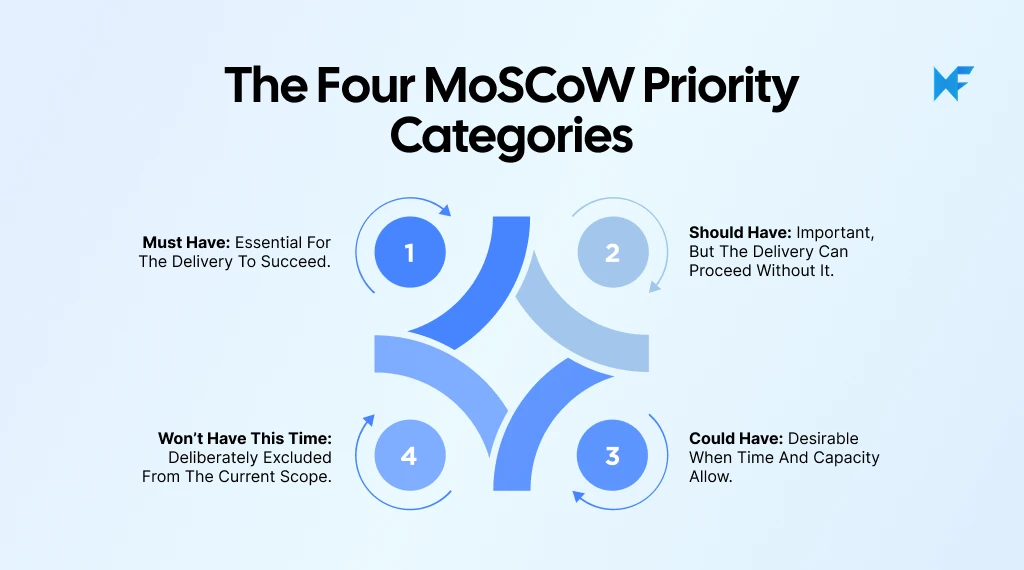
Each category represents a different level of priority, helping teams make clearer scope decisions.
Category | Meaning | Core question |
Must have | Essential to the current delivery | Would the delivery fail without it? |
Should have | Important but not essential | Would leaving it out cause a significant impact? |
Could have | Desirable if capacity allows | Can we omit it with relatively little impact? |
Won’t have this time | Explicitly outside current scope | Can we deliberately defer it? |
Teams can use the MoSCoW prioritization template to sort requirements into the four categories, compare competing priorities, and make scope decisions with stakeholders on the same board.
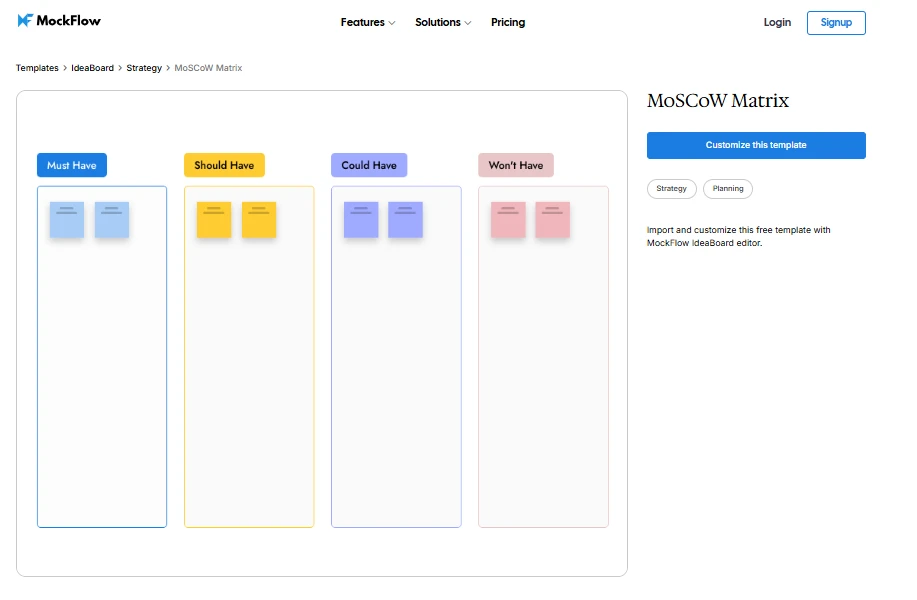
Customize this MoSCoW prioritization template in IdeaBoard
1. Must have (Mo)
Must Haves are requirements a release cannot succeed without. Removing one would prevent delivery from meeting a critical product, security, or compliance need.
A requirement usually belongs here when:
- Core functionality depends on it.
- Delivery would create an unacceptable risk without it.
- Another essential requirement cannot work without it.
For example, secure login may be a Must Have when users need authenticated access. Teams should still challenge every Must Have. The 2025 State of Product Ops report found that 92% of product professionals said the strongest voice often outweighs evidence. Agreed criteria help keep stakeholder pressure from turning every request into essential scope.
2. Should have (S)
Should Haves matter, but the current delivery can still succeed without them. Leaving one out may reduce user value or create inconvenience, although a temporary workaround may exist.
For example, password recovery may be a Should Have if support can temporarily help users regain access. The requirement is still valuable, but its absence does not stop the release from working.
The useful distinction is impact. A Must Have determines whether delivery remains viable, while a Should Have improves the outcome without carrying the same level of delivery risk.
3. Could have (Co)
Could Haves are useful improvements teams include only after higher-priority requirements are covered. Leaving them out should have limited impact on the release, giving teams flexibility when capacity becomes tight.
For example, a customization option may improve the experience without affecting core tasks. In MockFlow IdeaBoard, teams can group lower-priority requirements under Could Have and compare them directly with Must and Should items. When capacity drops, the team can defer selected items while keeping them visible for a later release.
4. Won’t have this time (W)
Won’t Have usually means not now, rather than never. The team deliberately leaves a requirement out because higher-priority work deserves the available capacity.
A requirement may belong here when:
- It does not support the current release goal.
- Its absence creates limited short-term impact.
- Higher-priority work needs the same time or resources.
For example, a useful feature may move into Won’t Have because it adds little to the current release objective. The team can revisit it during a later planning cycle.
How do teams use the MoSCoW prioritization method?
The MoSCoW method works best when teams define the delivery context first, then classify requirements against agreed criteria. The goal is to make scope decisions that reflect what the current project or release can realistically support.
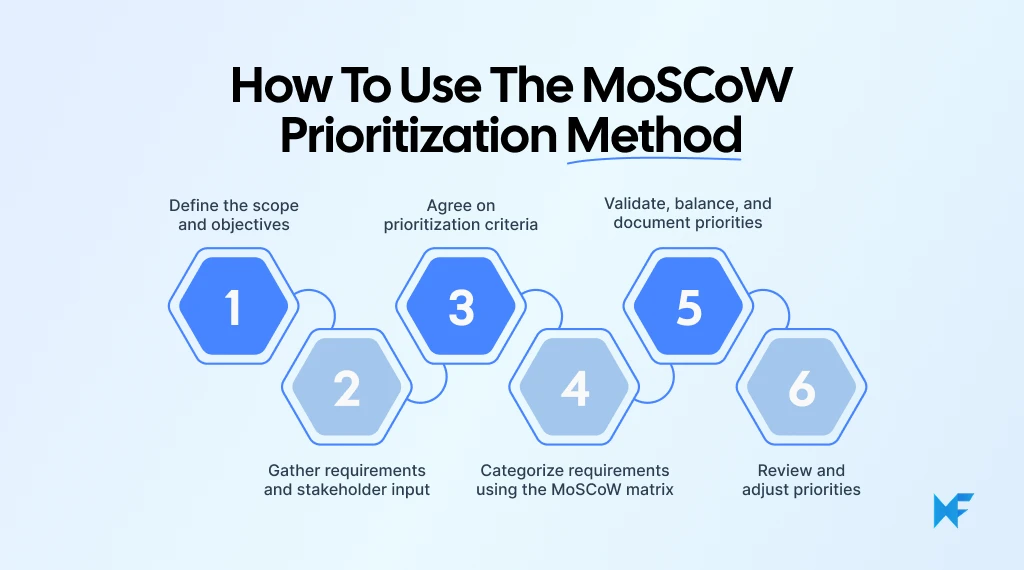
1. Define the scope and objectives
Start by defining what the team is prioritizing and what the current release or project needs to achieve. Every MoSCoW category should be judged against the same delivery goal, timeframe, and available capacity.
Before assigning priorities, filter requirements against the current objective. A request should not move higher simply because one stakeholder is pushing for it.
For example, a feature may be a Must Have for an enterprise release but only a Should Have for an early beta. If the delivery goal is still unclear, a gap analysis can help teams identify what needs attention before prioritization begins.
2. Gather requirements and stakeholder input
Bring the relevant requirements into one place before assigning priorities. Include backlog items, user stories, technical needs, and stakeholder requests that could affect the current delivery.
The goal is to avoid prioritizing from an incomplete list. Missing input often leads to priorities being challenged later, especially when another team introduces a dependency or critical requirement.
If requirements are still being shaped, brainstorming tools for collaborative idea generation can help teams capture input together before moving into prioritization. This gives stakeholders one shared pool of ideas to review, instead of working from scattered notes or separate conversations.
3. Agree on prioritization criteria
Before sorting anything, define what qualifies as a Must Have, Should Have, Could Have, or Won’t Have. Without shared criteria, teams can end up categorizing requirements based on personal preference.
Useful criteria may include:
- Impact on the user
- Business value
- Security or compliance risk
- Availability of a workaround
- Effort required
- Important dependencies
- Delivery deadline
For instance, if a requirement has no acceptable workaround and blocks a critical user journey, that gives the team a stronger case for treating it as a Must Have.
Teams should also agree on decision ownership before the session begins. When stakeholders disagree, someone needs clear authority to make the final call. Visual collaboration tools can also help teams review impact, dependencies, and competing priorities together before settling on a classification.
4. Categorize requirements using the MoSCoW matrix
Now assign each requirement to the category that best reflects its importance to the current delivery.
Avoid sorting by instinct alone. Record enough context so the reasoning remains clear when priorities are reviewed later. According to PMI’s 2025 Project Success study, defining success upfront and tracking outcomes raised the Net Project Success Score from 31 to 54. Add a success measure and review date to every priority decision.
For each requirement, it helps to capture:
- The requirement itself
- Its MoSCoW category
- Why it received that category
- Any dependency affecting the decision
- The owner, when relevant
This creates a useful decision record. If someone later questions why an item was deferred, the team can revisit the reasoning instead of starting the discussion again.
5. Validate, balance, and document priorities
Review the matrix after categorization and challenge every Must Have. If delivery can still succeed without a requirement, it may belong under Should Have instead. DSDM guidance suggests keeping Must Haves to roughly 60% of delivery effort, with Could Haves around 20%.
Show available capacity beside each priority so stakeholders can see what the team can realistically deliver. When new Must Haves appear, decide what moves out. For items within the same category, use impact or dependencies to determine order.
6. Review and adjust priorities
MoSCoW categories should reflect the current delivery context, so they should change when that context changes.
Revisit priorities when:
- Available capacity changes
- New dependencies appear
- Requirements are updated
- Customer evidence changes
- Project scope shifts
- A new release begins
A Should Have may become a Must Have when a new dependency emerges. A Must Have may move down when the release objective changes.
Regular review keeps the matrix useful as a planning tool. For recurring planning sessions, the IdeaBoard prompt library gives teams editable starting prompts for related planning and visual workflows, reducing setup when the wider discussion needs to move beyond the matrix.
What is an example of MoSCoW prioritization?
Suppose a team is preparing the first release of a SaaS product with secure access as the main launch objective. The MoSCoW method helps the team decide which requirements support that objective now and which can wait.
Requirement | Category | Reason |
Secure login | Must have | The product cannot be safely released without controlled access. |
Password recovery | Should have | Important for users, but support can temporarily provide a workaround. |
Dark mode | Could have | Improves the experience without affecting the core release objective. |
Social sharing | Won’t have this time | Does not contribute enough to the current release goal. |
MoSCoW categories can change when project conditions change, so teams should avoid treating them as permanent labels. Password recovery, for example, could become a Must Have if enterprise customers require self-service recovery before approving rollout. Once the scope is agreed, AI-generated Kanban boards can turn approved work into a clearer delivery view, helping teams sequence execution without rebuilding the plan.
When should you use MoSCoW prioritization, and what are its benefits and limitations?
MoSCoW prioritization works best when teams need to make clear scope decisions around limited time, capacity, or competing stakeholder demands.
Use case or factor | How MoSCoW helps | Watch out for |
Backlog and feature prioritization | Helps teams separate essential requirements from work that can wait. | Categories can become subjective without agreed criteria. |
MVPs and product releases | Keeps delivery focused on what the release genuinely depends on. | Too many Must Haves remove the flexibility the method is meant to create. |
Roadmap and project planning | Makes scope decisions easier to explain across teams and stakeholders. | MoSCoW does not rank items within the same category. |
Fixed deadlines or limited resources | Gives teams a clear way to defer lower-priority work when capacity tightens. | Dependencies may still determine delivery order regardless of category. |
Stakeholder workshops and scope control | Creates a shared language for deciding what belongs now and what can move later. | Priorities need regular review as scope or customer evidence changes. |
When MoSCoW is not enough | Use another method alongside it when precise scoring or detailed value-versus-cost analysis is required. | MoSCoW alone may be too broad for complex numerical prioritization. |
If MoSCoW needs support from another planning exercise, the IdeaBoard template library provides ready-made strategy and prioritization structures, so teams can extend the workshop without starting from scratch.
How can you use the MoSCoW matrix in MockFlow IdeaBoard?
A MoSCoW matrix works better when requirements, discussions, and scope changes stay visible throughout prioritization. MockFlow IdeaBoard gives teams a shared visual canvas to build the matrix, discuss priorities, and keep decisions current as the scope changes.
Here are a few practical ways to run the process:
- Set up the four MoSCoW categories: Create sections for Must Have, Should Have, Could Have, and Won’t Have, then place each requirement on a separate sticky. You can also start from a template and adapt the layout.
- Move requirements as priorities change: Shift items between categories as the team discusses dependencies or trade-offs. Real-time collaboration keeps the current scope visible to everyone while decisions are being made.
- Refine unclear requirements before prioritizing them: Modify existing content with AI to refine and restructure any vague or lengthy requirements. Clear interpretations give the team a stronger basis for deciding where each item belongs.
- Keep supporting context beside the matrix: Longer notes, assumptions, or supporting information can sit in the Docs component beside the matrix. This keeps the prioritization view clean while giving stakeholders access to the context behind a requirement when they need it.
- Capture the reasoning behind difficult decisions: Add voice or video comments to requirements that need additional explanation. This gives stakeholders a way to revisit the reasoning behind a priority without relying on meeting notes or memory.
- Keep the final priorities available afterward: Once the matrix is agreed, share the completed IdeaBoard so stakeholders can review agreed priorities and revisit them when requirements change.
Used this way, IdeaBoard supports the MoSCoW process without taking attention away from the prioritization itself. The team can see the choices, understand why they were made, and adjust them as delivery conditions change.
Conclusion
A practical way to put MoSCoW into use is to bring the current backlog or requirement list into one shared matrix. Seeing priorities together makes it easier to spot overloaded scope, challenge weak Must Haves, and decide what can move without putting the release at risk.
With MockFlow IdeaBoard, teams can sort requirements visually, discuss trade-offs in one workspace, and adjust priorities as assumptions change. The finished board also gives stakeholders a clear record of what was prioritized, what was deferred, and why.
Ready to make prioritization easier to run? Sign up for IdeaBoard and build the first MoSCoW matrix with the team.
FAQs
1. What percentage of requirements should be Must Haves?
DSDM guidance suggests Must Haves should account for roughly 60% of available delivery effort. The percentage refers to effort or capacity, not the number of requirements. A few complex Must Haves may consume more capacity than several smaller requirements.
2. Can a requirement move between MoSCoW categories?
Yes. MoSCoW categories should change when the delivery context changes. A Should Have may become essential because of a new dependency, customer requirement, or release objective. Teams should revisit classifications whenever assumptions, scope, or available capacity change.
3. How do you prioritize items within the same MoSCoW category?
MoSCoW does not rank items within the same category. When several requirements compete for attention, compare their value, effort, risk, dependencies, cost of delay, or delivery sequence. Those factors help teams decide which requirement should be handled first.
4. Can MoSCoW be used for backlog prioritization?
Yes. MoSCoW works well for backlog prioritization because it helps teams separate essential work from requirements that can wait. However, it does not determine the order of items within each category, so additional sequencing criteria may still be needed.
5. How often should MoSCoW priorities be reviewed?
Review priorities at meaningful planning points, such as release planning, backlog reviews, or scope changes. Teams should also revisit the matrix whenever capacity, dependencies, customer evidence, or delivery assumptions change enough to affect earlier prioritization decisions.
6. Who decides priorities when stakeholders disagree?
Teams should establish decision ownership before prioritization begins. A product owner, project lead, or another agreed decision-maker should make the final call when consensus is impossible. Clear ownership prevents priority decisions from being driven by seniority or the loudest stakeholder.

What Is a SIPOC Diagram? Components, Benefits, and How to Create One
Introduction A SIPOC (Suppliers, Inputs, Process, Outputs, Customers) diagram helps teams define the scope of a business process...

Quarterly Business Review: How to Plan, Structure & Run a QBR Meeting
Introduction Every quarter, we pause and ask ourselves a familiar question: are we actually moving the business forward, or are...

How to Build a PERT Chart: 4 Examples, Templates, and Calculations
A PERT chart is a project network diagram that shows how activities connect, how long they may take, where key milestones sit,...
