Miro vs Lucidspark: A Complete Feature-by-Feature Comparison for 2026
Introduction
If you’re comparing Miro and Lucidspark, you’re likely exploring which digital whiteboard aligns best with your team's way of working. Both tools are built for collaboration, brainstorming, and visual thinking, and at first glance, they seem very similar. But once you start using them, differences in structure, workflow, and collaboration style become more noticeable.
Miro is known for its extensive features, ecosystem of integrations, and flexibility - making it suited for teams that want a platform capable of supporting everything from ideation to planning and documentation. Lucidspark, on the other hand, focuses on a streamlined experience that complements Lucidchart, with strong facilitation tools and a workflow designed for teams who want clarity and guided collaboration.
Somewhere in that gap is the real question you’re trying to answer: Which tool actually helps our team think better together? Not theoretically, not in a feature checklist, but in the everyday messiness of brainstorming, planning, and collaborating with real humans who work differently.
That’s where this comparison comes in. We’re breaking down Miro and Lucidspark the way teams actually use them: the canvas experience, real-time collaboration, structure, flexibility, pricing, and everything in between.
And while we are here to help you choose between the two, we’ll also give you a simpler, more focused alternative like MockFlow IdeaBoard that offers the best collaboration features while staying simple on purpose.
Let’s dive in.
Miro vs Lucidspark Comparison: Key Features & Differences
Miro vs Lucidspark compares two leading online whiteboard tools that support visual collaboration, real-time teamwork, and structured brainstorming.
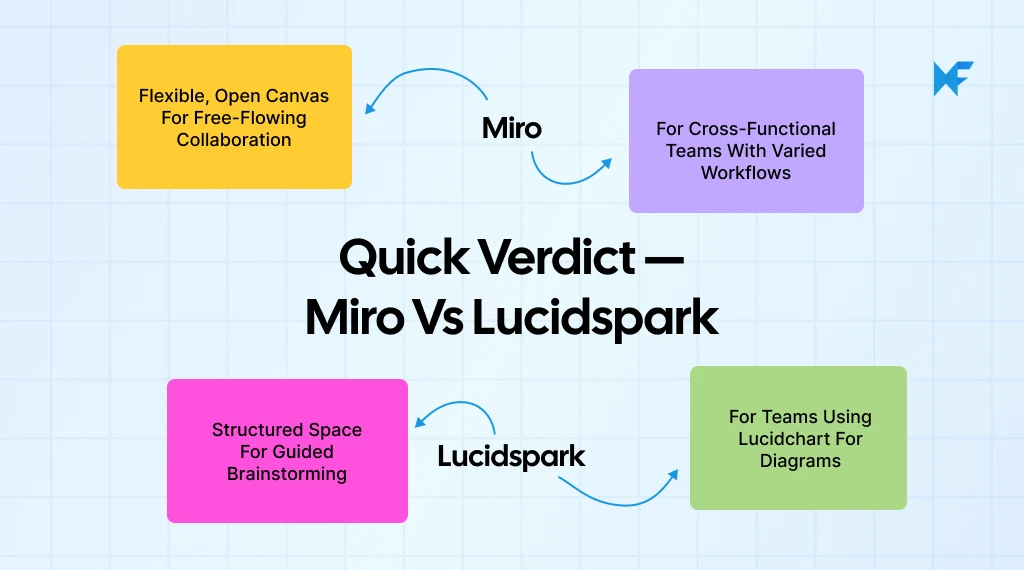
Miro provides a flexible canvas, extensive templates, and broad integrations. Lucidspark offers structured diagrams, strong Lucidchart connectivity, and organized ideation flows. Both tools support workshops, live editing, and remote collaboration.
Teams choose between Miro and Lucidspark based on workflow style, integration needs, and board performance. This comparison helps users identify the best platform for brainstorming, workshops, and cross-functional collaboration.
This section breaks down the features teams evaluate most before taking a decision.
Quick Miro vs Lucidspark Comparison Table
Feature Category | Miro | Lucidspark |
Canvas Style | Flexible infinite canvas for free-flowing, multi-workflow collaboration | Structured infinite canvas built for organized brainstorming |
Real-Time Collaboration | Smooth multi-cursor editing with strong performance on large boards | Real-time editing with up to 20 collaborator cursors and clean alignment tools |
Templates & Ideation | 2,500+ templates plus built-in mind mapping and smart drawing | Curated ideation and workshop templates with Lucidchart-connected structures |
Workflow & Integrations | 250+ integrations including Jira, Asana, Teams, Notion, Google Workspace | Lucidchart-native ecosystem plus core integrations like Slack and Jira |
Facilitation Tools | Smart Meetings, frames, voting, timers, presenter mode | Breakout boards, voting, gather & sort, attention call tools |
AI Capabilities | AI summaries, clustering, diagram generation, idea generation | AI clustering, idea suggestions, Lucidchart-powered diagram conversion |
Security & Compliance | SOC 2, ISO 27001, GDPR, advanced admin controls | SOC 2 Type II, ISO 27001, GDPR, enterprise access controls |
Pricing | Free plan, paid plans from $8/user/month | Free plan, paid plans from $9/user/month |
Now, let’s compare Miro vs Lucidspark for brainstorming in detail:
1. Canvas & Real-Time Collaboration Features
The canvas experience determines how naturally teams can map ideas, move across workflows, and collaborate without friction. Miro’s user interface vs Lucidspark’s usability differs in certain aspects.
Miro — Features
- Infinite, multiplayer canvas built for visual collaboration and ideation.
- Instant real-time collaboration with visible cursors and smooth edits.
- Deep integration ecosystem (250+ apps) plus structured workflows (Docs, Tables, Slides) inside the canvas.
Lucidspark — Features
- Flexible infinite canvas for sticky notes, shapes, and sketches built for brainstorming and ideation.
- Real-time collaboration support including collaborator cursors (up to 20) and live edits.
- Built-in facilitation features: voting, timers, breakout boards, and container/grouping tools support workshops and ideation.
Limitations to Note
- Miro: The broad infinite canvas and flexibility can lead to clutter, especially in very large boards.
- Lucidspark: While highly collaborative, the workspace is less structured for complex diagramming workflows compared to dedicated diagram tools.
A McKinsey global executive survey found that 9 out of 10 organizations plan to adopt a hybrid work model, significantly increasing reliance on real-time digital collaboration tools.
2. Templates, Ideation & Mind-Mapping Tools
Templates and ideation tools speed up session flow, helping teams jump quickly from blank canvas to structured thinking.
Product managers often select collaboration tools based on how many distinct activities they support, like brainstorming, road-mapping, Jira linking, rather than just sticking to a whiteboard for sticky notes. A wider scope increases the chance the board becomes a central hub rather than a side tool.
Miro — Features
- 2,500+ community and native templates covering brainstorming, research, agile, strategy, and diagramming.
- Built-in mind-mapping tool with auto-branching and drag-and-drop node control.
- Smart drawing, sticky notes, clustering, and AI-powered summarization to accelerate ideation.
Lucidspark — Features
- Curated templates for workshops, team planning, and ideation, connected to the Lucidchart diagramming ecosystem.
- Mind-mapping starter structures that stay neatly aligned for clean, guided exploration.
- Assisted grouping and tagging tools (auto-sort, gather, cluster) for organizing large sticky-note sets.
Limitations to Note
- Miro: Some advanced templates and automation features require paid plans.
- Lucidspark: Smaller template library compared to Miro and limited automation for complex mind maps.
3. Integrations & Workflows
Integrations determine how smoothly a whiteboard fits into the broader tool stack your team uses daily.
Miro — Features
- 250+ integrations including Slack, Jira, Asana, Notion, Google Workspace, Microsoft Teams, Figma, HubSpot, and more.
- Two-way Jira and Azure DevOps sync for converting sticky notes into tickets and updating status.
- Embeddable boards and Miro Smart Meetings for structured workflow execution inside the canvas.
Lucidspark — Features
- Seamless integration with Lucidchart for moving ideas into structured diagrams.
- Integrations with Slack, Jira, Google Workspace, and Microsoft Teams for collaboration and notifications.
- Actionable sticky notes that sync with Lucidchart for refining early ideas into more formal diagrams.
Limitations to Note
- Miro: Integration depth can feel overwhelming for smaller or less technical teams.
- Lucidspark: Fewer third-party integrations; workflow strength relies heavily on the Lucidchart ecosystem.
4. Facilitation & Workshops
Facilitation tools support structured sessions such as retros, planning, design sprints, and team workshops.
Miro — Features
- Smart Meetings with facilitator controls, guided agendas, and one-click activity setup.
- Built-in voting, timers, breakout frames, and presenter mode for running workshops smoothly.
- Pre-built workshop templates including retros, sprint planning, problem framing, and more.
Lucidspark — Features
- Facilitator tools such as timers, voting sessions, gather & sort, and attention calls.
- Breakout boards for splitting participants into subgroups during complex workshops.
- Collaborator grouping tools (tags, clusters, containers) that help maintain order during fast ideation.
Limitations to Note
- Miro: Some advanced Smart Meeting features are locked behind higher-tier plans.
- Lucidspark: Fewer advanced facilitation workflows compared to Miro’s Smart Meetings framework.
5. AI Capabilities
AI features now play a major role in speeding up brainstorming, summarizing complex boards, and turning raw ideas into structured insights.
Deloitte’s Productivity+ research found that 68% of employees believe enhanced digital tools, including AI assistance, would significantly improve their workplace productivity.
Miro — Features
- Automatically groups sticky notes and generates concise summaries of large boards.
- Converts plain text prompts into flowcharts, mind maps, and diagrams using AI.
- Creates templates, user stories, and ideas from prompts directly on the board.
Lucidspark — Features
- Automatically clusters related sticky notes and labels them for faster synthesis.
- Suggests ideas, helps expand concepts, and keeps workshop momentum high with AI-assisted brainstorming.
- Converts ideation outputs from Lucidspark into structured diagrams using Lucidchart’s AI.
Limitations to Note
- Miro: AI features are available only on paid plans.
- Lucidspark: Heavily relies on the Lucidchart ecosystem for advanced AI-powered diagramming.
6. Security & Compliance
Security is crucial for companies managing distributed teams and sensitive workflows.
Miro — Features
- Enterprise-grade SSO, SCIM, granular permissions, and advanced admin controls.
- Certifications including SOC 2, ISO/IEC 27001, and GDPR compliance.
- Data governance tools for controlling sharing, exports, and guest access.
Lucidspark — Features
- SSO, SCIM provisioning, domain control, and enterprise-level admin settings.
- SOC 2 Type II, ISO 27001, GDPR, and trusted cloud hosting.
- Advanced sharing permissions for secure external collaboration.
Limitations to Note
- Miro: Some governance controls available only on Enterprise plans.
- Lucidspark: Fewer granular workspace-level controls compared to larger collaboration suites.
7. Pricing Overview
Pricing influences long-term scalability for small teams, startups, and large enterprises.
Miro — Features
- Free plan: unlimited members, up to 3 editable boards.
- Starter plan: $8/user/month (billed annually) — unlimited editable boards, core features.
- Business plan: $16/user/month (billed annually) — advanced admin, SSO, unlimited guests.
- Enterprise: Custom pricing.
Lucidspark — Features
- Free plan: basic whiteboard features.
- Individual plan: $9/user/month — unlimited boards, premium visual activities.
- Team plan: $10/user/month — full collaboration, admin controls, voting, timer.
- Enterprise: Custom pricing.
Limitations to Note
- Miro: Costs may scale quickly for large teams needing full integrations and workshop features.
- Lucidspark: True value is unlocked when paired with Lucidchart, which adds extra cost.
8. User Feedback and Platform Reviews
User reviews across trusted platforms such as G2 and Gartner Peer Insights reveal consistent patterns in how teams experience these tools during real collaboration.
Miro Reviews:
Feedback for Miro often highlights its flexibility and ability to support a wide range of workflows. However, performance concerns are most noticeable when boards grow complex or many collaborators are active at the same time, as per G2 reviews.
Common concerns raised:
- Large boards may slow down or lag during high activity
- Navigation becomes difficult when too many objects accumulate on the canvas
- Some teams find the number of features overwhelming during initial onboarding
Lucidspark Reviews:
Gartner Peer Insights reviews note that Lucidspark is valued for its structured collaboration style and close alignment with Lucidchart. However, several users point out that the environment feels more rigid compared to open-canvas whiteboards.
Common concerns raised:
- Most diagramming power is dependent on Lucidchart rather than Lucidspark itself
- Workspace structure may feel restrictive for free-form ideation
- Less suitable for teams that are not already using Lucidchart or Lucid’s broader platform
These differences highlight how each platform supports a distinct style of collaboration. With this Lucidspark vs Miro comparison covered, the next step is identifying which option aligns best with your team’s workflow.
How to Choose the Right Visual Collaboration Tool
Selecting between Miro and Lucidspark depends on how a team collaborates, the level of structure required, and the tools already present in the workflow. When conducting a visual collaboration tools comparison or a detailed Miro vs Lucidspark comparison, the decision becomes clearer by evaluating the questions below.
1. Does the team need free-flowing or structured collaboration?
If the sessions tend to be non-linear, jumping from brainstorming to mapping to planning, Miro supports that flexibility. If clearly defined steps and organized clusters are preferred, Lucidspark keeps everything tidy and guided.
2. Is diagramming a core requirement?
Lucidspark integrates tightly with Lucidchart, making it suitable for converting ideas into formal diagrams and structured outputs. This is ideal for users seeking reliable online whiteboard tools with built-in clarity. Miro is better suited for fast exploration and flexible mapping.
3. Which integrations are essential to daily workflows?
Teams using Jira, Asana, Notion, Zoom, or Google Workspace gain more value from Miro’s broader integration ecosystem. Teams centered around Lucidchart benefit from Lucidspark’s seamless connectivity.
4. What type of sessions occur most frequently?
Workshops, retrospectives, and multi-stage planning work well with Miro’s frames and facilitation tools. Focused brainstorming, clustering, and organized teamwork align with Lucidspark’s structured environment.
5. How large or distributed is the team?
Miro offers stronger governance and workflow flexibility, making it suitable for larger organizations seeking robust team collaboration software. Lucidspark often fits smaller teams that prioritize clarity and structure.
6. Is creative exploration or structured output more important?
Miro enables free-form experimentation. Lucidspark emphasizes organization, tagging, and cleaner handoff.
7. Is long-term scalability or ecosystem alignment the priority?
Miro scales well across complex, multi-stage collaboration environments. Lucidspark is advantageous for teams already embedded in the Lucid ecosystem, especially when diagramming is essential.
MockFlow IdeaBoard: A Simpler Alternative to Miro and Lucidspark
MockFlow IdeaBoard offers a lightweight, intuitive whiteboard for teams who want clarity, speed, and essential brainstorming features without the complexity of large platforms. It is designed for fast-thinking environments that benefit from clean layouts, zero learning curve, and real-time collaboration that feels effortless.
Core Whiteboarding Features in MockFlow IdeaBoard
IdeaBoard focuses on the essentials that teams rely on every day while keeping the experience clean and immediate.
Core Features
- Infinite canvas with smooth, responsive navigation that keeps sessions efficient
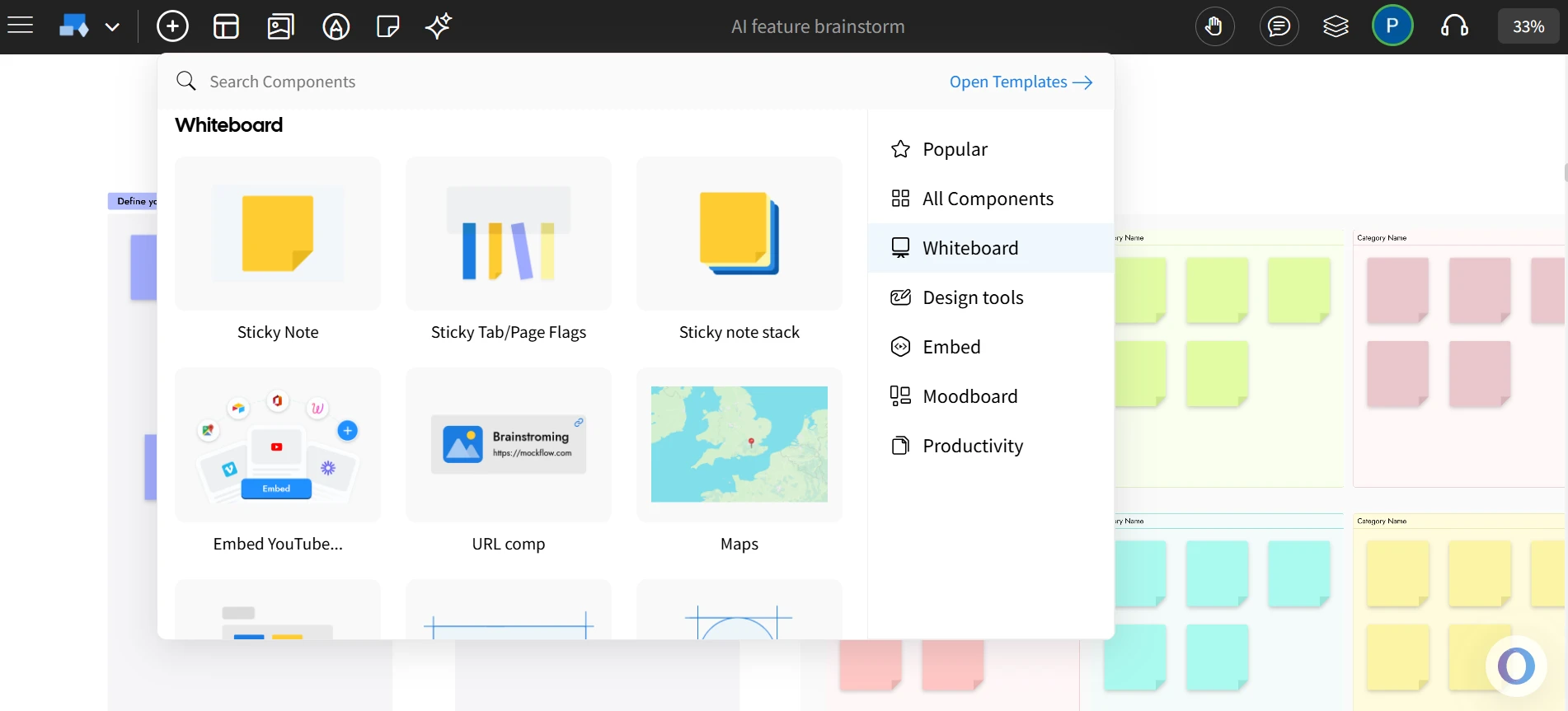
- Essential whiteboarding tools including sticky notes, shapes, text, drawing, and structured starter templates
- Real-time multiplayer collaboration with instant sync and a clutter-free interface
- Offline mode that allows full whiteboarding capability without an internet connection.
Teams adopting new whiteboard platforms often see better results when they begin with simple flows and gradually expand into more detailed diagrams, since this reduces onboarding friction and helps users build confidence as complexity increases. IdeaBoard’s minimal, distraction-free interface supports this approach.
IdeaBoard Tool and Differentiators
IdeaBoard simplifies collaboration and reduces friction during brainstorming and planning sessions with its unique capabilities, making it a worthy Lucidspark and Miro alternative.
Key Differentiators
- Offline whiteboarding that works anywhere and eliminates connectivity barriers. Teams can brainstorm in classrooms, workshops, client sites, and low-network spaces with complete reliability.
- Multimedia comments with drag and drop video/voice comments for clearer feedback and during async collaboration.
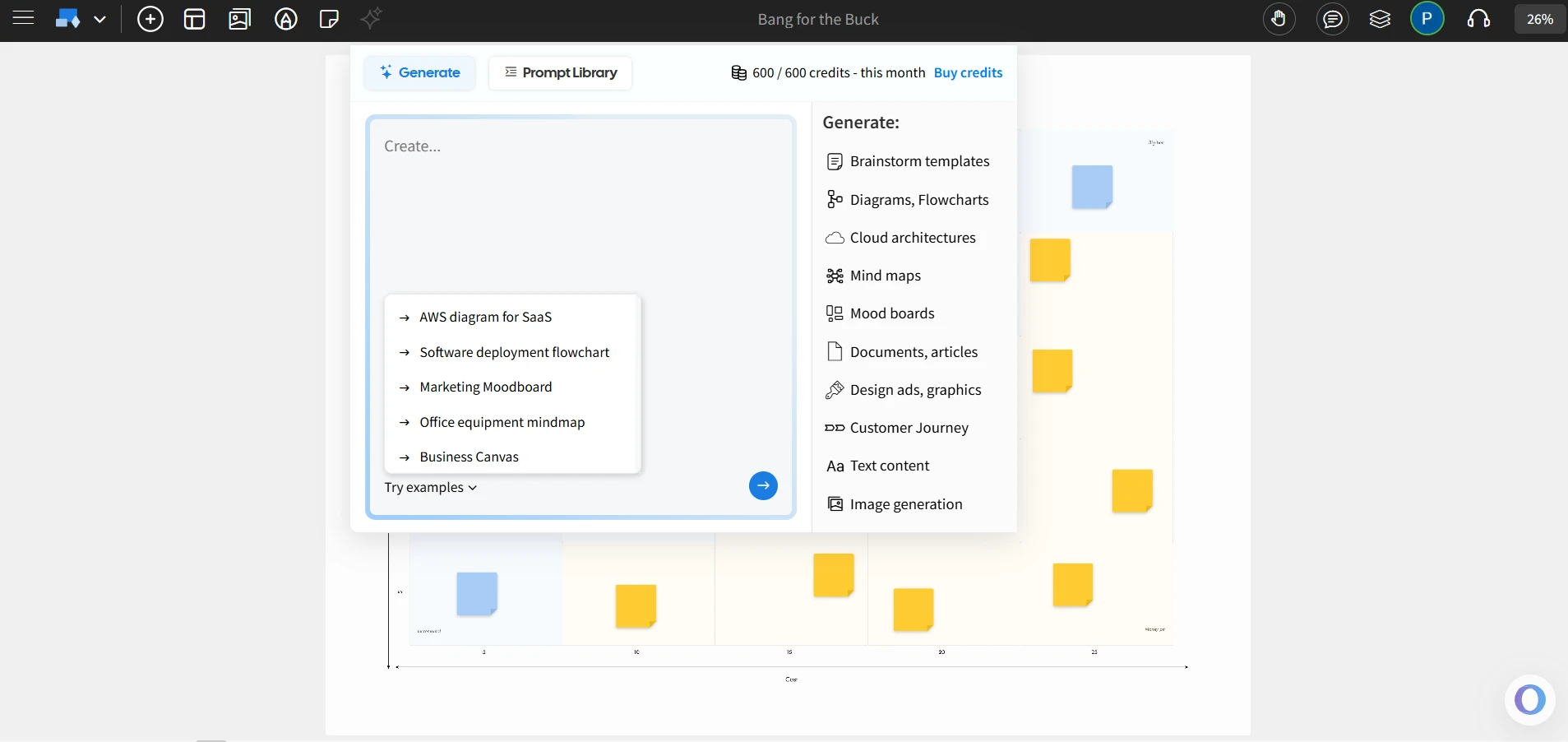
- AI Toolbox for brainstorming that generates ideas, expands concepts, and creates ready-to-use board templates, reducing session prep time significantly.
- Non-linear presentations that turn boards into interactive storytelling flows, enabling presenters to move between ideas without rigid slide sequences.
- Branded backgrounds that help teams maintain visual identity during workshops, training, or client sessions.
- AI-enabled maps component that quickly builds spatial, directional, and conceptual maps to support planning and exploration.
- Native Trello whiteboarding that lets teams collaborate visually inside Trello without needing a separate tool or integration setup.
- Flexible export options including PDF and high-quality image formats for easy sharing across tools and teams.
- Minimalist, distraction-free UI optimized for instant adoption, reducing onboarding time for new users.
- Cost-effective alternative that offers a free plan and pricing starting at $7/user/month.
When to Choose IdeaBoard Over Miro or Lucidspark
IdeaBoard is suited for teams that want simplicity, speed, and minimal cognitive load while collaborating visually.
Best Fit Scenarios
- Small teams, startups, educators, and facilitators who need a fast and simple brainstorming environment. For instance, IdeaBoard offers a 50% educators discount, making it a cost-effective alternative to Miro and Lucidspark.
- Remote or hybrid groups who benefit from an interface that requires zero training
- Teams looking for an offline-friendly whiteboard for workshops and on-site sessions
- Users who prefer lightweight collaboration over heavy, ecosystem-driven workflows
A DataIntelo report notes that online whiteboards have become integral to remote corporate collaboration, driven by increased demand for virtual workshops and planning sessions.
Education alone accounts for more than 30% of collaborative whiteboard software revenue, with healthcare being one of the fastest-growing verticals with a 21.45% CAGR to 2030. This highlights how visual collaboration has become a core use case across learning and training environments.
To explore IdeaBoard, users can try the free version or add the Chrome extension for instant access.
MockFlow vs Miro vs Lucidspark Comparison Table
This table provides a quick snapshot of how the three platforms differ in purpose, strengths, and ideal use cases.
Tool | Best For | Key Strengths | Considerations |
MockFlow IdeaBoard | Fast brainstorming and simple collaboration | Offline whiteboarding, AI Toolbox, Trello integration, minimal UI, instant onboarding | Best suited for teams who prefer simplicity over complex workflows |
Miro | Flexible, multi-workflow collaboration | Broad integration library, large template ecosystem, Smart Meetings, scalable enterprise features | Can feel complex for small teams or simple ideation sessions |
Lucidspark | Structured brainstorming with diagramming alignment | Tight Lucidchart ecosystem, strong clustering and tagging, breakout boards | Works best when diagramming is a core part of the workflow |
This comparison highlights where each tool fits best so teams can align their choice with the workflows that matter most to them.
Conclusion
Choosing the right visual collaboration tool depends on how teams work, the level of structure required, and whether flexibility or organized workflows matter more. Miro suits teams that need a broad, adaptable canvas with strong integrations and multi-stage collaboration. Lucidspark fits teams that prefer clear structure, guided brainstorming, and a seamless connection to Lucidchart for diagramming.
MockFlow IdeaBoard stands out as a focused alternative for teams that want simplicity, speed, offline capability, and an interface that supports instant collaboration without complexity. It is a practical option for environments where clarity and efficiency are more important than extensive ecosystems.
Teams exploring lighter, faster brainstorming tools can try IdeaBoard for free or add the Chrome extension to integrate it into their workflow instantly.
FAQs About Miro vs Lucidspark
1. Which is better for brainstorming: Miro or Lucidspark?
Miro is better for brainstorming if you need a wide template library, creative layouts, and intuitive sticky-note collaboration. Lucidspark is better for structured brainstorming with organized flows, clustering, and seamless movement into Lucidchart diagrams.
2. Why choose MockFlow IdeaBoard over Miro or Lucidspark?
MockFlow IdeaBoard is designed for teams that want a fast, clutter-free whiteboarding experience without the complexity of larger platforms. It provides essential brainstorming tools, offline whiteboarding, AI-assisted idea generation, and instant usability, making it ideal for teams that prioritize simplicity, speed, and minimal setup.
While Miro and Lucidspark focus heavily on ecosystem depth and advanced workflows, IdeaBoard offers an intuitive environment that keeps collaboration clean and frictionless.
3. Which tool has better integrations?
Miro offers broader integrations with tools like Jira, Asana, Slack, Notion, and Figma, making it suited for cross-functional workflows. Lucidspark integrates deeply with the Lucidchart ecosystem and connects well with Google Workspace and Microsoft tools, making it strong for diagram-centric teams.
4. How do the pricing plans compare for Miro vs Lucidspark?
Both platforms follow tiered SaaS pricing, but Miro typically offers more flexible team plans and a wider free tier benefit. Lucidspark provides strong value for teams already using Lucidchart, since shared assets and diagrams streamline workflows. Pricing varies by team size, enterprise needs, and the wider Lucid Suite usage.
5. Is Miro better for enterprise teams?
Miro often fits enterprise needs due to its scalable templates, performance on large boards, and a diverse integration ecosystem. Lucidspark suits enterprise environments already standardized on the Lucid Suite, offering consistent diagramming workflows and strong governance across Lucidchart + Lucidspark.
6. Does Lucidspark work well with Lucidchart?
Yes. Lucidspark integrates tightly with Lucidchart, allowing teams to move from brainstorming to structured diagramming without switching platforms. This ecosystem advantage makes Lucidspark especially strong for engineering, architecture, and IT teams that depend on technical diagrams.

What Is the Arrow Diagramming Method and How Does It Work?
Project work becomes much easier to understand when we can clearly see how tasks connect with each other. Instead of looking at...

How to Create a Landing Page Wireframe (Step-by-Step Guide)
Your SEO team has executed a brilliant strategy, ensuring your website receives the impressions and clicks it deserves. The...
8 Types of Storyboards for Film, Animation, UX, Games, and Marketing
TL;DR Storyboards are visual plans that organize scenes, actions, timing, flow, and ideas before production. Common storyboard...
