
Design Thinking Process Steps: 5 Stages Explained with Examples
Introduction
If you’ve ever worked on a product, feature, or even a simple redesign, you’ve probably hit that moment where things start to feel unclear. Too many ideas, unclear priorities, and no real direction on what to do next.
That’s exactly where the design thinking process helps.
Instead of jumping straight into solutions, it gives you a structured way to understand the problem first, explore ideas, and then build something that actually works for users. It’s the approach product teams, designers, and even business teams use to move from confusion to clarity.
In this guide, we’ll walk through the design thinking process step by step, break down what happens in each stage, and show why wireframing is important in such workflows.
What is design thinking?
Design thinking is a problem-solving approach that focuses on understanding users first and building solutions around their needs. Instead of starting with assumptions or predefined ideas, it encourages teams to explore the problem deeply before deciding what to build.
At its core, design thinking is:
- User-focused — decisions are based on real user needs and behaviors
- Iterative — ideas are tested, refined, and improved continuously through feedback
- Collaborative — teams across design, product, and business work together
Popularized by organizations like IDEO and the Stanford d.school, this approach is now used across product design, business strategy, and service innovation. It helps teams avoid building solutions based on assumptions and instead focus on what actually solves the user’s problem.
A McKinsey technology survey covering nearly 1,000 companies across 50 countries highlights that organizations are increasingly adopting structured innovation frameworks, including design thinking principles.
What are the 5 design thinking process steps?
Design thinking process steps form a five-stage framework: empathize, define, ideate, prototype, and test.
- Empathize — Learn about users, their needs, and pain points
- Define — Clearly frame the problem to solve
- Ideate — Generate and explore possible solutions
- Prototype — Create early versions of your solution
- Test — Validate ideas with real users and refine
Teams use these stages to understand users, define problems, generate ideas, build prototypes, and validate solutions.
The process focuses on user needs, iteration, and collaboration. Each stage supports problem-solving through research, visualization, and feedback.
Teams use tools like wireframes and templates to move from ideas to tested outcomes. The framework improves clarity, reduces assumptions, and helps teams build solutions that work in real use cases.
These steps are flexible and often overlap. Teams move back and forth between them as new insights emerge and ideas evolve.
Let’s break down each design thinking process step in detail.
Step 1 – Empathize
The first design thinking process step is about understanding the people you’re designing for. Before jumping into solutions, teams focus on learning what users actually experience, what frustrates them, and what they’re trying to achieve.
This stage is less about assumptions and more about observation and discovery.
Common ways teams build empathy include:
- User interviews and conversations
- Observing how users interact with existing products
- Surveys and feedback analysis
- Reviewing support tickets or user complaints
The goal here is to uncover real problems, not imagined ones.
For example, a team working on a product dashboard might discover that users are not struggling with features, but with understanding what actions to take next. That insight changes the direction of the solution entirely.
At this stage, teams are gathering raw insights. These insights will later shape how the problem is defined and what solutions are explored.
Step 2 – Define
Once you’ve gathered user insights, this stage is where teams turn observations into a clear, actionable problem statement.
Instead of working with scattered feedback, this step helps you focus on what actually needs to be solved.
Teams typically do this by:
- Identifying patterns in user research
- Highlighting key pain points and unmet needs
- Creating user personas to represent target users
- Mapping user journeys to understand experiences end-to-end
Visual collaboration platforms like MockFlow lets you generate customer journey maps using AI to quickly visualize user pain points and define the problem more clearly.
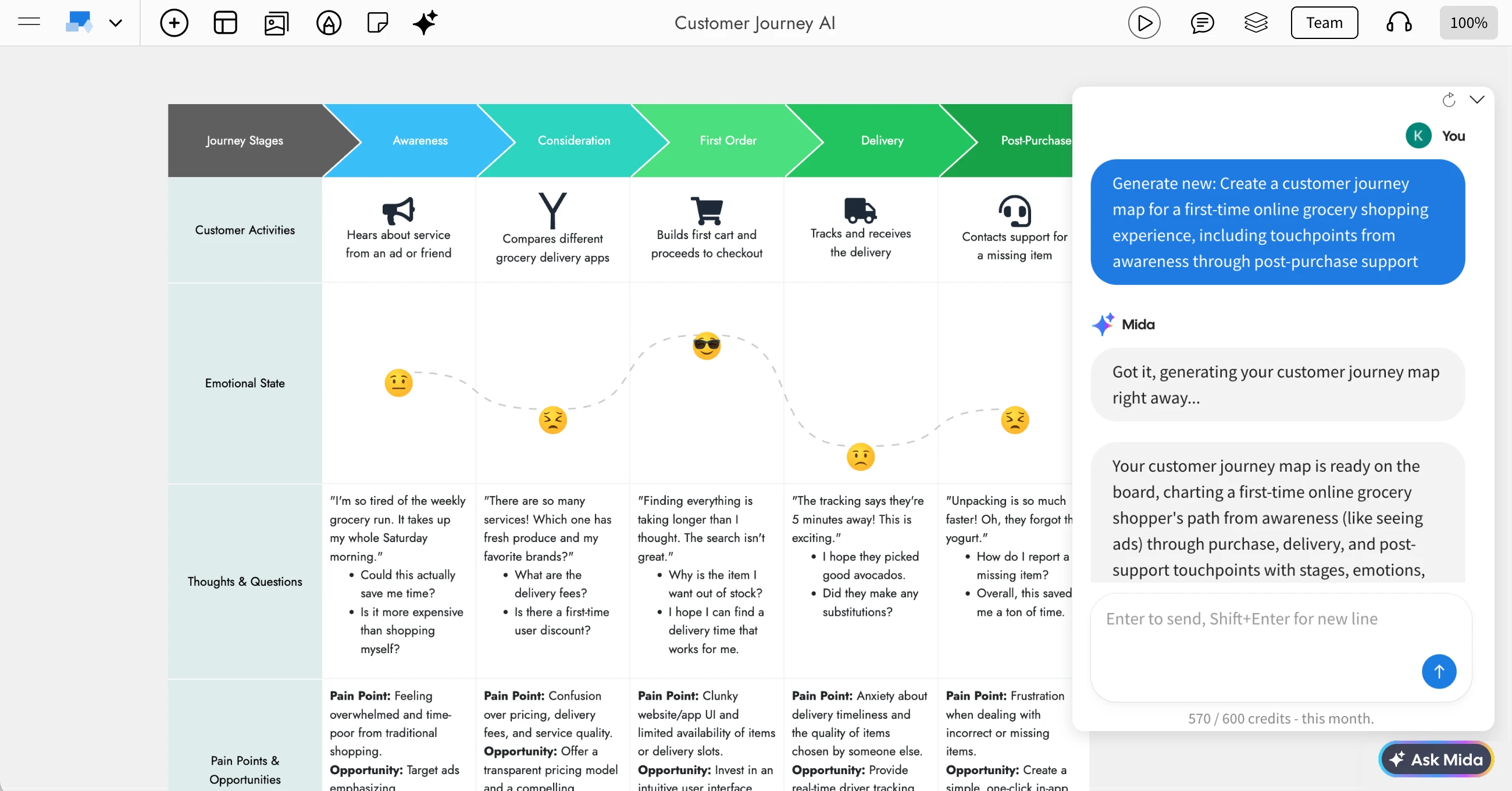
Click on the image to generate a customer journey map using AI
One widely used approach here is framing problems as “How Might We” questions. For example:
- How might we help users understand what to do next on a dashboard?
- How might we reduce confusion during onboarding?
This reframes problems into opportunities for solutions.
By the end of this stage, you should have a clear definition of the problem grounded in user needs. This clarity ensures that the ideas generated in the next step are relevant and focused, rather than random or disconnected.
Step 3 – Ideate
With a clearly defined problem, the next step is to explore possible solutions. The ideate stage is where teams move from analysis to creativity and generate a wide range of ideas without immediately judging them.
The focus here is on quantity first, quality later.
Teams typically use methods like:
- Brainstorming sessions
- Brainwriting (writing ideas individually, then sharing)
- Sketching quick concepts
- Collaborative whiteboarding
At this stage, ideas don’t need to be perfect or detailed. Simple sketches, rough flows, or quick layouts are often enough to communicate a concept.
This is also where early visual thinking starts to take shape. Teams begin translating ideas into rough structures, which makes it easier to evaluate and discuss them.
For distributed teams, collaborative wireframing tools like WireframePro and online whiteboarding tools like IdeaBoard help bring everyone into the same space to contribute, organize ideas, and build on each other’s thinking in real time. This keeps ideation structured without limiting creativity.
Teams can also use pre-built sketchy templates or opt for some brainstorming templates to get started faster and keep ideation structured without slowing down creativity.
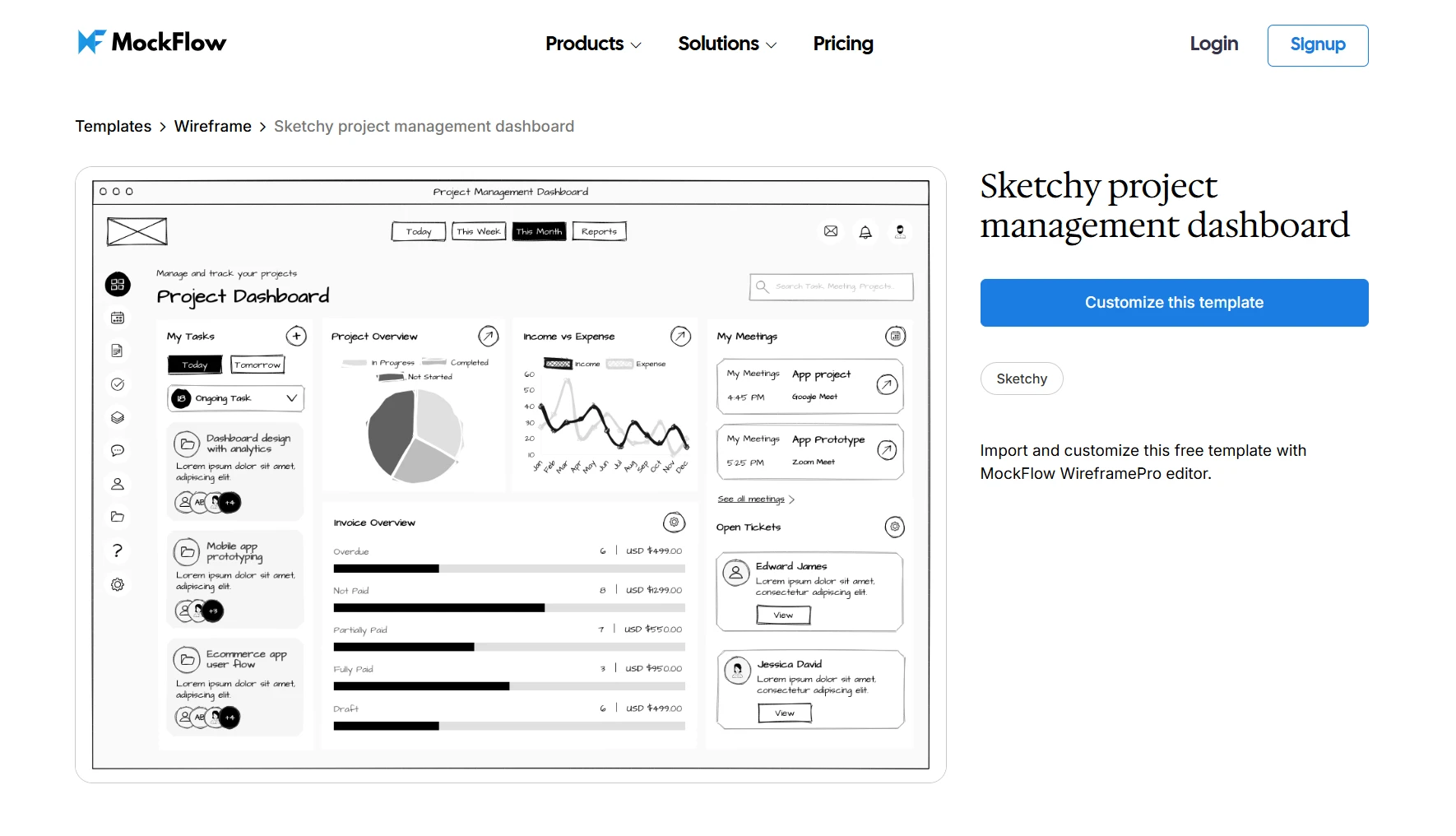
Customize this sketchy project management dashboard template on WireframePro
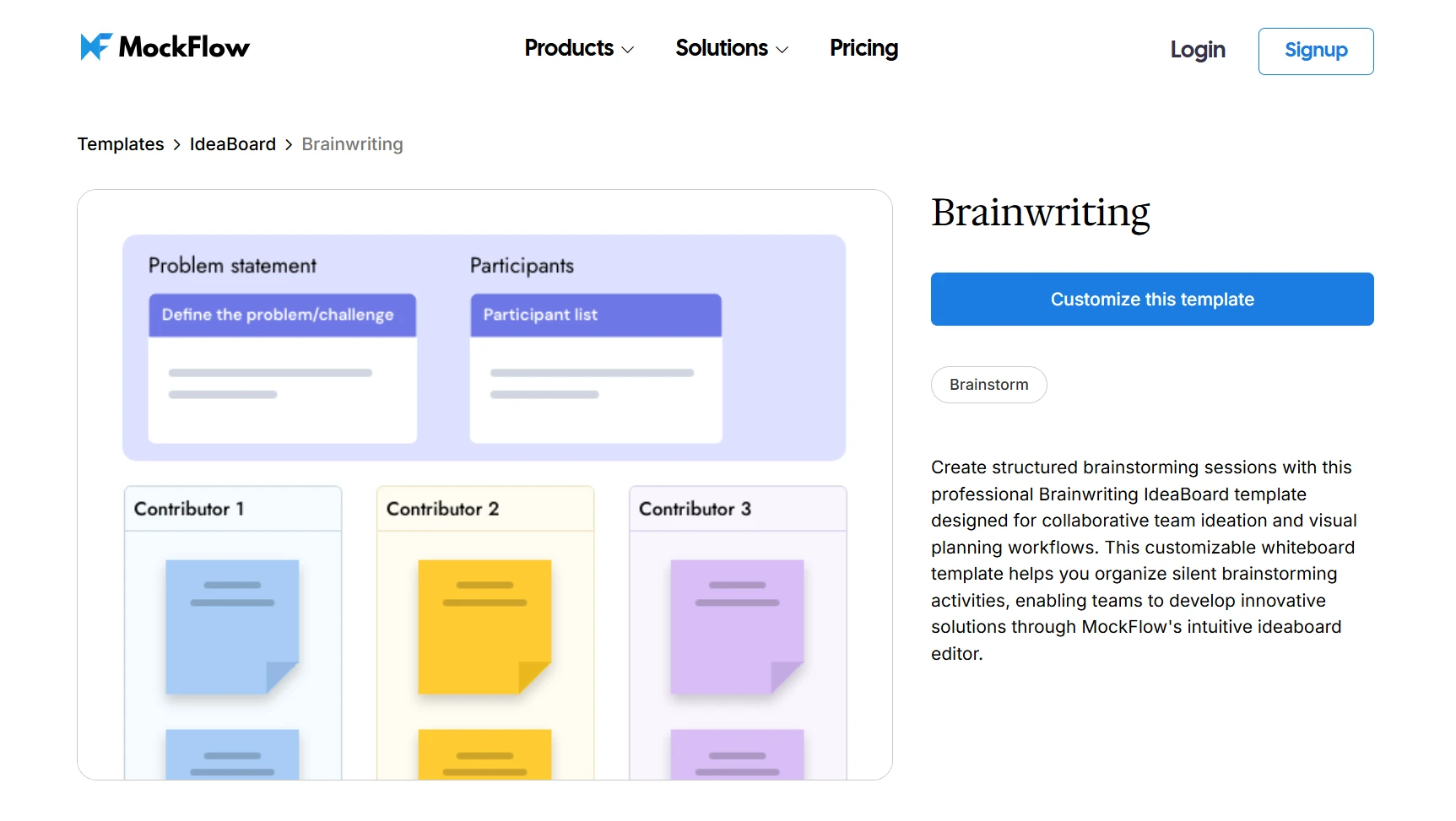
Customize this Brainwriting template on IdeaBoard
Today, 72% of organizations use AI-driven workflows, many integrated into design and product development processes. Teams can use WireframePro’s AI tools for quick generation of UI ideation layouts along with a vast library of AI prompts to begin with.
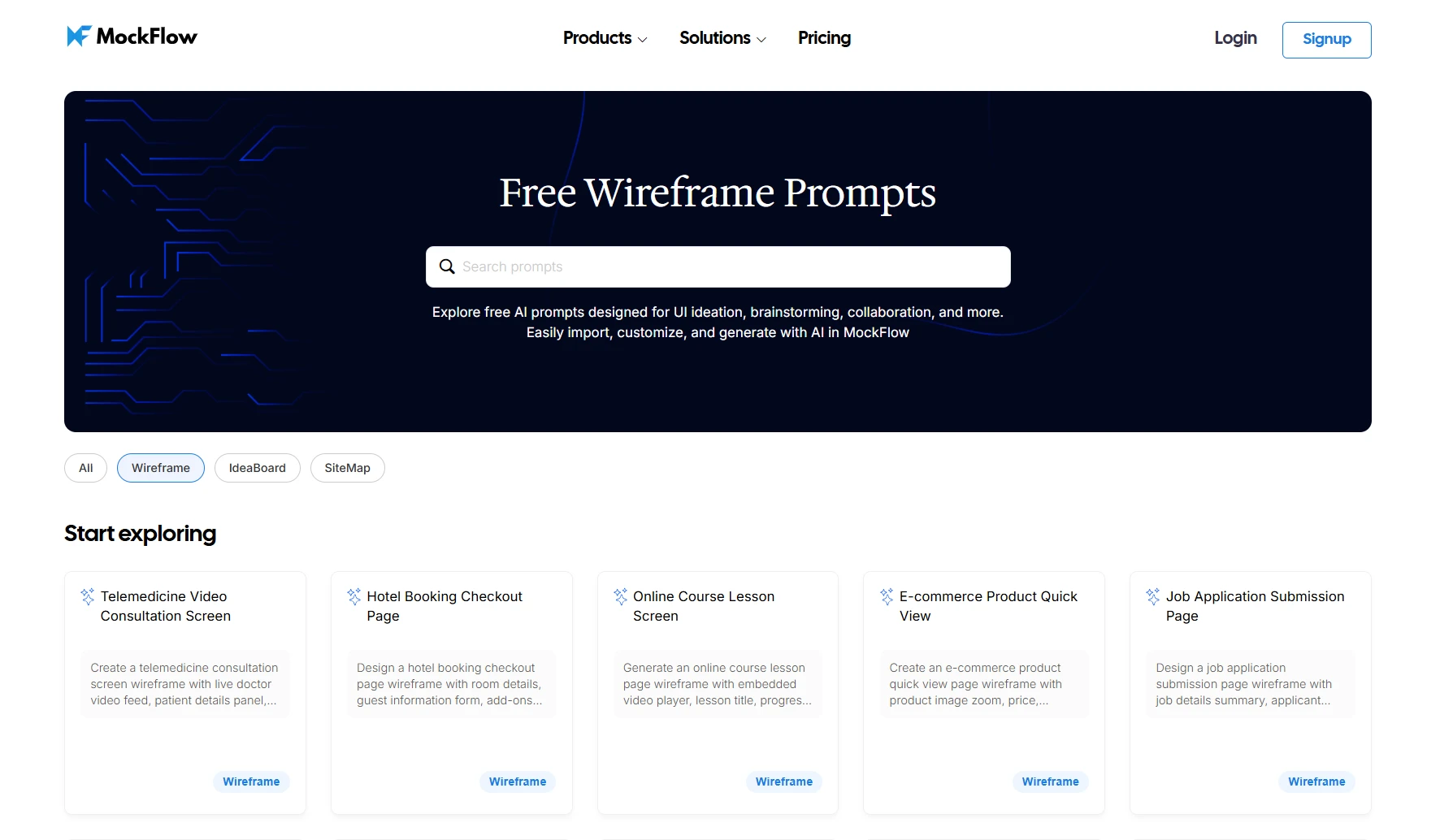
By the end of this stage, you should have a set of promising ideas that are ready to be turned into something more tangible in the next step.
Step 4 – Prototype
The prototype stage is where concepts start taking shape so teams can explore how a solution might actually work.
Instead of building a fully functional product, prototypes focus on speed and clarity. The goal is to visualize ideas, test assumptions, and identify gaps early.
Teams typically create:
- Low-fidelity sketches to map basic layouts and flows
- Wireframes to define structure, navigation, and content placement
- High-fidelity mockups for more detailed interactions
Wireframing plays a central role in this stage. It helps teams map layouts, user flows, and content structure without getting distracted by visual design, keeping the focus on usability.
Teams usually start with low-fidelity wireframes to explore ideas quickly, then move to higher-fidelity versions as concepts become clearer. Structured UI components and pre-built layouts can speed up this process and keep designs consistent.
Today, around 78% of large firms now use AI tools in design workflows, particularly in ideation and prototyping, enabling teams to explore more ideas in less time, as per McKinsey.
Teams can use AI-assisted wireframing to generate layouts from simple prompts or even convert existing designs into editable wireframes, helping you move from idea to draft much faster.
You can also start with ready-made templates depending on your use case. For example, a sign-in and sign-up user flow template can help you quickly map authentication screens and user journeys without building everything manually.
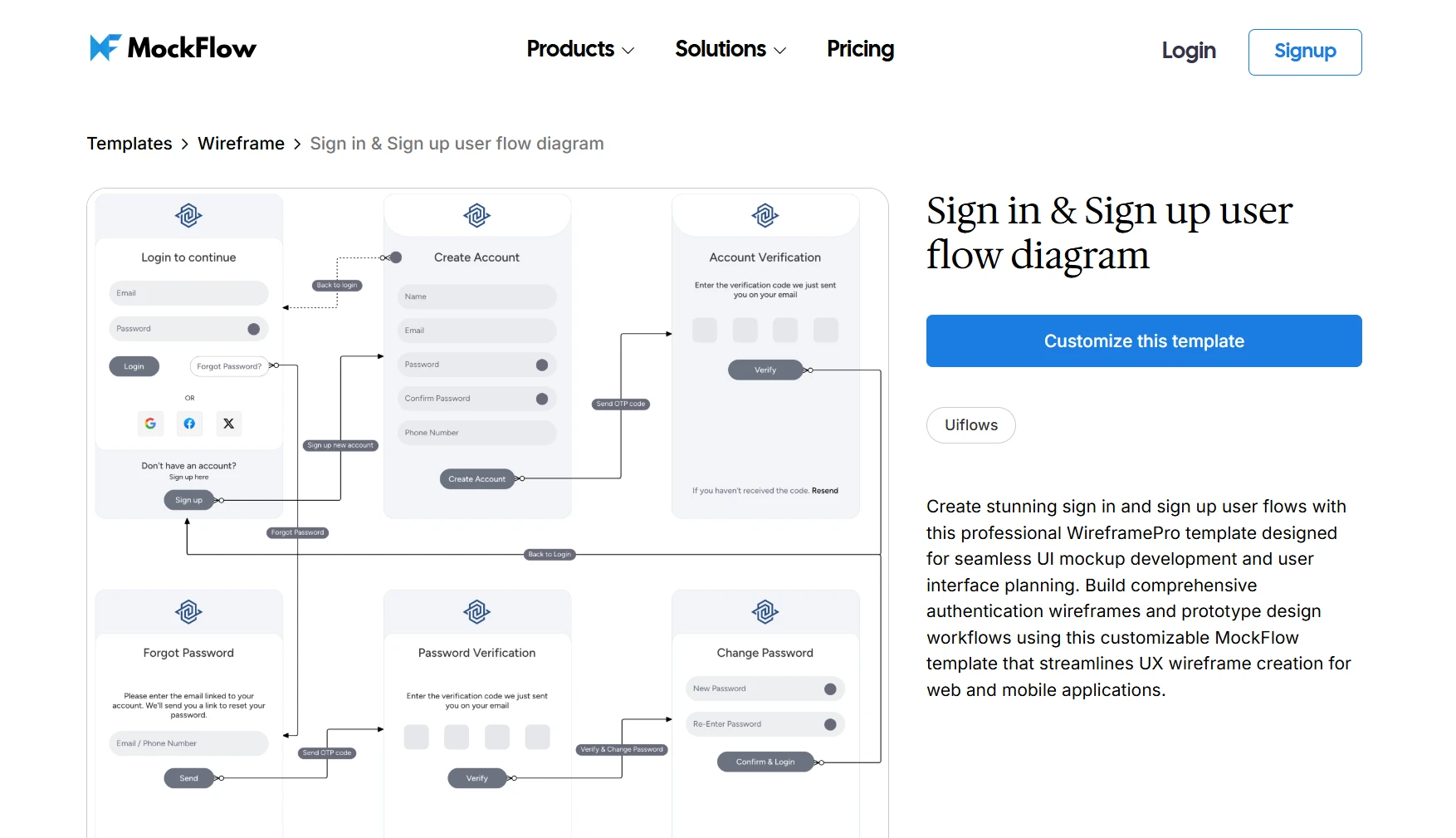
Customize this user flow diagram template on WireframePro
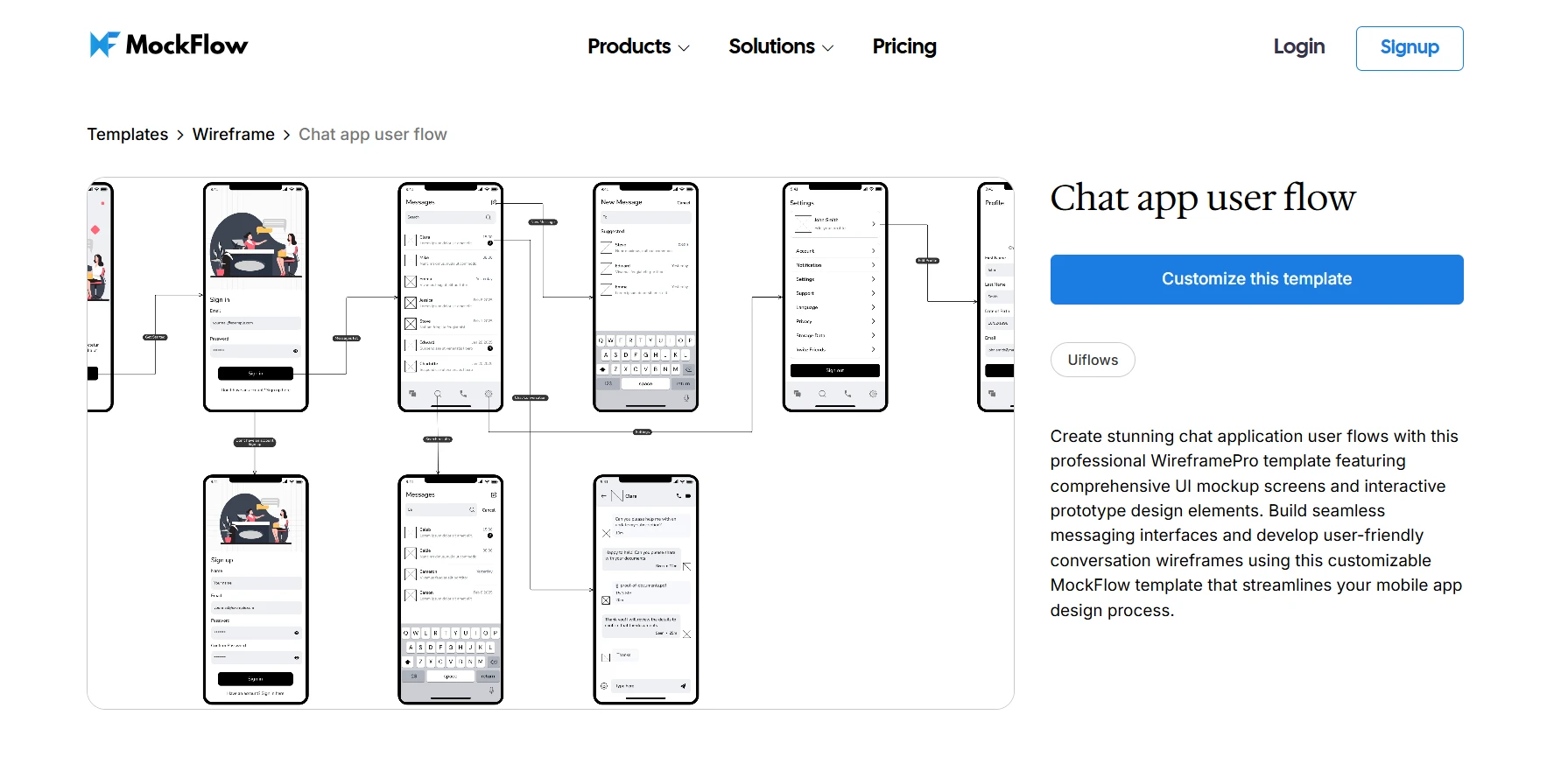
Customize this chat app user flow template on WireframePro
WireframePro, MockFlow’s modern wireframing tool, brings all of this together by combining:
- Drag-and-drop UI components
- Pre-built templates for apps, dashboards, and websites
- UI kits for faster layout creation
- Real-time collaboration for teams
This allows teams to quickly create, iterate, and share wireframes without slowing down the design process.
By the end of this stage, you should have a working representation of your idea that can be shared with users for feedback in the next step.
Step 5 – Test
The final step in the design thinking process is testing your solution with real users. This is where you validate whether your ideas actually work in practice.
Instead of assuming the solution is correct, teams observe how users interact with the prototype and identify what works, what confuses users, and what needs improvement.
Common wireframe testing methods include:
- Usability testing sessions
- A/B testing different versions
- Collecting user feedback through interviews or surveys
- Observing task completion and user behavior
At this stage, even simple wireframes can be tested. Users interacting with layouts or flows often reveal usability issues early, such as unclear navigation or missing steps.
Testing is not the end of the process. Insights gathered here often lead teams back to earlier stages: refining the problem, exploring better ideas, or improving the prototype.
The goal is to continuously improve the solution until it effectively meets user needs.
Is the design thinking process steps linear or iterative?
The design thinking process is not linear. While it’s often shown as a sequence of five steps, in practice, teams move back and forth between stages as they learn more about the problem and the solution.
For example, testing a prototype might reveal usability issues that take you back to redefining the problem or exploring new ideas. Similarly, insights from user research can reshape earlier assumptions and change the direction of the solution.
This iterative nature is what makes design thinking effective. It allows teams to continuously refine their approach instead of committing to a fixed path too early.
Why wireframes are important in the design thinking process steps
Wireframes help teams move from ideas to clarity without investing too much time in detailed design. They act as a visual blueprint that makes it easier to understand how a solution will work.
Here’s why wireframes are important in the design process:
- Bring ideas to life quickly: Instead of discussing abstract concepts, teams can visualize layouts and flows early, making ideas easier to evaluate.
- Improve team alignment: Wireframes give designers, product managers, and stakeholders a shared reference point, reducing miscommunication.
- Focus on structure and usability: By removing visual distractions, wireframes help teams concentrate on user flows, navigation, and functionality.
- Enable faster iteration: Changes can be made quickly at the wireframe stage, avoiding costly rework later in the design process.
- Support early user feedback: Even low-fidelity wireframes can be tested with users to identify usability issues before development begins.
By integrating wireframes into the design thinking process, teams can validate ideas earlier, make better decisions, and build more user-focused solutions.
Conclusion
The design thinking process gives teams a clear way to move from understanding problems to building solutions that actually work for users. By focusing on empathy, structured problem definition, and continuous testing, teams can reduce guesswork and make better product decisions.
Wireframing plays a key role in this process by helping teams visualize ideas early, align faster, and iterate without friction. It bridges the gap between concept and execution, making it easier to test and refine solutions before investing in full design or development.
If you’re looking to apply these steps in your own workflow, you can sign up and explore how WireframePro helps teams create, iterate, and collaborate on wireframes more efficiently.
FAQs about Design Thinking Process Steps
1. When should you use design thinking instead of traditional problem-solving?
Design thinking is best used when problems are unclear, user needs are evolving, or solutions require creativity. Unlike traditional methods, it focuses on exploration, user empathy, and iterative testing rather than fixed, linear planning.
2. What tools are used in the design thinking process?
Different stages use different tools, such as interviews and surveys for empathy, personas and journey maps for defining problems, whiteboards for ideation, wireframes for prototyping, and usability testing methods for validating solutions.
3. What are common mistakes in the design thinking process steps?
Common mistakes include skipping user research, defining vague problems, jumping to solutions too early, and not testing with real users. These issues often lead to misaligned solutions and increased rework later in the process.
4. How does wireframing support the design thinking process steps?
Wireframing helps teams visualize ideas during ideation, build structured layouts during prototyping, and gather feedback during testing. It enables faster iteration, better alignment, and early validation without investing heavily in final design.
5. What is the difference between design thinking and agile development?
Design thinking focuses on problem discovery and solution ideation, while agile development focuses on building and delivering solutions incrementally. Many teams use design thinking before or alongside agile to ensure they are solving the right problem.

What are Spider Diagrams? Examples, Templates, & How to Create One
Introduction We have all been there. A brainstorming session starts strong, ideas are presented, notes pile up, and then...
Lightning Decision Jam: How to Run the Workshop Step by Step
Team discussions can move quickly from useful input to circular debate. Everyone sees the problem differently, ideas start...
Miro vs Lucidspark: A Complete Feature-by-Feature Comparison for 2026
Introduction If you’re comparing Miro and Lucidspark, you’re likely exploring which digital whiteboard aligns best with your...
