Miro vs FigJam Comparison: Features, Pricing & Use Cases Explained
Introduction
If you’ve been exploring digital whiteboarding tools, Miro and FigJam are likely two names you’ve come across repeatedly. Both are designed to support visual collaboration, brainstorming, and teamwork - and at first glance, they appear quite similar. But once teams begin using them, differences in style, structure, and workflow start to emerge.
Miro tends to appeal to teams that want a more comprehensive platform - something that supports everything from early-stage ideation to structured planning, documentation, and advanced integrations. By contrast, FigJam leans into a more playful and lightweight experience, making it great for fast brainstorming, creative sessions, and environments where flexibility and speed matter more than process.
So rather than asking “Which one is better?”, a more useful approach is to understand how each tool aligns with the way your team prefers to work.
In this blog, we’ll break down the difference between these tools on the things that really matter for your team.
And if you are looking for a simpler, more focused alternative, we’ll show how MockFlow IdeaBoard gives you exactly what you need to ideate and collaborate without the complexity of the other tools.
Let’s get into it.
Miro vs FigJam Comparison: Feature-by-Feature Breakdown
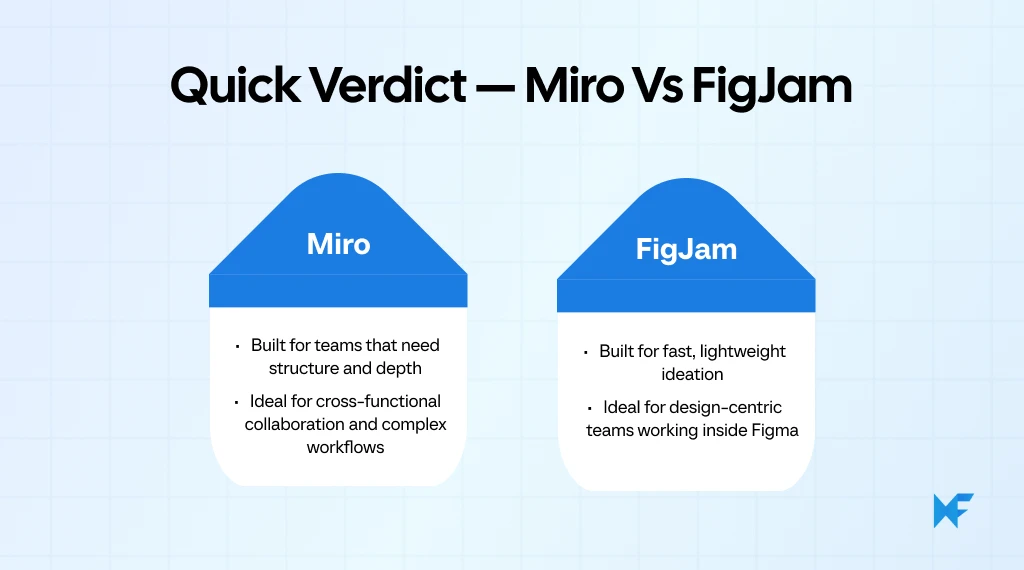
Miro vs FigJam compares two popular online whiteboard tools designed for visual collaboration, brainstorming, and team workshops.
Miro offers a broader feature set for product teams, cross-functional planning, and advanced diagramming. FigJam delivers a simple, design-centric canvas that integrates deeply with Figma.
Users evaluate both tools based on features, pricing, templates, AI assistants, and integrations. The comparison helps teams choose the platform that supports their workflows, collaboration style, and software stack.
As visual collaboration becomes mainstream, demand for digital whiteboards is accelerating. The collaborative whiteboard software market is projected to reach $8.11 billion by 2033, growing at a CAGR of 14.3%. This makes the best online whiteboard tools comparison more relevant than ever.
So, what are the differences between Miro and FigJam? The sections below help you evaluate the best fit for your team.
Quick Comparison: Miro vs FigJam
Features | Miro | FigJam |
Canvas Experience | Structured, scalable canvas for complex workflows | Lightweight canvas for quick, creative ideation |
Templates & Ideation Tools | Large template library, strong diagramming | Playful templates, simple brainstorming components |
Integrations & Workflow | Broad integrations across product and engineering stacks | Deepest value inside the Figma ecosystem |
Facilitation & Workshops | Advanced workshop tools with timers, voting, and presentation mode | Simple facilitation tools for fast, informal sessions |
AI Features | AI clustering, summaries, and auto-generated diagrams | Light AI for idea prompts and layout cleanup |
Pricing & Value | Free plan available, paid plans start at $8/user/month | Free plan available, paid plans start at ~$3–$5/user/month |
Security & Enterprise | Strong enterprise controls, SSO, SCIM, audit logs | Solid basics through Figma, lighter enterprise depth |
Here’s a detailed comparison guide for FigJam vs Miro:
1. Canvas Experience & Collaboration Flow
The canvas experience shapes how fluidly teams can move ideas around, collaborate in real time, and maintain momentum during workshops or brainstorming sessions.
McKinsey’s research shows hybrid work patterns remain far below pre-pandemic office levels, reinforcing the need for tools that support both real-time and asynchronous collaboration.
Teams often find that collaboration flows more smoothly when brainstorming happens in a tool that doesn’t require everyone to understand detailed design files, which is why tools with simpler, more universal canvases tend to support broader participation across roles.
- Infinite, zoomable canvas designed for detailed workflows and structured multi-stage planning
- Frame-based organization that helps teams guide participants through different sections
- Smooth real-time collaboration with visible cursors and minimal lag, even on larger boards
- Lightweight, expressive canvas built for quick brainstorming and creative sketching
- Interactive elements like stamps, stickers, reactions, and emojis to keep engagement high
- Simple drawing and sticky-note flow that lowers the barrier for participation
- Miro: Can feel heavy or overwhelming for fast, informal ideation; large boards may become cluttered.
- FigJam: Offers less structural control, making it harder to manage complex workflows or long-running project boards.
2. Templates, Sticky Notes & Ideation Tools
Templates and sticky notes are at the core of every whiteboarding session as they determine how quickly teams can structure their thoughts and turn raw ideas into something usable.
This is why many teams prefer starting early ideation in a lightweight whiteboard, since it keeps discussions centered on ideas and user needs instead of jumping into detailed UI decisions too early.
- A large, diverse template library covering product strategy, agile workflows, mapping, retros, and team rituals
- Advanced sticky-note handling, including bulk actions, color coding, grouping, and clustering
- Built-in diagramming and mind-mapping tools that support structured ideation beyond basic sticky-note flows
- Design-friendly templates that feel intuitive for UX, UI, and creative teams working visually
- A playful set of brainstorming elements like widgets, doodles, stickers, and emoji-based interactions
- A simple sticky-note workflow that keeps ideation fast and lightweight, especially during early creative sessions
- Miro: Some templates can feel dense or overwhelming for new users who prefer faster, simpler structures.
- FigJam: Lacks advanced diagramming capabilities and the breadth of templates required for complex mapping or deep planning.
3. Integrations & Workflow Connectivity
Integrations influence how well a whiteboard fits into the broader ecosystem of tools that teams rely on daily. This is reinforced by industry data showing that cloud deployments hold 71.63% of the collaborative whiteboard market, highlighting the importance of ecosystem connectivity in tools like Miro and FigJam.
- A wide range of integrations including Jira, Asana, Notion, Teams, Zoom, and Slack—supporting multi-tool workflows across disciplines
- Ability to embed external content (documents, links, files) directly onto boards to centralize context
- Strong support for adding whiteboarding into existing project pipelines through apps and plugins
- Deep and seamless integration with the Figma ecosystem, allowing designers to move between design files and FigJam boards without friction
- Access to basic collaboration integrations like Slack and Google Drive for easy sharing and notifications
- Smooth workflow handoffs for teams heavily invested in Figma as a design source-of-truth
- Miro: Some integrations are locked behind higher-tier plans, which may limit flexibility for smaller teams.
- FigJam: Limited workflow connectivity outside the Figma ecosystem, making it less ideal for teams using diverse tech stacks.
4. Facilitation, Workshop Mode & Team Activities
Facilitating a productive workshop depends on how well a tool supports structure, pacing, and guided participation. Whether it’s a sprint review, retrospective, ideation session, or team ritual, the built-in facilitation features directly impact how engaged the group stays.
- A rich facilitation toolkit, including timers, private mode, voting sessions, and content reveal controls
- Frame-based presentation mode that lets facilitators guide participants step-by-step
- Smart Meetings (on higher tiers), which help structure workshops with agendas, interactive modules, and guided flows
- Lightweight facilitation tools such as voting, stamps, timers, and emoji reactions that keep sessions fun and fast
- Quick, expressive interactions that help participants contribute without the heaviness of formal workshop controls
- A beginner-friendly setup ideal for informal team activities, warm-ups, and fast collaborative sketching
- Miro: Advanced facilitation features sit behind higher pricing tiers and may be overkill for small teams needing only simple rituals.
- FigJam: Lacks deeper facilitation controls, making it less suitable for structured workshops, multi-phase planning sessions, or formal ceremonies.
5. AI Features & Automation
Microsoft’s 2024 Work Trend Index reports that 75% of global knowledge workers now use generative AI, almost doubling in six months. This rapid adoption has reshaped user expectations for AI-powered collaboration inside tools like Miro and FigJam.
- AI-powered clustering of sticky notes that helps organize large brainstorming boards instantly
- Summaries and insight extraction that reduce the effort needed to synthesize discussions
- Auto-generation of diagrams, workflows, and structures from plain text inputs, saving time during early planning
- Idea-generation prompts designed to boost creative exploration, especially during early ideation
- Auto-layout suggestions that help tidy up content and maintain visual clarity on the board
- Lightweight AI features focused more on creativity than structured processing
- Miro: More advanced outputs sometimes need manual cleanup, especially when dealing with complex boards.
- FigJam: AI is early-stage and less robust; its strength lies in creative ideation, not structured analysis or workflow synthesis.
6. Pricing & Value for Teams
Pricing plays a major role when teams decide between Miro vs FigJam, especially as collaboration needs scale.
- Free Plan: $0/month per member. Gives unlimited team members, a single workspace with 3 editable boards.
- Starter Plan: $8/month per member if billed annually (or approx. $10 if monthly) for unlimited boards, private boards, high-res exports, custom templates.
- Business Plan: $16/month per member billed annually. Includes SSO, unlimited private workspaces, advanced diagramming and admin controls.
- Enterprise: Custom pricing. Tailored for large organizations needing advanced security, compliance, onboarding, flexible licenses.
- Starter (Free) Plan: $0/month per user. Includes unlimited personal drafts, but only up to 3 collaborative FigJam files shared among team.
- Professional Plan: ~$5 per user/month (when billed monthly) or lower (~$3/month) when billed annually. Unlocks unlimited shared files, advanced sharing permissions, team libraries.
- Organization Plan: ~$5 per user/month (annual billing). Adds org-wide libraries, centralized admin & billing, private plugins/widgets, SSO.
- Enterprise Plan: Similar entry $5/user/month (annual), with added guest access controls, dedicated onboarding & support; best for large enterprises.
- Miro: While it offers heavy-duty features, it can become expensive for large organisations with many active seats, many boards, or teams with simpler needs.
- FigJam: While cost-effective for design or small teams, its long-term value diminishes if your organization spans multiple functions beyond design/UX and needs deep workflows or integrations outside the Figma ecosystem.
7. Security, Admin Controls & Enterprise Readiness
Security and governance matter when organizations operate at scale. Enterprise teams look for compliance, control, and workflows that keep data secure without slowing down collaboration. This is where differences between Miro and FigJam become more pronounced.
- Comprehensive enterprise-grade security including SSO, SCIM, data encryption, and detailed audit logs
- Mature admin controls for permissions, content governance, user provisioning, and access management
- Strong support for deployment, compliance, and structured onboarding suited for large enterprises
- Solid foundational security aligned with the broader Figma ecosystem, including SSO and team management
- Suitable admin controls for small to mid-sized teams needing basic governance
- Centralized team and project access management within the Figma workspace
- Miro: The most powerful security and governance features are exclusive to the Enterprise tier.
- FigJam: Governance depth remains limited for organizations requiring detailed controls or cross-departmental standardization.
8. Real-World Feedback: Reviews & Ratings
Miro
- What users like: Reviewers on G2 (4.7/5 rating) appreciate Miro’s broad feature set, flexibility, and strong collaboration experience. Users often highlight how well it supports brainstorming, mapping workflows, and real-time teamwork.
- Where users struggle: Some reviewers mention that large or complex boards can feel cluttered or slow to navigate when many collaborators are active.
- Additional limitation: Users also note that the depth of features creates a learning curve, making it harder for new or non-technical team members to ramp up quickly.
FigJam
- What users like: On G2, FigJam (4.6/5 rating) is praised for its simplicity, playful interactions, and seamless connection to the Figma ecosystem. Reviewers appreciate its lightweight, creative feel during quick ideation and team activities.
- Where users struggle: Users report occasional lag with heavy boards or when too many visual elements pile up during long sessions.
- Additional limitation: Some reviewers point out that FigJam feels limiting outside design-focused workflows, offering fewer advanced features for structured planning compared to tools like Miro.
Taken together, these differences show how each platform supports collaboration in its own way, from everyday brainstorming to enterprise-level governance. With the core features covered, the next step is understanding how to choose the tool that best fits your team’s workflow.
How to Choose Between Miro and FigJam?
Choosing between Miro vs FigJam ultimately comes down to how your team collaborates, how structured your workflow is, and which ecosystem you’re already committed to.
To know whether Miro or FigJam is better for collaboration, teams should ask these questions before deciding:
1. Is our team primarily design-first?
If your designers live inside Figma and need quick back-and-forth between design files and brainstorming boards, FigJam offers a smoother path.
2. Do we prefer structured workflows or freeform ideation?
Miro shines when your process includes multi-step mapping, retros, planning, and cross-functional collaboration. FigJam leans toward fast sketching and early-stage idea play.
3. Are we a small team or a multi-department organization?
Smaller teams often value FigJam’s simplicity and pricing. Larger companies benefit from Miro’s enterprise controls, governance, frames, and workshop capabilities.
4. What integrations are critical to our workflow?
Teams using Jira, Asana, Notion, Teams, or Zoom tend to get more value from Miro. Teams deeply embedded in Figma get maximum leverage from FigJam.
5. How important is workshop facilitation to us?
If you run structured workshops like sprint planning, PI planning, roadmap reviews, Miro’s facilitation toolkit is more powerful. For fun, fast sessions, FigJam works well.
6. Do we need advanced templates or simple brainstorming tools?
Miro offers depth and variety for product, engineering, and business teams. FigJam keeps things intentionally lightweight.
7. Are we already paying for Figma Organization/Enterprise?
If yes, FigJam becomes the path of least resistance since it fits into your existing billing, workflow, and permissions.
MockFlow IdeaBoard, A Simpler Alternative to Miro and FigJam
Although Miro and FigJam are widely used, many teams tell us they feel overwhelmed by complexity, pricing constraints, or ecosystem lock-in. That is a major reason why we built MockFlow IdeaBoard.
IdeaBoard is a simpler, faster, more universal whiteboard designed for teams that want effortless collaboration without feature fatigue. Instead of forcing teams into a specific workflow or ecosystem, IdeaBoard focuses on frictionless real-time and asynchronous work, clarity, and speed.
Below, we explore how IdeaBoard supports modern collaboration and why many teams prefer it as a better FigJam and Miro alternative.
Essential Whiteboarding Features in IdeaBoard
IdeaBoard focuses on the essential features that teams rely on every day, keeping the workspace simple, intuitive, and ready for quick ideation or structured sessions. Its core features make whiteboarding easy without adding complexity.
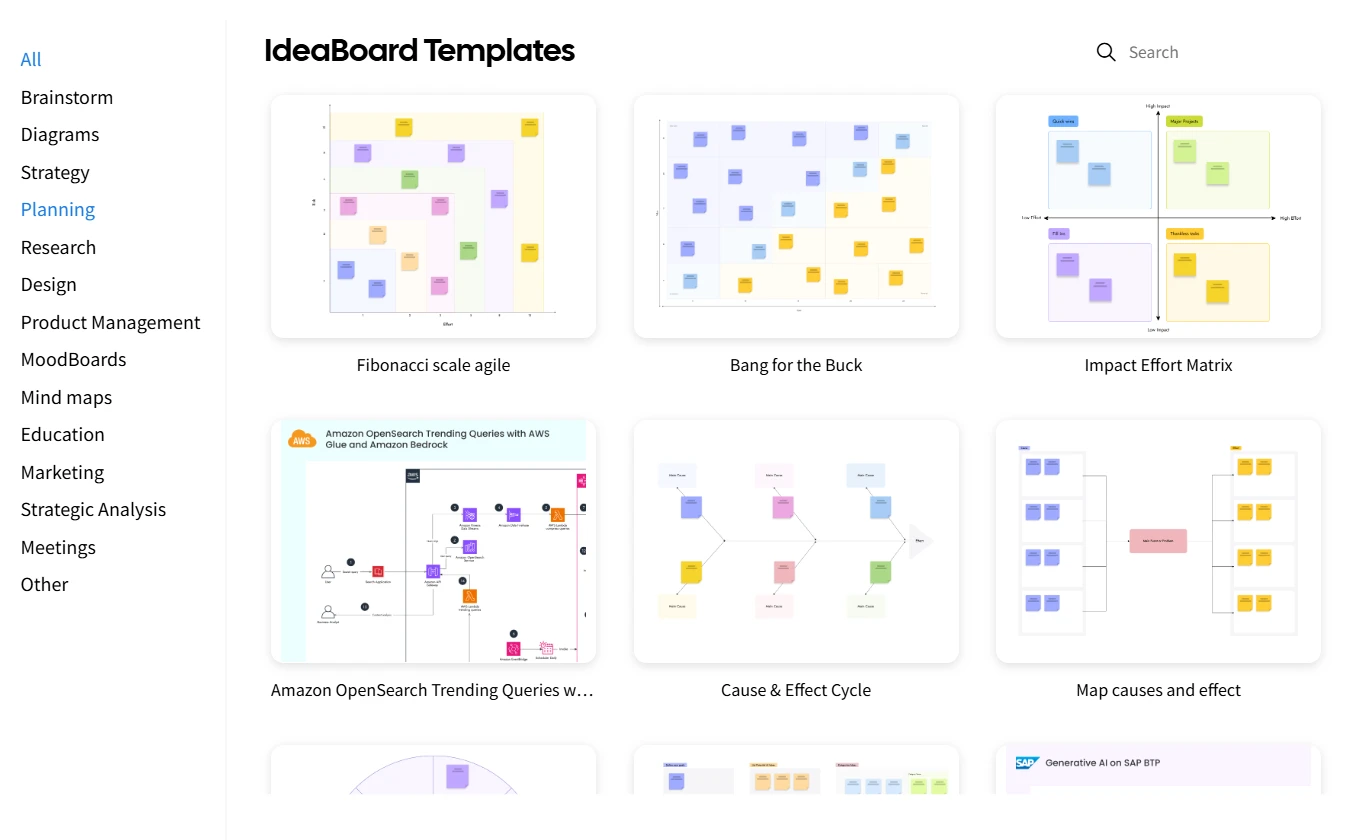
- Built-in templates: A clean set of ready-to-use templates to jump-start brainstorming, mapping, and basic planning.
- Sticky notes and basic shapes: Simple tools like sticky notes, connectors, and markup options that support quick idea capture.
- Flexible sections and spacious boards: Create sections and use an open canvas to organize ideas clearly during workshops or team sessions.
- Smooth real-time editing: Live cursors and responsive performance that keep collaboration fluid without visual clutter.
- Easy sharing: Browser-based access and simple sharing links so anyone can join a session instantly.
These essentials make IdeaBoard a straightforward choice for teams who want a clean, reliable whiteboard for everyday ideation.
Features That Differentiate IdeaBoard
IdeaBoard is not a lightweight copy of existing whiteboards. It is intentionally built to remove clutter while adding modern collaboration capabilities that many teams wish existed in other tools.
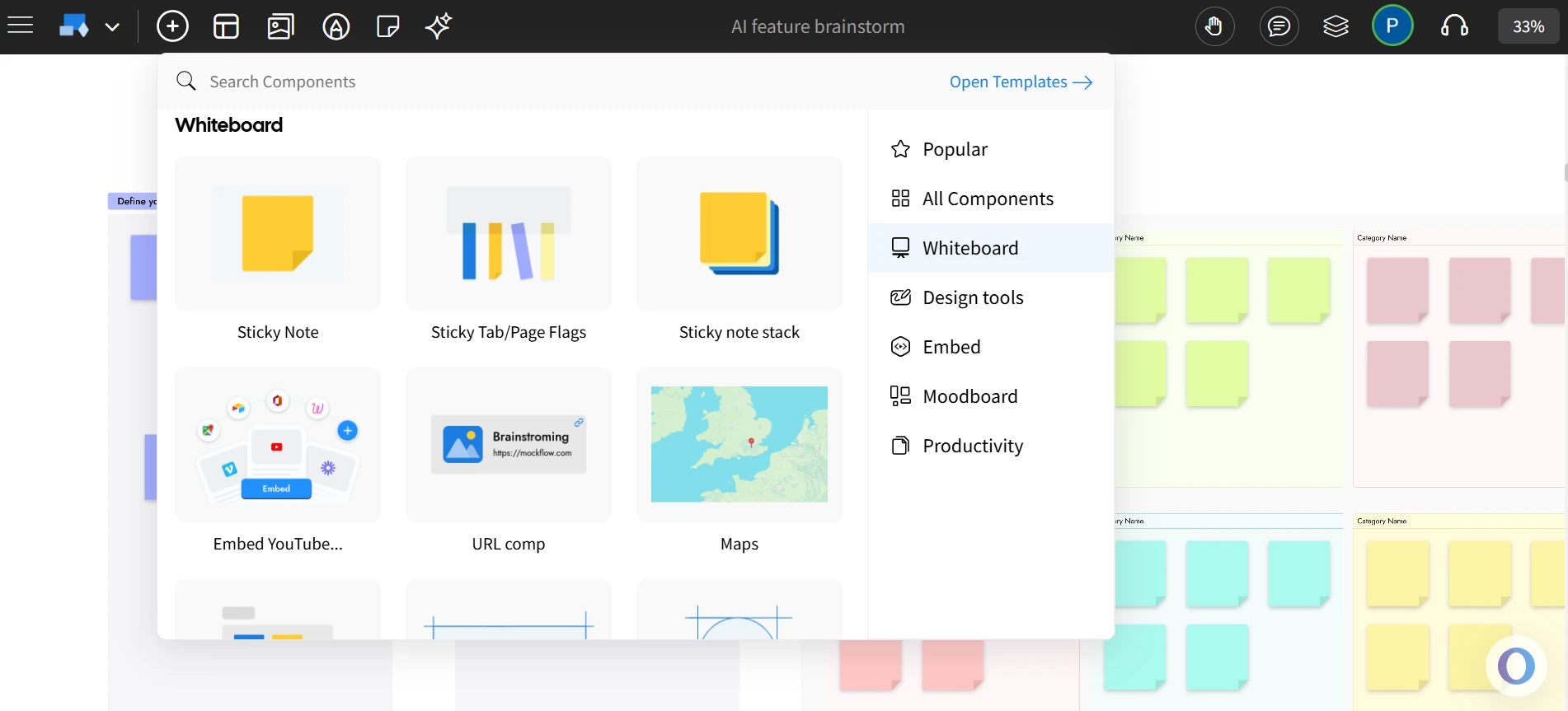
- Advanced components with AI capabilities: IdeaBoard includes native components such as mind maps, customer journey maps, spreadsheets, and geographic maps. These elements can be populated or expanded using AI through a simple text prompt, helping teams move from ideas to structured outputs more quickly.
- Designer-friendly: Create moodboards and explore design ideas like ads or banners directly on the board using AI, making early concepting faster and more collaborative.
- Offline Mode: Work on whiteboards anywhere, even without internet, with the desktop version. Boards sync once you reconnect.
- Live Audio and Video Whiteboarding: Host real-time audio and video discussions directly inside the whiteboard.
- Multimedia Comments: Drag and drop video or voice comments onto the board to give clearer feedback and maintain context during async collaboration.
- AI Toolbox for Brainstorming: Generate ideas, diagrams, and templates instantly with built-in AI support.
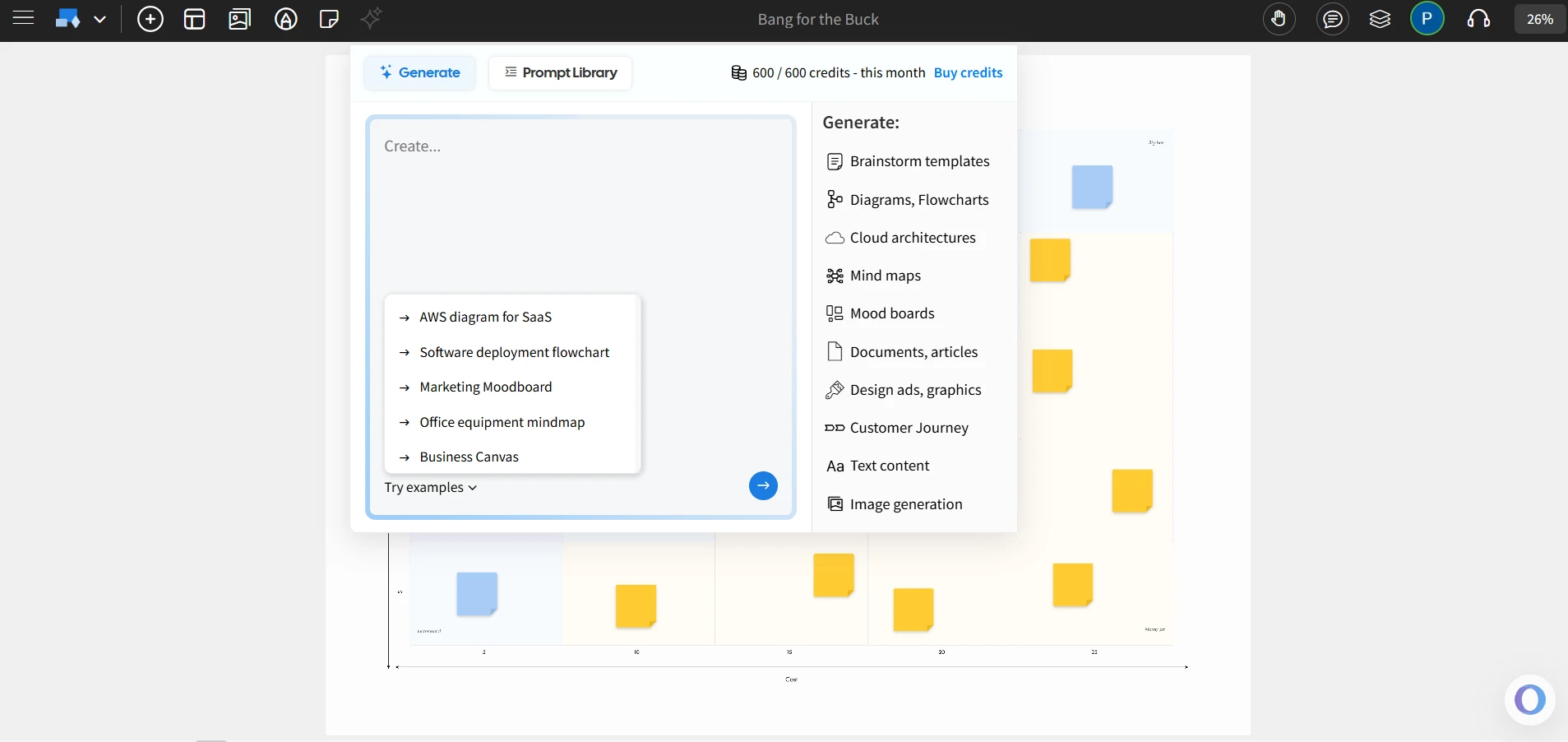
- Non-linear Presentations: Create interactive, non-linear board presentations helpful for explorations, demos, and storytelling.
- Branded Backgrounds: Add branded backdrops suitable for polished client workshops and team sessions.
- Free Whiteboarding Inside Trello & VSCode: Add IdeaBoard directly inside Trello cards and VSCode, which is ideal for agile workflows.
- Minimal Learning Curve: A clean, uncluttered UI that lets teams focus on ideas instead of tool complexity.
- Flexible Exports: Export sections or full boards as PDF or PNG for presentations and documentation. Save offline/on-premise files (like IdeaBoard’s .board format).
- Cost-effective: Offers a cost-effective alternative to Miro and FigJam with a free plan and pricing starting at $7/user/month.
Together, these features solve common pain points we often hear from teams including tool bloat, learning overhead, network dependency, slow performance, and expensive scaling.
When to Choose IdeaBoard Over Miro or FigJam
IdeaBoard is the better fit when your team needs fast, simple, and universally accessible whiteboarding without the complexity of larger platforms.
Choose IdeaBoard when:
- You are a small team or startup looking for an easy, budget-friendly whiteboard that works without onboarding.
- Your team works remotely or across time zones and needs reliable real-time and async collaboration. Offline mode and multimedia comments make it flexible even in low-connectivity environments.
- You run frequent agile or creative sessions and want a clutter-free space for sprints, retros, brainstorming, and quick workshops.
- You work in design, marketing, or product and prefer an easy-to-use visual workspace with AI brainstorming and simple export options.
- You are an educator or trainer who needs a straightforward tool for interactive lessons, backed by accessible pricing for schools and 50% educators discount.
- You are an agency that needs a no-friction board for client workshops, idea pitches, or fast deliverables.
If your team wants fast, focused ideation without the overhead of large platforms, IdeaBoard is a strong fit. You can start for free or install the Chrome extension to whiteboard directly from your browser.
MockFlow vs Miro vs FigJam Comparison
Below is a concise, at-a-glance comparison to help teams quickly evaluate which tool fits their workflow and collaboration needs. Each platform brings a different strength, and this table highlights the core differences in a simple format.
Tool | Best For | Key Strengths | Consider If You Need |
MockFlow IdeaBoard | Teams that want simple, fast whiteboarding without complexity | Offline mode, AI brainstorming, multimedia comments, designer-friendly features, minimal learning curve | A platform for brainstorming, async collaboration, workshops, and teaching |
Miro | Large or cross-functional teams with structured workflows | Advanced templates, strong integrations, enterprise governance, workshop controls | Deep facilitation tools, structured planning, and multi-stage collaboration |
FigJam | Design-first teams working heavily inside Figma | Creative interactions, seamless Figma workflow, lightweight ideation | Fast brainstorming for designers, early-stage concepting, and playful team sessions |
This table summarizes the practical differences that matter in day-to-day collaboration and helps guide teams toward the tool that best matches their workflow.
Conclusion
Choosing the right tool in the Miro vs FigJam comparison really depends on how your team collaborates and how structured your workflows are. Miro works well for teams that rely on detailed planning and broader integrations, while FigJam supports fast idea play inside virtual brainstorming platforms.
If your team is still asking, “Which is better, Miro or FigJam?”, the answer usually comes down to how much complexity you actually need.
For teams that want clarity, speed, and a simple space to think visually, IdeaBoard offers a clean alternative. You can sign up and try it for free or install the Chrome extension to start whiteboarding instantly without any setup hassle on your browser.
FAQs About Miro vs FigJam
1. Which is better: Miro or FigJam for brainstorming?
Both support brainstorming, but Miro works best for structured ideation with template variety, sticky-note grouping and advanced mapping tools. FigJam excels when teams want quick, playful brainstorming supported by stickers, stamps and simple sticky-note flows.
2. How is MockFlow IdeaBoard different from tools like Miro and FigJam?
IdeaBoard focuses on simplicity and speed, making it ideal for teams that want a distraction-free whiteboard without complex modules or ecosystem lock-in. It supports offline mode, AI brainstorming, multimedia comments, Trello integration, and non-linear presentations while staying lightweight and easy for anyone to adopt, unlike Miro’s complexity or FigJam’s dependence on the Figma environment.
3. How do Miro vs FigJam pricing and plans compare?
Miro uses a tiered pricing model that unlocks more integrations and admin features at higher plans, which can feel expensive as teams scale. FigJam offers more accessible pricing, especially for design teams, and includes a flexible free plan suited for basic ideation.
4. Is MockFlow IdeaBoard free to use?
Yes. IdeaBoard offers a free plan that includes essential whiteboarding features such as templates, sticky notes, AI credits, and real-time collaboration. Teams can start brainstorming instantly without setup, and upgrade only if they need advanced features like offline whiteboarding, branded backgrounds, or enhanced export options.
5. How do Miro vs FigJam AI features and assistants compare?

Problem Solving Flowchart: How to Design Clear Decision Workflows
Introduction Unclear decisions slow teams down more often than problems do. In fact, Microsoft’s 2025 Work Trend Index report...

Bubble Map: Templates, Comparisons, and Practical Uses
Introduction There’s something about seeing ideas laid out visually that just feels easier to follow. You’re not reading line by...

How to Run a Team Huddle for Better Team Collaboration
Keeping teams aligned has become harder as projects move faster, priorities shift frequently, and remote collaboration becomes...
