Bubble Map: Templates, Comparisons, and Practical Uses
Introduction
There’s something about seeing ideas laid out visually that just feels easier to follow. You’re not reading line by line or jumping between tabs, everything sits in one place, and the connections start to stand out on their own.
A bubble map fits naturally into that kind of thinking. You can place ideas, data points, or categories on a canvas and shape them in a way that reflects how they relate. It’s flexible enough for quick brainstorming session, but structured enough to bring clarity when things start to get messy.
You’ll find it useful across different scenarios, from planning campaigns to working with geographic visualization and spatial data. The format adapts based on what you’re trying to explore.
In this guide, we’ll walk through what a bubble map actually is, how it works, the different types we can use, and how to create one step by step without overcomplicating the process.
What is a bubble map?
A bubble map is a visual diagram that shows a central idea with connected bubbles representing its attributes, relationships, or related concepts. Each surrounding bubble describes qualities, categories, or data points linked to the main topic.
Bubble maps support descriptive thinking, idea organization, and visual representation of relationships in a simple, structured format.
What makes a bubble map effective is how quickly it helps us grasp connections. Instead of scanning text-heavy formats, we can visually identify patterns, clusters, and priorities. Whether we’re building a bubble mind map for ideas or using it for simple data visualization, the format keeps everything intuitive and easy to interpret.
Key components of a bubble map
Every bubble map follows a simple structure that makes it easy to organize and read information visually.
- Central idea: The main topic sits at the center and acts as the anchor for the entire map.
- Surrounding bubbles: These represent attributes, categories, or related data points connected to the central concept.
- Bubble size: The size reflects importance, frequency, or proportional value, making comparisons easier at a glance.
- Spatial positioning: Placement shows relationships or clusters. In some cases, it can align with geographic coordinates when working with spatial data.
Types of bubble maps
The structure of a bubble map changes based on what you want to achieve. In most cases, you’ll use it either to describe a single concept or to compare two ideas visually.
Standard bubble map
A standard bubble map is used when you want to break down one idea into its key attributes. You place the main concept at the center and expand outward with related elements.
This works well when you’re trying to:
- Clarify a topic by listing its characteristics
- Organize thoughts during brainstorming
- Build a structured bubble mind map for planning
Because everything is centered around one idea, it becomes easier to see how different attributes connect without losing context.
To make this faster and consistent, you can use pre-built bubble map templates in IdeaBoard. These templates already follow the correct structure, so you can focus directly on adding meaningful inputs instead of setting up the layout.
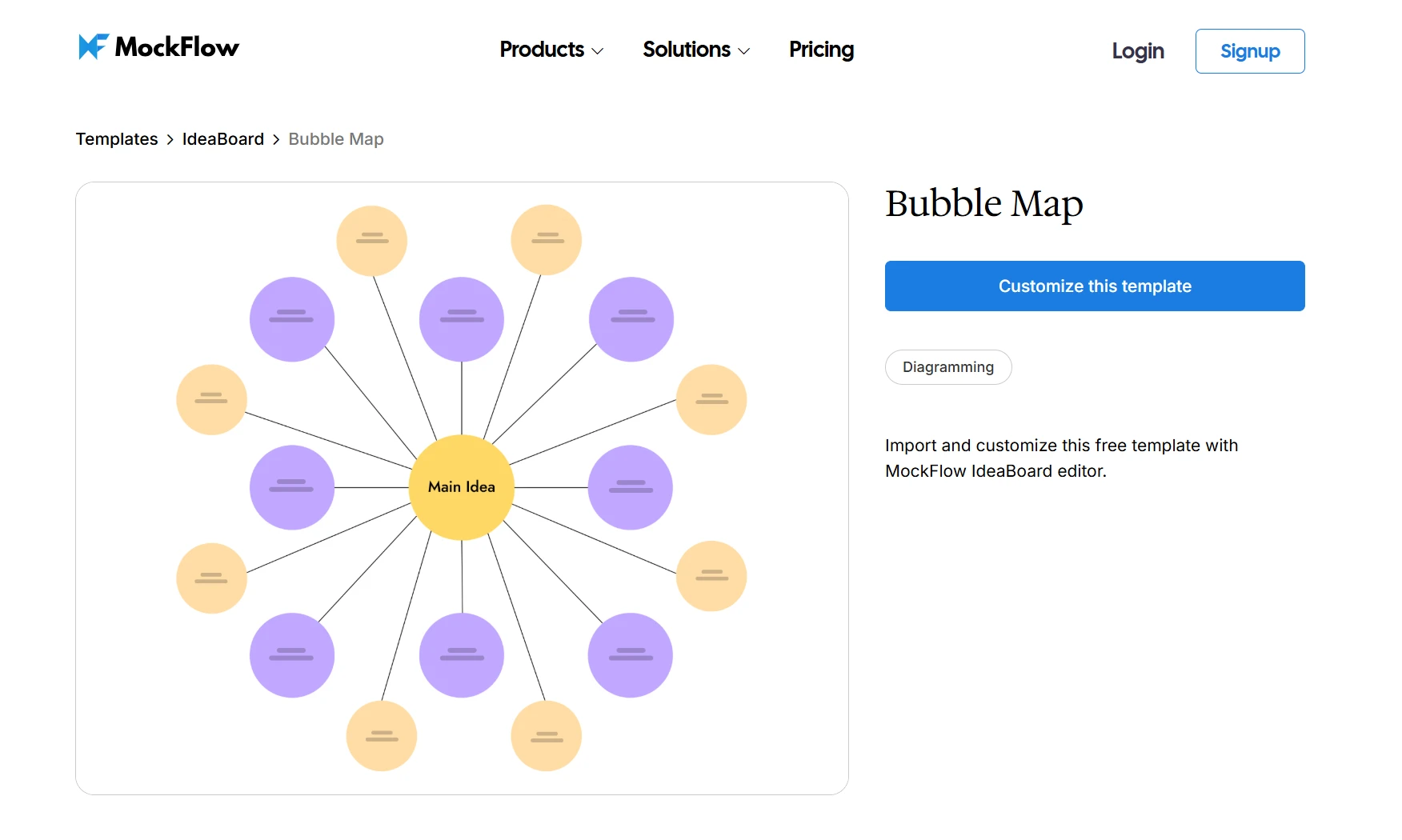
Customize this bubble map template on IdeaBoard
Double bubble map
A double bubble map is designed for comparison. Instead of focusing on one idea, you place two concepts side by side and map their relationships.
So, what is a double bubble map in practical terms? It helps you:
- Identify shared attributes between two concepts
- Separate unique differences clearly
- Visualize overlap without mixing everything together
The structure keeps similarities in the center and pushes differences outward, which makes patterns easier to spot compared to lists or tables.
This format is especially useful for:
- Competitor comparisons
- Product evaluations
- Strategic decision-making
If you want to avoid manually structuring this, you can use a ready-made layout like the double bubble map template in IdeaBoard.
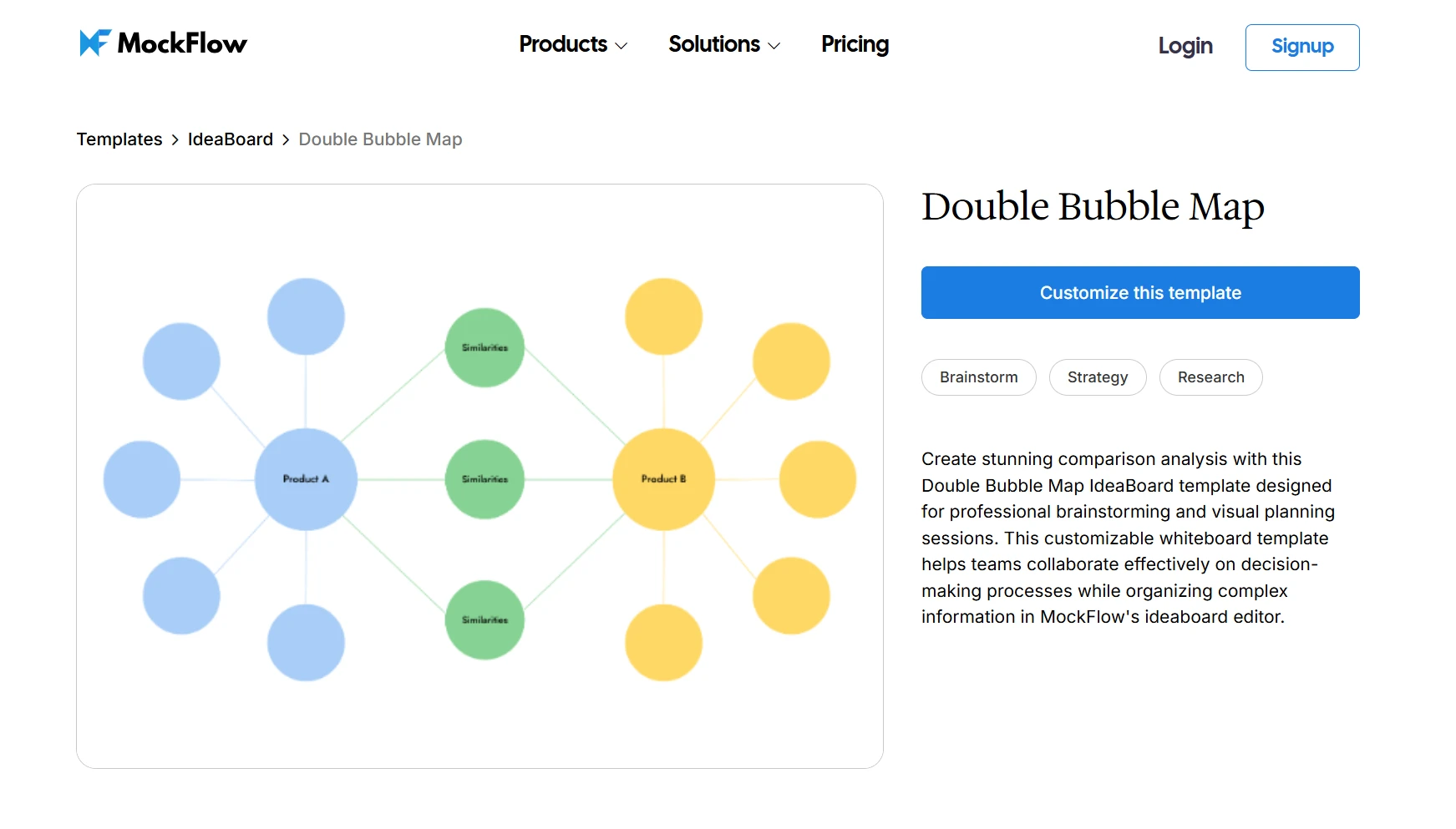
Customize this double bubble map for comparison workflows on IdeaBoard
IdeaBoard also offers double bubble maps for specific use case. For example, this customizable HR & management bubble map template.
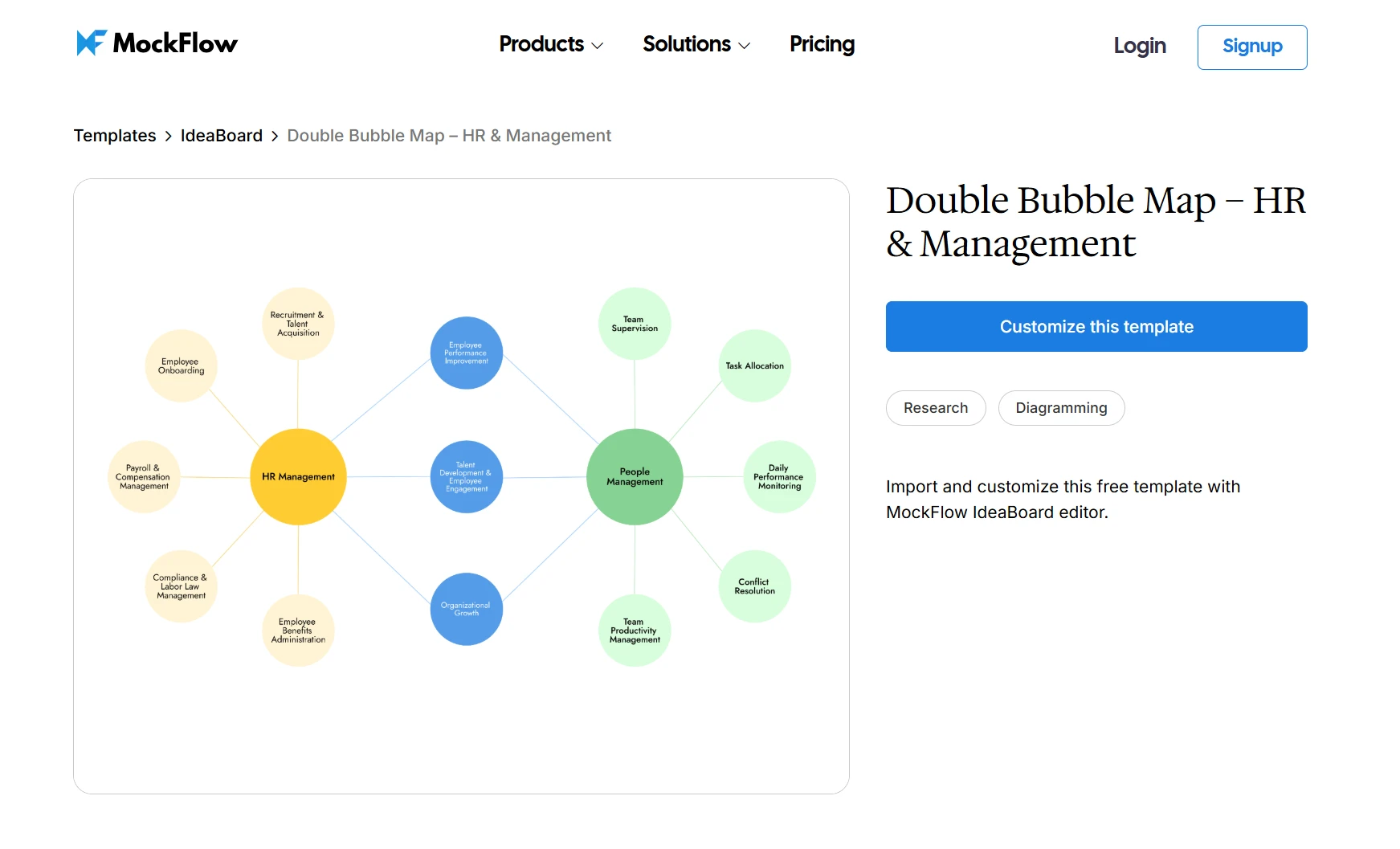
Customize this HR & management double bubble map on IdeaBoard
It gives you a clear comparison framework so you can focus on insights rather than formatting.
Bubble map vs bubble chart vs mind map
It’s easy to confuse a bubble map with a bubble chart or a mind map because they all use visual elements. The difference comes down to how structured the data is and what you’re trying to achieve.
Feature | Bubble Map | Bubble Chart | Mind Map |
Purpose | Idea + data visualization | Quantitative data analysis | Idea structuring |
Structure | Central + surrounding bubbles | X, Y axes + bubble size | Hierarchical branches |
Use case | Brainstorming, spatial insights | Analytics dashboards | Note-taking, planning |
Key differences in real use cases
A bubble map is best when you want to explore relationships without strict constraints. You’re focusing on how ideas or categories connect, and in some cases, how bubble size represents relative importance or value.
A bubble chart, on the other hand, is more data-driven. It relies on defined axes (X and Y) and uses bubble size to represent a third variable. This makes it suitable for use cases where you’re working with structured datasets and need precise comparisons.
A mind map is more hierarchical. It starts with a central idea and branches out in levels, making it useful for organizing thoughts or planning workflows, but less effective for showing proportional values or geographic visualization.
In practice, if your goal is flexible thinking with light data context, a bubble map fits best. If you need numeric analysis, go with a bubble chart. If you’re structuring ideas step by step, a mind map works better.
When should you use a bubble map?
A bubble map works best when you want to understand relationships quickly without getting into rigid structures. It’s useful when clarity matters more than precision, especially in early-stage thinking or high-level analysis.
1. For brainstorming and idea exploration: Use a bubble map when you’re breaking down a topic into attributes or related ideas. It helps you expand thinking visually instead of listing points linearly, which makes connections easier to spot.
2. For comparing concepts visually: When you need to compare two ideas, a double bubble map gives you a clear structure to separate similarities and differences. This works well in strategy discussions or product evaluations where overlap matters.
3. For simple data visualization: If you want to represent relative values without using full charts, a bubble map can show proportional differences through bubble size. It’s useful for high-level comparisons where exact numbers are less important than trends.
4. For geographic visualization: A bubble map is also used in mapping scenarios where bubbles are placed based on geographic coordinates. This helps visualize spatial data like sales distribution, population density, or regional performance without relying on complex formats like a choropleth map.
In short, use a bubble map when you need flexibility, quick interpretation, and visual clarity across ideas or data.
Benefits of a bubble map
A bubble map is useful because it combines visual thinking with lightweight structure. You’re not locked into rigid formats, but you still get clarity in how ideas or data connect.
- Simplifies complex information: Converts abstract ideas or scattered data into a clear visual format, making relationships easier to understand.
- Improves pattern recognition: Variations in bubble size and placement help identify clusters, outliers, and priorities quickly.
- Enhances collaboration: Makes it easy to add, adjust, and connect ideas on a shared canvas during discussions.
- Supports better decision-making: Visually separates key elements, helping you compare options and focus on what matters.
- Flexible across use cases: Works for brainstorming, data visualization, and geographic visualization depending on how you structure it.
A bubble map gives you a balance of flexibility and clarity, so you can move from raw inputs to structured insights without overcomplicating the process.
Bubble map examples
Here are two practical ways you can use it to analyze and organize information.
Marketing example: campaign performance analysis
You can use a bubble map to visualize how different marketing channels perform without relying on complex dashboards.
According to a Forbes Advisor report on digital communication, businesses increasingly rely on digital tools to manage and interpret multi-channel performance.
- Central idea: Campaign performance
- Bubbles: SEO, Paid Ads, Email, Social Media
- Bubble size: Conversions or ROI
- Positioning: Group by funnel stage (Awareness, Consideration, Conversion)
This setup helps you quickly identify which channels drive the most impact and where performance is clustered. Instead of scanning reports, you can visually compare contributions and prioritize optimization areas.
Business example: customer segmentation
A bubble map is also useful for understanding customer segments at a high level.
- Central idea: Customer segmentation
- Bubbles: Enterprise, SMB, Startups
- Bubble size: Revenue contribution or lifetime value
- Positioning: Group by industry (SaaS, E-commerce, Finance)
This makes it easier to spot high-value segments and understand how different groups are distributed. You can use this view to align sales focus, refine targeting, or adjust resource allocation based on segment performance.
Here are a few templates teams can customize and use for various use cases:
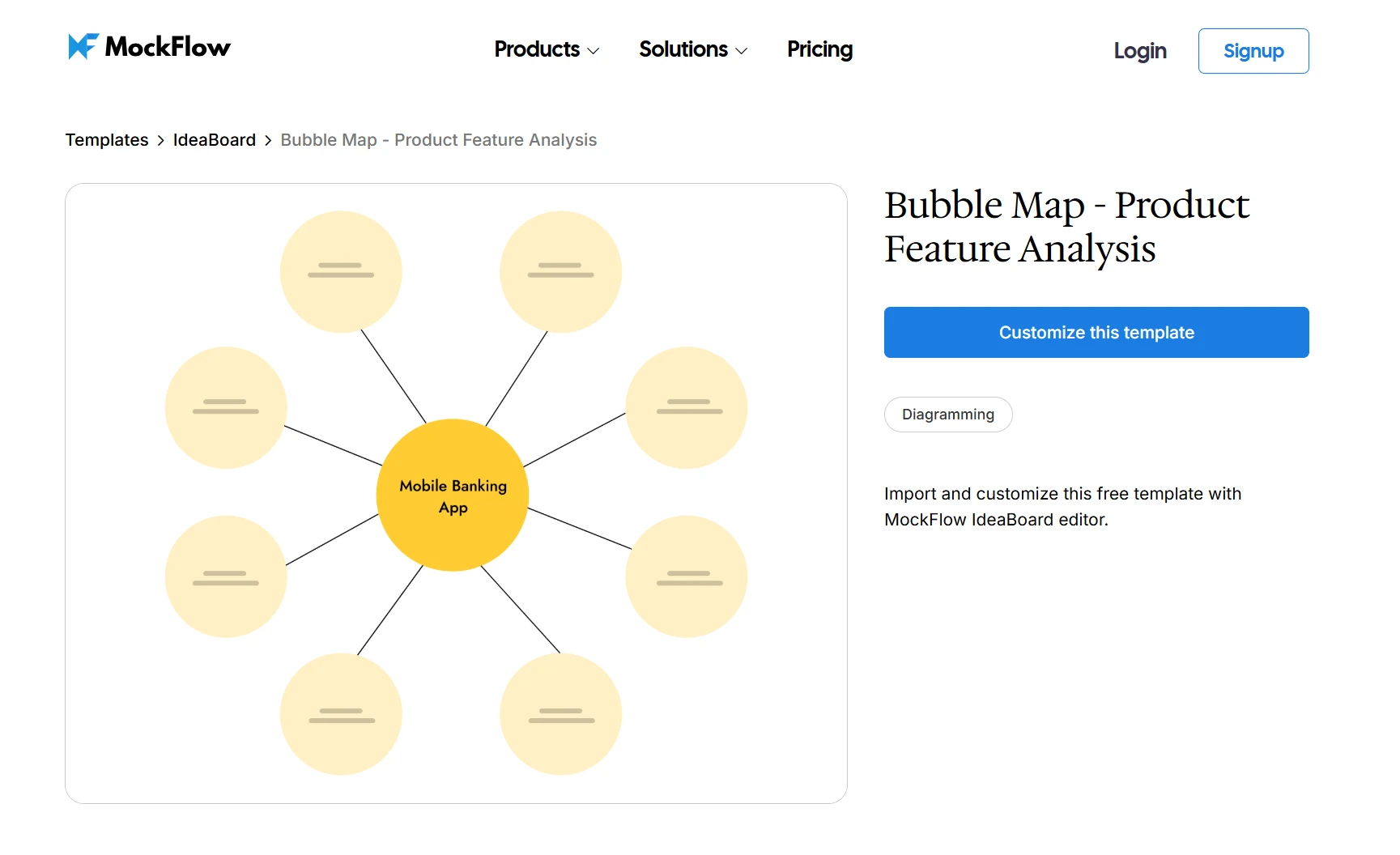
Try this bubble map template for product feature analysis and other use cases
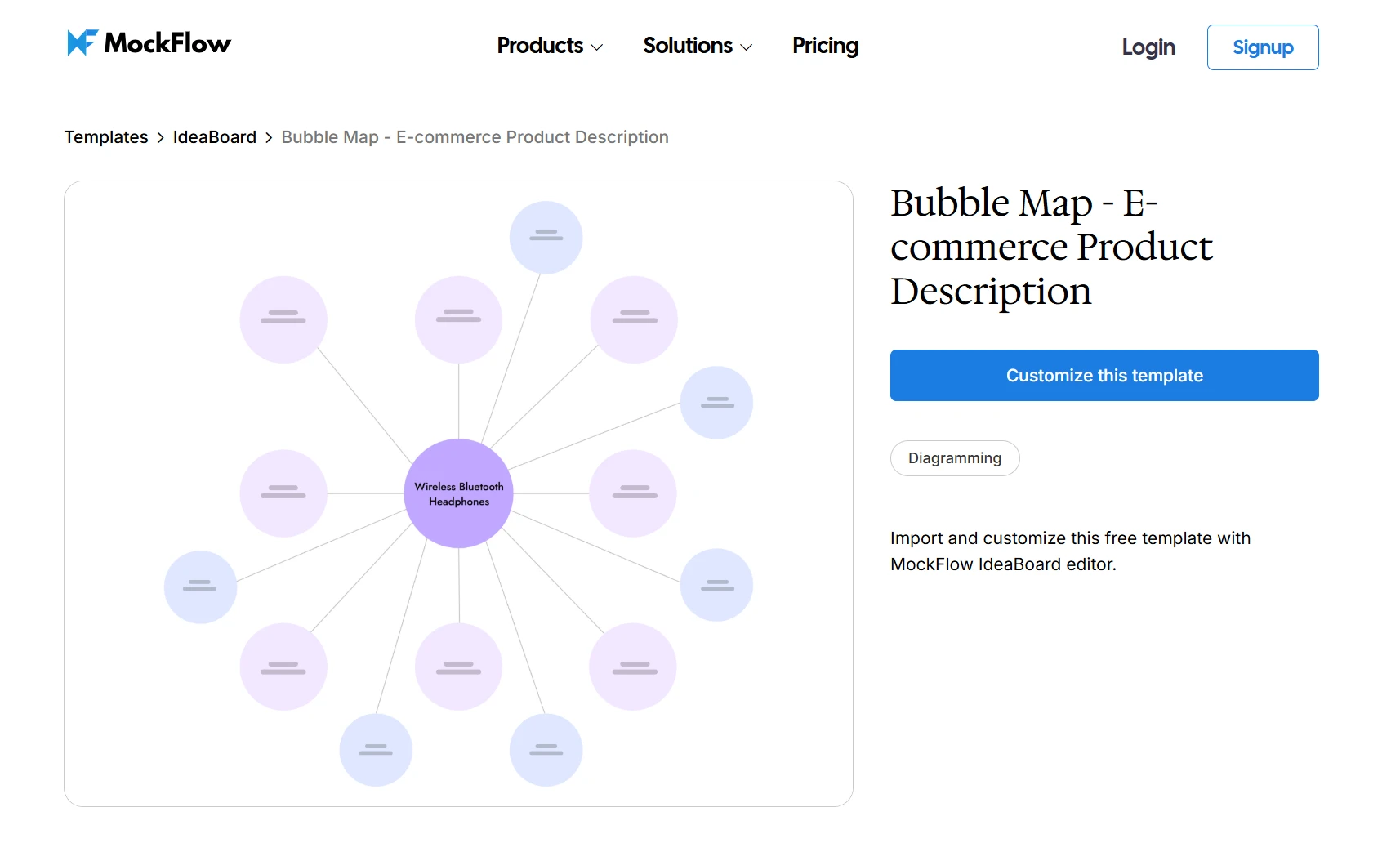
Customize this e-commerce product description bubble map template
How to create a bubble map step by step on IdeaBoard
Creating a bubble map is not about drawing circles, it’s about structuring information so the insight is obvious without explanation. And the shift toward more flexible and visual ways of doing so is already happening.
According to a Cisco Hybrid Work Study, over 98% of employees want to work remotely at least part of the time, increasing the need for visual collaboration tools that make ideas easier to share and understand.
IdeaBoard’s collaborative whiteboard helps you move faster by removing layout friction, but the value comes from how you build the map.
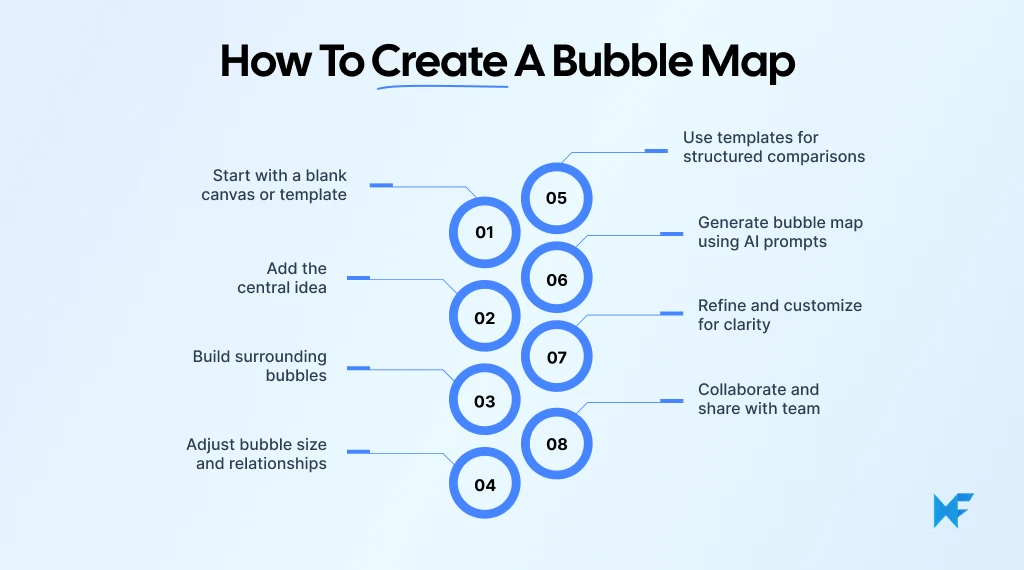
Step 1: Start with a blank canvas or choose a template
You can start by signing up for free or use the no-signup online version to begin instantly. Once inside, create a new board and decide how you want to approach it.
- Use a blank canvas when you want full flexibility
- Use a template when you want a structured starting point
IdeaBoard’s infinite canvas means you’re not restricted by space, so you can keep expanding your bubble map as your ideas grow. If you want a faster start, you can pick a layout from the template library and begin adding content immediately instead of arranging elements manually.
Step 2: Add the central idea
Place your main concept at the center of the board. This defines what your entire bubble map is about.
This could be:
- A topic for brainstorming
- A dataset for analysis
Keep it specific. A vague central idea leads to scattered bubbles, while a clear one keeps the map focused and easier to interpret.
Because the interface is drag-and-drop, you can quickly place and reposition the central idea without worrying about formatting. Keeping this clear ensures everything you add later stays relevant.
Step 3: Build surrounding bubbles
Add bubbles around the central idea to represent the elements you want to analyze:
- Attributes
- Categories
- Data points
At this stage, focus on capturing the right inputs. IdeaBoard gives you shapes, connectors, and sticky elements, so you can expand ideas visually and group related concepts without overthinking structure early on.
Step 4: Adjust bubble size and relationships
Now define how your bubble map communicates meaning.
Resize bubbles to represent:
- Importance
- Frequency
- Value
Then position bubbles intentionally:
- Group related items together
- Separate unrelated ones
- Form clusters to highlight patterns
Because you’re working on IdeaBoard’s infinite whiteboarding canvas, you can move, resize, and reorganize elements freely as patterns start to emerge. This flexibility helps when your map becomes more detailed and you need to refine groupings.
Step 5: Use templates for structured comparisons (double bubble maps)
When you need to compare two ideas, switch to a double bubble map structure.
- Keep shared attributes in the center
- Place differences on each side
This structure prevents overlap and makes comparisons easier to read. You can use this double bubble map template to skip manual setup and focus on analysis.
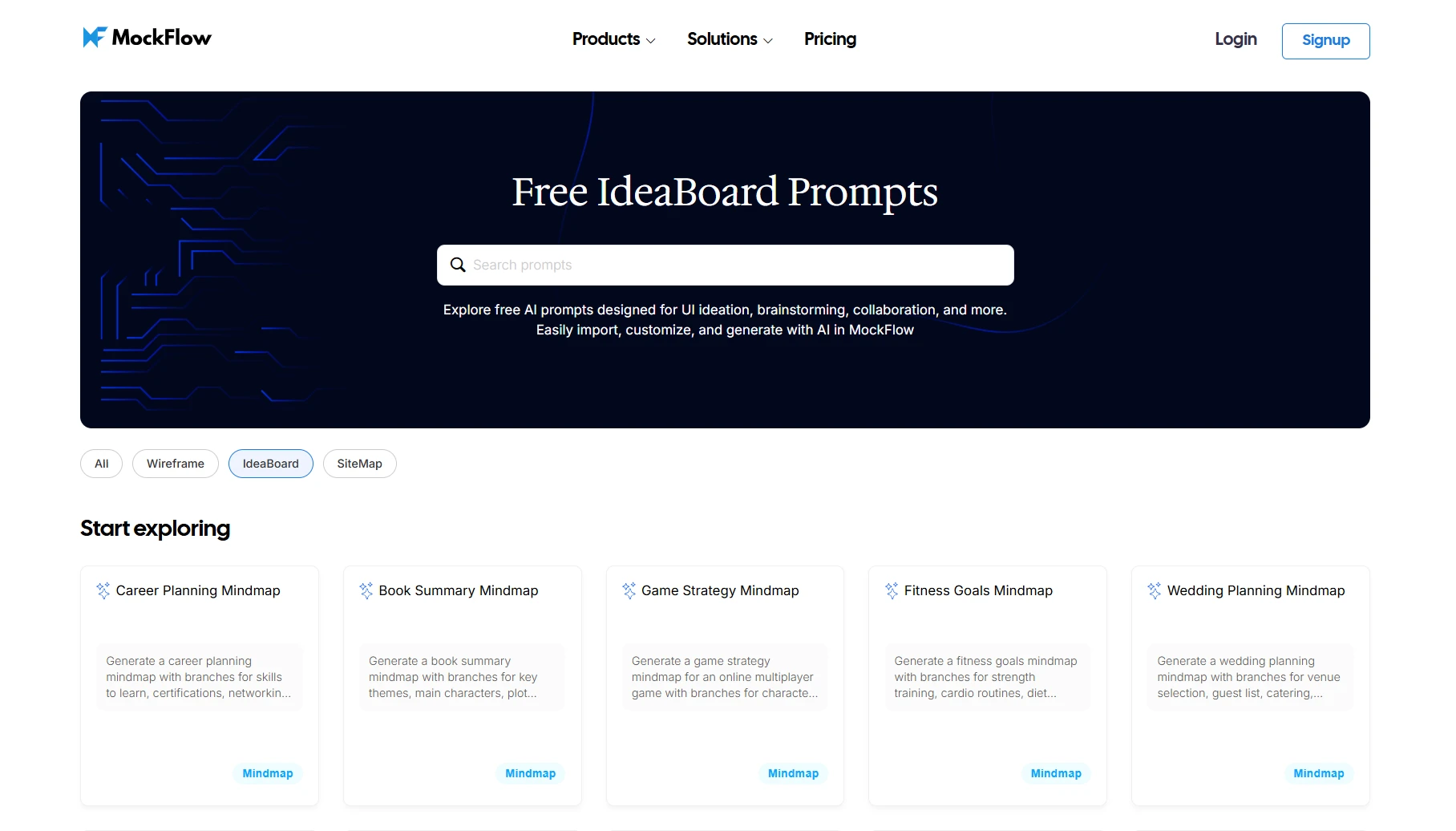
Step 6: Generate a bubble map using AI prompts
If you’re starting with a rough idea, you don’t need to build everything manually. According to a Deloitte report on workplace transformation, organizations are increasingly adopting AI tools to reduce manual effort and improve decision-making speed.
Use IdeaBoard’s AI Toolbox to generate a starting layout with prompts like:
- “Create a bubble map for customer segmentation”
- “Generate a double bubble map comparing two tools”
You can also use its prompt-based generation feature to quickly explore multiple structures before refining one.
Step 7: Refine and customize for clarity
Once your map is structured, refine it so it’s easy to understand.
- Add labels and colors for readability
- Adjust spacing to avoid overlap
- Group related bubbles clearly
You can also add context directly on the board using the Docs component, which lets you include explanations alongside the visual instead of keeping them separate.
Step 8: Collaborate and share with your team
You can invite team members to work on the same board in real time, making it easier to brainstorm, edit, and refine ideas together.
IdeaBoard supports:
- Real-time collaboration on the same canvas
- Voice and video feedback using multimedia comments
- Easy sharing through secure links or exports
This helps you move from individual thinking to team-driven insights without switching brainstorming tools.
- Use templates when the structure is clear and repeatable
- Use AI when you’re exploring and need a starting point
Templates help you execute faster, while AI helps you explore faster.
Conclusion
A bubble map gives you a simple way to make ideas and data easier to understand. Whether you’re organizing thoughts or working with data visualization, it helps you see relationships, patterns, and priorities without overcomplicating things.
Its strength lies in flexibility. You can use it for brainstorming, comparisons with a double bubble map, or even mapping spatial data in a visual format that’s easy to scan.
You don’t need to start from scratch. With templates and AI-assisted tools like IdeaBoard, you can quickly build structured, insight-driven bubble maps for any use case.
Start with a template or generate your first map using AI. Try IdeaBoard via the Chrome extension or sign up for free.
FAQs about bubble map
1. What words go around the center of a bubble map?
We add descriptive words, attributes, or characteristics around the central idea in a bubble map. These can include qualities, categories, or data points that help explain the concept clearly and visually.
2. Can a bubble map help with essay planning?
A bubble map helps with essay planning by organizing ideas before writing. We can map the main topic in the center and use surrounding bubbles to outline key points, supporting arguments, and examples.
3. Where can we find a free bubble map template?
We can find free bubble map templates in online whiteboard tools and visual collaboration platforms like IdeaBoard that has vast template libraries. These templates help us start quickly without manually structuring the layout.
4. Can we create a bubble map online for free?
We can create a bubble map online using digital whiteboard tools and diagram platforms like IdeaBoard. These tools provide drag-and-drop elements, templates, and collaboration features for easy creation and sharing.
5. Which bubble map template is best for presentations?
The best bubble map template for presentations depends on the goal. We use standard bubble maps for explaining one idea and double bubble maps for comparisons. Clean layouts and clear labels improve readability in slides.
6. What are examples of bubble maps for teams or business use?
Teams use bubble maps for campaign planning, customer segmentation, and strategy mapping. We can visualize channels, customer groups, or priorities using bubble size and placement to highlight insights and relationships.
Decision Tree Diagram: Symbols, Examples, and How to Create One
Introduction Some decisions look simple until you start mapping the consequences. Teams debate possibilities endlessly because...
Miro vs Visio: Side-by-Side Comparison of Features, Reviews & Pricing
Introduction Every team has its own rhythm when it comes to visual collaboration. Some think best when ideas spread loosely...

Structured Brainstorming: How It Works, Benefits & Techniques
Introduction A productive brainstorming session should give everyone room to contribute and help the team move toward useful...
