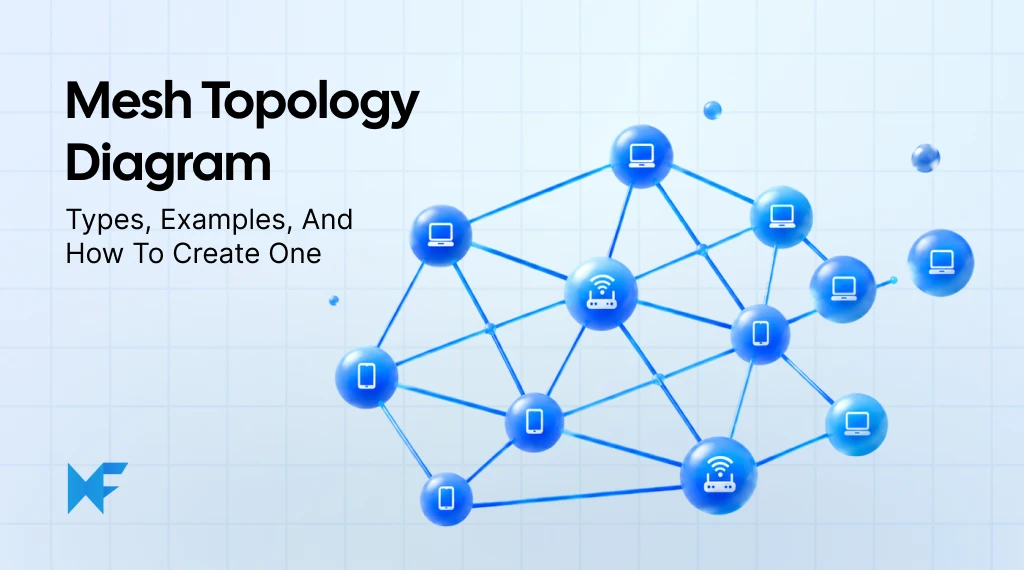
How Mesh Network Topology Works: Diagrams, Types, and Examples
Introduction
When multiple devices are connected in a network, a key concern is whether communication can continue if one of those connections fails. Understanding which devices depend on each other and where alternative routes exist helps you assess how reliable the network really is.
A mesh topology diagram makes the connections between network devices and the alternative paths available for data transmission visible, helping you understand how the network can handle individual connection failures.
In this guide, we'll explore how mesh topology works, compare full and partial mesh diagrams, look at practical applications, and show you how to create your own diagram.
What is a mesh topology diagram?
A mesh topology diagram shows how devices in a computer network connect through multiple communication links. These connections provide alternative paths for data transmission, reducing dependence on individual links and improving network reliability.
For example, consider three routers: A, B, and C.
- Normal route: Data travels directly from A to C.
- Alternative route: Data travels from A through B to reach C.
- If the direct connection fails: The network may use the alternative route through B, provided the remaining connections and routing are working.
This helps network administrators and engineers identify backup routes and understand how the network handles connection failures. Depending on the connections between devices, a mesh network can have either a full mesh or partial mesh structure.
Here's how mesh topology compares with the different types of network topology diagrams.
Network topology | Structure | Main characteristic |
Bus | Devices share a common backbone | Simple linear arrangement |
Star | Devices connect through a central hub or switch | Centralized connectivity |
Ring | Devices form a circular connection | Ring-based communication |
Mesh | Devices have multiple interconnections | Alternative communication paths |
Tree | Devices follow a hierarchical arrangement | Branch-based structure |
Hybrid | Combines two or more topologies | Flexible network arrangement |
Point-to-point | Two devices share a direct link | Dedicated connection |
Mesh topology stands out because it can provide multiple communication paths without relying on a single shared backbone or central connection. This helps reduce the impact of individual link failures, provided alternative routes remain available.
Key components of a mesh network topology diagram
A mesh network topology diagram uses a few basic elements to represent how devices communicate. Understanding these components helps you identify direct connections and recognize where alternative routes exist.
- Nodes: Represent network devices such as routers, switches, computers, or wireless access points. Each node can send, receive, or forward data depending on its role.
- Links: Represent the wired or wireless connections between network devices.
- Point-to-point connections: Show a direct communication link between two devices without requiring an intermediate node.
- Data paths: Show the routes data follows from one device to another, either directly or through intermediate nodes.
- Redundant connections: Provide additional routes that may allow communication to continue if an individual link fails.
How these components work together
Consider four routers, A, B, C, and D. Router A connects directly to D, while another route passes through B.
- Normal route: A → D
- Alternative route: A → B → D
- If the A-to-D link fails: Data may use the alternative route through B, provided those links remain operational and routing supports the change.
You can use MockFlow's visual diagramming workspace to map device connections using shapes and editable lines. This makes it easier to trace available routes, identify redundant connections and potential failure points, and compare how different network layouts affect data transmission.
How does mesh topology work?
Mesh topology works by connecting network devices, or nodes, through multiple communication links. Depending on the network structure, each node may connect directly to several other devices, creating different paths for data to travel between them.
When one device sends data to another, the route depends on how the nodes are connected:
- Direct communication: If two nodes have a direct connection, data can travel between them without passing through another device. For example, Router A can send data straight to Router D if they share a link.
- Indirect communication: If two nodes aren't directly connected, data can pass through intermediate devices. Each intermediate router forwards the data toward its destination using the available network connections.
- Alternative routes: When multiple paths exist between two devices, the network may use another route if the current connection fails. This helps maintain communication without relying entirely on one link.
These additional paths create redundancy, which improves fault tolerance by giving data more than one possible route to its destination.
Example: How mesh topology handles a connection failure
Consider a mesh network with four routers: A, B, C, and D. Router A connects directly to D, but it also connects to B, which has its own connection to D.
Here's how data transmission works:
- Normal connection: A → D. Data travels directly from Router A to Router D through their shared link.
- Connection failure: The direct link between A and D becomes unavailable, so data can no longer use that route.
- Alternative route: A → B → D. Router A sends data to Router B, which forwards it to Router D through its own connection.
The network can continue communicating because another connected path exists between A and D. However, the routers must be configured to recognize and use that alternative route.
Does mesh topology automatically reroute data?
That depends on the network's routing protocols and configuration.
- Supported routing mechanisms: Can detect certain link failures and redirect traffic through another available path.
- Self-healing networks: Can automatically adjust communication routes when connectivity changes, provided the network supports this behavior.
For networks with strict recovery requirements, define the acceptable interruption time and identify likely link failures before choosing a failover method. The network’s equipment and protocols need to support that target, so a diagram of the failure paths can help clarify what the design must handle.
Types of mesh topology diagrams
Mesh topology diagrams are generally divided into two types: full mesh and partial mesh. The main difference is how many direct connections exist between network nodes, which affects reliability, infrastructure requirements, and the complexity of the network.
1. Full mesh topology diagram
A full mesh topology connects every node directly to every other node in the network. This means each device has a dedicated point-to-point connection with all other devices, allowing them to communicate without relying on an intermediate node.
Here's what makes a full mesh network different:
- Direct connectivity: Every device can communicate directly with every other device because a connection exists between each pair.
- High redundancy: If one link fails, data may still reach its destination through other connected nodes, provided routing supports the alternative path.
- More connections required: As the network grows, every new device needs a direct connection to all existing devices. This increases installation costs and makes the network harder to maintain.
How many connections does a full mesh topology need?
For an undirected full mesh network, the total number of direct links is calculated using:
Totallinks=n(n-1)/2
Here, n represents the number of network nodes.
For example, a full mesh network with four routers (A, B, C, and D) requires:
Totallinks=4(4-1)/2 =6
Those six connections are A–B, A–C, A–D, B–C, B–D, and C–D. Each router connects directly to the other three, providing several possible routes between devices.
Full mesh topology is particularly useful for smaller, critical network segments where maintaining connectivity is important enough to justify the additional infrastructure.
2. Partial mesh topology diagram
A partial mesh topology connects selected pairs of network devices directly. Some nodes have several connections, while others have fewer, depending on their importance and communication requirements.
This allows networks to maintain alternative routes without requiring every device to connect to every other device.
Key characteristics include:
- Selective connections: Important network devices can have more direct links, while less critical devices connect to only a few neighboring nodes.
- Lower infrastructure requirements: Fewer connections generally mean less cabling, fewer network interfaces, and lower implementation costs compared with a full mesh of the same size.
- Design-dependent redundancy: Alternative routes may still exist, but their availability depends on which devices are connected. Some nodes may have only one route to the rest of the network.
Example: Partial mesh topology in a business network
Consider a business network with two interconnected core routers and three branch routers.
- Core routers: Router A and Router B connect directly to each other and serve as the main network connections.
- Branch routers: Routers C and D connect to both core routers, giving them an alternative path if one connection fails.
- Single-connected branch: Router E connects only to Router B, reducing connection requirements but leaving it dependent on that link.
This arrangement provides redundancy where it's needed most without connecting all five routers to one another.
Full mesh vs. partial mesh topology
Here's how the two mesh network configurations compare:
Feature | Full mesh topology | Partial mesh topology |
Node connectivity | Every pair connects directly | Only selected pairs connect directly |
Redundancy | Extensive | Depends on network design |
Connection requirements | Higher | Generally lower |
Implementation cost | Higher | Usually more economical |
Network complexity | Increases quickly with node count | Depends on selected connections |
Typical applications | Small critical network segments | Enterprise and large distributed networks |
The right choice depends on the network's size and how much fault tolerance it requires. Full mesh works well when extensive redundancy justifies the additional connections, while partial mesh offers more flexibility when infrastructure costs and network growth need to be considered.
Related Read: How to Create an API Diagram for Clearer Systems
Real-world applications of mesh network topology
Mesh network topology is used wherever devices need reliable communication across multiple connections. While it's common in enterprise networks, mesh configurations also support home Wi-Fi systems and connected devices spread across larger areas. The way these networks are designed depends on the devices involved and the level of reliability required.
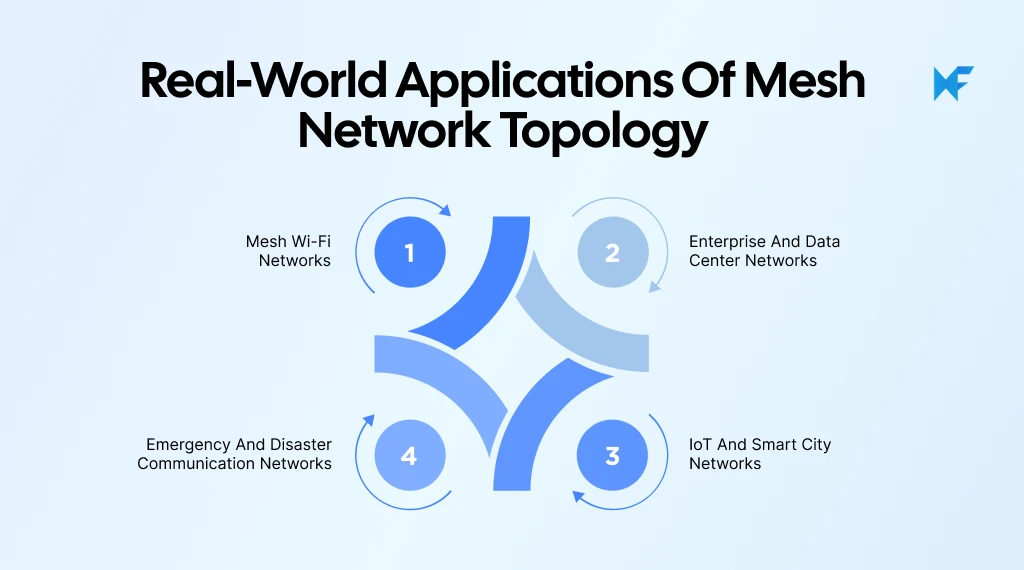
1. Mesh Wi-Fi networks
Mesh Wi-Fi networks use multiple wireless devices to extend internet coverage across homes, offices, and larger buildings. A primary router or gateway connects to the internet, while additional mesh nodes help distribute the connection to areas where the main router's signal may be weak.
In supported systems, mesh nodes can communicate with one another and forward data through neighboring nodes. Some systems also provide multiple wireless backhaul connections, allowing traffic to use another available route if a connection becomes unreliable.
Example: Mesh Wi-Fi in a two-story house
Consider a house with three mesh Wi-Fi devices:
- Primary router: Located on the ground floor and connected to the internet.
- Second mesh node: Positioned near the staircase to extend coverage between floors.
- Third mesh node: Placed upstairs to provide connectivity in rooms farther from the primary router.
Before adding mesh nodes, check signal strength and interference in the rooms with unreliable coverage, then try adjusting the router or access point placement. If existing coax or Ethernet can connect remote access points, a wired backhaul for mesh nodes can improve stability while reducing the extra wireless traffic created by relaying data between nodes.
2. Enterprise and data center networks
Enterprise networks often use interconnected routers and switches to maintain reliable communication between critical systems. By providing multiple network paths, organizations can reduce the risk of a single connection failure disrupting access to important services.
Partial mesh configurations are often more practical for larger networks because they provide redundancy between selected devices without requiring every router or switch to connect directly to all others.
Example: Redundant connections in an enterprise network
Consider an organization with three core routers connecting different departments and shared network services.
- Core Router A connects to Routers B and C.
- Core Router B also connects directly to Router C.
- If the A-to-B connection fails, traffic may travel through Router C to reach B, provided routing supports that path.
This arrangement provides alternative communication routes between critical devices. Teams can use network architecture diagrams to document these connections and identify where redundancy is available.
When reviewing the proposed network design, teams using Microsoft Teams can open MockFlow directly within a Teams meeting. Engineers can examine the same network diagram, discuss whether critical routers have sufficient backup connections, and make changes together as the discussion progresses.
3. IoT and smart city networks
Mesh topology is also used in Internet of Things (IoT) networks, where devices may be spread across buildings, industrial facilities, or public spaces. According to the 2025 Ericsson Mobility Report, global IoT connections reached an estimated 22.3 billion in 2025, highlighting the importance of connecting widely distributed devices without requiring each one to communicate directly with a central gateway.
For compatible devices that support mesh networking, multi-hop communication allows data to travel through neighboring nodes rather than requiring a direct connection to a central gateway. This can extend communication across larger areas.
Example: Smart street-lighting network
Consider a street with connected lighting controllers installed along several blocks.
- Individual controllers collect information about the operation of their streetlights.
- Neighboring controllers relay information from one device to another.
- A monitoring gateway receives the information and makes it available to the central management system.
A controller located far from the gateway can send its data through nearby controllers, provided a connected route is available. This makes mesh topology useful when devices are spread across large areas where direct communication with a central gateway would be difficult or expensive.
4. Emergency and disaster communication networks
Mesh networks can support communication when conventional network infrastructure is damaged, unavailable, or difficult to install. Portable wireless devices can form temporary connections and relay messages between emergency response teams.
Because messages can pass through intermediate devices, responders do not always need a direct connection to every other team member. Where alternative paths exist, communication may also continue if one node or link becomes unavailable.
Example: Temporary communication network during disaster response
Consider emergency teams deploying portable wireless nodes across an affected area.
- Node A: Connects a command center to nearby response teams.
- Node B: Relays messages to teams operating farther away.
- Node C: Provides another connection between the command center and field teams.
If a direct connection fails, messages may travel through another available node, provided the network supports rerouting. This helps response teams maintain communication as conditions change, making mesh networks useful for temporary deployments where reliable connectivity matters.
Using MockFlow's flexible diagramming canvas, teams can map these temporary connections and adjust device positions or links to examine which alternative communication paths remain available.
Advantages and disadvantages of mesh topology
Mesh topology offers reliable communication by providing multiple paths between network devices. However, maintaining these connections requires additional infrastructure and careful network planning. Understanding the advantages and disadvantages of mesh topology helps you decide whether the added reliability justifies the cost and complexity.
Here's a look at both sides:
Advantages | Disadvantages |
Multiple connections provide alternative routes for data, reducing dependence on a single link. | Additional connections may require more cables, network ports, and equipment, increasing setup costs. |
If an individual link fails, communication may continue through another available route. | Setting up multiple connections requires careful planning to ensure devices communicate correctly. |
Alternative paths help maintain connectivity between devices when certain links become unavailable. | More connections can make monitoring and troubleshooting network issues more difficult. |
Networks with supported routing mechanisms can redirect data through another path when a connection fails. | In full mesh topology, every additional node requires connections to all existing nodes, increasing network complexity. |
A well-designed mesh can limit how much a single connection failure affects the overall network. | Wireless mesh networks may experience bandwidth limitations or interference as data passes through multiple nodes. |
When is mesh topology worth considering?
Mesh topology is particularly useful when maintaining network availability is a priority. However, the right configuration depends on how much redundancy you need and the infrastructure you're prepared to manage.
Cisco's 2025 Networking Research found that 77% of surveyed IT leaders had experienced major network outages in the previous two years. While mesh topology cannot prevent every outage, evaluating redundant connections can help address certain link failures.
Before choosing a design, consider:
- Network size: How many devices need to communicate, and how many additional connections will be required as the network grows?
- Reliability requirements: Which devices need backup routes, and where is a single connection sufficient?
- Infrastructure and maintenance: Can the available equipment and resources support the additional connections and ongoing network management?
Related Read: What is a Context Diagram? Examples and How to Create
How to create a mesh topology diagram with MockFlow
MockFlow helps you create and customize mesh topology diagrams by arranging network devices and mapping the connections between them. You can start with a ready-made template, modify the network structure, and organize the connections to represent either a full or partial mesh topology.
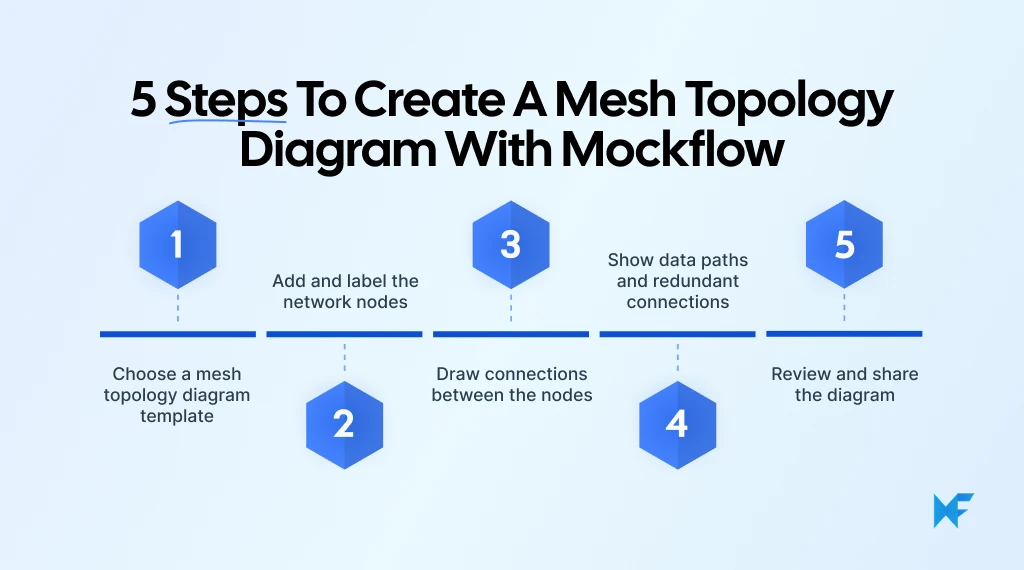
Let's walk through creating a simple mesh network diagram with four routers.
Step 1: Choose a mesh topology diagram template
Start by opening MockFlow’s mesh topology template. This provides an existing network layout that you can customize in MockFlow's visual editor, saving you the effort of building every device and connection from scratch.
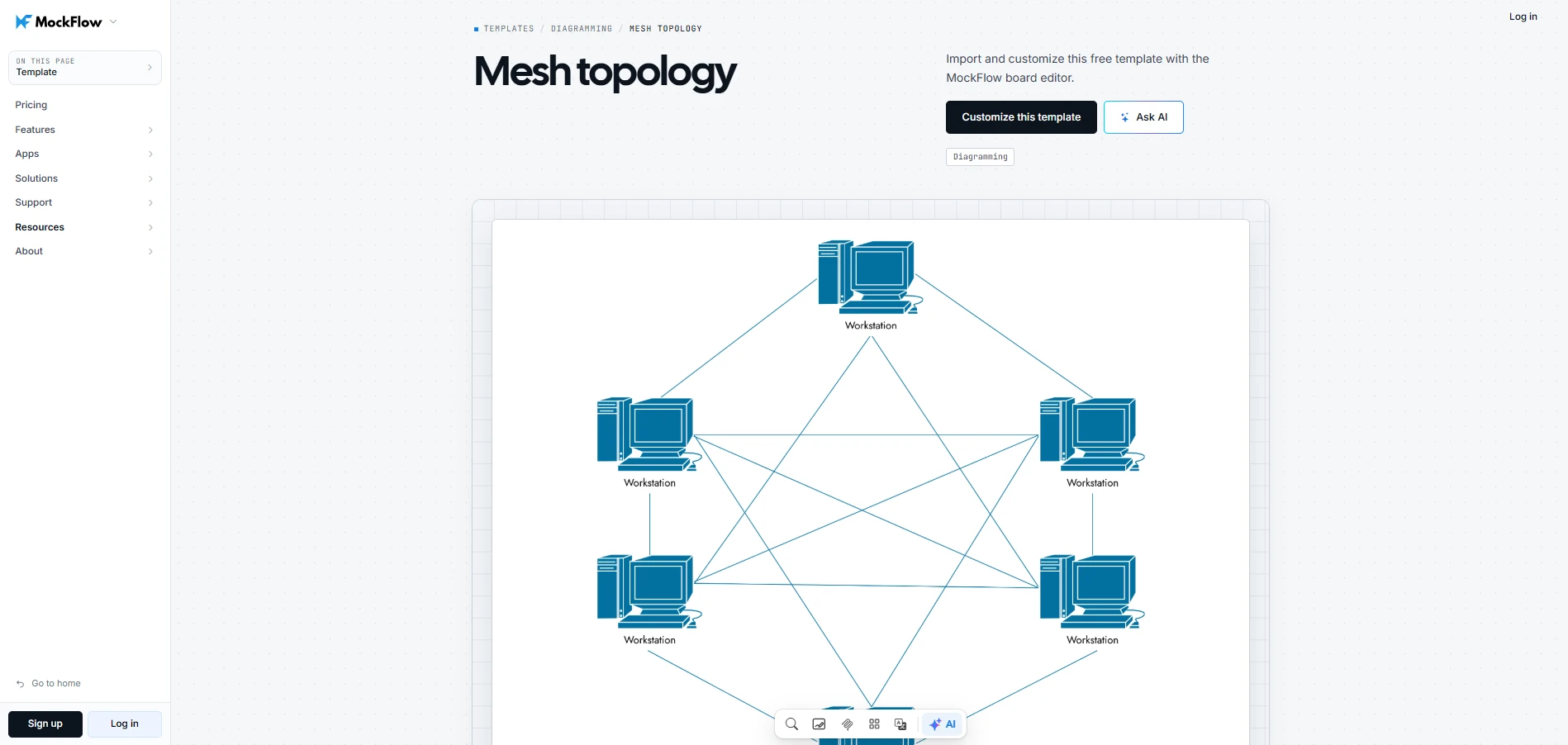
Customize this mesh topology template
Once you've opened the template:
- Review the existing nodes: Check how the routers and other network devices are arranged.
- Examine the connections: Identify which devices connect directly and where alternative routes exist.
- Choose your mesh structure: Decide whether to create a full mesh, where every router connects to every other router, or a partial mesh with selected connections.
For this example, we'll create a full mesh network with four routers. If you already have the network requirements written down, you can also use Mida AI assistant to generate an initial diagram. Describe the four routers and how they should connect, then review the generated layout and adjust any connections that don't match your intended network structure.
Step 2: Add and label the network nodes
Next, add the devices that will form your network. MockFlow provides editable shapes and network symbols to represent routers, switches, and other connected devices. If you're unsure how to structure a more complex network layout, you can explore the MockFlow Prompt Library for AI prompt examples and adapt one to describe the devices and connections you need.
For our four-router example:
- Add four router shapes: Each shape represents one network device.
- Label each router: Name them Router A, Router B, Router C, and Router D to make individual devices easy to identify.
- Arrange the routers: Position them in a square or diamond layout, leaving enough space for the connecting lines.
- Check the spacing: Keep the arrangement balanced so the connections remain easy to follow when you add them.
Clear labels and consistent spacing make it easier to trace communication paths, especially when multiple links cross between devices.
Step 3: Draw connections between the nodes
Now that your four routers are arranged, use MockFlow's connectors or lines to represent the direct communication links between them.
Since we're creating a full mesh topology, every router must connect directly to the other three.
Follow these steps:
- Connect Router A: Draw separate lines from Router A to Routers B, C, and D.
- Connect Router B: Add connections from Router B to Routers C and D.
- Complete the network: Connect Router C to Router D to finish the full mesh structure.
- Adjust the connections: Reposition lines where needed to keep them readable and avoid unnecessary overlaps.
Your completed diagram should have six direct connections between the four routers.
If you're creating a partial mesh instead, connect only the selected router pairs. MockFlow's editable connectors let you remove or modify links as you change the network structure, so you can explore different arrangements without rebuilding the diagram.
Step 4: Show data paths and redundant connections
Once the routers are connected, highlight how data travels between them. This helps explain how mesh networks can maintain communication when an individual connection fails.
Let's use Router A and Router D from our diagram:
- Highlight the normal route: Select the A-to-D connector in MockFlow and apply a distinct color or arrow to indicate the direct data path.
- Mark a failed connection: Change the A-to-D link to a dashed line or another color to show that the connection is unavailable.
- Show the alternative route: Highlight the A-to-B and B-to-D connectors in a matching color. Together, they represent the alternative path A → B → D.
- Add route labels: Label the connections as "Normal route," "Failed link," and "Alternative route" so their purposes are clear.
Keeping the same router arrangement makes it easier to compare the two conditions. Readers can trace the original connection and see exactly which links provide another possible path.
Remember that the alternative route represents a possible connection. Whether data automatically switches to it depends on the network's routing configuration.
Step 5: Review and share the diagram
Before sharing your mesh topology diagram, check that the network structure is accurate and that someone unfamiliar with your setup can understand the connections.
Use this quick checklist:
- Verify node labels: Confirm that Router A, B, C, and D are clearly identified.
- Count the connections: A four-router full mesh must have six direct links. For a partial mesh, check that only the intended connections are present.
- Review the data paths: Make sure the normal route, failed link, and alternative route are clearly distinguishable. Then test the design by disabling a link or device and checking whether traffic can still reach its destination. This helps confirm that the redundant routes work in practice, rather than only appearing as alternatives on the diagram.
- Check readability: Adjust overlapping connectors or labels that make the network difficult to follow.
Once you've verified the structure, share the MockFlow board with your team so they can inspect the connections directly. Real-time collaborative editing lets team members correct missing links or adjust labels on the same diagram, keeping everyone working from the latest version.
Conclusion
Once you understand how mesh topology works, the next step is to map out the connections and see how different network arrangements affect communication.
MockFlow makes this process easier with ready-made network topology templates and editable diagramming components. You can start with a basic mesh layout, customize the nodes and connections, and highlight alternative data paths to explain how the network handles connection failures.
Whether you're documenting an existing network or exploring a new configuration, having a clear diagram makes it easier to review the structure and communicate your ideas with others.
Get started with MockFlow and turn your network layout into a diagram you can refine and share.
FAQs
1. What are the 7 types of topology?
The seven common network topologies are point-to-point, bus, star, ring, mesh, tree, and hybrid. Point-to-point connects two devices, bus uses a shared backbone, star uses a central device, ring forms a loop, mesh uses interconnected nodes, tree follows a hierarchy, and hybrid combines multiple structures.
2. What are the advantages and disadvantages of mesh topology?
Mesh topology improves network reliability through redundant connections and alternative data paths. This provides fault tolerance when individual links fail. However, additional connections increase implementation costs, while configuring and maintaining interconnected devices can make network management more complex, especially as the number of nodes grows.
3. Why is it called mesh topology?
It's called mesh topology because the interconnected devices and communication links resemble a woven mesh or net. Multiple connections form a network of possible communication paths. This arrangement allows data to travel through different routes, depending on how the nodes are connected and configured.
4. Where is mesh topology used in real life?
Mesh topology is used in home and office mesh Wi-Fi systems to extend wireless coverage. Enterprise networks use redundant connections to improve availability, while IoT systems use mesh communication to connect distributed sensors. Emergency response teams may also use portable mesh networks when conventional infrastructure is unavailable.
5. What is the difference between full mesh and partial mesh topology?
In full mesh topology, every node connects directly to every other node, providing extensive redundancy but requiring more connections. Partial mesh topology connects only selected node pairs, reducing infrastructure requirements while maintaining alternative routes where needed. The level of fault tolerance depends on the network's design.
6. How many connections are required in a full mesh topology?
An undirected full mesh topology requires n(n−1)/2 connections, where n represents the number of nodes. For example, a network with four nodes requires 4(4−1)/2 = 6 direct connections. As more nodes are added, the number of required links increases rapidly.

Sales Process Flow Diagram: Stages, Example, and How to Create One
Sales teams often know their pipeline stages, yet the actual path from first contact to closed deal can still feel...

Decision Tree Diagram: Symbols, Examples, and How to Create One
Introduction Some decisions look simple until you start mapping the consequences. Teams debate possibilities endlessly because...

What Is Brainstorming? Techniques, Templates & Steps to Run a Session
Introduction When we talk about brainstorming, most people think of presenting ideas or filling a board with sticky notes. But...
