Lightning Decision Jam: How to Run the Workshop Step by Step
Team discussions can move quickly from useful input to circular debate. Everyone sees the problem differently, ideas start competing for attention, and the meeting ends with plenty of notes but no clear next step.
That is where a lightning decision jam earns its place. It gives us a practical way to move from problems to priorities, then from possible solutions to action, without letting the conversation drift.
In this guide, we will look at how an LDJ workshop is structured, where it works best, how to facilitate it step by step, and how to run the process with a shared Lightning Decision Jam template for in-person, hybrid, or remote team collaboration.
What is a lightning decision jam?
A Lightning Decision Jam, or LDJ, is a structured workshop method that helps teams identify problems, prioritize the most important challenges, generate solutions, and decide what to do next. It replaces open-ended discussion with silent ideation, voting, prioritization, and action planning.
The method keeps problem discovery separate from solution generation, gives everyone space to contribute independently, and uses visible sticky notes to make thinking easier to compare. By narrowing options through voting and effort-impact prioritization, teams can move toward a practical next step instead of ending with a long list of unresolved ideas.
What happens in a lightning decision jam workshop?
A lightning decision jam moves the team through a clear sequence so each stage produces something useful for the next. The structure keeps the workshop focused on progress rather than extended discussion.
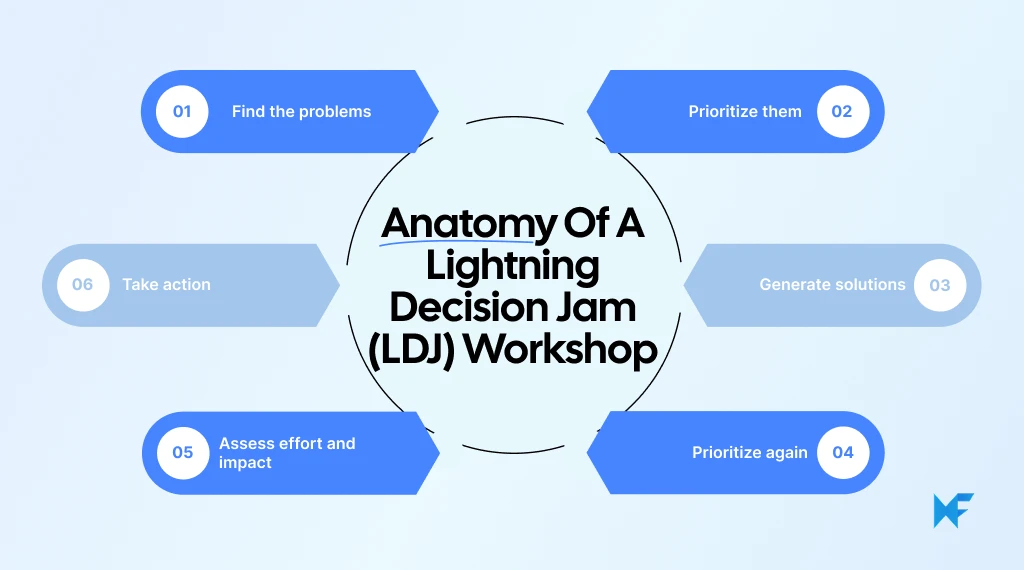
Workshop stage | Main question | Output |
Problem framing | What is getting in our way? | List of challenges |
Silent ideation | What could we do about it? | Possible solutions |
Voting and prioritization | What deserves attention? | Priority problems and ideas |
Effort versus impact | What is worth doing first? | Most practical solution |
Action planning | What do we do next? | Concrete next step |
1. Problem framing
We begin with a defined topic and ask participants to identify the problems connected to it. Each issue is captured visually before discussion begins, which helps us understand the problem space without jumping too quickly into solutions.
2. Silent ideation
Participants think independently and add one idea per sticky note. This gives everyone dedicated thinking time and prevents the first few voices in the room from shaping the rest of the session.
3. Voting and prioritization
Once the problems or solutions are visible, participants vote on what deserves attention. Voting helps us narrow a large set of contributions without debating every item or waiting for unanimous agreement.
4. Effort versus impact
The strongest solutions are then compared by potential impact and the effort required to implement them. This helps us identify ideas that are valuable and realistic enough to act on.
5. Action planning
The workshop ends by turning the selected solution into a clear next step. We define what should happen first, who should own it when relevant, and when the team will review progress.
What problems can a lightning decision jam solve?
A lightning decision jam works best when a team understands the challenge but is struggling to agree on what deserves attention or what should happen next. It is especially useful when discussions keep circling without producing a clear decision.
Teams can use LDJ to:
- Improve inefficient internal workflows
- Resolve recurring team-process issues
- Prioritize product improvements
- Address customer-experience problems
- Remove sprint or project blockers
- Turn retrospective findings into actions
- Choose which experiment to run next
- Improve service or support processes
- Align cross-functional teams around one problem
The same format works for in-person, hybrid, and remote teams using a shared visual board.
Teams that already have a challenge to work through can use MockFlow IdeaBoard’s Lightning Decision Jam template to move from problem identification to solution generation and prioritization without building the workshop structure from scratch.
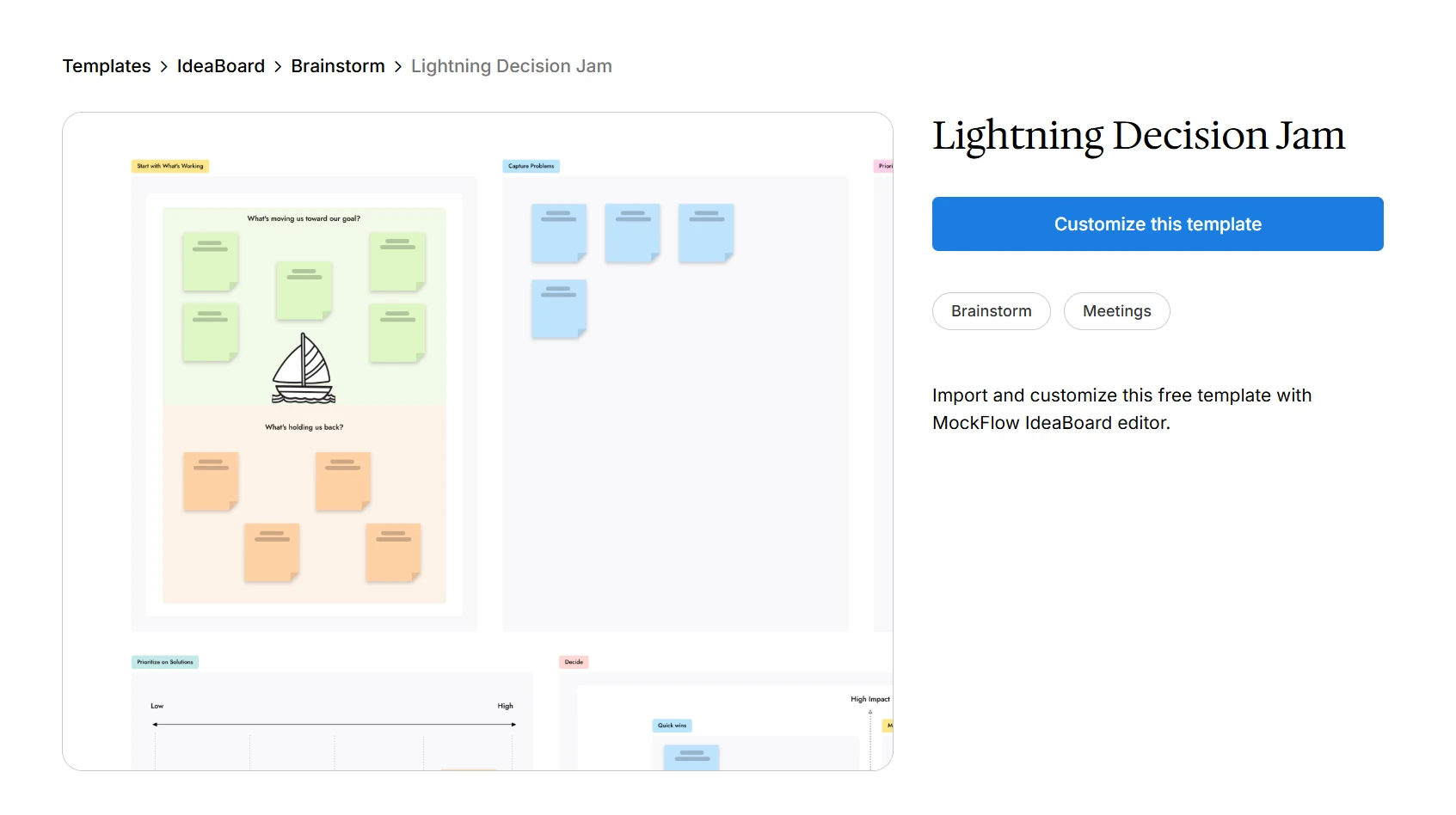
Customize this LDJ template on IdeaBoard
LDJ is most useful when the goal is both problem solving and decision-making. For broad idea generation without an immediate need to choose a next step, a more open brainstorming format may fit better.
Why use a lightning decision jam instead of open brainstorming?
Open brainstorming is useful when the goal is to generate ideas. A lightning decision jam goes further by helping a team identify the right problem, narrow the options, and leave with a clear next step.
Open brainstorming | Lightning decision jam |
Focuses mainly on generating ideas | Covers problems, solutions, prioritization, and action |
Often starts with group discussion | Uses structured individual thinking |
Early speakers can influence the room | Participants contribute before open discussion |
Discussion can consume most of the session | Discussion is deliberately constrained |
Prioritization may happen later | Voting is built into the workshop |
May end with many ideas | Ends with prioritized next steps |
The main advantage is focus. LDJ creates more balanced participation, reduces circular discussion, separates problems from solutions, and makes prioritization visible.
That focus matters when so much working time already gets absorbed by activity that does not move meaningful work forward. Deloitte's 2025 Global Human Capital Trends research found that respondents spend 41% of their daily time on work that does not contribute to the value their organization creates. For an LDJ, tightly structured activities help protect workshop time for identifying priorities and deciding what happens next.
For remote teams, the structure is especially useful because participants can contribute directly to the same digital board instead of relying on whoever speaks first in the meeting.
How to run a lightning decision jam step by step
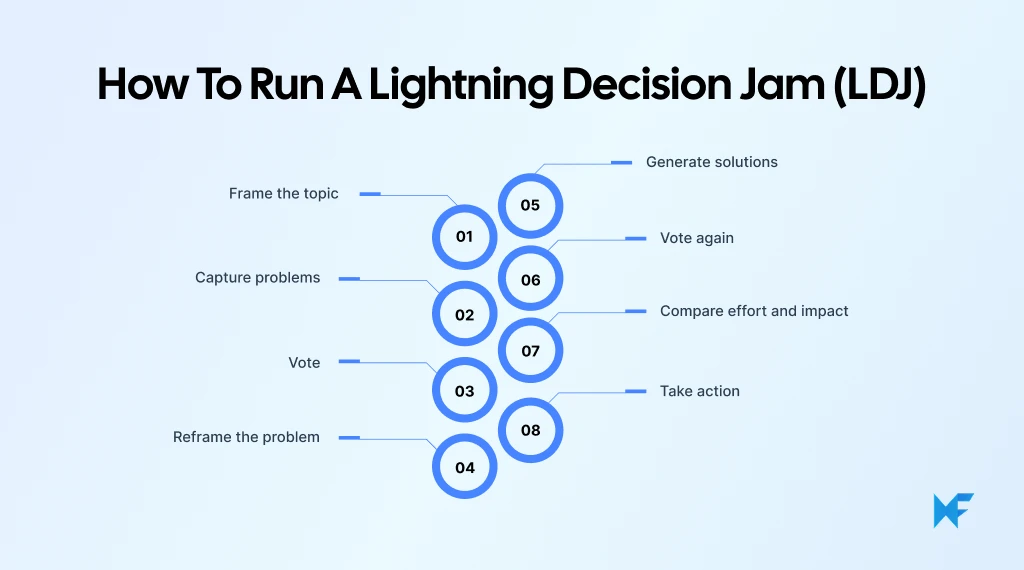
The lightning decision jam method follows the same core workflow for in-person, hybrid, and remote teams. The main requirement is a shared workspace where everyone can contribute directly and see how the session is progressing.
Step 1: Frame the workshop topic
Choose one area the team needs to improve or resolve. Keep the topic focused enough to guide contributions without suggesting a solution in advance.
Examples include customer onboarding, sprint handoffs, product adoption, sales conversion, or internal approval workflows.
For a remote lightning decision jam, place the topic clearly at the top of the shared board before the session starts.
Step 2: Capture the problems
Give participants a short period of silent thinking and ask them to add problems related to the topic.
Use one problem per sticky note and keep each statement specific. At this stage, focus on surfacing issues rather than debating them or suggesting fixes.
For hybrid and remote sessions, participants should add their own notes directly to the shared board so every contribution has equal visibility.
Step 3: Present and vote on the problems
Give participants a brief chance to explain their notes, then move quickly into voting.
Each person receives a limited number of votes and selects the problems they believe deserve the most attention. This narrows the field without spending equal time discussing every issue.
The highest-priority problem becomes the focus for the next stage.
Step 4: Reframe the priority problem
Turn the selected problem into a question that invites solutions. A simple “How might we...?” prompt works well.
For example:
“Users abandon onboarding before setup is complete.”
becomes:
“How might we help users reach their first successful setup faster?”
This shifts attention from describing the problem to exploring ways forward.
Step 5: Generate solutions silently
Give participants another focused ideation period and ask for several possible solutions.
Use one solution per sticky note and avoid evaluation while ideas are being generated. Silent ideation gives everyone room to think independently and reduces the influence of early suggestions.
This works particularly well for remote teams because participants can contribute simultaneously on the same board.
Step 6: Vote on the strongest solutions
Bring the proposed solutions together and run another round of voting.
Participants select the ideas they believe have the strongest potential. Keep this stage focused on prioritization rather than turning it into a pitch session where people defend their own suggestions.
Move the top-voted ideas into the next stage.
Step 7: Prioritize ideas by effort and impact
Place the shortlisted ideas on an effort-impact matrix.
Consider factors such as expected impact, implementation effort, feasibility, testing time, and available resources.
A simple way to interpret the matrix is:
- High impact, low effort: Strong candidates for immediate action
- High impact, high effort: Worth considering with more planning
- Low impact, low effort: Possible quick wins
- Low impact, high effort: Usually lower priority
This stage helps separate exciting ideas from ideas that are practical enough to move forward.
Step 8: Decide the next action
Finish the lightning decision jam workshop with one clear decision.
Turn the selected solution into a task, experiment, or next step. Assign an owner where appropriate and add a review date so the decision does not disappear after the workshop.
Other promising ideas can stay on the board for later consideration without distracting from the immediate action.
Run your lightning decision jam with MockFlow IdeaBoard
A lightning decision jam is easier to facilitate when the whole process stays visible. Participants should always know where to add problems, when to vote, which ideas are moving forward, and what action comes next.
A shared IdeaBoard workspace gives the session one place to move through those stages, whether everyone is in the same room or joining remotely.
1. Start with the ready-made lightning decision jam template
The Lightning Decision Jam template is the quickest way to get the workshop ready.
Before the session, replace the sample content with the actual challenge and check that the board reflects the flow participants will follow:
- Capture problems
- Vote on priorities
- Reframe the selected problem
- Generate solutions
- Vote again
- Compare effort and impact
- Define the next action
If the workshop needs an extra activity, such as a supporting mind map or another prioritization exercise, the wider IdeaBoard template library can provide a useful starting point without changing the core LDJ flow.
2. Customize the board before the meeting
A few minutes of setup can save repeated explanations during the workshop.
Add the topic prominently, write a short instruction beside each activity, prepare enough space for sticky notes, and make the voting rules visible. The effort-impact area and final action space should also be ready before participants arrive.
For workshops that need more tailored prompts, facilitators can adapt ideas from the IdeaBoard prompt library and rewrite them around the specific challenge being discussed.
The board should make the next step obvious without the facilitator having to constantly redirect the group.
3. Run ideation and prioritization on the same board
During silent ideation, ask participants to add their own sticky notes directly. This keeps contributions independent and gives everyone the same space to participate.
Once the ideas are visible, group similar notes where useful and move into voting. Keep problem notes and solution notes separate so the team can clearly see when the workshop shifts from understanding the issue to deciding what to do about it.
For remote teams, the board can stay open alongside the video call. Stanford researchers reported that 80% of Fortune 500 companies had employees on hybrid schedules, which makes a workshop workspace that can follow participants between office and remote settings increasingly useful.
On IdeaBoard, participants can work simultaneously, while additional context can be added through voice or video comments when a note needs explanation without slowing down the live discussion.
4. Capture the decision before the workshop ends
Move the selected solution into the final action area and record the first step, the owner where relevant, and the point when progress will be reviewed. Keep promising ideas that were not selected on the board so they remain available for future planning.
After the session, share the completed board with the team. It becomes a useful record of the problems considered, the priorities chosen, and the action everyone agreed to take.
Ready to run the workshop? Start with MockFlow IdeaBoard's online no-signup workspace or sign up for MockFlow to keep future sessions and boards together.
Frequently asked questions
1. How long should a Lightning Decision Jam take?
A Lightning Decision Jam is usually designed as a short, time-boxed workshop. A practical session often takes around 45 to 90 minutes, depending on team size and problem complexity.
2. How many people should join a Lightning Decision Jam?
LDJ works best with a small group where everyone can contribute meaningfully. Around 4 to 10 participants is a practical range for keeping ideation, voting, and prioritization manageable.
3. Does a Lightning Decision Jam need a facilitator?
A facilitator is strongly recommended. Their job is to explain each activity, manage time boxes, keep discussion focused, and move the group through voting and prioritization without letting debate take over.
4. What materials are needed for a Lightning Decision Jam?
For an in-person LDJ, teams typically need sticky notes, voting dots, markers, a timer, and space for an effort-impact matrix. Remote teams can recreate the same workflow on a shared digital whiteboard.
5. What happens to ideas that do not get selected in an LDJ?
They do not need to be discarded. Keep unselected problems and solutions on the board as a backlog for future workshops, experiments, or planning sessions. The current LDJ should still finish with one prioritized direction rather than reopening every idea.
6. Is Lightning Decision Jam part of a Design Sprint?
LDJ is a standalone facilitation method developed by AJ&Smart, although it draws on problem-solving principles associated with Design Sprints. AJ&Smart describes it as a shorter framework for reducing unnecessary discussion and reaching decisions quickly.
How to Create Team Charters in 2026? A Guide with Benefits & Templates
Introduction Sometimes teams struggle to stay aligned as projects move forward, especially when responsibilities, communication,...
How Mesh Network Topology Works: Diagrams, Types, and Examples
Introduction When multiple devices are connected in a network, a key concern is whether communication can continue if one of...

Collaboration Skills: How to Improve Team Performance and ROI
Introduction Smart teams fail more often than we admit. Deadlines slip when communication breaks down, projects stall when...
