Auto-Generated Style Guide for Wireframes in Specs Mode
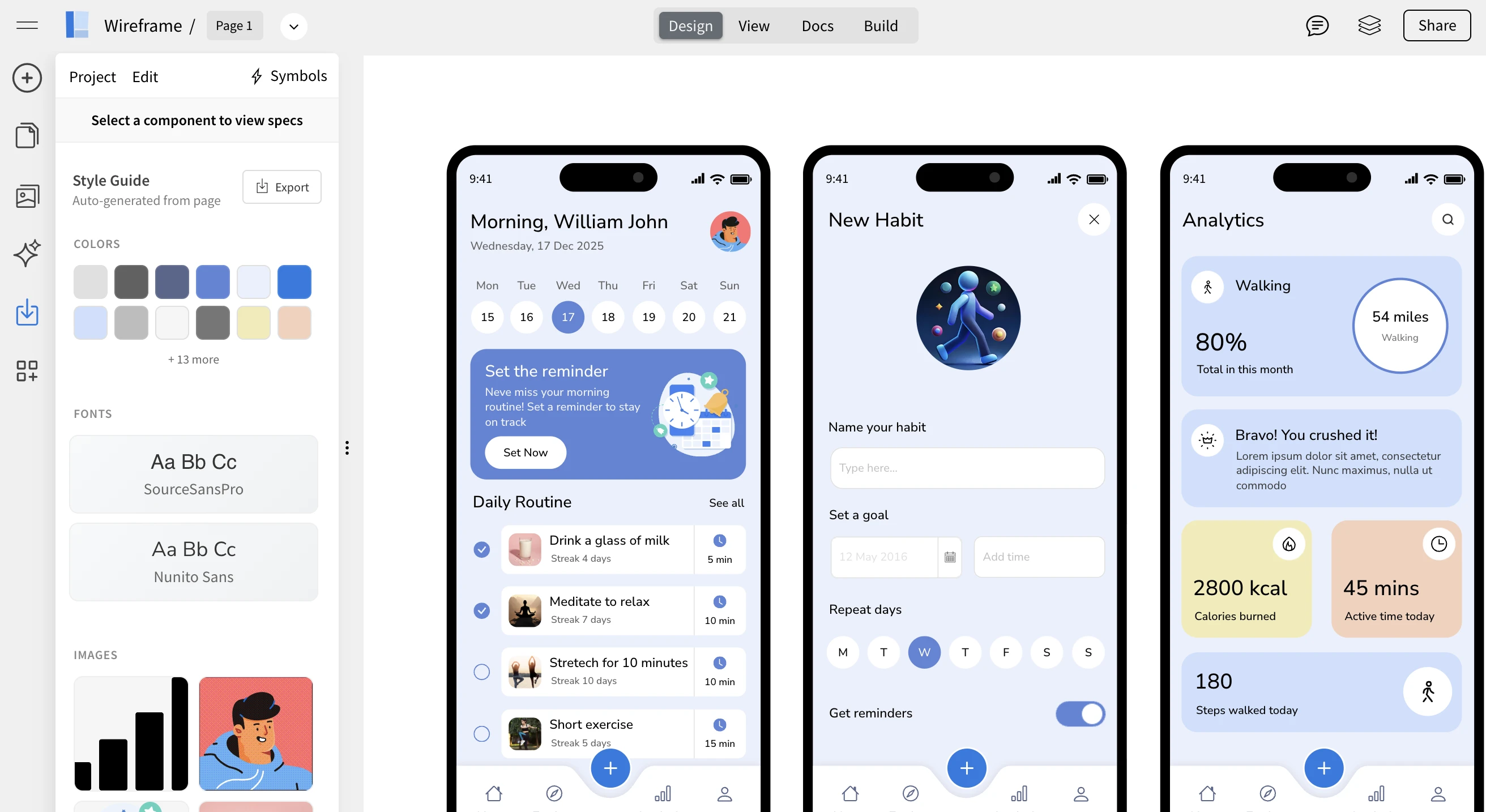
WireframePro now makes design handoff even easier with auto-generated style guides inside Specs mode. Your wireframes can automatically produce a structured style guide based on the colors, fonts, icons, and images used in your design, ready to be reviewed or exported for development.
This enhancement bridges the gap between early-stage wireframes and implementation-ready design documentation, without requiring extra setup or manual work.
From Wireframe to Style Guide — Automatically
Traditionally, teams start with a brand or style guide and then create wireframes based on those rules. In real-world workflows, however, wireframes often come first.
Wireframes are usually created early in the product lifecycle, often by product managers, founders, or non-designers who are focused on layout, flow, and functionality rather than visual styling. As the wireframe evolves into a more detailed and high-fidelity version, colors, fonts, and visual elements naturally start taking shape.
WireframePro now flips the traditional process by automatically generating a style guide from the wireframe itself. Instead of manually documenting styles afterward, Specs mode analyzes your design and extracts:
- Colors used across the wireframe
- Font families and text styles
- Icons and images
- Common visual patterns
This gives you a clear, structured overview of the visual system emerging from your wireframe.
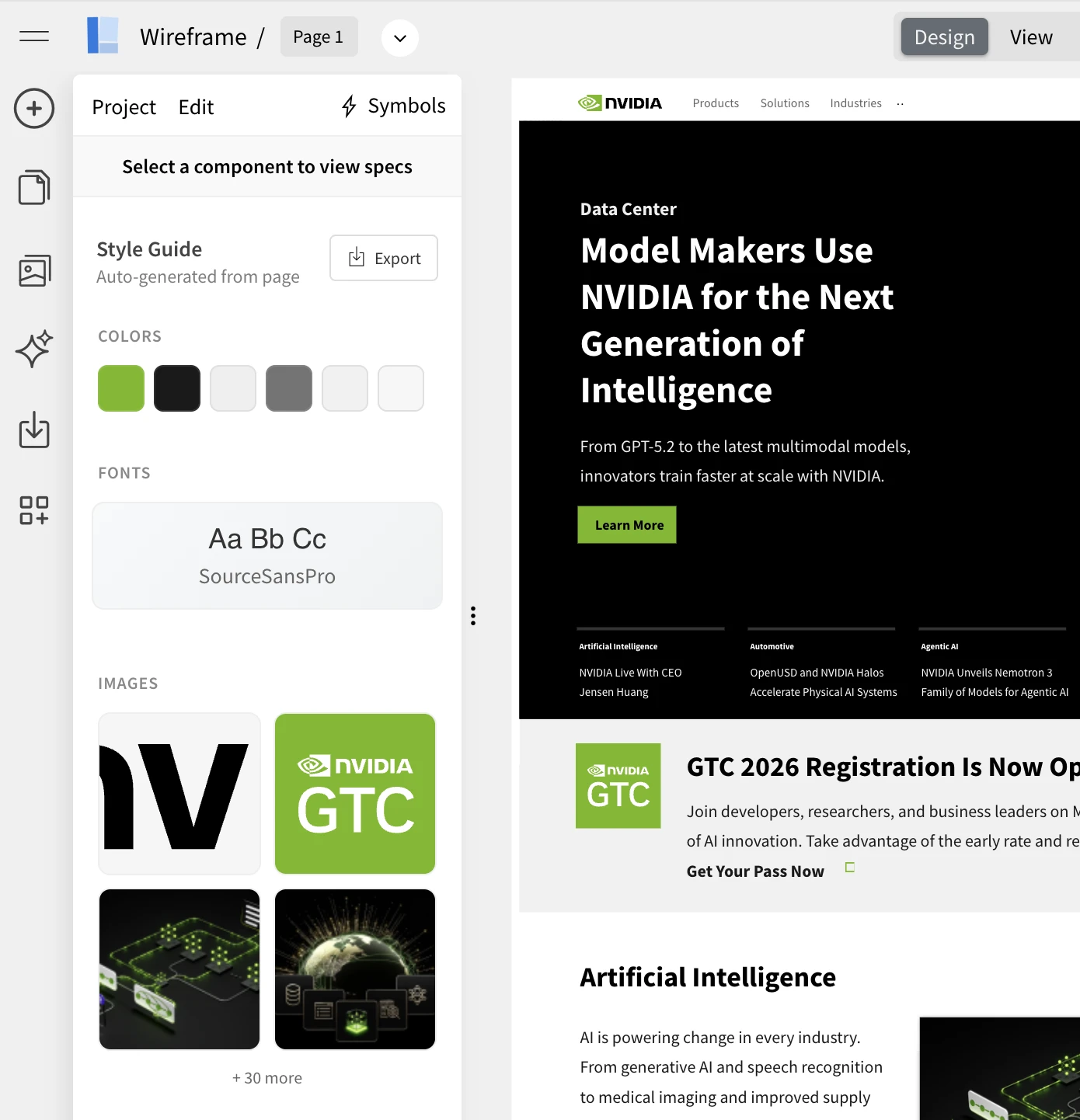
The above screenshot , shows nvidia.com homepage converted to wireframe using chrome extension and then its style guide extracted.
Why This Is Useful
The auto-generated style guide helps in multiple real-world scenarios:
- Simpler developer handoff – Developers get a ready reference of styles used in the wireframe.
- Better collaboration – Designers and engineers can quickly align on visual decisions.
- Clarity for evolving designs – As wireframes become more detailed, the style guide updates automatically.
- Ideal for non-designers – Teams can focus on ideas first, without worrying about formal style systems upfront.
- Faster transition to high-fidelity designs – The extracted styles act as a foundation for UI refinement.
Instead of manually documenting design tokens, WireframePro turns your working wireframe into a usable style reference instantly.
How to Auto-Generate the Style Guide
Generating the style guide is simple:
- Open your wireframe in WireframePro
- Switch to Specs mode (available in both Editor and View modes)
- The system automatically generates a complete style guide based on your wireframe
You’ll see a structured overview of colors, typography, icons, and other visual elements used — just like the example shown in the screenshot above.
No setup, no configuration, and no manual tagging required.
Export Formats Supported
The auto-generated style guide can be exported in multiple developer-friendly formats:
- CSS Variables – Ideal for web projects
- JSON (Design Tokens) – Useful for design systems and tooling
- Tailwind Config – Perfect for Tailwind CSS–based workflows
- These exports help teams directly plug design values into their codebase, reducing back-and-forth and speeding up implementation.
What’s Coming Next
This is just the beginning. Upcoming improvements to the auto-generated style guide will include:
- Editing and refining styles directly inside the style guide
- Applying updated styles back to the wireframe
- More control over tokens and grouping
- Expanded export options
The goal is to make the style guide not just a reference, but an active part of the design workflow.
The Auto-Generated Style Guide in WireframePro turns your wireframes into living design documentation helping teams move faster from concept to implementation, with clarity and consistency built in.
